
世界预览
World Preview 是一款模组,用于在生成 Minecraft 世界之前可视化世界种子。
安装
只需下载适用于你 精确 Minecraft 版本的最新 World Preview JAR 文件。
此外,务必 确保你使用的是与你的加载器(Fabric/Forge)相匹配的正确版本。
然后将下载的 jar 文件保存到 Minecraft 实例的 mods 文件夹中。
最后,如果你使用的是 Fabric,你还需要下载 Fabric API。
使用方法
World Preview 在多人游戏菜单中添加了一个新的 Preview 选项卡。
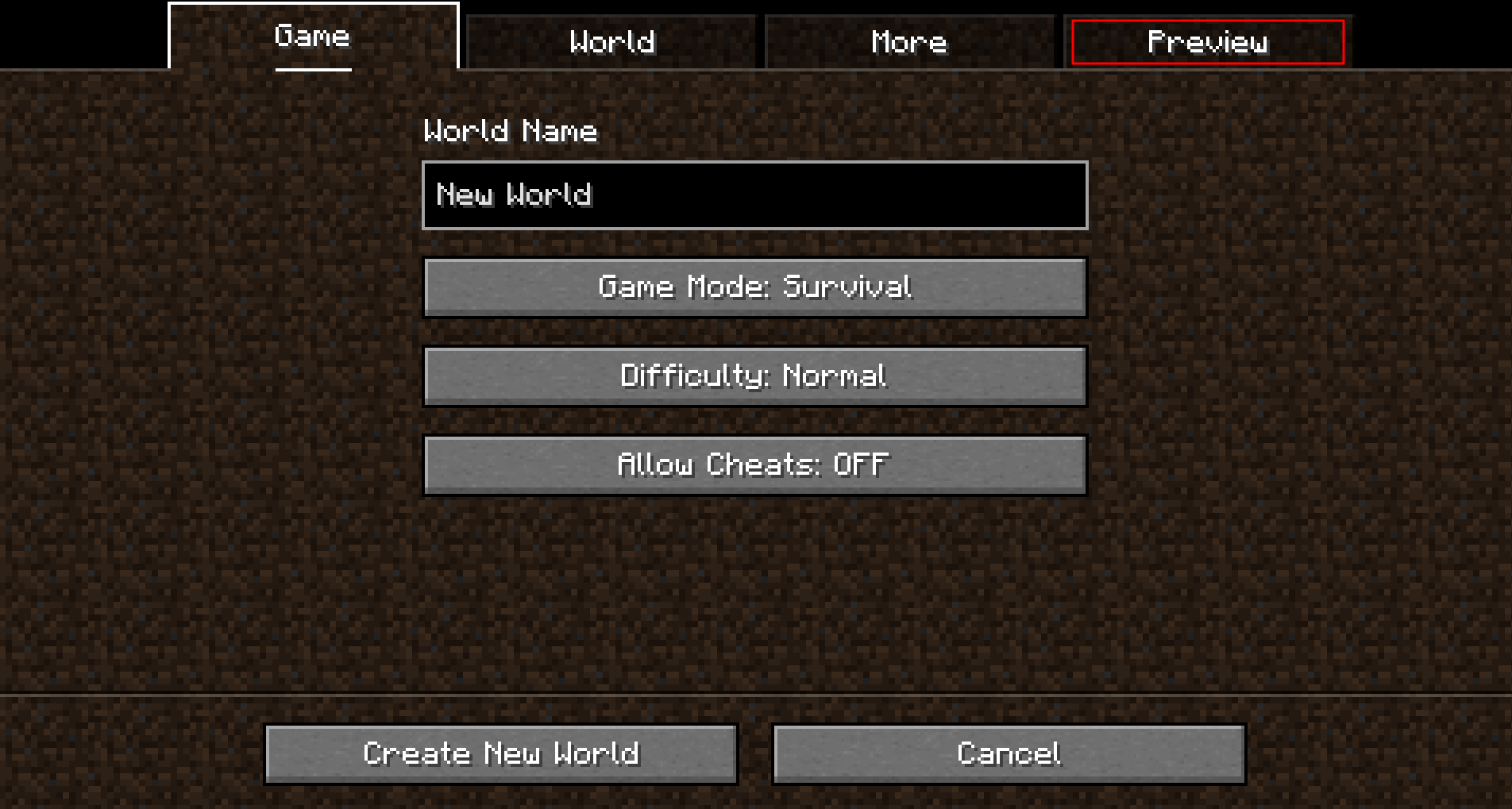
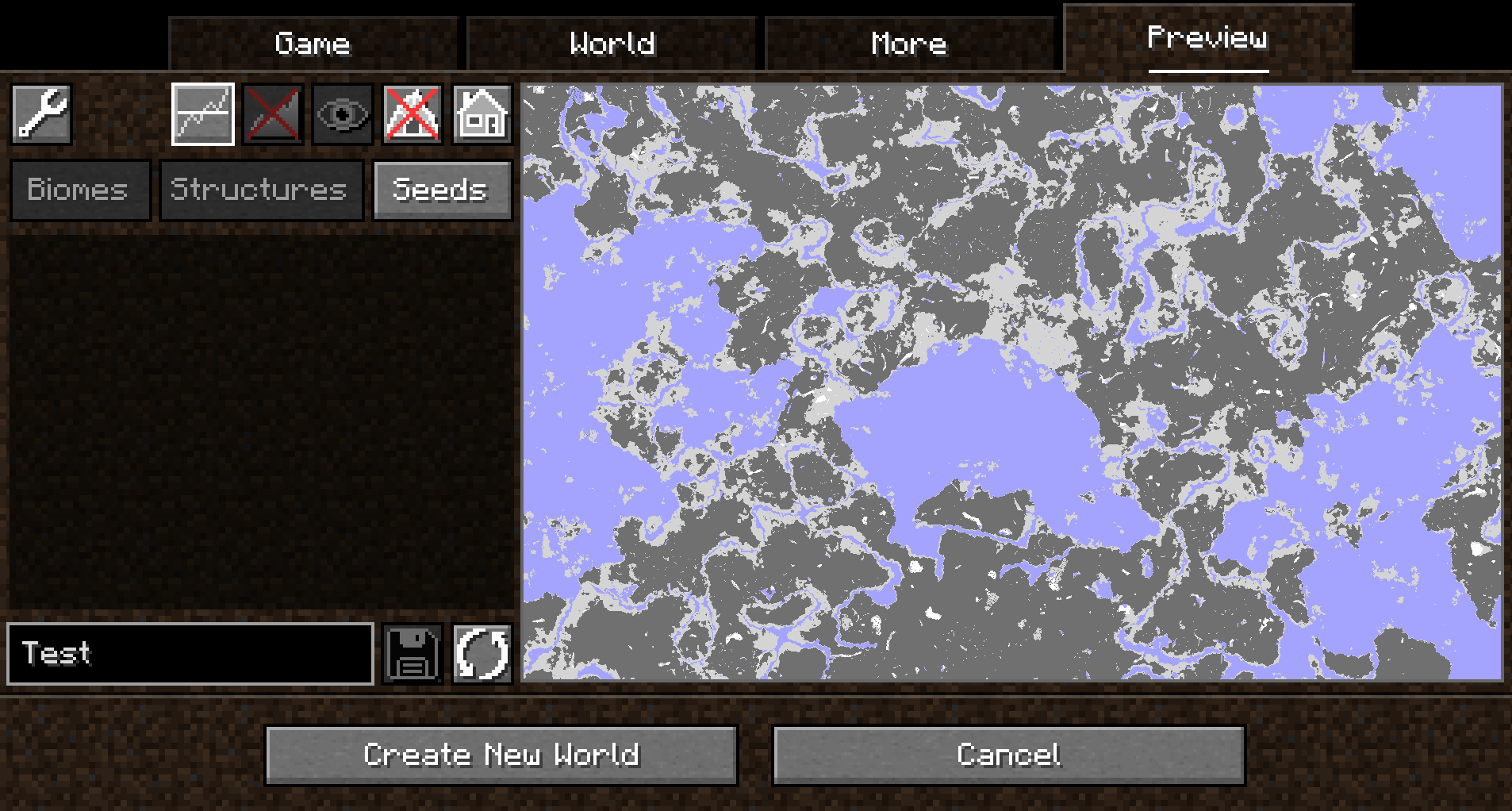
打开该选项卡后,会随机选择一个种子并生成生物群系地图:
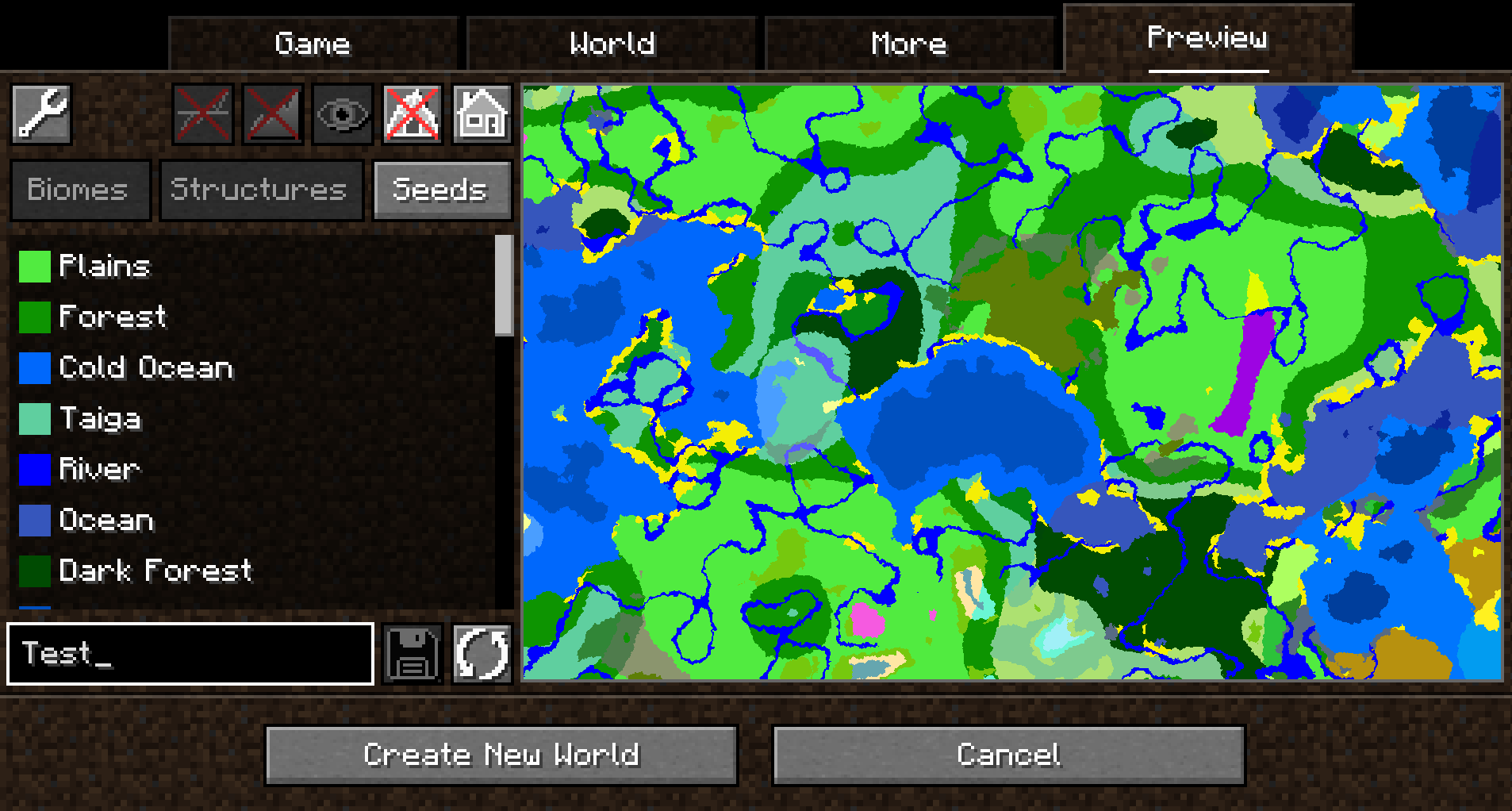
默认情况下,将生成主世界维度,不显示结构,也不生成高度图。
这可以在设置中进行更改(Preview 选项卡左上角的按钮)。
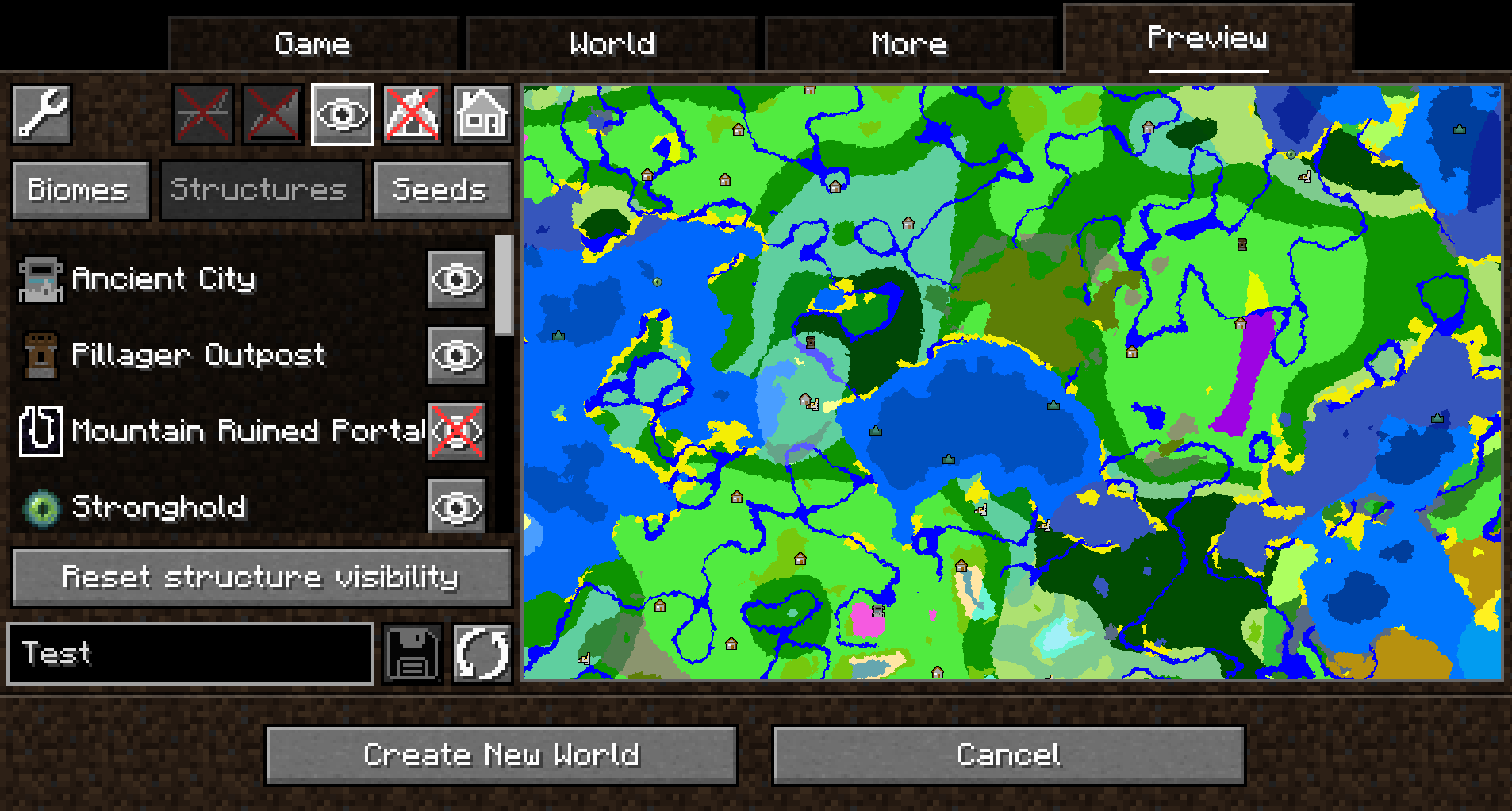
启用结构采样后,可以切换预览中不同类型结构的可见性:
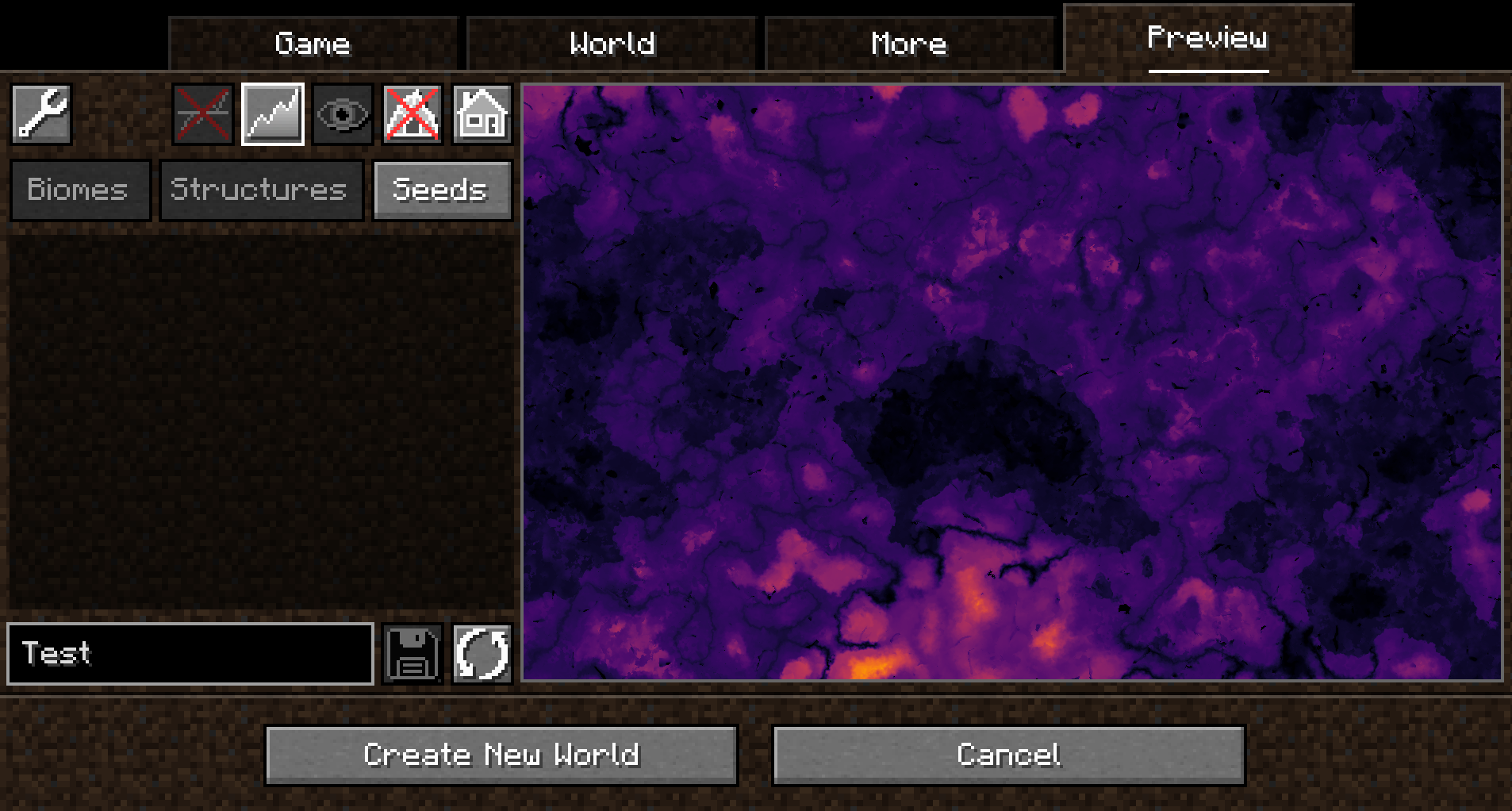
启用高度采样后,可以在生物群系地图和彩色高度图之间切换预览:
启用 Y 层交叉采样后,预览还可以显示当前 Y 层上的方块。 此外,低一层的 Y 层也会以更浅的颜色显示:
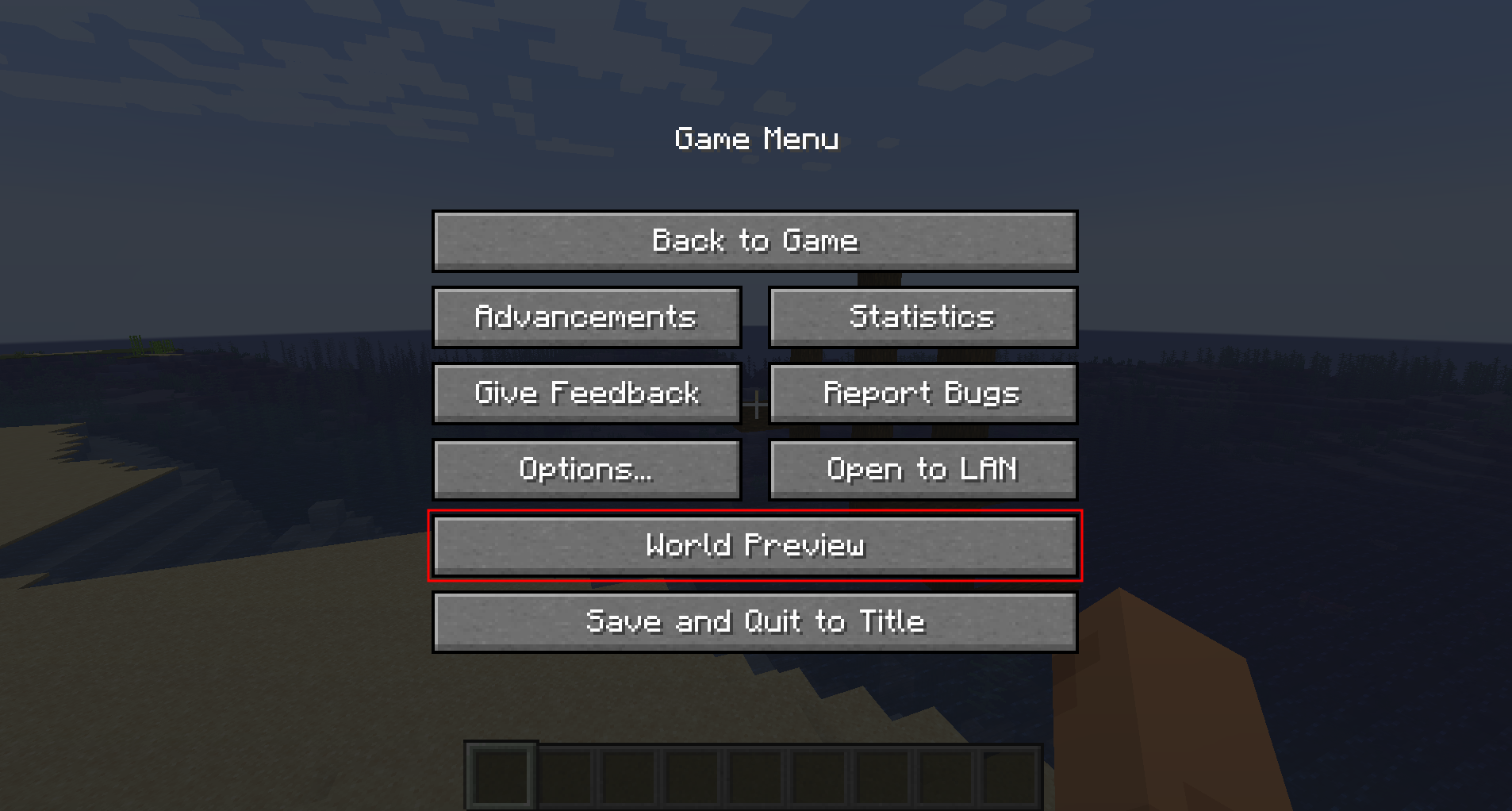
自 1.1.0 版本起,还支持在游戏中为单人世界打开预览:
在预览中移动
点击并拖动预览选项卡的地图部分将沿 X 轴和 Z 轴移动。 这将导致以下加载顺序:
- 当前 Y 级别上尚未采样的任何生物群系
- 结构(如果启用)
- 高度图(如果启用)
- 相邻的 Y 层(如果启用)
滚动不会放大地图(配置菜单中有单独的设置来控制缩放级别),而是沿 Y 轴移动。 这允许看到洞穴生物群系。请注意,非洞穴生物群系在该范围之外跨越整个世界高度。
其他功能
- 支持模组!已测试:
- Terralith
- Biomes O' Plenty
- 持久化种子存储
- 高亮特定生物群系
- 高度可配置和可扩展
支持的版本
下表显示了 Minecraft 版本的当前支持状态。
| Minecraft Version | Status |
|---|---|
1.20.x |
Supported |
常见问题解答
Q: Will Minecraft versions before 1.20 be supported?
A: No.
Q: Will Multiplayer be supported?
A: No.
Q: Scrolling does not zoom the preview!
A: Scrolling moves the y-level up and down. To change the zoom level, go to Settings (top left wrench) -> Resolution and change the visual size of a chunk.
Q: The preview is completely white / black for the y-intersections view.
A: This is likely because the starting y-layer for the preview is the build limit. Try scrolling down to a lower y-layer and something should show up.
Q: My CPU is at 100%!
A: You can limit the number of used cores in Settings (top left wrench) -> General. By default, World Preview tries to compute the biome preview / structures / heightmap as quickly as possible. These calculations require a lot of CPU power.
模组不兼容
此模组应与大多数模组兼容(包括添加新生物群系和维度的模组)。
TerraFirmaCraft (TFC)
World Preview 与 TFC 兼容,但是,存在一个已知问题:
对于所有 Y 级别,Y 交叉视图将始终为白屏,因为 TFCChunkGenerator 对 getBaseColumn 方法有一个虚拟实现。
澄清一下:这并不意味着 TFC 损坏/做错了什么(它显然可以独立工作并履行其职责)。 这只是意味着在这种情况下 TFC 没有提供 World Preview 所需的特定信息。
添加对新生物群系和结构的支持
可以通过 Minecraft 数据包机制注册新的生物群系、结构等。有关更多信息,请参阅 World Preview 数据格式文档。
World Preview
World Preview is a mod for visualizing Minecraft world seeds before they are generated.
Installation
Just download the latest World Preview JAR file for your exact Minecraft version.
Additionally, always ensure that you are using the correct version for your modloader (Fabric/Forge).
Then save the downloaded jar to the mods folder of your Minecraft instance.
Finally, if you are on Fabric you also need to download the Fabric API.
Usage
World Preview adds a new Preview tab to the Singleplayer menu.
Upon opening that tab, a random seed is selected and a map of biomes is generated:
By default, the overworld dimension will be generated, structures will not be shown and no heightmap will be generated.
This can be changed in the Settings (top-left button in the Preview tab).
When structure sampling is enabled, the visibility of individual types of structures on the preview can be toggled:
When height sampling is enabled, the preview can be toggled between the biome map and a colorized heightmap:
When y-layer intersection sampling is enabled, the preview can also show the blocks on the current y-layer. Additionally, the y-layer one step below is also shown in a lighter color:
Since version 1.1.0, there is also experimental support for opening the preview in-game for a single-player worlds:
Moving on the preview
Clicking and dragging on the map-part of the preview tab will move along the x and z axis. This will cause the following load sequence:
- Any biomes that are not yet sampled on the current y-level
- Structures (if enabled)
- Height map (if enabled)
- Adjacent y-layers (if enabled)
Scrolling does not zoom into the map (there is a separate setting in the configuration menu for controlling the zoom level), but instead travels along the y-axis. This allows cave biomes to be seen as well. Please note that non-cave biomes span the entire world height beyond that.
Other features
- Works with mods! Tested with:
- Terralith
- Biomes O' Plenty
- Persistent seed storage
- Highlighting specific biomes
- Highly configurable and extendable
Supported version
This table shows the current support status for the Minecraft version.
| Minecraft Version | Status |
|---|---|
1.20.x |
Supported |
FAQ
Q: Will Minecraft versions before 1.20 be supported?
A: No.
Q: Will Multiplayer be supported?
A: No.
Q: Scrolling does not zoom the preview!
A: Scrolling moves the y-level up and down. To change the zoom level, go to Settings (top left wrench) -> Resolution and change the visual size of a chunk.
Q: The preview is completely white / black for the y-intersections view.
A: This is likely because the starting y-layer for the preview is the build limit. Try scrolling down to a lower y-layer and something should show up.
Q: My CPU is at 100%!
A: You can limit the number of used cores in Settings (top left wrench) -> General. By default, World Preview tries to compute the biome preview / structures / heightmap as quickly as possible. These calculations require a lot of CPU power.
Mod incompatibilities
This mod should be compatible with most mods (including those adding new biomes and dimensions).
TerraFirmaCraft (TFC)
World Preview is compatible with TFC, however, there is a known issue:
The Y intersections view will always be a white screen for all Y levels with TFC, because the TFCChunkGenerator has a dummy implementation for the getBaseColumn method.
To clarify: This doesn't mean that TFC is broken / does something wrong (it clearly works on its own and does its job). It just means that TFC does not provide the specific information World Preview needs in this case.
Adding support for new biomes and structures
New biomes, structures, and more can be registered via the Minecraft datapack mechanism. See the World Preview dataformat docs for more information.
下载 World Preview
下载 World Preview
下载 World Preview
下载 World Preview
下载 World Preview
下载 World Preview
下载 World Preview
下载 World Preview
下载 World Preview
下载 World Preview
关于这个资源的讨论、问题反馈与使用心得
还没有讨论,来发第一帖吧
你是这个资源的作者?登录后可认领此资源。
相似资源
 模组

显示你正在注视的方块的信息。(适用于 Minecraft 1.16+ 的 Hwyla/Waila 分支)
 模组

原版世界生成优化模组
 模组
使用 JavaScript 编辑配方、添加自定义物品、编写世界事件!
 模组

查看物品与配方
 模组
在游戏画面角落显示附近世界地形、玩家、生物和实体的地图。可创建路径点,帮助你找到标记过的位置。
 模组
AE2:一款流行的自动化与存储模组
评论 0
登录后参与评分
还没有评论,来抢沙发吧