
World Preview Prime
World Preview Prime 是 World Preview 模组的延续,它直接在游戏内添加了一个种子查看地图功能。你可以在创建世界之前预览并寻找一个种子,或者在已经使用该种子创建世界后回顾该种子!
由于原作者不再活跃,World Preview Prime 是从原版模组分叉而来的。这个分叉版本将继续更新以适配新版本,并改进数据包/配置文件的配置方式。
致谢
- 感谢 caeruleusDraconis 制作了原版模组。我始终好奇你是如何完成这个模组并保持理智的,代码令人望而生畏。
- 感谢 ChocoBoy 完成了对 26.1 版本的初始移植,并添加了完整的 Lithostitched 兼容性。如果我亲自尝试的话,恐怕会疯掉。
使用方法(预览)
如果你希望预览一个世界种子,请前往“创建新世界”界面,然后点击 Preview(预览)标签页。
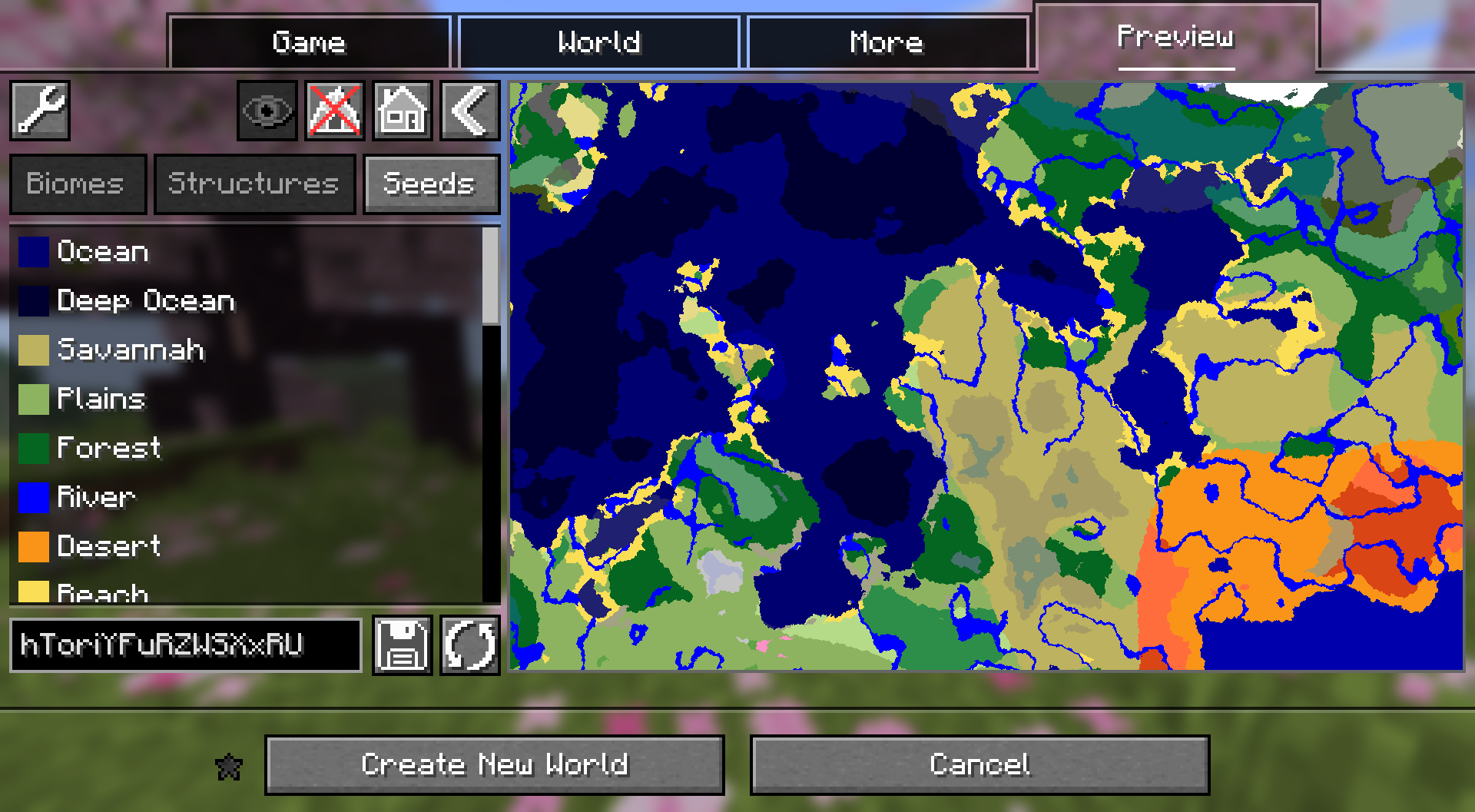
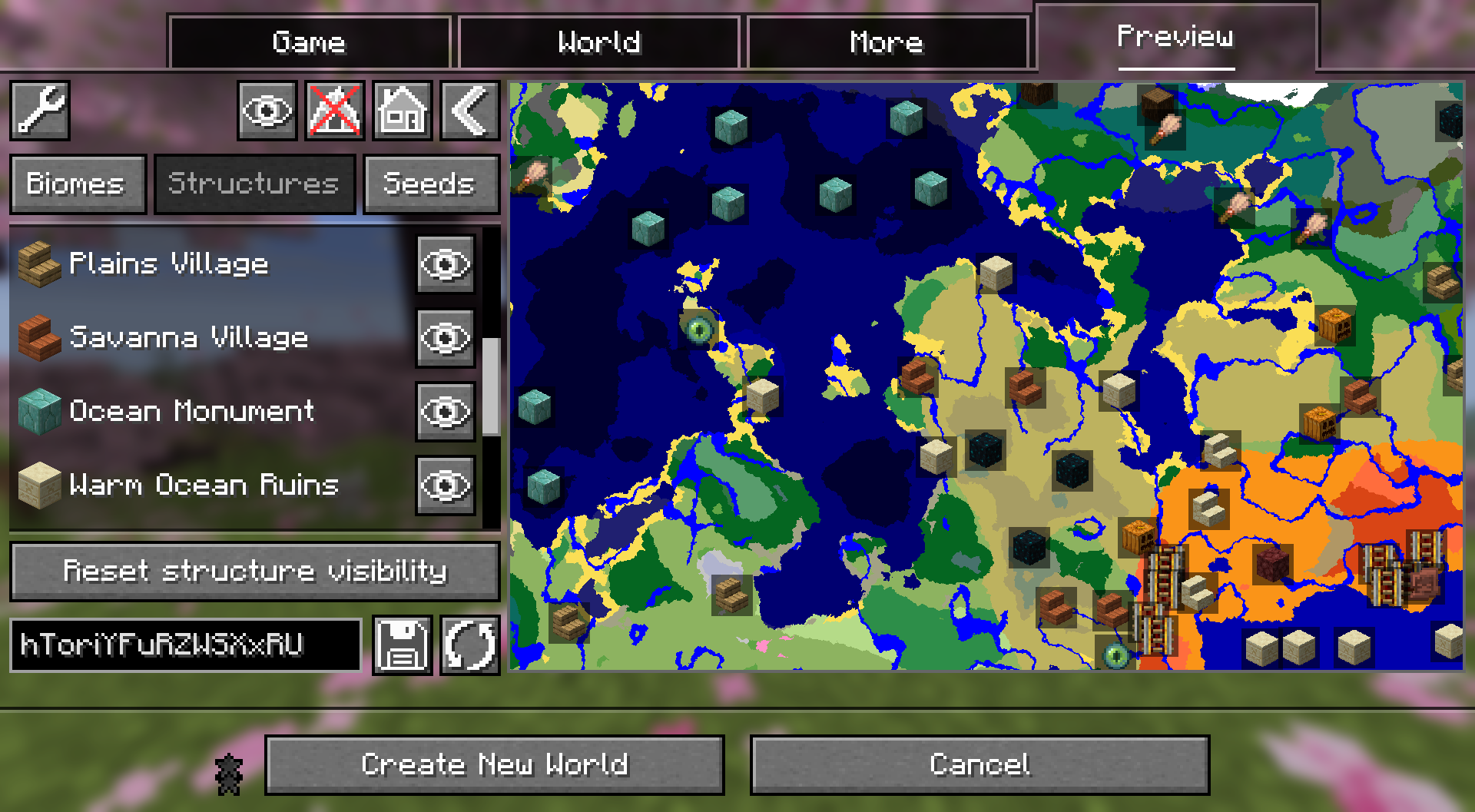
截至目前,与原版模组相比最显著的变化是颜色:World Preview Prime 使用你在 Chunkbase 或 Cubiomes 上看到的相同生物群系颜色。此外,结构图标现在使用方块和物品而非自定义纹理。它们更大、更容易看清。
使用方法(回顾)
如果你希望回顾一个世界种子,请在暂停菜单中按下 World Preview(世界预览)按钮。


你是这个资源的作者?登录后可认领此资源。
相似资源
 模组

玉Jade ?
Snownee
显示你正在注视的方块的信息。(适用于 Minecraft 1.16+ 的 Hwyla/Waila 分支)
实用前置
341
 模组

Fast Noise
omo50
原版世界生成优化模组
优化世界生成
242
 模组
Xaero的小地图
thexaero
在游戏画面角落显示附近世界地形、玩家、生物和实体的地图。可创建路径点,帮助你找到标记过的位置。
冒险交通
241
 模组

物品管理器Just Enough Items (JEI)
mezz
查看物品与配方
前置实用
240
 模组
KubeJS
Lat
使用 JavaScript 编辑配方、添加自定义物品、编写世界事件!
前置实用
239
 模组
Applied Energistics 2
shartte
AE2:一款流行的自动化与存储模组
存储科技
217
评论 0
登录后参与评分
还没有评论,来抢沙发吧