公共服务公告:如果不复制粘贴被称为“Java 参数”的特殊设置并限制最大内存使用量,Minecraft 运行会非常糟糕且出现卡顿。这对所有整合包乃至原版游戏都是如此。请怪罪 Mojang 和 Java。详见下方说明。
状态:长期停更。虽然我可以承诺我会重新回来更新这个整合包,但我无法承诺具体时间。它目前的版本略显粗糙且有些小毛病,但完全可以通关。在没有决心将其全面 overhaul(大修)至新版 MC 之前,我无法强迫自己回来修复那些较小的 bug。仅 Create 的更新就足以证明需要做出重大改动。
这是什么?
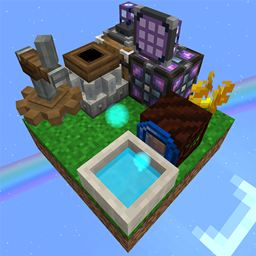
这只是一个带有 Create 模组的 Skyblock(空岛),但它是一个真正的空岛。这意味着:没有免费资源!没有淘洗!没有探索!没有专家食谱!
你可以为自己或你的队伍选择一座岛屿。世界中唯一的其他地形生成是末地中的龙岛。预计你需要治疗僵尸村民并进行交易。Create 将处理你大部分的自动化工作。任务系统为主流程谜题提供提示,而其他模组内容则经过教程化处理,以方便新手上手。这个整合包体积小巧,优化良好,甚至能在你的烤面包机上运行。
主要模组
- Create 及其多个附属模组
- Botania(植物魔法)
- Occultism(神秘学)
- Applied Energistics(应用能源,但其自动化属于后期内容)
- Sophisticated Storage and Backpacks(高级存储与背包)
- Silent's Gear(沉默齿轮)
- Farmer's Delight(农夫乐事)
测试版:此整合包已“内容完整”并经过试玩测试,但尚不彻底。欢迎提供反馈,感谢你的耐心。
为什么做这个?
在我看来……
- 原版空岛玩法是一个充满有趣技巧和获取所需物品方法的谜题,但其肝度和对运气的依赖导致进度极其缓慢且惩罚严厉。
- 模组化空岛充满了提升生活质量的功能、有趣的可折腾模组,并以通过构建自动化来推进进程为特征,但(通常)资源获取过于简单,且后期涉及为庞大的配方链批量制作材料。这是我试图结合这两种风格的优点以弥补各自短板的尝试。
但是有很多带有 Create 的空岛整合包啊?
我只是想玩一个基于较新版本 Create 的空岛整合包,但它们都有同样的 1 或 2 个问题。
-
- 它们都以淘洗机、筛子、资源鸡或某种无限的随机“OneBlock”开始,让你在早期就获得大量资源,从而使更有趣的玩法变得毫无意义。
- 它们生成完整的下界,或者许多其他岛屿,甚至是挖矿维度。
在我心目中,一个令人满意的空岛整合包应以一无所有但最低限度的起始条件开始,克服获取方块和资源的困难,并按照你自己的意愿建造整个世界。在我看来,许多空岛整合包因过度充裕的资源而廉价化了这种体验。
DISCORD
*d.gg/YPHQKeJ
复制/粘贴链接并删除 * 即可加入。抱歉造成不便,这是为了减少网络爬虫垃圾机器人的干扰。请不要给我发送随机的好友请求。只需加入我的 Discord 服务器或我所在的某个服务器,然后 @ 我或直接私信我。
幻翼
默认情况下它们是开启的,但如果你喜欢可以禁用它们。你仍然可以通过仪式召唤它们以获取膜。
多人游戏
服务器文件可在每个整合包下载页面的“附加文件”选项卡中找到。我已尽可能简化流程,但你仍必须正确配置 Java 并通过路由器进行 端口转发。
Java 设置
错误的 Java 设置是导致几乎所有问题的原因。即使你不需要关于安装启动器和整合包的其余帮助,这也是重要的信息。
首先,确保你安装了 64 位 Java 17 版本。如果你不完全确定,请直接 在此处为你的操作系统下载它。对于 1.18+(本整合包),需要 Java 17。对于 Minecraft 1.17 之前的版本,需要 Java 8。请注意,CurseForge 的官方启动器似乎不支持为每个整合包指定不同的 Java 版本。GD Launcher 和 Prism 支持。
此整合包至少需要 4096 MB(即 4 GB)。如果你有 8+ GB 的 RAM,我 推荐分配 6144 MB。你的总 RAM 必须比分配给 Java 的内存多至少 2 GB。如果你有很多内存,也不要给 Minecraft 分配超过 9216 MB。超过这个数值实际上可能会让游戏运行得稍差一些。
Java 参数。这是一套像巫毒魔法一样的文本选项,你将其粘贴到设置中以“修复游戏”。过时或错误的参数只会让情况变得更糟,而没有它,即使在高端系统上游戏也会严重卡顿。由 cpw 提供的这套参数将帮助任何整合包(包括原版)运行得更好。
-XX:+UseG1GC -Dsun.rmi.dgc.server.gcInterval=2147483646 -XX:+UnlockExperimentalVMOptions -XX:G1NewSizePercent=20 -XX:G1ReservePercent=20 -XX:MaxGCPauseMillis=50 -XX:G1HeapRegionSize=32M
启动器
如果你还没有安装启动器,你需要下载一个来运行整合包,通常使用 Prism、GDLauncher 或 CurseForge。
Prism
- 根据你的操作系统下载相应的安装程序并安装 C++ 前置组件(如果需要)。如果你下载的是便携版,请注意你需要手动移动文件并创建快捷方式。
- 安装 Prism 并配置你的设置。
- 从“Java”选项卡开始。使用上面的 Java 说明填写最大内存分配和 JVM 参数。
- 点击“自动检测”。将弹出一个菜单,显示你电脑上不同的 Java 版本。点击上面提到的正确的 64 位版本。
- “账户”选项卡。添加你的 Microsoft 登录账户并将其设为默认,否则 Prism 将无法安装任何整合包。
- 趁现在更改其他你需要的设置。
- 点击主窗口左上角的“添加实例”按钮,然后点击“CurseForge”以下载整合包。
- 仅输入单词 “authentic” 并向下滚动以找到 Authentic Skies Create。搜索引擎非常糟糕,无法正确处理多词搜索。
- 点击确定。随后你会收到关于缺失的“被屏蔽”模组的弹窗提示。这是 CurseForge 的限制。请仔细阅读此弹窗窗口。
- 点击“打开缺失项”。浏览器标签页将为每个缺失的模组打开并尝试下载它们。如果弹窗中的“监视文件夹”部分正确无误,左下角将切换为带有绿色对勾的“所有模组已找到”。如果不正确,请将下载的模组拖放到弹窗中。
- 点击确定。
- 开始游戏,玩得开心。注意:你可以通过右键单击整合包本身并打开编辑,然后进入设置并将 Java 安装路径设置为与默认值不同,从而为每个整合包指定不同的 Java 版本。
GDLauncher
- 安装 GDLauncher 的设置文件,让它自动为你下载和设置 Java,并登录你的 Minecraft 账户。
- 快速点击右下角的下箭头以跳过介绍,然后关闭“更新内容”弹窗。
- 按照指示点击左下角的 + 按钮添加实例,然后点击“浏览整合包”以下载该整合包。
- 仅输入单词 “authentic” 并向下滚动以找到 Authentic Skies Create。搜索引擎非常糟糕,无法正确处理多词搜索。
- 点击“下载最新版本”。
- 如有需要,重命名实例并点击 ->。
- 一旦实例添加到主屏幕,趁它下载文件时,通过点击标题栏右侧的齿轮图标来编辑你的设置。
- 根据需要调整“常规”设置后,点击“Java”选项卡。
- 调整 Java 内存,并粘贴上面 Java 说明中的 Java 自定义参数。在粘贴新参数之前,删除默认的 Java 参数。
- 开始游戏,玩得开心。
CurseForge
- 安装 CurseForge 的设置文件并按照步骤操作,直到进入主屏幕。
- 点击 Minecraft Java Edition 并添加它。
- 点击左下角的齿轮图标。点击 Minecraft。滚动到底部。
- 检查你的 Java 版本,调整分配的内存,并粘贴上面 Java 说明中的附加参数。
- 顺便更改其他你需要的设置。
- 在主菜单顶部点击 Minecraft,然后点击“+ 创建”,并在搜索框中仅输入单词 “Authentic”。
- 向下滚动并安装 Authentic Skies Create。搜索引擎非常糟糕,无法正确处理多词搜索。
- 开始游戏,玩得开心。
鸣谢
本项目得到了 Minecraft Pack Development Discord 的大力协助,尤其是(但不限于)以下成员:
- unnecessary: 模组开发 & 测试员
- omgimanerd: 脚本帮助 & 测试员
- qwerty97475: 物品绘图 & 测试员
- Larcek: 测试员
- frog the jam UNCHAINED: 测试员
- disco: 脚本帮助
许可证
这应该不需要澄清,但修订版 BSD 许可证相当开放。大致简化条款如下……
如果你重新分发本整合包的全部或部分,你所使用的部分并不会神奇地变成闭源代码,从而你可以将其对他人保密或对任何其他使用者主张版权。如果你做了愚蠢/惊人/恶意的事情涉及使用此代码,不要试图归咎于我。我不提供任何保证。如果运行此整合包导致 John Wick 的小狗死亡,那不是我的错,我也与此无关。
在此之外,只要不违反模组作者或 Mojang 的版权规定,欢迎您学习、复制/粘贴,甚至公然窃取本整合包中的任何内容。
从个人角度来看,虽然我尊重许可证和各位的劳动成果,但我认为对于模组开发者以及像我这样的整合包制作者而言,声称独占版权是虚伪的,且只会损害社区。我们的工作是建立在模组开发者的基础之上,而模组开发者又是建立在 Forge 团队的基础之上,Forge 团队则是建立在 Mojang 的基础之上。彼此依存,才成就了模组与整合包。如果我的配置文件、脚本或任务线能帮助您比自己更快地制作出更优秀的整合包,那我就很乐意能有所帮助。
Public Service Announcement: Minecraft runs badly and stutters without copy/pasting special settings called "Java arguments" and max memory usage. This is true for all mod packs and even vanilla. Blame Mojang and Java. See Instructions below.
Status: Loooong Hiatus. While I can promise I'll revisit this pack. I can't promise when. It's a bit rough and quirky in it's current state, but fully beatable. I can't bring myself to come back to fix the current smaller bugs without committing to a full overhaul to a newer MC version. The updates to Create alone are enough to warrant big changes.
What is it?
It's just Skyblock with Create, but actually a real skyblock. That means No Free Resources! No Sifting! No Exploration! No Expert Recipes!
You'll get your choice of island for yourself or your team. The only other worldgen is the Dragon's island in the End. Expect to cure zombie villagers and do trading. Create will handle most of your automation. Quests involve a hint system for the main progression puzzle, but mod content is tutorialized for beginner friendliness. This pack is small and optimized to run on your toaster.
Major Mods
- Create and several addon mods
- Botania
- Occultism
- Applied Energistics (but it's automation is late game)
- Sophisticated Storage and Backpacks
- Silent's Gear
- Farmer's Delight
Beta: This pack is "content complete" and has been playtested, but not thoroughly. I welcome your feedback and appreciate your patience.
Why?
In my opinion…
- Vanilla skyblock gameplay is a puzzle full of really interesting tricks and methods to get what you need, but the grind and reliance on luck is insanely slow and punishing.
- Modded skyblock is full of quality of life features, fun mods to tinker with, and is defined by progression through building automation, but (usually) resource acquisition is too simple and the late game involves bulk crafting ingredients for massive recipe chains. This is my attempt to combine the good parts of both styles to cover each other's weaknesses.
But there're a ton of skyblock packs with Create?
I just wanted to play a skyblock pack with a newer version of Create, but they all had the same 1 or 2 problems.
-
- They all started with sifters, sieves, resource chickens, or some infinite randomized "oneblock" that load you with resources early on, invalidating more interesting options.
- They generate a full nether, or many other islands, or even a mining dimension.
In my mind, a satisfying skyblock pack is defined by starting with nothing but the bare minimum, overcoming the struggle to obtain blocks and resources, and building a whole world yourself, the way you want it to be. IMO, many skyblock packs cheapen this experience with excess abundance.
DISCORD
*d.gg/YPHQKeJ
Copy/Paste the link and delete the * to get in. Sorry for the inconvenience, it's to reduce web crawling spam bots. Please don't send me a random friend request. Just join my discord or one I'm in and @ or DM me.
Phantoms
They're on by default, but disable them if you like. You can still ritual summon them for membranes.
Multiplayer
The server files can be found under the "Additional Files" tab of each pack download page. I've made the process as painless as I could, but you still have to have Java set up properly and port forward through your router.
Java Setup
An incorrect Java setup is the cause of almost all issues. This is important information even if you don't need help with the rest of installing a launcher and the pack.
Firstly, make sure you have 64 bit Java version 17 installed. If you're not 100% certain, just go ahead and download it for your OS here. For 1.18+ (this pack), Java 17 is required. For Minecraft versions before 1.17, Java 8 is required. Be aware that CurseForge's official launcher doesn't seem to support specifying different java versions per mod pack. GD Launcher and Prism do.
This pack requires at minimum 4096 MB (that's 4 GB). I recommend 6144 MB IF you have 8+ GB of RAM. You must have at least 2 GB more RAM total than what you feed to Java. If you have a lot of memory, still don't give Minecraft more than 9216 MB. More than that may actually make the game run slightly worse.
Java arguments. They're a voodoo magic set of text options you paste into your settings to "fix the game". An outdated or bad one will only make things worse, and without it the game stutters BADLY even on high-end systems. This set by cpw will help any pack including vanilla run much better.
-XX:+UseG1GC -Dsun.rmi.dgc.server.gcInterval=2147483646 -XX:+UnlockExperimentalVMOptions -XX:G1NewSizePercent=20 -XX:G1ReservePercent=20 -XX:MaxGCPauseMillis=50 -XX:G1HeapRegionSize=32M
The Launcher
If you don't already have it you'll want to get a launcher to run the pack, typically Prism, GDLauncher, or Curseforge.
Prism
- Download the appropriate installer for your OS, and install the C++ prerequisite if needed. If you download the portable version, be aware that you'd have to move the files and create a shortcut yourself.
- Install Prism and go through your settings.
- Start with the Java tab. Use the Java instructions from above to fill out Maximum memory allocation and JVM arguments.
- Click Auto-detect. A menu will pop up with the different Java versions on your computer. Click the correct 64 bit version from above.
- Accounts tab. Add your Microsoft login account and set it to default or Prism will fail to install any packs until you do.
- Change any other settings you need to while you're here.
- Click the Add Instance button on the top left of the main window, then click "CurseForge" to download the pack.
- Type ONLY the word "authentic" and scroll down to find Authentic Skies Create. The search engine is terrible and can't handle multiple word searches properly.
- Click OK. You'll then get a Popup for missing "Blocked" mods. This is a Curseforge restriction. Read this popup window carefully.
- Click "Open Missing". Browser tabs will open for every missing mod and attempt to download them. If the "Watched Folders" section of the popup is correct, then the bottom left will switch to "All mods found" with a green check. If not, drag and drop the downloaded mods onto the popup.
- Click OK.
- Play the game, and have fun. Note: You can specify a different java version for each mod pack by right clicking the pack itself and opening Edit, then Settings and setting the Java Installation differently from the default.
GDLauncher
- Install GDLauncher's setup file, let it automatically download and setup Java for you, and log into your Minecraft account.
- Spam click the down arrow in the lower right to get past the intro and then close the "What's new" popup.
- Add an instance with the + button in the lower left as instructed and click then click "Browse Modpacks" to download the pack.
- Type ONLY the word "authentic" and scroll down to find Authentic Skies Create. The search engine is terrible and can't handle multiple word searches properly.
- Click "Download Latest".
- Rename the instance if desired and click ->.
- Once the instance is added the main screen, take this time to edit your settings while it downloads files by clicking the gear icon on the right side of the title bar.
- After adjusting "General" settings if desired, click the "Java" tab.
- Adjust the Java Memory and paste the Java Custom Arguments from the Java instructions above. Delete the default Java Arguments before pasting the new ones in.
- Play the game, and have fun.
CurseForge
- Install CurseForge's setup file and follow the steps until you're on the main screen.
- Click Minecraft Java Edition and add it.
- Click the gear icon on the bottom left. Click Minecraft. Scroll to the bottom.
- Check your Java Version and adjust the Allocated Memory and paste the Additional Arguments from the Java instructions above.
- Change any other settings you need to while you're at it.
- At the top main menu click Minecraft, and then "+ Create" and then type ONLY the word "Authentic" in the search box.
- Scroll down to and install Authentic Skies Create. The search engine is terrible and can't handle multiple word searches properly.
- Play the game, and have fun.
Credits
This project was massively assisted by Minecraft Pack Development Discord, especially (but not only) the following members:
- unnecessary: Mod dev & Playtester
- omgimanerd: Script help & Playtester
- qwerty97475: item art & Playtester
- Larcek: Playtester
- frog the jam UNCHAINED: Playtester
- disco: script help
License
This shouldn't need clarification, but the Revised BSD license is fairly open. Roughly simplifying the clauses…
If you redistribute all/parts of this pack, the part that you used doesn't magically become closed source that you can withhold from others or claim copyright against anyone else who uses it. If you do something stupid/amazing/malicious that involves using this code don't try to pin it on me. I warranty nothing. If you running this pack kills John Wick's puppy-dog, it's not my fault and I had nothing to do with it.
Beyond that you are welcome to learn from, copy/paste or even blatantly steal any of my work from this pack in it's entirety as long as you're not in violation of copyright of the mod authors or Mojang.
On a personal note, while I respect licenses and people's work, I feel that for modders and especially pack makers like myself, claiming exclusive copyright is hypocritical and ONLY hurts the community. We build our work on the backs of the modders who build theirs on the Forge team who build theirs on the back of Mojang. Without each other there are no mods or packs. If any of my configs, scripts, or quest lines can help you make a better pack faster than you could by yourself then I'm just happy I could help.

 整合包
 整合包

 整合包

 整合包
 整合包

 整合包

评论 0
登录后参与评分
还没有评论,来抢沙发吧