
一款受 Iskandar 的 Crash Landing 启发的硬核生存整合包。
你在一颗名为 T4L0S 的未探索星球上迫降幸存,该星球位于 Varkin 星系。初步扫描显示这里环境干旱,存在局部高辐射区域、丰富的矿产资源以及地下碳氢化合物储层。
你需要克服炽热的温度,寻找食物和水源,在星球上搜寻资源,发展科技,并寻找逃离这颗星球的方法。
Desolate Planet 是一款具有挑战性、基于任务的整合包,你必须在这片资源有限的尘埃星球上艰难求生。地图设置为“困难模式”(Hardcore),你必须使用 Sync 模组来为自己创造额外的生命次数。
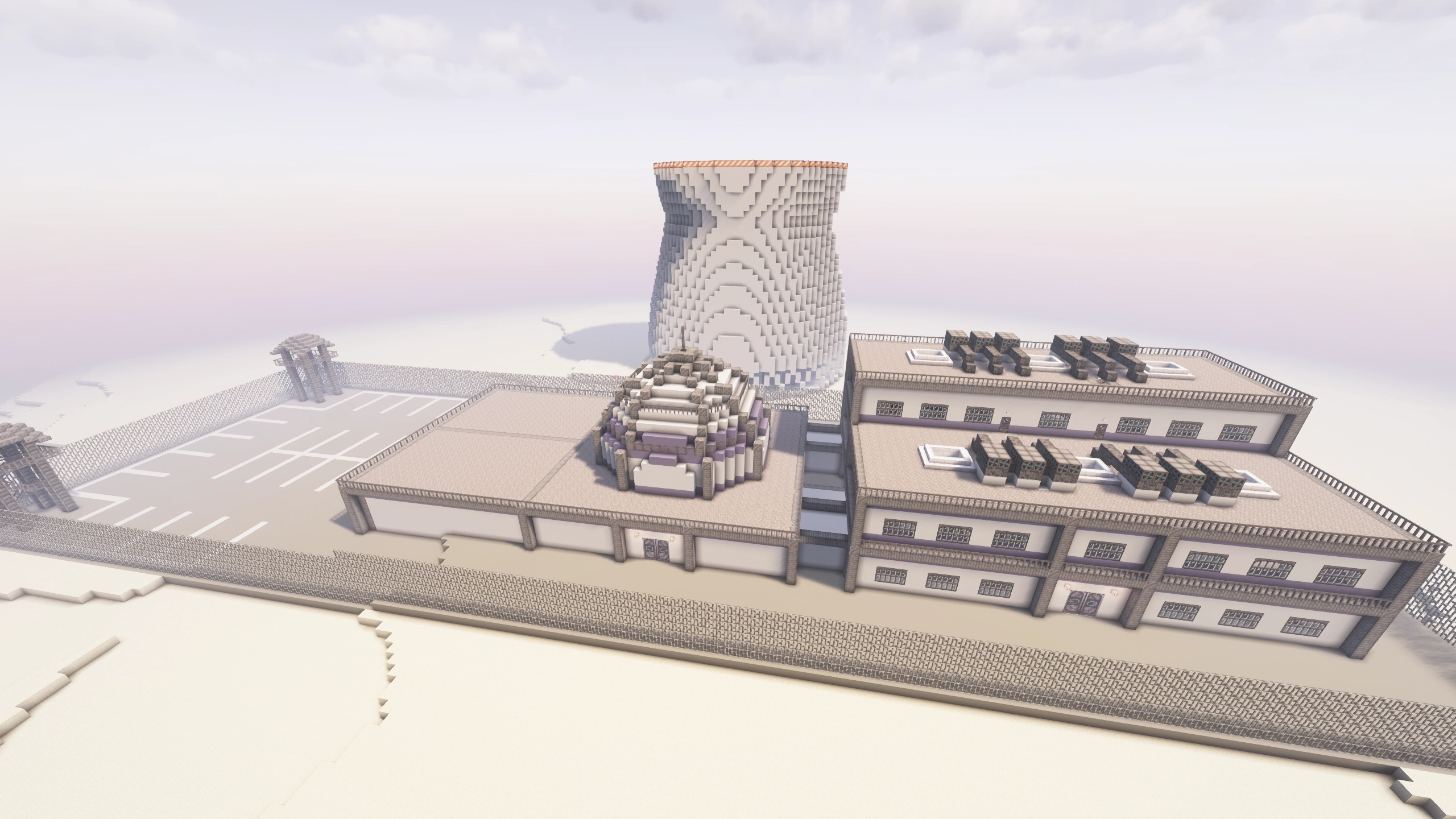
本整合包仍在开发中。 当前版本仍可能存在漏洞,欢迎提供反馈。
直接在 Discord 服务器联系我们:
或通过 Subreddit:
常见问题 (FAQ)
问:我该如何安装这个整合包?
答:下载 Curseforge 或 Modrinth 客户端应用,搜索整合包名称并点击安装。请确保在整合包或启动器的设置中将内存分配调整为 6-8 GB。
问:如何游玩多人游戏?
答:已安装 e4mc 模组。要游玩多人游戏,只需将你的世界开放为局域网(LAN),聊天栏中会打印出一个地址,其他玩家即可通过该地址加入。
问:如何搭建服务器?你们有服务器整合包吗?
答:如果你没有服务器托管经验,请参阅上面的答案。如果你有服务器托管经验,服务器整合包通常会与大多数 Curseforge 发布版本一同提供(Modrinth 现已不再允许发布服务器整合包)。要下载服务器整合包,请访问 Curseforge 上的 项目文件 页面,选择最新版本,进入“Additional Files”(附加文件)选项卡,选择服务器整合包并点击下载。
下载完成后,解压文件并通过 run.bat(Windows)或 run.sh(Linux/Mac)文件在本地运行。如果你使用服务器托管提供商,请将服务器整合包的所有内容上传至你的主机,并查找在该主机上设置 Forge 服务器的说明。这些说明因服务器主机而异,请查找适用于你所用主机的具体说明。
问:为什么我的游戏/世界在加载时卡住了?
答:请确保已为该整合包分配了至少 6 GB 的内存。如果电脑性能允许,我通常建议分配 8 GB。
问:如何关闭困难模式?
答:我强烈建议你学习使用同步外壳来获取额外生命次数,这是游戏平衡机制的核心。如果你选择这条捷径,你将初始拥有足够 3 个外壳的能量。请按照 Sync 任务中的步骤获取详细指南。
然而,如果你尝试过上述方法后仍然希望关闭困难模式,你可以编辑 config/globalgamerules-common.toml 中的困难模式设置。在服务器上,步骤略有不同。下载 此文件,并用压缩包内的文件替换服务器上的相应文件。建议在替换前备份目标文件。
问:为什么我会受到虚弱、挖掘疲劳或饥饿等负面效果影响?
答:你可能营养不良。请点击物品栏中的“Diet”(饮食)按钮检查你的营养状况。目标是保持均衡饮食,使四大主要食物组的摄入量保持在 50% 以上。数值越高会获得增益效果,越低则会产生负面效果。唯一的例外是糖分组,它不需要刻意维持。糖分组在中度水平时会提供速度增益,但请注意,如果你的计量表超过 80%,将会产生负面效果。
问:我该如何更新整合包?
答:在大多数启动器中,从库中打开整合包,然后点击右上角的“Change Version”(更改版本)或“Update”(更新)按钮。
问:升级到新版本会破坏我的世界存档吗?
答:通常不会,你不会遇到任何问题。只有重大版本更新可能会破坏某些内容,并且会在更新日志开头的附近描述具体会破坏什么。不过,经常备份你的世界始终是个好习惯。
问:最好的动力来源是什么?
答:任务包含 3 种推荐能源。第一种是 Pitiful Generator,它使用可燃燃料驱动,速度非常慢。一旦你建立了石油精炼设施,就可以使用 Compression Dynamo 燃烧各种类型的油。最后,你可以在游戏后期获得 Nuclear Reactor,这是一种高效的发电方式。任务会引导你完成这三种推荐方法,但在此过程中也可以建造其他发电机。
问:为什么整合包使用 Hardcore Questing Mode (HQM) 而不是 FTB Quests?
答:最初选择 HQM 是因为它在原版 Crash Landing 整合包中使用过。我们继续使用它既是出于这个原因,也是因为 FTB Quests 的授权方式较为限制。由于 FTB 团队与 Curseforge 存在独占协议,使用他们模组的整合包不允许在 Modrinth 上发布。还有其他一些任务模组可用(Better Questing 和 Odyssey Quests),但我发现它们的游戏体验相比 HQM 和 FTB Quests 略显不足。
问:如何获取熔炉用的烧结砖/砂浆?
答:城市里有一个 Tinker's Construct 熔炉建筑,里面含有易碎的烧结砖方块。用镐子挖掘或粉碎它们即可获得烧结砖。
问:如何将温度计改为摄氏度?
答:进入选项菜单,点击左侧的 Cold Sweat 按钮,然后在左上角更改单位选项。
问:为什么每个世界中的结构都生成在同一位置?
答:目前所有世界都使用相同的种子,这样可以更紧密地平衡游戏玩法。这样我们可以确保玩家出生在正确的生物群系,并且后期游戏结构比早期游戏结构离出生点更远。很快我们将切换到不同的世界生成系统,以便更好地控制生物群系和结构的放置。在该更新之后,仍将使用预设种子,但手动设置自定义种子将不再完全破坏世界的平衡。
问:我可以帮助开发/贡献整合包吗?
答:当然可以!
- 对于简单的建议,请创建 Issue 或在 Discord 上告诉我们。
- 对于较简单的提交内容,如纹理、模型、建筑或其他小文件,你可以发送给我们,我们可以为你进行实施工作(如果获得批准)。
- 对于更复杂的内容,如完整的游戏机制、复杂脚本或大规模配置调整,你可以在 GitHub 上提交 Pull Request。有关在计算机上设置整合包开发环境的信息,请参阅我们的 贡献指南。
问:我可以帮助翻译整合包吗?
答:当然可以!
- 我尽力使整合包中的所有文本均可通过 Minecraft 的本地化文件进行翻译,该整合包最近已被翻译成葡萄牙语。
- 如果你想将任何内容翻译为你的语言(或更正现有翻译),欢迎通过 Discord 发送给我,或在我们的 Github 上提交 Pull Request。
- 以下文件可供翻译:
问:你们有路线图/计划更新列表吗?
答:有的,最新的路线图位于 我们的 Discord 中。我对这个整合包的未来有很多计划,路线图详细列出了接下来的 6-8 个主要更新。欢迎告诉我你的想法以及你认为这个整合包的未来应该包含哪些内容。
致谢
开发者:
- Pawjwp(现任首席开发者)
- MarkSDR(前任首席开发者)
- ULSTICK(建造者与开发者)
其他贡献者:
- Nagasakii(早期开发工作与初始任务)
- QinlingP(Packwiz 配置与预设种子模组)
- herobrian903(Create 任务线原型设计)
- Kilometers(早期开发工作)
- Mei-Nanita(早期配方工作)
- Pand1024(早期 GitHub 维护)
原版整合包开发者:
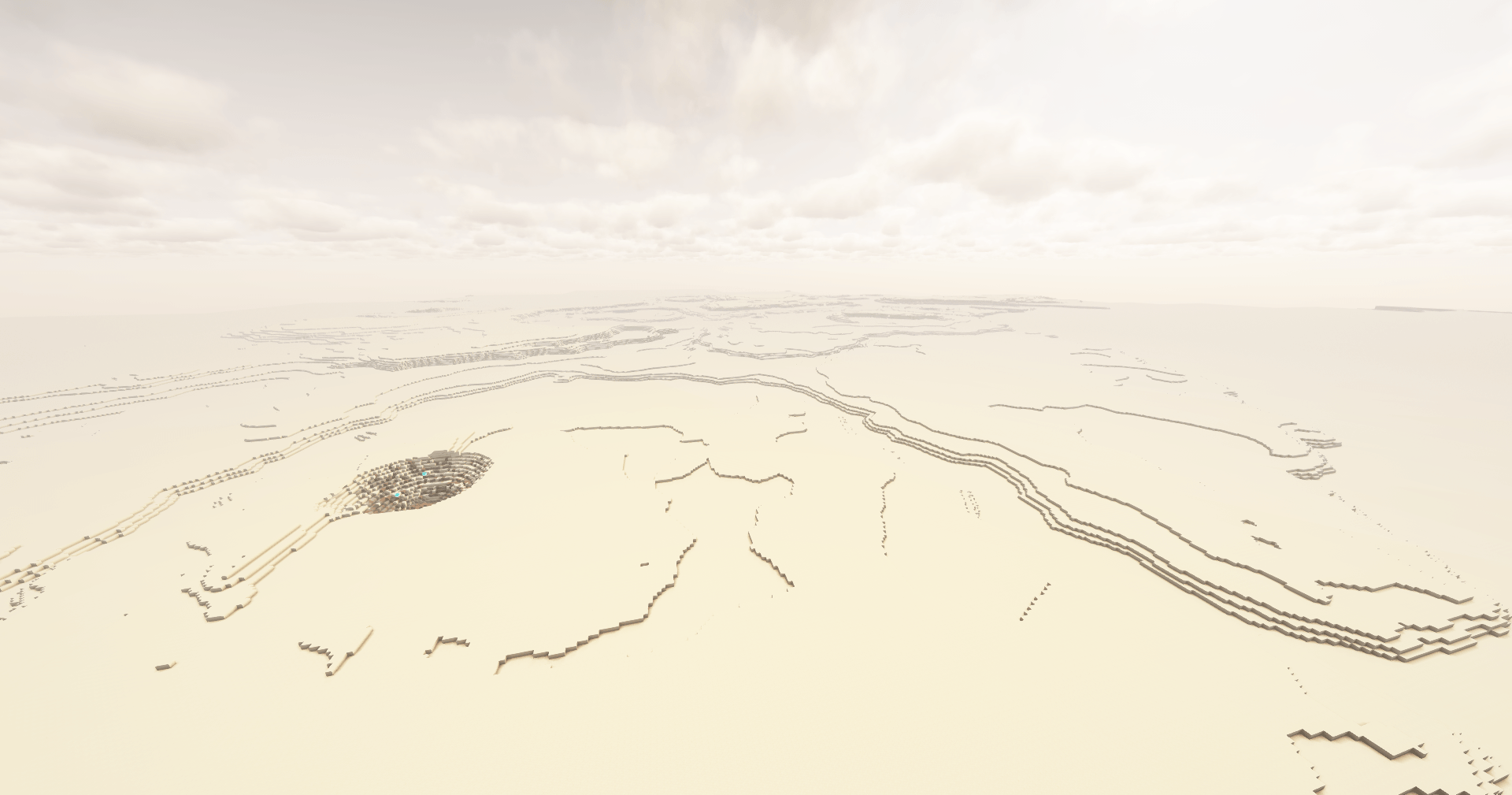
本整合包的所有收益将捐赠给 GiveWell。
A hardcore survival modpack inspired by Crash Landing by Iskandar.
You have survived a crash landing on Planet T4L0S, an uncharted planet in the Varkin system. Preliminary scans indicate an arid environment with pockets of elevated radiation, high mineral content, and subterranean hydrocarbon reservoirs.
You will need to brave the blazing heat, find sources of food and water, scour the planet for resources, build up technology, and search for a way to escape the planet.
Desolate Planet is a challenging, quest-based modpack where you must struggle for survival on a dust planet with limited resources. The map is set to hardcore, you must use the Sync mod to build yourself more lives.
This pack is still under development. This version will still have bugs, and feedback is welcome.
Reach us directly on the Discord server:
Or through the Subreddit:
FAQ
Q: How do I install the modpack?
A: Download the Curseforge or Modrinth app, search for the name of the pack, and click install. Make sure you are using 6-8 GB of RAM in the modpack or launcher's settings.
Q: How can I play multiplayer?
A: The e4mc mod is installed. To play multiplayer, simply open your world to LAN, and it will print an address in chat that other players can join with.
Q: How do I set up a server? Do you have a server pack?
A: If you aren't experienced with server hosting, see the answer above. If you are experienced with server hosting, server packs are available alongside most Curseforge releases (Modrinth no longer allows server pack publishing). To download the server pack, visit Curseforge's project files page, select the most recent one, go to the "Additional Files" tab, select the server pack, and click Download.
Once downloaded, unzip the file and run it locally via the run.bat (Windows) or run.sh (Linux/Mac) files. If you use a server hosting provider, upload all the contents of the server pack to your host and find instructions for how to set up a Forge server on that host. These instructions are different for each server host, so find instructions specific to the one you are using.
Q: Why does my game/world gets stuck while loading in?
A: Make sure you have allocated at least 6 GB of RAM to the modpack. I usually recommend 8 GB if your computer has enough.
Q: How can I disable hardcore?
A: I strongly recommend learning to use the sync shells for extra lives, it's what the game was balanced around. If you select the easy route, you'll start with enough power for 3 shells. Follow the steps in the Sync quest for a detailed guide.
However, if you've tried that and still want to disable hardcore, you can edit the hardcore setting in config/globalgamerules-common.toml. On a server, the steps are slightly different. Download this file and replace the files on the server with the files in that zip. I recommend backing up the target files before replacing them.
Q:Why do I have debuffs like weakness, mining fatigue, or hunger?
A: You are likely malnourished. Check your nutrition by clicking the Diet button in your inventory. Aim to get a balanced diet by keeping the four main food groups above 50%. Higher values will give buffs, lower ones will give debuffs. The one exception is the sugars group, which isn't necessary to maintain. The sugars group will give speed buffs at moderate levels, but be careful because you will get debuffs if your meter goes over 80%.
Q:How do I update the modpack?
A: In most launchers, open the modpack from your library and click the “Change Version” or “Update” button in the top-right.
Q: Will updating to a new version break my world?
A: Generally no, you won't have any issues. Only major releases break anything and there will be a description of exactly what they break near the start of the changelog. However, it is always a good idea to frequently back up your world.
Q: What is the best power source?
A: The quests include 3 recommended energy sources. The first is the Pitiful Generator, which is powered by burnable fuel and very slow. Once you get oil refining set up, you can use the Compression Dynamo to burn various types of oils. Finally, you can get a Nuclear Reactor in the end-game, which is a highly effective generation method. The quests will guide you through these three recommended methods, but other generators can be built along the way.
Q:Why does the modpack use Hardcore Questing Mode (HQM) instead of FTB Quests?
A: HQM was initially chosen because it was used in the original Crash Landing modpack. We've stuck with the mod both because of that and because FTB quests is licensed in a restrictive way. Due to the FTB team's exclusivity with Curseforge, modpacks using their mods are not allowed on Modrinth. There are a few other quest mods available (Better Questing and Odyssey Quests), but I find the gameplay experience to be lacking a bit compared to HQM and FTB Quests.
Q: How do I get seared bricks/grout for a smeltery?
A: There is a Tinker's Construct smeltery building in the cities, containing crumbling seared brick blocks. Break those with a hammer or pulverize them to get seared bricks.
Q:How can I change the thermometer to Celsius?
A: Go to the Options menu, click the Cold Sweat button on the left, and change the units option in the top-left.
Q:Why do structures generate in the same spot on every world?
A: All worlds currently use the same seed, which allows gameplay to be balanced more tightly. This way, we can ensure players spawn in the right biome and that the late-game structures are further from spawn than the early-game ones. Soon we will switch to a different world generation system which allows greater control over biome and structure placement. After that update, a preset seed will still be used, but manually setting a custom seed will no longer completely break the balance of the world.
Q: Can I help develop/contribute to the modpack?
A: Absolutely!
- For simple suggestions, create an issue or let us know on the Discord.
- For simpler submissions like textures, models, buildings, or other small files, you can send those to us and we can do the implementation work for you (if approved).
- For anything more complicated like full game mechanics, complex scripts, or large-scale config adjustments, you can submit a pull request on GitHub. See our Contributing Guide for information about setting up the modpack dev environment on your computer.
Q: Can I help translate the modpack?
A: Absolutely!
- I have done my best to make all text in the modpack translatable through Minecraft's localization files and the modpack was recently translated into Portuguese.
- If you want to translate anything into your language (or correct any existing translations), feel free to send me them via Discord or by submitting a pull request on our Github.
- The following files are available to translate:
Q: Do you have a roadmap/list of planned updates?
A: Yes, the most up-to-date roadmap is in our discord. I have many plans for the future of this modpack and the roadmap details the next 6-8 major updates. Feel free to let me know what you think and what you think the future of this modpack should include.
Credits
Developed by:
- Pawjwp (Current lead developer)
- MarkSDR (Former lead developer)
- ULSTICK (Builder and developer)
Other contributers:
- Nagasakii (Early development work and initial quests)
- QinlingP (Packwiz setup and preset seed mod)
- herobrian903 (Create quest line prototyping)
- Kilometers (Early development work)
- Mei-Nanita (Early recipe work)
- Pand1024 (Early github maintenance)
Original pack developer:
All proceeds from this modpack will be donated to GiveWell.

下载 Desolate Planet - 一次迫降的重制版
需要联机服务器吗?
稳定流畅、一键部署,几分钟即可和朋友联机开服
最低仅需 8 元/月 即可畅快联机
下载 Desolate Planet - 一次迫降的重制版
需要联机服务器吗?
稳定流畅、一键部署,几分钟即可和朋友联机开服
最低仅需 8 元/月 即可畅快联机
下载 Desolate Planet - 一次迫降的重制版
需要联机服务器吗?
稳定流畅、一键部署,几分钟即可和朋友联机开服
最低仅需 8 元/月 即可畅快联机
下载 Desolate Planet - 一次迫降的重制版
需要联机服务器吗?
稳定流畅、一键部署,几分钟即可和朋友联机开服
最低仅需 8 元/月 即可畅快联机
下载 Desolate Planet - 一次迫降的重制版
需要联机服务器吗?
稳定流畅、一键部署,几分钟即可和朋友联机开服
最低仅需 8 元/月 即可畅快联机
下载 Desolate Planet - 一次迫降的重制版
需要联机服务器吗?
稳定流畅、一键部署,几分钟即可和朋友联机开服
最低仅需 8 元/月 即可畅快联机
下载 Desolate Planet - 一次迫降的重制版
需要联机服务器吗?
稳定流畅、一键部署,几分钟即可和朋友联机开服
最低仅需 8 元/月 即可畅快联机
下载 Desolate Planet - 一次迫降的重制版
需要联机服务器吗?
稳定流畅、一键部署,几分钟即可和朋友联机开服
最低仅需 8 元/月 即可畅快联机
下载 Desolate Planet - 一次迫降的重制版
需要联机服务器吗?
稳定流畅、一键部署,几分钟即可和朋友联机开服
最低仅需 8 元/月 即可畅快联机
下载 Desolate Planet - 一次迫降的重制版
需要联机服务器吗?
稳定流畅、一键部署,几分钟即可和朋友联机开服
最低仅需 8 元/月 即可畅快联机
1.8.6.0 版本包含一套全新的塑料钢建筑方块、西班牙语/韩语翻译,并修复了一些关于生物生成和口渴值的问题。
亮点
- 添加了新的塑料钢方块,将在未来的结构中使用
- 现在提供全套染料颜色(快乐骄傲月!)
- 现在提供台阶和半砖形式
- 新增塑料钢椅子、柜子和书架
- 添加了完整的西班牙语翻译和部分韩语翻译
- 调整了基于光照的生成规则,这应该能修复一些本该生成的生物未能生成的问题
- 修复了一些导致口渴值过快流失的问题
- 液态烈焰燃烧器现在可以为 PneumaticCraft 机器提供热量
完整更新日志
模组更改:
- 添加了 The Varkin System,这是为本整合包定制的模组。它最终将添加《Ad Astra》的终局内容,但目前仅添加了一些辅助建造的功能:
- 塑料钢方块套件,现已新增更多方块选项
- 塑料钢方块,提供全部 16 种染料颜色
- 塑料钢台阶
- 塑料钢半砖(可以垂直放置)
- 塑料钢书架
- 塑料钢柜子(包含 Sophisticated Storage 集成)
- 飞船座椅
- 使用 Ad Astra 材料制作的自定义滑动门
- 新的 Ostrum 滑动门可以替换当前的飞船门
- 移除了旧版塑料钢方块和飞船座椅的注册
- 新方块在加载已有世界时将自动替换现有方块
- 在新世界中,起始飞船已更改为使用新方块:
- Varkin System 塑料钢方块和半砖替代了旧的 KubeJS 塑料钢和 Copycat 塑料钢半砖
- Varkin System Ostrum 滑动门替代了 Copycat 门
- Varkin System 飞船座椅替代了旧的 NFM 现代椅
- Varkin System 塑料钢柜子替代了旧的 NFM 柜子
- Varkin System 塑料钢书架替代了旧的 Framed Blocks 书架
- 塑料钢方块套件,现已新增更多方块选项
- 更新了 Ex Deorum
- 修复了坩埚会将一种流体转换为另一种流体的问题
- 更新了约 22 个其他模组
信息类更改:
- 感谢 Almfe7 提供的完整西班牙语翻译
- 感谢 Necroyal 提供的部分韩语翻译
配方更改:
- 液态烈焰燃烧器现在可以为 PneumaticCraft 机器提供热量 Tinkers 匕首现在可以在 Farmer’s Delight 砧板上使用
- Tinkers 铜矿石块熔炼现在正确给予正常矿石三倍的数量
- 修复了 Create 搅拌机中糊状物配方无输出的问题
- 现在可以使用 PneumaticCraft 水箱制作糊状物,使其更容易批量制作
- 更新了飞船座椅配方
其他更改:
- 重做了猪灵、烈焰人、史莱姆和岩浆怪的生物生成规则
- 这些生物除了在结构中以外,现在无法在白天生成
- 方块光(来自火把等的光源)现在应能正确阻止它们在任何位置生成
- 由于各种原因在结构外生成的猪灵现在将失去火焰免疫能力并在日光下燃烧
- 上次更新中的更改意外地使生物生成过于严格,并导致某些条件下生物生成器停止生成,此更新将修正这些问题
- 禁用了基于被动温度的口渴值流失机制,因为它会导致溢出且在没有解释的情况下造成快速口渴
- 修复了一些分类不正确的食物(绞肉不应被归类为蔬菜)
- 减少了通过交流器从 SU 产生的 FE 量
关于这个资源的讨论、问题反馈与使用心得
还没有讨论,来发第一帖吧
你是这个资源的作者?登录后可认领此资源。
相似资源
 整合包
一个基于 ModernGamingWorld 模组进度的硬核/专家级整合包
 整合包

Crazy Craft,但适用于 1.16.5。花费数百小时,探索并享受乐趣!
 整合包

详细且沉浸式的蒸汽朋克主题整合包,包含 1000+ 个任务!
 整合包
欢迎来到 Monumental Experience – In the Sky!☁️《Monumental Experience》系列的第二章将生存拓展至主世界之上。你将在一座浮空岛上开始旅程,这里资源匮乏、挑战重重,而创造力是你生存的关键。
 整合包

《星露谷物语》体验!深度农业、动物饲养和钓鱼,机制完全源自游戏!
 整合包

享受更加刺激和逼真的游戏体验,并附带大量全新动画。
评论 0
登录后参与评分
还没有评论,来抢沙发吧