
Diamond Ages
Diamond Ages 是一个旨在重现经典 Minecraft 感觉的整合包。受游戏经典时代的启发,它专注于简洁、冒险以及让 Minecraft 在早期岁月里显得特别的那些魅力。
如何联系我或对该整合包进行评价?
您可以在 Diamond Ages 的 Curseforge 页面 给我留评论。
提示
如果您是第一次安装 Diamond Ages,建议您先阅读整合包的主页,以了解其运作方式以及如何利用它来优化您的 Minecraft 体验。
材质包
本整合包修改了大部分 Minecraft 的材质。例如,如果一个方块是在 1.14 材质更新之前加入 Minecraft 的,整合包会将 <1.14 版本的材质还原回去;但如果该方块是“现代”方块(如铜块或紫水晶块),Diamond Ages 会为其提供符合老主题风格的材质。
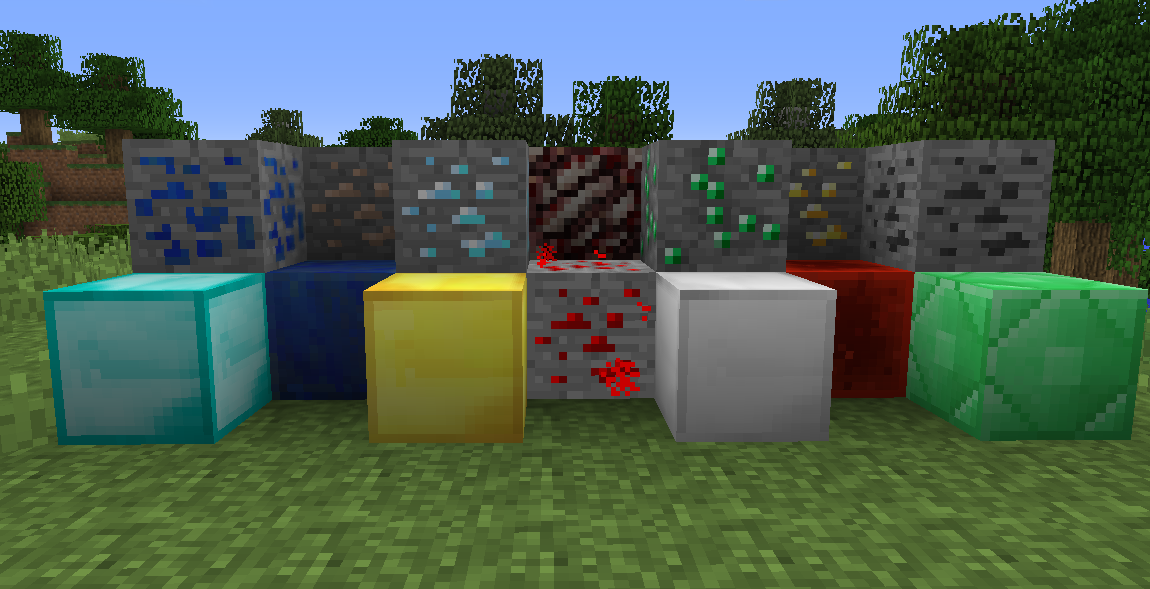
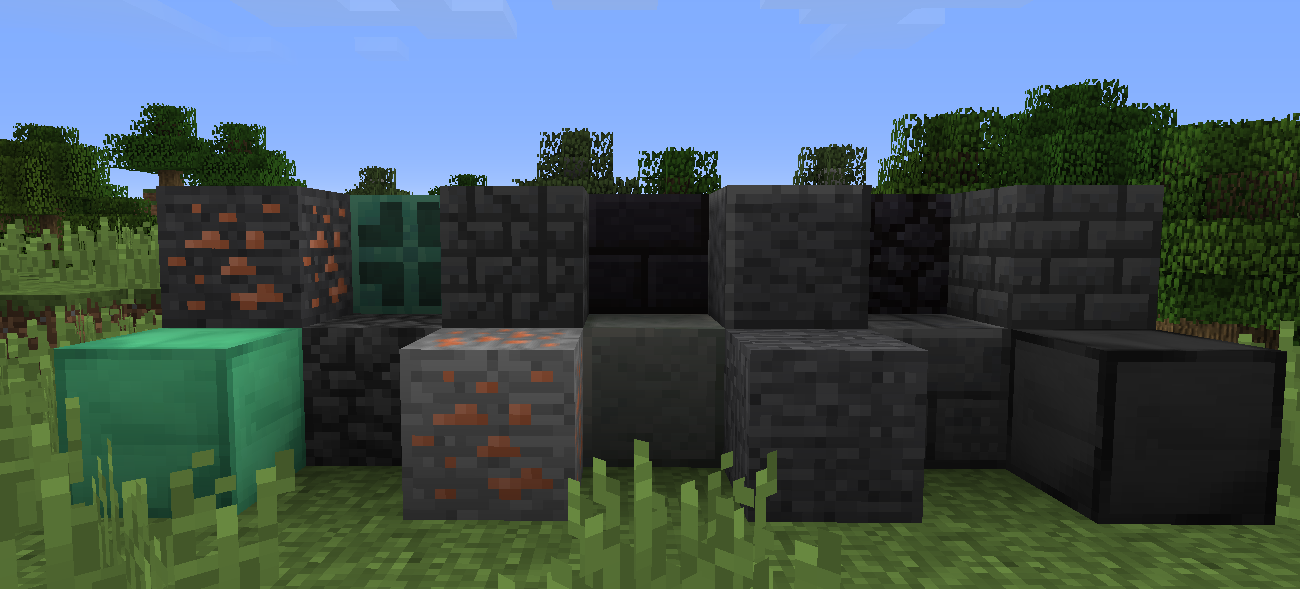
在顶部的第一张图片中,矿石和方块现在拥有 1.14 之前的旧材质;而在第二张图片中,由于这些方块没有旧版本,因此它们使用了粉丝自制的材质以契合主题。
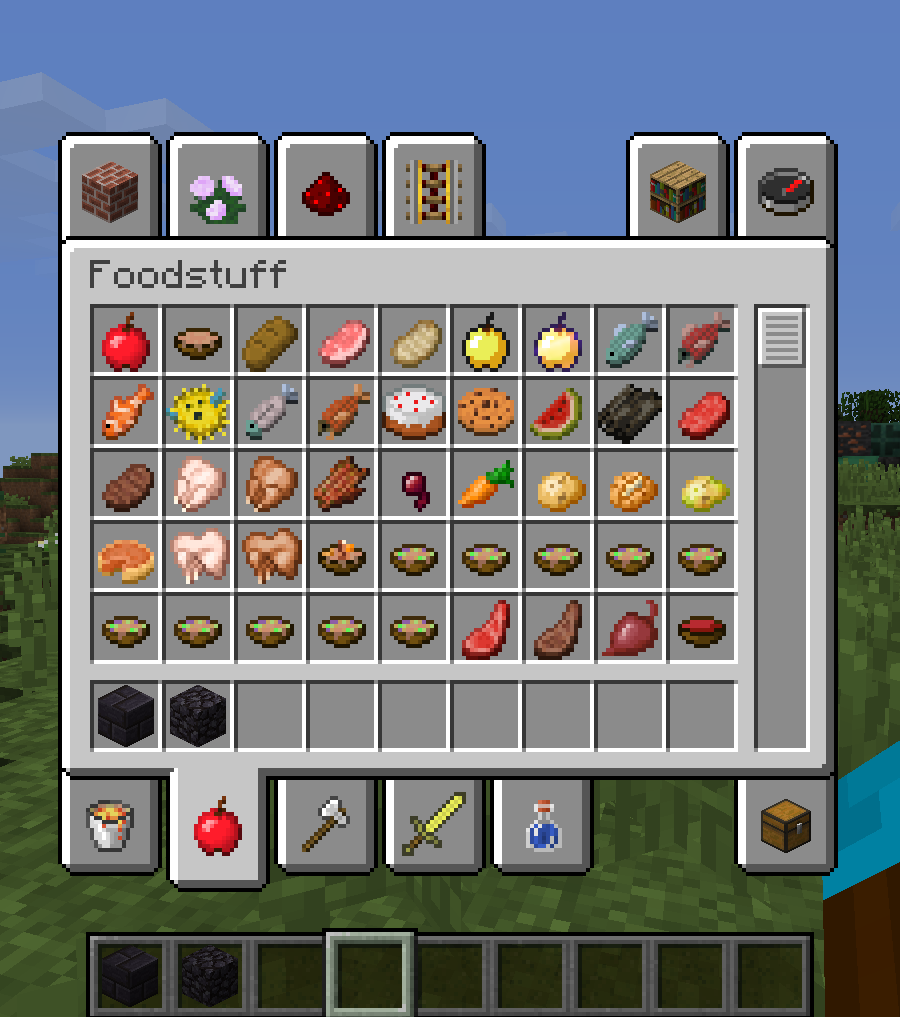
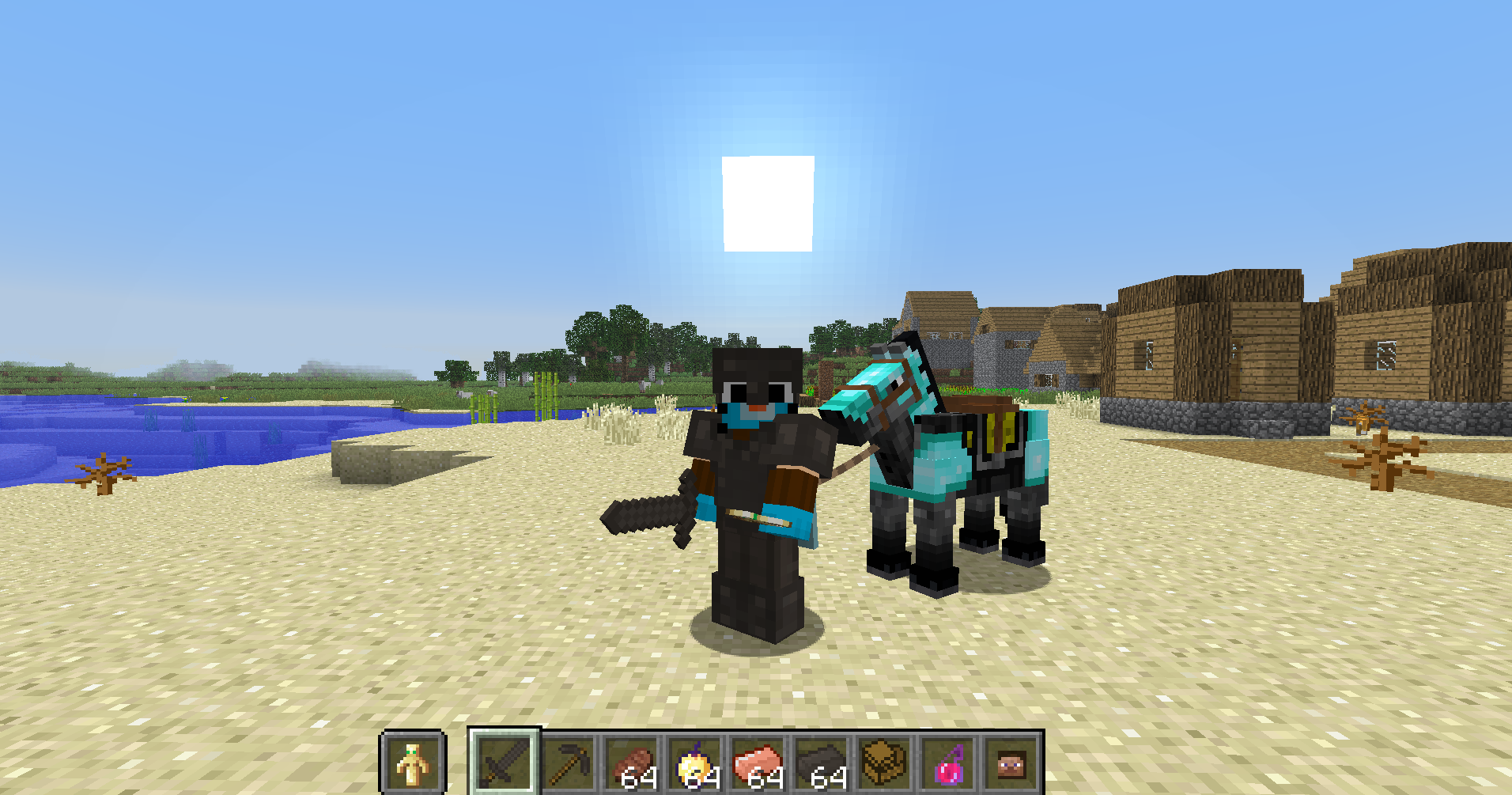
不仅仅是方块,Minecraft 中的所有事物,如自然生成的方块、物品、实体和用户界面(UI)都进行了修改。
更多示例:
音效与音乐
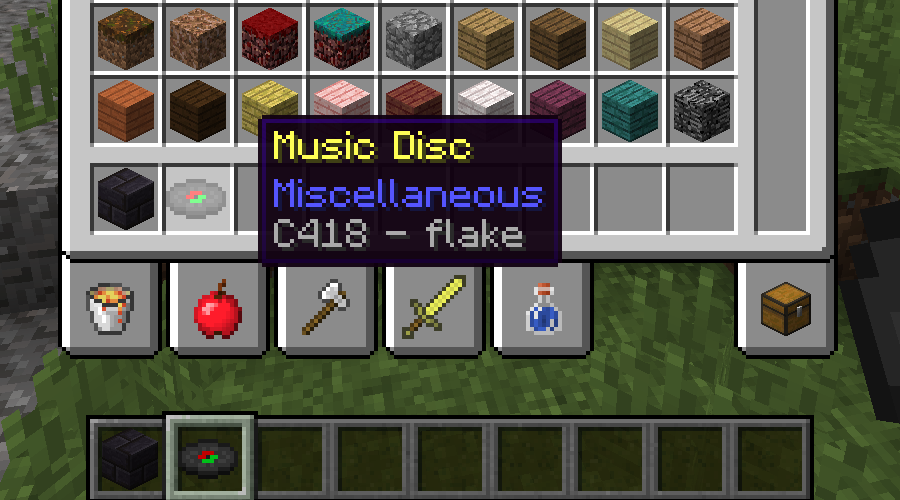
众所周知,Minecraft 最受欢迎的音乐制作人曾是 C418,但不幸的是,他停止了为游戏创作音乐,并由 Lena Raine 等其他优秀的制作人接替。本整合包仅将新版环境音乐替换为旧版音乐。此外,音乐唱片也被替换为未使用的 C418 音乐和一些旧版音乐。例如,creator_music_box 被替换为 Flake,这是一首来自旧版 Minecraft 主机版节日世界的歌曲。
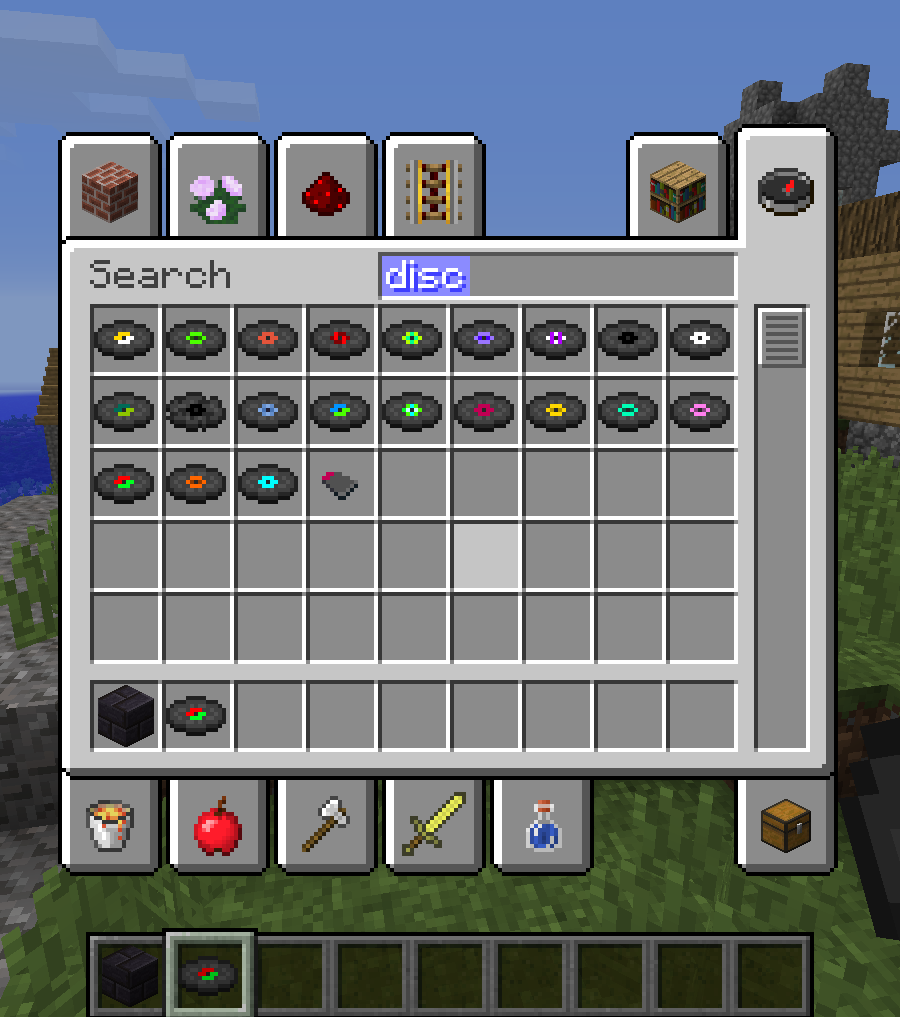
以下是添加的所有音乐唱片列表:
-
C418 - droppy
-
C418 - moog city
-
C418 - death
-
C418 - equinoxe
-
C418 - chris
-
C418 - excuse
-
C418 - flake
-
C418 - door
-
C418 - peanuts
本整合包还将大部分新版音效替换为旧版音效。
结构生成
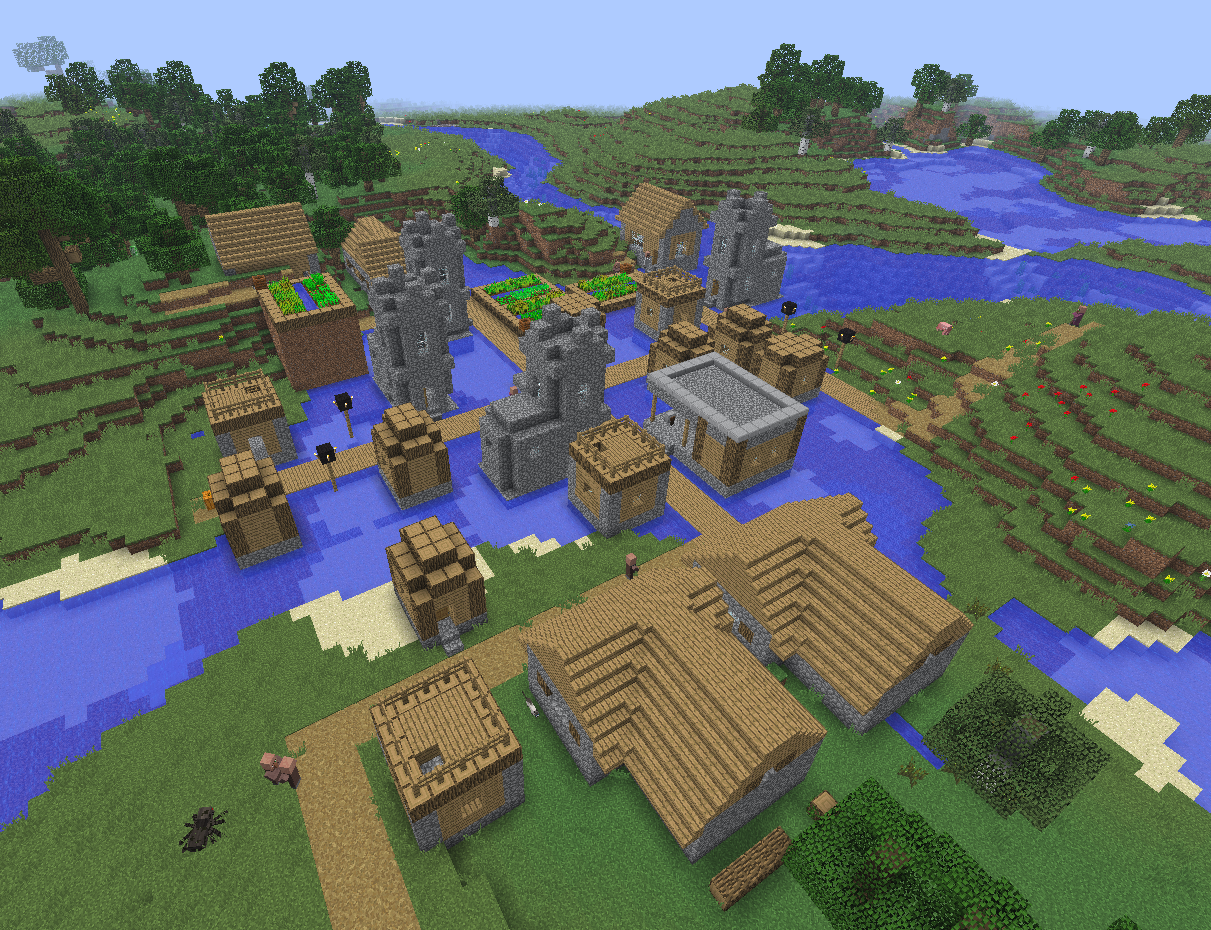
大多数结构由数据包和一个名为 Structurify 的模组控制。此模组禁用了所有较新的结构并保留了所有旧结构。您可以使用它启用或禁用任何您想要的结构。如果您想重新启用所有较新的结构,可以执行 /structure dump 命令或在模组菜单中配置模组(这两个选项都需要重建世界才能使更改生效)。还有一个名为 Classic Villages 的数据包,可将现代村庄转换为旧式村庄。
模组菜单
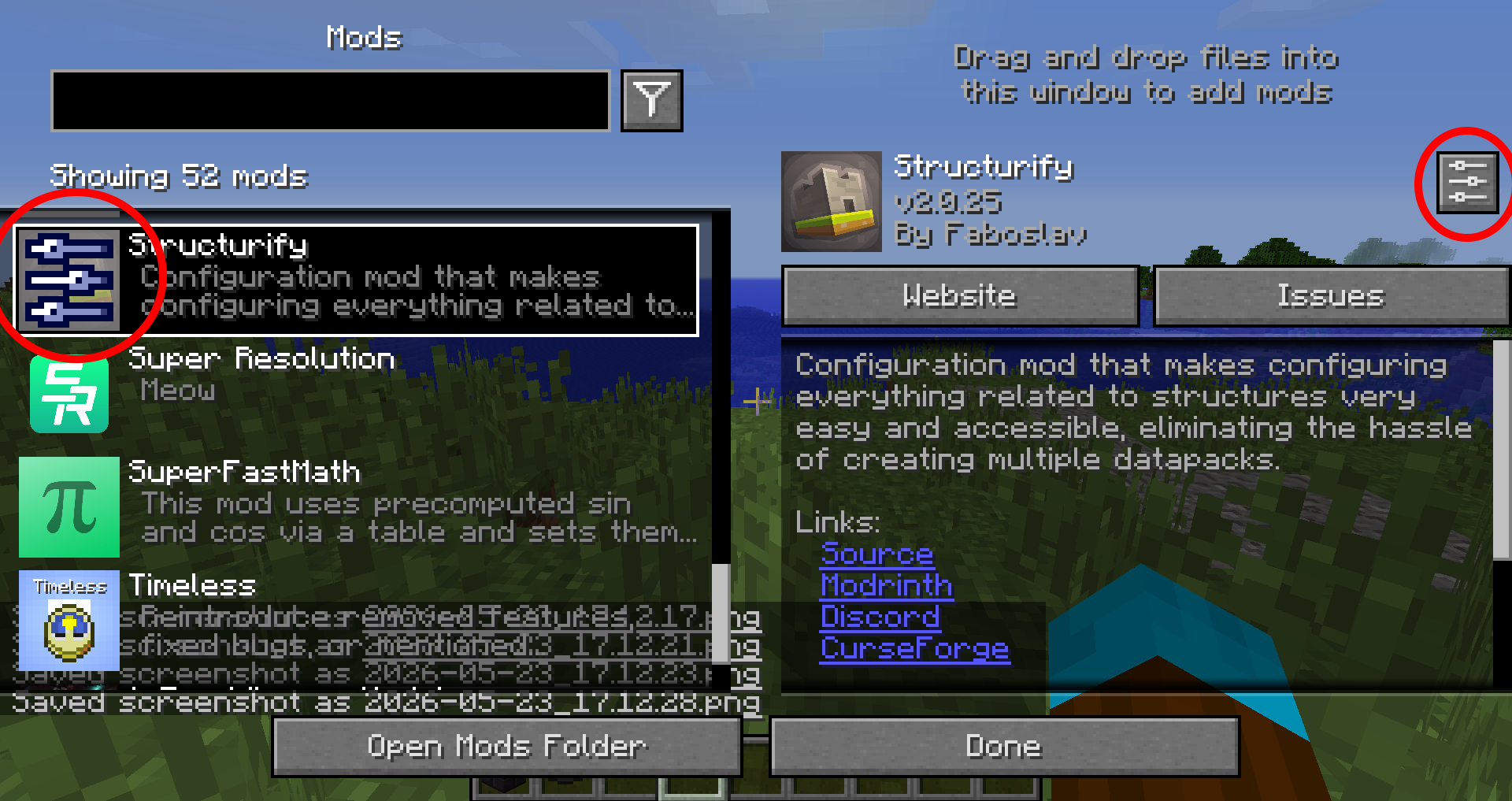
本整合包附带了一个 模组菜单,以便您可以在不删除模组的情况下修改功能。要访问菜单,您需要进入资源包页面并点击“Open pack folder”旁边的 Mods 按钮。如果您想修改具有配置界面的兼容模组,只需悬停并点击它,或直接点击 Configure 按钮,即可进入配置界面。如果整合包出现任何问题或您想精确地更改某些内容,此菜单至关重要。
世界生成
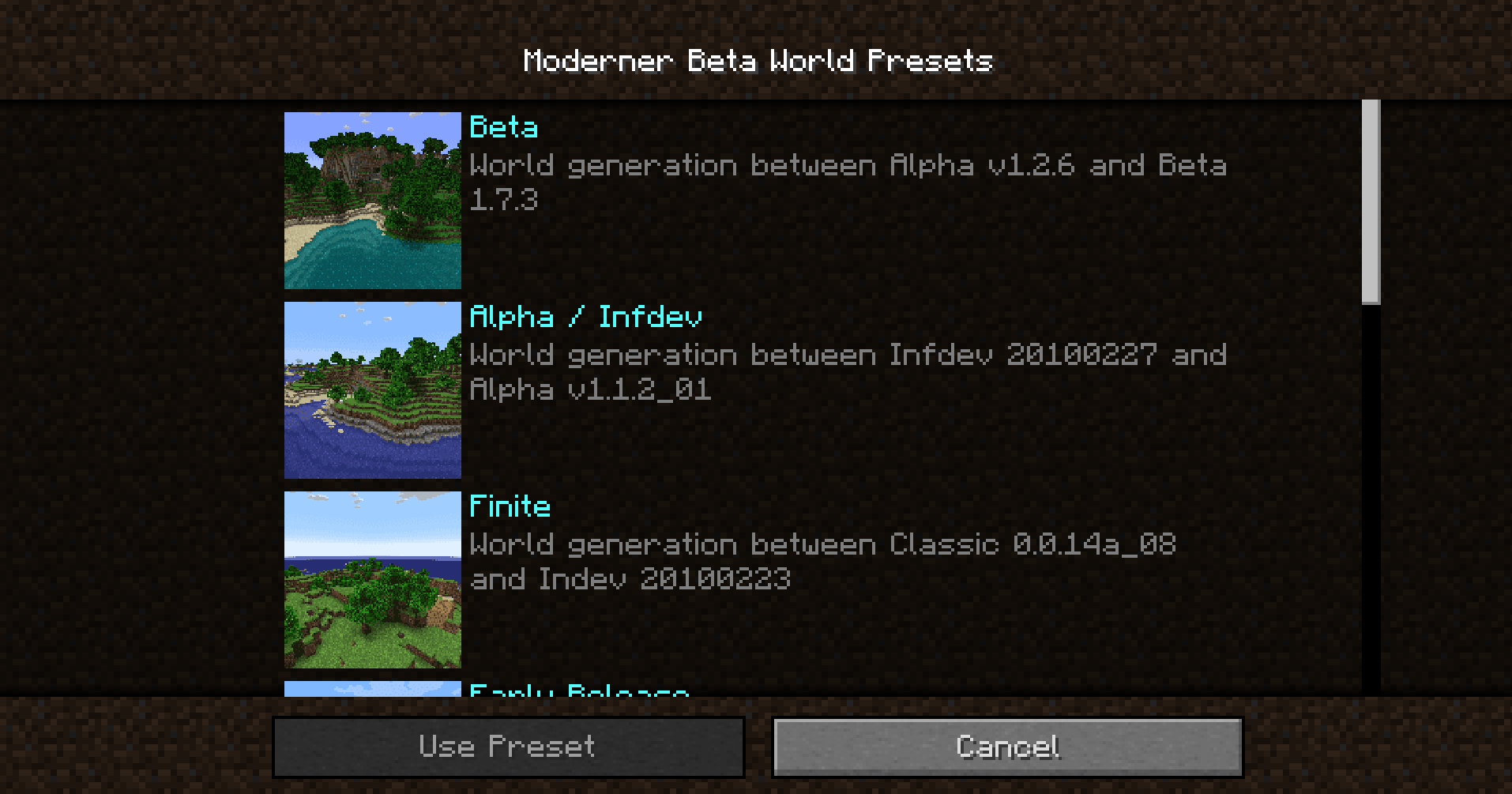
世界生成主要由模组 Moderner Beta 管理。通过此模组,您可以将世界生成还原为大多数旧版本,例如 Beta 1.7.3。要做到这一点,您需要创建一个世界并将世界类型设置为 Moderner Beta。默认情况下,生成设置为 Beta 1.7.3,但您可以通过点击世界类型按钮下方的 Customise,然后在 World Customization 菜单中点击 World Preset 来进行修改。然后您将看到许多预设,包括新旧版本、有限和无限的世界。

旧版服务器
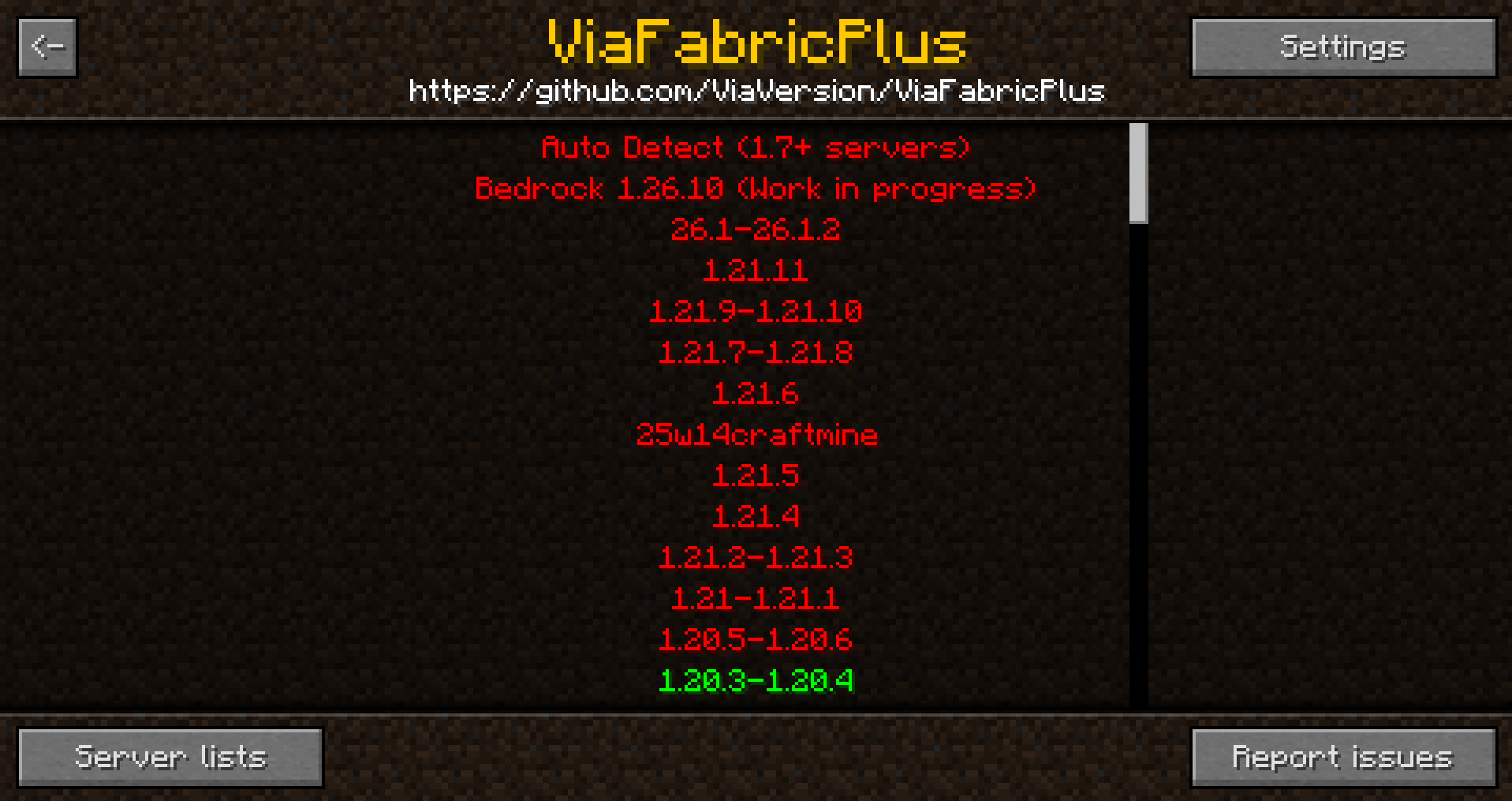
通过模组 Via Fabric Plus,即使版本不匹配,你也能加入大多数 Minecraft 服务器。它支持经典版、InDev、InfDev、Alpha、Beta 以及正式版服务器。使用 Via Fabric Plus 加入服务器有两种方法:你可以在多人游戏菜单中点击“添加服务器”,点击右上角的“设置版本”按钮并选择与服务器匹配的正确版本;或者直接点击多人游戏菜单右上角的 ViaFabric Plus 按钮。
如何更改游戏的音效和/或材质?
如果你想更改 Minecraft 的任何资源文件,需要进入整合包的 ressources/common 文件夹,然后根据需要前往 required(必需)或 optional(可选)目录(具体取决于整合包的版本)。如果你看到一个名为 Diamond Age Lang 的文件夹,那只是游戏的英文语言文件;但如果你看到一个名为 Diamond Age Ressources 的文件夹,那就是包含游戏所有资源的文件夹,你可以在此用你想要的任何内容替换纹理和音效。
已知错误
整合包中存在一些已知的轻微错误。我正在努力修复它们,但这可能需要一些时间。以下是一些附带解决方案的问题:
- 无法放置方块的声音 | 你需要删除 viafabricplus 配置文件
- 光影渲染延迟 | 你需要禁用并重新启用光影
Diamond Ages
Diamond Ages is a modpack designed to bring back the feeling of old-school Minecraft. Inspired by the classic eras of the game, it focuses on simplicity, adventure, and the charm that made Minecraft special in its early days.
How to contact me or make a review of the modpack?
You can let me a comment on the Diamond Ages's Curseforge page
Tips
If it is the first time that you are installing Diamond Ages, I suggest you to read all the main page of the modpack first to understand how it is working and how to changes minecraft in your advantage.
Textures
This modpack is modifying most of the minecraft textures. If, for example, a block was implemented into minecraft before the 1.14 texture changes, the modpack will put the <1.14 texture back but if this block is a "modern" one (like the copper or amethyst block), Diamond Ages will give it a texture that fits the old theme.
In the first image at the top, the ore and blocks has now their older textures before 1.14 but in the second picture, the block doesn't have older version of them so they have an "fan made" texture to fits the theme.
There isn't only the block but all the things in minecraft like the natural blocks, items, entities and the UI.
More examples:
Sounds and music
As you know, the most popular producer of music for minecraft was C418 but unfortunately, he stopped doing music for the game and was replaced by some other great producer like Lena Raine.The modpack is replacing all the newer ambient music with the old one only. Also, for the music disc, they are replaced by unused C418 music and some legacy edition music. For example, the creator_music_box is replaced by Flake, a song from the festive world from the old minecraft console edition.
Here is the list of all the music discs added:
-
C418 - droppy
-
C418 - moog city
-
C418 - death
-
C418 - equinoxe
-
C418 - chris
-
C418 - excuse
-
C418 - flake
-
C418 - door
-
C418 - peanuts
This modpack also replace most of the newer sounds with old one.
Structures
Most of the structures are controlled by Datapacks and a mod called Structurify. This mod is disabling all the newer structures and keep all the old one. You can disable or enable any structures you want with it. If you want to enabling back all the newer structures, you can either do /structure dump or configurate the mod in the mod menu (the two options needs to recreate a world so that changes can take place).There is also a datapack called Classic Villages that transform the modern villages into the old ones.
The Mod Menu
The modpack come with a mod menu so that you can modify the functionality without necessarily delete mod.To access the menu, you need to go to the ressources packs and click the Mods button next the "Open pack folder". If you want to modify a compatible mod with a config screen, you need to hover it and click it or click directly on the configure button, then you will access the config screen.This menu is essential and important if there is any problems in the modpack or if you want to changes something precisely.
The World Generation
The world generation is mostly managed by the mod Moderner Beta.With this mod, you can revert the world generation to most of the old one like Beta 1.7.3 for example.To do that, you need to create a world and to put in the world type Moderner Beta. By Default, the generation is put as Beta 1.7.3 but you can modify it by clicking customise down the world type button and click World Preset in the World Customization menu.Then you will see a lot of presets with old and new versions, finite and infinite one.
Old Server
With a mod called Via Fabric Plus, you can join most of the minecraft server even if it isn't the right version. It support classic, indev, infdev, alpha, beta and release server.There is two method to join a server with Via Fabric Plus:You can click on add server on the multiplayer menu , click on the button set version in the top right and choose the right version for the server or directly go to the ViaFabric Plus button on the top right in the multiplayer menu.
How to change the sounds and/or textures of the game?
If you want to change any of the assets of Minecraft, you need to go to the ressources/common folder in the modpack and either go to required or optional (it depend of the version of the modpack), if you see a folder called Diamond Age Lang, it is only the english language file of the game but if you see a folder called Diamond Age Ressources, it is the folder that contains every assets of the game and then you can modify the texture and the sounds with whatever you want.
Known Error
There are some minor known errors in the modpack.I'm working on removing them but that can take some time. Here are some with fixes:
- No Block placing sounds | you need to delete viafabricplus config files
- Shader lightning lag | you need to disable and enable back the shader

下载 Diamond Ages
下载 Diamond Ages
下载 Diamond Ages
下载 Diamond Ages
下载 Diamond Ages
下载 Diamond Ages
下载 Diamond Ages
下载 Diamond Ages
需要联机服务器吗?
稳定流畅、一键部署,几分钟即可和朋友联机开服
最低仅需 8 元/月 即可畅快联机
下载 Diamond Ages
需要联机服务器吗?
稳定流畅、一键部署,几分钟即可和朋友联机开服
最低仅需 8 元/月 即可畅快联机
下载 Diamond Ages
需要联机服务器吗?
稳定流畅、一键部署,几分钟即可和朋友联机开服
最低仅需 8 元/月 即可畅快联机
更新日志
现已更新至 26.3!
- Bug 修复
- 纹理修复
- 已更新的模组
- 其他修复
非常感谢大家下载了 9000 次 ??
关于这个资源的讨论、问题反馈与使用心得
还没有讨论,来发第一帖吧
你是这个资源的作者?登录后可认领此资源。
相似资源
 整合包
一个基于 ModernGamingWorld 模组进度的硬核/专家级整合包
 整合包

Crazy Craft,但适用于 1.16.5。花费数百小时,探索并享受乐趣!
 整合包

详细且沉浸式的蒸汽朋克主题整合包,包含 1000+ 个任务!
 整合包
欢迎来到 Monumental Experience – In the Sky!☁️《Monumental Experience》系列的第二章将生存拓展至主世界之上。你将在一座浮空岛上开始旅程,这里资源匮乏、挑战重重,而创造力是你生存的关键。
 整合包

一款专为最新 Minecraft 版本打造的完整僵尸末日模组整合包。
 整合包

《星露谷物语》体验!深度农业、动物饲养和钓鱼,机制完全源自游戏!
评论 0
登录后参与评分
还没有评论,来抢沙发吧