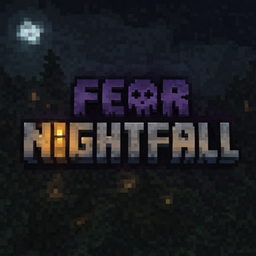
Fear Nightfall Remastered 是一款独特、沉浸且极具挑战性的 Minecraft 恐怖整合包。它包含剧情模式以及大量自定义内容。该整合包收录了 Herobrine、The Rake、Slenderman、The Man from the Fog 和 Cavedweller 等知名恐怖角色,为玩家带来惊悚刺激的游戏体验。
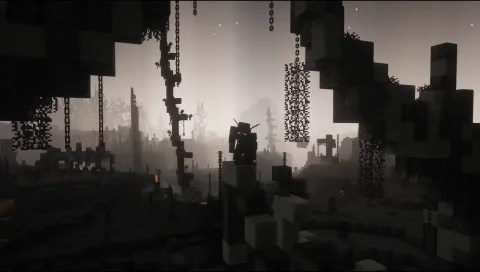
在本整合包的世界中,黑暗被具象化,生活在其中的居民若暴露于黑暗中可能会陷入疯狂。这为游戏增添了额外的挑战性与悬疑感。
本整合包的亮点之一是其庞大的任务书。任务书分为多个章节,每个章节都提供独特的故事线和目标。这增加了游戏的深度,并让玩家感受到进度与成就感。
该整合包集成了超过 200 个模组,且数量仍在增加。这些丰富的模组增强了游戏体验,为玩家提供了多样化的玩法。此外,该整合包处于活跃开发状态,将持续更新,尽管更新频率可能并不固定。
请注意,由于模组数量庞大且画质精良,“Fear Nightfall Remastered” 有时可能会出现运行缓慢或卡顿的情况。以下是一些提升游戏性能的建议:
-
调整游戏设置:Minecraft 提供了多种可能影响性能的设置。建议适当降低一些对性能影响较大的选项,例如渲染距离、平滑光照和粒子效果。
-
修改光影设置:光影会显著影响游戏性能。如果遇到卡顿,请尝试关闭或降低光影相关设置。
-
分配更多内存:如果您的电脑内存充足,可以通过启动器设置向 Minecraft 分配更多 RAM。这通常有助于改善性能。
-
禁用资源包:资源包会占用大量系统资源。如果在尝试上述步骤后仍存在性能问题,请考虑禁用所有已启用的资源包。
玩得开心 :D
Fear Nightfall Remastered is a unique, immersive, and challenging horror modpack for Minecraft. It features a campaign and a wealth of custom content. The modpack includes popular horror figures such as Herobrine, The Rake, Slenderman, The Man from the Fog, and Cavedweller, providing a terrifying and thrilling gaming experience.
The world in this modpack has been transformed into a manifestation of darkness, where exposure to the dark can cause insanity in living inhabitants. This adds an extra layer of challenge and suspense to the gameplay.
One of the standout features of this modpack is its vast quest book. This quest book is divided into many chapters, each offering a unique storyline and objectives. This adds depth to the gameplay and provides players with a sense of progression and achievement.
The modpack is packed with over 200 mods and counting. This vast collection of mods enhances the gameplay and offers a wide range of experiences to the players. Moreover, the modpack is under active development and will receive updates, although they may not be consistent.
Please note that due to the extensive mod list and high-quality graphics, “Fear Nightfall Remastered” may sometimes run slowly or experience lag. Here are some tips to improve your game performance:
-
Adjust Game Settings: Minecraft has a variety of settings that can impact performance. Consider turning down some of the high-impact settings such as render distance, smooth lighting, and particle effects.
-
Modify Shaders Settings: Shaders can significantly impact game performance. If you’re experiencing lag, try turning off or reducing the shaders settings.
-
Allocate More RAM: If your computer has enough memory, you can allocate more RAM to Minecraft through the launcher settings. This can often help improve performance.
-
Disable Resource Packs: Resource packs can consume a lot of system resources. If you’re still experiencing performance issues after trying the above steps, consider disabling any active resource packs.
Happy Playing :D

 整合包
 整合包

 整合包
 整合包
 整合包

 整合包

评论 0
登录后参与评分
还没有评论,来抢沙发吧