重要提示!游玩前请仔细阅读!
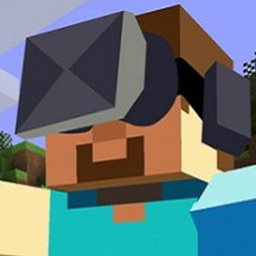
本整合包可选 VR 支持,但如果您打算使用 Vive 或 Oculus Rift 游玩此整合包,则必须先安装 Vivecraft,相关链接和进一步说明见下文,并使用原版启动器启动。如果您不想以 VR 方式游玩,只需通过 Twitch 启动该整合包即可。
本整合包旨在采用对 VR 友好、兼容 VR 且无卡顿的模组,以免您因延迟而产生晕动症和头痛,也免去自行摸索哪些模组兼容、哪些不兼容的烦恼。本整合包附带我自定义的控制配置文件,使 VR 控制支持自由移动(free locomotion),操作感类似 Xbox 手柄。如果觉得自由移动过于强烈,您可以在设置中切换为瞬移模式或减缓角色移动速度。
本整合包包含 Harvest Festival、Industrial Craft、Thermal Expansion、RFtools、Dungeons、AppliedEnergetics2 等模组。您可以与朋友在服务器上联机游玩,无论他们是否使用 VR,也不管他们是以 VR 还是非 VR 方式运行。我计划稍后补充搭建服务器的教程,或者您也可以访问 了解当前如何操作。
安装非常简单。
1. 像平常安装其他整合包一样,使用 Twitch 安装本整合包,但不要通过 Twitch 启动它。
2. 前往 "" 并下载 Vivecraft 1.10.2 安装程序。
3. 运行安装程序。
4. 勾选 "Install Vivecraft with Forge"(随 Forge 安装 Vivecraft),选择最新的 1.10.2 支持版本即可。
5. 勾选 "Custom Profile Name"(自定义配置名称)并按需输入自定义名称。
6. 勾选 "Mod pack Directory"(整合包目录),然后点击浏览按钮(带有三个点的按钮),导航至 Twitch 安装该整合包的目录。
默认路径通常为:"C:\Users\"您的用户名"\Documents\Curse\Minecraft\Instances\Mash's Vr Mod pack"
7. 完成 Vivecraft 安装,然后使用原版 Minecraft 启动器启动已自定义的配置进行游玩。
8. 请确保首先为本整合包分配尽可能多的内存,建议至少分配 5-6 GB,本模组已在分配 8 GB 内存给 Minecraft 的情况下进行测试。
您的朋友无需安装此整合包或处于 VR 环境中也能与您一同游玩,Vivecraft 仅需客户端侧安装即可。不过,服务器端需要允许传送功能;或者您可以切换为自由移动控制(我的整合包默认即采用此模式)。我将在后续版本中发布关于如何在此整合包下搭建服务器的教程,或者您也可以访问 vivecraft.org 现在就开始学习。
祝您游戏愉快!
欢迎随时留言并推荐您认为合适的模组,我很乐意了解社区的想法,并考虑添加许多玩家请求的模组。
Vivecraft 支持哪些头显?
Vivecraft 可在 HTC Vive 和 Oculus Rift 上正常运行。我无法测试其他头显,但它应能在任何支持 OpenVR 的头显上正常工作。
Mash 所定义的“无卡顿”是指什么?
目标是尽可能维持 60fps 的帧率,低于 45 fps 是不可接受的。截至目前的首次发布版本中,帧率始终保持在 60fps,从未下降。唯一的问题是有时重投影会出现约一分钟的不同步现象,但仅持续分钟左右。如果您在某一区域建造大量结构,或做出诸如同时引爆 100 箱 TNT 等疯狂举动,我无法保证完全无卡顿。建议您避免此类行为。
本整合包已在 VR 入门级电脑上测试过。
最低配置要求:
NVIDIA GTX970 或同等性能显卡
16 GB 内存(至少分配 5 GB 给整合包,如果条件允许,建议分配 8 GB)
i7 4k 系列处理器或更好/同等级别处理器
IMPORTANT! Please Read before you play!
VR is optional with this mod pack, however, if you do intend to play this modpack with your Vive or Oculus Rift you must first install Vivecraft, link and further instructions below, and launch with the vanilla launcher. If you don't want to play it with VR, just launch the mod pack with Twitch.
This mod pack aims to use VR friendly VR compatible and lag free mods, so you don't get motion sickness and headaches from the lag, or the headache of trying to figure out for yourself what mods work and what do not. This modpack comes with my custom control profile that makes the vr controls free locomotion and similar to that of the xbox controls, if this is too intense for you, you can change to teleport or slow down character movement in the settings.
This mod features Harvest Festival, Industrial Craft, Thermal Expansion, RFtools, Dungeons, AppliedEnergestics2 and more. It is possible to play on a server with your friends, even if they are not using vr, or running it with VR. I plan on adding instructions on how to run a server later, or you can visit to find out how to do it now.
Installation is easy.
1. Install the mod pack with Twitch as you normally would with any mod pack, but do not launch it with Twitch.
2. Go to "" And download Vivecraft 1.10.2 installer.
3. Run the installer.
4. Check 'Install Vivecraft with Forge' Latest 1.10.2 supporting version is fine.
5. Check 'Custom Profile Name' and enter a custom name, if you like.
6. Check 'Mod pack Directory' and click the browse button (button with three dots), and browse to the directory where twitch installed the mod pack.
This can be found at "C:\Users\"Your username"\Documents\Curse\Minecraft\Instances\Mash's Vr Mod pack" by default.
7. Install Vivecraft, and use the vanilla Minecraft launcher to play the now custom profile.
8. Make sure you first give the mod pack as much ram as your able, at least 5-6 gigs is recommended, the mod is tested with 8 gigs allocated to minecraft.
Your friends do not need to have this installed or be in VR to play with you, Vivecraft can be Client side only. However, the server will need to have teleportation allowed, or you can change to free locomotion controls, which my modpack uses by default. Ill post instructions in future revisions on how to run a server with this mod pack, or you can visit vivecraft.org to learn how now.
Have fun!
Please feel free to comment and let me know what mods you recommend, I'd love to see what the community thinks, and consider adding mods lots of people request.
What headsets does vivecraft work with?
Vivecraft works fine with the HTC Vive, and Oculus rift, I have no way of testing other headsets, but it should work with any headset that supports openVR.
What does Mash consider to be "lag free"?
The aim is to be able to maintain a 60fps as much as possible, dipping under 45 fps is not tolerated. So far with the first release, it maintains 60fps never dipping. The only issue is sometimes the re-projection de-syncs for about a minute, but only for a minute or so. I cant guarantee lag free if you build ALOT of stuff in one area, or you do something crazy like explode 100 boxes of tnt at the same time. I recommend avoiding that.
This modpack is tested on an VR entry level machine.
Minimum specs
Nivida GTX970 or equivalent
16 gigs Ram (allocate at least 5 to the mod pack, recommended you do 8 if your able)
i7 4k processor or better/equivalent

 整合包
 整合包

 整合包

 整合包
 整合包

 整合包

评论 0
登录后参与评分
还没有评论,来抢沙发吧