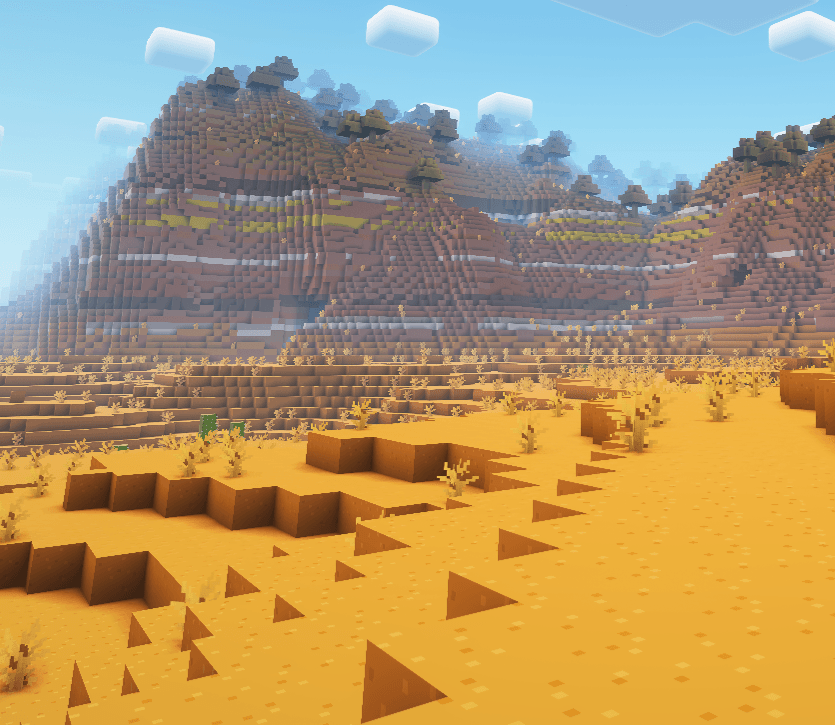
你是否曾见过《Minecraft》的预告片,并真心希望你的游戏画面能像那样?现在,它可以了!
这个整合包非常轻量,仅包含 25 个模组(其中大部分是 API 和库)。它使用了多款流行的资源包,如 Fresh Animations、Fresh Moves 和 Bare Bones,为你的 Minecraft 世界营造出电影般的质感。此外,还附带了 Complimentary Shaders 以增添视觉效果。
此整合包仅包含客户端模组,因此你可以在任何 1.21 服务器上运行它。
修复说明:
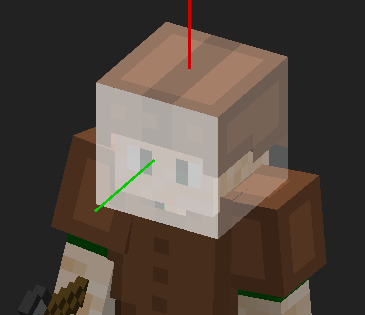
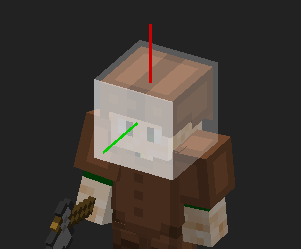
为了让 Real Cam 与你的皮肤配合工作,首先打开按键绑定设置,将“Open Model View Screen”(打开模型查看界面)的按键绑定更改为其他空闲按键。然后退出设置并按下该按键。这将打开特殊菜单。接下来,你需要找到标有“Selecting: ”(选择:)的按钮(见下图),并按住它直到显示“Selecting: Target Plane”(选择:目标平面)。然后,你需要将鼠标悬停在玩家脸部上方,并在按住 Alt 键的同时向前滚动,直到白色高亮框变化一次;如果变化两次,你可以向后滚动。接着,在玩家脸部上执行 Alt+单击(按住 Alt 键的同时点击)。随后,再次按下选择按钮(此时应显示“Selecting: Forward Vector”(选择:前向向量)),并在玩家脸部上再次执行 Alt+单击。最后,再次按下选择按钮(此时应显示“Selecting: Upward Vector”(选择:向上向量)),并在玩家头顶执行 Alt+单击,然后点击保存。你可以关闭菜单并按 F6 启用 Real Camera(真实摄像机)。


注意:头盔用于指示白色方框应对齐的位置。最左侧的图片展示了如果你按照所有步骤操作并将鼠标悬停在头部上时应呈现的效果。
存在一个关于附着指示器的视觉故障,导致在能够击中生物时出现闪烁。如果有人找到了修复方法,请在评论中告知我,以便我将修复方案发布在此处。
如果还有其他错误和故障,请在评论中发布它们,以便我可以告诉你如何修复,或者让其他用户提供帮助。
Have you ever seen a Minecraft trailer, and really wished your Minecraft looked like that. Now it does!
This mod pack is very light with only 25 mods (most of them being API's and libraries). It uses a range of popular resource packs such as Fresh Animations, Fresh Moves and Bare Bones to give your minecraft world that trailer feel. It also includes Complimentary Shaders to liven it up.
This modpack only includes client side mods, meaning you an use it on any 1.21 server.

Fixes:
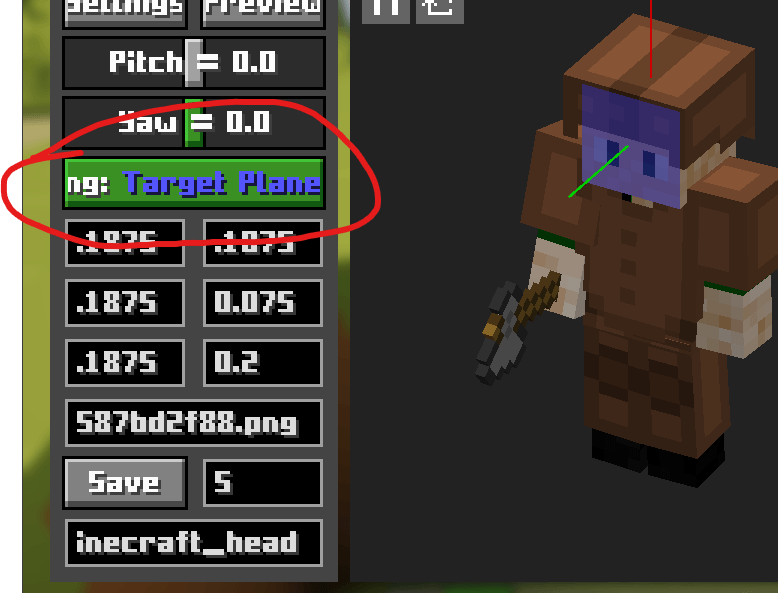
To get real cam to work with your skin, first open the keybind settings and change the keybind of "Open Model View Screen" to something free. Then, exit settings and press that keybind. This will open the special menu. Next you need to find the button that says "Selecting: " (see below) and press it until it says "Selecting: Target Plane". Then, you need to have over your players face and scroll forward while holding down alt until the white highlight changes once, if it changes twice you can scroll backwards. Then, alt click (click while pressing alt) the face of your player. Next, press the selecting button again (it should say "Selecting: Forward Vector") and alt click your players face again. Finally, press the selecting button one last time (it should say "Selecting: Upward Vector") and alt click the top of your players head and then hit save. You can close the menu and press f6 to enable real camera.


notes: The helmet is to show you where the white box should be in line with. The picture on the far left is what it should look like if you followed all the steps and hove rover the head.
There is a visual glitch for the attach inicator that makes it flicker when able to hit a mob, if anyone figures out haw to fix that, please let me know in the comments so I can post the fix here.
If there are any other bugs and glitches, post them in the comments so I can tell you how to fix them or so you can get help from antoehr user.
评论 0
登录后参与评分
还没有评论,来抢沙发吧