
Provi's Monumenta 整合包
受 Noelle 的整合包 启发,这是一个功能完整、即插即用的整合包,专为 CTM-MMO Minecraft 服务器 Monumenta 设计。
许可协议
本整合包(自定义菜单布局、配置文件等)采用 MIT 许可,您可以随意拆解并复用其中的部分内容。
本整合包的内容(模组、资源包、音乐、徽标等)不受整合包许可协议的约束,而是各自拥有独立的许可协议,请予以遵守。
内容列表
- 性能优化类模组。
- Monumenta 官方资源包
- Monumenta 通用音乐包 v2.6.0(请查看官方 Discord 以获取最新版本)。
- 包含开放世界、地下城、Boss 和城镇音乐。
- Monumenta 自定义音乐包 v1.2.0(请查看官方 Discord 以获取最新版本)。
- 允许您设置在游戏中播放的自定义音乐。
- 通用玩法增强类模组。
- Tooltip Scroll
- Shulkerbox Tooltips
- Xaero's Minimap/Worldmap(公平竞技模式)
- Provi's Health Bars
- Monumenta 专属玩法增强类模组。
- Unofficial Monumenta Mod
- Dynamic Fullbright(默认禁用)
安装指南
Vanilla Launcher
- Modrinth 整合包安装器(无需任何设置)
- 这是我制作的工具,如果有任何问题请告诉我。
- 它会将
.mrpack文件中的所有模组和配置解压到一个文件夹中,然后您可以指示 Minecraft 从该文件夹启动安装实例。
- 您也可以尝试使用其他命令行工具来自动设置整合包。
- 手动安装(需要大量设置步骤)
.mrpack文件本质上只是一个带有特殊扩展名的 zip 压缩包。将文件名重命名,把扩展名改为.zip。- 解压该文件夹。
- 如果您安装了 7zip,可以直接用它打开
.mrpack文件,从而跳过第 1 步。
- 如果您安装了 7zip,可以直接用它打开
- “overrides” 文件夹包含了配置文件和资源包等内容,其格式完全符合标准 Minecraft 配置文件的要求。
- 您可以直接将该文件夹用作配置文件/安装目录,或者将其中的内容复制到您选择的文件夹中。
modrinth.index.json是一个 JSON 文件,其中包含了所有模组的下载链接。- 这些链接是直接下载地址,只需点击它们,让网页浏览器完成后续操作即可。
- 将所有下载好的模组移动到您的 mods 文件夹中。
- 创建一个指向您刚才设置的文件夹位置的 Minecraft 配置文件(即您刚刚将 overrides 内容放入的那个文件夹)。
- 开始游戏,让 Minecraft 和模组生成所有剩余的文件。
第三方启动器
说明会因不同的第三方启动器而异,但任何支持 Modrinth 整合包的启动器都应该能够自动完成所有设置:
- Modrinth Launcher
- Prism Launcher
- ATLauncher
- MultiMC

你是这个资源的作者?登录后可认领此资源。
相似资源
 整合包
Monumental Experience
ModernGamingWorld
一个基于 ModernGamingWorld 模组进度的硬核/专家级整合包
大杂烩魔法
123
 整合包

疯狂工艺Crazy Craft Updated
TrueRealCursed_Warrior
Crazy Craft,但适用于 1.16.5。花费数百小时,探索并享受乐趣!
科技冒险
92
 整合包

SteamPunk [Inspired]
SHXRKIE
详细且沉浸式的蒸汽朋克主题整合包,包含 1000+ 个任务!
冒险探索
88
 整合包
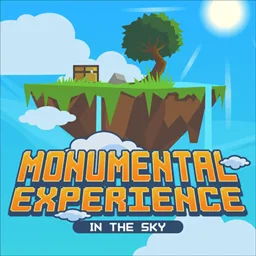
Monumental Experience - 在天空中
ModernGamingWorld
欢迎来到 Monumental Experience – In the Sky!☁️《Monumental Experience》系列的第二章将生存拓展至主世界之上。你将在一座浮空岛上开始旅程,这里资源匮乏、挑战重重,而创造力是你生存的关键。
空岛魔法
83
 整合包

Cursed Walking - 现代僵尸末日
OnMod
一款专为最新 Minecraft 版本打造的完整僵尸末日模组整合包。
高难度冒险
82
 整合包

阳光山谷Society: Sunlit Valley
Chakyl
《星露谷物语》体验!深度农业、动物饲养和钓鱼,机制完全源自游戏!
多人原版风
80
评论 0
登录后参与评分
还没有评论,来抢沙发吧