使用我们的合作伙伴 ServerMiner,一键创建您自己的 Space Astronomy 1 服务器:点击此处并使用优惠码 MJRLegends 享受 20% 折扣。无需任何技术知识,即可即时部署!
本整合包已不再支持/更新,敬请谅解
请务必前往 Curse Launcher 查看现已推出的 Space Astronomy 2!
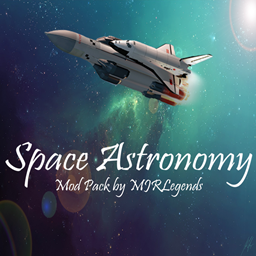
Space Astronomy 是一款以太空为主题的模组整合包,包含了大量最新的科技类和太空类模组。借助提供的任务书探索宇宙,它将引导你完成所需步骤。本整合包也可在 FTB Launcher 上使用!
漏洞信息:
所有版本的整合包均包含 BiblioCraft:请查阅 &
建议操作:移除该模组
所有版本的整合包均包含 EnderCore/EnderIO & BDLib:请查阅
建议操作:尽可能更新模组,或移除该模组
请自行研究后谨慎使用本整合包,风险自负!
内存要求:
客户端:
最低(初始启动):2048MB
推荐/可玩:2560MB 及以上(取决于你的世界进度)
服务器:
最低:即将更新
推荐:即将更新
服务器文件:
1. 将这些客户端文件夹复制到你的服务器
- config
- mods
- resources
- scripts
2. 然后在服务器的 mods 文件夹中移除以下文件
- CustomMainMenu-MC1.7.10-1.9.2.jar
- MouseTweaks-2.4.4-mc1.7.10.jar
- ResourceLoader-MC1.7.10-1.3.jar
- [1.7.10]ArmorStatusHUD-client-1.28.jar
- [1.7.10]DamageIndicatorsMod-3.2.3.jar
-
3. 下载并使用 forge-1.7.10-10.13.4.1614-1.7.10-universal.jar/libraries/vanilla jar,并使用以下命令启动该 jar 文件
java -Xms2048m -Xmx3072m -XX:PermSize=256m -XX:+UseParNewGC -XX:+UseConcMarkSweepGC -jar forge-1.7.10-10.13.4.1614-1.7.10-universal.jar nogui
注意:请将任何错误/问题报告至 此处!
更新日志 - 这里
FTB 论坛帖 - 这里
Minecraft 论坛帖 - 这里
问题追踪器 - 这里
已知问题 - 这里
模组列表 - 这里
本整合包默认启用了由 Player 制作的 Fastcraft。Fastcraft 能提升 Minecraft 的性能。向模组作者提交的 bug 报告应注明已启用 Fastcraft。
感谢 Deanford 为整合包提供艺术图和图像!
如何在 Curse/TwitchApp/FTB 上更改 Minecraft 的内存分配/使用?
如何在 Curse/TwitchApp 上的 Minecraft 中定位崩溃日志?
如何在新 Twitch App 上安装 Space Astronomy 1 & 2?
如何在新 Twitch App 上游玩模组整合包?
如何下载 Space Astronomy 1 的服务器文件?
常见问题解答 (FAQ):
Create your own Space Astronomy 1 server with a single click from our partner ServerMiner: Click here and get 20% off with promo MJRLegends. No technical knowledge required and instant setup!
PACK IS NO LONGER SUPPORTED/UPDATED, SORRY
Be sure to checkout Space Astronomy 2 that is now available on the Curse Launcher!
Space Astronomy is a space based modpack, that include loads of the latest tech and space mods. Explore the Universe with the help of the provided quest book that will lead you around and that required steps that you will need to take. This mod pack is also on the FTB Launcher!
Exploits Info:
All Versions of Pack contains BiblioCraft: please check out exploit details over on &
Recommended Action: Remove Mod
All Versions of the Pack contains EnderCore/EnderIO & BDLib: please check out exploit details over on
Recommended Action: Update Mod if possible or Remove Mod
Use pack at your own risk, with your own research done!
RAM/Memory Requirements:
Client:
Minimum(Pack starts with): 2048mb
Recommended/Playable: 2560mb and above (Depending on how advanced your world is)
Server:
Minimum: Will be updated Soon
Recommended: Will be updated Soon
Server Files:
1. Copy these client folders to your server
- config
- mods
- resources
- scripts
2. Then in the mods folder on your server remove
- CustomMainMenu-MC1.7.10-1.9.2.jar
- MouseTweaks-2.4.4-mc1.7.10.jar
- ResourceLoader-MC1.7.10-1.3.jar
- [1.7.10]ArmorStatusHUD-client-1.28.jar
- [1.7.10]DamageIndicatorsMod-3.2.3.jar
-
3. Download & Use a forge-1.7.10-10.13.4.1614-1.7.10-universal.jar/libraries/vanilla jar and use the following to launch the jar file
java -Xms2048m -Xmx3072m -XX:PermSize=256m -XX:+UseParNewGC -XX:+UseConcMarkSweepGC -jar forge-1.7.10-10.13.4.1614-1.7.10-universal.jar nogui
Note: Please report any bugs/problems to HERE!
Changelog - Here
FTB Thread - Here
Minecraft Forums Thread - Here
Issue Tracker - Here
Known issues - Here
Mod List - Here
This pack contains Fastcraft, by Player, enabled by default. Fastcraft enhances Minecraft with increased performance. Bug reports being made directly to Mod Authors should state Fastcraft is enabled.
Thanks to Deanford for the mod pack artwork/images!
How Do I Change My Ram Assignment/Usage For Minecraft On Curse/TwitchApp/FTB?
How To I Locate A Crash Log On Minecraft On Curse/TwitchApp?
How Do I Install Space Astronomy 1 & 2 On The New Twitch App?
How Do I Play A Mod Pack On The New Twitch App?
How Do I Download The Server Files For Space Astronomy 1?
Frequently asked questions (FAQ):
评论 0
登录后参与评分
还没有评论,来抢沙发吧