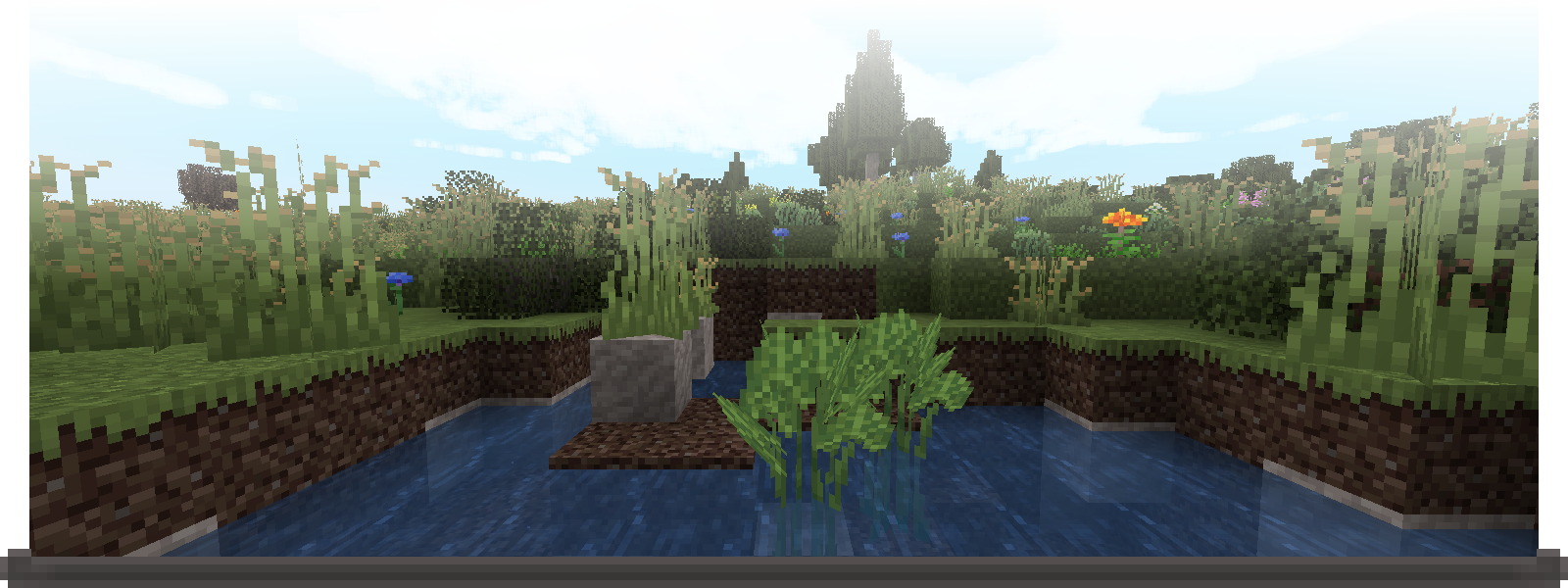
Stilled TFC 是一个以 TerraFirmaCraft 为核心的整合包,旨在让这个世界更加美丽。
你将看到海滩上的波浪、听到草丛中的风声,以及眺望直至地平线的广袤大地。这一切都在保持高帧率的同时实现。我努力使这个整合包尽可能协调统一,同时兼顾高性能。
为了获得最佳体验,建议分配 4GB 到 6GB 的内存,并使用 Eclipse Temurin 25,配合 -XX:+UseZGC -XX:+UseCompactObjectHeaders JVM 参数。有关使用哪些 JVM 参数及其作用的更详细信息,请参阅此处!
帧率较低?
你可以尝试禁用 Distant Horizons、Better Clouds,或两者都禁用。
-
要禁用 Distant Horizons,请在主菜单或暂停菜单中前往 Options...(选项)。
在 Options... 中点击左上角的 Distant Horizons 按钮。将 Enable Rendering(启用渲染)和 Enable Distant Generation(启用远距离生成)设置为 False。
- 若要重新启用原版雾效,请向下滚动至
Advanced options(高级选项),然后进入 Graphics(图形)。在此处将 Enable Distant Horizons Fog(启用 Distant Horizons 雾效)设置为 False,并将 Enable Vanilla Fog(启用原版雾效)设置为 True。
-
要禁用 Better Clouds,请在主菜单或暂停菜单中前往 Mods(模组)。
搜索或滚动找到 Better Clouds 模组,然后点击 Config(配置)。点击配置屏幕顶部的 Enabled(已启用)按钮,将 Better Clouds 更改为 Vanilla(原版)。

Stilled TFC 的主要新增内容包括:
- 便利性提升,包括
- 物品栏管理
- 合成调整
- 专用且更精确的勘探工具
- 以及更多!...
- 视觉效果改进,包括
- 动态光源
- 水面雨滴溅射效果
- 更好的云层
- 低成本 LOD 地形,配合 Distant Horizons
- 音效改进,包括
- 脚步声
- 遮挡与混响效果
- 自定义环境音效包,通过风、水和植被的声音为世界增添生机!
- 高性能,配置文件经过专门调整以减少卡顿并提高 FPS
- 扩展的温度机制,新增了 Cold Sweat TFC
- 以及太多细节无法一一列举……

嘘—— 没有 Prism Launcher 或 Modrinth App,但仍然喜欢这个整合包的外观?你可以点击下方链接,将此整合包的最新版转换为包含所有资源的 .zip 文件。此转换在本地完成,因此请耐心等待。
通过这些资源,你可以将 Stilled TFC 导入任何启动器!我在下方提供了针对 CurseForge 应用和 Minecraft Launcher 的指南。
整合包转换器:.mrpack 转 .zip
导入 CurseForge 应用
首先打开 CurseForge 应用,打开后点击 + Create(创建)按钮开始创建新的整合包。
-
填写数据如下:
整合包名称:Stilled TFC
Minecraft 版本:1.21.1
游戏类型:NeoForge
加载器版本:[选择最新版本]
-
一旦整合包设置完成,请导航至整合包文件夹:
在整合包内,点击 Play(播放)旁边的三个点,然后前往 Open Folder ↗(打开文件夹)。
如果是在主页面上,请先右键点击该整合包,然后前往 Open Folder ↗(打开文件夹)。
-
现在将包含所有 Stilled TFC 内容的 .zip 文件放入其中。为了完成整合包导入,你需要在整合包目录中提取 .zip 文件。确保内容直接提取到整合包目录中! 如果你得到一个包含所有文件的文件夹,请将那些文件移动到整合包目录中。
完成这些步骤后,你可以删除 zip 文件。未来更新整合包时,先删除 mods、resourcepacks、datapacks 和 config 文件夹,然后重复第 3 步。
导入 Minecraft Launcher
-
下载 NeoForged Installer,选择 1.21.1 作为 Minecraft 版本,并使用最新的 NeoForged 版本。我建议按照 NeoForged 文档的整个安装部分进行操作。
-
现在你已在 Minecraft Launcher 上安装了 NeoForged,并决定是否需要创建独立配置档,请导航至该配置档目录。
(NeoForged 文档和我所称的 profiles 在 Minecraft Launcher 中标记为 Installations。但我若称之为 Installations 会造成混淆)
-
将包含所有 Stilled TFC 内容的 .zip 文件放入其中。为了完成整合包导入,你需要在整合包目录中提取 .zip 文件。确保内容直接提取到整合包目录中! 如果你得到一个包含所有文件的文件夹,请将那些文件移动到整合包目录中。
完成这些步骤后,你可以删除 zip 文件。未来更新整合包时,先删除 mods、resourcepacks、datapacks 和 config 文件夹,然后重复第 3 步。
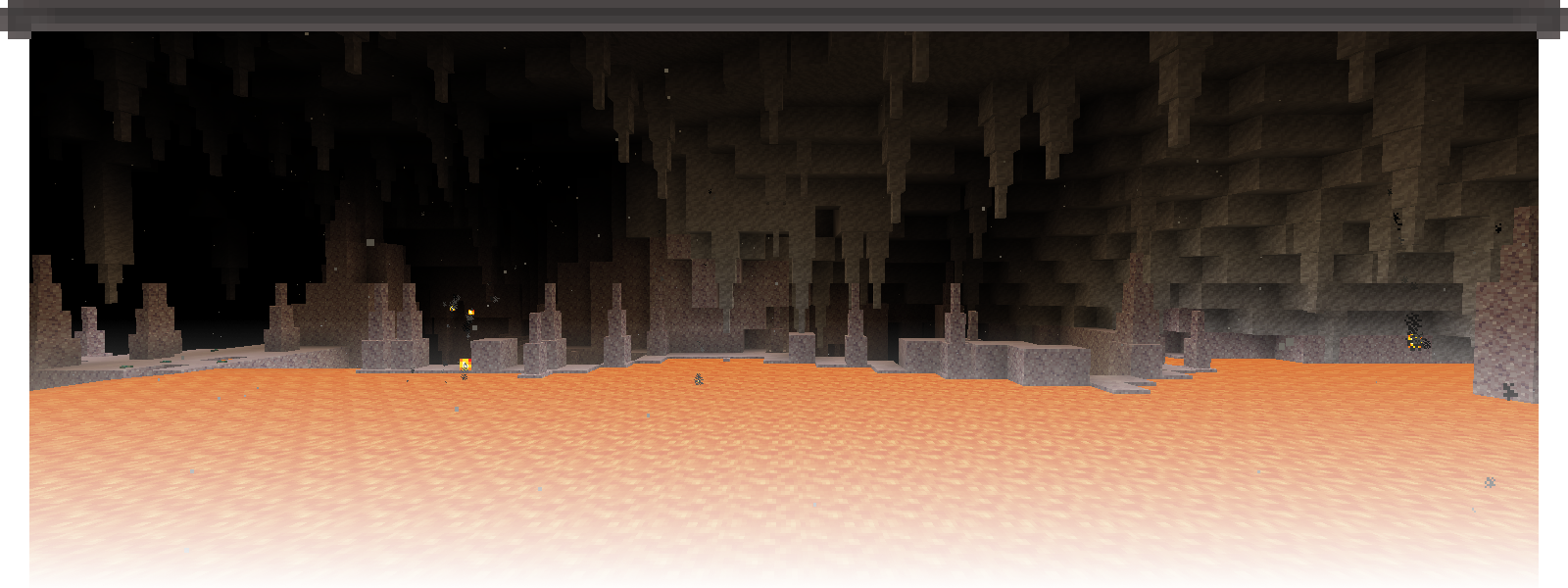
Stilled TFC is a modpack built around TerraFirmaCraft that makes the world more beautiful.
You'll see waves upon the beaches, hear winds in the grasses, and see land as far as the horizon of the Earth. It does all this while maintaining a high FPS. I've worked hard to make this modpack as cohesive as possible while being as performant as possible.
For the best experience, I'd recommend allocating between 4gb and 6gb of ram and using Eclipse Temurin 25 with -XX:+UseZGC -XX:+UseCompactObjectHeaders JVM arguments. See here for more detailed information on which JVM arguments to use and what they do!
Low Frame Rate?
You could try disabling either Distant Horizons, Better Clouds, or both.
-
To disable Distant Horizons, from the Main Menu or Pause Menu go to Options...
Within Options... click on the Distant Horizons button to the top left. Set both Enable Rendering and Enable Distant Generation to False.
- To re-enable vanilla fog, proceed down
Advanced options then to Graphics. Here set Enable Distant Horizons Fog to False and Enable Vanilla Fog to True.
-
To disable Better Clouds, from the Main Menu or Pause Menu go to Mods
Search or scroll to the Better Clouds mod, then click on Config. Click on the Enabled button at the top of the config screen to change Better Clouds to Vanilla.
The main additions of Stilled TFC are:
- QOL in the form of
- Inventory management
- Crafting tweaks
- Dedicated and more precise prospecting tools
- and more!...
- Improved Visuals with
- Dynamic lights
- Rain splashes on water
- Better clouds
- Low cost LOD terrain with Distant Horizons
- Improved Sounds with
- Walking sounds
- Occlusion and reverb
- A custom ambient sounds pack that adds more life to the world in the form of wind, water, and foliage!
- High performance with configs specifically tweaked to reduce stutters and increase FPS
- Expanded Temperature mechanics with the addition of Cold Sweat TFC
- and too much polish to even list...
Pssst, don't have Prism Launcher or the Modrinth App but still like the look of this? You can click the link below to convert the most recent version of this modpack to a .zip containing all the modpack's resources. This conversion is done locally, so be patient.
With these resources you're able to import Stilled TFC into any launcher! I've made guides for the CurseForge app and the Minecraft Launcher below.
Modpack Converter: .mrpack to .zip
Importing into the CurseForge app
Begin by opening the CurseForge app, once opened click on the + Create button to start a new modpack.
-
Fill out the data like so:
Modpack Name: Stilled TFC
Minecraft Version: 1.21.1
Game Type: NeoForge
Modloader Version: [Select the most recent version]
-
Once the modpack has finished setting up, navigate to the modpack folder:
From within the modpack click on the three dots next to Play then head to Open Folder ↗
If instead on the main page, first right click on the modpack then head to Open Folder ↗
-
Bring over the .zip containing all of Stilled TFC now. To finish off the modpack import you will need to extract the .zip in the modpack directory. Make certain the contents are extracted directly into the modpack directory! If you get a folder containing all the files, move those files into the modpack directory.
You're fine to delete the zip after completing these steps. To update the modpack in the future, delete the mods, resourcepacks, datapacks, and config folder before repeating step 3.
Importing into the Minecraft Launcher
-
Download the NeoForged Installer, select 1.21.1 as the Minecraft Version and use the latest NeoForged Version. I'd suggest following the entire installation section of the NeoForged docs.
-
Now that you have NeoForged installed on the Minecraft Launcher and have decided on whether to make a separate profile or not, navigate to that profile directory.
(What the NeoForged docs and I refer to as profiles are labeled Installations within the Minecraft Launcher. Me referring to them as Installations would lead to confusion however)
-
Bring over the .zip containing all of Stilled TFC. To finish off the modpack import you will need to extract the .zip in the modpack directory. Make certain the contents are extracted directly into the modpack directory! If you get a folder containing all the files, move those files into the modpack directory.
You're fine to delete the zip after completing these steps. To update the modpack in the future, delete the mods, resourcepacks, datapacks, and config folder before repeating step 3.


 整合包
 整合包

 整合包

 整合包

 整合包

 整合包

评论 0
登录后参与评分
还没有评论,来抢沙发吧