AnimatedFrames
AnimatedFrames 是一款轻量级且完全优化的 Spigot/Paper 插件,允许你直接将自定义图片和动画 GIF 放入 Minecraft 世界中。只需从互联网获取一个 URL,输入一条命令,然后点击墙壁,即可瞬间建造出一个巨大且可用的影院屏幕!
? 功能
- 无需占用硬盘空间: 它直接从 URL 流式传输图片和 GIF,这意味着服务器不会因下载文件而膨胀。
- 丝般顺滑的 20 FPS: 我们完全绕过了原生的 Minecraft 地图限制。动画使用自定义异步渲染器以完美的每秒 20 帧运行,不会拖累你的主线程。
- 多人游戏同步: 所有玩家在同一时刻看到的 GIF 帧完全一致。
- 自动保存: 无需担心服务器重启。你所放置的所有内容都会保存到本地数据库中,并在服务器重新上线时立即恢复。
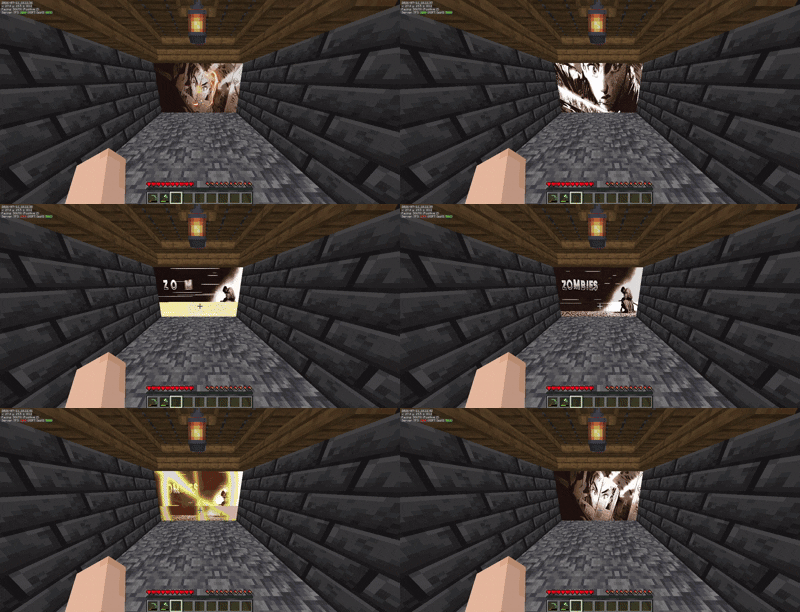
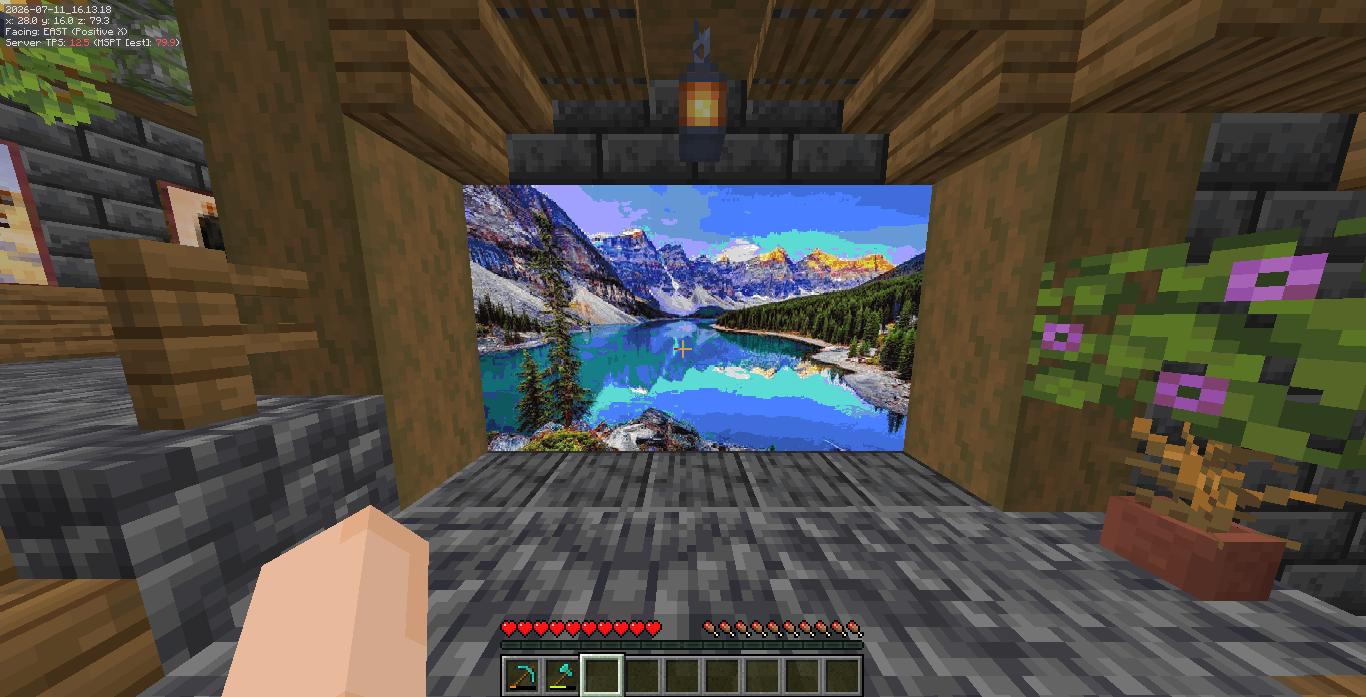
? 预览
⌨️ 指令与权限
主要指令为 /animatedframes(也可使用简写别名 /af)。
所有指令均内置了 Tab 补全功能,方便操作。
-
/af create <url> <scale>
进入放置模式。只需注视一面墙壁并右键点击,即可生成图像!缩放比例表示图像在宽和高方向上占用的方块数(例如 10 会生成一个 10x10 的墙面)。
权限:animatedframes.create
-
/af delete
进入删除模式。右键点击任意已放置的图像即可将其从世界中移除。
权限:animatedframes.delete
-
/af delete near <radius>
快速清除你站立位置周围特定半径方块内的所有图像。
权限:animatedframes.delete
-
/af info
右键点击某张图像以查看其精确分辨率、URL 地址及内存占用情况。
权限:animatedframes.info
-
/af stopall
立即停止并清除服务器上所有正在运行的动画。
权限:animatedframes.admin
⚙️ 使用方法
- 找到任意指向图片或 GIF 的直接链接(例如 Discord 附件链接或 Imgur 直接链接)。
- 输入
/af create <你的链接> 5
- 在你希望它出现的位置,右键点击墙壁的左下角。
- 尽情欣赏吧!
AnimatedFrames
AnimatedFrames is a lightweight, fully optimized Spigot/Paper plugin that lets you put custom images and animated GIFs directly into your Minecraft world. Just grab a URL from the internet, type a command, and click a wall to instantly build a massive, working cinema screen!
? Features
- No Hard Drive Space Required: It streams the images and GIFs directly from URLs, meaning your server doesn't bloat up with downloaded files.
- Buttery Smooth 20 FPS: We completely bypassed the native Minecraft map limits. Animations run at a perfectly smooth 20 frames per second using a custom asynchronous renderer that won't lag your main thread.
- Multiplayer Synced: Every player sees the exact same frame of the GIF at the exact same time.
- Auto-Saving: Don't worry about server restarts. Everything you place is saved to a local database and instantly pops back up when the server comes back online.
? Preview
⌨️ Commands & Permissions
The main command is /animatedframes (or you can just use the short alias /af).
All commands come with built-in Tab Completion to make things easy.
-
/af create <url> <scale>
Enters placement mode. Just look at a wall and Right-Click to spawn the image! The scale is how many blocks wide/tall it will be (e.g. 10 makes a 10x10 wall).
Permission: animatedframes.create
-
/af delete
Enters deletion mode. Right-click any image you've placed to remove it from the world.
Permission: animatedframes.delete
-
/af delete near <radius>
Quickly wipes all images within a specific block radius of where you're standing.
Permission: animatedframes.delete
-
/af info
Right-click an image to see its exact resolution, URL, and memory usage.
Permission: animatedframes.info
-
/af stopall
Stops and clears all active animations on the server immediately.
Permission: animatedframes.admin
⚙️ How to use
- Find any direct link to an image or GIF (like a Discord attachment link or Imgur direct link).
- Type
/af create <your-link> 5
- Right click the bottom-left corner of the wall where you want it to appear.
- Enjoy the show!


 插件

 插件
 插件
 插件
 插件
 插件
评论 0
登录后参与评分
还没有评论,来抢沙发吧