
AuctionChest v1.11
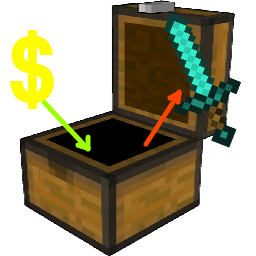
类似魔兽世界拍卖行买断功能的拍卖系统。
*重要提示*
在放入插件前,请完全关闭服务器。首次安装时执行 /reload 可能会导致插件损坏。
需要 Vault!
Vault 可以在 这里找到
注意:描述/命令/权限和功能仅代表该插件的最新版本。强烈建议在新版本发布时进行更新!
功能:
- 放置可用作拍卖行的箱子,名称可在配置文件中自定义。
- 拥有相应权限的玩家可从拍卖行出售/购买物品。
- 当有人购买你的拍卖物品时会收到消息(如果觉得烦人,请使用 /auctionchest silent 静音这些消息)
- 在物品被拍卖时显示自定义文本。
使用方法:
对于玩家
- 左键点击购买/出售/移除 1 个物品。
- 右键点击购买/出售/移除 8 个默认物品(可在 config.yml 中配置)
- Shift+点击购买/出售/移除 所有物品
对于管理员
- 输入 /auctionchest get <name>。name - 箱子的名称(查看箱子物品栏时显示)
- 在你希望放置拍卖箱的位置放置箱子。
- 你就创建了一个拍卖箱!就是这么简单!真的。
- 如果你想删除不需要的已拍卖物品,只需输入 /auctionchest clean 然后点击那些物品即可。
- 如果你想增加某个玩家的最高槽位数,请输入 /auctionchest maxslots <player> <number>。
命令和权限:
| 命令 | 权限 | 描述 |
|---|---|---|
| /auc /auctionchest | - | 显示槽位数量和静音状态。 |
| /auc help | - | 显示用户有权限使用的其他命令。 |
| /auc get <name> | auctionchest.get | 授予一个指定名称的拍卖箱物品(名称在查看拍卖物品栏时显示) |
| /auc silent | auctionchest.silent | 切换是否静音“用户拍卖的物品被购买”时的消息。 |
| /auc clean | auctionchest.clean | 切换点击物品时从拍卖箱中删除物品的功能。 |
| /auc count | auctionchest.count | 统计服务器上的拍卖箱数量。 |
| /auc maxslots <p> <#> | auctionchest.maxslots | 设置玩家的最大拍卖槽位数。 |
| /auc reload | auctionchest.reload | 重新加载插件配置。 |
| - | auctionchest.sell | 允许用户拍卖物品。 |
| - | auctionchest.buy | 允许用户购买拍卖物品。 |
<p>
欢迎在评论区提出新想法和报告漏洞 :)
AuctionChest v1.11
Auction system similar to WoW Auction House buyouts.
*IMPORTANT*
Turn off the server completely before you put in the plugin. Doing a /reload when you're installing it for the first time seems to break the plugin.
Vault required!
Vault can be found here
NOTE: the description/commands/permissions and features only represent the latest version of the plugin. It is highly recommended to update when new version is out!
Features:
- Place chests that function as auction house with custom name in config.
- Sell/buy items from auction with permissions.
- Get messages when someone buys your auction. (/auctionchest silent to silence those messages if they get annoying)
- Show custom text on item when it's being auctioned.
Usage:
For players
- Left mouse button buy/sell/remove 1 item.
- Right mouse button buy/sell/remove 8 default items (configurable in config.yml)
- Shift+click buy/sell/remove all items
For admins
- Type /auctionchest get <name>. name - the name of the chest (shows up when viewing the chest inventory)
- Place the chest where you want the auction chest to be.
- You've made an auction chest! It's that simple! Really.
- If you want to delete unwanted auctioned items just type /auctionchest clean and click on the items.
- If you want to increase max slots for a player then type /auctionchest maxslots <player> <number>.
Commands and permissions:
| Command | Permission | Description |
|---|---|---|
| /auc /auctionchest | - | Shows slots and silence status. |
| /auc help | - | Shows the user other commands that he has permission to use. |
| /auc get <name> | auctionchest.get | Gives an auction chest item with the specified name (name shows up when viewing the auction inventory) |
| /auc silent | auctionchest.silent | Toggles silence for the messages get when users auctioned items is bought. |
| /auc clean | auctionchest.clean | Toggles the feature to delete items from auction chest when clicked on them. |
| /auc count | auctionchest.count | Counts the auction chests on the server. |
| /auc maxslots <p> <#> | auctionchest.maxslots | Sets the maximum auction slots for the player. |
| /auc reload | auctionchest.reload | Reloads the plugin config. |
| - | auctionchest.sell | Allow user to auction items. |
| - | auctionchest.buy | Allow user to buy auctioned items. |
<p>
New ideas and bug reports are welcome in the comments :)
下载 AuctionChest
下载 AuctionChest
下载 AuctionChest
下载 AuctionChest
下载 AuctionChest
下载 AuctionChest
下载 AuctionChest
下载 AuctionChest
更新内容:
- 无更改,仅更新至 1.9
关于这个资源的讨论、问题反馈与使用心得
还没有讨论,来发第一帖吧
你是这个资源的作者?登录后可认领此资源。
相似资源
 插件
用于绘制游戏内地图或在浏览器中随探索实时进行地图绘制的实时地图。
 插件
一个高度兼容、功能完善且稳定的 TPA 模组
 插件
在 Minecraft 中加入“最后一击”、“第二次机会”和“最后喘息”机制!从高处坠落时,你将拥有 0.5 HP 而不是直接死亡;当生命值较低时,增强你的能力。
 插件

更快速的直线轨道矿车、链式连接列车、熔炉机车,以及原版红石信号!
 插件

城镇现在可以要求建造具有特定功能的建筑
 插件
一个功能丰富、完全动画化的箱子插件,适用于 Paper 1.21.x,支持 IA、Vault、PlaceholderAPI 和 Citizens
评论 0
登录后参与评分
还没有评论,来抢沙发吧