

功能介绍
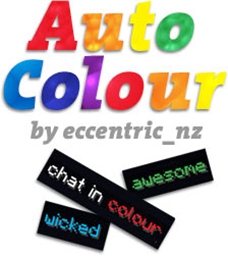
AutoColour 允许创建一个带有指定颜色的词表,当在聊天中输入其中的某个词时,它会自动显示为对应的颜色。
支持所有聊天颜色和格式。
下载
- 在使用
/aclist命令时,未格式化的单词现在会显示在“魔法”文本旁边的括号内
工作原理
AutoColour 的工作是全自动的!
要添加、删除或查看词表中的单词,请使用命令。详见下方的命令部分。
配置
有两个配置选项:
enabled: [true|false]
herochat: [true|false]
herochat 选项将根据服务器是否安装了 Herochat 插件而自动设置。
命令
共有 3 个命令。
/autocolour
- 别名:[ac, autocolor]
- 描述:添加一个 AutoColour 单词。
- 用法:
/autocolour [word] [colour] - 不带参数使用时,将显示可用颜色和格式的列表
指定颜色和格式
你可以使用颜色名称(例如 darkgreen,无空格)或颜色代码(例如 &2)来指定颜色。
如果使用颜色代码,最多可以指定 3 个不同的代码。例如,要使单词 粉色、斜体并带下划线,请使用 &d&o&n。如果某些组合一开始看起来不起作用,请尝试交换代码的顺序...
使用 /autocolour 查看颜色列表。
/acremove
- 别名:[acr, autocolourremove, autocolorremove]
- 描述:移除一个 AutoColour 单词。
- 用法:
/acremove [word]
/aclist
- 别名:[acl, autocolourlist, autocolorlist]
- 描述:列出所有 AutoColour 单词。
- 用法:
/aclist
权限
两个:
autocolour.use
默认值:true - 允许替换为彩色单词
autocolour.admin
默认值:op - 允许你向 AutoColour 列表中添加/删除单词
效果预览


颜色/格式名称与代码
| 颜色/格式 | 名称 | 代码 |
|---|---|---|
 | black | &0 |
 | darkblue | &1 |
 | darkgreen | &2 |
 | darkaqua | &3 |
 | darkred | &4 |
 | purple | &5 |
 | gold | &6 |
 | grey | &7 |
 | darkgrey | &8 |
 | indigo | &9 |
 | brightgreen | &a |
 | aqua | &b |
 | red | &c |
 | pink | &d |
 | yellow | &e |
 | white | &f |
 | random | &k |
 | bold | &l |
 | strike | &m |
 | underlined | &n |
 | italics | &o |
| reset | &r |
源代码
我的其他插件
你是这个资源的作者?登录后可认领此资源。
相似资源
 插件
可自定义玩家模型
tom5454
自定义你的Minecraft头像!
装饰社交
16
 插件
tkChat
tkkr
专为 Velocity 打造的自制聊天插件,功能丰富——支持跨服群组/全局/私聊消息,并集成 LibertyBans 的禁言功能。
管理社交
9
 插件
Yeth's TPA
yethdev
一个高度兼容、功能完善且稳定的 TPA 模组
社交交通
9
 插件

Geyser Recipe Fix
AnsonEyre
允许基岩版(Geyser)玩家使用自定义铁砧和锻造台配方。
管理科技
8
 插件
EssentialZ
KartoffelChipss
一个现代且高度可配置的 Essentials 插件,类似于 EssentialsX
经济管理
6
 插件

Vault 2.0 economy plugins
Aerials
Vault2.0 是什么? Vault2.0 是一个经济插件,它注册了一个兼容 Vault API 的 Bukkit Economy 服务,允许其他插件(商店、等级等)使用货币而无需依赖原始的 Vault.jar。它包含菜单、支付/收费流程
经济社交
6
评论 0
登录后参与评分
还没有评论,来抢沙发吧