Battery - 存储与释放红石能量
版本:1.5(发电厂版)
制作电池。
将任何红石活动存入电池,并稍后通过拉杆释放。
其工作方式与熔炉相同。
你可以将电池并排放置以构建大型发电厂。
例如,它可以与我的 ThunderTower 插件配合使用。
功能
- 使用方块、告示牌和拉杆制作电池
- 数据保存在平面文件中
- 为电池充电
- 使电池放电
- 完全可配置
使用方法
- 放置一个电池方块(可配置)
- 在告示牌第一行写上 [Battery]
- 可选:查看“参数”部分以制作特殊电池
- 让左侧的红石信号(红石线)或激活的熔炉为其充电
- 点击右侧的红石线(红石线)或激活熔炉旁的告示牌以供电
参数
所有参数均可在创建电池时写在电池告示牌的第二行。
每个电池只能设置一个参数。
- AutoPower
当电量达到指定水平时,电池会自动放电。
用法: APxx,其中 xx 为特定电量等级。 - AutoActivation
仅当有红石线为电池背面提供信号时,电池才会放电。
用法: AA
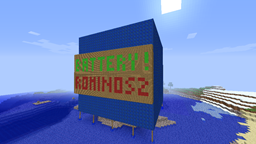
截图
请查看图片。
待办事项
- 有什么想法吗?
已知问题
- 目前暂无。
Battery - Store and Release the Power of Redstone
Version: 1.5 (Power Plant Edition)
Create batteries.
Catch any redstone activity in a battery and release it later with a lever.
Functions the same way with Furnaces.
You can stack you Batteries side by side to make huge power plants
For example, you can use it with my ThunderTower plugin.
Features
- Create Batteries with a block, a sign, and a lever
- Save it in a flatfile
- Charge your battery
- Uncharge it
- Full configurable
How to Use
- Place a Battery Block (configurable)
- Put a Sign with the first line [Battery]
- Optional : See the Parameters section to make special batteries
- Let's charge with redstone on the left side (redstone wire) or with an active furnace
- Click on the Sign yo power on the right side (redstone wire) or a to active a furnace
Parameters
All the Parameters can be written on the second line of the Battery sign on the creation of the Battery
Only One parameter can be set for a battery
- AutoPower
Battery will automaticly uncharge it when arrive to a define level
Usage: APxx when xx is the specific level - AutoActivation
Battery will uncharge it only if a redstone wire is powering the back of the battery
Usage: AA
Screenshots
Just take a look at the Images
TODO
- Any Ideas ?
Known Issues
- No more (for the moment)
下载 Battery
下载 Battery
下载 Battery
下载 Battery
下载 Battery
下载 Battery
2013年3月11日
- 修复:清理代码(这次是真的)
- 新增:电池充电/供电机制,类似红石/熔炉(现在可以将电池并排放置)
- 暂无
关于这个资源的讨论、问题反馈与使用心得
还没有讨论,来发第一帖吧
你是这个资源的作者?登录后可认领此资源。
相似资源
插件
ExyliaPlugins 的库。
插件
重新定义服务器上的生物运输方式。使用高度可定制的口袋道具,安全地捕获、存储和释放任何实体。
插件
用于绘制游戏内地图或在浏览器中随探索实时进行地图绘制的实时地图。
插件
使床在所有维度中爆炸的模组
插件
为 Armor Poser 模组添加兼容性
插件
SkyBlock、OneBlock、Boxed、SkyGrid、AcidIsland、CaveBlock、Poseidon、StrangerRealms——以及更多!这些只是由 BentoBox 支持的基于岛屿的游戏模式之一。来自原版 ASkyBlock 的作者。
评论 0
登录后参与评分
还没有评论,来抢沙发吧