BetaAchievement
将原版全部 16 项成就同步至 Minecraft Beta 1.7.3 服务端,支持进度持久化与竞技速通。
English · 简体中文
下载 ·
源码与完整文档 ·
报告问题
BetaAchievement 是一款专为 Minecraft Beta 1.7.3 Project Poseidon 设计的服务端成就插件。它在服务端评估并持久化存储全部 16 项原版成就,支持 SQLite 和 MySQL/MariaDB 数据库,并提供 API 供其他插件查询成就进度。
| 预览 |
功能特性 |
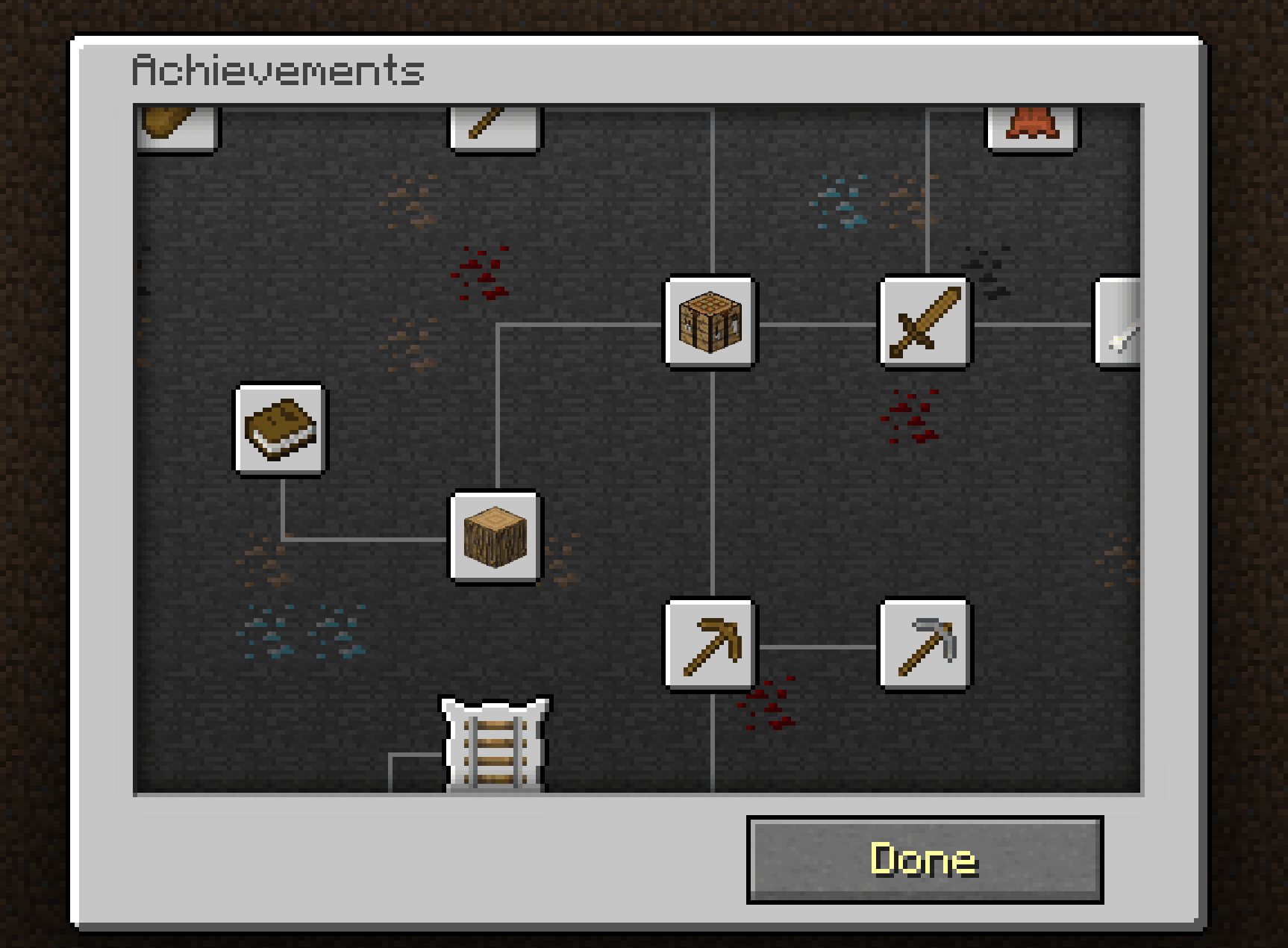 |
• 在服务端检测全部 16 项原版成就,并验证成就的前置条件要求。
• 适配 Beta 1.7.3 服务端缺失的物品栏、合成及特殊行为事件。
• 在全服广播成就解锁信息,并可选择性输出至控制台。
• 记录累计时间、分段用时、运行历史、个人最佳成绩以及全服“16/16 全收集”排行榜。
• 使用 SQLite 或 MySQL/MariaDB 持久化存储玩家数据、运行记录及个人进度。
• 通过 API 向其他插件暴露当前进度、全收集排名及运行数据查询接口。 |
服务端成就检测
由于 Beta 1.7.3 仅在客户端评估成就,导致客户端与服务端的成就状态不同步。游戏中共有 16 项成就,部分触发机制因服务端无法接收客户端使用的某些事件而略有差异。
| 图标 |
# |
成就 ID |
成就名称 |
达成条件 |
检测机制 |
前置成就 |
 |
1 |
openInventory |
Taking Inventory |
拾取任意物品 |
当玩家拾取任意物品时解锁。在 Beta 1.7.3 中,使用 E 键打开背包不会发送数据包,也不会产生服务器事件。 |
无 |
 |
2 |
mineWood |
Getting Wood |
破坏一棵树并拾取掉落的木块 |
当玩家拾取物品 ID 17(原木)时解锁。 |
Taking Inventory |
 |
3 |
buildWorkBench |
Benchmarking |
用四块木板合成工作台 |
当从合成输出槽取出物品 ID 58(工作台)时解锁。 |
Getting Wood |
 |
4 |
buildPickaxe |
Time to Mine! |
用木板和木棍合成镐子 |
当从合成输出槽取出任意镐子时解锁:铁镐 257、木镐 270、石镐 274、钻石镐 278 或金镐 285。 |
Benchmarking |
 |
5 |
buildFurnace |
Hot Topic |
用八块圆石合成熔炉 |
当从合成输出槽取出物品 ID 61(熔炉)时解锁。 |
Time to Mine! |
 |
6 |
acquireIron |
Acquire Hardware |
冶炼一个铁锭 |
当从熔炉结果槽取出物品 ID 265(铁锭)时解锁。 |
Hot Topic |
 |
7 |
buildHoe |
Time to Farm! |
用木板和木棍合成锄头 |
当从合成输出槽取出任意锄头时解锁:木锄 290、石锄 291、铁锄 292、钻石锄 293 或金锄 294。 |
Benchmarking |
 |
8 |
makeBread |
Bake Bread |
用小麦合成面包 |
当从合成输出槽取出物品 ID 297(面包)时解锁。 |
Time to Farm! |
 |
9 |
bakeCake |
The Lie |
用小麦、糖、牛奶和鸡蛋合成蛋糕 |
当从合成输出槽取出物品 ID 354(蛋糕)时解锁。 |
Time to Farm! |
 |
10 |
buildBetterPickaxe |
Getting an Upgrade |
合成一把比木镐更好的镐子 |
当从合成输出槽取出铁镐 257、石镐 274、钻石镐 278 或金镐 285 时解锁。 |
Time to Mine! |
|
11 |
cookFish |
Delicious Fish |
捕获并煮熟一条鱼 |
当从熔炉结果槽取出物品 ID 350(熟鱼肉)时解锁。 |
Hot Topic |
 |
12 |
onARail |
On A Rail |
乘坐矿车行驶至少 1 公里(1,000 米),距离上车点的位置 |
记录上车位置并使用三维直线距离计算:dx² + dy² + dz² >= 1000000,即 1,000 米。切换世界会重置起始位置。 |
Acquire Hardware |
 |
13 |
buildSword |
Time to Strike! |
用木板和木棍合成剑 |
当从合成输出槽取出任意剑时解锁:铁剑 267、木剑 268、石剑 272、钻石剑 276 或金剑 283。 |
Benchmarking |
 |
14 |
killEnemy |
Monster Hunter |
攻击并击杀一只敌对生物 |
当被玩家伤害的敌对生物在 30 秒内死亡时解锁。 |
Time to Strike! |
 |
15 |
killCow |
Cow Tipper |
获得皮革 |
当玩家拾取物品 ID 334(皮革)时解锁。 |
Time to Strike! |
 |
16 |
flyPig |
When Pigs Fly |
骑猪跳下悬崖 |
当受击实体为载有玩家的猪且掉落伤害大于 2(对应坠落超过 5 个方块)时解锁。 |
Cow Tipper |
正常游戏流程需要满足前置成就。/ach grant 命令会自动授予所有缺失的前置成就。管理员手动授予、撤销或重置成就会使当前进度失效,不再计入排行榜资格。
兼容性
| 组件 |
要求与兼容性 |
| 服务端 |
基于 Minecraft Beta 1.7.3 的 Project Poseidon |
| Java |
编译于 Java 8 |
| 存储 |
SQLite(默认)或 MySQL/MariaDB |
| 构建依赖 |
com.legacyminecraft.poseidon:poseidon-craftbukkit:1.1.8(provided) |
配置
配置文件位于 plugins/BetaAchievement/config.yml。
database:
  # 设为 false 时,成就将保存在内存中,重启后丢失。
  enabled: true

# 存储类型:sqlite 或 mysql。
  type: sqlite
  file: achievements.db

  # MySQL/MariaDB 设置,在类型为 mysql 时使用。
  host: 127.0.0.1
  port: 3306
  database: minecraft
  username: minecraft
  password: change_me
  table-prefix: beta_achievements_

runs:
  # 第 2 次及之后的运行最大活跃时间,单位为小时。
  # 设置为 0 以禁用超时。
  repeat-timeout-hours: 12

announce:
  broadcast: true
  console: true

messages:
  achievement-unlocked: '&6成就解锁!&f{player} &e解锁了 &f{achievement}'
  no-permission: '&c你没有权限。'
成就可以运行(Runs)
玩家首次加入服务器时,会获得状态为 READY 的第 1 次运行。当玩家解锁第一个成就时,通常是打开背包(openInventory),该运行状态变为 ACTIVE 并开始计时。完成全部 16 个成就后,总耗时会被保存。
完成一次运行后,使用 /ach run next 创建下一次运行:
- 已完成的运行和手动放弃的运行保留在历史记录中。如果编号为 2 或更高的活跃运行在 12 小时内未完成,则根据超时规则被删除。
- 新运行的进度从 0/16 开始。
- 每次运行在其第一个成就完成后仍会开始计时。
- 计时使用服务器真实时间,并在玩家离线或服务器停止期间继续计算。
- 只有完成了至少一次 16/16 完整运行的玩家才能使用
/ach run next 和 /ach run abandon。
READY 状态的运行无法被放弃。如果编号为 2 或更高的活跃运行在 12 小时后仍未完成,将被删除。
排行榜仅包含状态为 COMPLETED 的运行,按总持续时间排序,并保留每位玩家的最快记录。管理员授予、撤销或重置操作会关闭当前运行,并使其不再符合排行榜资格。调试模式不会写入任何数据。
命令
/ach 是 /achievement 的唯一别名。
玩家命令
| 命令 |
描述 |
/ach |
查看当前运行的进度 |
/ach run info |
查看当前运行的已用时间和所有分段用时 |
/ach run next |
在完成所有成就后开始另一次运行 |
/ach run abandon |
放弃编号为 2 或更高的活跃运行 |
/ach history |
查看你最近的 10 次运行 |
/ach pb |
查看你的个人最佳成绩 |
/ach top [count] |
查看服务器排行榜,最多显示 25 条记录 |
管理员命令
| 命令 |
描述 |
权限 |
/ach check <player> |
查看在线玩家的成就进度 |
betaachievement.view.others |
/ach pb <player> |
查看在线玩家的个人最佳成绩 |
betaachievement.view.others |
/ach grant <player> <achievement-id> |
授予一个成就及其前置成就;使当前运行失效 |
betaachievement.grant |
/ach grantall <player> |
授予全部 16 个成就;使当前运行失效 |
betaachievement.grantall |
/ach revoke <player> <achievement-id> |
撤销一个成就;使当前运行失效 |
betaachievement.revoke |
/ach reset <player> |
使当前运行失效并创建一个新的 READY 运行 |
betaachievement.reset |
/ach debug <achievement-id> |
启用成就调试模式 |
betaachievement.debug |
/ach debug |
禁用调试模式 |
betaachievement.debug |
目标玩家必须在线。拥有 betaachievement.admin 权限可以替代上述所有特定权限。如果玩家的数据仍在加载中,管理操作将被排队,并在加载完成后按顺序执行。
调试模式仅对执行命令的管理员生效。它会忽略前置成就要求,并在触发时报告检测信息,但不会写入数据库或更改排行榜数据。
插件 API
其他插件可以从主插件类获取 API:
BetaAchievement beta = (BetaAchievement) getServer()
        .getPluginManager()
        .getPlugin("BetaAchievement");
BetaAchievementApi api = beta.getApi();
API 提供缓存的和持久的进度查询、全完成排名查找、个人最佳成绩、排行榜条目、运行历史以及运行分段数据。数据库读取是异步的,回调将返回到 Bukkit 主线程。
公共 API 类位于 dev.che1s.betaachievement.api 下。运行数据类位于 dev.che1s.betaachievement.run 下。
有关完整的配置、命令参考和 Java 示例,请参阅 英文完整文档 或 简体中文文档。
赞助与支持
如果本项目对你有帮助,你可以通过 Ko-fi 或爱发电支持开发。赞助商可以获得安装、配置和故障排除方面的帮助。
BetaAchievement
Bring all 16 original achievements to the server side of Minecraft Beta 1.7.3, with persistent progress and competitive speedruns.
English · 简体中文
Download ·
Source & Full Docs ·
Report an Issue
BetaAchievement is a server-side achievement plugin for Minecraft Beta 1.7.3 Project Poseidon. It evaluates and persists all 16 original achievements on the server, supports SQLite and MySQL/MariaDB, and exposes an API for querying achievement progress.
| Preview |
Features |
|
• Detect all 16 original achievements on the server and verify achievement parent requirements.
• Adapt to missing inventory, crafting, and special-behavior events on Beta 1.7.3 servers.
• Broadcast unlocks server-wide and optionally output them to the console.
• Record cumulative time, split times, run history, personal bests, and a server leaderboard for each 16/16 run.
• Persist players, runs, and individual progress using SQLite or MySQL/MariaDB.
• Expose current progress, full-completion rank, and run data queries to other plugins through the API. |
Server-Side Achievement Detection
Client and server achievement states are not synchronized because Beta 1.7.3 evaluates achievements only on the client. There are 16 achievements in total, and some triggers differ slightly because the server does not receive every event the client uses.
| Icon |
# |
Achievement ID |
Achievement |
Requirement |
Detection |
Parent |
|
1 |
openInventory |
Taking Inventory |
Pick up any item |
Unlocks when the player picks up any item. Opening the inventory with E in Beta 1.7.3 does not send a packet and produces no server event. |
None |
|
2 |
mineWood |
Getting Wood |
Break a tree and pick up the dropped wood block |
Unlocks when the player picks up item ID 17 (wood). |
Taking Inventory |
|
3 |
buildWorkBench |
Benchmarking |
Craft a crafting table from four wood planks |
Unlocks when item ID 58 (crafting table) is taken from a crafting output slot. |
Getting Wood |
|
4 |
buildPickaxe |
Time to Mine! |
Craft a pickaxe from planks and sticks |
Unlocks when any pickaxe is taken from a crafting output slot: iron 257, wood 270, stone 274, diamond 278, or gold 285. |
Benchmarking |
|
5 |
buildFurnace |
Hot Topic |
Craft a furnace from eight cobblestone |
Unlocks when item ID 61 (furnace) is taken from a crafting output slot. |
Time to Mine! |
|
6 |
acquireIron |
Acquire Hardware |
Smelt an iron ingot |
Unlocks when item ID 265 (iron ingot) is taken from a furnace result slot. |
Hot Topic |
|
7 |
buildHoe |
Time to Farm! |
Craft a hoe from planks and sticks |
Unlocks when any hoe is taken from a crafting output slot: wood 290, stone 291, iron 292, diamond 293, or gold 294. |
Benchmarking |
|
8 |
makeBread |
Bake Bread |
Craft bread from wheat |
Unlocks when item ID 297 (bread) is taken from a crafting output slot. |
Time to Farm! |
|
9 |
bakeCake |
The Lie |
Craft a cake from wheat, sugar, milk, and eggs |
Unlocks when item ID 354 (cake) is taken from a crafting output slot. |
Time to Farm! |
|
10 |
buildBetterPickaxe |
Getting an Upgrade |
Craft a pickaxe better than a wooden one |
Unlocks when an iron 257, stone 274, diamond 278, or gold 285 pickaxe is taken from a crafting output slot. |
Time to Mine! |
|
11 |
cookFish |
Delicious Fish |
Catch and cook a fish |
Unlocks when item ID 350 (cooked fish) is taken from a furnace result slot. |
Hot Topic |
|
12 |
onARail |
On A Rail |
Travel by minecart at least 1 km (1,000 m) from the boarding point |
Records the boarding position and uses 3D straight-line distance: dx² + dy² + dz² >= 1000000, or 1,000 m. Changing worlds resets the starting position. |
Acquire Hardware |
|
13 |
buildSword |
Time to Strike! |
Craft a sword from planks and sticks |
Unlocks when any sword is taken from a crafting output slot: iron 267, wood 268, stone 272, diamond 276, or gold 283. |
Benchmarking |
|
14 |
killEnemy |
Monster Hunter |
Attack and kill a hostile mob |
Unlocks when a hostile mob damaged by the player dies within 30 seconds. |
Time to Strike! |
|
15 |
killCow |
Cow Tipper |
Obtain leather |
Unlocks when the player picks up item ID 334 (leather). |
Time to Strike! |
|
16 |
flyPig |
When Pigs Fly |
Ride a pig off a cliff |
Unlocks on fall damage greater than 2, corresponding to a fall of more than 5 blocks, when the damaged entity is a pig carrying a player. |
Cow Tipper |
Normal gameplay requires parent achievements. /ach grant automatically grants any missing parents. Admin grants, revokes, and resets invalidate the current run for leaderboard eligibility.
Compatibility
| Component |
Requirements and Compatibility |
| Server |
Project Poseidon based on Minecraft Beta 1.7.3 |
| Java |
Compiled for Java 8 |
| Storage |
SQLite (default) or MySQL/MariaDB |
| Build dependency |
com.legacyminecraft.poseidon:poseidon-craftbukkit:1.1.8 (provided) |
Configuration
The configuration file is plugins/BetaAchievement/config.yml.
database:
  # When false, achievements are kept in memory and lost on restart.
  enabled: true

  # Storage type: sqlite or mysql.
  type: sqlite
  file: achievements.db

  # MySQL/MariaDB settings, used when type is mysql.
  host: 127.0.0.1
  port: 3306
  database: minecraft
  username: minecraft
  password: change_me
  table-prefix: beta_achievements_

runs:
  # Maximum active time for run 2 and later, in hours.
  # Set to 0 to disable the timeout.
  repeat-timeout-hours: 12

announce:
  broadcast: true
  console: true

messages:
  achievement-unlocked: '&6Achievement Get! &f{player} &eunlocked &f{achievement}'
  no-permission: '&cYou don''t have permission.'
Achievement Runs
The first time a player joins, they receive run 1 in the READY state. When the player unlocks their first achievement, normally openInventory, the run changes to ACTIVE and starts timing. The total time is saved after all 16 achievements are completed.
After completing a run, use /ach run next to create the next run:
- Completed runs and manually abandoned runs remain in history. Active runs numbered 2 or later are deleted under the timeout rule if they are not completed within 12 hours.
- A new run starts at 0/16.
- Every run still starts timing when its first achievement is completed.
- Timing uses real server time and continues while the player is offline or the server is stopped.
- Only players who have completed at least one 16/16 run can use
/ach run next and /ach run abandon.
- A
READY run cannot be abandoned. An active run numbered 2 or later is deleted if it remains incomplete after 12 hours.
The leaderboard includes only COMPLETED runs, sorts them by total duration, and keeps each player's fastest run. Admin grants, revokes, and resets close the current run and remove it from leaderboard eligibility. Debug mode never writes data.
Commands
/ach is the only alias for /achievement.
Player Commands
| Command |
Description |
/ach |
View your progress in the current run |
/ach run info |
View elapsed time and all splits for the current run |
/ach run next |
Start another run after completing all achievements |
/ach run abandon |
Abandon an active run numbered 2 or later |
/ach history |
View your 10 most recent runs |
/ach pb |
View your personal best |
/ach top [count] |
View the server leaderboard, with at most 25 entries |
Administrator Commands
| Command |
Description |
Permission |
/ach check <player> |
View an online player's achievement progress |
betaachievement.view.others |
/ach pb <player> |
View an online player's personal best |
betaachievement.view.others |
/ach grant <player> <achievement-id> |
Grant one achievement and its parents; invalidates the current run |
betaachievement.grant |
/ach grantall <player> |
Grant all 16 achievements; invalidates the current run |
betaachievement.grantall |
/ach revoke <player> <achievement-id> |
Revoke one achievement; invalidates the current run |
betaachievement.revoke |
/ach reset <player> |
Invalidate the current run and create a new READY run |
betaachievement.reset |
/ach debug <achievement-id> |
Enable achievement debug mode |
betaachievement.debug |
/ach debug |
Disable debug mode |
betaachievement.debug |
The target player must be online. betaachievement.admin can replace all of the specific permissions above. If a player's data is still loading, administrative actions are queued and run in order after loading finishes.
Debug mode applies only to the administrator who ran the command. It ignores parent requirements and reports detection information when triggered, but does not write to the database or change leaderboard data.
Plugin API
Other plugins can obtain the API from the main plugin class:
BetaAchievement beta = (BetaAchievement) getServer()
        .getPluginManager()
        .getPlugin("BetaAchievement");
BetaAchievementApi api = beta.getApi();
The API provides cached and persistent progress queries, full-completion rank lookup, personal bests, leaderboard entries, run history, and run splits. Database reads are asynchronous, and callbacks return to the Bukkit main thread.
Public API classes are under dev.che1s.betaachievement.api. Run data classes are under dev.che1s.betaachievement.run.
For the complete configuration, command reference, and Java examples, see the full English documentation or the 简体中文文档.
Sponsorship and Support
If this project is useful to you, you can support development through Ko-fi or Afdian. Sponsors can receive help with installation, configuration, and troubleshooting.


 插件

 插件
 插件
 插件
 插件
 插件
评论 0
登录后参与评分
还没有评论,来抢沙发吧