使用 BiomeEdit 你可以轻松管理地图的生物群系
功能 / 用法
你实际上有三种模式来替换现有的生物群系:
- REPLACE(替换) 整个生物群系(它会尝试检测整个生物群系区域并将其完全替换)
- 设置一个圆形(ROUND)生物群系区域
- 设置一个方形(SQUARE)生物群系区域
- 使用 WorldEdit 选区(WE)
- 使用 WorldGuard 区域(WG)
因此,你可以使用两种方法来更改/创建生物群系:
- 使用你的位置 -> /biome set ...
- 使用你指向的位置 -> /biome brush ...
例如,你可以在启用画笔模式后,只需点击鼠标按钮,就在某个远处位置创建半径为 5 的圆形丛林生物群系: /biome brush jungle round 5(要禁用画笔模式请使用:/biome brush off)
或者,你也可以仅通过执行 /biome set jungle replace 来替换你当前站立位置的整个生物群系。
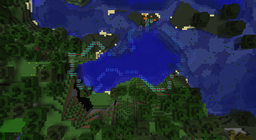
一个很酷的功能是它与 WorldEditCUI 的集成!一旦你使用 /biome info 或更改了生物群系区域,插件会告知客户端中的 WorldEditCUI 在空中绘制该区域的形状。这样你就可以确切地检查哪些地方被更改了以及在哪里进行了更改。
你需要做的只是安装 weCUI 客户端模组:
BiomeEdit 无法做到的事
实际上,Bukkit 中并没有 API 可以根据你刚刚使用 BiomeEdit 更改的新生物群体代码来重新生成地图本身!当你重新生成特定区域时,生物群系代码本身也会被重置。
一旦有了在你曾经有沙漠的地方生成漂亮丛林的方法,我一定会尝试添加此功能并通知你!
BiomeEdit 能够做到的事
BiomeEdit 更改了客户端和服务器应看到哪个生物群系的信息。
对于服务器:
- 当你设置了丛林生物群系时,它将生成豹子(尽管可能仍然是沙漠 ;-) )
- 根据你是否设置了针叶林生物群系,将创建或不创建雪层
对于客户端:
- 将根据针叶林或其他生物群系显示降雪或降雨
- 将根据更改后的生物群系对草和树叶进行着色
要求
- 实际上,你需要至少来自 的最新 CraftBukkit Beta (#2060) 构建才能使其工作!
可选要求
权限
- cnbiome.admin - 允许用户使用 /biome 命令
命令概览
- 主命令:/biome 或 /be 或 /biomeedit
- /biome set <biome> <mode> [radius|regionID] - 使用当前玩家位置设置生物群系
- /biome brush <biome> <mode> [radius] - 激活生物群系画笔
- /biome brush off - 停用生物群系画笔
- /biome info - 提供你当前所在位置的生物群系信息
- /biome list - 列出服务器可用的生物群系
- /biome modes - 列出替换模式
实用提示
当使用 BiomeEdit 替换整个生物群系时,它会尝试加载所有周围的区块,但有时它做不到。但有一个技巧:
使用插件 ChunkLoad 你可以告诉 Bukkit 不要丢弃未使用的区块。所以你只需要飞越整个生物群系区域一次,BiomeEdit 就会完美运行!
源代码 & 快照
欢迎贡献或分享你的想法和创意!
GitHub:
你可以在 Jenkins 中找到快照构建版本。¹
¹ 此项目的开发构建版本可在提供的持续集成服务器上获取。这些构建版本未经 BukkitDev 工作人员批准。请自行承担风险使用。
Using BiomeEdit you can easily manage the biomes of your map
Features / Usage
You actually have three modes to replace existing biomes:
- REPLACE the complete biome (it will try to detect the whole biome area and then replace it completely)
- set a ROUND biome area
- set a SQUARE biome area
- use a WorldEdit selection (WE)
- use a WorldGuard region (WG)
Therefore you can use two methods to change/create the biomes:
- use your location -> /biome set ...
- use the location you're pointing at -> /biome brush ...
So for example you could create round jungle biomes with radius 5 at some distant location by just clicking your mouse button after you enabled brush mode with: /biome brush jungle round 5 (to disable brush mode use: /biome brush off)
Or you could replace the entire biome you're currently standing in with just: /biome set jungle replace
One cool feature is it's WorldEditCUI integration! As soon as you use /biome info or after you've changed a biome area, the plugin will tell your WorldEditCUI in your client to draw the shape of this area into the air. This way you can check exactly what was changed and where.
All you need to do is to install the weCUI Clientside Mod:
What BiomeEdit does NOT
Actually there's no API in Bukkit to regenerate the map itself based on the new biome code you just changed using BiomeEdit! When you regenerate the specific area, the biome code itself will be reset too.
As soon as there's a way to get nice jungle where you had a desert, I'll definitely try to add this and let you know!
What BiomeEdit CAN do
BiomeEdit changes the information at what point which biome should be seen by either the client and the server.
So the server:
- will spawn ocelots when you've set jungle biome (despite the fact that there may still be a desert ;-) )
- will or will not create snow plates regarding you've set a taiga biome or not
And the client:
- will show snowfall or rain depending on taiga or another biome
- will colorize the grass and leaves depending on the changed biome
Requirements
- Actually you need at least the latest CraftBukkit Beta (#2060) build from for this to work!
Optional requirements
Permissions
- cnbiome.admin - enables the user to use the /biome command
Command overview
- Main command: /biome OR /be OR /biomeedit
- /biome set <biome> <mode> [radius|regionID] - Sets the biome using the current player location
- /biome brush <biome> <mode> [radius] - Activate biome brush
- /biome brush off - Deactivate biome brush
- /biome info - Gives you informations about the biome you're currently standing in
- /biome list - Lists the servers' available biomes
- /biome modes - Lists the replacement modes
Useful tips
When using BiomeEdit to replace whole biomes, it tries to load all surrounding chunks, but sometimes it can't. But there's a trick:
Using the plugin ChunkLoad you can tell bukkit to NOT throw away unused chunks. So you then just need to fly over the whole biome area once and BiomeEdit will work like a charm!
Source & Snapshots
Feel free to contribute or share your thoughts and ideas!
GitHub:
You can find snapshot builds in the Jenkins.¹
¹ Development builds of this project can be acquired at the provided continuous integration server. These builds have not been approved by the BukkitDev staff. Use them at your own risk.


 插件
 插件
 插件
 插件

 插件
 插件
评论 0
登录后参与评分
还没有评论,来抢沙发吧