Mainbrows Online
Mainbrows Online 将真实的浏览器显示功能带入 Minecraft。
你可以直接在 Minecraft 世界中打开并查看网站,与其他玩家一同观看。
状态: Mainbrows Online 目前处于 Alpha(测试) 阶段。仍可能出现错误、变更和限制。
Mainbrows Online 是什么?
Mainbrows Online 是一款面向 Minecraft 1.21.11 且基于 Java 21 的浏览器显示模组。
它允许你在世界中创建像真实浏览器一样工作的显示表面。
在单人游戏中,浏览器通过 Fabric 模组 在本地运行。
在服务器上,Paper 插件 集中渲染网站,并通过 Fabric 模组向玩家发送视频和音频。
项目组成部分
| 部分 |
描述 |
| Fabric 模组 |
单人游戏中的本地显示以及服务器显示的客户端支持 |
| Paper 插件 |
共享服务器显示、权限、会话和浏览器控制 |
| Sidecar |
隐式管理的 Chromium 工作进程 |
| 协议 (Protocol) |
模组与插件之间共享的消息格式 |
无需手动安装 Chrome、Node 和 FFmpeg。
所需的运行时会在首次启动时自动下载并检查。
功能特性
浏览器显示
-
直接在 Minecraft 内部进行浏览器显示
-
通过 Fabric 实现单人游戏显示
-
通过 Paper 实现共享服务器显示
-
通过 URL 打开网站
-
包含以下功能的浏览器栏:
- 后退
- 前进
- 重新加载
- URL 输入框
- Ping 延迟显示
- 缓冲状态
画质与性能
-
可调节的显示画质
-
可调节的帧率 (FPS):
-
可配置的观众视距
-
缓冲系统以实现更流畅的播放
-
支持 H.264 / Opus
-
支持 JPEG / PCM 降级兼容
音频
-
音频流传输
-
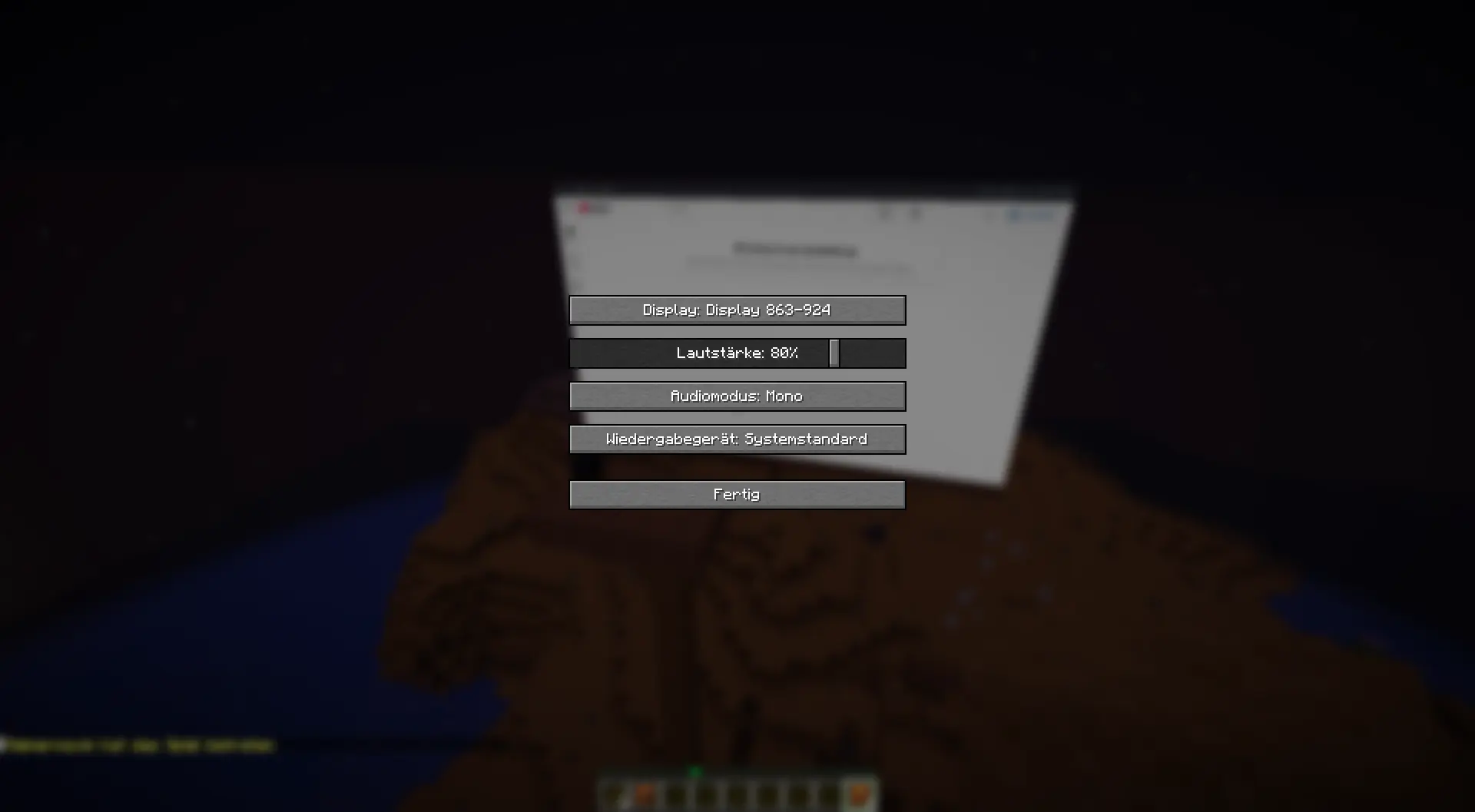
音量控制
-
音频设备选择
-
音频模式:
- 单声道 (Mono)
- 立体声 (Stereo)
- 关闭 (Off)
服务器功能
- 权限系统
- 会话系统
- 所有者、控制器和控制请求系统
- 用于屏蔽域名的网站黑名单
- 自动运行时安装
- 已下载运行时的校验和验证
需求
客户端
- Minecraft 1.21.11
- Java 21
- Fabric Loader 0.19.3 或更高版本
- Fabric API
- Mainbrows Online Fabric 模组
服务器显示
对于共享服务器显示,服务器管理员还需要:
- 适用于 Minecraft 1.21.11 的 Paper 服务器
- Mainbrows Online Paper 插件
- 每个客户端都安装了 Mainbrows Online Fabric 模组
首次启动
首次启动浏览器时需要联网,以便下载所需的运行时。
入门指南
1. 安装模组
安装:
- Fabric Loader
- Fabric API
- Mainbrows Online Fabric 模组
2. 启动 Minecraft
使用 Fabric 配置启动 Minecraft。
3. 创建显示区域
使用以下命令:
/display wand
/display create <Name>
4. 打开网站
/display open <http(s)://URL>
5. 共享服务器显示
对于共享显示,服务器管理员还必须安装 Paper 插件。
重要命令
| 命令 |
描述 |
/display wand |
给予你显示选择工具 |
/display create <Name> |
创建一个新的显示区域 |
/display connect <Code> |
连接到服务器显示 |
/display open <http(s)://URL> |
打开一个网站 |
/display quality <360p|HD|FullHD|WidthxHeight> |
更改显示画质 |
/display fps <15|30|60> |
更改显示帧率 |
/display range <2-128> |
更改观众视距 |
/display buffer <on seconds|off> |
启用或禁用缓冲 |
/display keyboard |
打开键盘输入 |
/display browserstatus |
显示浏览器状态 |
/display runtime retry |
重试运行时安装 |
/display session clear |
清除当前会话 |
视频
视频 1:创建显示区域并打开网站
(仅德语,但我也会制作英语版本。)
示例:
一段展示如何创建显示区域并打开网站的短片。
(即将推出)
视频 2:多玩家服务器显示
(即将推出)
示例:
一段展示多名玩家共同观看和使用同一显示区域的短片。
图片
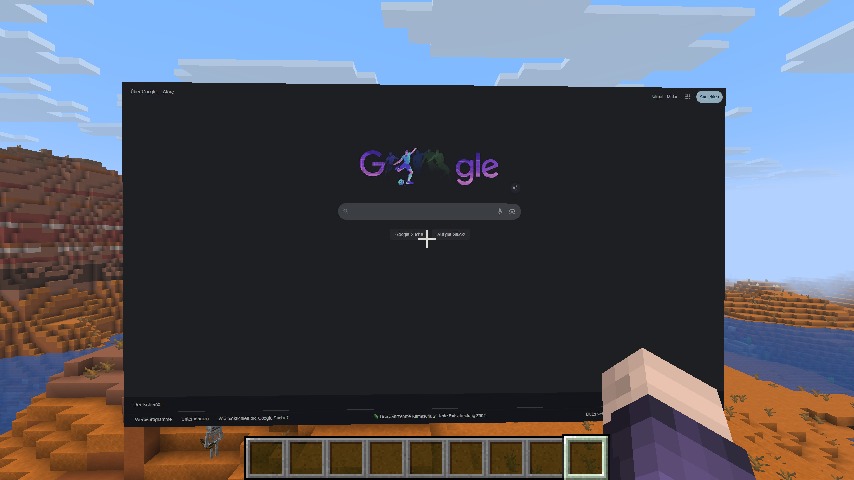
单人游戏显示
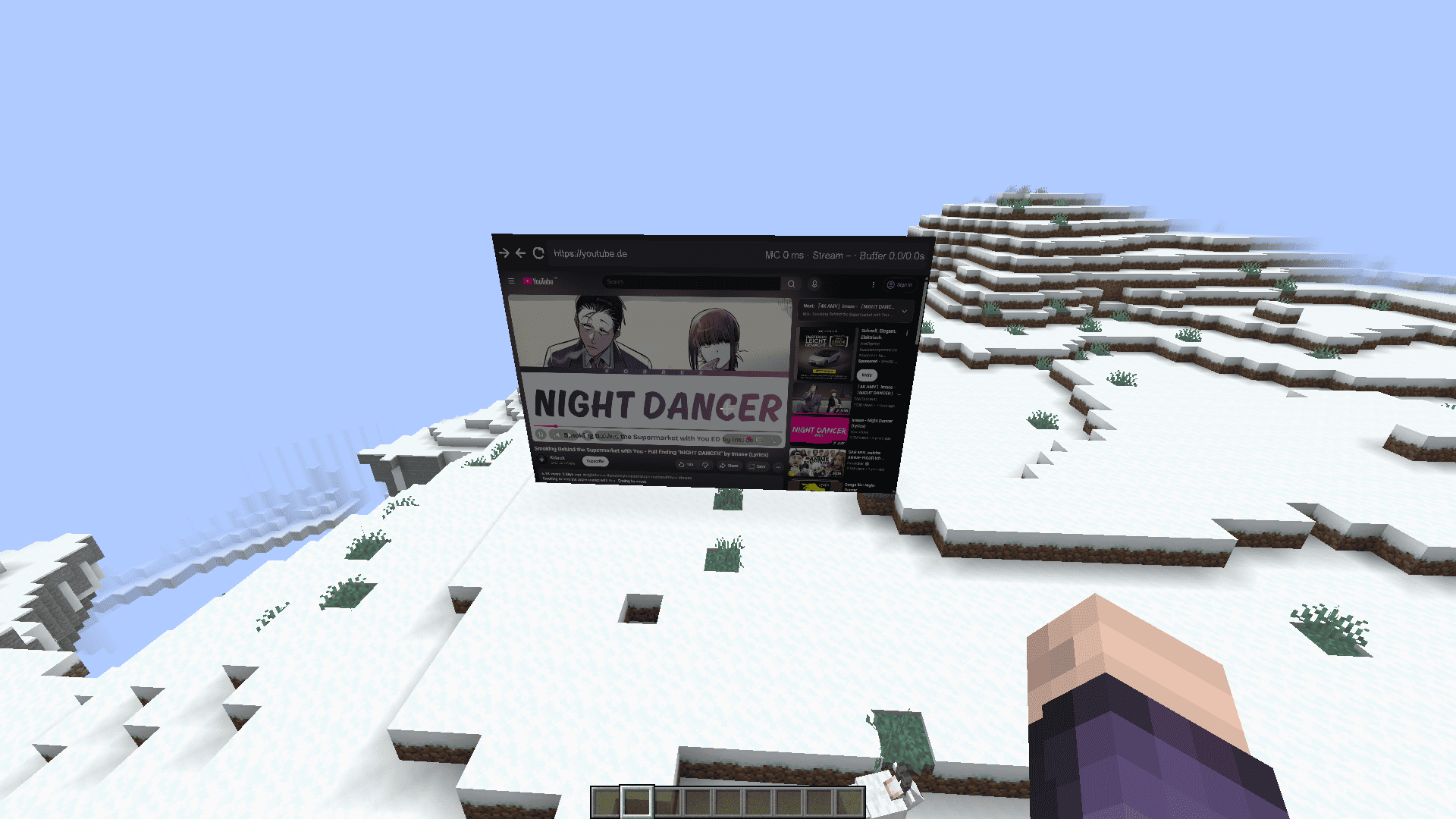
网站显示
音频设置
安全与隐私
所有观看服务器显示的用户都会看到相同的浏览器内容并听到相同的音频。
因此,你不应该在公共服务器显示上打开以下内容:
- 个人账户
- 私人消息
- 密码
- 管理面板
- 敏感数据
- 私人网站
出于安全原因,以下功能在共享服务器浏览器中被禁用:
服务器管理员可以通过此文件屏蔽网站:
plugins/Mainbrows/blocked-websites.json
在本地单人游戏模式中,浏览器数据不会离开您自己的计算机。
限制
Mainbrows Online 仍处于 Alpha(测试)阶段。
某些网站或系统的兼容性可能优于其他系统。
以下功能目前为尽力支持:
- DRM / Widevine
- 验证码 (Captchas)
- WebGL 网站
- 超高分辨率
- 多显示器同时使用
- 在配置较低的系统中达到 60 FPS
这些功能可能需要更多的 CPU、内存和带宽:
- 高分辨率
- 60 FPS
- 多显示器
- 备用编解码器
- 音频流
帮助与错误报告
提交错误报告时,请包含以下内容:
- Mainbrows Online 版本
- Minecraft 版本
- 使用的是 Fabric、Paper 还是两者兼用
- 问题发生的简短描述
- 出现问题前的最后几步操作
logs/latest.log
在发送日志或截图之前,请移除以下信息:
- 登录数据
- Token(令牌)
- 私人浏览器内容
- 个人信息
许可证
Mainbrows Online 的授权方式为:
保留所有权利。
Mainbrows Online
Mainbrows Online brings real browser displays to Minecraft.
You can open and view websites directly inside your Minecraft world and watch them together with other players.
Status: Mainbrows Online is currently in alpha. Bugs, changes, and limitations may still occur.
What is Mainbrows Online?
Mainbrows Online is a browser display project for Minecraft 1.21.11 with Java 21.
It allows you to create display surfaces in the world that work like a real browser.
In singleplayer, the browser runs locally through the Fabric mod.
On servers, the Paper plugin renders the website centrally and sends video and audio to players using the Fabric mod.
Project Parts
| Part |
Description |
| Fabric mod |
Local displays in singleplayer and client support for server displays |
| Paper plugin |
Shared server displays, permissions, sessions, and browser controls |
| Sidecar |
Invisibly managed Chromium worker |
| Protocol |
Shared message formats between the mod and plugin |
Chrome, Node, and FFmpeg do not need to be installed manually.
The required runtimes are downloaded and checked automatically on the first start.
Features
Browser Display
-
Browser displays directly inside Minecraft
-
Singleplayer displays through Fabric
-
Shared server displays through Paper
-
Open websites by URL
-
Browser bar with:
- Back
- Forward
- Reload
- URL field
- Ping display
- Buffer status
Quality and Performance
-
Adjustable display quality
-
Adjustable FPS:
-
Configurable viewer range
-
Buffer system for smoother playback
-
H.264 / Opus support
-
JPEG / PCM fallback support
Audio
-
Audio streaming
-
Volume control
-
Audio device selection
-
Audio modes:
Server Features
- Permission system
- Session system
- Owner, controller, and control request system
- Website blacklist for blocked domains
- Automatic runtime installation
- Checksum verification for downloaded runtimes
Requirements
Client
- Minecraft 1.21.11
- Java 21
- Fabric Loader 0.19.3 or newer
- Fabric API
- Mainbrows Online Fabric mod
Server Displays
For shared server displays, the server owner also needs:
- Paper server for Minecraft 1.21.11
- Mainbrows Online Paper plugin
- Mainbrows Online Fabric mod installed on every client
First Start
Internet access is required on the first browser start to download the required runtimes.
Getting Started
1. Install the mod
Install:
- Fabric Loader
- Fabric API
- Mainbrows Online Fabric mod
2. Start Minecraft
Start Minecraft with the Fabric profile.
3. Create a display
Use these commands:
/display wand
/display create <Name>
4. Open a website
/display open <http(s)://URL>
5. Shared server displays
For shared displays, the server owner must also install the Paper plugin.
Important Commands
| Command |
Description |
/display wand |
Gives you the display selection tool |
/display create <Name> |
Creates a new display |
/display connect <Code> |
Connects to a server display |
/display open <http(s)://URL> |
Opens a website |
/display quality <360p|HD|FullHD|WidthxHeight> |
Changes display quality |
/display fps <15|30|60> |
Changes display FPS |
/display range <2-128> |
Changes viewer range |
/display buffer <on seconds|off> |
Enables or disables buffering |
/display keyboard |
Opens keyboard input |
/display browserstatus |
Shows browser status |
/display runtime retry |
Retries runtime installation |
/display session clear |
Clears the current session |
Videos
Video 1: Creating a display and opening a website
(Only in German, but I will make an English version too.)
Example:
A short clip showing how a display is created and a website is opened.
(Coming soon)
Video 2: Server display with multiple players
(Coming soon)
Example:
A short clip showing multiple players viewing and using the same display together.
Images
Singleplayer Display
Website Display
Audio Settings
Security and Privacy
All viewers of a server display see the same browser content and hear the same audio.
Because of this, you should not open the following on public server displays:
- Personal accounts
- Private messages
- Passwords
- Admin panels
- Sensitive data
- Private websites
For security reasons, these features are disabled in the shared server browser:
- Downloads
- File uploads
- Camera access
- Microphone access
Server admins can block websites through this file:
plugins/Mainbrows/blocked-websites.json
In local singleplayer mode, browser data does not leave your own computer.
Limitations
Mainbrows Online is still alpha software.
Some websites or systems may work better than others.
The following features are currently best effort:
- DRM / Widevine
- Captchas
- WebGL websites
- Very high resolutions
- Multiple displays at the same time
- 60 FPS on weaker systems
These features may require more CPU, RAM, and bandwidth:
- High resolution
- 60 FPS
- Multiple displays
- Fallback codecs
- Audio streaming
Help and Bug Reports
When reporting bugs, please include:
- Mainbrows Online version
- Minecraft version
- Whether Fabric, Paper, or both are being used
- A short description of what happened
- The last steps before the issue occurred
logs/latest.log
Before sending logs or screenshots, please remove:
- Login data
- Tokens
- Private browser content
- Personal information
License
Mainbrows Online is licensed as:
All rights reserved.


 插件

 插件
 插件
 插件
 插件
 插件

评论 0
登录后参与评分
还没有评论,来抢沙发吧