这是什么?
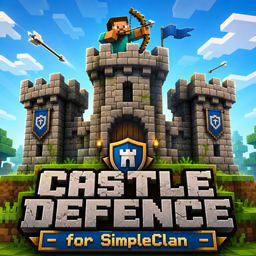
Castle Defence for SimpleClans 是一款用于保护氏族区域的攻防迷你游戏。防守方必须保护其核心方块不被攻击方破坏。如果攻击方破坏了核心,则攻击方获胜并接管该区域,直到下一次事件开始。
所有内容均基于 SimpleClans。
本插件专注于城堡防御玩法,但也可用作任何防御类迷你游戏系统,或作为与 SimpleClans 集成的保护系统。
设置非常简单,使用也非常容易。
功能特性
- 城堡防御迷你游戏
- 为 SimpleClans 氏族保护区域
- 支持 MySQL 和 SQLite
- 支持自动事件
- 主要游戏消息的翻译支持
- 可选的全功能迷你游戏系统,包含职业和氏族/团队出生点
权限
- cdsc.admin (所有权限)
- cdsc.define (定义区域)
- cdsc.delete (删除区域)
- cdsc.reload (重载插件)
- cdsc.wand (获取权杖)
- cdsc.start (开始事件)
- cdsc.end (结束事件)
- cdsc.sc (设置核心)
- cdsc.tp (传送至区域)
- cdsc.info (区域信息)
- cdsc.list (列出区域)
- cdsc.setexit (设置出口点)
- cdsc.bypass (绕过区域保护)
- cdsc.setspawn (设置区域出生点)
- cdsc.setflag (设置区域标记)
- cdsc.delflag (删除区域标记)
- cdsc.setautoevent (配置自动事件)
- cdsc.setgamespawn (配置迷你游戏出生点)
命令
/cd <w or wand> - 给予你用于设定区域的权杖,类似于 WorldGuard
/cd <d or define> <areaName> <clanTag> - 保存所选区域
/cd <i or info> - 显示你所处区域的信息
/cd <l or list> - 列出所有区域
/cd <dl or delete> <areaName> - 删除现有区域
/cd <tp or teleport> <areaName> - 传送到现有区域
/cd <sc or setcore> - 将当前区域的核心设置为所指向的方块
/cd <se or setexit> <areaName> - 设置禁止进入玩家的出口点
/cd spawn <areaName> - 设置默认的区域出生点
/cd <s or start> [areaName] - 开始事件
/cd <e or end> [areaName] - 结束事件
/cd <sf or setflag> <flag> <areaName> - 设置区域标记
/cd <df or delflag> <flag> <areaName> - 删除区域标记
/cd reload - 重载插件
/cd <help | ? | nothing> - 显示命令帮助
/cd <setautoevent or autoevent or sae> on <intervalMinutes> <durationMinutes> - 启用自动事件
/cd <setautoevent or autoevent or sae> off - 禁用自动事件
/cd <setautoevent or autoevent or sae> status - 显示自动事件状态
迷你游戏系统
迷你游戏系统是可选的,默认禁用以保留与现有服务器的兼容性。
默认配置:
MiniGame:
  Enabled: false
当禁用时,经典的 CDSC 行为保持不变。现有的区域、出生点、事件、核心损坏以及所有权转移将继续按原样工作。
迷你游戏运行机制
启用后,迷你游戏将在当前事件系统之上运行。
- 管理员使用 /cd start <area> 启动事件
- 玩家选择职业
- 玩家加入迷你游戏
- 插件保存玩家的物品栏、盔甲、位置和活跃效果
- 玩家获得所选职业的装备包
- 玩家被传送到正确的出生点
- 玩家死亡后,会在其队伍或氏族的出生点重生
- 当玩家离开、事件结束或核心被破坏时,所有状态将被恢复
迷你游戏职业
职业可在 config.yml 中配置。
默认示例:
命令:
/cd classes
/cd class <className>
迷你游戏出生点
迷你游戏使用安全的后备逻辑来处理出生点。
出生点优先级顺序:
- 氏族专属出生点
- 角色出生点:防守方或进攻方
- 现有区域出生点
- 现有区域出口点
- 区域第一个坐标点
这意味着如果你未配置新的迷你游戏出生点,插件会自动回退到现有的区域设置。
命令:
/cd setgamespawn defender <areaName>
/cd setgamespawn attacker <areaName>
/cd setclanspawn <areaName> <clanTag>
/cd setclanspawn <areaName> <clanTag> defender
/cd setclanspawn <areaName> <clanTag> attacker
防守方与进攻方检测
插件会自动检测玩家的角色:
- 如果玩家的氏族拥有该区域,则作为防守方加入
- 如果玩家属于其他氏族,则作为进攻方加入
安全的物品栏处理
加入迷你游戏时:
- 保存当前物品栏
- 保存当前盔甲
- 活动药水效果会被保存
- 之前的位置会被保存
- 所选的职业套装会被应用
当离开、事件结束或核心被破坏时:
- 原始物品栏会被恢复
- 原始盔甲会被恢复
- 原始效果会被恢复
- 玩家会返回到加入前的位置
小游戏指令
/cd join <areaName>
/cd leave
/cd class <className>
/cd classes
/cd setgamespawn <defender|attacker> <areaName>
/cd setclanspawn <areaName> <clanTag> [defender|attacker]
仅当 MiniGame 启用时,/cd help 中才会显示小游戏指令。
为事件设置区域
- 获取魔杖:/cd wand
- 设置第一个和第二个点位
- 使用 /cd define <areaName> <clanTagOwner>
- 瞄准将作为核心的方块并使用 /cd setcore
- 站在出口点的位置并使用 /cd setexit <areaName>
- 站在默认出生点的位置并使用 /cd spawn <areaName>
- 可选:配置小游戏防御者、攻击者或特定宗族的出生点
- 提示:如果尚无宗族拥有该区域,<clanTagOwner> 可以设为 "staff"
- 提示:核心设置基于位置。如果在设置后替换了该方块,位于该位置的新方块将成为核心。
开始 / 结束事件
每次事件开始时,核心生命值都会重置。
使用 /cd start 或 /cd start <areaName> 开始事件。在事件期间,宗族成员可以进入受保护区域并尝试攻击核心。如果核心生命值降至 0,则攻击方宗族赢得该区域,且该区域的事件结束。
你可以使用 /cd end 手动结束事件,或使用自动事件系统。
旗帜系统
你可以在你的区域中包含以下旗帜:
旗帜: blockplaceduringevent
在事件期间,所有玩家都可以在该区域放置方块。
旗帜: blockbreakduringevent
在事件期间,所有玩家都可以在该区域破坏方块。
旗帜: rebuildafterend
在事件结束时,事件期间被破坏或放置的方块将被重建。
旗帜: denyclanbreak
禁止宗族成员在该区域内破坏方块。
旗帜: denyclanplace
禁止宗族成员在该区域内放置方块。
依赖项
安装
此插件的安装方式与其他任何 Bukkit/Spigot 插件相同。将 jar 文件放入 /plugins/ 文件夹并重启服务器。配置文件将自动出现在 /plugins/CDSC/ 文件夹中。
What is it?
Castle Defence for SimpleClans is an attack and defence mini-game for protected clan areas. Defenders must protect their core block from attackers. If attackers break the core, the attacking clan wins and takes control of that area until the next event.
Everything is based on SimpleClans.
The plugin is focused on castle defence, but it can also be used for any defence mini-game system or simply as a protection system integrated with SimpleClans.
Very easy to set up and very easy to use.
Features
- Castle defence mini-game
- Protect areas for SimpleClans clans
- MySQL and SQLite support
- Auto-event support
- Translation support for main gameplay messages
- Optional full mini-game system with classes and clan/team spawns
Permissions
- cdsc.admin (All permissions)
- cdsc.define (Define area)
- cdsc.delete (Delete area)
- cdsc.reload (Reload plugin)
- cdsc.wand (Get wand)
- cdsc.start (Start event)
- cdsc.end (End event)
- cdsc.sc (Set core)
- cdsc.tp (Teleport to area)
- cdsc.info (Area info)
- cdsc.list (List areas)
- cdsc.setexit (Set exit point)
- cdsc.bypass (Bypass area protection)
- cdsc.setspawn (Set area spawn)
- cdsc.setflag (Set area flag)
- cdsc.delflag (Delete area flag)
- cdsc.setautoevent (Configure auto-event)
- cdsc.setgamespawn (Configure mini-game spawns)
Commands
/cd <w or wand> - Give you the wand to set an area, similar to WorldGuard
/cd <d or define> <areaName> <clanTag> - Save the selected area
/cd <i or info> - Show information about the area you are in
/cd <l or list> - List all areas
/cd <dl or delete> <areaName> - Delete an existing area
/cd <tp or teleport> <areaName> - Teleport to an existing area
/cd <sc or setcore> - Set the core of the current area to the targeted block
/cd <se or setexit> <areaName> - Set the exit point for players who are not allowed inside
/cd spawn <areaName> - Set the default area spawn
/cd <s or start> [areaName] - Start the event
/cd <e or end> [areaName] - End the event
/cd <sf or setflag> <flag> <areaName> - Set an area flag
/cd <df or delflag> <flag> <areaName> - Delete an area flag
/cd reload - Reload the plugin
/cd <help | ? | nothing> - Show command help
/cd <setautoevent or autoevent or sae> on <intervalMinutes> <durationMinutes> - Enable auto-event
/cd <setautoevent or autoevent or sae> off - Disable auto-event
/cd <setautoevent or autoevent or sae> status - Show auto-event status
Mini-game System
The mini-game system is optional and disabled by default to preserve compatibility with existing servers.
Default configuration:
MiniGame:
  Enabled: false
When disabled, the classic CDSC behavior remains unchanged. Existing areas, spawns, events, core damage, and ownership transfer continue working as before.
How the Mini-game Works
When enabled, the mini-game runs on top of the current event system.
- An admin starts an event with /cd start <area>
- The player selects a class
- The player joins the mini-game
- The plugin saves the player's inventory, armor, location, and active effects
- The player receives the selected class kit
- The player is teleported to the correct spawn
- When the player dies, they respawn at their team or clan spawn
- When the player leaves, the event ends, or the core breaks, everything is restored
Mini-game Classes
Classes are configurable in config.yml.
Default examples:
Commands:
/cd classes
/cd class <className>
Mini-game Spawns
The mini-game uses safe fallback logic for spawns.
Spawn priority order:
- Clan-specific spawn
- Role spawn: defender or attacker
- Existing area spawn
- Existing area exit
- Area first point
This means that if you do not configure the new mini-game spawns, the plugin automatically falls back to the existing area setup.
Commands:
/cd setgamespawn defender <areaName>
/cd setgamespawn attacker <areaName>
/cd setclanspawn <areaName> <clanTag>
/cd setclanspawn <areaName> <clanTag> defender
/cd setclanspawn <areaName> <clanTag> attacker
Defender and Attacker Detection
The plugin automatically detects the player's role:
- If the player's clan owns the area, they join as a defender
- If the player belongs to another clan, they join as an attacker
Safe Inventory Handling
When joining the mini-game:
- Current inventory is saved
- Current armor is saved
- Active potion effects are saved
- Previous location is saved
- The selected class kit is applied
When leaving, when the event ends, or when the core breaks:
- Original inventory is restored
- Original armor is restored
- Original effects are restored
- The player returns to the location they were at before joining
Mini-game Commands
/cd join <areaName>
/cd leave
/cd class <className>
/cd classes
/cd setgamespawn <defender|attacker> <areaName>
/cd setclanspawn <areaName> <clanTag> [defender|attacker]
Mini-game commands are shown in /cd help only when MiniGame is enabled.
Setup Area for the Event
- Get the wand: /cd wand
- Set first and second spot
- Use /cd define <areaName> <clanTagOwner>
- Target the block that will be the core and use /cd setcore
- Stand where the exit point should be and use /cd setexit <areaName>
- Stand where the default spawn should be and use /cd spawn <areaName>
- Optional: configure mini-game defender, attacker, or clan-specific spawns
- Hint: <clanTagOwner> can be "staff" if no clan owns the area yet
- Hint: set core works by location. If you replace the block after setting it, the new block at that location becomes the core.
Start / End Event
Every time an event starts, core life is reset.
Start the event with /cd start or /cd start <areaName>. During the event, clans can enter protected areas and try to hit the core. If the core reaches 0, the attacking clan wins the area and the event ends for that area.
You can end events manually with /cd end or use the auto-event system.
Flag System
You can include flags on your areas:
Flag: blockplaceduringevent
During the event, all players will be able to place blocks in that area.
Flag: blockbreakduringevent
During the event, all players will be able to break blocks in that area.
Flag: rebuildafterend
At the end of the event, blocks destroyed or placed during the event will be rebuilt.
Flag: denyclanbreak
Deny clan members from breaking blocks inside that area.
Flag: denyclanplace
Deny clan members from placing blocks inside that area.
Requirement
Setup
This plugin is installed like any other Bukkit/Spigot plugin. Put the jar file in your /plugins/ folder and restart the server. The config files will automatically appear in the /plugins/CDSC/ folder.

 插件
 插件
 插件
 插件

 插件

 插件

评论 0
登录后参与评分
还没有评论,来抢沙发吧