
CookieClickerZ 是一款 Minecraft《饼干点击器》插件,将流行的《Cookie Clicker》游戏带入你的 Minecraft 服务器。你可以将插件自定义到每一个细节,或者使用标准安装来获得传统的 Cookie Clicker 体验。
功能
- ✅ 无限数量的点击方块
- ✅ 可定制的升级
- ✅ 事件系统
- ✅ 声望(Prestige)系统
- ✅ 成就系统
- ✅ 排行榜
- ✅ 离线饼干收集
- ✅ 反作弊系统
- ✅ 完全可定制的消息、音效和物品
- ✅ 支持 HEX 颜色和渐变
- ✅ PlaceholderAPI 占位符
- ✅ 支持 SQLite 和 MySQL
- ✅ 管理员命令
权限
- cookieclickerz.useclicker - 允许玩家使用点击方块(默认:true)
- cookieclickerz.upgrades - 允许玩家打开升级商店(默认:true)
- cookieclickerz.prestige - 允许玩家打开声望菜单(默认:true)
- cookieclickerz.top - 允许玩家打开排行榜菜单(默认:true)
- cookieclickerz.viewachievements - 允许玩家打开成就菜单(默认:true)
- cookieclickerz.numcheatsheet - 允许玩家打开作弊表(默认:true)
- cookieclickerz.admin.manageclickers - 允许玩家管理点击方块(默认:op)
- cookieclickerz.admin.managecookies - 允许玩家管理其他玩家的饼干(默认:op)
- cookieclickerz.admin.manageprestige - 允许玩家管理其他玩家的声望(默认:op)
- cookieclickerz.admin.manageevents - 允许玩家管理事件(默认:op)
- cookieclickerz.admin.manageachievements - 允许玩家管理其他玩家的成就(默认:op)
- cookieclickerz.admin.giveupgrade - 允许玩家给予其他玩家升级(默认:op)
- cookieclickerz.buyupgrade.<upgrade> - 允许玩家购买特定的升级(如果该升级的
requirePermission 为 true)(默认:op)
占位符
- %cookieclickerz_totalcookies% - 用户的总饼干数
- %cookieclickerz_totalcookies_formatted% - 用户的总饼干数(格式化显示,例如 1M, 3B, 5.1T)
- %cookieclickerz_cookiesperclick% - 用户每次点击获得的饼干数量
- %cookieclickerz_offlinecookies% - 用户离线期间获得的饼干数量
- %cookieclickerz_prestige% - 用户的声望等级
- %cookieclickerz_totalclicks% - 用户的总点击次数
排行榜
排行榜占位符遵循以下格式:
%cookieclickerz_<category>_top_<index>_<field>%
<category> 是要显示的排行榜类别。可以是 cookies(总饼干数)或 cpc(每次点击获得的饼干数)。<index> 是排行榜中的位置(例如 1 代表第一名,3 代表第三名)。此限制可以在 config.yml 中设置(默认限制:10)。field 是要显示的关于该玩家的信息。可以是:
name: 玩家名称amount: 数量,取决于你选择的类别formattedamount: 与 amount 相同,但经过格式化显示(例如 1000000 -> 1M)
配置
你可以通过编辑位于 plugins/CookieClickerZ 文件夹中的 config.yml、upgrades.yml 和 prestige.yml 文件来自定义插件。
config.yml
#       _____           _    _         _____ _ _      _               ______
#     / ____|          | |  (_)       / ____| (_)    | |             |___  /
#    | |     ___   ___ | | ___  ___  | |    | |_  ___| | _____ _ __     / /
#    | |    / _ \ / _ \| |/ / |/ _ \ | |    | | |/ __| |/ / _ \ '__|   / /
#    | |___| (_) | (_) |   <| |  __/ | |____| | | (__|   <  __/ |     / /__
#     \_____\___/ \___/|_|\_\_|\___|  \_____|_|_|\___|_|\_\___|_|    /_____|

# !!! 颜色代码 !!!
# 本插件支持旧版颜色代码,如:&c, &l, &o 等
# 它还支持 MiniMessage,这是一种更高级的消息格式化方式:
# https://docs.advntr.dev/minimessage/format.html
# 使用这些功能,你还可以添加 HEX 颜色、渐变、悬停和点击事件等

# 如果设置为 true,CookieClickerZ 将检查更新并在有新版本时通知你
checkForUpdates: true

# 将语言设置为 "lang" 文件夹中找到的任何代码(不要添加 .yml 扩展名)
# 你可以添加自己的语言文件。使用 https://github.com/KartoffelChipss/CookieClickerZ/tree/main/src/main/resources/lang/en-US.yml 作为模板
# 默认语言包括:en-US, de-DE, ru-RU, cs-CZ
lang: "en-US"

# 饼干名称
# 这是为了方便地在大多数消息中更改饼干名称。你可能还需要在相应的语言文件中调整一些其他消息。
cookieName: "Cookies"

# 在主 GUI 中间显示的物品
mainItem: "COOKIE"

offlineCookies:
  # 如果设置为 true,玩家将在离线时获得饼干
  enabled: true
  # 是否在游戏登录时向玩家发送消息,告知他们在离线期间获得的饼干数量
  joinMessage: true
是否在点击器方块上方显示全息投影
你需要安装 DecentHolograms 或 FancyHolograms 插件才能实现此功能(推荐 DecentHolograms):
你可以在语言文件中更改全息投影的内容
hologram: true
=== 排行榜 ===
[!] 更改任何设置后,需要重启服务器才能使更改生效
leaderboard:
# 排行榜计算开销较大,因此仅每隔一段时间计算一次。
# 如果你不使用它并希望节省性能,可以完全禁用它。
enabled: true
# 在排行榜上显示的顶级玩家数量
size: 10
# 更新排行榜的时间间隔(以秒为单位)
updateInterval: 60
=== 事件 ===
events:
切换事件,如点击狂热、饼干狂热等
enabled: true
每次点击触发事件的概率
rates:
COOKIE_FRENZY: 0.005
LUCKY: 0.007
CLICK_FRENZY: 0.002
RUIN: 0.002
CURSED_FINGER: 0.002
=== 音效 ===
当玩家点击方块时播放的音效
你可以在此处找到音效列表:
clickSound: "BLOCK_WOODEN_BUTTON_CLICK_ON"
当玩家购买升级时播放的音效
upgradeSound: "ENTITY_PLAYER_LEVELUP"
当玩家转生时播放的音效
prestigeSound: "ENTITY_PLAYER_LEVELUP"
发生错误时播放的音效
errorSound: "ENTITY_VILLAGER_NO"
=== 反作弊 ===
anticheat:
cps:
# 如果设置为 true,插件将检查每秒点击次数
enabled: true
# 允许玩家的最大每秒点击次数
max: 15
# 如果玩家点击过快,发送给玩家的提示信息
message: "&c你点击得太快了!"
# 如果玩家点击过快,将执行的命令
#- "kick %player% &c你点击得太快了!"
nomovement:
# 如果设置为 true,插件将检查玩家是否正在移动
enabled: true
# 允许玩家不移动的最大时间(以秒为单位)
max: 15
# 如果玩家未移动,发送给玩家的提示信息
message: "&c你没有移动!"
# 如果玩家未移动,将执行的命令
# - "kick %player% &c你没有移动!"
=== 专家选项 ===
只有当你是一名专家并且知道自己在做什么时,才需要关注此部分
playerCache:
# 如果设置为 true,插件将使用缓存来存储玩家数据
enabled: true
# 插件在将整个缓存保存到数据库之前等待的时间(以秒为单位)
saveInterval: 60
# 缓存中存储的玩家最大数量
maxSize: 1000
=== 存储 ===
storage:
要使用的存储类型。你有以下选项:
"SQLite" | "MySQL"
type: "SQLite"
仅在使用远程数据库时,此部分才相关
host: "localhost"
port: 3306
database: "cookieclicker"
username: "root"
password: "password"
</details>

<details>
<summary>upgrades.yml</summary>

```yaml
# === 升级 ===

# 你可以按照此结构添加任意数量的升级项
wooden_pickaxe:
  # 升级的名称
  name: "&6木制镐子"
  # 升级的基础价格
  baseprice: "50"
  # 每次升级的价格乘数
  priceMultiplier: 1.1
  # 在商店中显示的物品材质
  item: "WOODEN_PICKAXE"
  # 该升级将为每次点击增加的饼干数量
  cpc: "1"
  # 玩家离线期间获得的饼干数量
  offlineCookies: "0"
  # 应用于物品的自定义模型 ID(需要资源包)
  customModelId: 300
  # 玩家是否需要 cookieclickerz.buyupgrade.<upgrade> 权限才能购买此升级
  requirePermission: false

...

# 根据需要按照此结构添加更多项目
prestige.yml
# === 声望 ===

# 如果设置为 true,插件将启用声望系统
enabled: true

# 你可以添加或移除任意数量的声望等级。(超出第 29 级的内容将被忽略)
levels:
  1:
    # 声望等级的名称
    name: "&8&l> <!b>&6Prestige I"
    # 声望等级的额外背景描述(可选)
    # 你可以在背景描述中使用 %price% 和 %multiplier% 占位符
    lore:
      #- "这是 Prestige I 的一些额外背景描述"
    # 如果为 true,原始背景描述将被隐藏,仅显示额外背景描述
    hideOriginalLore: false
    # 声望等级的价格
    cost: "1M"
    # 将应用于玩家饼干数量的倍率
    multiplier: 2
    # 当玩家晋升到此声望等级时将执行的命令
    # 你可以使用 %player% 插入玩家名称
    commands:
      - "say %player% has just prestiged to Prestige I!"

  2:
    name: "&8&l> <!b>&6Prestige II"
    cost: "10M"
    multiplier: 3

  3:
    name: "&8&l> <!b>&6Prestige III"
    price: "100M"
    multiplier: 4

  4:
    name: "&8&l> <!b>&6Prestige IV"
    cost: "1B"
    multiplier: 5

  5:
    name: "&8&l> <!b>&6Prestige V"
    cost: "10B"
    multiplier: 6
achievements.yml
# === 点击成就 ===
clicks_clicker_rookie:
  commands:
  # - "say %player% has earned the achievement Clicker Rookie!"

clicks_finger_workout:
  commands:
  # - "say %player% has earned the achievement Finger Workout!"

clicks_click_champion:
  commands:
  # - "say %player% has earned the achievement Click Champion!"

...
achievementCategories.yml
# 此文件包含成就分类的设置。
点击:
这是代表“点击”类别的头饰物品纹理。
你可以在 minecraft-heads.com 上“开发者专区”的“Value”字段中找到这些值
head: "eyJ0ZXh0dXJlcyI6eyJTS0lOIjp7InVybCI6Imh0dHA6Ly90ZXh0dXJlcy5taW5lY3JhZnQubmV0L3RleHR1cmUvNTMyYTU4MzhmZDljZDRjOTc3ZjE1MDcxZDY5OTdmZjVjN2Y5NTYwNzRhMmRhNTcxYTE5Y2NlZmIwM2M1NyJ9fX0="
饼干:
head: "eyJ0ZXh0dXJlcyI6eyJTS0lOIjp7InVybCI6Imh0dHA6Ly90ZXh0dXJlcy5taW5lY3JhZnQubmV0L3RleHR1cmUvNjA1ZWY4ODE5ZmI2YTkyMTQ4MjQ5ZmY0OGMzOTE0ZTkyYzI3M2U3ODc0NTIzZmY3OTMwYjlmNWNjOTNjZWFhZSJ9fX0"
升级:
head: "eyJ0ZXh0dXJlcyI6eyJTS0lOIjp7InVybCI6Imh0dHA6Ly90ZXh0dXJlcy5taW5lY3JhZnQubmV0L3RleHR1cmUvOTVmZDY3ZDU2ZmZjNTNmYjM2MGExNzg3OWQ5YjUzMzhkNzMzMmQ4ZjEyOTQ5MWE1ZTE3ZThkNmU4YWVhNmMzYSJ9fX0="
事件:
head: "eyJ0ZXh0dXJlcyI6eyJTS0lOIjp7InVybCI6Imh0dHA6Ly90ZXh0dXJlcy5taW5lY3JhZnQubmV0L3RleHR1cmUvZjJiYTllYWQ5N2M4ZmI0NGIxNTZhZGU5Y2IyMTRlYTkxMjQzNGEyY2M0N2M0ZGVjNTBmMjEwMjFjNzVkZDJkNyJ9fX0="
声望:
head: "eyJ0ZXh0dXJlcyI6eyJTS0lOIjp7InVybCI6Imh0dHA6Ly90ZXh0dXJlcy5taW5lY3JhZnQubmV0L3RleHR1cmUvOTkwY2JkNzJlNDFhOWJkNDExYmU5MjliNzNmZDI2OTIwNjM2OGIyODEwZDZjNjgxOTkxOGNiOGViNjYyMjRmNCJ9fX0="
其他:
head: "eyJ0ZXh0dXJlcyI6eyJTS0lOIjp7InVybCI6Imh0dHA6Ly90ZXh0dXJlcy5taW5lY3JhZnQubmV0L3RleHR1cmUvMjAzNzEyMDYyZTgyYTA3OTdmZDdiMGMxMDU3NmVkOTI0ODBmZGM5NGJkMmUwMGMyMTk2MWIzNGJlNjBlODU4ZSJ9fX0="
...
</details>
---
[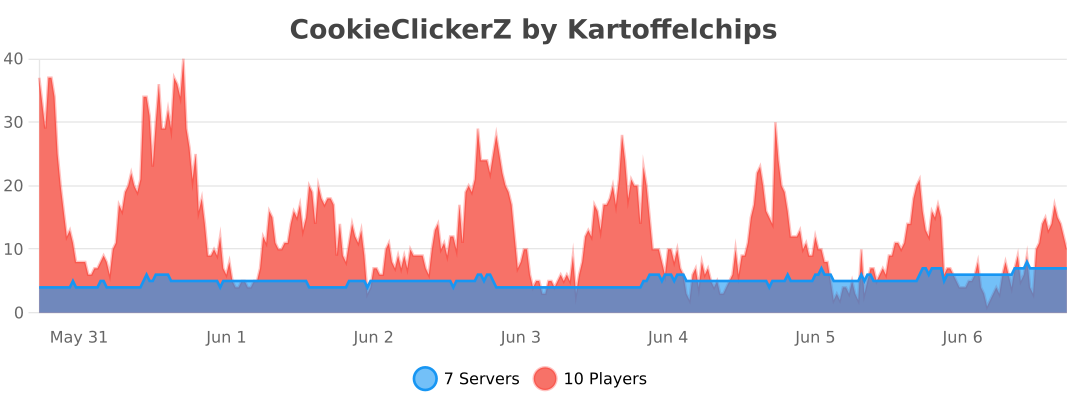](https://bstats.org/plugin/bukkit/CookieClickerZ/25442)
CookieClickerZ is a Minecraft Cookie Clicker plugin, that brings the popular Cookie Clicker game to your Minecraft Server. You can either customize the plugin to the last detail or use the standard installation for the traditional cookieclicker experience.
Features
- ✅ As many clicker blocks as you want
- ✅ Customizable upgrades
- ✅ Events
- ✅ Prestige system
- ✅ Achievements
- ✅ Top list
- ✅ Offline cookie gathering
- ✅ Anti-cheat system
- ✅ Fully customizable messages, sounds, and items
- ✅ HEX colors and gradients support
- ✅ PlaceholderAPI placeholders
- ✅ SQLite and MySQL support
- ✅ Admin commands
Permissions
- cookieclickerz.useclicker - Allows the player to use the clicker block (default: true)
- cookieclickerz.upgrades - Allows the player to open the upgrades shop (default: true)
- cookieclickerz.prestige - Allows the player to open the prestige menu (default: true)
- cookieclickerz.top - Allows the player to open the top menu (default: true)
- cookieclickerz.viewachievements - Allows the player to open the achievements menu (default: true)
- cookieclickerz.numcheatsheet - Allows the player to open the numcheatsheet (default: true)
- cookieclickerz.admin.manageclickers - Allows the player to manage clickers (default: op)
- cookieclickerz.admin.managecookies - Allows the player to manage other players cookies (default: op)
- cookieclickerz.admin.manageprestige - Allows the player to manage other players prestige (default: op)
- cookieclickerz.admin.manageevents - Allows the player to manage events (default: op)
- cookieclickerz.admin.manageachievements - Allows the player to manage other players achievements (default: op)
- cookieclickerz.admin.giveupgrade - Allows the player to give upgrades to other players (default: op)
- cookieclickerz.buyupgrade.<upgrade> - Allows the player to buy a certain upgrade (if
requirePermission is true for that upgrade) (default: op)
Placeholders
- %cookieclickerz_totalcookies% - A users total cookies
- %cookieclickerz_totalcookies_formatted% - A users total cookies (formatted, e.g. 1M, 3B, 5.1T)
- %cookieclickerz_cookiesperclick% - The amount of cookies a user gets per click
- %cookieclickerz_offlinecookies% - The amount of cookies a user gets while offline
- %cookieclickerz_prestige% - The prestige of a user
- %cookieclickerz_totalclicks% - A users total clicks
Leaderboard
The leaderboard placeholders follow this format:
%cookieclickerz_<category>_top_<index>_<field>%
<category> is what leaderboard to show. This can be cookies for total cookies or cpc for cookies per click.<index> is the position in the leaderboard (e.g. 1 for the first place or 3 for the third place). The limit for this can be set in the config.yml (default limit: 10).field is what about this player to show. This can be:
name: The name of the playeramount: The amount depending on what cateory you choseformattedamount: The same as amount, but formatted (e.g. 1000000 -> 1M)
Configuration
You can customize the plugin to your liking by editing the config.yml, upgrades.yml, and prestige.yml files located in the plugins/CookieClickerZ folder.
config.yml
#       _____           _    _         _____ _ _      _               ______
#     / ____|          | |  (_)       / ____| (_)    | |             |___  /
#    | |     ___   ___ | | ___  ___  | |    | |_  ___| | _____ _ __     / /
#    | |    / _ \ / _ \| |/ / |/ _ \ | |    | | |/ __| |/ / _ \ '__|   / /
#    | |___| (_) | (_) |   <| |  __/ | |____| | | (__|   <  __/ |     / /__
#     \_____\___/ \___/|_|\_\_|\___|  \_____|_|_|\___|_|\_\___|_|    /_____|

# !!! COLOR CODES !!!
# This plugin supports old color codes like: &c, &l, &o, etc
# It also supports minimessage, which is a more advanced way to format messages:
# https://docs.advntr.dev/minimessage/format.html
# With these, you can also add HEX colors, gradients, hover and click events, etc

# If set to true, CookieClickerZ will check for updates and let you know if there's a newer version
checkForUpdates: true

# Set the language to any code found in the "lang" folder (don't add the .yml extension)
# You can add your own language files. Use https://github.com/KartoffelChipss/CookieClickerZ/tree/main/src/main/resources/lang/en-US.yml as a template
# Default languages are: en-US, de-DE, ru-RU, cs-CZ
lang: "en-US"

# The the cookie name
# This is to conveniently change the cookie name in most messages. You will probably also want to adjust some other messages in your respective language file.
cookieName: "Cookies"

# The item that will be displayed in the middle of the main gui
mainItem: "COOKIE"

offlineCookies:
  # If set to true, players will earn cookies while they are offline
  enabled: true
  # Wether or not to send a message to the player when they join informing them about the cookies they earned while offline
  joinMessage: true

# Wether or not to show a hologram above the clicker block
# You need to have DecentHolograms or FancyHolograms installed for this to work (although DecentHolograms is recommended):
# https://modrinth.com/plugin/decentholograms
# You can change the content of the hologram in the language file
hologram: true


# === LEADERBOARD ===

# [!] After changing any of these settings, you need to restart the server for them to take effect

leaderboard:
    # Leaderboard calculations are expensive, so they are only calculated every interval.
    # If you don't use it and want to save some performance, you can disable it all together.
    enabled: true
    # The number of top players to show on the leaderboard
    size: 10
    # The interval (in seconds) at which the leaderboard will be updated
    updateInterval: 60


# === EVENTS ===

events:
  # Toggle Events, like Click Frenzy, Cookie Frenzy, etc
  enabled: true
  # The probability of an event happening for each click
  rates:
    COOKIE_FRENZY: 0.005
    LUCKY: 0.007
    CLICK_FRENZY: 0.002
    RUIN: 0.002
    CURSED_FINGER: 0.002


# === SOUNDS ===

# The sound that will be played when a player clicks a block
# You can find a list of sounds here: https://hub.spigotmc.org/javadocs/bukkit/org/bukkit/Sound.html
clickSound: "BLOCK_WOODEN_BUTTON_CLICK_ON"
# The sound that will be played when a player buys an upgrade
upgradeSound: "ENTITY_PLAYER_LEVELUP"
# The sound that will be played when a player prestiges
prestigeSound: "ENTITY_PLAYER_LEVELUP"
# The sound when there was an error
errorSound: "ENTITY_VILLAGER_NO"


# === ANTICHEAT ===

anticheat:
  cps:
    # If set to true, the plugin will check for the amount of clicks per second
    enabled: true
    # The maximum amount of clicks per second a player is allowed to do
    max: 15
    # The message that will be sent to a player if they click too fast
    message: "&cYou are clicking too fast!"
    # The commands that will be executed if a player clicks too fast
    commands:
    #- "kick %player% &cYou are clicking too fast!"

  nomovement:
    # If set to true, the plugin will check if a player is moving
    enabled: true
    # The maximum amount of time a player is allowed to not move (in seconds)
    max: 15
    # The message that will be sent to a player if they are not moving
    message: "&cYou are not moving!"
    # The commands that will be executed if a player is not moving
    commands:
    # - "kick %player% &cYou are not moving!"


# === EXPERT ===
# This section is only relevant if you are an expert and know what you are doing

playerCache:
    # If set to true, the plugin will use a cache to store player data
    enabled: true
    # The amount of time (in seconds) the plugin will wait before saving the whole cache to the database
    saveInterval: 60
    # The maximum amount of players that will be stored in the cache
    maxSize: 1000


# === STORAGE ===

storage:
  # The type of storage to use. You have the following options:
  # "SQLite" | "MySQL"
  type: "SQLite"

  # This section is only relevant if you use a remote database
  host: "localhost"
  port: 3306
  database: "cookieclicker"
  username: "root"
  password: "password"
upgrades.yml
# === UPGRADES ===

# You can add as many upgrades as you want following this structure
wooden_pickaxe:
  # The name of the upgrade
  name: "&6Wooden Pickaxe"
  # The price of the upgrade
  baseprice: "50"
  # The price multiplier for each upgrade
  priceMultiplier: 1.1
  # The material that will be displayed in the shop
  item: "WOODEN_PICKAXE"
  # The amount of cookies per click the upgrade will add
  cpc: "1"
  # The amount of cookies the player will get while offline
  offlineCookies: "0"
  # Custom mdoel ID to apply a texture to the item (requires a resource pack)
  customModelId: 300
  # Wether the player needs the cookieclickerz.buyupgrade.<upgrade> permission to buy this upgrade
  requirePermission: false

...

# Add more items as needed following this structure
prestige.yml
# === PRESTIGE ===

# If set to true, the plugin will enable the prestige system
enabled: true

# You can add or remove as many prestige levels as you want. (Everything beyond the 29th level will be ignored)
levels:
  1:
    # The name of the prestige level
    name: "&8&l> <!b>&6Prestige I"
    # Additional lore for the prestige level (optional)
    # You can use the placeholders %price% and %multiplier% in the lore
    lore:
      #- "This is some additional lore for Prestige I"
    # If true, the original lore will be hidden and only the additional lore will be shown
    hideOriginalLore: false
    # The price of the prestige level
    cost: "1M"
    # The multiplier that will be applied to the player's cookies
    multiplier: 2
    # The commands that will be executed when a player prestiges to this level
    # You can use %player% to insert the player's name
    commands:
      - "say %player% has just prestiged to Prestige I!"

  2:
    name: "&8&l> <!b>&6Prestige II"
    cost: "10M"
    multiplier: 3

  3:
    name: "&8&l> <!b>&6Prestige III"
    price: "100M"
    multiplier: 4

  4:
    name: "&8&l> <!b>&6Prestige IV"
    cost: "1B"
    multiplier: 5

  5:
    name: "&8&l> <!b>&6Prestige V"
    cost: "10B"
    multiplier: 6
achievements.yml
# === Clicks Achievements ===
clicks_clicker_rookie:
  commands:
  # - "say %player% has earned the achievement Clicker Rookie!"

clicks_finger_workout:
  commands:
  # - "say %player% has earned the achievement Finger Workout!"

clicks_click_champion:
  commands:
  # - "say %player% has earned the achievement Click Champion!"

...
achievementCategories.yml
# This file contains the settings for the achievemnt categories.

clicks:
  # This is the texture for the head item representing the "clicks" category.
  # You can find these values in the "Value" field in the "For Developers" section on minecraft-heads.com
  head: "eyJ0ZXh0dXJlcyI6eyJTS0lOIjp7InVybCI6Imh0dHA6Ly90ZXh0dXJlcy5taW5lY3JhZnQubmV0L3RleHR1cmUvNTMyYTU4MzhmZDljZDRjOTc3ZjE1MDcxZDY5OTdmZjVjN2Y5NTYwNzRhMmRhNTcxYTE5Y2NlZmIwM2M1NyJ9fX0="

cookies:
  head: "eyJ0ZXh0dXJlcyI6eyJTS0lOIjp7InVybCI6Imh0dHA6Ly90ZXh0dXJlcy5taW5lY3JhZnQubmV0L3RleHR1cmUvNjA1ZWY4ODE5ZmI2YTkyMTQ4MjQ5ZmY0OGMzOTE0ZTkyYzI3M2U3ODc0NTIzZmY3OTMwYjlmNWNjOTNjZWFhZSJ9fX0"

upgrades:
  head: "eyJ0ZXh0dXJlcyI6eyJTS0lOIjp7InVybCI6Imh0dHA6Ly90ZXh0dXJlcy5taW5lY3JhZnQubmV0L3RleHR1cmUvOTVmZDY3ZDU2ZmZjNTNmYjM2MGExNzg3OWQ5YjUzMzhkNzMzMmQ4ZjEyOTQ5MWE1ZTE3ZThkNmU4YWVhNmMzYSJ9fX0="

events:
  head: "eyJ0ZXh0dXJlcyI6eyJTS0lOIjp7InVybCI6Imh0dHA6Ly90ZXh0dXJlcy5taW5lY3JhZnQubmV0L3RleHR1cmUvZjJiYTllYWQ5N2M4ZmI0NGIxNTZhZGU5Y2IyMTRlYTkxMjQzNGEyY2M0N2M0ZGVjNTBmMjEwMjFjNzVkZDJkNyJ9fX0="

prestige:
  head: "eyJ0ZXh0dXJlcyI6eyJTS0lOIjp7InVybCI6Imh0dHA6Ly90ZXh0dXJlcy5taW5lY3JhZnQubmV0L3RleHR1cmUvOTkwY2JkNzJlNDFhOWJkNDExYmU5MjliNzNmZDI2OTIwNjM2OGIyODEwZDZjNjgxOTkxOGNiOGViNjYyMjRmNCJ9fX0="

misc:
  head: "eyJ0ZXh0dXJlcyI6eyJTS0lOIjp7InVybCI6Imh0dHA6Ly90ZXh0dXJlcy5taW5lY3JhZnQubmV0L3RleHR1cmUvMjAzNzEyMDYyZTgyYTA3OTdmZDdiMGMxMDU3NmVkOTI0ODBmZGM5NGJkMmUwMGMyMTk2MWIzNGJlNjBlODU4ZSJ9fX0="
...


 插件
 插件

 插件
 插件

 插件
 插件
评论 0
登录后参与评分
还没有评论,来抢沙发吧