CryptoCraft
CryptoCraft 将加密货币图表和服务器货币交易引入 Minecraft。在普通方块上方放置一个图表,或使用地图屏幕、外壳、支架和键盘构建一台计算机终端即可运行。它支持 Spigot、Paper 以及 Purpur 26.3(需 Java 25),无需资源包。
图表、警报和交易共用同一个外部价格源。这些“硬币”仅存在于你的服务器内部:没有真实的钱包或加密货币转账。
1.2.0 更新内容
- 通过 Vault 进行服务器货币交易: 可按总预算或硬币数量购买,按持有量或百分比出售,并在提交前确认预览。
- 三种经济模式: 无限制的服务器经纪商、由资金储备支持的经纪商,或在外部参考价格下进行玩家间匹配。
- 计算机终端和市场板: 单个屏幕最多显示六种硬币,布局从 1 × 1 到 3 × 3 地图不等。市场板起始于 2 × 2。
- 金库与订单: 检查可用/预留的硬币,跟踪部分成交情况,取消剩余订单,并查看已完成交易。即使所有者离线,订单也可执行。
- 耐用性记账: SQLite 存储持有量、预留、订单、储备及账本。不确定的 Vault 转账需要管理员进行对账,不会自动重试。
- 十种默认硬币: 新安装时提供 BTC、ETH、SOL、XRP、ADA、DOGE、LTC、BNB、AVAX 和 LINK。管理员可以添加唯一的提供商 ID,并分别控制显示和交易可用性。
板块编辑器、深色/浅色/海洋主题、关注列表、价格警报、红石信号以及独立的纸质投资组合功能依然可用。菜单包括搜索、分页以及英文/德文消息选项。WorldGuard 和 PlaceholderAPI 集成是可选的。
安装与首个终端
- 将
CryptoCraft-1.2.0.jar 放入服务器的 plugins 文件夹,并在 Java 25 下重启服务器。
- 若要使用服务器货币交易,还需安装 Vault 及兼容的经济插件,例如 EssentialsX。图表、关注列表、警报和纸质投资组合无需它们即可工作。
- 注视一个方块并运行
/crypto market BTC,ETH,SOL EUR 或 /crypto place BTC EUR。
- 使用
/crypto list 查找板块 ID。作为管理员,运行 /crypto terminal <board-id> enable。
- 右键点击终端以打开交易所。确认订单后,可通过
/crypto orders 跟踪其状态,并通过 /crypto depot 检查持有量。
默认情况下,提交订单需要在六格范围内有一个已批准的终端。确认时会再次检查访问权限。金库、历史记录、订单和取消操作可在任何地方使用。所有终端共用同一个市场。移除板块的锚点会移除显示;锚点本身仍是一个普通的 Minecraft 方块。
价格与经济模式
交易价值 = 硬币数量 × 外部参考价格 × 配置的服务器货币系数。手续费单独计算。价格保护器可防止订单因不利波动而成交;它从不设定成交价格。
每笔执行都需在订单被接受后等待来自提供商的新鲜时间戳。玩家间执行需要两个订单之后的时间戳。缺失、过时或未验证的时间戳将暂停交易。价格是轮询并缓存的,而非逐 tick 流式传输。
| 模式 |
工作原理 |
unlimited |
服务器在配置的限制和资金范围内接受有效订单并卖出。这是默认模式。 |
reserve |
购买会增加储备。卖出需要足够的储备;未覆盖的卖出将被拒绝,其硬币会被释放。储备从零开始,管理员可以从 Vault 为其注资。 |
p2p |
最旧的可行买入/卖出订单在外部价格下匹配。部分成交保持优先级。不允许自交易或自动回退到服务器经纪商。 |
未匹配的玩家订单会等待直到匹配、取消或过期。未使用的预算和剩余的硬币将被释放。默认设置包括:EUR 参考价格、系数 1、零手续费、1% 价格保护器、五分钟有效期订单、报价最大年龄 120 秒,以及每位玩家最多 20 个开放订单。订单值默认为 1–1,000,000 服务器货币单位。
命令
/crypto menu
/crypto market BTC,ETH,SOL EUR
/crypto terminal <board-id> enable
/crypto trade BTC
/crypto trade buy BTC 100
/crypto trade buy-quantity BTC 0.01
/crypto trade sell BTC 0.005
/crypto depot
/crypto depot history
/crypto orders
/crypto orders cancel <order-id>
/crypto watch add SOL EUR
/crypto alert add BTC EUR above 70000 once
trade buy 接受包含手续费的总预算。buy-quantity 会打开一个带有最大预算以供确认的预览界面。卖出菜单还提供 25%、50% 和 100% 可用持有量的选项。
管理员可以使用 /crypto economy status、/crypto economy reserve deposit <amount> 和 /crypto coin search <name|symbol|provider-id>。使用 /crypto coin add <SYMBOL> <provider-id> 添加硬币,并使用 /crypto coin enable <SYMBOL> 显式启用其交易。显示控制和交易控制是独立的。现有命令仍然可用;使用 /crypto 获取帮助。
截图
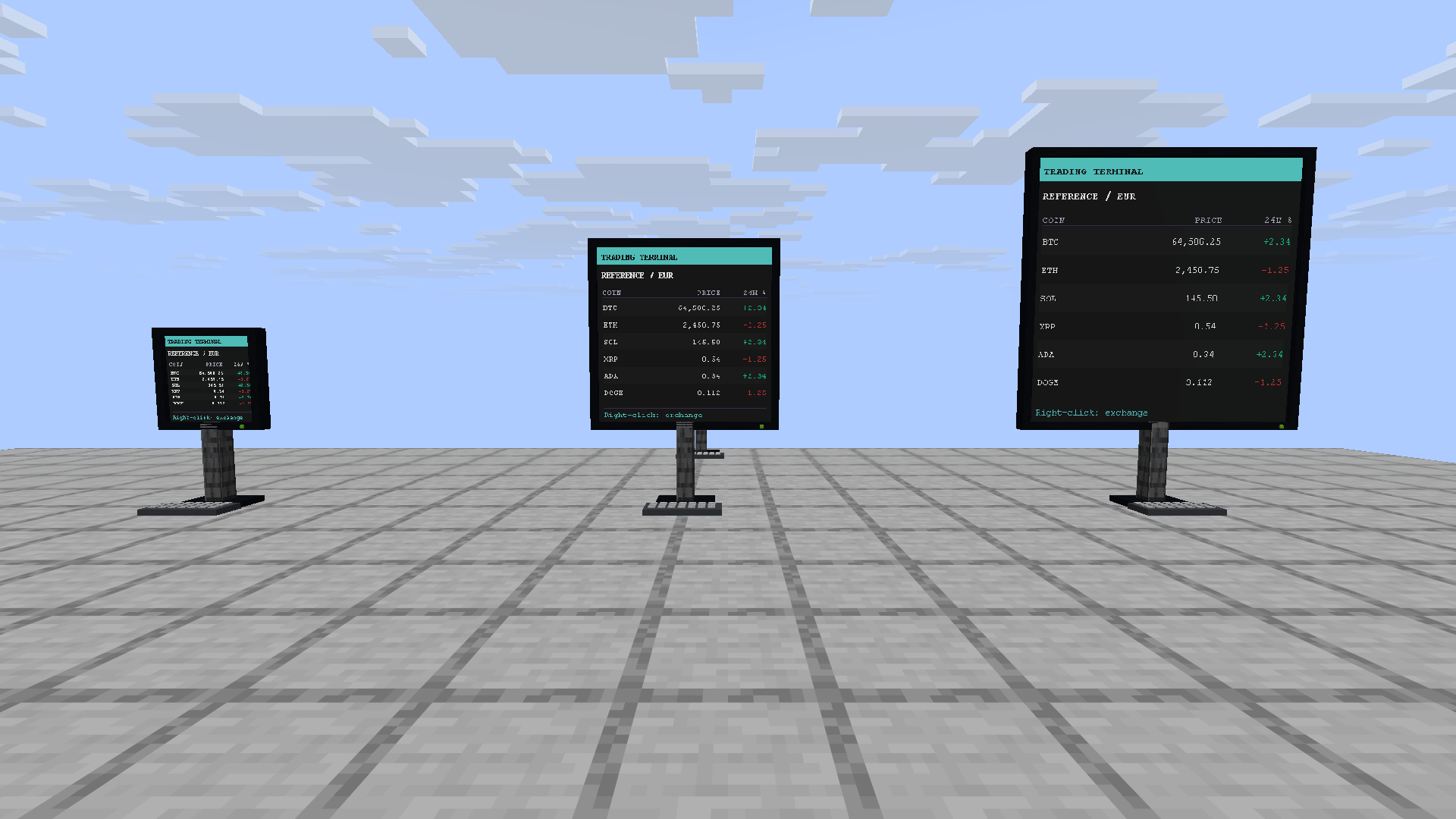
三种尺寸的计算机终端
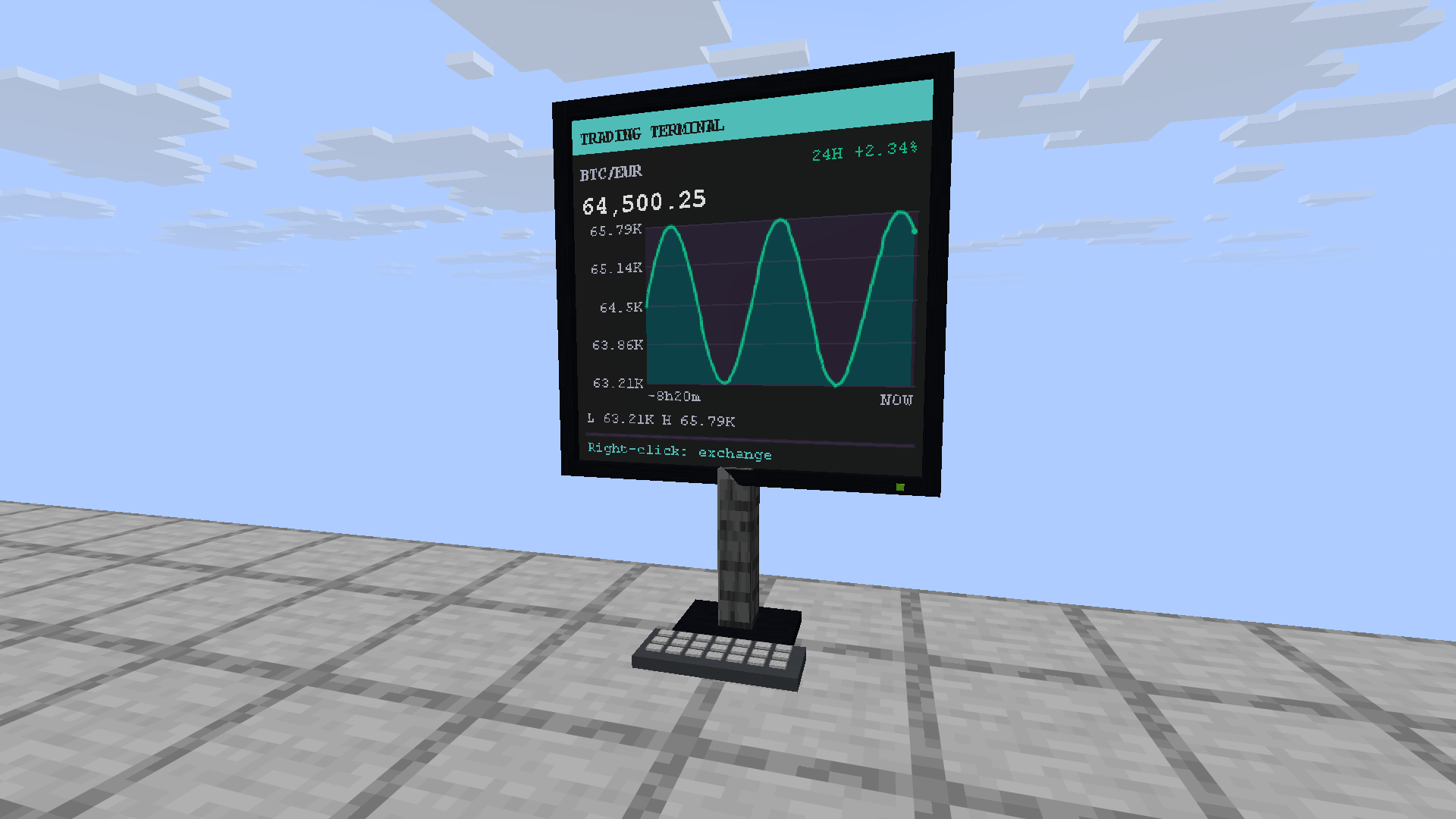
比特币图表终端
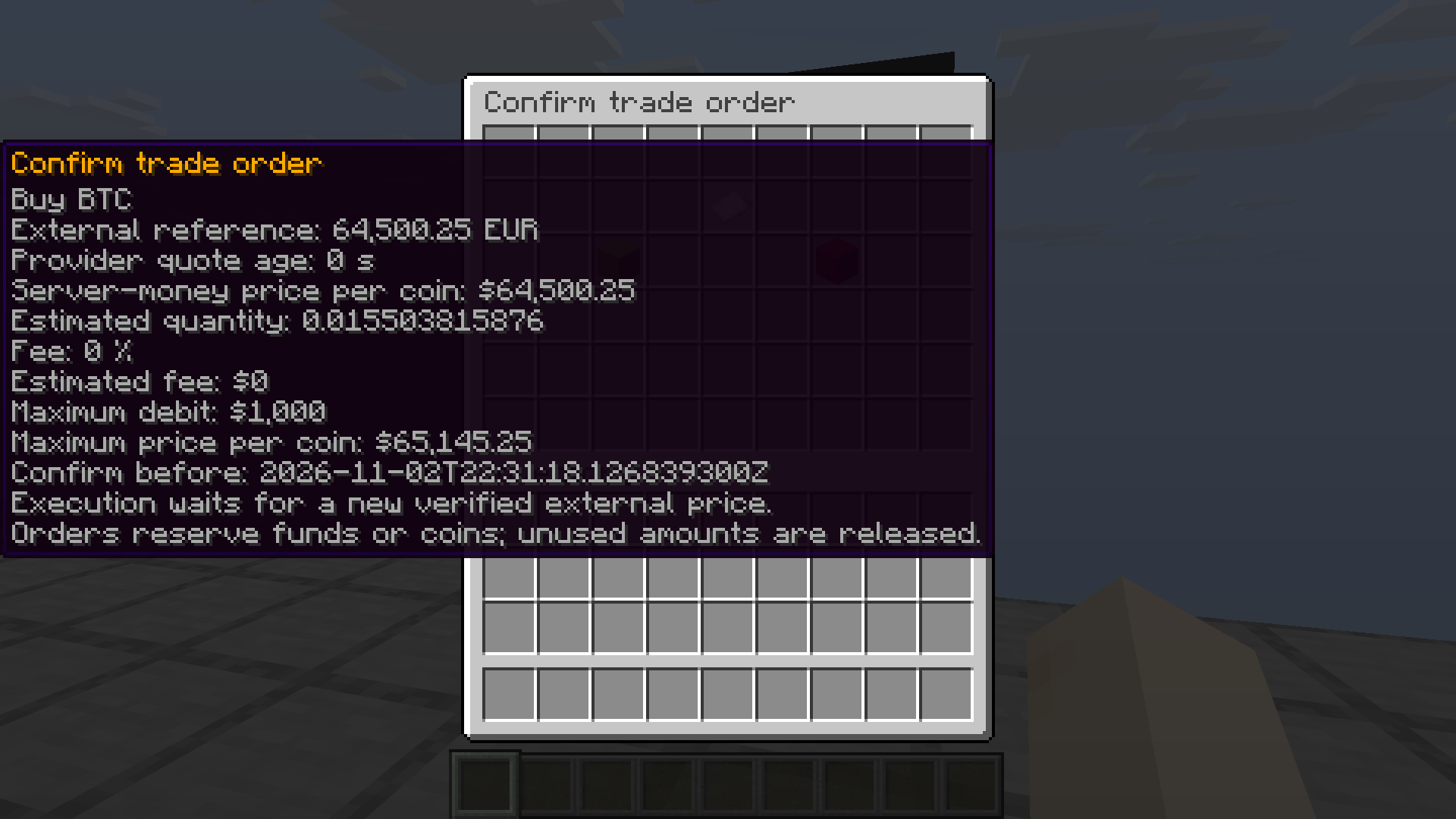
交易确认
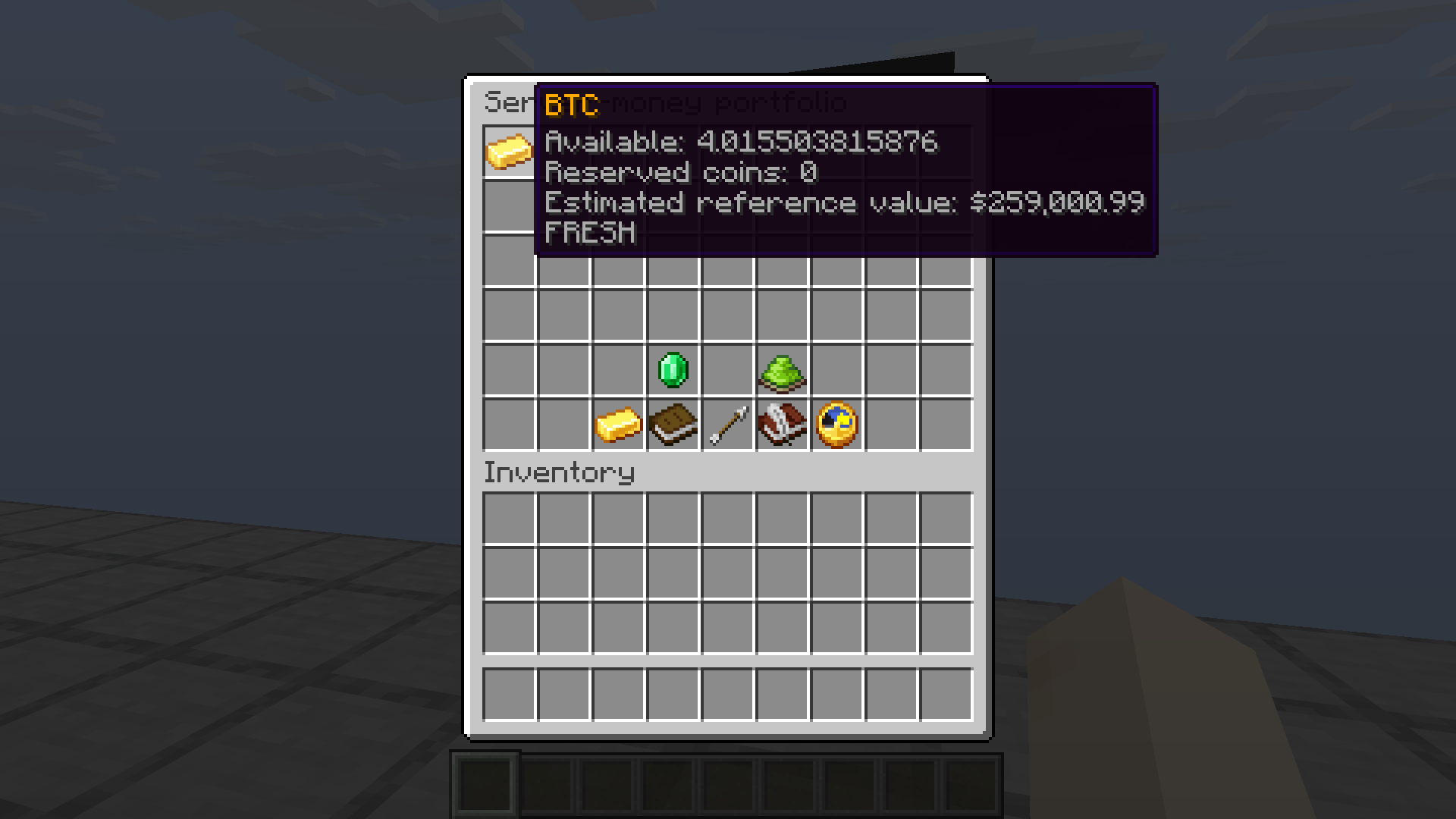
服务器货币金库
常规图表板块
将加密货币图表放置在普通方块上方,或将其扩展为大型图表墙。使用 /crypto place BTC EUR 创建图表。该功能无需 Vault 即可运行。
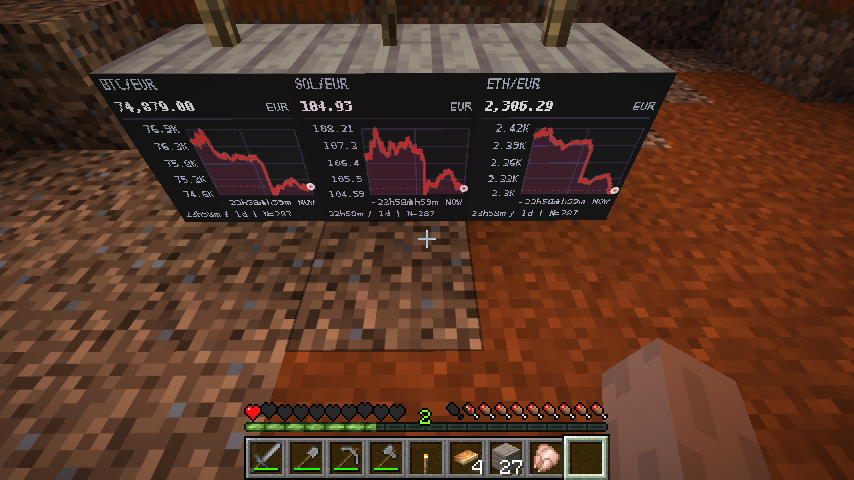
BTC、SOL 和 ETH 图表面板
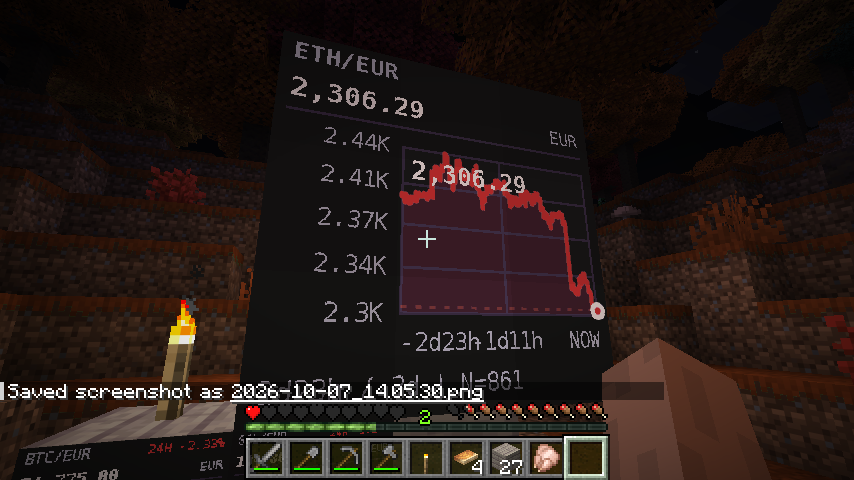
大型 ETH 图表墙
配置与升级
编辑 plugins/CryptoCraft/config.yml 并运行 /crypto reload。在 messages.yml 中选择 en(英文)或 de(德文)。默认情况下每位玩家拥有一个面板,并可通过权限设置限制数量。cryptocraft.trade 默认对所有玩家开放;终端和经济管理权限默认仅对操作员开放。WorldGuard 保护及现有的所有权规则仍然适用。
纸质投资组合需通过 portfolio.enabled: true 单独启用。其现金和持仓绝不会与 Vault 资金或服务器货币仓库混合。可选的历史数据导入需启用 prices.backfill.enabled: true。价格数据来自 CoinGecko 或兼容提供商;请求共享速率限制和重试延迟。可配置 CoinGecko Demo 密钥。
从 1.1.0 版本升级时,请停止服务器,并将整个 CryptoCraft 目录及其经济提供商的数据一起备份。替换 JAR 文件后重启服务器。现有的面板、自定义消息、硬币配置和纸质投资组合将被保留。现有面板在批准作为终端之前仍保持为普通图表;新的 SQLite 仓库将独立启动。
没有 trading.reference-currency 的旧版配置会继承其有效的现有 default-currency,包括仅限 USD 的设置;新安装默认使用 EUR,且在没有该键的情况下重新加载时会保留当前交易货币。
在开始服务器货币交易前,请仔细检查经济模式、货币、换算因子和提供商。更改模式要求没有未完成的订单或不明确的转账。经济活动开始后,普通重载无法更改货币、换算因子和货币精度。被禁用的硬币将保留其持仓。如果在崩溃或提供商故障后不确定 Vault 资金变动情况,管理员必须在受影响账户恢复前进行核实和对账。
请参阅 完整文档、交易与恢复指南、更新日志 或 报告问题。
CryptoCraft
CryptoCraft brings cryptocurrency charts and server-money trading to Minecraft. Place a chart above a normal block or build a computer terminal with a map screen, housing, stand, and keyboard. It runs on Spigot, Paper, and Purpur 26.3 with Java 25, without a resource pack.
Charts, alerts, and trading share the same external price source. The coins exist only inside your server: there are no real wallets or cryptocurrency transfers.
What's new in 1.2.0
- Server-money trading through Vault: buy by total budget or coin quantity, sell a quantity or percentage of your holdings, and confirm the preview before submitting.
- Three economic modes: an unlimited server broker, a broker backed by a funded reserve, or player-to-player matching at the external reference price.
- Computer terminals and market boards: up to six coins on one screen, with layouts from 1 × 1 to 3 × 3 maps. Market boards start at 2 × 2.
- Depot and orders: inspect available/reserved coins, follow partial fills, cancel remaining orders, and view completed trades. Orders can execute while their owners are offline.
- Durable accounting: SQLite stores holdings, reservations, orders, reserve, and the journal. Uncertain Vault transfers require an administrative reconciliation and are not automatically repeated.
- Ten default coins: BTC, ETH, SOL, XRP, ADA, DOGE, LTC, BNB, AVAX, and LINK on new installations. Admins can add unique provider IDs and control display and trading availability separately.
The board editor, dark/light/ocean themes, watchlists, price alerts, redstone signals, and independent paper portfolio remain available. Menus include search, pagination, and English/German messages. WorldGuard and PlaceholderAPI integrations are optional.
Installation and first terminal
- Put
CryptoCraft-1.2.0.jar in your server's plugins folder and restart on Java 25.
- For server-money trading, also install Vault and a compatible economy provider, such as EssentialsX. Charts, watchlists, alerts, and the paper portfolio work without them.
- Look at a block and run
/crypto market BTC,ETH,SOL EUR or /crypto place BTC EUR.
- Use
/crypto list to find the board ID. As an administrator, run /crypto terminal <board-id> enable.
- Right-click the terminal to open the exchange. Confirm an order, follow it with
/crypto orders, and inspect holdings with /crypto depot.
By default, order submission requires an approved terminal within six blocks. Access is checked again at confirmation. Depot, history, orders, and cancellation work anywhere. All terminals use the same market. Removing a board's anchor removes the display; the anchor itself remains an ordinary Minecraft block.
Prices and economic modes
Trade value is coin quantity × external reference price × the configured server-money factor. Fees are separate. A price guard protects an order from an unfavorable move; it never sets the execution price.
Every execution waits for a fresh provider timestamp after the order was accepted. Player-to-player execution needs a timestamp after both orders. Missing, stale, or unverified timestamps pause trading. Prices are polled and cached, rather than streamed tick by tick.
| Mode |
How it works |
unlimited |
The server accepts valid orders within the configured limits and funds sales. This is the default. |
reserve |
Purchases add to a reserve. Sales require enough reserve; an uncovered sale is rejected and its coins released. The reserve starts at zero and admins can fund it from Vault. |
p2p |
Oldest executable buy/sell orders match at the external price. Partial fills keep priority. No self-trades or automatic fallback to the server broker. |
An unmatched player order waits until a match, cancellation, or expiry. Unused budget and remaining coins are released. The default settings are EUR reference prices, factor 1, zero fees, a 1% price guard, five-minute orders, a maximum quote age of 120 seconds, and 20 open orders per player. Order values default to 1–1,000,000 server-money units.
Commands
/crypto menu
/crypto market BTC,ETH,SOL EUR
/crypto terminal <board-id> enable
/crypto trade BTC
/crypto trade buy BTC 100
/crypto trade buy-quantity BTC 0.01
/crypto trade sell BTC 0.005
/crypto depot
/crypto depot history
/crypto orders
/crypto orders cancel <order-id>
/crypto watch add SOL EUR
/crypto alert add BTC EUR above 70000 once
trade buy takes a total budget including fees. buy-quantity opens a preview with a maximum budget for confirmation. The sell menu also offers 25%, 50%, and 100% of available holdings.
Administrators can use /crypto economy status, /crypto economy reserve deposit <amount>, and /crypto coin search <name|symbol|provider-id>. Add a coin with /crypto coin add <SYMBOL> <provider-id> and explicitly enable its trading with /crypto coin enable <SYMBOL>. Display and trading controls are independent. Existing commands remain available; use /crypto for help.
Screenshots
Computer terminals in three sizes
Bitcoin chart terminal
Trade confirmation
Server-money depot
Regular chart boards
Place cryptocurrency charts above ordinary blocks or expand them into large chart walls. Use /crypto place BTC EUR to create a chart. Charts work without Vault.
BTC, SOL, and ETH chart boards
Large ETH chart wall
Configuration and upgrading
Edit plugins/CryptoCraft/config.yml and run /crypto reload. Choose en or de in messages.yml. Players get one board by default, with configurable permission-based limits. cryptocraft.trade defaults to everyone; terminal and economy administration default to operators. WorldGuard protection and existing ownership rules still apply.
The paper portfolio is enabled separately with portfolio.enabled: true. Its cash and holdings never mix with Vault money or the server-money depot. Optional history import uses prices.backfill.enabled: true. Prices come from CoinGecko or a compatible provider; requests share rate limits and retry delays. A CoinGecko Demo key can be configured.
To upgrade from 1.1.0, stop the server and back up the complete CryptoCraft directory together with your economy provider's data. Replace the JAR and restart. Existing boards, custom messages, coin configuration, and paper portfolios are retained. Existing boards remain ordinary charts until approved as terminals; the new SQLite depot starts separately.
Legacy configurations without trading.reference-currency inherit their valid existing default-currency, including USD-only setups; new installations default to EUR, and reloads without that key retain the active trading currency.
Review the economic mode, currency, conversion factor, and provider before starting server-money trading. Mode changes require no open orders or unclear transfers. Currency, factor, and money precision cannot be changed by an ordinary reload after economic activity. Disabled coins retain their holdings. If a Vault movement is uncertain after a crash or provider failure, an administrator must verify and reconcile it before the affected account resumes.
See the full documentation, trading and recovery guide, changelog, or report an issue.


 插件

 插件
 插件
 插件
 插件

 插件

评论 0
登录后参与评分
还没有评论,来抢沙发吧