

保护玩家死亡掉落物品的终极解决方案
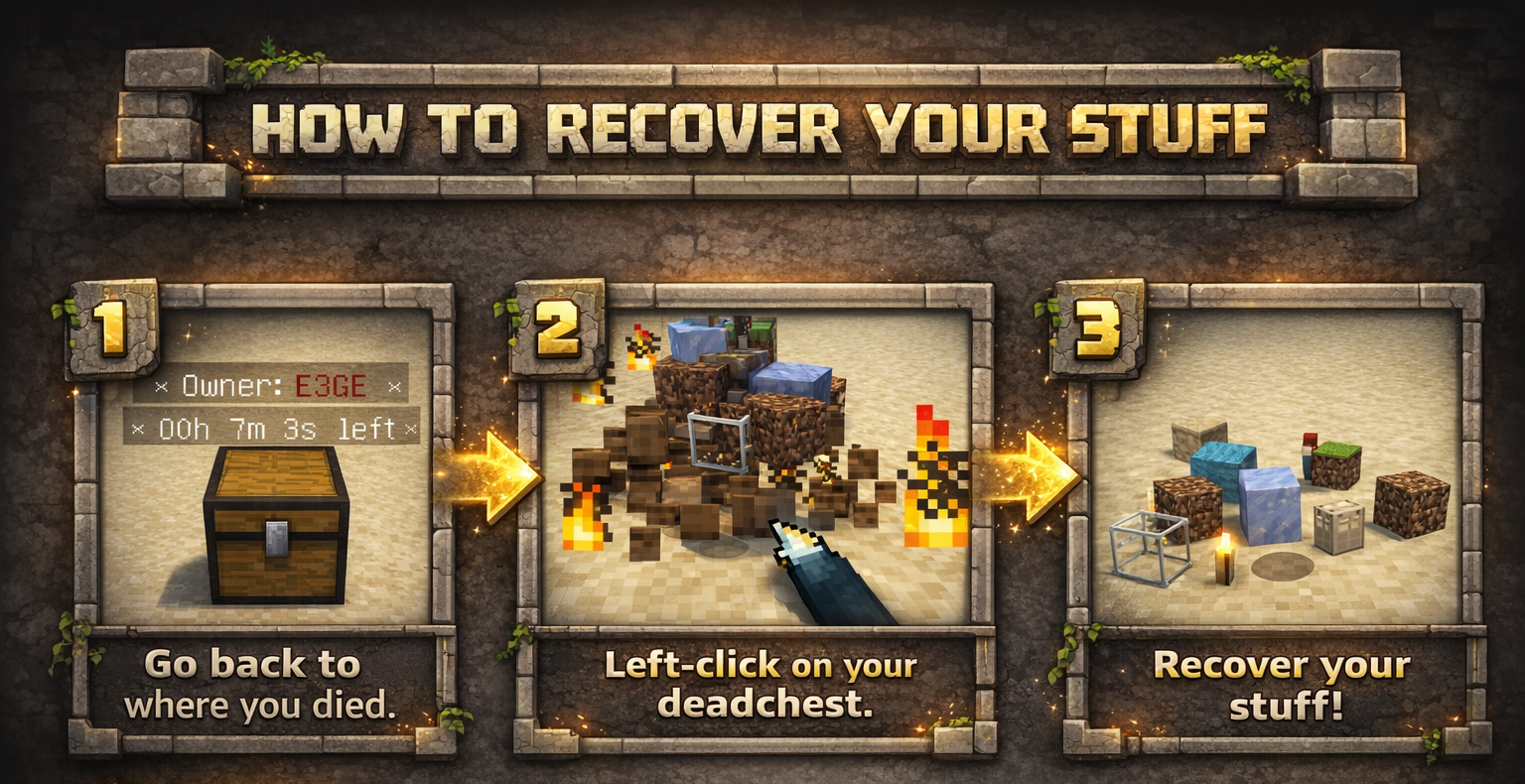
DeadChest 会在玩家死亡的精确位置,自动将其掉落的物品转化为一个安全的箱子。
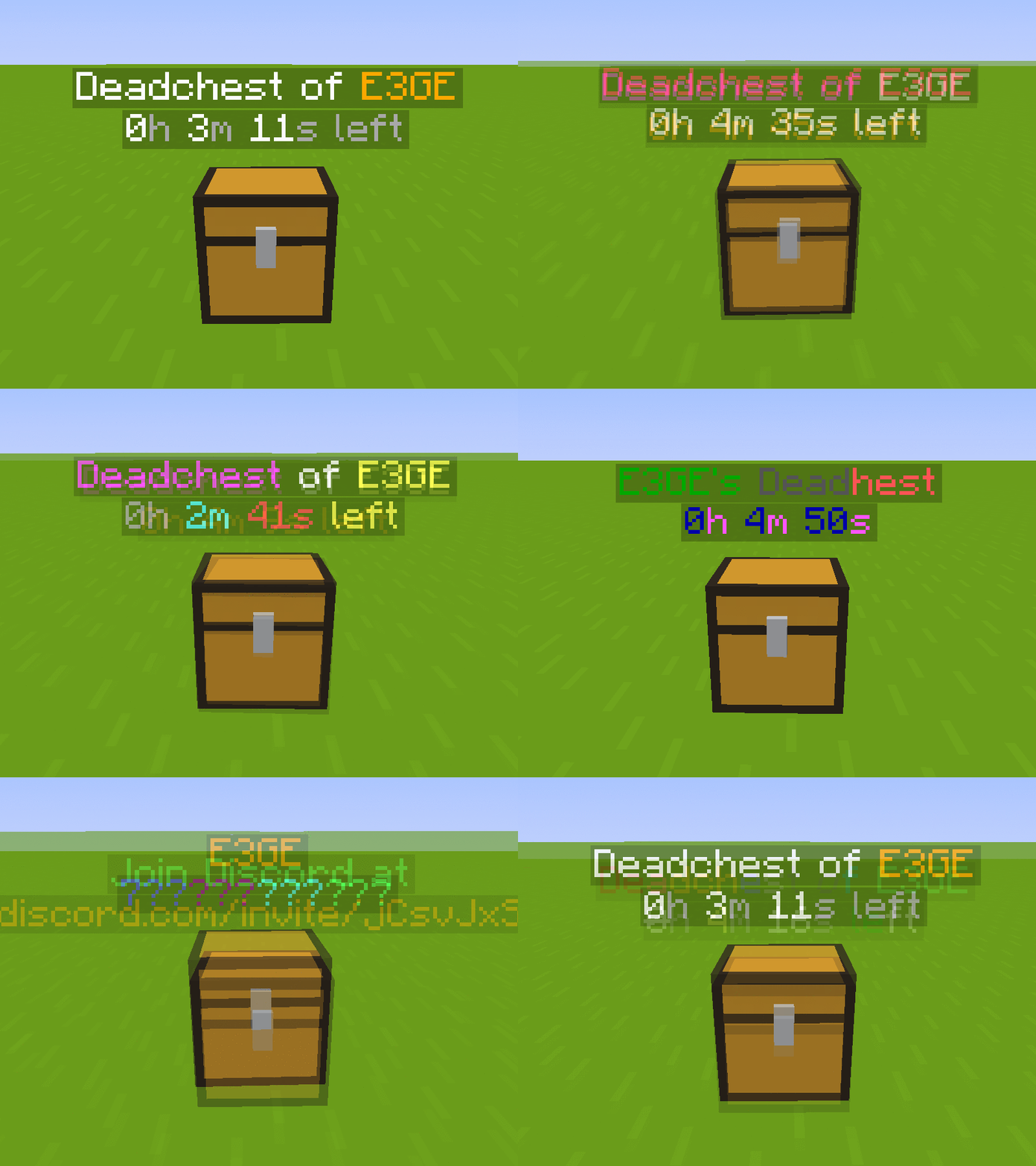
每个箱子上方都会显示一个全息投影,包含拥有者的名字以及一个可配置倒计时。
当倒计时结束,该箱子及其内容物将被永久移除。
完全可自定义:定义自定义时长、创建无限期箱子,并选择仅限私有(仅拥有者/管理员)或公开访问。
主要功能
- 在死亡时自动存储玩家的完整背包物品,包括护甲
- 箱子生成在确切的死亡地点
- 显示拥有者和剩余时间的全息投影
- 支持私有或公共的箱子访问权限
- 可选的经验值存储
- 防破坏保护(爆炸和破坏控制)
- WorldGuard 集成
- 完全兼容 Minecraft 1.13.2 至 26.1
- 支持 Folia
高级功能
- 支持无限制玩家数量和无限制箱子数量
- 按世界独立配置
- 基于游戏模式的管理
- 物品过滤与管理
- 可选择使用箱子或玩家头颅作为容器
- Citizens 2 兼容性
- 详细的日志系统,记录每一个 DeadChest 事件
- 高级权限系统
完全可自定义
- 箱子持续时间
- 箱子访问权限(私有/公共)
- 全息投影内容
- 文字颜色
- 可被破坏的箱子(启用/禁用破坏)
- 每个玩家的最大箱子数量
- 多语言支持
- 掉落行为自定义
- 以及更多...
自版本 4.5.0 起,DeadChest 使用 bStats 收集匿名使用统计数据,以帮助改进插件。

DeadChests 是完全可自定义的!
命令
| 命令 |
描述 |
权限 |
/dc reload |
重载插件 |
deadchest.admin |
/dc remove |
移除当前玩家的所有 DeadChest |
deadchest.remove.own |
/dc remove <player> |
移除指定玩家的所有 DeadChest |
deadchest.remove.other |
/dc removeinfinite |
移除所有无限期箱子 |
deadchest.admin |
/dc removeall |
移除所有 DeadChest |
deadchest.admin |
/dc list |
列出当前玩家的所有 DeadChest |
deadchest.list.own |
/dc list all |
列出所有 DeadChest |
deadchest.list.other |
/dc list <player> |
列出指定玩家的所有 DeadChest |
deadchest.list.other |
/dc giveBack <player> |
将最旧的 DeadChest 中的物品返还给玩家 |
deadchest.giveBack |
/dc ignore |
打开忽略列表界面以添加被忽略的物品 |
deadchest.admin |
额外权限
deadchest.generate — 允许玩家生成 DeadChest
deadchest.chestPass — 允许玩家访问所有 DeadChest
deadchest.infinityChest — 允许玩家拥有无限期箱子
首次安装
- 下载 DeadChest.jar
- 将其放入服务器的
/plugins 文件夹中
- 启动或重启服务器
插件会自动在以下目录生成其配置文件:
/plugins/DeadChest/
生成的文件
config.yml
主配置文件。
使用此文件自定义插件设置和行为。
locale.yml
语言文件(默认为英文)。
您可以编辑此文件将消息翻译为您喜欢的语言。
deadchest.log
包含所有 DeadChest 事件的详细日志。

如果您遇到任何问题,请阅读 常见问题解答。
如果发现任何问题,请在
GitHub
或 Discord 上报告。
The ultimate solution to protect player inventories on death
DeadChest automatically converts a player's dropped inventory into a secure chest at the exact location of death.
Each chest displays a hologram with the owner's name and a configurable countdown timer.
When the timer expires, the chest and its contents are permanently removed.
Fully customizable: define custom durations, create infinite chests, and choose between private (owner/admin only) or public access.
Key Features
- Automatically stores the entire player inventory on death, including armor
- Chest spawns at the exact death location
- Holographic display showing owner and remaining time
- Private or public chest access
- Optional XP storage
- Grief protection (explosion and destruction control)
- WorldGuard integration
- Fully compatible with Minecraft 1.13.2 to 26.1
- Folia support
Advanced Features
- Unlimited players and unlimited chests
- Per-world configuration
- Gamemode-based management
- Item filtering and management
- Choose between chest or player head container
- Citizens 2 compatibility
- Detailed logging system for every DeadChest event
- Advanced permission system
Fully Customizable
- Chest duration
- Chest access (private/public)
- Hologram content
- Text colors
- Griefable chests (enable/disable destruction)
- Maximum number of chests per player
- Multi-language support
- Drop behavior customization
- And much more
Since version 4.5.0, DeadChest uses bStats to collect anonymous usage statistics to help improve the plugin.
DeadChests are FULLY customizable!
Commands
| Command |
Description |
Permission |
/dc reload |
Reload the plugin |
deadchest.admin |
/dc remove |
Remove all DeadChests of the current player |
deadchest.remove.own |
/dc remove <player> |
Remove all DeadChests of a player |
deadchest.remove.other |
/dc removeinfinite |
Remove all infinite chests |
deadchest.admin |
/dc removeall |
Remove all DeadChests |
deadchest.admin |
/dc list |
List all DeadChests of the current player |
deadchest.list.own |
/dc list all |
List all DeadChests |
deadchest.list.other |
/dc list <player> |
List all DeadChests of a player |
deadchest.list.other |
/dc giveBack <player> |
Return the oldest DeadChest inventory to a player |
deadchest.giveBack |
/dc ignore |
Open the ignore list inventory to add ignored items |
deadchest.admin |
Additional Permissions
deadchest.generate — Allow a player to generate DeadChests
deadchest.chestPass — Allow a player to access all DeadChests
deadchest.infinityChest — Allow a player to have an infinite chest
First Installation
- Download DeadChest.jar
- Place it in your server's
/plugins folder
- Start or restart your server
The plugin will automatically generate its configuration files inside:
/plugins/DeadChest/
Generated Files
config.yml
Main configuration file.
Use this file to customize plugin settings and behavior.
locale.yml
Language file (English by default).
You can edit this file to translate messages into your preferred language.
deadchest.log
Contains a detailed log of all DeadChest events.
Please read the FAQ if you have any trouble.
If you find an issue, please report it on
GitHub
or
Discord.
评论 0
登录后参与评分
还没有评论,来抢沙发吧




