


- 完全自定义每一个全息显示(支持十六进制颜色)
- 无限的全息设计
- 无需任何依赖项
- 自定义消失延迟时间
- 基于权限的死亡全息显示(优秀的捐赠者福利)
- 全息显示内支持 PlaceholderAPI
- 支持 1.19.4 显示,以获得最佳性能
- 支持 DecentHolograms(添加动画效果)
- 支持所有死亡原因(玩家、实体、环境 + 命令)
- 预定义的全息显示,实现简单的“即插即用”
- 100% 可配置插件消息(支持十六进制颜色)
- 通过命令生成死亡全息显示(便于轻松测试)

笑脸全息显示

hologram_groups:
  smiley:
    priority: 3
    design:
      - "&c&l       ______     "
      - "&c&l     /          \\   "
      - "&c&l    /   X    X   \\  "
      - "&c&l    |       >       |  "
      - "&c&l    |               |  "
      - "&c&l    \\    ---    /  "
      - "&c&l     \\          /   "
      - "&c&l       ------      "
彩虹全息显示
请注意,此功能使用 PlaceholderAPI 占位符 (%RainbowColor_<text>%)
使用 “/papi ecloud download RainbowColor” 进行注册。
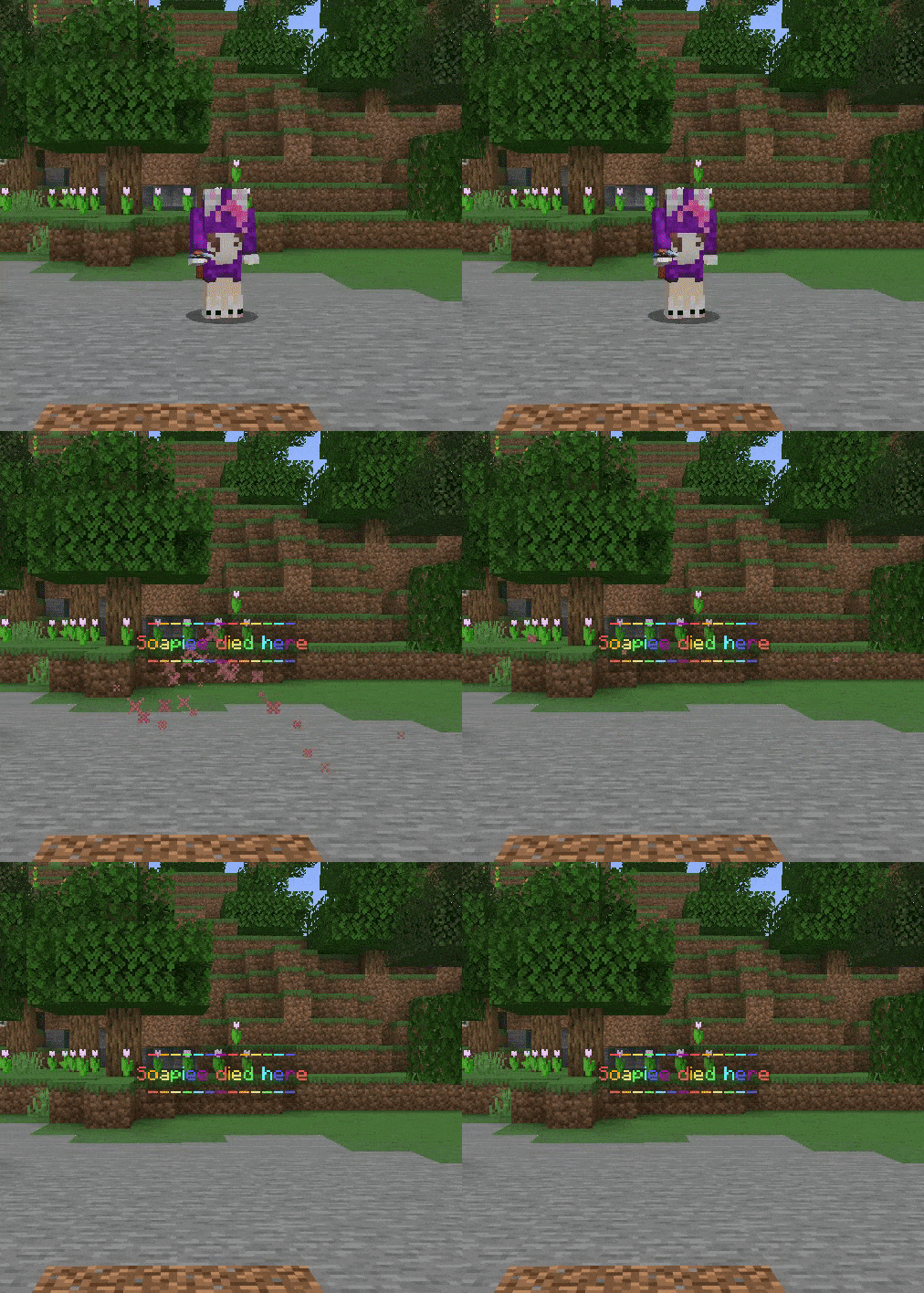
hologram_groups:
  rainbow:
    priority: 4
    design:
      - "%RainbowColor_-------------%"
      - "%RainbowColor_%player% died here%"
      - "%RainbowColor_-------------%"
KDR 全息显示
请注意,此功能使用 PlaceholderAPI 占位符 (%statistic_player_kills% 和 %statistic_deaths%)
使用 “/papi ecloud download statistics” 进行注册。
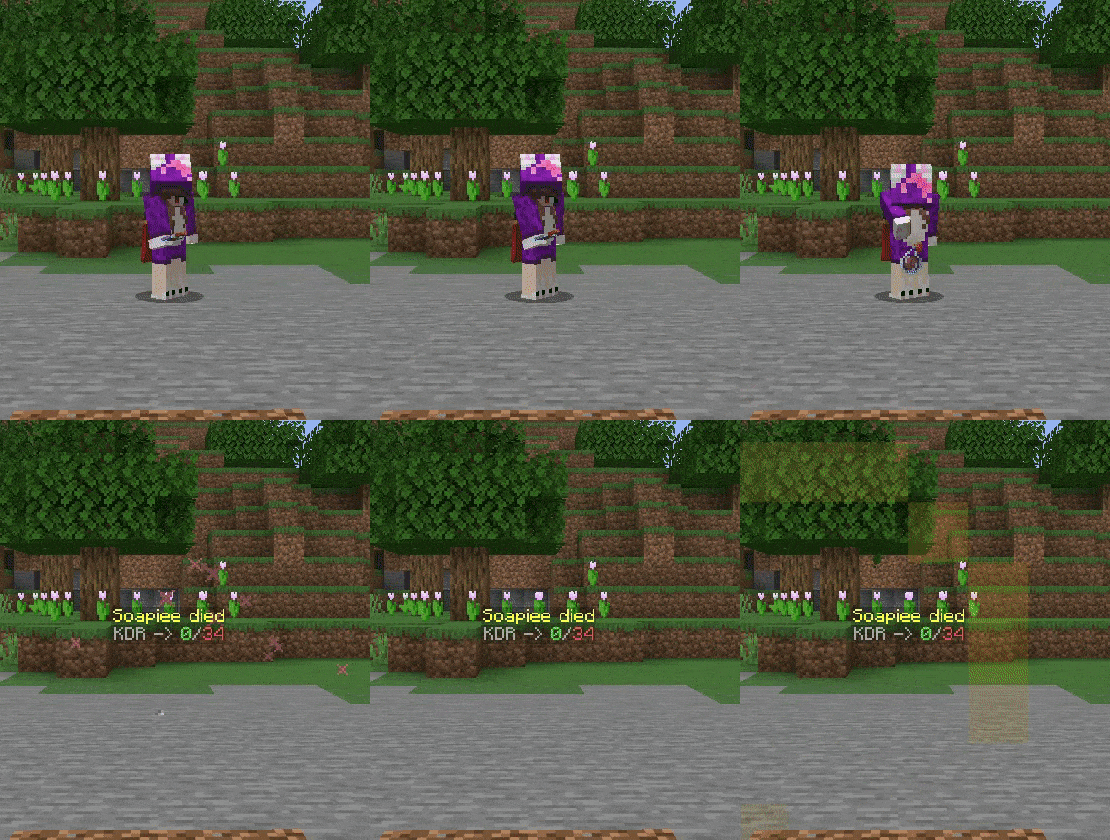
hologram_groups:
kdr:
  priority: 5
  design:
    - "&e%player% died"
    - "&7KDR -> &a%statistic_player_kills%&7/&c%statistic_deaths%"
墓碑全息显示

hologram_groups:
 gravestone:
   priority: 7
   design:
     - "&b&l   _____   "
     - "&b&l  /       \\  "
     - "&b&l  |         |  "
     - "&b&l  |   &c&lRIP  &b&l|  "
     - "&b&l  |         |  "
     - "&b&l  |         |  "
     - "&b&l  |         |  "
     - "&b&l  |         |  "
     - "&b&l  |         |  "
十六进制颜色全息显示

hologram_groups:
 colour:
   priority: 8
   design:
     - "#ff8e1c%killer%%cause%"
     - "#db162akilled"
     - "#6632ab%player% here"
表情符号全息显示

hologram_groups:
 emoji:
   priority: 9
   permission: deathholos.grwaoup.donator
   design:
     - "&a★ ★ ★ ★ ★"
     - "&e%player% died to &c%killer%%cause%"
     - "example line ②"
     - "example line ③"
     - "example line ④"
     - "example line ⑤"
     - "&a★ ★ ★ ★ ★"
标准全息显示

hologram_groups:
 default:
   priority: 10
   permission: deathholos.group.default
   design:
     - "&5&k&l||&e %player% has died &5&k&l||"
     - "&5&k&l||&e to %killer%%cause% &5&k&l||"
实体全息显示
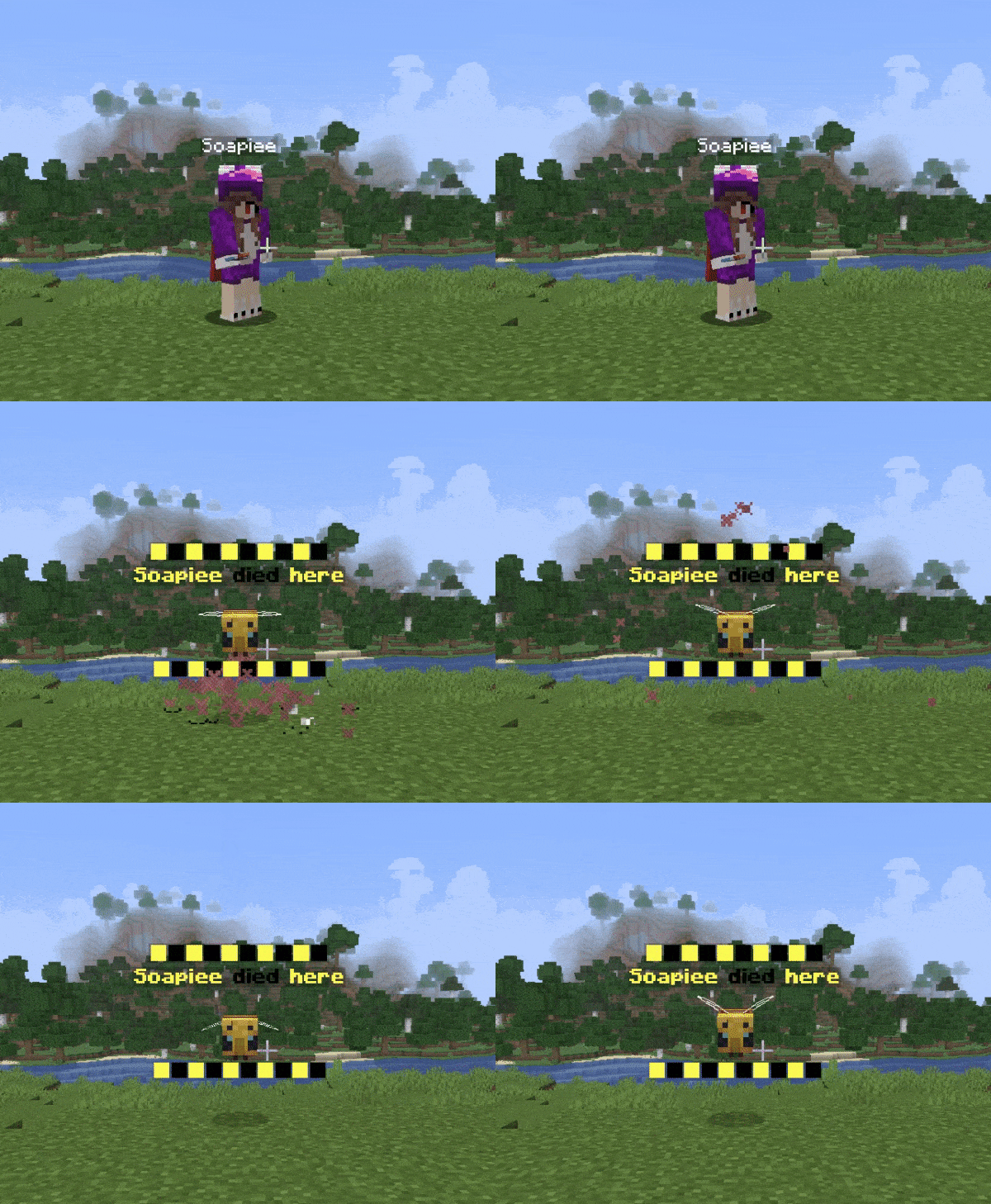
hologram_groups:
  entity:
    priority: 10
    design:
      - "&e█&0█&e█&0█&e█&0█&e█&0█&e█&0█"
      - "&e&l%player% &0&ldied &e&lhere"
      - "#ENTITY: BEE"
      - " "
      - "&e█&0█&e█&0█&e█&0█&e█&0█&e█&0█"
十六进制渐变全息显示

hologram_groups:
  gradient:
    priority: 5
    design:
      - "<#B22AFE>Gradient Text</#ff8157>"
      - "<#6CF5F3>&nMade possible with the</#1FBF37>"
      - "<#FF7F1C>&lDECENT HOLOGRAMS dependency</#ED7BDB>"
      - "<RAINBOW1>Rainbow Text</RAINBOW>"
      - "<RAINBOW1>-----------</RAINBOW>"
头颅

hologram_groups:
   heads:
    priority: 30
    design:
    - "&c%player%"
    - "#HEAD: PLAYER_HEAD (%player%)"
    - "&cdied to %killer%"
    - "#HEAD: PLAYER_HEAD (%killer%)"
动画
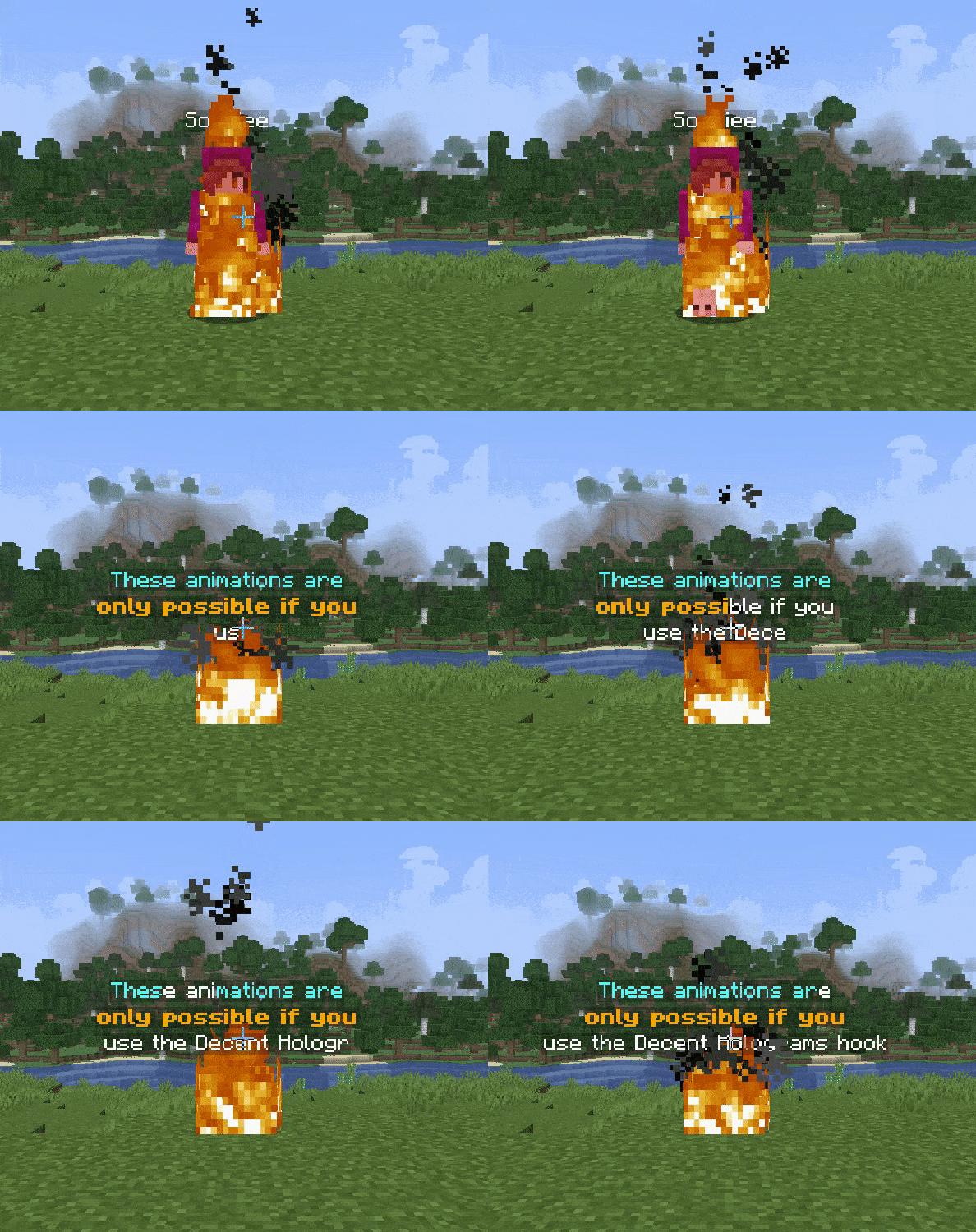
hologram_groups:
  animation:
    priority: 4
    design:
    - "<ANIM:wave:&b,&f>These animations are</ANIM>"
    - "<#ANIM:burn:&f,&6&l>only possible if you</#ANIM>"
    - "<#ANIM:typewriter>use the Decent Holograms hook</#ANIM>"
FancyHolograms 的十六进制颜色全息显示
请注意,只有在使用 FancyHolograms(一个可选依赖项)来生成你的全息图时,此功能才可用。
这是使用 MiniMessages 创建的,点击此处 了解有关 MiniMessage 格式的更多信息。

hologram_groups:
  fancyHoloHexcolour:
    priority: 10
    design:
      - "<#ff8e1c>%killer%%cause%"
      - "<#db162a>killed"
      - "<#6632ab>%player% here"
Shadow Text Hologram
请注意,只有在使用 FancyHolograms(一个可选依赖项)来生成你的全息图时,此功能才可用。
这是使用 MiniMessages 创建的,点击此处 了解有关 MiniMessage 格式的更多信息。

hologram_groups:
  fancyHoloShadow:
    priority: 5
    design:
      - "<shadow:red>This is <shadow:aqua:0.5>a shadow</shadow>!"
      - "<yellow><shadow:white>%player% died here</shadow>!"
MiniMessage Heads
请注意,只有在使用 FancyHolograms(一个可选依赖项)来生成你的全息图时,此功能才可用。
这是使用 MiniMessages 创建的,点击此处 了解有关 MiniMessage 格式的更多信息。

hologram_groups:
   heads:
    priority: 30
    design:
      - "&r<head:%killer%> %killer%"
      - "killed"
      - "&r<head:%player%> %player%"

管理员命令
| 命令 | 权限 | 描述 | 默认值 |
|---|---|---|---|
| /adh, /admindh, /adeathholos | deathholos.admin |
允许访问管理员命令 | OP |
| /adh help | deathholos.admin |
访问管理员帮助命令 | OP |
| /adh reload | deathholos.admin.reload |
重新加载插件 | OP |
| /adh spawn [hologram_group] | deathholos.admin |
在你所在的位置生成全息图 | OP |
deathholos.admin.updatenotif |
如果插件有更新,则给用户发送通知 | OP |
玩家权限
| 命令 | 权限 | 描述 | 默认值 |
|---|---|---|---|
deathholos.silentdeath |
玩家死亡时不会生成全息图 | false | |
deathholos.group.{hologram_group} |
拥有此权限的全息图将在玩家死亡时生成。如果未为玩家设置任何全息图,则将生成优先级最低的全息图。如果玩家拥有多个全息图组权限,则将使用优先级最高的那个。 | false |

你是这个资源的作者?登录后可认领此资源。
相似资源
 插件
自定义你的Minecraft头像!
 插件

通过数据包为工作台、熔炉、附魔台等添加动画效果!
 插件
一个功能丰富、完全动画化的箱子插件,适用于 Paper 1.21.x,支持 IA、Vault、PlaceholderAPI 和 Citizens
 插件
创建拥有高级技能、属性、装备等的自定义生物和首领!
 插件

使用数据包实现的简单、轻量且快速的 NPC 插件
 插件

免费、开源的全息投影和动态 NPC 系统,支持一键部署,可在游戏内、浏览器中或通过 YAML 文件进行编辑。
评论 0
登录后参与评分
还没有评论,来抢沙发吧