
 放置信标是游戏中最繁琐的方块操作之一。一个 4 级基座是一个由 164 个方块组成的阶梯状 9×9 金字塔,而你通常只有在开始挖掘后才发现有东西挡住了位置。
这个模组会在你确认之前展示整个结构,然后为你自动建造它。
手持信标。按住按键。预览效果。
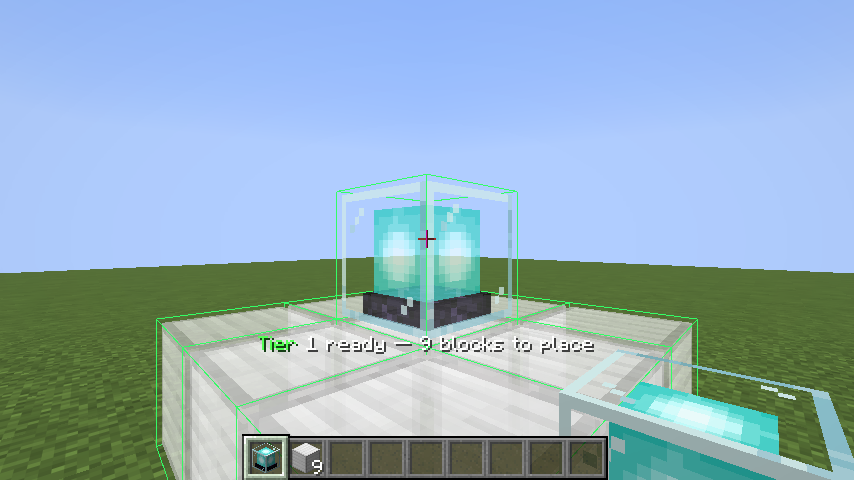
预览的大小会根据你携带的基础方块数量自动调整——它会计算出你实际上能完成的最高等级,并将你已经放置的方块计入其中,因此半完成的金字塔会被补全而不是重新开始。
将要填充的槽位会显示为真实方块的半透明虚影。被预览的铁块看起来就像铁块一样。
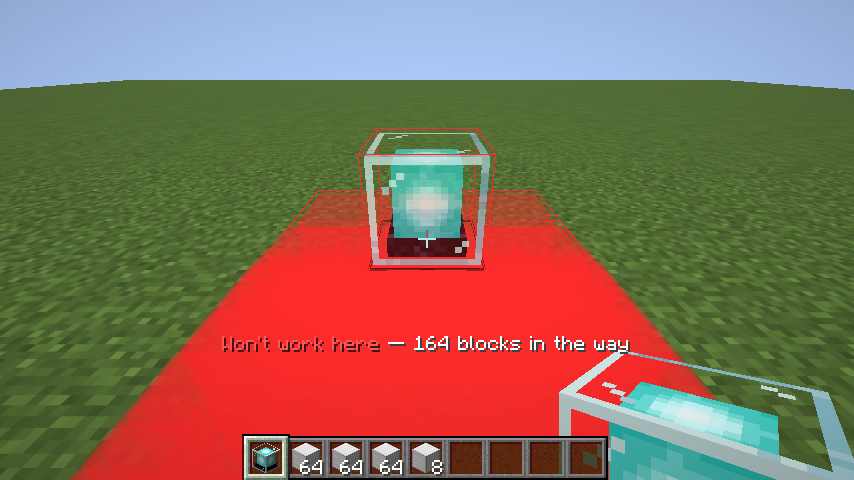
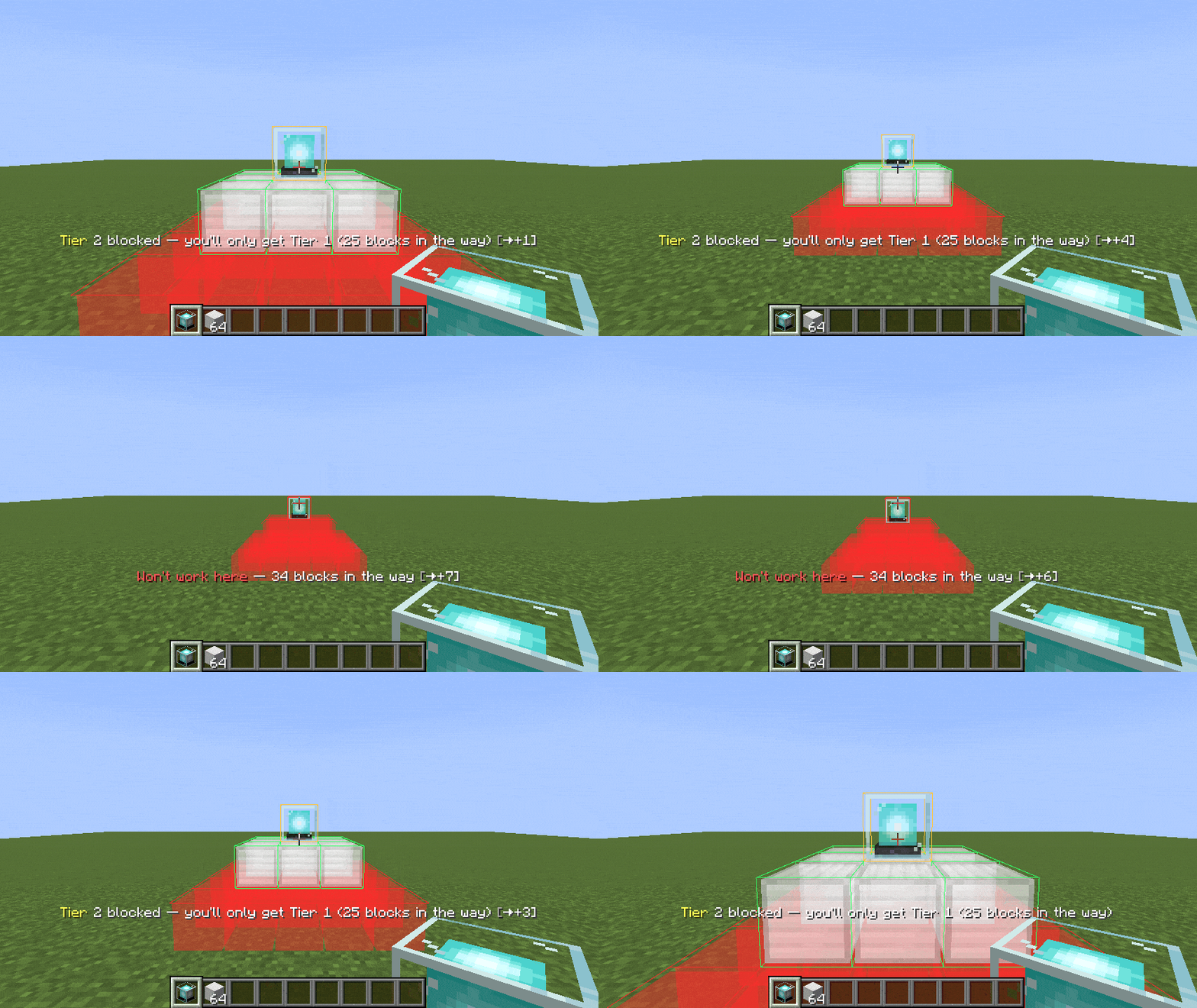
它会告诉你什么挡住了路——穿透地面
金字塔延伸到信标的下方,因此瞄准平坦地形意味着需要挖掘。所有阻挡物都会以红色显示并直接穿透固体方块可见,这样你就可以看到需要清理的确切体积,而不必先破坏任何东西。
以及它是否真的能生效
4 级占地面积是 9×9,且大部分位于你身后。你不应该需要逐个检查它们,所以模组会给出一个结论:
| ? 绿色 | 能达到显示的等级 |
| ? 琥珀色 | 只能达到较低的等级 |
| ? 红色 | 完全无法工作 |
状态栏会明确说明——"4 级受阻——你只能获得 2 级"——因为信标的等级受限于从底部向上计数的第一个不完整的层。
然后只需一键
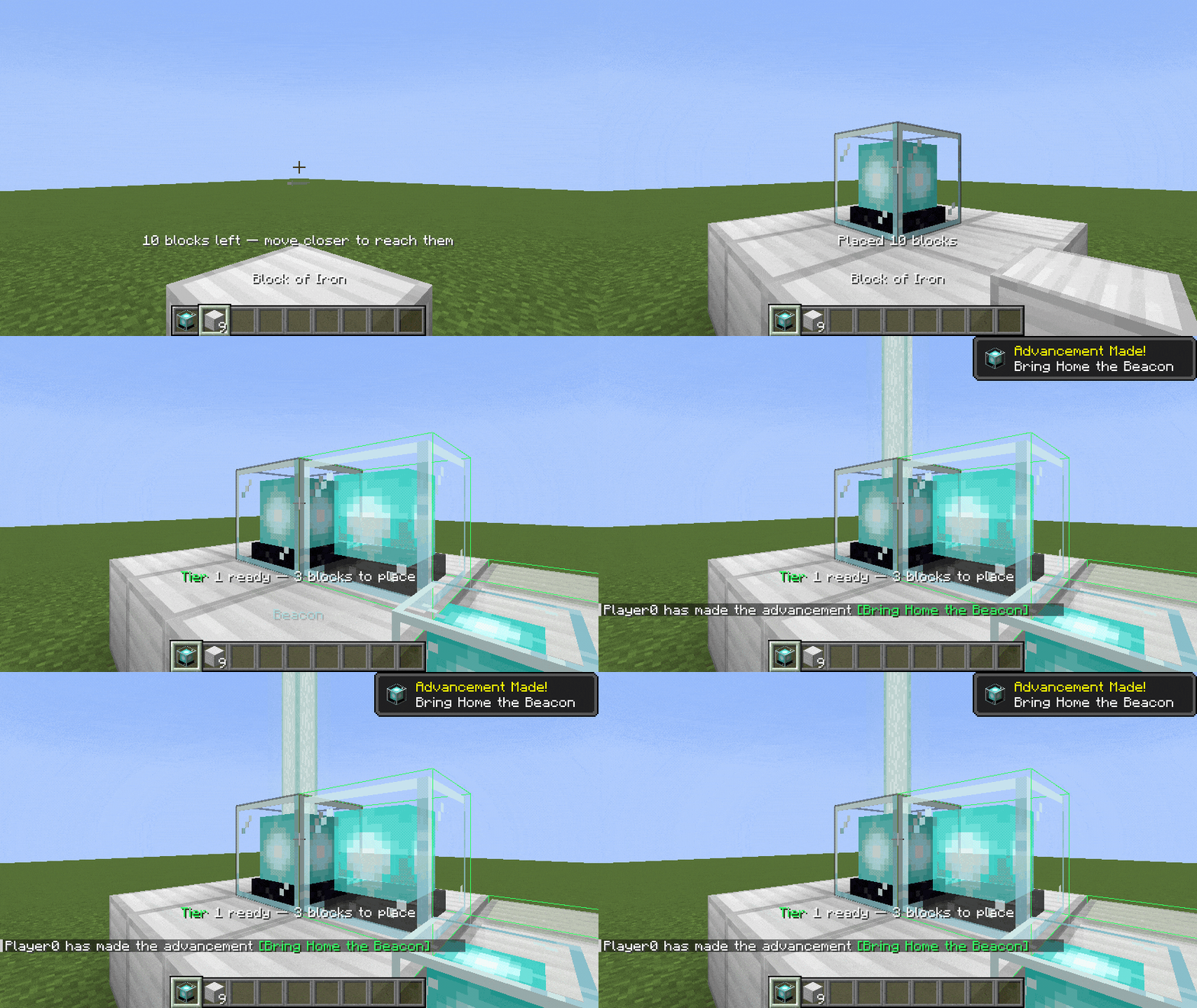
方块会自动为你放置,经过世界验证,并在服务器拒绝时重试,这样你就不会在基座上留下空洞。
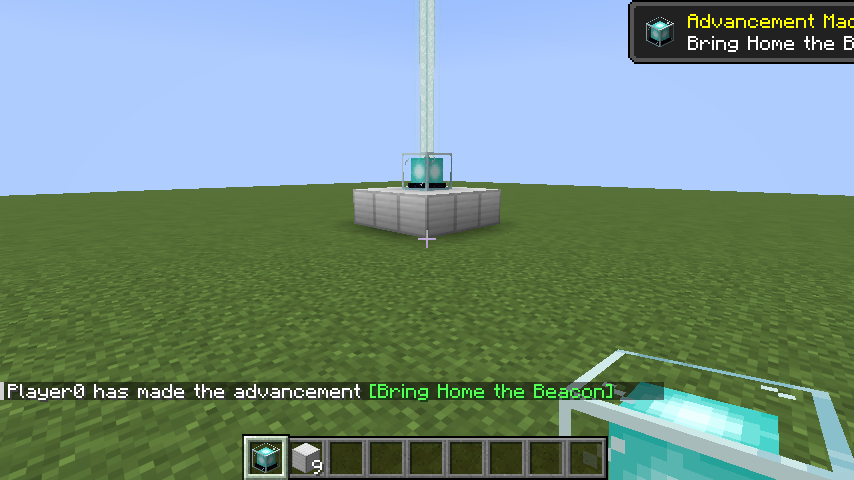
精确放置
- 鼠标滚轮 — 沿视线方向推动预览
- 潜行 + 滚轮 — 垂直上下移动
- 瞄准开放天空也有效,不仅仅是对准某个方块
控制方式
| 操作 | 默认键位 |
|---|---|
| 显示全息投影(按住) | Left Alt |
| 拉近 / 拉远 | 鼠标滚轮 |
| 上移 / 下移 | 潜行 + 滚轮 |
| 切换等级 / 取消建造 | V |
| 执行建造 | 在全息投影显示时右键点击 |
所有按键均可重新绑定。任何属于 #minecraft:beacon_base_blocks 标签中的方块都适用,因此模组添加的基础方块也自动支持。
安装
你只需要客户端文件。在服务器上安装是可选的,其作用仅有一项:移除距离限制。
| 你的设置 | 文件 | 还需要 |
|---|---|---|
| Fabric / Quilt | easy_beacon_placement-fabric-*.jar → mods/ |
Fabric API |
| NeoForge | easy_beacon_placement-neoforge-*.jar → mods/ |
无 |
| Paper / Spigot 服务器 | easy_beacon_placement-paper-*.jar → plugins/ |
无 |
双方设置不匹配也没关系——带有该模组的客户端可以加入没有它的服务器,反之亦然。没有任何内容被注册为必需,因此没有人会被踢出。
关于距离限制
如果在服务端未安装任何内容,方块是通过原版右键点击时使用的相同调用进行放置的。服务器无法区分这种差异,这就是为什么它在原版、Paper、Spigot、Purpur 和 Folia 未经修改的情况下也能正常工作的原因——但此时会应用服务器自身的距离限制(4.5 个方块),因此大型金字塔需要你四处走动。超出距离的方块会保持排队状态,并且你会收到通知,而不会丢失它们。
在服务端安装该模组或 Paper 插件后,该限制就会消失:服务器将直接放置结构。
它并没有赋予你手动无法完成的操作。信标仍必须在你的手中,方块仍会从你的库存中消耗,世界边界、世界高度和出生点保护也都依然有效。在 Paper 上,每个方块都作为正常的方块放置事件提供,因此 WorldGuard、GriefPrevention 等插件可以否决单个方块——任何被拒绝的方块都会退款。
⚠️ 这是一个自动建造模组,与 Litematica 的打印机或建筑法杖属于同一类别。某些服务器禁止客户端自动化,无论数据包看起来多么普通。请检查你服务器的规则。
MIT 许可。作者:Jom3a。
Beacons are the most tedious block in the game to place. A tier-4 base is 164 blocks in a
stepped 9×9 pyramid, and you usually only discover something was in the way after you have started
digging.
This mod shows you the whole structure before you commit, then builds it for you.
Hold a beacon. Hold a key. See it.
The preview is sized automatically to the base blocks you are carrying — it works out the largest tier you can actually complete, and counts blocks you have already placed towards it, so a half-finished pyramid gets finished rather than restarted.
Slots that will be filled are shown as a translucent ghost of the real block. A previewed iron block looks like iron.
It tells you what is in the way — through the ground
The pyramid goes below the beacon, so aiming at flat terrain means digging. Everything blocking it is drawn red and visible straight through solid blocks, so you can see the exact volume you need to clear without breaking anything first.
And whether it will actually work
A tier-4 footprint is 9×9 and mostly behind you. You should not have to inspect it block by block, so the mod gives you a verdict instead:
| ? Green | will reach the tier shown |
| ? Amber | will only manage a lower tier |
| ? Red | will not work at all |
The status line spells it out — "Tier 4 blocked — you'll only get Tier 2" — because a beacon's tier is capped by the first incomplete layer counting up from the bottom.
Then one click
Blocks are placed for you, verified against the world, and retried if the server rejects one, so you do not end up with holes in the base.
Position it exactly
- Mouse wheel — push the preview along your line of sight
- Sneak + wheel — move it straight up and down
- Works aiming at open sky, not just at a block
Controls
| Action | Default |
|---|---|
| Show the hologram (hold) | Left Alt |
| Move nearer / further | Mouse wheel |
| Move up / down | Sneak + wheel |
| Cycle tier / cancel a build | V |
| Build it | Right-click while the hologram is shown |
All rebindable. Any block in the #minecraft:beacon_base_blocks tag works, so modded base blocks
are supported automatically.
Installing
You only need the client file. Installing on a server is optional and does exactly one thing: removes the reach limit.
| Your setup | File | Also needs |
|---|---|---|
| Fabric / Quilt | easy_beacon_placement-fabric-*.jar → mods/ |
Fabric API |
| NeoForge | easy_beacon_placement-neoforge-*.jar → mods/ |
nothing |
| Paper / Spigot server | easy_beacon_placement-paper-*.jar → plugins/ |
nothing |
Mismatched setups are fine in both directions — a client with the mod can join a server without it, and vice versa. Nothing is registered as required, so nobody gets kicked.
About reach
With nothing installed server-side, blocks are placed through the same call vanilla makes when you right-click. The server cannot tell the difference, which is why this works on vanilla, Paper, Spigot, Purpur and Folia untouched — but the server's own reach limit (4.5 blocks) then applies, so large pyramids need you to walk around. Out-of-reach blocks stay queued and you are told about them rather than losing them.
Install the mod or the Paper plugin server-side and that limit disappears: the server places the structure directly.
It grants nothing you could not already do by hand. The beacon must still be in your hand, blocks are still consumed from your inventory, and world border, world height and spawn protection are all enforced. On Paper every block is offered as a normal block-place event, so WorldGuard, GriefPrevention and similar can veto individual blocks — anything refused is refunded.
⚠️ This is an auto-build mod, the same category as Litematica's printer or building wands. Some servers forbid client-side automation regardless of how ordinary the packets look. Check your server's rules.
MIT licensed. By Jom3a.

下载 EASY BEACON PLACEMENT
下载 EASY BEACON PLACEMENT
下载 EASY BEACON PLACEMENT
下载 EASY BEACON PLACEMENT
下载 EASY BEACON PLACEMENT
下载 EASY BEACON PLACEMENT
下载 EASY BEACON PLACEMENT
下载 EASY BEACON PLACEMENT
下载 EASY BEACON PLACEMENT
暂无更新日志
关于这个资源的讨论、问题反馈与使用心得
还没有讨论,来发第一帖吧
你是这个资源的作者?登录后可认领此资源。
相似资源
 插件

PacketEvents 是一款专为 Minecraft Java 版打造的协议库,旨在简化数据包的处理与传输。
 插件
ExyliaPlugins 的库。
 插件
通过对话框或铁砧界面帮助你的 Anthme
 插件
重新定义服务器上的生物运输方式。使用高度可定制的口袋道具,安全地捕获、存储和释放任何实体。
 插件
为基于 Spigot/Paper/Folia 的服务器添加对 Vivecraft 的支持
 插件
用于绘制游戏内地图或在浏览器中随探索实时进行地图绘制的实时地图。
评论 0
登录后参与评分
还没有评论,来抢沙发吧