ElytraArmored
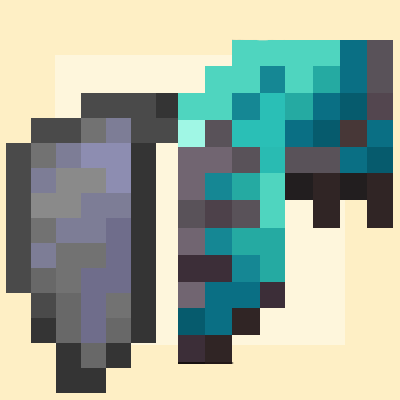
无需为了获得内置的鞘翅而牺牲你的盔甲纹饰。自动转换 TeaksTweaks 的装甲鞘翅,并支持设置从任何其他装甲鞘翅插件进行自动转换。
在铁砧上将胸甲与鞘翅组合;在砂轮上再次将它们分开。
与大多数实现不同,结果看起来像胸甲,因此你在飞行时盔甲纹饰依然可见。
Paper 26.1+。
工作原理及为何精灵图是胸甲
大多数装甲鞘翅实现以鞘翅为基础物品,并通过属性修饰符附加盔甲。这就是为什么它们显示鞘翅翅膀并丢失你的纹饰的原因。
本插件将其反转。Minecraft 的 minecraft:glider 数据组件使任何可装备的物品都能滑翔——这是原版鞘翅本身使用的组件。将其附加到胸甲上可以在保持物品为真实胸甲的同时提供鞘翅飞行功能:
- 拥有自己的精灵图和装备模型,因此盔甲纹饰正常显示
- 拥有自己的护甲值和韧性值,无需使用属性修饰符来伪造
- 拥有自己的耐久条和修复配方
- 拥有自己的附魔,其行为始终如一
Paper 直接暴露了这一点:
result.setData(DataComponentTypes.GLIDER);    // 组合
result.unsetData(DataComponentTypes.GLIDER);  // 分离
没有欺骗行为,因此没有客户端要求,也不需要资源包。未安装任何插件的玩家看到的只是一个恰好能飞行的普通带纹饰胸甲。
使用方法
组合: 将胸甲和鞘翅扔向铁砧。它们会合并,伴随铁砧的撞击声和火焰粒子爆发,结果物品掉落在此方块上方。
分离: 将组合后的物品扔向砂轮。它以相同的方式分开,两个物品都掉落其上。鞘翅会完全恢复原状——包括耐久、附魔、自定义名称等——因为整个原始物品被存储在组合物品内部,而不是从记住的字段中重建。同时,胸甲上的风味行(flavour line)会被移除,因此分离后不留痕迹。
组合物品的本质
它是你的胸甲,保持不变,同时也能滑翔。原版胸甲体验没有任何改变:
- 它自己的附魔,正常工作——保护、耐久、经验修补、荆棘。
- 附魔闪烁效果,因为附魔确实存在。
- 它自己的耐久条,从胸甲原有的位置开始。鞘翅的磨损不会复制到它上面。
- 它自己的护甲值、韧性和纹饰。
组合时的鞘翅耐久。 当鞘翅储存在胸甲内时,它根本不会磨损。如果设置为 drop.elytra-durability: preserved,组合就成为让鞘翅进入静止状态的一种方式。设置为 proportional 则鞘翅会以与胸甲相同的百分比磨损程度返回。这两种设置都不会摧毁它;它在损坏前一点停止。
附魔不会合并。 组合物品保留胸甲的附魔;鞘翅的附魔在分离时被存储并恢复。这保持了操作的可逆性。由于滑翔现在消耗胸甲的耐久,因此应用的是胸甲的耐久和修补附魔——这是连贯的,只是与基于鞘翅的方法不同。
从其他装甲鞘翅插件迁移
如果你的服务器已经有来自 Teak's Tweaks、Vanilla Tweaks、数据包或其他插件的装甲鞘翅,你可以关闭那里的该功能并保持所有人的物品正常工作。这些物品是通过属性修饰符附加盔甲的鞘翅;当理解它们的插件禁用时,它们变成携带杂乱数据的普通鞘翅。
此插件检测它们并将其重建为自己的格式。两半都是全新构建的,因此另一个实现的属性修饰符和管理信息被丢弃——护甲值现在来自真实的胸甲,因此不再需要那些修饰符。耐久、附魔和自定义名称可以保留。
转换在登录时自动发生(compatibility.convert-on-join),当物品后来出现在潜影盒或交易中时(compatibility.convert-on-click),或通过 /elytraarmored convert [player|all] 按需执行。
命令与权限
| 命令 |
效果 |
/elytraarmored reload |
重新读取 config.yml 和兼容性规则 |
/elytraarmored info |
显示当前设置 |
/elytraarmored inspect |
转储手中物品的匹配值,以及哪个规则匹配 |
/elytraarmored convert [player|all] |
按需转换旧版物品 |
elytraarmored.admin — 默认由 OP 拥有,用于上述命令。elytraarmored.craft — 默认所有人都有;控制组合和分离。
别名:/earmored.
复杂事项
编写检测规则
检测是配置的,而非硬编码的,这是故意的。 每种实现都以不同的方式标记其物品,且均未被可靠记录——Teak's Tweaks 自身的问题跟踪器将其存储格式描述为复杂。与其发送可能静默失败的猜测,该插件提供了一种从真实物品上读取答案的方法:
1. 手持一个旧版装甲鞘翅。
2. /elytraarmored inspect
3. 列出规则可以匹配的所有值,并标注其选项名称。
4. 将独特的值复制到 compatibility.rules,然后执行 /elytraarmored reload。
5. 手持物品并再次检查——现在它会报告哪个规则匹配。
升级现有安装? config.yml 在更新时永远不会被覆盖,因此在这些规则存在之前编写的配置仍然具有空的 compatibility.rules 部分,且什么都不会转换。删除 config.yml 并重启以重新生成它,或将下面的规则块粘贴到你的现有文件中。插件在启动时若未加载任何规则会记录警告。
Teak's Tweaks 现在附带一条规则,已通过真实物品验证。它将原版物品都存储在鞘翅内部(teakstweaks:chestplate_storage / teakstweaks:elytra_storage),因此该插件可以恢复出完整的胸甲——材质、镶边、附魔和名称均保持不变——且一条规则即可覆盖所有护甲等级:
compatibility:
  rules:
    teaks-tweaks:
      material: ELYTRA
      pdc-keys: ['teakstweaks:armored_elytra']
      chestplate-from-pdc: 'teakstweaks:chestplate_storage'
      elytra-from-pdc: 'teakstweaks:elytra_storage'
      chestplate: diamond_chestplate      # 如果无法读取存储数据时的后备方案
      chestplate-durability: proportional
对于一种不存储原版物品的实现方式,请指定一个固定的材质,并为每个等级编写单独的规则:
compatibility:
  rules:
    their-netherite:
      material: ELYTRA
      pdc-keys: ['someplugin:armored_elytra']
      name-contains: 'Netherite'
      chestplate: netherite_chestplate
      transfer-enchantments: true
      chestplate-durability: full        # 或 'proportional'
你设置的所有条件都必须匹配;未指定的条件将被忽略。完全不包含任何条件的规则会被拒绝,因为它会将服务器上所有的普通鞘翅进行转换。
存储的物品会从任意一种常见编码中解码——Bukkit 的物品字节格式、通过 BukkitObjectOutputStream 的 Java 序列化、两者的 base64 编码、YAML,或是嵌套的字段容器——因此其他插件选择哪种形式并不重要。
如果 inspect 显示某个 PDC 键的值无法打印为纯数字或字符串——例如 <312 bytes; a serialized item?> 或嵌套的 {...} ——则该键持有的是存储物品。请将 chestplate-from-pdc 指向它。解码器接受序列化字节、base64、YAML 以及逐字段的容器,因此其他插件选择哪种形式并不重要。
config.yml 中的注释示例具有正确的选项名称,但占位符值——请使用 inspect 进行验证,而不要盲目复制。
配置
drop.anvil-combine / drop.grindstone-split — 启用各自的操作。drop.elytra-durability — preserved 或 proportional,上文已描述。drop.sound / drop.particles — 合并或分离成功后的反馈音效与粒子效果。drop.check-interval-ticks — 轮询松散物品的频率;数值越低响应越灵敏。allowed-chestplates — 限制符合条件的胸甲类型;留空则允许所有类型。lore.enabled / lore.text / lore.color — 组合物品上的提示行文本及其颜色。
ElytraArmored
Never sacrifice your armor trim just to have a built in elytra. Automatically converts TeaksTweaks armored elytra, with support for setting automatic conversion from any other armored elytra plugin.
Combine a chestplate and an elytra on an anvil; split them apart again on a grindstone.
Unlike most implementations, the result looks like the chestplate, so your armor trim
stays visible while you fly.
Paper 26.1+.
How it works, and why the sprite is the chestplate
Most armored-elytra implementations keep the elytra as the base item and bolt armor
onto it with attribute modifiers. That's why they show elytra wings and lose your trim.
This one inverts it. Minecraft's minecraft:glider data component makes any equippable
item glide — it's the component the vanilla elytra itself uses. Attaching it to a
chestplate gives elytra flight while the item stays a real chestplate:
- its own sprite and equipped model, so armor trims show normally
- its own armor and toughness values, with no attribute modifiers to fake
- its own durability bar and its own repair recipe
- its own enchantments, which behave exactly as they always did
Paper exposes this directly:
result.setData(DataComponentTypes.GLIDER);    // combine
result.unsetData(DataComponentTypes.GLIDER);  // split
Nothing is spoofed, so there are no client-side requirements and no resource pack. A
player without anything installed sees a normal trimmed chestplate that happens to fly.
Using it
Combine: throw a chestplate and an elytra onto an anvil. They merge with an anvil clang
and a burst of flame particles, and the result drops on top of the block.
Split: throw the combined item onto a grindstone. It comes apart the same way, and both
items drop on top. The elytra comes back exactly as it went in — durability, enchantments,
custom name and all — because the whole original item is stored inside the combined one rather
than reconstructed from remembered fields. The flavour line is stripped from the chestplate at
the same time, so splitting leaves no trace.
What the combined item is
It is your chestplate, unchanged, that can also glide. Nothing about the vanilla chestplate
experience is altered:
- Its own enchantments, working normally — Protection, Unbreaking, Mending, Thorns.
- The enchanted glint, because the enchantments are really there.
- Its own durability bar, starting wherever the chestplate was. The elytra's wear is not
copied onto it.
- Its own armor value, toughness and trim.
Elytra durability while combined. The stored elytra doesn't wear at all while it's
inside the chestplate. With drop.elytra-durability: preserved that makes combining
a way to park an elytra in stasis. Set it to proportional and the elytra returns worn to
the same percentage as the chestplate. Neither setting can destroy it; it stops one point
short of breaking.
Enchantments don't merge. The combined item keeps the chestplate's enchantments; the
elytra's are stored and restored on splitting. This keeps the operation exactly reversible.
Since gliding now draws on the chestplate's durability, it's the chestplate's Unbreaking
and Mending that apply — which is coherent, just different from an elytra-based approach.
Migrating from another armored elytra plugin
If your server already has armored elytras from Teak's Tweaks, Vanilla Tweaks, a datapack, or
another plugin, you can switch that feature off there and keep everyone's items working.
Those items are elytras with armor bolted on via attribute modifiers; when the plugin that
understands them is disabled, they become ordinary elytras carrying stray data.
This plugin detects them and rebuilds them as its own. Both halves are constructed fresh, so
the other implementation's attribute modifiers and bookkeeping are dropped — the armor value
now comes from a real chestplate, so none of it is needed. Durability, enchantments and custom
name carry across.
Conversion happens automatically on login (compatibility.convert-on-join) and when an item
turns up later out of a shulker box or trade (compatibility.convert-on-click), or on demand
with /elytraarmored convert [player|all].
Commands and permissions
| Command |
Effect |
/elytraarmored reload |
Re-read config.yml and the compatibility rules |
/elytraarmored info |
Show the current settings |
/elytraarmored inspect |
Dump the held item's matchable values, and which rule matches |
/elytraarmored convert [player|all] |
Convert legacy items on demand |
elytraarmored.admin — op by default, for the commands above.elytraarmored.craft — everyone by default; controls combining and splitting.
Alias: /earmored.
Complicated Stuff
Writing the detection rule
Detection is configured, not hardcoded, and this is deliberate. Every implementation marks
its items differently, and none of it is reliably documented — Teak's Tweaks' own issue tracker
describes their storage format as complicated. Rather than ship guesses that quietly fail,
the plugin gives you a way to read the answer off a real item:
1. Hold a legacy armored elytra.
2. /elytraarmored inspect
3. Every value a rule can match on is listed, labelled with its option name.
4. Copy the distinctive ones into compatibility.rules, then /elytraarmored reload.
5. Hold the item and inspect again — it now reports which rule matched.
Upgrading an existing install? config.yml is never overwritten on update, so a config
written before these rules existed still has an empty compatibility.rules section and
nothing will convert. Delete config.yml and restart to regenerate it, or paste the rules
block below into your existing file. The plugin logs a warning at startup when no rules are
loaded.
A rule now ships for Teak's Tweaks, verified against a real item. It stores both originals
inside the elytra (teakstweaks:chestplate_storage / teakstweaks:elytra_storage), so the
plugin recovers the actual chestplate — material, trim, enchantments and name intact — and one
rule covers every armor tier:
compatibility:
  rules:
    teaks-tweaks:
      material: ELYTRA
      pdc-keys: ['teakstweaks:armored_elytra']
      chestplate-from-pdc: 'teakstweaks:chestplate_storage'
      elytra-from-pdc: 'teakstweaks:elytra_storage'
      chestplate: diamond_chestplate      # fallback if storage can't be read
      chestplate-durability: proportional
For an implementation that does not store the originals, name a fixed material instead and
write one rule per tier:
compatibility:
  rules:
    their-netherite:
      material: ELYTRA
      pdc-keys: ['someplugin:armored_elytra']
      name-contains: 'Netherite'
      chestplate: netherite_chestplate
      transfer-enchantments: true
      chestplate-durability: full        # or 'proportional'
Every condition you set must match; ones you leave out are ignored. A rule with no conditions
at all is refused, since it would convert every plain elytra on the server.
Stored items are decoded from any of the common encodings — Bukkit's item byte format, Java
serialization via BukkitObjectOutputStream, base64 of either, YAML, or a nested container of
fields — so it doesn't matter which one the other plugin picked.
If inspect shows a PDC key whose value doesn't print as a plain number or string — something
like <312 bytes; a serialized item?> or a nested {...} — that key is holding a stored item.
Point chestplate-from-pdc at it. The decoder accepts serialized bytes, base64, YAML, and
field-by-field containers, so it doesn't matter which form the other plugin chose.
The commented example in config.yml has correct option names but placeholder values —
verify them with inspect rather than copying blind.
Configuration
drop.anvil-combine / drop.grindstone-split — enable each operation.drop.elytra-durability — preserved or proportional, described above.drop.sound / drop.particles — the feedback on a successful merge or split.drop.check-interval-ticks — how often loose items are polled; lower feels snappier.allowed-chestplates — restrict which chestplates qualify; empty allows all.lore.enabled / lore.text / lore.color — the tooltip line on combined items.

 插件

 插件
 插件
 插件
 插件
 插件
评论 0
登录后参与评分
还没有评论,来抢沙发吧