EmptyNetWeb
[重要]:已添加对 26.3 版本的支持,但测试仍在进行中。如果您在使用 26.3 时遇到任何错误或问题,请使用我们的错误报告表单提交。
EmptyNetWeb 是一个轻量级的 Paper 插件,它将一个零依赖的 HTTP Web 服务器直接嵌入到您的 Minecraft 服务器中。当服务器启动时,该插件会自动启动一个 HTTP 监听器,从插件数据文件夹内的专用目录提供静态网站文件。
这意味着您可以直接从您的 Minecraft 服务器托管网站、着陆页、API 文档或任何静态内容——无需 Apache、Nginx 或任何外部托管服务。
工作原理
嵌入式 Web 服务器使用 com.sun.net.httpserver.HttpServer ——这是一个内置的 JDK 类,不需要任何外部依赖。它:
- 在独立的缓存线程池中运行
- 支持任何文件类型(HTML、CSS、JS、图片、字体等)
- 根据文件扩展名自动检测 MIME 类型
- 通过规范化请求路径来防止目录遍历攻击
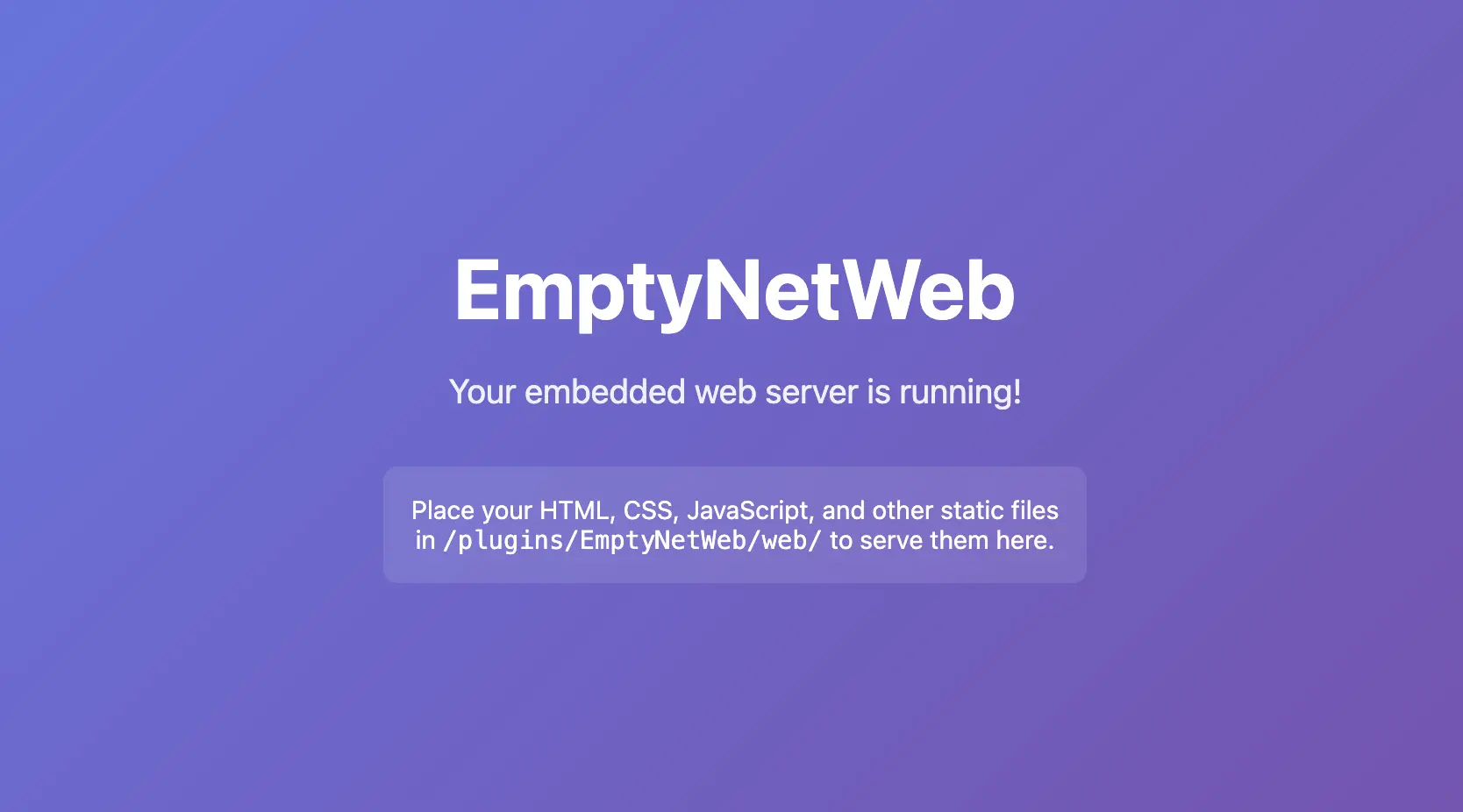
- 如果 Web 根目录为空,则创建默认的
index.html
- 支持优雅关闭,为进行中的请求提供 2 秒的宽限期
安装
- 下载 releases 页面中的
EmptyNetWeb-1.0.0.jar
- 放置 JAR 文件到服务器的
plugins/ 文件夹中
- 重启您的 Paper 服务器(或使用
/reload——尽管建议重启)
- 插件将自动创建以下结构:
/plugins/EmptyNetWeb/
├── config.yml
└── web/
    └── index.html
- 打开浏览器并导航至
http://your-server-ip:8080/
配置
插件的配置文件位于 /plugins/EmptyNetWeb/config.yml:
# 嵌入式 Web 服务器监听的端口。
# 默认值:8080
port: 8080

# 当客户端连接到 Web 服务器时,是否在服务器控制台中打印消息。
# 默认值:true
notify-on-connect: true

# 是否将客户端连接记录到文件中。
# 日志存储在:/plugins/EmptyNetWeb/logs/
# 每条记录包含客户端的 IP 地址和时间戳。
# 默认值:false
log-connections: false
配置选项
| 选项 |
类型 |
默认值 |
描述 |
port |
整数 |
8080 |
Web 服务器监听的 HTTP 端口 |
notify-on-connect |
布尔值 |
true |
当客户端连接时显示控制台消息 |
log-connections |
布尔值 |
false |
将每次连接(IP + 时间戳)记录到文件中以供审计 |
提供 Web 内容
将您的静态文件放置在 /plugins/EmptyNetWeb/web/ 中。目录结构完全由您决定。
示例结构
/plugins/EmptyNetWeb/web/
├── index.html
├── about.html
├── css/
│   └── style.css
├── js/
│   └── script.js
├── images/
│   ├── logo.png
│   └── background.jpg
└── fonts/
    └── custom-font.woff2
URL 映射
| 文件路径 |
URL |
web/index.html |
http://localhost:8080/ |
web/about.html |
http://localhost:8080/about.html |
web/css/style.css |
http://localhost:8080/css/style.css |
web/images/logo.png |
http://localhost:8080/images/logo.png |
注意: 如果请求的是目录(例如 /css/),服务器将在该目录内查找 index.html。如果不存在,则返回 404。
连接日志
当在 config.yml 中设置 log-connections: true 时,插件会将每个 HTTP 请求记录到 /plugins/EmptyNetWeb/logs/connections.log。
日志格式
[2026-07-24 12:30:45] Connection from 192.168.1.100 - /index.html
[2026-07-24 12:31:02] Connection from 192.168.1.100 - /css/style.css
[2026-07-24 12:32:18] Connection from 10.0.0.5 - /images/logo.png
每条记录包含:
- 时间戳 — 请求的日期和时间(服务器本地时间)
- 客户端 IP — 发起请求的客户端的 IP 地址
- 请求路径 — 被请求的 URI 路径
安全性
- 目录遍历保护: 服务器会规范化所有请求路径,并拒绝包含
.. 序列的请求,从而防止客户端访问 Web 根目录之外的文件。
- 无外部依赖: Web 服务器仅使用 JDK 内置类,减少攻击面。
- 可配置端口: 您可以更改端口以避免与其他服务冲突。
支持的文件类型
| 扩展名 |
MIME 类型 |
.html |
text/html; charset=utf-8 |
.css |
text/css; charset=utf-8 |
.js |
application/javascript |
.json |
application/json |
.png |
image/png |
.jpg/.jpeg |
image/jpeg |
.gif |
image/gif |
.svg |
image/svg+xml |
.ico |
image/x-icon |
.woff/.woff2 |
font/woff / font/woff2 |
.ttf |
font/ttf |
.otf |
font/otf |
.pdf |
application/pdf |
.zip |
application/zip |
.xml |
application/xml |
.txt |
text/plain |
| (其他) |
application/octet-stream |
支持
如需反馈问题或提交评测,请访问 表单。
赞助支持

EmptyNetWeb
[Important]: Support for version 26.3 has been added, but testing is still ongoing. If you encounter any bugs or errors while using 26.3, please submit them using our bug report form.
EmptyNetWeb is a lightweight Paper plugin that embeds a zero-dependency HTTP web server directly into your Minecraft server. When the server starts, the plugin automatically launches an HTTP listener that serves static website files from a dedicated directory inside the plugin's data folder.
This means you can host a website, landing page, API documentation, or any static content directly from your Minecraft server — no need for Apache, Nginx, or any external hosting service.
How It Works
The embedded web server uses com.sun.net.httpserver.HttpServer — a built-in JDK class that requires no external dependencies. It:
- Runs in its own cached thread pool
- Serves any file type (HTML, CSS, JS, images, fonts, etc.)
- Automatically detects MIME types based on file extensions
- Prevents directory traversal attacks by normalizing request paths
- Creates a default
index.html if the web root is empty
- Supports clean shutdown with a 2-second grace period for in-flight requests
Installation
- Download the
EmptyNetWeb-1.0.0.jar from the releases page
- Place the JAR file into your server's
plugins/ folder
- Restart your Paper server (or use
/reload — though a restart is recommended)
- The plugin will create the following structure automatically:
/plugins/EmptyNetWeb/
├── config.yml
└── web/
    └── index.html
- Open your browser and navigate to
http://your-server-ip:8080/
Configuration
The plugin's configuration file is located at /plugins/EmptyNetWeb/config.yml:
# The port the embedded web server will listen on.
# Default: 8080
port: 8080

# Whether to print a message in the server console
# when a client connects to the web server.
# Default: true
notify-on-connect: true

# Whether to log client connections to a file.
# Logs are stored in: /plugins/EmptyNetWeb/logs/
# Each entry includes the client's IP address and timestamp.
# Default: false
log-connections: false
Configuration Options
| Option |
Type |
Default |
Description |
port |
Integer |
8080 |
The HTTP port the web server listens on |
notify-on-connect |
Boolean |
true |
Show a console message when a client connects |
log-connections |
Boolean |
false |
Log each connection (IP + timestamp) to a file for auditing |
Serving Web Content
Place your static files in /plugins/EmptyNetWeb/web/. The directory structure is entirely up to you.
Example Structure
/plugins/EmptyNetWeb/web/
├── index.html
├── about.html
├── css/
│   └── style.css
├── js/
│   └── script.js
├── images/
│   ├── logo.png
│   └── background.jpg
└── fonts/
    └── custom-font.woff2
URL Mapping
| File Path |
URL |
web/index.html |
http://localhost:8080/ |
web/about.html |
http://localhost:8080/about.html |
web/css/style.css |
http://localhost:8080/css/style.css |
web/images/logo.png |
http://localhost:8080/images/logo.png |
Note: If a directory is requested (e.g., /css/), the server will look for an index.html inside that directory. If none exists, a 404 is returned.
Connection Logging
When log-connections: true is set in config.yml, the plugin records every HTTP request to /plugins/EmptyNetWeb/logs/connections.log.
Log Format
[2026-07-24 12:30:45] Connection from 192.168.1.100 - /index.html
[2026-07-24 12:31:02] Connection from 192.168.1.100 - /css/style.css
[2026-07-24 12:32:18] Connection from 10.0.0.5 - /images/logo.png
Each entry contains:
- Timestamp — Date and time of the request (server local time)
- Client IP — The IP address of the requesting client
- Requested Path — The URI path that was requested
Security
- Directory Traversal Protection: The server normalizes all request paths and rejects any that contain
.. sequences, preventing clients from accessing files outside the web root.
- No External Dependencies: The web server uses only JDK built-in classes, reducing the attack surface.
- Configurable Port: You can change the port to avoid conflicts with other services.
Supported File Types
| Extension |
MIME Type |
.html |
text/html; charset=utf-8 |
.css |
text/css; charset=utf-8 |
.js |
application/javascript |
.json |
application/json |
.png |
image/png |
.jpg/.jpeg |
image/jpeg |
.gif |
image/gif |
.svg |
image/svg+xml |
.ico |
image/x-icon |
.woff/.woff2 |
font/woff / font/woff2 |
.ttf |
font/ttf |
.otf |
font/otf |
.pdf |
application/pdf |
.zip |
application/zip |
.xml |
application/xml |
.txt |
text/plain |
| (other) |
application/octet-stream |
Support
For issues or reviews, go to the form
Sponsor


 插件

 插件
 插件
 插件
 插件
 插件
评论 0
登录后参与评分
还没有评论,来抢沙发吧