自定义末影箱
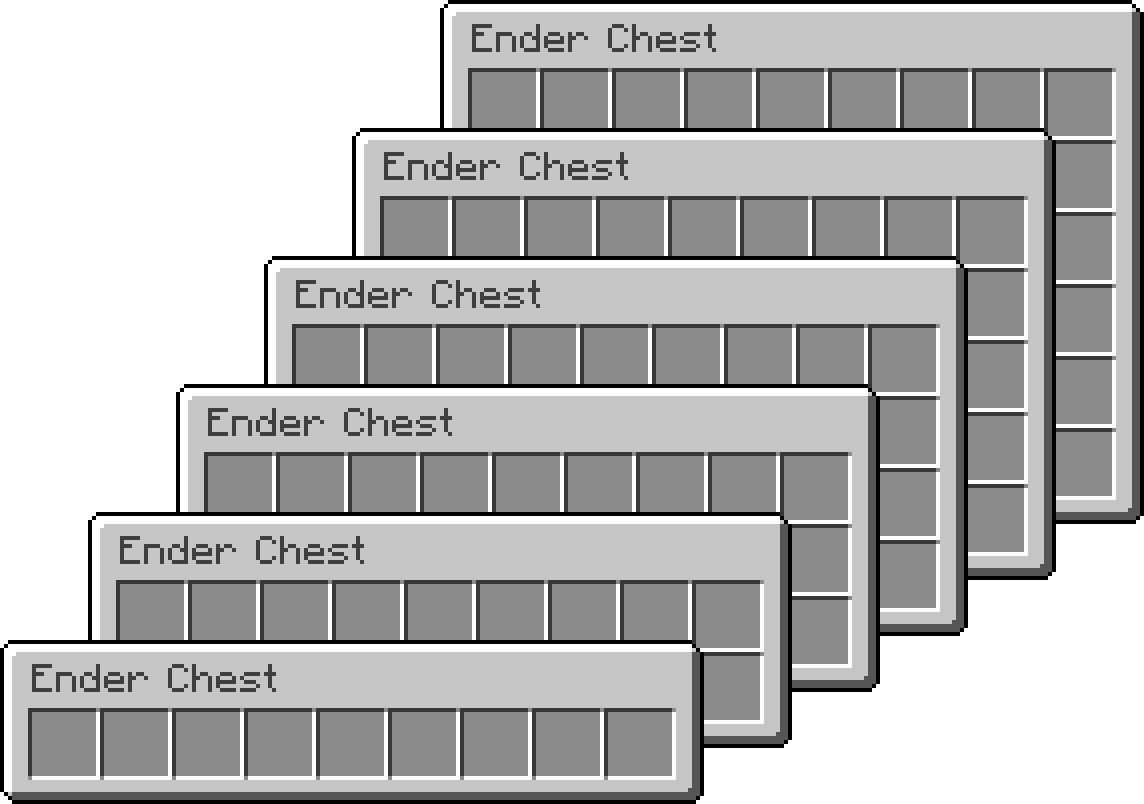
多个箱子
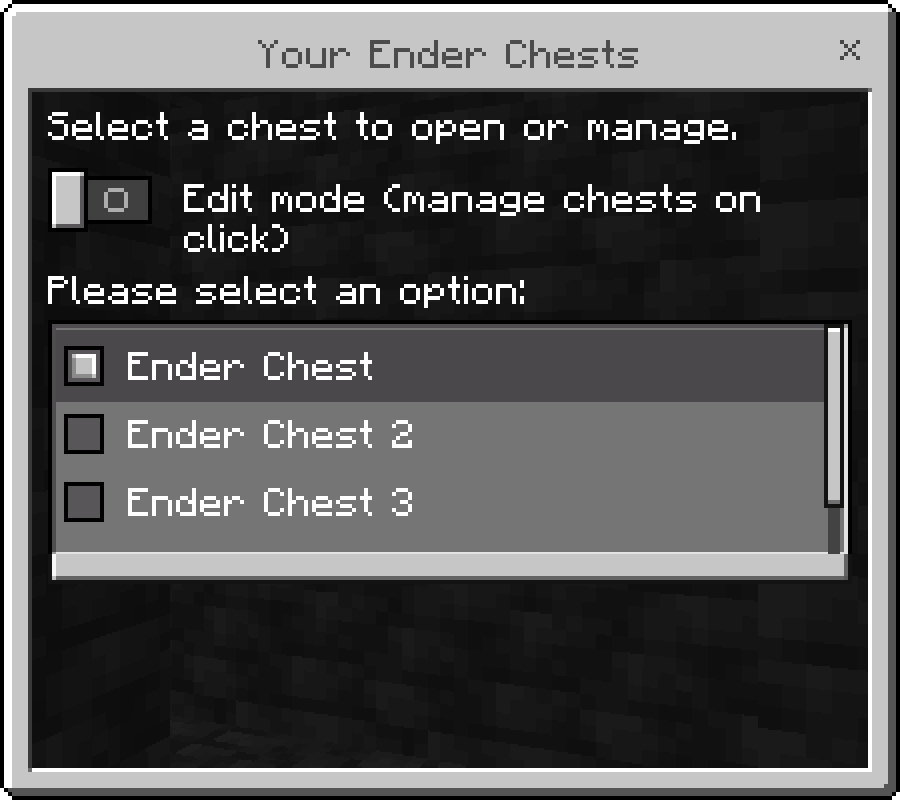
每位玩家可以拥有任意数量的箱子,每个箱子都有独立的名称和图标,并通过游戏内菜单进行管理。
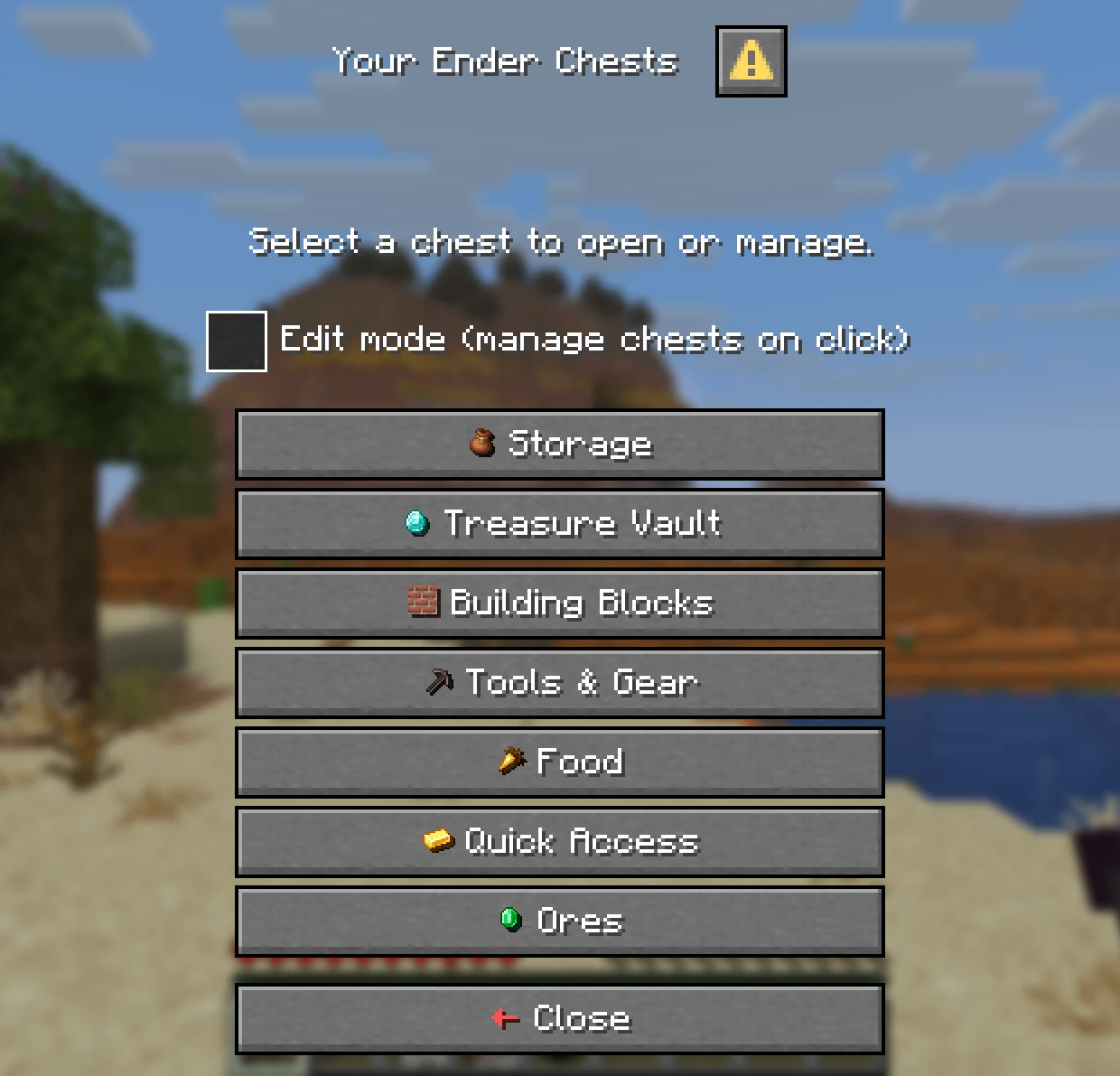
- 箱子列表: 输入
/eclist,或按住 Shift 并右键点击末影箱,可查看玩家拥有的所有箱子。
- 主箱子: 玩家指定
/ec 命令默认打开哪个箱子。新创建的箱子不会自动成为主箱子。
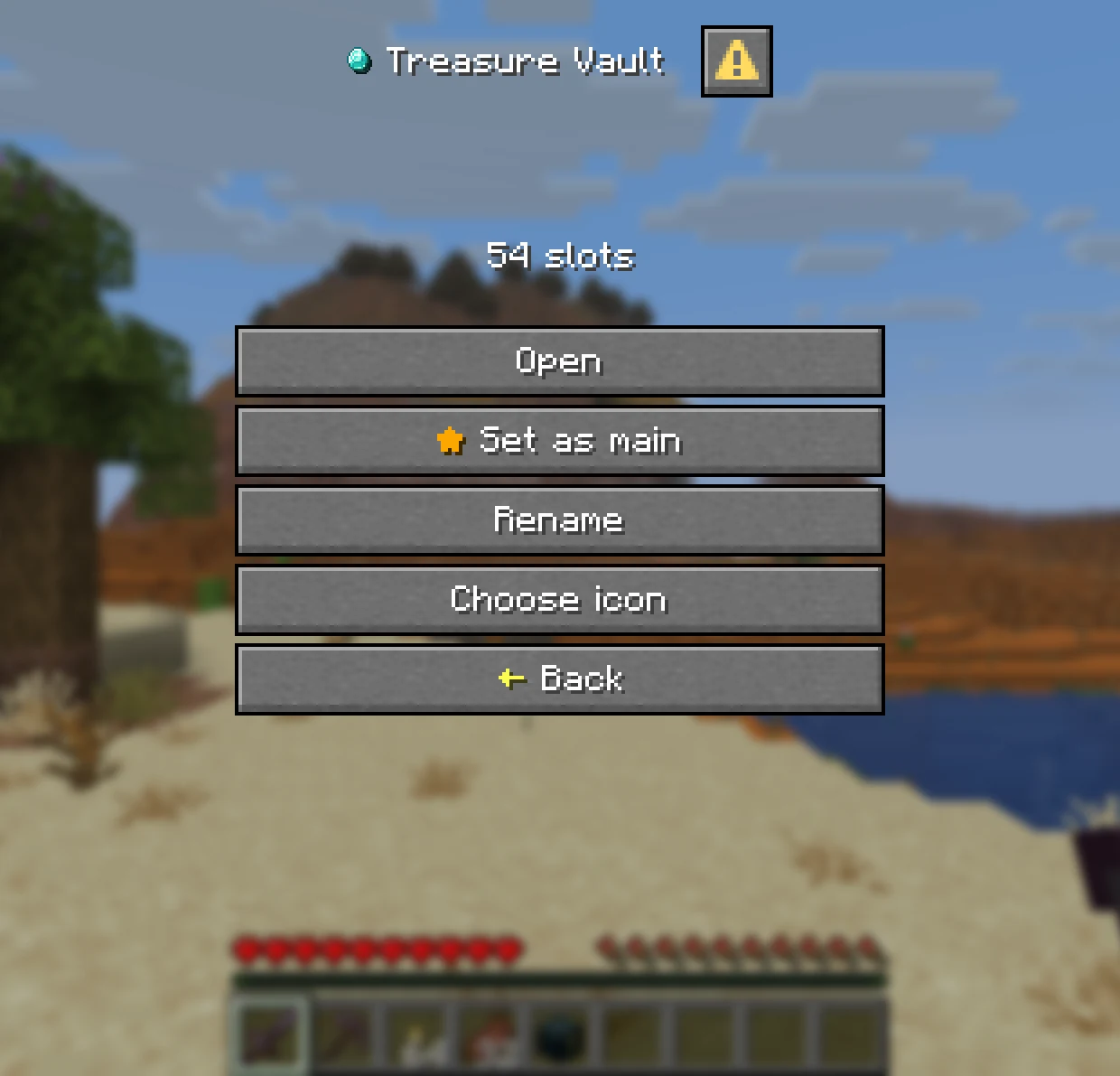
- 编辑模式: 勾选后,点击箱子将进入管理界面而不是直接打开它。
| 箱子列表 |
管理箱子 |
 |
 |
名称与图标
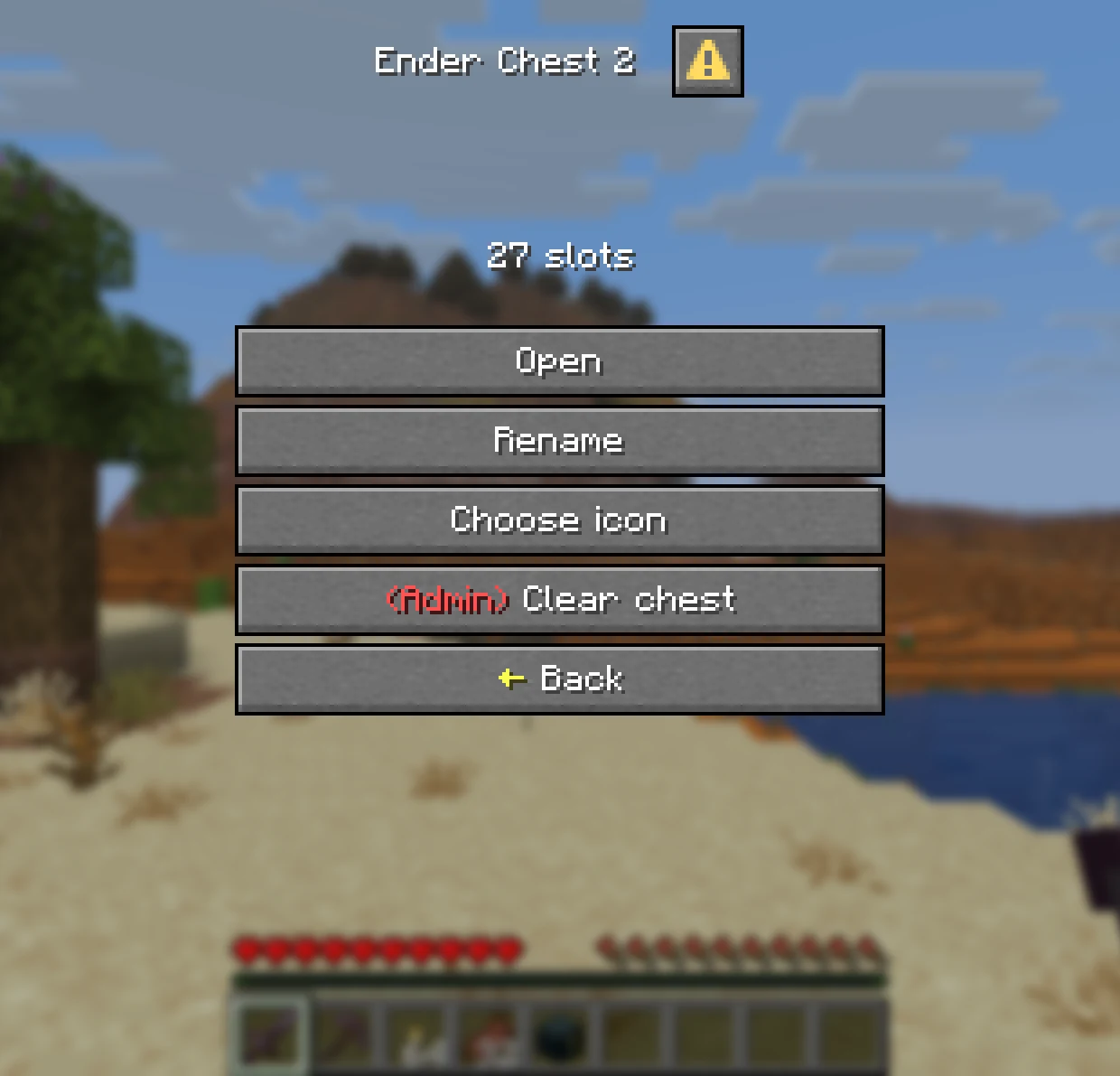
- 重命名: 为每个箱子赋予独立名称,支持可选颜色。这将作为物品栏标题显示。
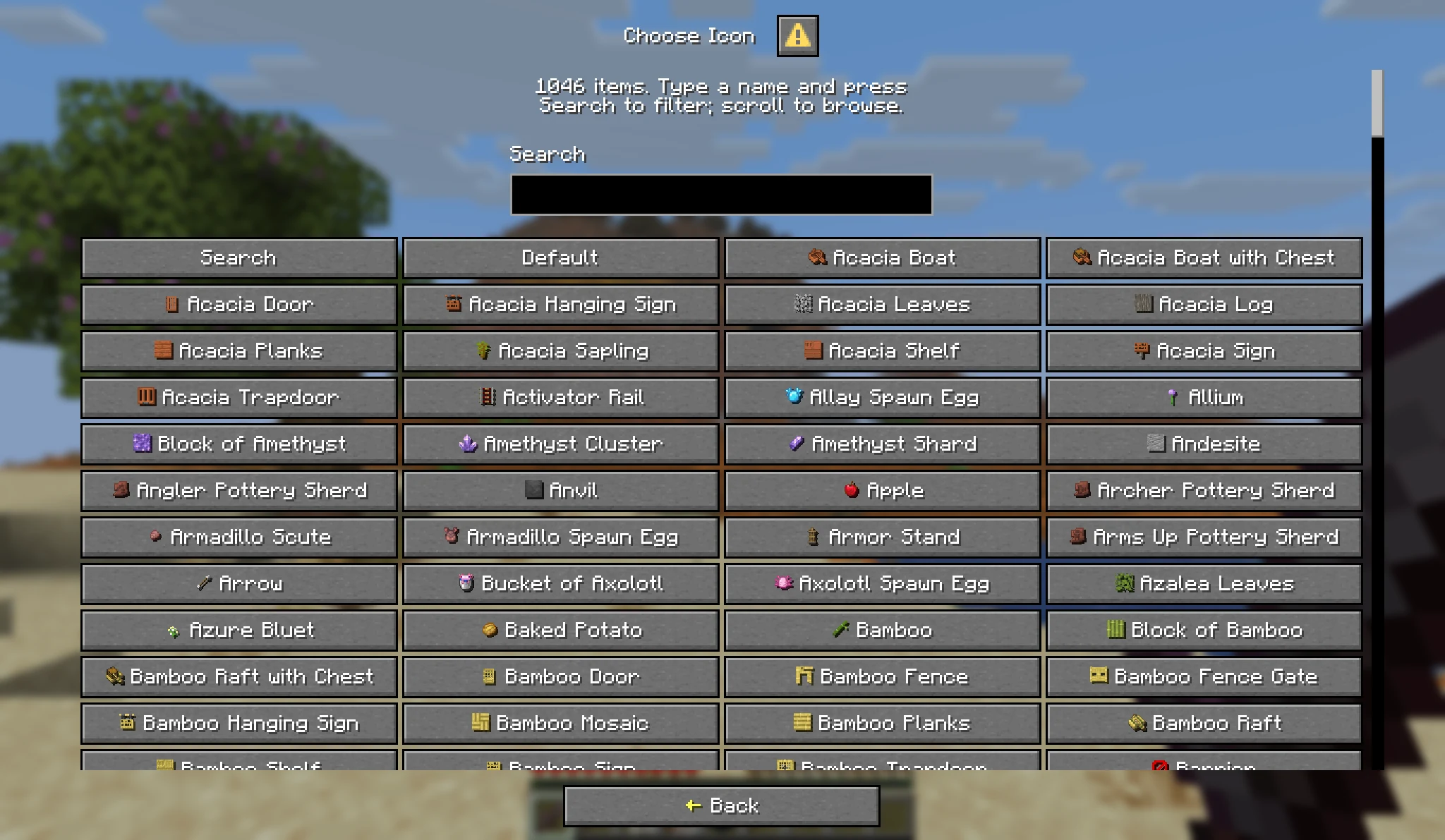
- 选择图标: 从一千多种物品中选择,并提供搜索框功能。
- 服务器开关: 在
config.yml 中可分别关闭重命名、图标和排序功能。
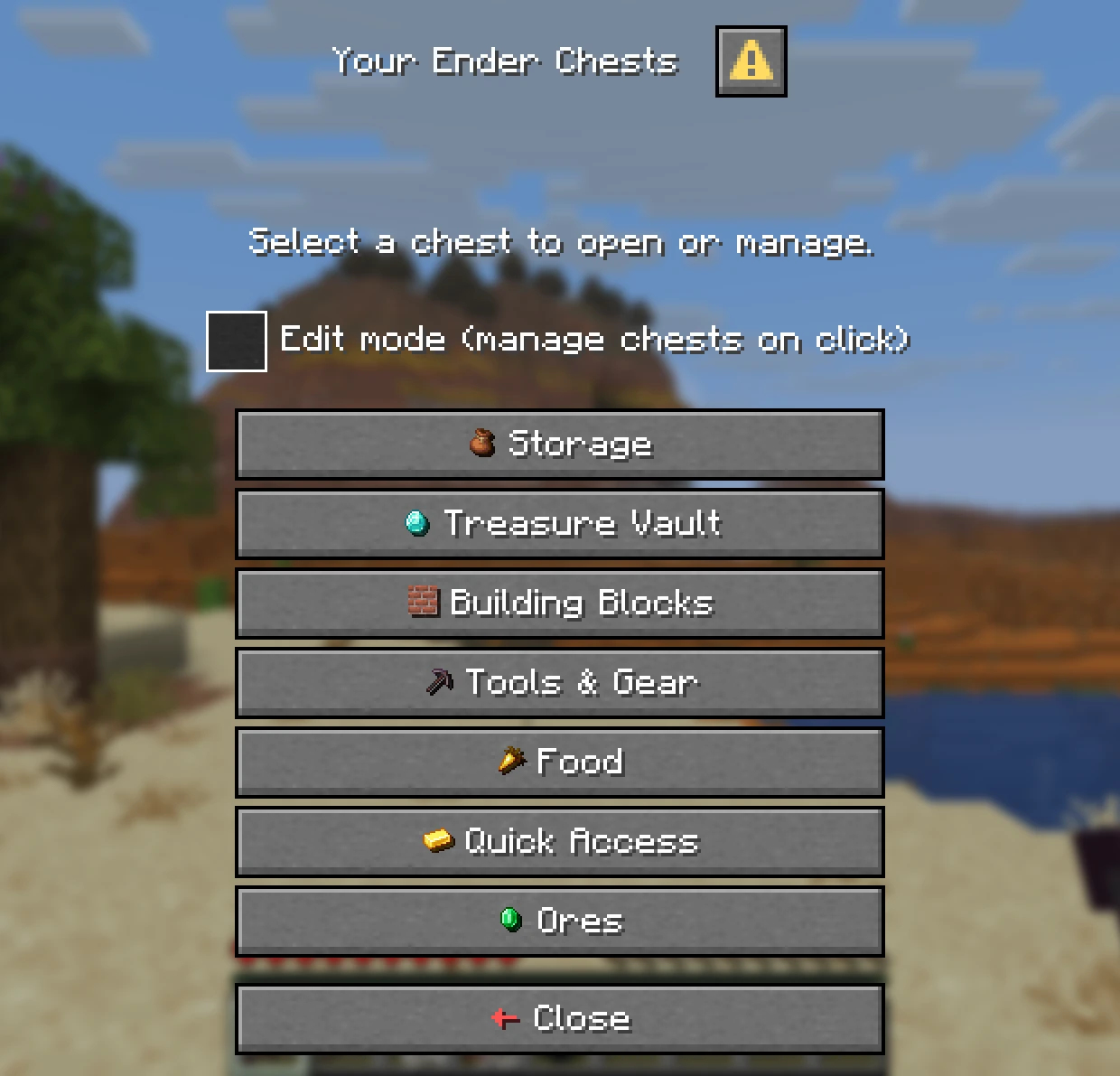
| 带图标的箱子 |
选择图标 |
 |
 |
管理员工具
- 管理任何玩家: 使用
/ee add、/ee resize 和 /ee delete 命令添加、调整大小或删除箱子,支持在线或离线玩家。
- 临时箱子: 提供有过期时间的箱子,例如
/ee add Steve 27 1 7d(Steve 的 27 格箱子,保留 1 天,7 天后过期)。
- 查看与编辑:
/ee view <player> 打开所有者看到的相同管理菜单。管理员可根据权限查看、编辑或清空箱子。
- 安全缩小: 当箱子容量缩小或权限等级丢失导致物品无法容纳时,溢出的物品会被移至临时箱子,而不会消失。
活动日志
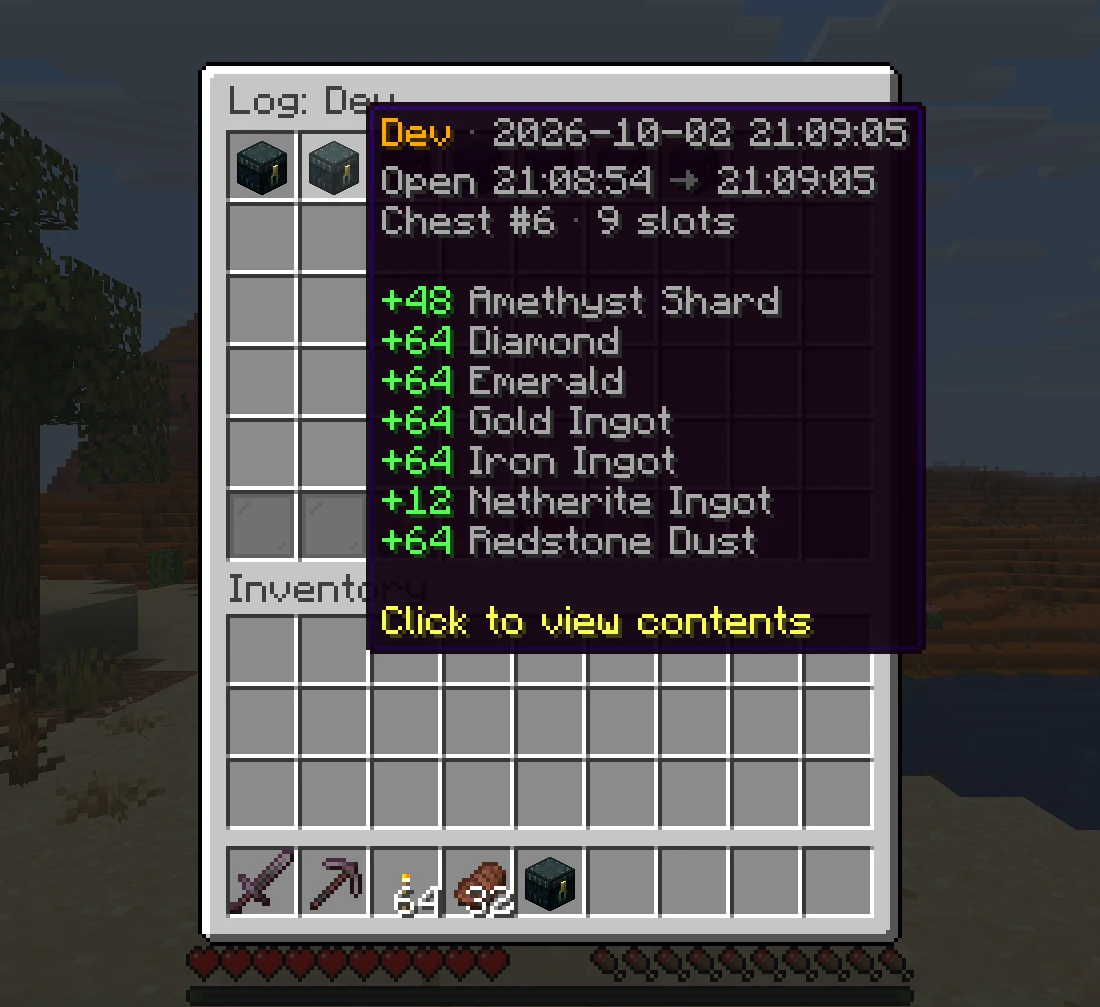
- 谁拿走了什么: 每次存取物品的操作都会记录玩家、时间和具体变化。
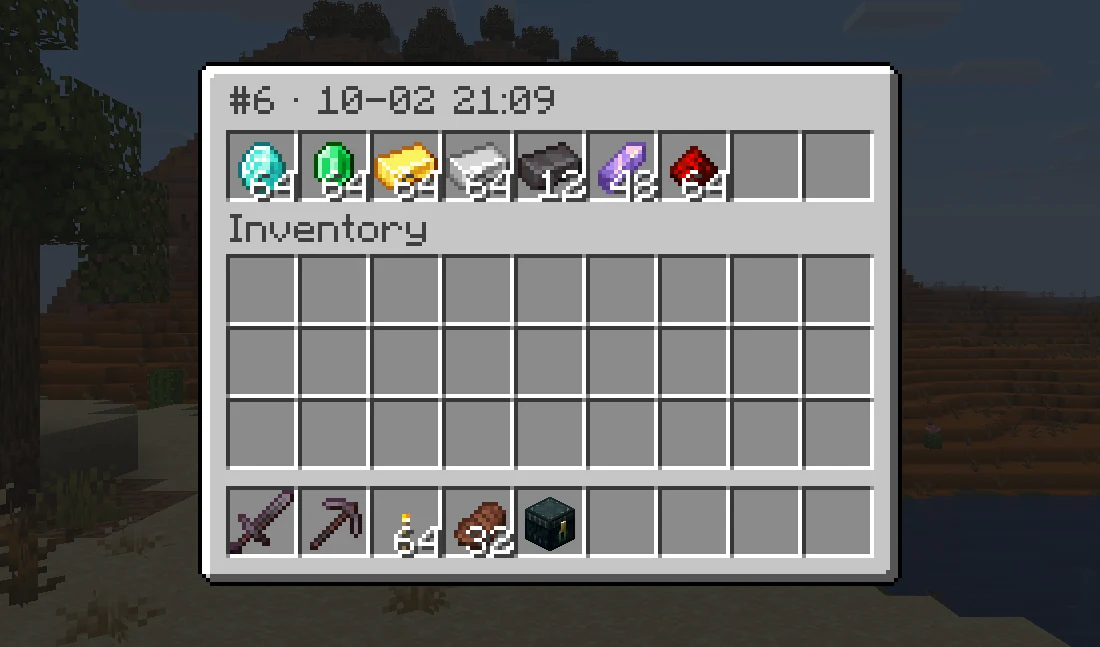
- 回顾历史: 点击某次访问记录,即可查看该箱子关闭时的确切内容。
- 游戏内查看: 使用
/ee log <player> 查看日志。默认关闭,可在 config.yml 中开启。
| 单次访问记录 |
当时的箱子内容 |
 |
 |
存储与迁移
- 任意数据库: 开箱即用支持
 SQLite,也支持
 MySQL、MariaDB 和
 PostgreSQL。数据保存运行于后台。
- 多服务器共享: 多个服务器可共享同一数据库,并通过 Redis 保持同步。
- 导入数据: 玩家加入时可自动导入原版末影箱数据,也可通过一条命令从 AxVaults、PlayerVaultsX 和 CustomEnderChest 导入数据。
命令、权限与配置
命令,点击展开
| 指令 |
权限 |
描述 |
/ec |
enhancedechest.command.open |
打开主箱子,或包含多个箱子的列表 |
/ec <name>, /ec #<index> |
enhancedechest.command.open |
直接打开某个箱子 |
/eclist |
enhancedechest.command.open |
打开箱子列表 |
/ee add <player> <size> [count] [duration] |
enhancedechest.admin.add |
给予箱子,可选为临时箱子 |
/ee resize <player> <index> <size> |
enhancedechest.admin.resize |
调整箱子大小 |
/ee delete <player> <count> [force] |
enhancedechest.admin.delete |
删除最新的箱子 |
/ee view <player> [list|index] |
enhancedechest.admin.view |
查看或编辑玩家的箱子,也可用于 /endersee |
/ee log <player> |
enhancedechest.admin.log |
打开玩家的活动日志 |
/ee transfer <from> <to> <#index|name|all> |
enhancedechest.admin.transfer |
将箱子转移到另一个账户 |
/ee import |
enhancedechest.admin.import |
从其他数据库复制数据 |
/ee migrate <source> |
enhancedechest.admin.migrate |
从原版、AxVaults、PlayerVaultsX 或 CustomEnderChest 导入 |
/ee reload |
enhancedechest.admin.reload |
重载配置文件和语言文件 |
权限,点击展开
每个节点默认值为 op。右键末影箱不需要任何权限。
| 权限 |
描述 |
enhancedechest.command.open |
使用 /ec 和 /eclist,并设置主箱子 |
enhancedechest.default_size.<size> |
玩家第一个箱子的大小,例如 enhancedechest.default_size.54。以拥有的最大容量为准 |
enhancedechest.additional_amount.<count>.slot.<size> |
按等级额外获得的箱子数量,例如 enhancedechest.additional_amount.2.slot.54 提供两个 54 格的箱子。节点效果可叠加 |
enhancedechest.admin.add |
/ee add |
enhancedechest.admin.resize |
/ee resize |
enhancedechest.admin.delete |
/ee delete |
enhancedechest.admin.view |
/ee view 和 /endersee,仅查看模式 |
enhancedechest.admin.edit |
配合 admin.view,移动其他玩家箱子中的物品 |
enhancedechest.admin.clear |
在 /ee view 中显示清空箱子按钮 |
enhancedechest.admin.log |
/ee log |
enhancedechest.admin.transfer |
/ee transfer |
enhancedechest.admin.import |
/ee import |
enhancedechest.admin.migrate |
/ee migrate |
enhancedechest.admin.reload |
/ee reload |
enhancedechest.admin.* |
所有管理节点,如果权限插件支持通配符 |
更多详情请参阅 权限页面。
默认 config.yml,点击展开
# EnhancedEchest 配置
# 完整指南:https://openvdra.github.io/EnhancedEchest/docs/configuration/
# 大多数设置通过 /ee reload 生效。标记 NEED RESTART(需要重启)的设置需要完全重启服务器。
# 时间格式,凡是需要时间的设置均适用:20s, 5m, 1h, 7d,或组合形式如 1d_2h_30m。
# 单位:s m h d w mo y。

# language/ 目录下的语言文件夹。内置:en_US, vi_VN。
language: en_US
# 让每位玩家显示其 Minecraft 客户端的语言。只有作为文件夹存在于 language/ 下的语言才能被显示;
# en_US 和 vi_VN 随插件附带,你可以添加自己的文件夹来支持任何其他语言。
# 其他所有客户端语言都将使用上面设置的这一种。
language-auto-detect: true

enderchest:
  # 玩家第一个箱子的大小。可选值:9, 18, 27, 36, 45, 54。
  default-size: 54

  # 箱子列表样式:dialog(完整菜单)或 inventory(点击打开,每页 28 个箱子)。
  # inventory 样式没有重命名、设置主箱子、图标或排序按钮;这些功能仅在 dialog 菜单中存在。
  # 1.21.6 之前的 Minecraft 客户端始终使用 inventory 样式,因为他们的游戏无法显示 dialog。
  chest-list-menu: dialog

  # Shift + 右键末影箱会打开箱子列表而不是单个箱子。
  shift-click-list: true

  # 箱子编辑模式菜单中按钮的全局开关。
  features:
    rename: true
    icon: true
    # 将相同物品合并为满堆叠并重新排列箱子。默认关闭。
    sort: false
    # 同一玩家两次排序之间的最小间隔。设为 0s 则禁用此限制。
    sort-cooldown: 10s
    # 禁止用于自定义箱子名称的词汇。不区分大小写,只要名称中包含即匹配。
    rename-blacklist:
      - server
      - admin
      - staff
      - owner
    # 允许在箱子名称中使用颜色代码和 MiniMessage。可点击标签始终会被移除。
    rename-colors: true

commands:
  # 当你在 /ee view、/ee add 和其他管理命令中输入名字时,会推荐哪些离线玩家。
  # 只有在最近这段时间内上线过的玩家才会被列出,这样在历史悠久的大型服务器上列表仍能保持简短。
  # 使用 'all' 列出插件知道的所有玩家(不建议在大型服务器上使用)。
  # 这仅影响建议列表:输入完整的名字始终有效,无论他们离开多久。
  suggest-offline-within: 30d

temp-enderchest:
  # 缩小、删除或过期的箱子中的物品会进入一个临时箱子,玩家可以清空它。
  expiry: 7d
  # 扫描过期箱子的频率。
  check-interval: 5m
  # 自动将临时箱子中的物品转移到一个至少同样大小的新箱子中。
  auto-reclaim: true
  # 在该转移发生时通知玩家,让他们知道物品去了哪里。
  reclaim-notify:
    enabled: true
    sound:
      enabled: true
      key: minecraft:entity.player.levelup
  # 当有人试图向仅限取出的临时箱子放入物品时播放的声音。
  deny-sound:
    enabled: true
    key: minecraft:entity.villager.no
  # 登录时提醒玩家有一个等待领取的临时箱子。
  join-notify:
    enabled: true
    sound:
      enabled: true
      key: minecraft:block.note_block.pling
数据库:
需要重启生效:此处除 autosave-interval 外的所有设置。
后端类型:sqlite | mysql | mariadb | postgres
type: sqlite
本插件数据表的前缀。仅允许字母、数字和下划线。更改此值时,现有表名将自动重命名。
table-prefix: echest_
未保存的更改写入数据库的频率。最小值为 30 秒。
autosave-interval: 3m
SQLite:相对于插件文件夹的路径。
sqlite-file: enderchests.db
远程后端。默认端口:MySQL/MariaDB 为 3306,Postgres 为 5432。
host: localhost
port: 3306
database: enhancedechest
username: root
password: ""
disable(不加密)| require(加密,但不检查证书)|
verify-full(加密且验证;唯一能防范中间人攻击的模式)。
ssl: disable
pool-size: 10
跨服务器:
需要重启:以下所有设置。
让多个服务器共享一个数据库,以便箱子在服务器之间跟随玩家。需要每个服务器共享一个 mysql/mariadb/postgres 数据库,以及一个可访问的 Redis。Redis 不存储任何箱子数据,它仅决定当前哪个服务器拥有某个玩家。SQLite 无法被共享。
enabled: false
此服务器的唯一名称。留空则每次启动时自动生成一个。切勿重复使用同一个名称。
server-id: ""
redis:
host: localhost
port: 6379
password: ""
# 启用带有完整证书和主机名验证的 TLS。自签名证书必须导入。
ssl: false
database: 0
# 仅在单个 Redis 服务器服务于多个独立网络时才更改此项。
key-prefix: "echest:"
backup:
定时备份所有箱子数据。仅适用于 SQLite:如果使用 MySQL/MariaDB/PostgreSQL,请使用数据库自带的备份工具。
enabled: true
备份频率。示例:30m、6h、1d。
interval: 6h
保留的备份数量。最早创建的将优先被删除。设为 0 则保留所有备份。
keep: 10
在服务器启动时额外进行一次备份(不计算在定时备份次数内)。
on-startup: false
plugins/EnhancedEchest/ 目录内的文件夹。文件名为 enderchests-<日期>-<时间>.db。
folder: backups
activity-log:
记录每次打开和关闭箱子的操作,并在单独的数据库(log.db)中保存每次的箱子内容快照。
在游戏中使用 /ee log <玩家名> 查看:点击某条记录即可看到该时刻箱子内具体存放了哪些物品。
用于调查盗窃事件的证据;此功能不会恢复物品,如需恢复请使用 'backup' 命令。
enabled: false
删除超过指定天数的日志条目。
retention-days: 15
同时,每位玩家最多保留指定数量的条目,超出部分将删除最旧的记录。此举旨在防止某个非常
防止活跃玩家(或机器人)填满日志。
max-entries-per-player: 2000
清理旧条目至上述限制的频率。
prune-interval: 6h
需要重启:允许等待保存的已完成访问数量。仅在磁盘停滞时有意义;如果磁盘被填满,最新的访问将被跳过,控制台会显示跳过的数量。默认值适合 300-500 名玩家。
queue-capacity: 4096
迁移:
当玩家加入时,导入其原版末影箱的内容(每位玩家仅执行一次)。
已在线的玩家需重新加入服务器,或使用命令 /ee migrate vanilla <玩家名>。
enabled: false
所有设置均在 配置页面 中有详细说明。
版本支持
| Minecraft 版本 |
服务端 |
Java |
支持状态 |
| 1.21.11 – 26.3 |
Paper, Purpur, Folia |
21 |
活跃支持 |
快速常见问题解答
它能在 Folia 上运行吗?
可以。Paper、Purpur 和 Folia 均受支持。Spigot 不受支持。
基岩版玩家可以使用吗?
可以。通过 Geyser,菜单会显示为基岩版表单,无需额外配置。
玩家会丢失旧的末影箱物品吗?
不会。在 config.yml 中启用 migration(迁移)选项,当玩家加入时,其原版末影箱内容会被复制到他们的第一个箱子中。
支持的语言:
英文和越南文,每位玩家可以看到自己客户端语言对应的内容。所有消息均可使用 MiniMessage 进行编辑。
需要帮助或有建议?加入 Discord。
bStats
Custom Ender Chests
- Multiple sizes: each chest can hold 9, 18, 27, 36, 45 or 54 slots.
- Vanilla feel: Same vanilla ender chest block. Right-click or run
/ec to open it.
- Size by Rank: Set the base size per rank with the
enhancedechest.default_size.<size> permission.
Multiple Chests
Each player can owns one or several, with their own names and icons, managed from an in-game menu
- Chest List:
/eclist, or shift and right-click an ender chest, lists every chest a player owns.
- Main Chest: Players pick the one
/ec opens. A new chest never becomes main on its own.
- Edit Mode: Tick it to manage a chest on click instead of opening it.
| Chest List |
Managing a Chest |
|
|
Names and Icons
- Rename: Give each chest its own name, with optional colours. It becomes the inventory title.
- Choose an Icon: Pick from over a thousand items, with a search box.
- Server Toggles: Rename, icons and sorting can each be switched off in
config.yml.
| Chests with Icons |
Choose an Icon |
|
|
Admin Tools
- Manage Any Player: Add, resize and delete chests with
/ee add, /ee resize and /ee delete, online or offline.
- Temporary Chests: Give a chest that expires, such as
/ee add Steve 27 1 7d.
- View and Edit:
/ee view <player> opens the same menu the owner sees. Admins can look, edit, or clear the chest, each by permission.
- Safe Shrinking: Items that no longer fit after a resize or a lost rank move to a temporary chest instead of vanishing.
Activity Log
- Who Took What: Every visit that added or took items is recorded with the player, the time and the changes.
- Look Back: Click a visit to see exactly what the chest held when it closed.
- In Game: Read it with
/ee log <player>. Off by default, turn it on in config.yml.
| One Visit |
The Chest at That Moment |
|
|
Storage and Migration
- Any Database: SQLite out of the box, or MySQL, MariaDB and PostgreSQL. Saving runs in the background.
- Several Servers: Share one database between servers, kept in sync with Redis.
- Import: Bring vanilla ender chests over when players join, and import from AxVaults, PlayerVaultsX and CustomEnderChest with one command.
Commands, Permissions and Config
Commands, click to expand
| Command |
Permission |
Description |
/ec |
enhancedechest.command.open |
Open the main chest, or the list with several |
/ec <name>, /ec #<index> |
enhancedechest.command.open |
Open one chest directly |
/eclist |
enhancedechest.command.open |
Open the chest list |
/ee add <player> <size> [count] [duration] |
enhancedechest.admin.add |
Give chests, optionally temporary |
/ee resize <player> <index> <size> |
enhancedechest.admin.resize |
Resize a chest |
/ee delete <player> <count> [force] |
enhancedechest.admin.delete |
Delete the newest chests |
/ee view <player> [list|index] |
enhancedechest.admin.view |
View or edit a player's chest, also /endersee |
/ee log <player> |
enhancedechest.admin.log |
Open a player's activity log |
/ee transfer <from> <to> <#index|name|all> |
enhancedechest.admin.transfer |
Move chests to another account |
/ee import |
enhancedechest.admin.import |
Copy data from another database |
/ee migrate <source> |
enhancedechest.admin.migrate |
Import from vanilla, AxVaults, PlayerVaultsX or CustomEnderChest |
/ee reload |
enhancedechest.admin.reload |
Reload config and language files |
Permissions, click to expand
Every node defaults to op. Right-clicking an ender chest needs no permission.
| Permission |
Description |
enhancedechest.command.open |
Use /ec and /eclist, and set a main chest |
enhancedechest.default_size.<size> |
Size of the player's first chest, for example enhancedechest.default_size.54. The largest one held applies |
enhancedechest.additional_amount.<count>.slot.<size> |
Extra chests by rank, for example enhancedechest.additional_amount.2.slot.54 gives two 54-slot chests. Nodes stack |
enhancedechest.admin.add |
/ee add |
enhancedechest.admin.resize |
/ee resize |
enhancedechest.admin.delete |
/ee delete |
enhancedechest.admin.view |
/ee view and /endersee, look only |
enhancedechest.admin.edit |
With admin.view, move items in another player's chest |
enhancedechest.admin.clear |
Show the Clear chest button in /ee view |
enhancedechest.admin.log |
/ee log |
enhancedechest.admin.transfer |
/ee transfer |
enhancedechest.admin.import |
/ee import |
enhancedechest.admin.migrate |
/ee migrate |
enhancedechest.admin.reload |
/ee reload |
enhancedechest.admin.* |
Every admin node, if the permission plugin supports wildcards |
More detail on the permissions page.
Default config.yml, click to expand
# EnhancedEchest configuration
# Full guide: https://openvdra.github.io/EnhancedEchest/docs/configuration/
# Most settings apply on /ee reload. Ones marked NEED RESTART need a full server restart.
# Time format, wherever a setting takes one: 20s, 5m, 1h, 7d, or combined like 1d_2h_30m.
# Units: s m h d w mo y.

# Language folder under language/. Bundled: en_US, vi_VN.
language: en_US
# Show each player their own Minecraft client language. Only languages that exist as a folder under
# language/ can be shown; en_US and vi_VN ship with the plugin, and you can add your own folder for
# any other language. Every other client language gets the one set above.
language-auto-detect: true

enderchest:
  # Size of a player's first chest. One of: 9, 18, 27, 36, 45, 54.
  default-size: 54

  # Chest list style: dialog (full menu) or inventory (click to open only, 28 chests per page).
  # Inventory has no rename, set main, icon or sort buttons; those exist only in the dialog menu.
  # Players on Minecraft older than 1.21.6 always get inventory, their game can't show the dialog.
  chest-list-menu: dialog

  # Shift + right-click an ender chest opens the chest list instead of a chest.
  shift-click-list: true

  # Global switches for the buttons in the chest Edit mode menu.
  features:
    rename: true
    icon: true
    # Merge identical items into full stacks and reorder the chest. Off by default.
    sort: false
    # Smallest gap between two sorts by the same player. 0s disables it.
    sort-cooldown: 10s
    # Words banned from custom chest names. Case-insensitive, matched anywhere in the name.
    rename-blacklist:
      - server
      - admin
      - staff
      - owner
    # Allow colour codes and MiniMessage in chest names. Clickable tags are always stripped.
    rename-colors: true

commands:
  # Which offline players are offered while you type a name in /ee view, /ee add and the other admin
  # commands. Only players who were online within this long are listed, so the list stays short on a
  # server with a long history. Use 'all' to list every player the plugin knows (not recommended on large servers).
  # This only affects the suggestion list: typing a full name always works, however long ago they left.
  suggest-offline-within: 30d

temp-enderchest:
  # Items from a shrunk, deleted or expired chest go to a temporary chest players can empty.
  expiry: 7d
  # How often to scan for expired chests.
  check-interval: 5m
  # Move a temporary chest's items into a new chest of at least the same size, automatically.
  auto-reclaim: true
  # Tell the player when that move happens, so they know where their items went.
  reclaim-notify:
    enabled: true
    sound:
      enabled: true
      key: minecraft:entity.player.levelup
  # Sound when someone tries to put items into a take-only temporary chest.
  deny-sound:
    enabled: true
    key: minecraft:entity.villager.no
  # Remind players at login that a temporary chest is waiting.
  join-notify:
    enabled: true
    sound:
      enabled: true
      key: minecraft:block.note_block.pling

database:
  # NEED RESTART: every setting here except autosave-interval.
  # Backend: sqlite | mysql | mariadb | postgres
  type: sqlite
  # Prefix for this plugin's tables. Letters, digits and underscore. Existing tables are renamed
  # automatically if you change it.
  table-prefix: echest_
  # How often unsaved changes are written to the database. Minimum 30s.
  autosave-interval: 3m
  # SQLite: path relative to the plugin folder.
  sqlite-file: enderchests.db
  # Remote backends. Default port: 3306 for MySQL/MariaDB, 5432 for Postgres.
  host: localhost
  port: 3306
  database: enhancedechest
  username: root
  password: ""
  # disable (no encryption) | require (encrypted, certificate not checked) |
  # verify-full (encrypted and verified; the only mode safe against a man-in-the-middle).
  ssl: disable
  pool-size: 10

cross-server:
  # NEED RESTART: every setting here.
  # Let several servers share one database, so chests follow players between them. Needs a
  # mysql/mariadb/postgres database shared by every server, plus a reachable Redis. Redis stores no
  # chest data, it only decides which server currently owns a player. SQLite cannot be shared.
  enabled: false
  # A name unique to this server. Leave empty to generate one each startup. Never reuse a name.
  server-id: ""
  redis:
    host: localhost
    port: 6379
    password: ""
    # TLS with full certificate and hostname verification. Self-signed certificates must be imported.
    ssl: false
    database: 0
    # Only change this if one Redis server serves several separate networks.
    key-prefix: "echest:"

backup:
  # Timed copies of all chest data. SQLite only: on mysql/mariadb/postgres use your database's
  # own backup tools instead.
  enabled: true
  # How often to back up. Examples: 30m, 6h, 1d.
  interval: 6h
  # How many to keep. Oldest are deleted first. 0 keeps every backup.
  keep: 10
  # One extra backup at server start, on top of the timer.
  on-startup: false
  # Folder inside plugins/EnhancedEchest/. Files are named enderchests-<date>-<time>.db.
  folder: backups

activity-log:
  # Records every time a chest is opened and closed, keeping a snapshot of its contents each time in a
  # separate database (log.db). View it in-game with /ee log <player>: click an entry to see exactly
  # what the chest held at that moment. Evidence for investigating theft; it does not restore items,
  # use 'backup' for that.
  enabled: false
  # Delete log entries older than this many days.
  retention-days: 15
  # Also keep at most this many entries per player, deleting the oldest beyond that. Stops one very
  # active player (or a bot) from filling the log.
  max-entries-per-player: 2000
  # How often old entries are cleaned up to the limits above.
  prune-interval: 6h
  # NEED RESTART: how many finished visits may wait to be saved. Only matters if the disk stalls; if it
  # fills, the newest visits are skipped and the console says how many. Default suits 300-500 players.
  queue-capacity: 4096

migration:
  # Import a player's vanilla ender chest when they join, once per player.
  # Already-online players must rejoin, or use /ee migrate vanilla <player>.
  enabled: false
Every setting is explained on the configuration page.
Version Support
| Minecraft version |
Server |
Java |
Support status |
| 1.21.11 – 26.3 |
Paper, Purpur, Folia |
21 |
Active |
Quick FAQ
Does it work on Folia?
Yes. Paper, Purpur and Folia are all supported. Spigot is not.
Can Bedrock players use it?
Yes. Through Geyser, the menus show as Bedrock forms with no extra setup.
Will players lose their old ender chest items?
No. Turn on migration in config.yml and each player's vanilla ender chest is copied into their first chest when they join.
Supported languages:
English and Vietnamese, and each player sees their own client language. Every message can be edited with MiniMessage.
Need help or want to suggest something? Join the Discord.
bStats


 插件

 插件
 插件
 插件
 插件
 插件
评论 0
登录后参与评分
还没有评论,来抢沙发吧