ExAI — Minecraft AI 助手插件
ExAI 将基于大语言模型(LLM)的游戏内 AI 助手带入你的 Minecraft 服务器。它通过自动上传和聊天监控快速构建服务器的知识库,并利用 RAG(检索增强生成)技术提供准确、针对特定服务器的回答。所有操作均在箱子 GUI 中完成——无需记忆任何命令。
项目地址:
功能特性
- 箱子 GUI 助手 —— 玩家通过简洁的菜单与 AI 对话,避免聊天栏刷屏。
- 公共聊天回复 —— 通过关键词触发器自动在公共聊天中回复问题(可配置冷却时间);当没有确凿依据的回答时保持静默,以避免垃圾信息。
- 自动知识收集 —— 监控公共聊天中的“提问 → 回答 → 致谢”流程,并自动将经 AI 审核的问答对排队等待 OP 审查。
- 玩家知识提交 —— 玩家使用书写书提交 Q&A → AI 预先过滤无效内容 → OP 在 GUI 中批准/拒绝 → 批准的条目进入向量数据库。
- 奖励系统 —— 批准后发放 Vault 货币或自定义物品。
- 低成本 —— 通过可配置的冷却设置和输出截断来最小化 AI 调用次数。
- AI CLI —— 帮助你更高效地编辑配置文件。
截图
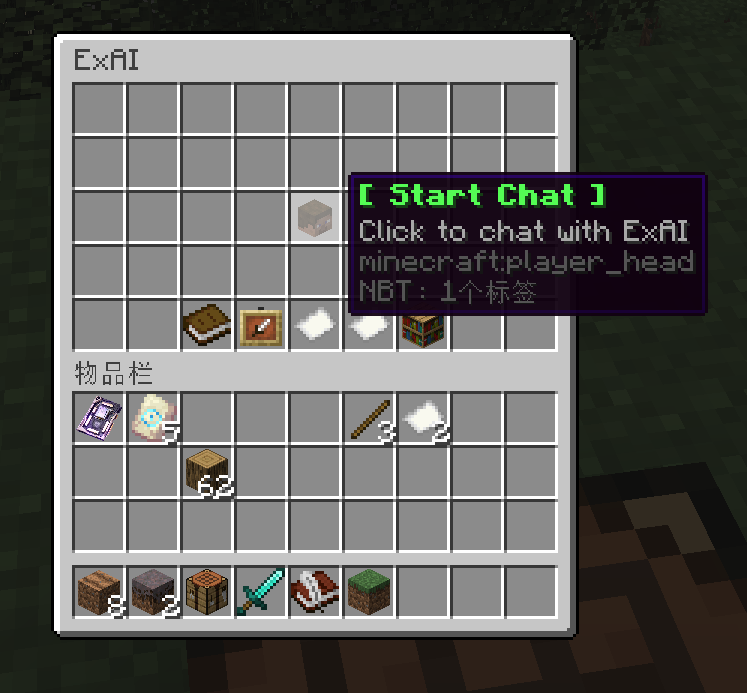
主菜单 — 开始聊天 悬停在玩家头像上并点击,即可与助手进行单轮对话。
开始聊天
主菜单 — 上传知识
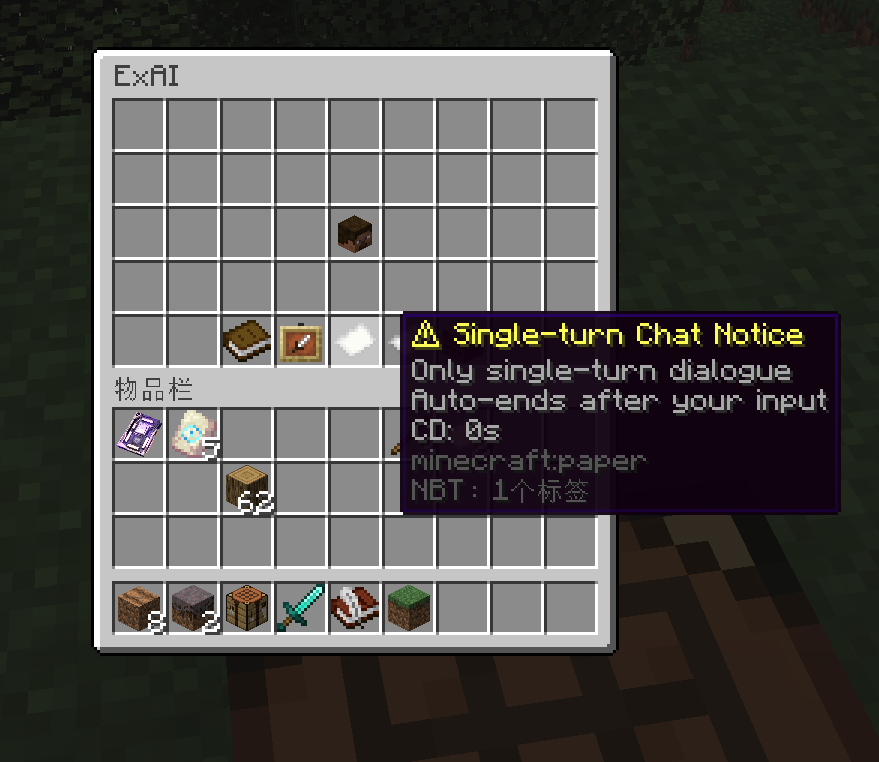
纸张物品显示使用说明和当前冷却时间。
上传知识

点击书本获取可书写书;填写 Q: ... A: ... 后关闭以提交审核。
主菜单 — 审查员面板 (OP)

打开逐页审查 GUI。左键点击批准(写入知识库并发放奖励),右键点击拒绝。
主菜单 — 聊天历史 (OP)

浏览玩家问题和 AI 回复;左键点击编辑并将记录提升为知识库条目,右键点击删除。
主菜单 — 知识库 (OP)
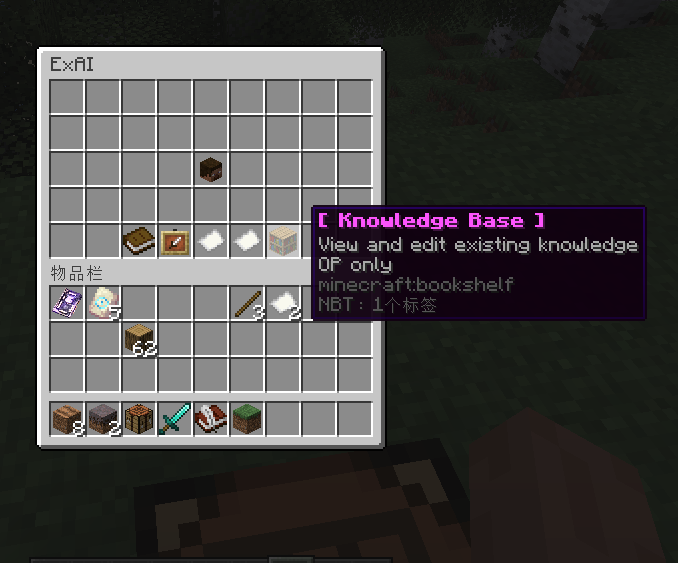
查看和编辑每条已接受的条目。左键点击编辑,右键点击删除;知识库会自动重新加载。
公共聊天实战演示

输入带有配置关键词(如 ?, how, what 等)的问题,助手将在广播频道中回复。
命令与权限
| 命令 | 描述 |
|---|---|
/exai opengui |
打开助手 GUI |
/exai question <player> <q> |
向玩家发送一个问题 (OP) |
/exai reload |
重载配置 (OP) |
/exai help |
显示帮助信息 |
权限节点:exai.op(用于知识审查)。
快速安装
- 将
ExAI.jar放入plugins/目录。 - 启动服务器一次 → 编辑
plugins/ExAI/config.yml: - 选择
storage.type:yml(默认,无需数据库)或 mysql。 - 如果使用 mysql,请填写 MySQL 凭据。
- 填入你的 LLM API 密钥 (
llm.apiKey)。 - 调整助手名称 / 语言 / 奖励设置。
- (可选)编辑
plugins/ExAI/knowledge.yml以预置知识库内容。 - 执行
/exai reload。
存储模式
- yml(默认)
- mysql
依赖要求
- Spigot/Paper 1.12.2 或兼容版本
- Java 8+
- MySQL 5.7+ —— 仅在使用
storage.type: mysql时需要 - Vault —— 可选,用于货币奖励
- 一个兼容 OpenAI 的 LLM 端点 + Embedding 端点
ExAI — AI Assistant Plugin for Minecraft
ExAI brings an LLM-powered, in-game AI assistant to your Minecraft server. It quickly builds your server's knowledge base through automatic uploads and chat monitoring, and uses RAG to give accurate, server-specific answers. Everything happens inside a chest GUI — no command memorization required.
Project:
Features
- Chest GUI assistant — players talk to the AI through a clean menu, no chat spam.
- Public chat response — auto-replies to questions in public chat via keyword triggers (configurable cooldown); stays silent when no grounded answer is available to avoid spam.
- Auto knowledge collection — watches the "ask → answer → thanks" flow in public chat and automatically queues AI‑vetted Q&A pairs for OP review.
- Player knowledge submission — players submit Q&A using a written book → AI pre‑filters junk → OP approves/rejects in GUI → approved entries go into the vector store.
- Reward system — Vault currency + custom items granted upon approval.
- Low cost — achieved via configurable cooldown settings and output truncation to minimize AI calls.
- AI CLI — help you edit the config files more efficient using the ai CLI
Screenshots
Main menu — Start a chat Hover the player head and click to begin a single-turn dialogue with the assistant.
Start Chat

Main menu — Upload knowledge

The paper item shows usage info and the current cooldown.
Upload Knowledge

Click the book to receive a writable book; fill in Q: ... A: ... and close it to submit for review.
Main menu — Reviewer panel (OP)

Open the per-page review GUI. Left-click to approve (writes to the knowledge base and pays rewards), right-click to reject.
Main menu — Chat history (OP)

Browse player questions and AI replies; left-click to edit and promote a record into the knowledge base, right-click to delete.
Main menu — Knowledge base (OP)

View and edit every accepted entry. Left-click to edit, right-click to delete; the knowledge base auto-reloads.
Public chat in action

Type a question with a configured keyword (?, how, what, etc.) and the assistant replies on broadcast.
Commands & Permissions
Command Description
/exai opengui Open the assistant GUI
/exai question <player> Send a question to a player (OP)
/exai reload Reload config (OP)
/exai help Show help
Permission node: exai.op (knowledge review).
Quick Setup
- Drop ExAI.jar into plugins/.
- Start the server once → edit plugins/ExAI/config.yml:
- Choose storage.type: yml (default, no DB) or mysql.
- If mysql, fill in MySQL credentials.
- Fill in your LLM API key (llm.apiKey).
- Adjust assistant name / language / rewards.
- (Optional) Edit plugins/ExAI/knowledge.yml to seed your knowledge base.
- /exai reload.
Storage modes
- yml (default)
- mysql
Requirements
- Spigot/Paper 1.12.2 or compatible
- Java 8+
- MySQL 5.7+ — only if storage.type: mysql
- Vault — optional, for currency rewards
- An OpenAI-compatible LLM endpoint + embedding endpoint
下载 ExAI
需要联机服务器吗?
稳定流畅、一键部署,几分钟即可和朋友联机开服
最低仅需 8 元/月 即可畅快联机
下载 ExAI
需要联机服务器吗?
稳定流畅、一键部署,几分钟即可和朋友联机开服
最低仅需 8 元/月 即可畅快联机
下载 ExAI
需要联机服务器吗?
稳定流畅、一键部署,几分钟即可和朋友联机开服
最低仅需 8 元/月 即可畅快联机
下载 ExAI
需要联机服务器吗?
稳定流畅、一键部署,几分钟即可和朋友联机开服
最低仅需 8 元/月 即可畅快联机
下载 ExAI
需要联机服务器吗?
稳定流畅、一键部署,几分钟即可和朋友联机开服
最低仅需 8 元/月 即可畅快联机
下载 ExAI
需要联机服务器吗?
稳定流畅、一键部署,几分钟即可和朋友联机开服
最低仅需 8 元/月 即可畅快联机
- 添加了 RAG 系统评估。
- 改进了 CLI 前端。
- 改进了回答拒绝逻辑。
关于这个资源的讨论、问题反馈与使用心得
还没有讨论,来发第一帖吧
你是这个资源的作者?登录后可认领此资源。
相似资源
插件
PacketEvents 是一款专为 Minecraft Java 版打造的协议库,旨在简化数据包的处理与传输。
插件
ExyliaPlugins 的库。
插件
通过对话框或铁砧界面帮助你的 Anthme
插件
自定义你的Minecraft头像!
插件
重新定义服务器上的生物运输方式。使用高度可定制的口袋道具,安全地捕获、存储和释放任何实体。
插件
为基于 Spigot/Paper/Folia 的服务器添加对 Vivecraft 的支持
评论 0
登录后参与评分
还没有评论,来抢沙发吧