HelloGPT 插件
概述
HelloGPT 是一款创新的 Minecraft 插件,它将强大的 OpenAI GPT-3.5 模型直接集成到您的 Minecraft 服务器中。通过此插件,玩家只需在游戏中输入命令即可与高级人工智能进行互动。无论您是想创造沉浸式的叙事体验、提供动态回复,还是仅仅享受有趣的对话,HelloGPT 都将 AI 驱动的交互带入您的 Minecraft 世界。
功能
- 无缝集成: 使用易于操作的命令直接在游戏内与 AI 进行交互。
- 可定制设置: 通过插件配置文件直接配置自己的 API 密钥、模型和最大令牌数(max tokens)。
- 动态响应: 利用 OpenAI GPT-3.5 的强大能力,获取具有上下文感知能力和智能的回复。
- 错误处理: 提供用户友好的错误消息,并为管理员记录详细的错误信息。
- 趣味性与教育性: 通过 AI 驱动的对话、角色扮演场景或教育性互动来增强您的服务器体验。
命令
- /saygpt <message>: 向 AI 发送消息,并在游戏聊天框中直接接收回复。
安装
- 下载插件: 从插件官网下载 HelloGPT 插件 JAR 文件。
- 添加到服务器: 将 JAR 文件放入 Minecraft 服务器的
plugins 文件夹中。
- 配置 API 密钥: 编辑
config.yml 文件以添加您的 OpenAI API 密钥、模型和最大令牌数。
- 重启服务器: 重启 Minecraft 服务器以加载该插件。
- 开始使用: 使用
/saygpt 命令开始与 AI 进行互动。
配置
config.yml 文件允许您根据需求设置插件:
api-key: "your-openai-api-key"
model: "gpt-3.5-turbo"
max-tokens: 100
使用示例
- 交互式 NPC: 创建能够智能回应玩家查询的非玩家角色(NPC)。
- 故事叙述: 根据玩家输入开发动态且分支化的故事情节。
- 学习工具: 使用 AI 回答问题或提供关于各种主题的信息。
支持
如需支持和更新,请访问我们的 Discord
要求
- Minecraft 服务器: 1.20 或更高版本。
- Java: 8 或更高版本。
- OpenAI API 密钥: 可从 OpenAI 平台获取。
截图
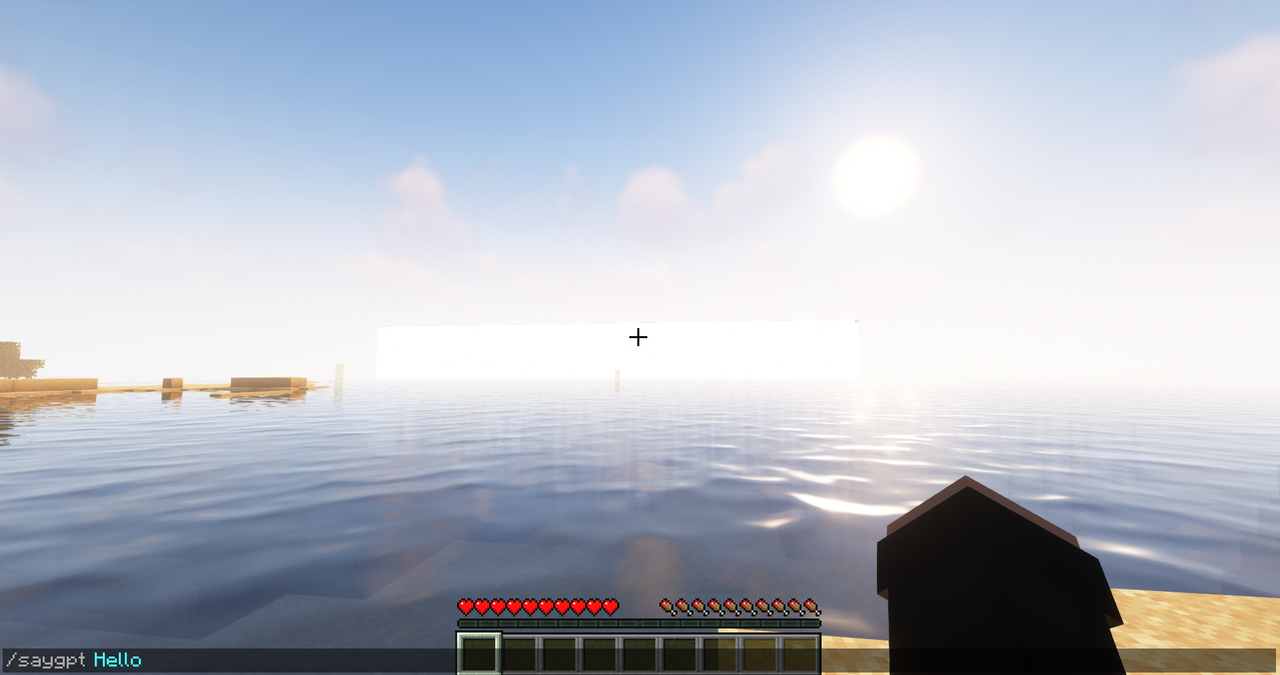
通过使用 HelloGPT,您将 OpenAI 的前沿技术带入 Minecraft 这个沉浸式世界,为创意和引人入胜的游戏玩法提供无限可能。立即下载 HelloGPT,用 AI 的力量改造您的服务器!
HelloGPT Plugin
Overview
HelloGPT is an innovative Minecraft plugin that integrates the powerful OpenAI GPT-3.5 model directly into your Minecraft server. With this plugin, players can interact with an advanced AI by simply typing commands in the game. Whether you want to create immersive storytelling, provide dynamic responses, or just have some fun conversations, HelloGPT brings AI-driven interaction to your Minecraft world.
Features
- Seamless Integration: Easy-to-use command to interact with the AI directly within the game.
- Customizable Settings: Configure your own API key, model, and max tokens directly through the plugin configuration file.
- Dynamic Responses: Utilize the power of OpenAI's GPT-3.5 to get context-aware and intelligent responses.
- Error Handling: Provides user-friendly error messages and logs detailed error information for admins.
- Fun and Educational: Enhance your server with AI-driven dialogues, role-playing scenarios, or educational interactions.
Commands
- /saygpt <message>: Send a message to the AI and receive a response directly in the game chat.
Installation
- Download the Plugin: Download the HelloGPT plugin JAR file from the plugin website.
- Add to Server: Place the JAR file in the
plugins folder of your Minecraft server.
- Configure API Key: Edit the
config.yml file to add your OpenAI API key, model, and max tokens.
- Restart Server: Restart your Minecraft server to load the plugin.
- Enjoy: Use the
/saygpt command to start interacting with the AI.
Configuration
The config.yml file allows you to set up the plugin according to your needs:
api-key: "your-openai-api-key"
model: "gpt-3.5-turbo"
max-tokens: 100
Example Usage
- Interactive NPCs: Create NPCs that respond intelligently to player queries.
- Storytelling: Develop dynamic and branching storylines based on player input.
- Learning Tool: Use the AI to answer questions or provide information on various topics.
Support
For support and updates, visit our discord
Requirements
- Minecraft Server: Version 1.20 or higher.
- Java: Version 8 or higher.
- OpenAI API Key: Obtainable from the OpenAI platform.
Screenshots

By using HelloGPT, you bring the cutting-edge technology of OpenAI into the immersive world of Minecraft, providing endless possibilities for creative and engaging gameplay. Download HelloGPT today and transform your server with the power of AI!
评论 0
登录后参与评分
还没有评论,来抢沙发吧