? 家园点
一个轻量级、交互式的 Minecraft 服务器传送系统。
?️ 关于模组
Home Point 是一个仅服务端模组,彻底重构了标准的 /home 命令体验。它不再使用笨拙的物品栏 GUI,也不强制你输入冗长的命令,而是通过聊天框中简洁的点击界面进行管理。由于它是仅服务端模组,你的玩家无需下载任何内容即可游玩!
✨ 功能特性
- ? 分享你的基地 (
/home share): 对自己的建筑感到自豪?在公共聊天频道分享你的家园。其他玩家将看到一个绿色的 [Add Home](添加家园)按钮,点击即可将你的坐标瞬间保存到他们的列表中。1.5.6 新增: 现在支持 @a、@p、@r 选择器,可一次性分享给多名玩家!
- ⌨️ 智能自动补全: 开始输入
/home tp ,按下 TAB 键,模组将自动建议并安全地用引号包裹你的家园名称,即使名称中包含空格或西里尔字母也是如此!
- ⚔️ 战斗标记 (防 PvP): 再也不用从战斗中逃跑。如果玩家造成伤害或受到伤害,他们将被置于战斗模式,从而阻止其进行传送。
- ? 维度控制: 只想让玩家在主世界使用家园?你可以轻松地在配置文件中通过白名单或黑名单限制传送。
- ?️ 100% 可配置: 调整模组的几乎各个方面。想要 5 秒的热身延迟?自定义粒子效果?严格的家园数量上限?一切皆有可能。
? 技术性能
Home Point 专为大型多人在线服务器设计:
- 零 TPS 影响: 传送等待计时器不使用标准的服务器
onTick 事件循环。所有操作都依赖于高度高效的计划任务调度器。
- 异步 I/O 保存: 当模组保存玩家坐标时,它将保存过程卸载到后台线程 (
system_async_saving)。它永远不会冻结或卡顿主服务器线程!
? 命令与参数
所有内容均通过 /home 命令运行,完全支持 TAB 自动补全。如果你的家园名称包含空格,不用担心——模组会自动为你在名称周围添加引号!
? 基本导航
| 命令 |
描述 |
/home |
打开交互式聊天菜单,包含可点击的 [TP]、[Ren]、[Del]、[Share] 按钮 |
/home list <page> |
显示你家园列表的指定页码 |
/home <name> |
立即传送到指定的家园 |
/home set <name> |
在当前位置创建一个新的家园 |
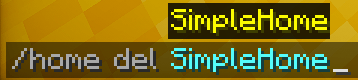
/home del <name> |
删除现有的家园 |
/home rename <old_name> <new_name> |
重命名现有的家园 |
? 分享
在分享家园时,你可以选择指定分享对象(使用玩家名称或实体选择器 @a、@p、@r),并控制是否包含可点击的 [Add Home] 按钮。
| 命令 |
描述 |
/home share <name> |
向公共聊天频道广播你的家园,并附带 [Add Home] 按钮 |
/home share <name> <target> |
向特定玩家发送你的家园。支持 @a(全部)、@p(最近)、@r(随机) |
/home share <name> <target> true |
向目标玩家分享包含 [Add Home] 按钮 |
/home share <name> <target> false |
向目标玩家分享不包含 [Add Home] 按钮(仅坐标) |
/home share_coords <name> |
以纯文本坐标形式向公共聊天频道广播你的家园(无按钮) |
/home share_coords <name> <target> |
向特定玩家发送纯文本坐标 |
示例: /home share "My Base" @a false — 向所有在线玩家发送 "My Base" 的坐标,不带任何可点击按钮。
? 权限等级与限制
配置文件允许你设置特定的配额,如 homes_limit_vip 和 homes_limit_admin。模组会根据标准权限级别或管理员状态自动确定这些配额。如果将 homes_unlimited_for_operators 设置为 true,你可以原生授予 OP 状态来即时绕过所有限制。
⚙️ 服务器配置 (v1.5.6+)
文件位置: config/home_mod.json
配置文件非常详细但易于阅读。如果你更新模组,新设置会安全地添加,而不会破坏你现有的配置!以下是你可以调整的每个设置的完整说明:
? 1. 玩家限制 (homes_limit_*)
homes_limit_default [整数, 默认: 3]:普通玩家可以设置的最大家园数量。homes_limit_vip [整数, 默认: 10]:通常分配给 VIP 玩家的扩展限制(例如通过 LuckPerms)。homes_limit_admin [整数, 默认: 50]:管理员或版主的大容量限制。homes_unlimited_for_operators [布尔值, 默认: true]:如果设置为 true,拥有 OP 状态的玩家将完全绕过所有限制。如果你希望管理员遵守 homes_limit_admin,请将其设置为 false。
? 2. 防 PvP 保护 (pvp_block_*)
pvp_block_teleport_in_combat [布尔值, 默认: true]:如果为 true,参与战斗(受到伤害或造成伤害)将立即锁定 /home 命令,防止战斗登出。pvp_combat_duration_seconds [整数, 默认: 15]:玩家在最后一次受到攻击后保持“战斗中”状态的持续时间,之后才允许再次传送。
⏱ 3. 传送机制与冷却时间 (teleport_*)
teleport_wait_seconds [Int, 默认值: 3]: 传送前的站立预热延迟。设置为 0 可实现即时传送。teleport_cooldown_seconds [Int, 默认值: 10]: 限制玩家使用 /home 命令的频率,防止刷屏。teleport_cancel_if_player_moves [Boolean, 默认值: true]: 如果为 true,当玩家在等待期间移动时,预热过程将取消。teleport_cancel_if_hurt [Boolean, 默认值: true]: 如果为 true,当玩家在等待期间受到任何伤害时,预热过程将取消。teleport_cancel_if_attacking [Boolean, 默认值: false]: 如果为 true,当玩家在等待期间攻击实体时,预热过程将取消。teleport_auto_dismount_vehicles [Boolean, 默认值: true]: 在传送前自动移除玩家所骑乘的马匹或矿车等载具,以防止出现严重的同步错误(desync)。teleport_allow_between_dimensions [Boolean, 默认值: true]: 如果为 false,玩家只能传送到与其当前所在维度相同的家中。teleport_check_destination_safety [Boolean, 默认值: true]: 检查目的地是否有实心方块,以防止玩家到达时卡在方块内窒息。teleport_keep_velocity [Boolean, 默认值: false]: 如果为 true,以终端速度下落的玩家在传送后将继续快速下落(极其危险)。teleport_center_camera [Boolean, 默认值: false]: 如果为 true,玩家到达时将强制看向正前方(俯仰角 pitch 0)。teleport_max_y_limit [Int, 默认值: 320]: 防止设置家位于地图上方(例如末地顶部的例外情况)。teleport_min_y_limit [Int, 默认值: -64]: 防止设置家位于基岩层下方。
? 4. 世界与维度 (world_*)
world_use_whitelist [Boolean, 默认值: false]: 如果为 true,玩家仅能在白名单列出的维度中使用 /home 命令。world_whitelist [List of Strings, 默认值: ["minecraft:overworld", "minecraft:the_nether", "minecraft:the_end"]]: 允许的维度 ID 列表。world_use_blacklist [Boolean, 默认值: false]: 如果为 true,禁止玩家在黑名单列出的任何维度中设置或使用家。world_blacklist [List of Strings, 默认值: []]: 禁止设置家的维度 ID 列表。
? 5. 聊天界面功能 (chat_* & button_*)
chat_enable_gui [Boolean, 默认值: true]: 切换聊天中的交互式可点击按钮。如果为 false,模组仅通过文本命令运行。chat_homes_per_page [Int, 默认值: 5]: 每页显示的家数量,超出后将滚动至 /home list 2。chat_prefix [String, 默认值: "§6[Home] §r"]: 玩家在看到任何模组消息前看到的标签前缀。chat_color_primary / secondary / error / accent [String]: 界面中使用的标准 Minecraft 颜色代码(§a, §e, §c, §b)。chat_share_button_enabled [Boolean, 默认值: true]: 启用每个家旁边的 [Share](分享)按钮。chat_share_button_default [Boolean, 默认值: true]: 通过 GUI 分享家时,此选项决定是否在消息末尾附加交互式 [Add Home](添加家)按钮,以便其他玩家点击。button_text_tp / _rename / _delete / _add_home [String]: 完全自定义交互式括号文本(例如,你可以将 [TP] 翻译为 [Телепорт])。
? 6. 悬停文本与消息 (hover_* & msg_*)
翻译或自定义每一个工具提示和错误警报!
hover_tp / _rename / _share / _copy_coords [String]: 聊天按钮的鼠标悬停工具提示。msg_home_not_found / msg_limit_reached / msg_tp_in_combat [String]: 标准错误广播。msg_cooldown_active [String]: 包含 %time% 占位符,用于动态显示剩余秒数。msg_tp_cancelled_moved / _damage [String]: 如果传送预热被中断,则发送此消息。
? 7. 视觉效果与音频 (effect_* & sound_*)
effect_spawn_particles [Boolean, 默认值: true]: 在传送序列期间为玩家生成视觉粒子效果。effect_teleport_end_particle [String, 默认值: "minecraft:dragon_breath"]: 到达目的地时生成的确切粒子类型。effect_teleport_particle_count [Int, 默认值: 30]: 粒子云的密度。effect_teleport_particle_radius [Double, 默认值: 1.5]: 粒子的扩散半径。sound_enabled [Boolean, 默认值: true]: 切换所有与传送相关的音频提示。sound_teleport_start [String, 默认值: "entity.enderman.teleport"]: 预热期间播放的声音。sound_teleport_success [String, 默认值: "block.portal.travel"]: 到达目的地时播放的声音。sound_teleport_cancel [String, 默认值: "block.note_block.bass"]: 如果预热被中断,则播放的声音。sound_teleport_start_volume / _success_volume / _cancel_volume [Float, 默认值: 1.0f / 0.8f / 1.0f]: 独立的音量控制。
? 8. 文件备份与引擎 (system_*)
system_save_interval_minutes [Int, 默认值: 15]: 服务器自动将玩家家园数据库保存到磁盘的频率,以防止数据回滚。system_async_saving [Boolean, 默认值: true]: 关键:强制在后台线程上保存数据库记录,而不会占用服务器主线程 tick。保证在大型网络中绝对零 TPS 下降。除非正在诊断 I/O 冲突,否则请保持 true。system_debug_mode [Boolean, 默认值: false]: 启用后将在服务器控制台打印高度技术性的诊断日志(仅限开发者/调试用途)。
❓ 常见问题 (FAQ)
Q: 我的玩家需要下载这个模组吗?
A: 不需要! 该模组深度注入服务器核心。玩家可以使用完全原版的客户端加入游戏,并开箱即用所有可点击功能!
问:从 1.4.0 升级到 1.5.6 会丢失玩家的旧家吗?
答:不会。 我们的自定义 Gson 配置管理器能够完美处理迁移。你的 homes.json 文件绝对安全!
问:这与 EssentialsX 或其他传送模组冲突吗?
答:不冲突。Mod 加载器能正确捕获命令执行。如果与其他模组在 /home 命令上存在轻微的身份冲突,标准的原生优先级系统会自动动态处理。
?️ 安装说明
重要提示:
此模组仅需放入服务器的 mods 文件夹中。玩家加入服务器时无需下载此模组!
- 根据你的加载器(Fabric、Forge、NeoForge 或 Quilt)下载对应的
.jar 文件。
- 将其放入服务器的
mods 文件夹中。
- 启动一次服务器。
config/home_mod.json 配置文件将自动生成,供你进行编辑。
⚠️ 关于旧版本(1.12.2, 1.8.9)的说明
如果你运行的是 1.12.2 或 1.8.9 版本的服务器,该模组仅限使用 1.0.0 版本。旧版本完全基于命令实现,不具备可点击的聊天界面或 JSON 配置文件功能。


? 版本备注
最新版本:1.5.6
本描述及列出的配置设置均基于该模组的最新版本。如果你下载的是较旧的发行版(例如适用于早期 Minecraft 版本的 v1.3.0 或 v1.4.0),部分最新的配置选项或聊天功能可能不会出现在你的配置文件中。请务必始终尝试使用与你特定的 Minecraft 加载器兼容的最新可用版本!
? Home Point
A lightweight, interactive teleport system for your Minecraft server.
?️ About the Mod
Home Point is a server-side only mod that completely overhauls the standard /home command experience. Instead of using clunky inventory GUIs or forcing you to type out long commands, everything is managed through a clean, clickable interface right in your chat box. Since it's server-side only, your players don't need to download anything to play!
✨ Features
- ? Share Your Base (
/home share): Proud of your build? Share your home in the global chat. Other players will see a green [Add Home] button they can click to instantly save your coordinates to their own list. NEW in 1.5.6: Now supports @a, @p, @r selectors to share with multiple players at once!
- ⌨️ Smart Autocomplete: Start typing
/home tp , press TAB, and the mod will automatically suggest and safely quote your home names, even if they have spaces or Cyrillic letters!
- ⚔️ Combat Tagging (Anti-PvP): No more running away from fights. If a player deals or takes damage, they get placed in combat mode, blocking them from teleporting.
- ? Dimension Control: Only want players to use homes in the Overworld? You can easily restrict teleportation using whitelists or blacklists in the config.
- ?️ 100% Configurable: Tune practically every aspect of the mod. Want a 5-second warm-up delay? Custom particle effects? A strict max home limit? It's all there.
? Technical Performance
Home Point is built with massive multiplayer servers in mind:
- Zero TPS Impact: The teleport wait timers do not use standard server
onTick event loops. Everything relies on highly efficient task schedulers.
- Asynchronous I/O Saving: When the mod saves your player's coordinates, it offloads the save process to a background thread (
system_async_saving). It will never freeze or lag the main server thread!
? Commands & Arguments
Everything runs through the /home command, which fully supports TAB-Autocomplete. If your home name contains spaces, don't worry—the mod will automatically add quotes around the name for you!
? Basic Navigation
| Command |
Description |
/home |
Opens the interactive Chat Menu with clickable [TP], [Ren], [Del], [Share] buttons |
/home list <page> |
Shows a specific page of your homes list |
/home <name> |
Instantly teleports you to the specified home |
/home set <name> |
Creates a new home at your current location |
/home del <name> |
Deletes an existing home |
/home rename <old_name> <new_name> |
Renames an existing home |
? Sharing
When sharing homes, you can optionally specify who to share with using player names or entity selectors (@a, @p, @r), and control whether the clickable [Add Home] button is included.
| Command |
Description |
/home share <name> |
Broadcasts your home to the global chat with an [Add Home] button |
/home share <name> <target> |
Sends your home to specific player(s). Supports @a (all), @p (nearest), @r (random) |
/home share <name> <target> true |
Shares with target(s) with the [Add Home] button |
/home share <name> <target> false |
Shares with target(s) without the [Add Home] button (coordinates only) |
/home share_coords <name> |
Broadcasts your home to the global chat as plain coordinates (no button) |
/home share_coords <name> <target> |
Sends plain-text coordinates to specific player(s) |
Example: /home share "My Base" @a false — sends coordinates of "My Base" to every online player, without any clickable buttons.
? Permission Ranks & Limits
The config allows you to set specific quotas like homes_limit_vip and homes_limit_admin. The mod automatically determines these quotas based on standard permission levels or Operator status. You can instantly bypass all limits natively by granting OP status if homes_unlimited_for_operators is set to true.
⚙️ Server Configuration (v1.5.6+)
Where to find it: config/home_mod.json
The config file is incredibly detailed but easy to read. If you ever update the mod, new settings will be safely added without breaking your existing config! Here is the full breakdown of every single setting you can tweak:
? 1. Player Limits (homes_limit_*)
homes_limit_default [Int, Default: 3]: The maximum number of homes a standard player can set.homes_limit_vip [Int, Default: 10]: Extended limit typically assigned to VIP players (e.g. via LuckPerms).homes_limit_admin [Int, Default: 50]: Massive limit for administrators or moderators.homes_unlimited_for_operators [Boolean, Default: true]: If set to true, players with OP status entirely bypass all limits. Set to false if you want admins to stick to homes_limit_admin.
? 2. Anti-PvP Protection (pvp_block_*)
pvp_block_teleport_in_combat [Boolean, Default: true]: If true, engaging in combat (taking or dealing damage) will instantly lock the /home command, preventing combat-logging.pvp_combat_duration_seconds [Int, Default: 15]: How long a player stays "in combat" after their last hit before they are allowed to teleport again.
⏱ 3. Teleport Mechanics & Cooldowns (teleport_*)
teleport_wait_seconds [Int, Default: 3]: Stand-still warm-up delay before teleporting. Set to 0 for instant teleports.teleport_cooldown_seconds [Int, Default: 10]: Restricts how often players can spam the /home command.teleport_cancel_if_player_moves [Boolean, Default: true]: If true, the warm-up cancels if the player walks.teleport_cancel_if_hurt [Boolean, Default: true]: If true, the warm-up cancels if the player takes any damage while waiting.teleport_cancel_if_attacking [Boolean, Default: false]: If true, the warm-up cancels if the player attacks an entity while waiting.teleport_auto_dismount_vehicles [Boolean, Default: true]: Automatically removes the player from horses/minecarts before teleporting to prevent major desync bugs.teleport_allow_between_dimensions [Boolean, Default: true]: If false, players can only teleport to homes within the same dimension they are currently in.teleport_check_destination_safety [Boolean, Default: true]: Checks for solid blocks at the destination to prevent players from suffocating inside blocks on arrival.teleport_keep_velocity [Boolean, Default: false]: If true, players falling at terminal velocity will keep falling fast after teleporting (extremely dangerous).teleport_center_camera [Boolean, Default: false]: If true, forces the player to look straight ahead (pitch 0) upon arrival.teleport_max_y_limit [Int, Default: 320]: Prevents setting homes above the map (e.g., nether roof exceptions).teleport_min_y_limit [Int, Default: -64]: Prevents setting homes underneath the bedrock mapping.
? 4. Worlds & Dimensions (world_*)
world_use_whitelist [Boolean, Default: false]: If true, players can ONLY use /home in the dimensions listed in the whitelist.world_whitelist [List of Strings, Default: ["minecraft:overworld", "minecraft:the_nether", "minecraft:the_end"]]: Acceptable dimension IDs.world_use_blacklist [Boolean, Default: false]: If true, players are banned from using homes in any dimension listed in the blacklist.world_blacklist [List of Strings, Default: []]: Dimension IDs where homes are forbidden.
? 5. Chat UI Functions (chat_* & button_*)
chat_enable_gui [Boolean, Default: true]: Toggles the interactive clickable buttons in chat. If false, the mod operates via text commands only.chat_homes_per_page [Int, Default: 5]: How many homes are shown per page before it rolls over to /home list 2.chat_prefix [String, Default: "§6[Home] §r"]: The prefix tag your players see before any mod message.chat_color_primary / secondary / error / accent [String]: Standard Minecraft color codes (§a, §e, §c, §b) used throughout the interface.chat_share_button_enabled [Boolean, Default: true]: Enables the [Share] button next to each home.chat_share_button_default [Boolean, Default: true]: When sharing a home via the GUI, this determines if the interactive [Add Home] button is appended to the message for other players to click.button_text_tp / _rename / _delete / _add_home [String]: Full customization of the interactive bracket texts (e.g., you can translate [TP] to [Телепорт]).
? 6. Hover Texts & Messages (hover_* & msg_*)
Translate or customize every single tooltip and error alert!
hover_tp / _rename / _share / _copy_coords [String]: Mouse-over tooltips for the chat buttons.msg_home_not_found / msg_limit_reached / msg_tp_in_combat [String]: Standard error broadcasts.msg_cooldown_active [String]: Contains the %time% placeholder to dynamically show seconds remaining.msg_tp_cancelled_moved / _damage [String]: Sent if the teleport warmup gets interrupted.
? 7. Visuals & Audio (effect_* & sound_*)
effect_spawn_particles [Boolean, Default: true]: Spawns visual particles on the player during the teleportation sequence.effect_teleport_end_particle [String, Default: "minecraft:dragon_breath"]: The exact particle spawned upon arrival.effect_teleport_particle_count [Int, Default: 30]: Density of the particle cloud.effect_teleport_particle_radius [Double, Default: 1.5]: The radius spread of the particles.sound_enabled [Boolean, Default: true]: Toggles all teleport-related audio cues.sound_teleport_start [String, Default: "entity.enderman.teleport"]: The sound played during warmup.sound_teleport_success [String, Default: "block.portal.travel"]: Sound played upon destination arrival.sound_teleport_cancel [String, Default: "block.note_block.bass"]: Sound played if warmup is interrupted.sound_teleport_start_volume / _success_volume / _cancel_volume [Float, Default: 1.0f / 0.8f / 1.0f]: Individual volume controls.
? 8. File Backups & Engine (system_*)
system_save_interval_minutes [Int, Default: 15]: How frequently the server auto-saves the player homes database to the disk to prevent rollbacks.system_async_saving [Boolean, Default: true]: CRITICAL: Saves database records forcefully onto a background thread without ticking the server socket. Guarantees absolutely zero TPS drops on massive networks. Keep true unless diagnosing I/O conflicts.system_debug_mode [Boolean, Default: false]: Enable to print highly technical diagnostic logs to the server console (only for developers/debugging).
❓ Frequently Asked Questions (FAQ)
Q: Do my players need to download this mod?
A: No! This mod is heavily injected into the server core. Players can join using a completely vanilla client and use all the clickable features out of the box!
Q: Will I lose my players' old homes if I update from 1.4.0 to 1.5.6?
A: No. Our custom Gson configuration managers handle migrations perfectly. Your homes.json file is completely safe!
Q: Does this conflict with EssentialsX or other teleport mods?
A: Nope. Modded loaders capture command execution properly. If there is a slight /home command identity conflict with another mod, standard native priority systems will handle it dynamically.
?️ Installation
IMPORTANT:
This mod goes ONLY in your server's mods folder. Your players do not need to download it to join!
- Download the
.jar file for your loader (Fabric, Forge, NeoForge, or Quilt).
- Drop it into your server's
mods folder.
- Start the server once. The
config/home_mod.json file will automatically generate for you to edit.
⚠️ Let's talk about older versions (1.12.2, 1.8.9)
If you are running a server on 1.12.2 or 1.8.9, the mod is limited to version 1.0.0. The older versions are purely command-based and do not have the clickable Chat UI or JSON configuration files.
? Version Note
Latest Version: 1.5.6
This description and the listed config settings are based on the newest version of the mod. If you are downloading an older release (like v1.3.0 or v1.4.0 for earlier Minecraft builds), some of the newest configuration options or chat features might not be present in your file. Always try to use the latest version available for your specific Minecraft loader!


 插件

 插件

 插件
 插件
 插件
 插件
评论 0
登录后参与评分
还没有评论,来抢沙发吧