
高速轨道
(适用于游戏版本:1.14、1.15、1.16、1.17、1.18、1.19、1.20、1.21 及更高版本)
一款 Spigot/Bukkit 插件,让矿车值得建造。
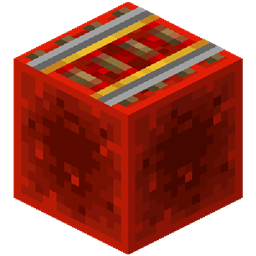
将激活铁轨放置在加速方块(默认为红石块)上即可建造高速轨道。放置在其他方块上则获得普通的激活铁轨。

默认情况下,高速轨道的速度是普通激活铁轨的 4 倍,即 32 m/s(约 115 km/h)。这相当于火箭附魔鞘翅飞行的速度。
高速轨道的倍数可以通过 /hsrails 命令临时更改,或在配置文件中永久更改。加速方块也可配置。请参阅使用方法部分以获取命令和配置选项。
为了应对更高的速度,还提供了一种硬刹车方块(默认为灵魂沙)。如果将未激活的铁轨放置在硬刹车方块上,矿车的减速效果会比默认情况更快。请参阅使用方法部分以获取配置选项。
注意:请阅读设计部分,了解如何在高速下防止矿车脱轨。
注意:游戏似乎对速度存在限制,但对动量没有,该限制大约在 4 倍乘数左右。高于 4 倍的乘数通常会导致动量增加,但最高速度不会更高。这意味着矿车会滑行更长的距离,尽管它们的最高速度看起来相同。
注意:确实,本插件与“改进矿车”(Improved Minecarts)实验功能兼容。它将在 `minecartMaxSpeed` 游戏规则的乘数基础上再应用额外的乘数。
用法
命令
使用 /hsrails <multiplier> 来调整高速铁轨的速度。乘数必须在 1 到 8 之间。
示例:将乘数设置为 4
/hsrails 4
配置
这是默认的 HsRails/config.yml:
speedMultiplier: 4.0
boostBlock: "minecraft:redstone_block"
hardBrakeMultiplier: 8.0
hardBrakeBlock: "minecraft:soul_sand"
允许的值如下:
- speedMultiplier:
>= 1<= 8
- boostBlock:
- 命名空间方块。在 ID 列表 中查找 ID 名称,并在其前加上
minecraft:。例如,将石头方块作为加速方块时,输入"minecraft:stone"。 - 如果输入
"any",所有充能铁轨都会变成高速充能铁轨。
- 命名空间方块。在 ID 列表 中查找 ID 名称,并在其前加上
- hardBrakeMultiplier:
>= 1
- hardBraveBlock:
- 任意命名空间方块(详细信息请参阅
boostBlock的说明)。此处不允许使用any。
- 任意命名空间方块(详细信息请参阅
设计注意事项
在建造高速轨道时,你必须注意以下几点:
- 加速不是瞬时的。
- 以高速进入弯道会导致脱轨。
- 以高速进入/离开斜坡会导致脱轨。
- 在高速行驶时,普通充能铁轨会使你减速。
高速脱轨是游戏本身的限制,这也可能是原版 Minecraft 中铁轨速度如此缓慢的原因。因此,在设计高速轨道时,你需要像真实的高速铁路一样进行规划:长距离直线配合平缓的弯道。
设计规范
以下是我关于建造高效高速轨道的建议:
- 预留加速空间:达到最高速度需要一段时间。在轨道起点处连续放置多段高速铁轨。
- 尽量减少弯道数量:前往任何目的地最多只需要一个弯道。最优化的轨道从上方看呈“L”形。
- 尽量减少坡度:通过挖掘隧道、建造桥梁等方式保持在同一水平面上。
- 在弯道和坡道之前,放置一个(有时是两个)普通充能铁轨以减速并避免脱轨。
- 经过弯道和坡道后,再次预留加速空间。
- 为了在高速状态下维持最高速度,每 30 个方块放置一段高速铁轨(即 1 段充能铁轨 + 29 段铁轨;循环此模式)。
当然,为了保持高速,你的轨道必须由高速铁轨构成,因为普通充能铁轨会使其减速。仅如上文所述,在弯道和坡道处混入普通充能铁轨即可。
如果你希望快速停止高速矿车(例如路线上有车站/停靠点),可以使用硬制动方块配合未充能的充能铁轨。
致谢
改编自 varesa 的 Minecart Speedplus。
感谢以下人员:
- LordNinka 发现了在高倍数下速度与动量之间的关系。
- TheWallaceman105 提出了硬制动方块的概念,并在开发期间通过测试提供帮助。
- Janicki92 提供了关键见解,最终解决了无限动量 bug。
- GoodrichDev 在 Folia 上进行了测试。
- gavinft 提交了代码以支持新的 `minecartMaxSpeed` 游戏规则。
High Speed Rails
(For game versions: 1.14, 1.15, 1.16, 1.17, 1.18, 1.19, 1.20, 1.21 and newer)
A spigot/bukkit plugin to make minecarts worth building.
Place a powered rail on a boost block (redstone block by default) to build high-speed rail. Place on any other block to get a regular powered rail.
High-speed rails are by default 4x faster than regular powered rails, ie. 32 m/s, or 115 km/h. This is as fast as rocket powered elytra flight.
The high-speed rail multiplier can be temporarily changed with the /hsrails command, or permanently changed in the config. The boost block is also configurable. See Usage section for commands and config options.
To help cope with the higher speeds, there is also a hard brake block available (soul sand by default). If you place an unpowered power rail on a hard brake block, the cart will decelerate faster than default. See Usage section for configuration options.
Note: please read the Design sections on how to keep your carts from derailing at high speeds.
Note: there seems to be a game limitation for speed but not momentum, and it seems to be around multiplier of 4x. Multipliers higher than 4x usually result in increased momentum, but not higher top speeds. That means the carts will coast for longer, even though they appear to have the same top speed.
Note: the plugin is compatible with the Improved Minecarts experiment. It will simply apply the multiplier on top of the `minecartMaxSpeed` gamerule.
Usage
Commands
Use /hsrails <multiplier> to tweak how fast high-speed rails are. Multiplier must be between 1 and 8.
Example: set multiplier to 4
/hsrails 4
Config
This is the default HsRails/config.yml:
speedMultiplier: 4.0
boostBlock: "minecraft:redstone_block"
hardBrakeMultiplier: 8.0
hardBrakeBlock: "minecraft:soul_sand"
Allowed values are:
- speedMultiplier:
>= 1<= 8
- boostBlock:
- Namespaced block. Look up the ID name in the id list and prefix it with
minecraft:. For example, type in"minecraft:stone"for stone block as boost block. - If you type in
"any", every powered rail will be a high speed powered rail.
- Namespaced block. Look up the ID name in the id list and prefix it with
- hardBrakeMultiplier:
>= 1
- hardBrakeBlock:
- Any namespaced block (see info on
boostBlockfor details).anyis not allowed here.
- Any namespaced block (see info on
Design considerations
You must be aware of a couple of things while building high-speed tracks:
- Acceleration is not instantaneous.
- Entering turns at high speed will derail you.
- Entering/exiting slopes at high speed will derail you.
- While traveling at high speeds, a regular powered rail will slow you down.
Derailing at high speeds is a limitation of the game itself, and is probably the reason why rails are so slow in vanilla Minecraft. Thus, when designing your high-speed tracks, you will have to design them like real high-speed train tracks: long stretches with smooth turns.
Design guidelines
These are my recommendations for building efficient high-speed tracks:
- Allow room for acceleration: it takes a while to reach top speed. Place several high-speed rail sections close together at the start of your track.
- Minimize number of turns: you only need at most one turn to get to any destination. An optimal track looks like an L from above.
- Minimize number of slopes: build tunnels, bridges, etc. to stay on the same level.
- Before turns and slopes, put one (or sometimes a couple of) regular powered rails to slow down and avoid derailment.
- After turns and slopes, allow room for acceleration again.
- To maintain top speed in high speed state, place a high speed rail every 30 blocks (ie. 1 powered rail + 29 iron rails; rinse and repeat)
To maintain high speeds you must of course build your tracks out of high-speed rails, because regular powered rails will slow you down. Only mix in regular powered rails in turns and slopes as mentioned above.
If you want to stop a high speed cart quickly, for example if you have stations/stops on your route, you can use hard brake blocks with unpowered powered rails.
Credits
Adapted from varesa's Minecart Speedplus.
Thanks to:
- LordNinka for discovering the effects of speed vs. momentum at high multipliers.
- TheWallaceman105 for bringing forth the idea of hard brake blocks and helping during development by testing.
- Janicki92 for key insights that finally resolved the infinite momentum bug.
- GoodrichDev for testing on Folia.
- gavinft for submitting code to support the new `minecartMaxSpeed` gamerule.
下载 hsrails
需要联机服务器吗?
稳定流畅、一键部署,几分钟即可和朋友联机开服
最低仅需 8 元/月 即可畅快联机
下载 hsrails
下载 hsrails
下载 hsrails
需要联机服务器吗?
稳定流畅、一键部署,几分钟即可和朋友联机开服
最低仅需 8 元/月 即可畅快联机
下载 hsrails
需要联机服务器吗?
稳定流畅、一键部署,几分钟即可和朋友联机开服
最低仅需 8 元/月 即可畅快联机
下载 hsrails
下载 hsrails
下载 hsrails
下载 hsrails
下载 hsrails
- 支持 Folia(感谢:GoodrichDev)
- 添加对 minecartMaxSpeed 游戏规则的支援(感谢:gavinft)
- Spigot API 升级至 1.21.5
关于这个资源的讨论、问题反馈与使用心得
还没有讨论,来发第一帖吧
你是这个资源的作者?登录后可认领此资源。
相似资源
 插件
重新定义服务器上的生物运输方式。使用高度可定制的口袋道具,安全地捕获、存储和释放任何实体。
 插件

使床在所有维度中爆炸的模组
 插件
为 Armor Poser 模组添加兼容性
 插件

SkyBlock、OneBlock、Boxed、SkyGrid、AcidIsland、CaveBlock、Poseidon、StrangerRealms——以及更多!这些只是由 BentoBox 支持的基于岛屿的游戏模式之一。来自原版 ASkyBlock 的作者。
 插件
一个高度兼容、功能完善且稳定的 TPA 模组
 插件
AbAcc AbAcc 是一款适用于 Minecraft 服务器的管理插件,可简化玩家作弊检测与举报管理工作。工作人员可以发起并管理对可疑玩家的检查流程,并在检查完成后将其释放。
评论 0
登录后参与评分
还没有评论,来抢沙发吧