
ItemCooldowns
为 PvP、生存和小游戏服务器 提供基于物品的冷却时间,支持在游戏内通过图形用户界面(GUI)以规则形式进行配置。
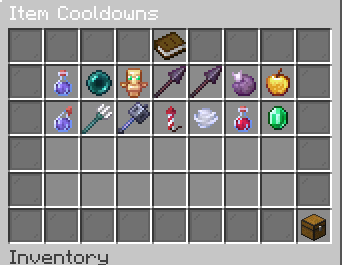
? 规则列表与 GUI
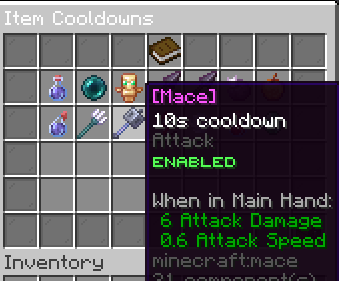
每个冷却时间都是一条规则:每种物品一个计时器,具备智能匹配功能,并支持可选过滤器(药水类型、自定义模型数据、物品模型)。
- 左键点击 某条规则 → 打开规则编辑器
- 右键点击 某条规则 → 启用或禁用该规则(禁用的规则将不生效)
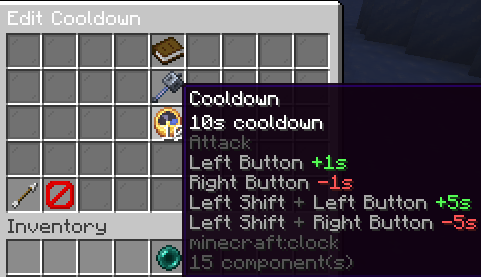
⏱️ 编辑冷却时间
- 左键点击 +1秒 · 右键点击 −1秒
- Shift + 左键点击 +5秒 · Shift + 右键点击 −5秒
- 在中间槽位放入特定物品,或使用预设 / 分组规则
- 离开编辑器时自动保存(无需保存按钮)
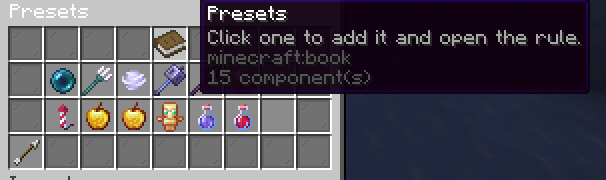
? 预设
一键添加我认为非常常用的常见规则预设:
末影珍珠、三叉戟、风弹、战锤、紫颂果、烟花火箭、金苹果、附魔金苹果、不死图腾,以及分组的长矛 (Spear)、海龟守护者 (Turtle Master)(10秒)和瞬间治疗 (Instant Health)(5秒)。
⚔️ 战斗与展示
冷却时间应用于实际使用时机,我已尽力捕捉这些情况(如果遗漏了任何情况,请加入 Discord 或在 GitHub 上提交 Issue):
| 物品 / 动作 | 计时器启动时机 |
|---|---|
| 战锤 (Mace) | 近战命中(攻击) |
| 风弹 (Wind charge) | 投掷 / 使用 |
| 三叉戟 (Trident) | 投掷或激流 (riptide) |
| 不死图腾 (Totem of Undying) | 复活时 |
| 长矛 (Spear) | 仅猛冲 (Lunge),且需满蓄力猛冲 |
| 药水、珍珠、弓、盾牌、鞘翅配合烟花及其他所有物品 | 使用 / 交互事件 |
不死图腾
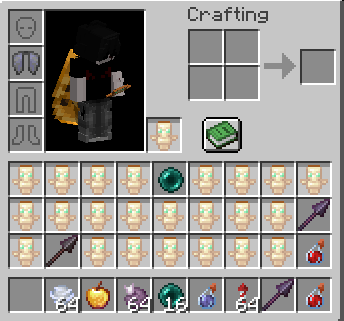
三叉戟(投掷与激流)
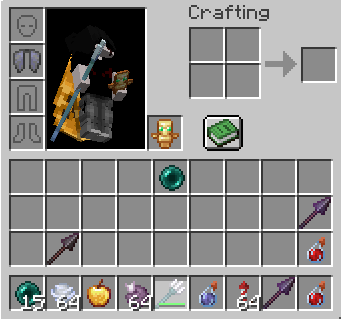
长矛猛冲
分组长矛规则在所有等级间共享一个计时器。包括防止围绕猛冲动作的属性交换滥用机制。
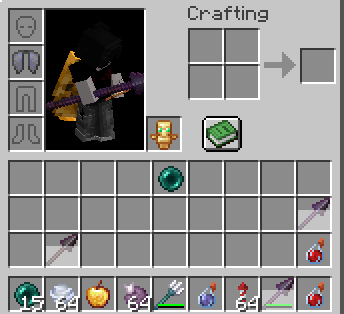
战锤与风弹
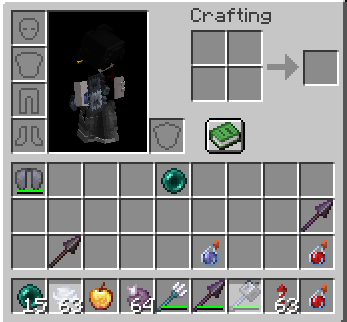
命令
| 命令 | 权限 | 描述 |
|---|---|---|
/itemcooldowns |
itemcooldowns.admin |
打开冷却时间 GUI |
/itemcooldowns reload |
itemcooldowns.admin |
重载配置文件和消息文本 |
/setcooldown <item> <seconds> |
itemcooldowns.set |
添加或更新针对某种材质的全局规则 |
/getcooldown <item> |
itemcooldowns.get |
显示针对某种材质配置的冷却时间 |
/resetcooldown <item|all> |
itemcooldowns.reset |
从配置中移除规则 |
无命令别名。命名空间为 itemcooldowns:* 的建议对客户端列表隐藏。
权限
| 权限 | 默认值 | 描述 |
|---|---|---|
itemcooldowns.admin |
OP | GUI 操作和重载 |
itemcooldowns.set |
OP | /setcooldown |
itemcooldowns.get |
OP | /getcooldown |
itemcooldowns.reset |
OP | /resetcooldown |
配置
| 文件 | 用途 |
|---|---|
plugins/ItemCooldowns/config.yml |
规则列表 (rules:),模式版本 |
plugins/ItemCooldowns/messages.yml |
GUI 和命令文本(随版本自动更新) |
规则从 GUI 保存;您也可以手动编辑 YAML 文件。手动编辑后请使用 /itemcooldowns reload 重载。
联系方式
统计数据

你是这个资源的作者?登录后可认领此资源。
相似资源
 插件

数据包事件PacketEvents
retrooper
PacketEvents 是一款专为 Minecraft Java 版打造的协议库,旨在简化数据包的处理与传输。
前置科技
27
 插件
ExyliaLib
ExyliaServices
ExyliaPlugins 的库。
前置实用
26
 插件
ProAuthMeLogin
3623813757
通过对话框或铁砧界面帮助你的 Anthme
实用
16
 插件
Vessel
muhdfdeen
重新定义服务器上的生物运输方式。使用高度可定制的口袋道具,安全地捕获、存储和释放任何实体。
生物存储
13
 插件
Vivecraft Spigot Extension
fayer3
为基于 Spigot/Paper/Folia 的服务器添加对 Vivecraft 的支持
前置实用
12
 插件
旅行地图
mysticdrew
用于绘制游戏内地图或在浏览器中随探索实时进行地图绘制的实时地图。
冒险实用
12
评论 0
登录后参与评分
还没有评论,来抢沙发吧