
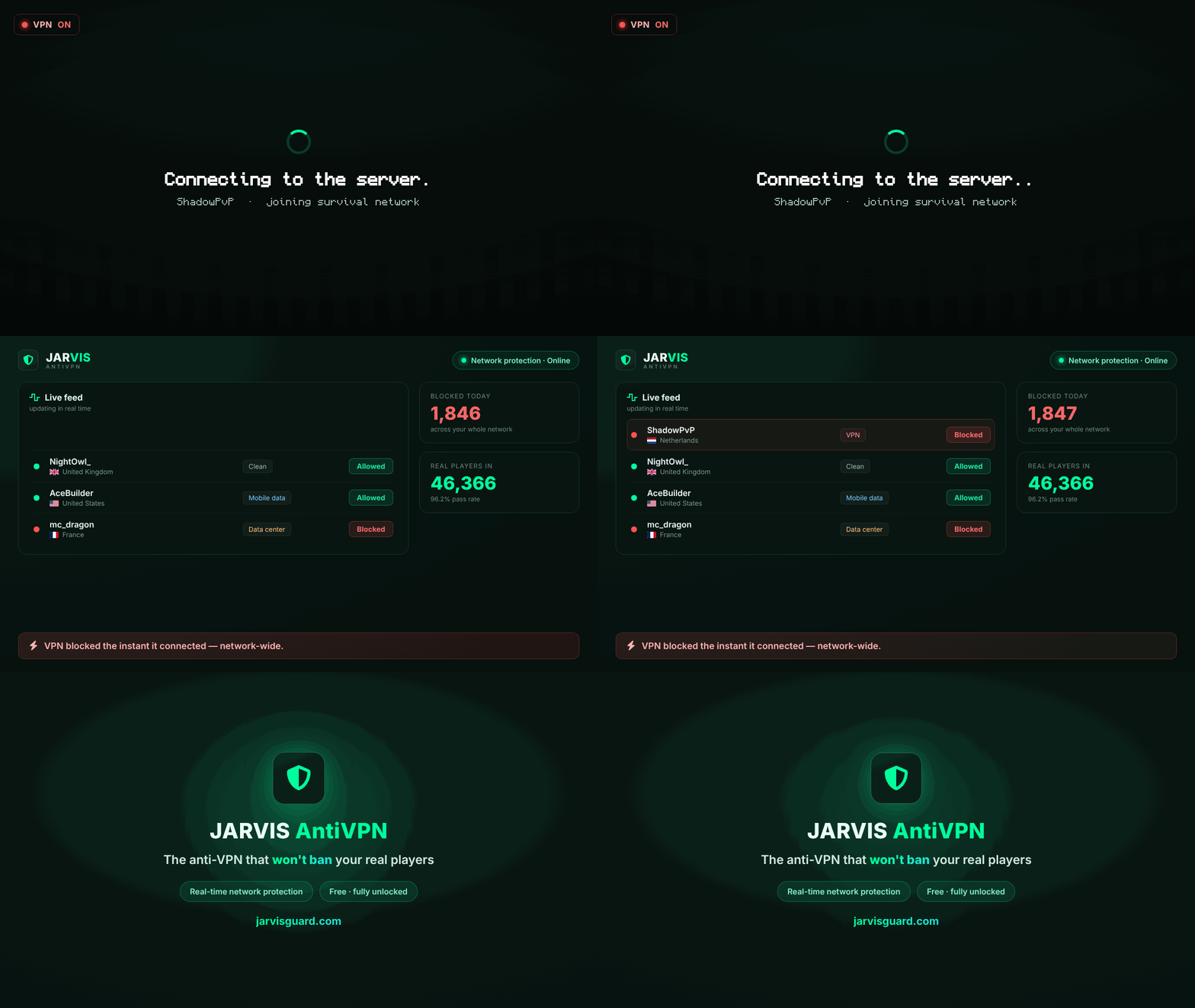
Jarvis AntiVPN
阻止 VPN 和代理。不会误伤你的真实玩家。
Jarvis 是一个小型插件,适用于 Velocity、BungeeCord 和 Paper/Spigot(包含 Folia),它将你的服务器连接到检测服务。它阻止 VPN、匿名代理、数据中心 IP、Tor 以及已知的规避网络,并且旨在让那些仅使用移动数据、处于 CGNAT 之后或连接家庭网络的玩家不受影响。
免费且无限制,无需信用卡,无需关注配额。插件负责处理连接和本地缓存;检测在我们的服务端进行,因此你的代理上不会发生任何沉重的操作。
功能特性
阻止你不想要的连接。 包括 VPN、匿名代理、数据中心 IP、Tor 节点以及人们在被封禁后用于回归的规避网络节点。
让你的真实玩家免受干扰。 移动数据、CGNAT 和家庭连接会被如实识别。如果判定结果接近临界值,玩家依然可以进入。
一个规则覆盖整个网络。 决策会在几秒钟内到达你连接的所有代理,无需重启,也无需刷新列表。
封锁规则在重启后依然存在。 如果你的服务器重启时我们的后端不可达,上次同步的封锁规则仍然生效,而不是服务器从零开始。定时封锁仍会按时过期。
你的管理员可以在游戏内进行操作。 无需打开面板即可将玩家加入白名单或黑名单,并可设置可选的持续时间和理由。
被封禁的玩家可以进行申诉。 踢出消息中包含一个带有单次使用代码的短链接。申诉会出现在你的面板中,因此如果是误判,只需点击一下即可撤销。
账户保护。 它会标记那些登录行为看起来不像平时玩该账号的人的账户(例如使用了该账号从未使用过的国家和提供商),并将其列出供你的管理员查看。这是独立于反 VPN 过滤器的另一层防护。
其余功能都在面板中管理。 国家规则、黑名单和白名单、Discord 警报、按服务器统计、审计日志,以及一个账户下管理多个服务器。
支持 27 种语言。 面板、玩家看到的消息和控制台输出均遵循你在面板中选择语言。
安装指南
- 在 jarvisguard.com 创建你的账户。
- 将 jar 文件放入
plugins/目录并启动服务器一次。- 在网络上,将其安装在 代理(Velocity 或 BungeeCord)上,而不是后端服务器上。一个过滤器即可覆盖其后的所有内容。
- 在没有前置代理的单服务器环境中,请使用 Paper 版本。
- 控制台会打印出一个一次性链接。打开它,登录,服务器即绑定到你的账户。无需粘贴任何内容。如果你更愿意手动操作:执行
/antivpn key <license>。 - 就这样。其余所有功能均可从面板管理。
config.yml 仅包含你的许可证密钥。无需触碰其他设置。
命令
| 命令 | 功能 |
|---|---|
/antivpn doctor |
显示当前正常与异常状态的概览 |
/antivpn stats |
显示后端连接状态和本地缓存信息 |
/antivpn key <license> |
在不重启的情况下关联服务器 |
/antivpn reload |
重新加载配置并清除本地缓存 |
/antivpn whitelist <player> [time] [reason] |
允许某玩家通过 |
/antivpn unwhitelist <player> |
撤销白名单操作 |
/antivpn blacklist <player> [time] [reason] |
阻止某玩家 |
/antivpn unblacklist <player> |
撤销黑名单操作 |
别名:/jarvis, /avpn。时间参数接受 30m、12h、7d、2w 或 perma;省略则使用面板中的默认值。
权限说明:jarvis.command(使用命令)、jarvis.staff(在游戏内管理白名单和黑名单)、jarvis.admin(全部权限,包括员工权限和警报)、jarvis.alerts(当有人被阻止时接收游戏内警报)、jarvis.bypass(该玩家永远不会被检查)。
兼容性
| Velocity | 3.x 和 4.0 |
| BungeeCord / Waterfall | 支持 |
| Paper / Spigot | 1.18 及更高版本 |
| Folia | 支持,与 Paper 使用相同的 jar 文件 |
| Java | 17 或更高版本 |
| Floodgate | 可选。Bedrock 玩家会被识别,面板规则会考虑这一点 |
如果服务不可用
你的服务器将继续运行。登录请求将通过,本地缓存中已有的封锁规则仍然生效,一旦服务再次响应,检查会自动恢复。在此期间控制台会明确提示状态,让你清楚当前情况。
隐私与数据(网络披露)
此插件会与外部服务通信。 每次登录时,它会将连接数据(IP 和 UUID)发送到 Jarvis 后端,后端会返回一个签名后的判决。这就是反 VPN 的工作原理,因此需要互联网连接以及来自 jarvisguard.com 的许可证密钥,获取是免费的。Jarvis 不是反作弊插件:它不检查游戏玩法或游戏机制。
连接器源码已发布在 github.com/JarvisAntiVPN/jarvisguard。检测服务本身由我们运营并保持私有。jar 文件未混淆,因此平台扫描非常简单。许可证:保留所有权利。
常见问题
这会踢出我的真实玩家吗? 移动数据、CGNAT 和家庭连接会被如实识别,模棱两可的情况最终会让玩家进入。每次踢出都附带申诉链接,因此任何你想撤销的操作都可以在面板中一键完成。
它在 Spigot 或 Paper 上能用吗? 可以。有一个 Paper/Spigot 版本,自 0.5.23 起,同一个 jar 文件也可以在 Folia 上运行。如果你运行的是带有代理的网络,请在代理上安装 Velocity 或 BungeeCord 版本:一个过滤器即可覆盖其后的所有服务器。
如果后端宕机了怎么办?我的服务器会随之关闭吗? 不会。你的服务器保持在线,且已应用的区块保护不会丢失。防护功能会在后端恢复后自动重新启用。
支持 Bedrock 和 Floodgate 吗? 支持。Bedrock 玩家会被正确识别,面板规则也知晓这一点,因此来自手机等设备的连接本身不会被视作可疑行为。
需要付费吗? 不需要。完全免费且无限制,无需绑定银行卡,对检查登录次数的数量也没有上限。未来可能会收费,但目前不是。
会不会拖慢登录速度? 不会。检查过程在异步预登录阶段进行,并配有本地缓存和超时机制。如果未在限定时间内收到回复,玩家仍可正常进入。
链接
面板与账户:jarvisguard.com
Discord:discord.gg/5RUbGymKTy
Jarvis AntiVPN
Blocks VPNs and proxies. Not your real players.
Jarvis is a small plugin for Velocity, BungeeCord and Paper/Spigot (Folia included) that connects your server to a detection service. It blocks VPNs, anonymous proxies, datacenter IPs, Tor and known evasion networks, and it is built to leave alone the players who are simply on mobile data, behind CGNAT or on a home connection.
Free and unlimited, no card, no quota to watch. The plugin handles the connection and the local cache; the detection runs on our side, so nothing heavy happens on your proxy.
Create your account at jarvisguard.com
What it does
Blocks the connections you don't want. VPNs, anonymous proxies, datacenter IPs, Tor and the nodes of the evasion networks people use to come back after a ban.
Leaves your real players alone. Mobile data, CGNAT and home connections are read for what they are. If a call is close, the player gets in.
One block covers your entire network. A decision reaches every proxy you have connected in seconds, with no restart and no list to refresh.
Blocks survive a restart. If your server comes back up while our backend is unreachable, the blocks from the last sync are still applied instead of the server starting with none. Timed blocks still expire on time.
Your staff can act from in game. Whitelist or block a player without opening the panel, with an optional duration and reason.
A blocked player can appeal. The kick message carries a short link with a single use code. The appeal shows up in your panel, so a mistake takes one click to undo.
Account Shield. It flags accounts whose login does not look like the person who usually plays it (a country and a provider that account had never used) and lists them for your staff. It is a separate layer from the anti-VPN filter.
The rest lives in the panel. Country rules, block list and whitelist, Discord alerts, per server statistics, audit log, and several servers under one account.
27 languages. The panel, the messages your players see and the console output all follow the language you pick in the panel.
Installing
- Create your account at jarvisguard.com.
- Drop the jar into
plugins/and start the server once.- On a network, install it on the proxy (Velocity or BungeeCord), not on the backend servers. One filter covers everything behind it.
- On a single server with nothing in front of it, use the Paper build.
- The console prints a one time link. Open it, sign in, and the server is bound to your account. There is nothing to paste. If you would rather do it by hand:
/antivpn key <license>. - That's it. Everything else is managed from the panel.
config.yml only holds your license key. No other setting to touch.
Commands
| Command | What it does |
|---|---|
/antivpn doctor |
One screen with what is working and what is not |
/antivpn stats |
Backend connection and local cache |
/antivpn key <license> |
Links the server without a restart |
/antivpn reload |
Reloads the config and clears the local cache |
/antivpn whitelist <player> [time] [reason] |
Lets a player through |
/antivpn unwhitelist <player> |
Undoes it |
/antivpn blacklist <player> [time] [reason] |
Blocks a player |
/antivpn unblacklist <player> |
Undoes it |
Aliases: /jarvis, /avpn. Time accepts 30m, 12h, 7d, 2w or perma; leave it out and it uses the default from your panel.
Permissions: jarvis.command (use the command), jarvis.staff (whitelist and blacklist in game), jarvis.admin (everything, includes staff and alerts), jarvis.alerts (gets the in game alert when someone is blocked), jarvis.bypass (that player is never checked).
Compatibility
| Velocity | 3.x and 4.0 |
| BungeeCord / Waterfall | Yes |
| Paper / Spigot | 1.18 and newer |
| Folia | Yes, same jar as Paper |
| Java | 17 or newer |
| Floodgate | Optional. Bedrock players are recognised and the panel rules take that into account |
If the service is unreachable
Your server keeps running. Logins go through, the blocks already in the local cache stay applied, and checking resumes on its own as soon as the service answers again. The console says it out loud while it lasts, so you know where you stand.
Privacy and data (network disclosure)
This plugin communicates with an external service. On each login it sends the connection data (the IP and the UUID) to the Jarvis backend, which replies with a signed verdict. That is how the anti-VPN works, so it needs an internet connection and a license key from jarvisguard.com, which is free to get. Jarvis is not an anticheat: it does not look at gameplay or game mechanics.
The connector's source is published at github.com/JarvisAntiVPN/jarvisguard. The detection service itself is ours and stays private. The jar is not obfuscated, so platform scanning is straightforward. License: All Rights Reserved.
FAQ
Is it going to kick my real players? Mobile data, CGNAT and home connections are read for what they are, and a doubtful case ends with the player getting in. Every kick also carries an appeal link, so anything you want to reverse is one click in the panel.
Does it work on Spigot or Paper? Yes. There is a Paper/Spigot build, and since 0.5.23 the same jar also runs on Folia. If you run a network with a proxy, install the Velocity or BungeeCord build on the proxy instead: one filter covers every server behind it.
What if your backend goes down? Does my server go down? No. Your server stays open and the blocks it already knows stay applied. Protection comes back on its own.
Bedrock and Floodgate? Supported. Bedrock players are recognised as such, and the panel rules are aware of it, so a phone connection is not treated as something suspicious by itself.
Does it cost anything? No. Free and unlimited, no card, no cap on how many logins it checks. It will be a paid product at some point, not now.
Does it slow logins down? The check happens in the async pre login, with a local cache and a time limit. If an answer does not arrive in time the player goes in.
Links
Panel and account: jarvisguard.com Discord: discord.gg/5RUbGymKTy

下载 Jarvis AntiVPN
需要联机服务器吗?
稳定流畅、一键部署,几分钟即可和朋友联机开服
最低仅需 8 元/月 即可畅快联机
下载 Jarvis AntiVPN
需要联机服务器吗?
稳定流畅、一键部署,几分钟即可和朋友联机开服
最低仅需 8 元/月 即可畅快联机
下载 Jarvis AntiVPN
需要联机服务器吗?
稳定流畅、一键部署,几分钟即可和朋友联机开服
最低仅需 8 元/月 即可畅快联机
下载 Jarvis AntiVPN
需要联机服务器吗?
稳定流畅、一键部署,几分钟即可和朋友联机开服
最低仅需 8 元/月 即可畅快联机
下载 Jarvis AntiVPN
需要联机服务器吗?
稳定流畅、一键部署,几分钟即可和朋友联机开服
最低仅需 8 元/月 即可畅快联机
下载 Jarvis AntiVPN
需要联机服务器吗?
稳定流畅、一键部署,几分钟即可和朋友联机开服
最低仅需 8 元/月 即可畅快联机
下载 Jarvis AntiVPN
需要联机服务器吗?
稳定流畅、一键部署,几分钟即可和朋友联机开服
最低仅需 8 元/月 即可畅快联机
下载 Jarvis AntiVPN
需要联机服务器吗?
稳定流畅、一键部署,几分钟即可和朋友联机开服
最低仅需 8 元/月 即可畅快联机
下载 Jarvis AntiVPN
需要联机服务器吗?
稳定流畅、一键部署,几分钟即可和朋友联机开服
最低仅需 8 元/月 即可畅快联机
下载 Jarvis AntiVPN
需要联机服务器吗?
稳定流畅、一键部署,几分钟即可和朋友联机开服
最低仅需 8 元/月 即可畅快联机
- 新增
/antivpn link命令。它会显示用于连接服务器的链接,这样你就不必再等待下一条控制台通知或向上滚动查找了。该链接仅出现在控制台中,以及在线模式(online-mode)的高级玩家会话中;RCON 和其他插件不会收到此链接。在生成新链接后,只要旧链接仍然有效,它仍可继续使用。 - 粘贴许可证密钥更加轻松。
config.yml和/antivpn key现在均支持小写、多余空格或引号,甚至可以直接连同命令一起粘贴。如果config.yml中包含的不是有效的许可证密钥,控制台会提示这一点,并改为显示连接服务器的链接。在服务端启动时,以及在更换密钥后执行/antivpn reload,控制台会以一行文字明确告知密钥是否被接受或拒绝。 - 当无法检查玩家时,Jarvis 会说明原因。控制台、
/antivpn stats和/antivpn doctor不再将所有问题归咎于网络连接:它们会指出真正的原因(例如许可证被拒),并提供简短建议。状态不再来回切换,且同一错误也不会为每个加入的玩家重复打印。 jarvis.bypass权限在重启后得以保留。拥有该权限的工作人员在服务端或代理重启后首次加入时,不会再被重新检查。在 Velocity 上,移除该权限将在玩家下次加入时生效。- 降低许可证密钥泄露到日志中的风险。在 Paper 上,在游戏中输入
/antivpn key不再将密钥留在服务器日志中;若config.yml存在格式错误,也不再将包含密钥的损坏行复制到控制台中。 - 支持 36 种语言。玩家和工作人员的消息现也支持印地语、塞尔维亚语、乌尔都语、波斯语、孟加拉语、菲律宾语、高棉语、拉脱维亚语和老挝语。
- 离线模式服务器:游戏内提醒会告知具体操作。工作人员现在可以看到在哪里找到连接服务器的链接,以及如何获取许可证。
- 代理后面的 Paper 服务端:不再频繁出现关联提醒。控制台不再每 10 分钟询问一次,而是只显示一条通知:推荐配置是在代理上运行 Jarvis。
/antivpn link、/antivpn doctor和/antivpn stats也会给出相同提示。 - Paper 相关修复。面板中的玩家会话在服务端停止或重载时现在能正确关闭。工作人员通知和面板使用玩家的真实语言,包括对 1.8 至 1.11 版本的支持。在 1.8 至 1.12 版本中,不再每 10 秒打印一次控制台错误,面板也能再次识别在线玩家。
- 以及一些较小的修复。更新方式为替换 jar 文件并重启,无需更改配置文件。要求与 0.5.26 版本相同(Java 17 或更高版本)。
- 新增
/antivpn link命令。它会显示连接服务器的链接,因此你不再需要等待下一条控制台通知或向后滚动查找。该链接仅出现在控制台中,并且在游戏内仅对高级(在线模式)会话可见;RCON 和其他插件不会收到此链接。新链接显示后,只要旧链接仍然有效,它仍会继续使用。 - 粘贴许可证密钥更加便捷。
config.yml和/antivpn key现在均支持小写、多余空格、引号,或与命令一起粘贴的格式。如果config.yml中包含的内容不是许可证密钥,控制台会提示并改为显示连接服务器的链接。在服务器启动时,以及在使用不同密钥执行/antivpn reload后,控制台会以单行形式告知密钥是否被接受或拒绝。 - 当无法检查玩家时,Jarvis 会说明原因。控制台、
/antivpn stats和/antivpn doctor不再将所有问题归咎于连接:它们会指出实际原因(例如许可证被拒),并提供简短建议。状态不再来回切换,且同一错误也不会为每位加入的玩家重复出现。 jarvis.bypass权限在重启后得以保留。拥有该权限的工作人员在服务器或代理重启后首次加入时,不再被重新检查。在 Velocity 上,移除该权限将在玩家下次加入时生效。- 降低许可证密钥泄露到日志中的风险。在 Paper 上,在游戏内输入
/antivpn key不再将密钥留在服务器日志中;config.yml存在格式错误时,也不再将可能包含密钥的错误行复制到控制台中。 - 36 种语言。玩家和工作人员的消息现在也支持印地语、塞尔维亚语、乌尔都语、波斯语、孟加拉语、菲律宾语、高棉语、拉脱维亚语和老挝语。
- 离线模式服务器:游戏内的提醒会告知具体操作。工作人员现在可以看到在哪里找到连接服务器的链接,以及如何获取许可证。
- 代理后面的 Paper 服务器:不再频繁提醒进行链接。控制台不再每 10 分钟询问一次,而是只显示一条通知:推荐配置是在代理上运行 Jarvis。
/antivpn link、/antivpn doctor和/antivpn stats也会显示相同信息。 - Paper 修复。当服务器停止或重载时,面板中的玩家会话现在能正确关闭。工作人员通知和面板使用玩家的真实语言,包括 1.8 至 1.11 版本。在 1.8 至 1.12 版本中,不再每 10 秒产生一次控制台错误,面板也能再次识别在线玩家。
- 以及一些较小的修复。更新方式是通过替换 jar 文件并重启服务器,无需更改配置文件。要求与 0.5.26 版本相同(Java 17 或更高版本)。
关于这个资源的讨论、问题反馈与使用心得
还没有讨论,来发第一帖吧
你是这个资源的作者?登录后可认领此资源。
相似资源
 插件

PacketEvents 是一款专为 Minecraft Java 版打造的协议库,旨在简化数据包的处理与传输。
 插件
ExyliaPlugins 的库。
 插件
通过对话框或铁砧界面帮助你的 Anthme
 插件
重新定义服务器上的生物运输方式。使用高度可定制的口袋道具,安全地捕获、存储和释放任何实体。
 插件
为基于 Spigot/Paper/Folia 的服务器添加对 Vivecraft 的支持
 插件
用于绘制游戏内地图或在浏览器中随探索实时进行地图绘制的实时地图。
评论 0
登录后参与评分
还没有评论,来抢沙发吧