KaMenu - 原生对话框菜单构建器
使用 YAML 创建现代 Minecraft 对话框:表单、动态按钮、操作工作流、持久数据以及可选的 JavaScript。
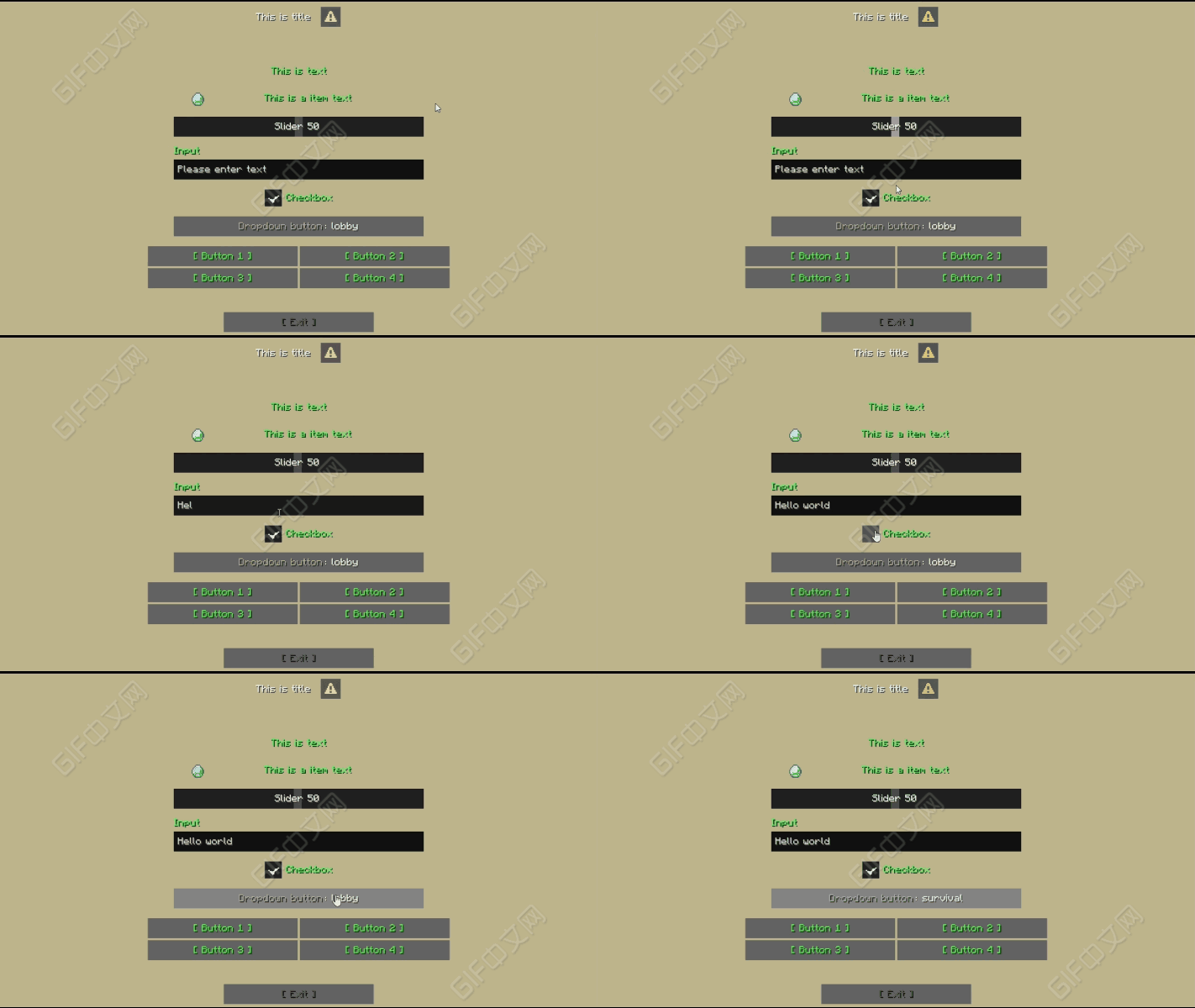
KaMenu 是一款基于 Minecraft 原生对话框系统构建的菜单插件。它不通过模拟物品栏界面来呈现,而是允许你使用清晰且结构化的 YAML 创建真正的客户端原生对话框。
可用于服务器导航、商店、传送点、好友列表、玩家个人资料、每日奖励、表单、管理工具,甚至具有实时状态和定期刷新功能的游戏界面。基础菜单无需编程即可使用。当项目需要更高级的逻辑时,可提供条件判断、操作包、JavaScript 以及外部 API。
快速链接
- Wiki:
- GitHub:
- Issues:
- Discord:
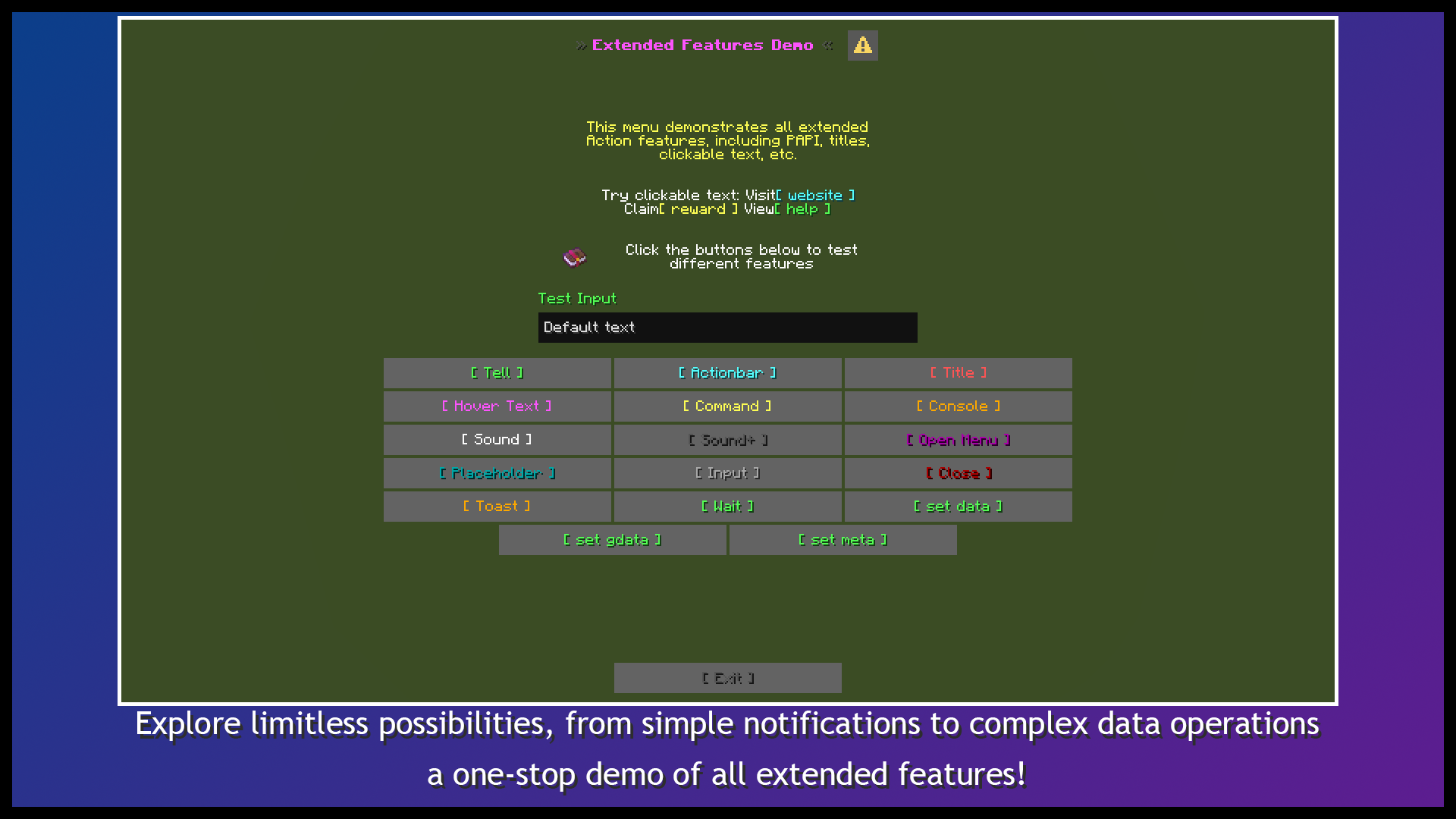
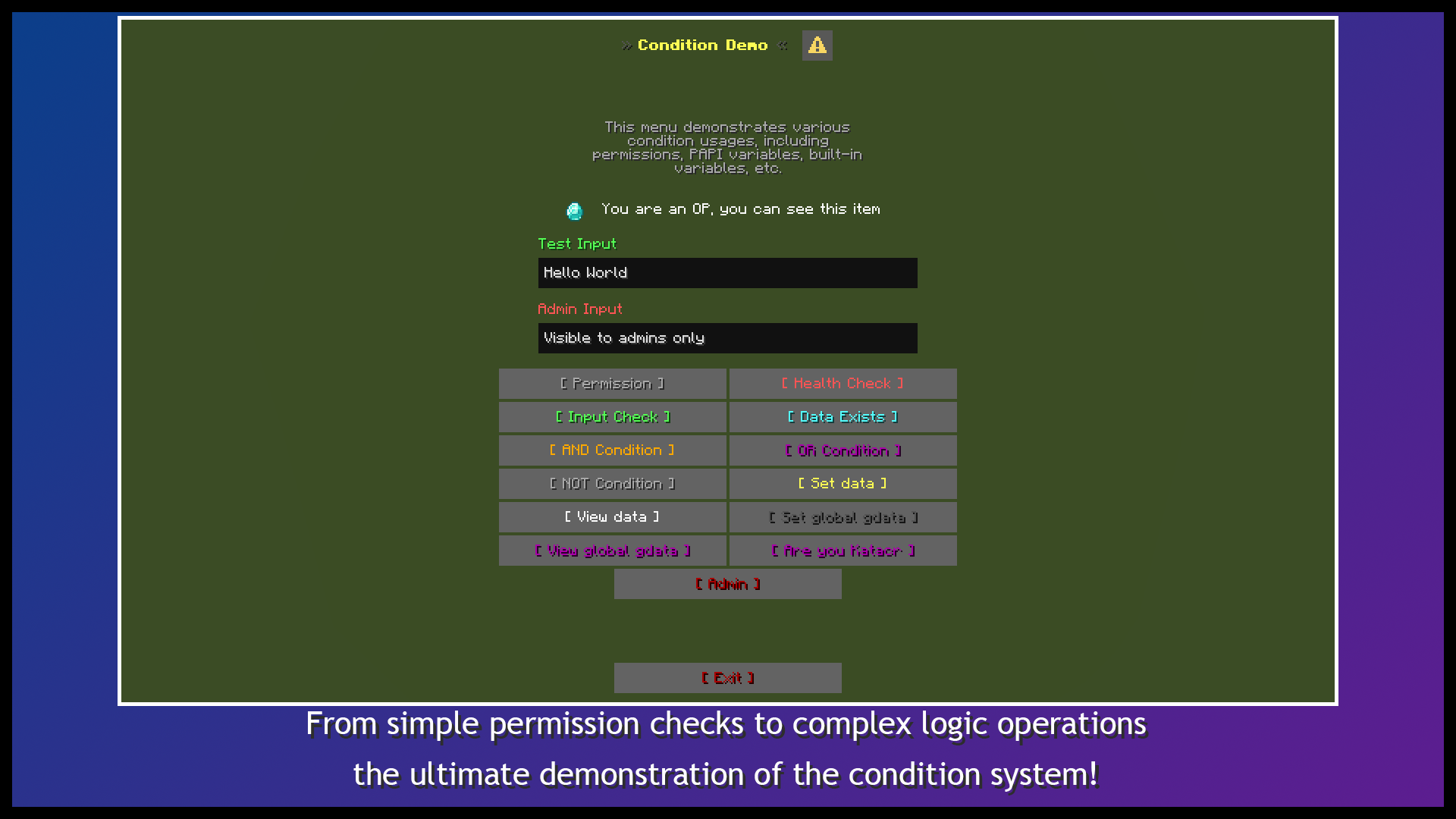
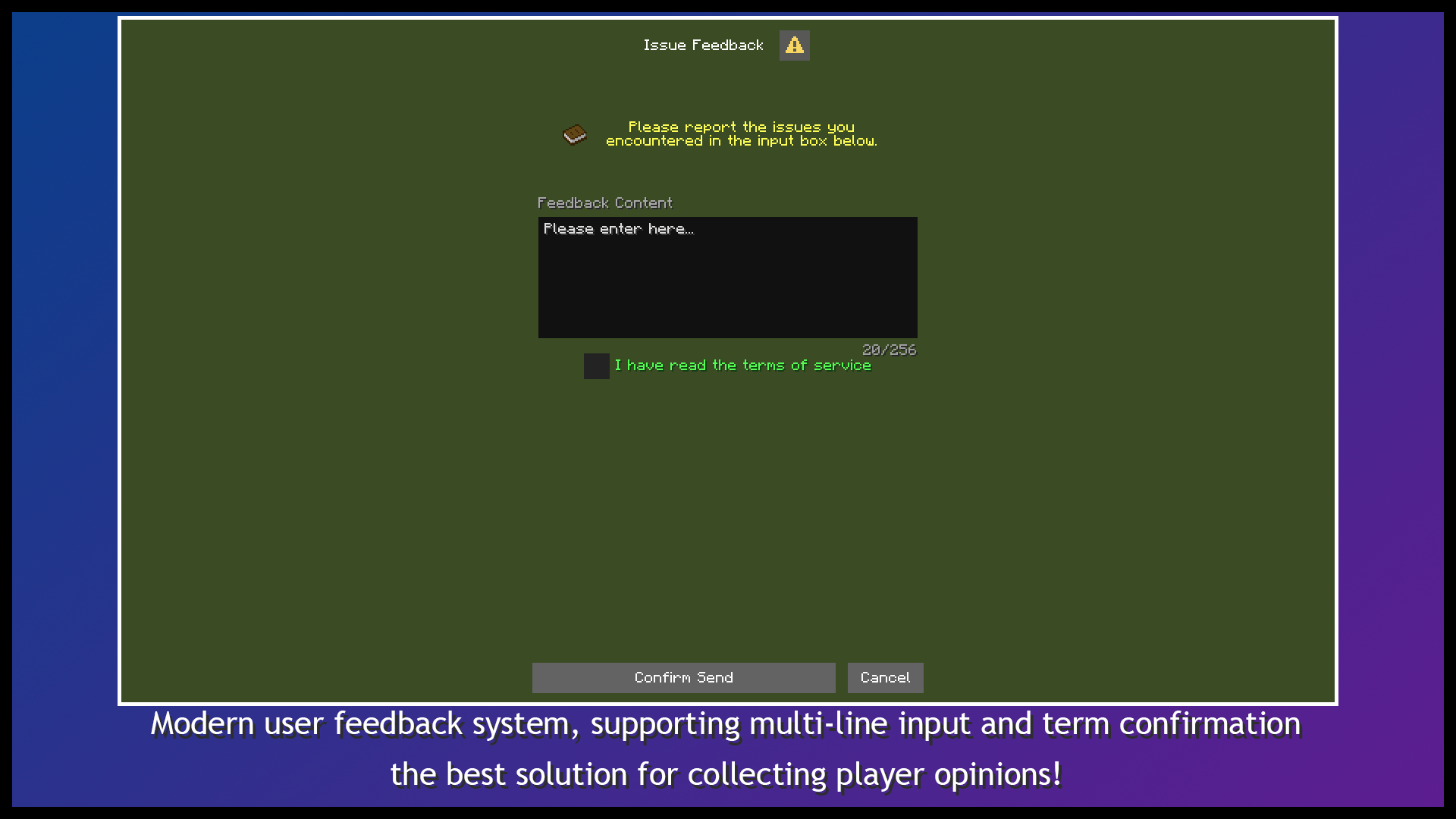
界面预览
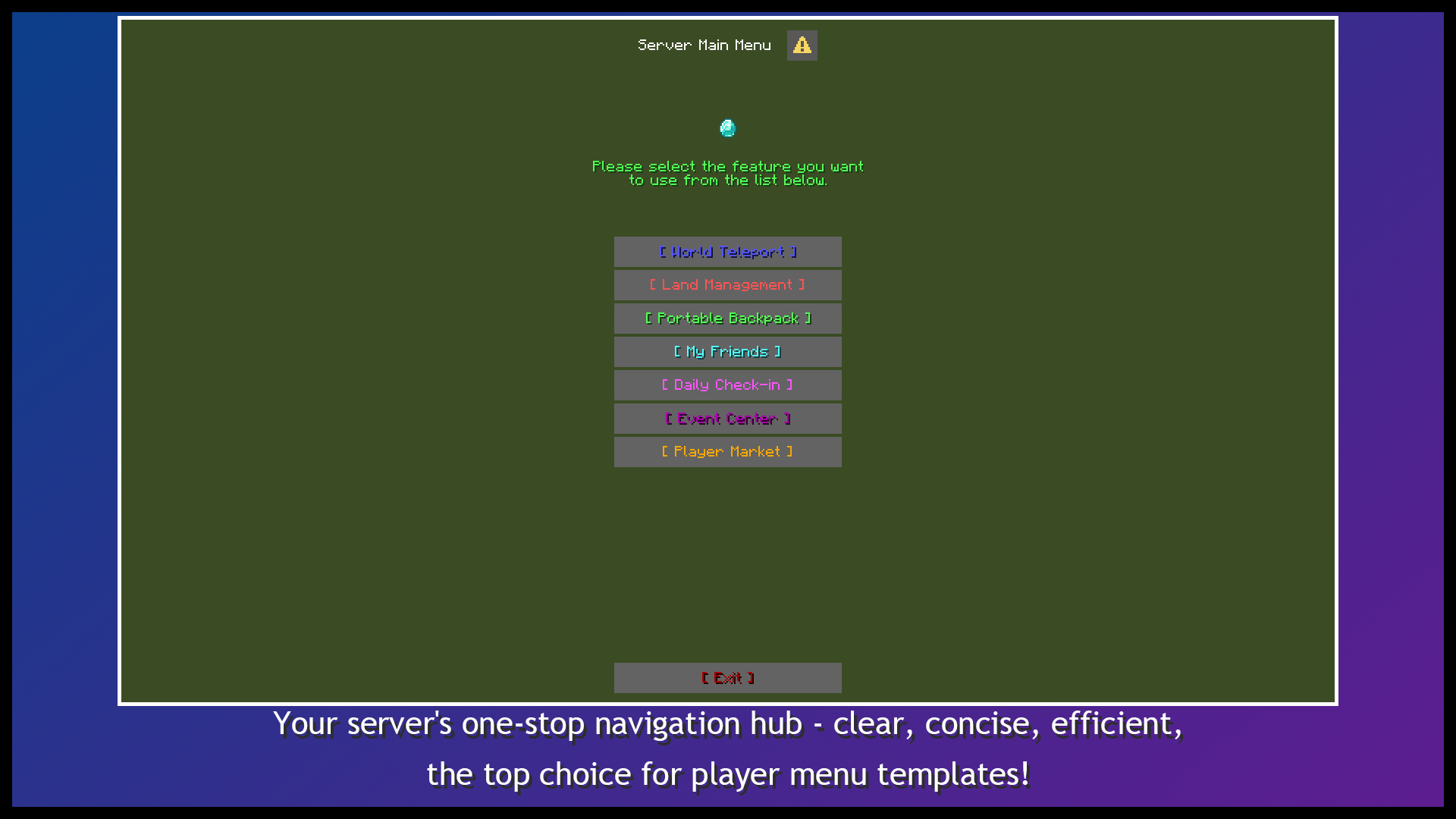
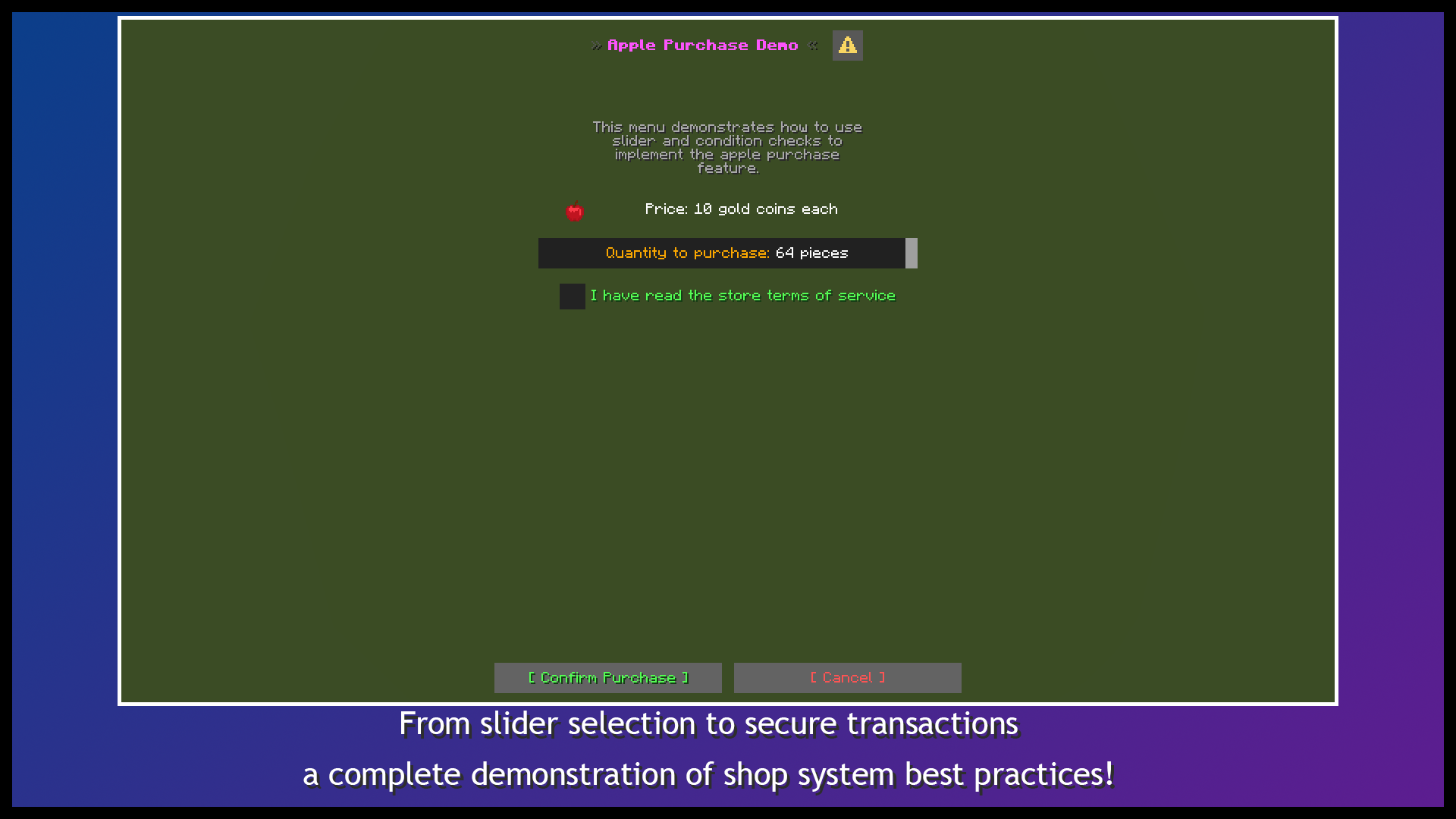
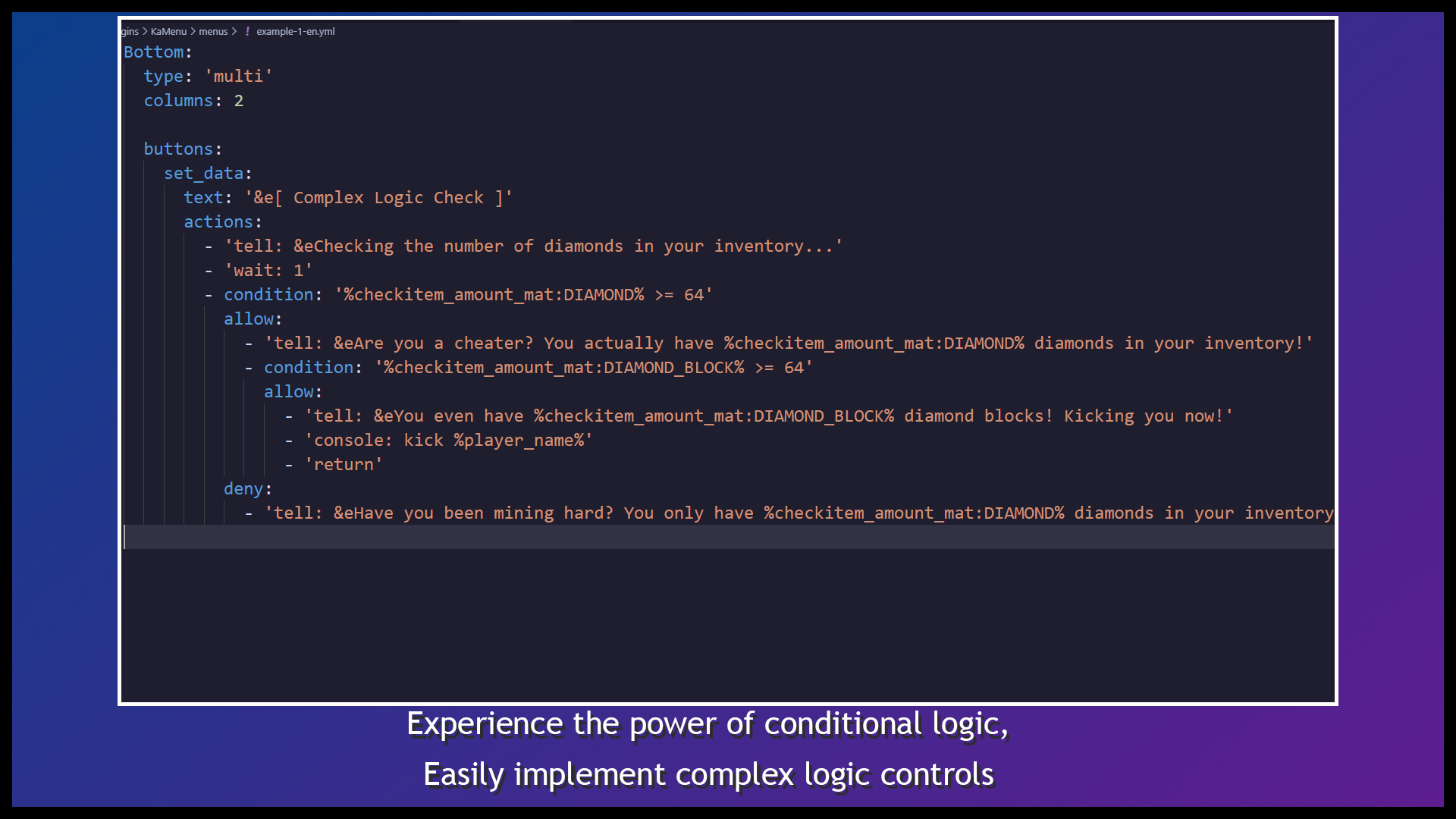
为什么选择 KaMenu?
原生对话框而非物品栏 GUI
KaMenu 直接使用 Minecraft 的对话框系统。玩家可以在一个屏幕中阅读文本、检查物品、输入文字、移动滑块、切换选项并点击按钮,而无需使用物品栏物品来模仿表单。
优先使用 YAML,JavaScript 可选
常规菜单仅需 YAML。标题、正文内容、输入框、按钮和操作都使用清晰的配置部分。JavaScript 是可选的,旨在用于计算、实时状态和可复用的高级逻辑。
完整的菜单生命周期
KaMenu 的功能不止于打开界面。它可以在打开前验证权限或数据,在点击后执行有序的操作队列,在菜单关闭时清理状态,并在菜单保持活动状态时运行周期性任务。
组件系统
正文组件
message: 单行或多行内容,支持旧版颜色、MiniMessage、变量和条件文本。item: 原版物品、玩家装备槽位、第三方物品、名称、描述、附魔、耐久度、模型和玩家头像。- 可点击文本支持悬停文本、物品悬停数据、URL、剪贴板复制、命令以及 KaMenu 操作回调。
- 来自 ItemsAdder、Oraxen 和 CraftEngine 的原版精灵图和符号。
- 条件可以动态显示或隐藏各个组件。
输入组件
input: 单行或多行文本字段。slider: 数值滑块,支持配置范围和步长。dropdown: 单选按钮,点击时在选项间循环切换。checkbox: 复选框和确认输入。
捕获的值可在操作、条件、命令或 JavaScript 中使用 $(input_id) 引用。输入清理可以全局或按菜单配置地修剪周围空白字符并移除配置的字符。
底部布局
notice: 单个操作按钮。confirmation: 确认和拒绝按钮。multi: 可配置的按钮网格,带有一个可选的退出按钮。repeat: 根据运行时列表数据生成和分页按钮。- 无按钮对话框、自定义宽度、工具提示和条件标签。
动态列表与分页
玩家数量、好友列表和传送点数量并非预先可知。repeat 可在运行时从简单的字符串、JavaScript 数组或对象列表中生成按钮。
- 针对值(如
player1,player2,player3)的自定义分隔符。
- 通过
{item.name}、{item.id} 等变量访问对象字段。
{item.index}、{item.number}、{item.page_index} 和 {item.page_number}。- 默认每页 20 条条目,范围可从 1 到 99 配置。
- 内置
list 和 glist 存储,支持添加、删除、唯一性、清空和持久化操作。
典型用途包括:
- 在线玩家列表
- 好友和被屏蔽玩家
- 玩家传送点
- 商品、任务和奖励
- 数据库记录浏览器
操作体系
按钮、可点击文本、自定义命令、事件和操作包共享同一套操作语法。
| 类别 |
常用操作 |
| 消息 |
tell, actionbar, title, toast, hovertext |
| 命令 |
command, console, chat |
| 菜单 |
open, reset, close, force-open, force-close |
| 游戏内 |
sound, tppos, server, money, item, stock-item |
| 存储 |
data, gdata, list, glist, meta |
| 流程 |
wait, return, run-task, stop-task, stop-current-task |
| 复用 |
actions 包和 js 包 |
操作按顺序执行,支持延迟、条件、目标玩家选择器和参数。操作包使用 {arg:0}、{arg:1} 等读取参数。
条件与变量
条件不仅可以控制操作分支,还可以控制标题、正文内容、输入默认值、按钮标签和组件可见性。
- 比较:
==, !=, >, >=, <, <=。
- 逻辑:
&&, || 和嵌套括号。
- 权限和物品:
hasPerm, hasItem。
- 列表:
inList, inGlist。
- 字符串:
isNull, isPass, isTrue, getLength。
- 存储:
{data:key}, {gdata:key}, {list:key}, {glist:key}。
- 参数:
{arg:0}, {arg:1}。
- 输入:
$(input_id)。
- PlaceholderAPI:
%player_name% 及已安装扩展中的占位符。
{checkitem:[slot;property;format]} 还可以显示物品名称、描述(lore)、附魔、耐久度、item_model 以及自定义模型 ID。
事件、任务与生命周期
Events.Open: 在菜单打开前运行,并可选择通过 return 阻止菜单打开。Events.Click: 可复用且带参数的菜单动作组。Events.Close: 当菜单生命周期结束时运行。Events.Tasks: 在菜单活跃期间定期执行。Settings.lifetime: 主动关闭过期的菜单并停止其任务。Settings.can_escape: 控制 ESC 键关闭功能及其退出行为。Settings.after_action: 配置点击后的客户端行为。
周期性任务支持自动或手动启动、有限或无限循环、完成时动作以及通配符停止。KaMenu 会按玩家追踪活跃任务,以防止在菜单刷新时出现重复的生命周期任务。
JavaScript 与可复用包
- 菜单局部 JavaScript:用于特定于菜单的逻辑。
plugins/KaMenu/js/:每个 .js 文件对应一个全局 JavaScript 包。plugins/KaMenu/actions/:每个 .yml 文件对应一个全局动作包。- 菜单局部的定义优先于同名的全局包。
- 每次执行都有独立的绑定,防止不同玩家之间的状态泄漏。
- 内置 PAPI 和 KaMenu 变量解析,以及
delay() 等辅助函数。
- 调用包时,参数之间可用空格或逗号分隔。
数据存储
KaMenu 包含 SQLite 和 MySQL 存储功能,无需额外安装数据库插件。
data: 按 UUID 的每位玩家独立键值存储。gdata: 全服务器共享的键值存储。list: 每位玩家独立的列表存储。glist: 全服务器共享的列表存储。- 支持已存储的值、列表内容以及列表大小的 PAPI 占位符。
- 内置
%kamenu_online_players% 在线玩家列表。
自定义命令与 API
在 config.yml 中注册面向玩家的命令:
- 直接打开某个菜单。
- 执行完整的动作队列。
- 通过
{arg:0} 及后续索引读取参数。
- 根据 PAPI、
list 或 glist 中的值配置静态或动态 Tab 补全。
- 重载后为在线玩家刷新命令树。
外部插件可通过 KaMenu API 实现以下功能:
- 从
menus/ 目录打开基于文件的菜单。
- 渲染 YAML 字符串或内存中的
YamlConfiguration 对象。
- 注册自定义动作处理器。
- 检查可用性并获取插件实例。
ESC 暂停菜单入口
pause_menu.yml 可编译为原版数据包中的 Dialog,并作为自定义条目添加到客户端的 ESC 暂停界面中。该条目可包含正文内容、输入框以及按钮网格,用于打开常规 KaMenu 菜单或执行动作。
/km pause register
注册后请完全重启服务器。
快速示例
创建 plugins/KaMenu/menus/welcome.yml:
Title: '&bServer Welcome Menu'
设置:
can_escape: true
lifetime: 300
after_action: CLOSE
主体:
welcome:
type: message
width: 320
text:
- '&f欢迎,&a%player_name%&f!'
- '&7输入昵称并选择一个操作。'
输入项:
nickname:
type: input
text: '&e昵称'
default: '%player_name%'
max_length: 16
底部:
type: multi
columns: 2
buttons:
hello:
text: '&a打招呼'
tooltip: '&7发送问候语'
actions:
- 'tell: &a你好,$(nickname)!'
- 'sound: entity.experience_orb.pickup;volume=1.0;pitch=1.3'
examples:
text: '&b打开示例'
actions:
- 'open: example/main_menu'
exit:
text: '&c关闭'
actions:
- 'close'
然后运行:

```text
/km reload menu
/km open welcome
安装与首次使用
- 将 KaMenu JAR 文件放入
plugins/ 目录。
- 启动服务器并等待第一个依赖下载完成。
- 运行
/kamenu guide 以打开内置的设置指南。
- 选择一种语言并发布对应的示例菜单。
- 运行
/km open example/main_menu。
常用命令
/km guide
/km list
/km open <menu-id> [player]
/km examples [zh_CN|en_US] [overwrite]
/km language <language-id>
/km reload [all|menu|config|actions|js|lang]
/km pause <register|unregister|info>
管理命令默认使用 kamenu.admin 权限。
要求
| 项目 |
要求 |
| Java |
21+ |
| Minecraft |
1.21.7+ |
| 服务器 |
Spigot/Paper/Folia 1.21.7+ |
| 数据库 |
默认为 SQLite,或 MySQL 5.7+ |
首次启动需要访问 Maven 以下载运行时库。下载的库存储在服务器缓存中。
可选依赖
- PlaceholderAPI:第三方及 KaMenu 占位符。
- Vault:经济相关操作。
- ItemsAdder:自定义物品、图像符号和像素偏移。
- Oraxen:自定义物品、符号和位移。
- CraftEngine:自定义物品和 Dialog 符号包拦截。
所有集成均为软依赖。
使用说明
after_action: NONE 和 WAIT_FOR_RESPONSE 下的客户端回调是一次性的。按钮操作应使用 close、reset 或 open,以避免留下无法再次响应的缓存屏幕。- 在 Folia 上使用自定义 JavaScript、外部动作处理程序和第三方 PAPI 扩展时,必须遵守相关的线程规则。
- 少数完全依赖于平台特定服务器 API 的操作可能会有所不同。建议使用最新的 Paper 构建以获得最广泛的功能覆盖。
支持与指标
报告问题时,请包含完整的服务器版本、KaMenu 版本、相关的菜单 YAML 以及完整的堆栈跟踪。
KaMenu 基于 GPL-3.0 许可证免费且开源。
KaMenu - Native Dialog Menu Builder
Create modern Minecraft Dialogs with YAML: forms, dynamic buttons, action workflows, persistent data, and optional JavaScript.
KaMenu is a menu plugin built around Minecraft's native Dialog system. Instead of simulating interfaces with inventory screens, it lets you create real client-native Dialogs with clean and structured YAML.
Use it for server navigation, shops, warps, friend lists, player profiles, daily rewards, forms, administration tools, or even game interfaces with live state and periodic refreshes. Basic menus require no programming. Conditions, action packages, JavaScript, and an external API are available when your project needs more advanced logic.
Quick Links
- Wiki:
- GitHub:
- Issues:
- Discord:
Interface Preview
Why KaMenu?
Native Dialogs Instead of Inventory GUIs
KaMenu uses Minecraft's Dialog system directly. Players can read text, inspect items, enter text, move sliders, switch options, and click buttons in one screen without using inventory items to imitate a form.
YAML First, JavaScript Optional
Regular menus only need YAML. Titles, body content, inputs, buttons, and actions use clear configuration sections. JavaScript is optional and intended for calculations, live state, and reusable advanced logic.
A Complete Menu Lifecycle
KaMenu does more than open a screen. It can validate permissions or data before opening, execute ordered action queues after a click, clean up state when the menu closes, and run periodic tasks while the menu remains active.
Component System
Body Components
message: single-line or multiline content, legacy colors, MiniMessage, variables, and conditional text.item: vanilla items, player equipment slots, third-party items, names, lore, enchantments, damage, models, and player heads.- Clickable text supports hover text, item hover data, URLs, clipboard copy, commands, and KaMenu action callbacks.
- Vanilla sprites and glyphs from ItemsAdder, Oraxen, and CraftEngine.
- Conditions can show or hide individual components dynamically.
Input Components
input: single-line or multiline text fields.slider: numeric sliders with configurable ranges and steps.dropdown: a single-option button that cycles through choices when clicked.checkbox: checkbox and confirmation inputs.
Captured values use $(input_id) inside actions, conditions, commands, or JavaScript. Input cleanup can trim surrounding whitespace and remove configured characters globally or per menu.
Bottom Layouts
notice: one action button.confirmation: confirm and deny buttons.multi: a configurable button grid with an optional exit button.repeat: generate and paginate buttons from runtime list data.- Buttonless Dialogs, custom widths, tooltips, and conditional labels.
Dynamic Lists and Pagination
Player counts, friend lists, and warp counts are not known in advance. repeat generates buttons from a simple string, JavaScript array, or object list at runtime.
- Custom delimiters for values such as
player1,player2,player3.
- Object fields through
{item.name}, {item.id}, and similar variables.
{item.index}, {item.number}, {item.page_index}, and {item.page_number}.- 20 entries per page by default, configurable from 1 to 99.
- Built-in
list and glist storage with add, remove, uniqueness, clear, and persistence operations.
Typical uses include:
- Online-player lists
- Friends and blocked players
- Player warps
- Products, quests, and rewards
- Database record browsers
Action System
Buttons, clickable text, custom commands, events, and action packages share one action syntax.
| Category |
Common Actions |
| Messages |
tell, actionbar, title, toast, hovertext |
| Commands |
command, console, chat |
| Menus |
open, reset, close, force-open, force-close |
| Gameplay |
sound, tppos, server, money, item, stock-item |
| Storage |
data, gdata, list, glist, meta |
| Flow |
wait, return, run-task, stop-task, stop-current-task |
| Reuse |
actions packages and js packages |
Actions execute in order and support delays, conditions, target-player selectors, and arguments. Action packages read parameters with {arg:0}, {arg:1}, and so on.
Conditions and Variables
Conditions can control action branches as well as titles, body content, input defaults, button labels, and component visibility.
- Comparisons:
==, !=, >, >=, <, and <=.
- Logic:
&&, ||, and nested parentheses.
- Permissions and items:
hasPerm, hasItem.
- Lists:
inList, inGlist.
- Strings:
isNull, isPass, isTrue, getLength.
- Storage:
{data:key}, {gdata:key}, {list:key}, {glist:key}.
- Arguments:
{arg:0}, {arg:1}.
- Inputs:
$(input_id).
- PlaceholderAPI:
%player_name% and placeholders from installed expansions.
{checkitem:[slot;property;format]} can also expose item names, lore, enchantments, damage, item_model, and custom model IDs.
Events, Tasks, and Lifecycle
Events.Open: run before opening and optionally block the menu with return.Events.Click: reusable and parameterized menu action groups.Events.Close: run when the menu lifecycle ends.Events.Tasks: execute periodically while the menu is active.Settings.lifetime: actively close expired menus and stop their tasks.Settings.can_escape: control ESC closing and its exit action.Settings.after_action: configure client behavior after a click.
Periodic tasks support automatic or manual starts, finite or infinite loops, completion actions, and wildcard stopping. KaMenu tracks active tasks per player to prevent duplicate lifecycle tasks when a menu refreshes.
JavaScript and Reusable Packages
- Menu-local JavaScript for menu-specific logic.
plugins/KaMenu/js/: one global JavaScript package per .js file.plugins/KaMenu/actions/: one global action package per .yml file.- Menu-local definitions take priority over global packages with the same name.
- Independent bindings for every execution prevent state leakage between players.
- Built-in PAPI and KaMenu variable parsing plus helpers such as
delay().
- Package calls accept arguments separated by spaces or commas.
Data Storage
KaMenu includes SQLite and MySQL storage without requiring another database plugin.
data: per-player key/value storage by UUID.gdata: shared server-wide key/value storage.list: per-player list storage.glist: shared server-wide list storage.- PAPI placeholders for stored values, list contents, and list sizes.
- Built-in
%kamenu_online_players% online-player list.
Custom Commands and API
Register player-facing commands in config.yml:
- Open a menu directly.
- Execute a complete action queue.
- Read arguments through
{arg:0} and later indexes.
- Configure static or dynamic Tab completion from PAPI,
list, or glist values.
- Refresh the command tree for online players after a reload.
External plugins can use the KaMenu API to:
- Open file-based menus from
menus/.
- Render YAML strings or in-memory
YamlConfiguration objects.
- Register custom action handlers.
- Check availability and access the plugin instance.
ESC Pause-Menu Entry
pause_menu.yml can be compiled into a vanilla data-pack Dialog and added as one custom entry on the client's ESC pause screen. The entry can contain body content, inputs, and a button grid that opens regular KaMenu menus or executes actions.
/km pause register
Fully restart the server after registration.
Quick Example
Create plugins/KaMenu/menus/welcome.yml:
Title: '&bServer Welcome Menu'

Settings:
  can_escape: true
  lifetime: 300
  after_action: CLOSE

Body:
  welcome:
    type: message
    width: 320
    text:
      - '&fWelcome, &a%player_name%&f!'
      - '&7Enter a nickname and choose an action.'

Inputs:
  nickname:
    type: input
    text: '&eNickname'
    default: '%player_name%'
    max_length: 16

Bottom:
  type: multi
  columns: 2
  buttons:
    hello:
      text: '&aSay Hello'
      tooltip: '&7Send a greeting'
      actions:
        - 'tell: &aHello, $(nickname)!'
        - 'sound: entity.experience_orb.pickup;volume=1.0;pitch=1.3'
    examples:
      text: '&bOpen Examples'
      actions:
        - 'open: example/main_menu'
  exit:
    text: '&cClose'
    actions:
      - 'close'
Then run:
/km reload menu
/km open welcome
Installation and First Use
- Place the KaMenu JAR in
plugins/.
- Start the server and allow the first dependency download to complete.
- Run
/kamenu guide to open the built-in setup guide.
- Select a language and release the matching example menus.
- Run
/km open example/main_menu.
Common Commands
/km guide
/km list
/km open <menu-id> [player]
/km examples [zh_CN|en_US] [overwrite]
/km language <language-id>
/km reload [all|menu|config|actions|js|lang]
/km pause <register|unregister|info>
Administration commands use the kamenu.admin permission by default.
Requirements
| Item |
Requirement |
| Java |
21+ |
| Minecraft |
1.21.7+ |
| Server |
Spigot/Paper/Folia 1.21.7+ |
| Database |
SQLite by default, or MySQL 5.7+ |
The first startup requires Maven access to download runtime libraries. Downloaded libraries are stored in the server cache.
Optional Dependencies
- PlaceholderAPI: third-party and KaMenu placeholders.
- Vault: economy actions.
- ItemsAdder: custom items, image glyphs, and pixel offsets.
- Oraxen: custom items, glyphs, and shifts.
- CraftEngine: custom items and Dialog glyph packet interception.
All integrations are soft dependencies.
Usage Notes
- Client callbacks under
after_action: NONE and WAIT_FOR_RESPONSE are one-shot. Button actions should use close, reset, or open to avoid leaving a cached screen that cannot respond again.
- Custom JavaScript, external action handlers, and third-party PAPI expansions must follow the relevant threading rules when used on Folia.
- A few actions that rely entirely on a platform-specific server API may differ. The latest Paper build is recommended for the broadest feature coverage.
Support and Metrics
When reporting an issue, include the full server version, KaMenu version, related menu YAML, and complete stack trace.
KaMenu is free and open source under the GPL-3.0 license.


 插件

 插件
 插件
 插件
 插件
 插件
评论 0
登录后参与评分
还没有评论,来抢沙发吧