Keep Illegal Blocks
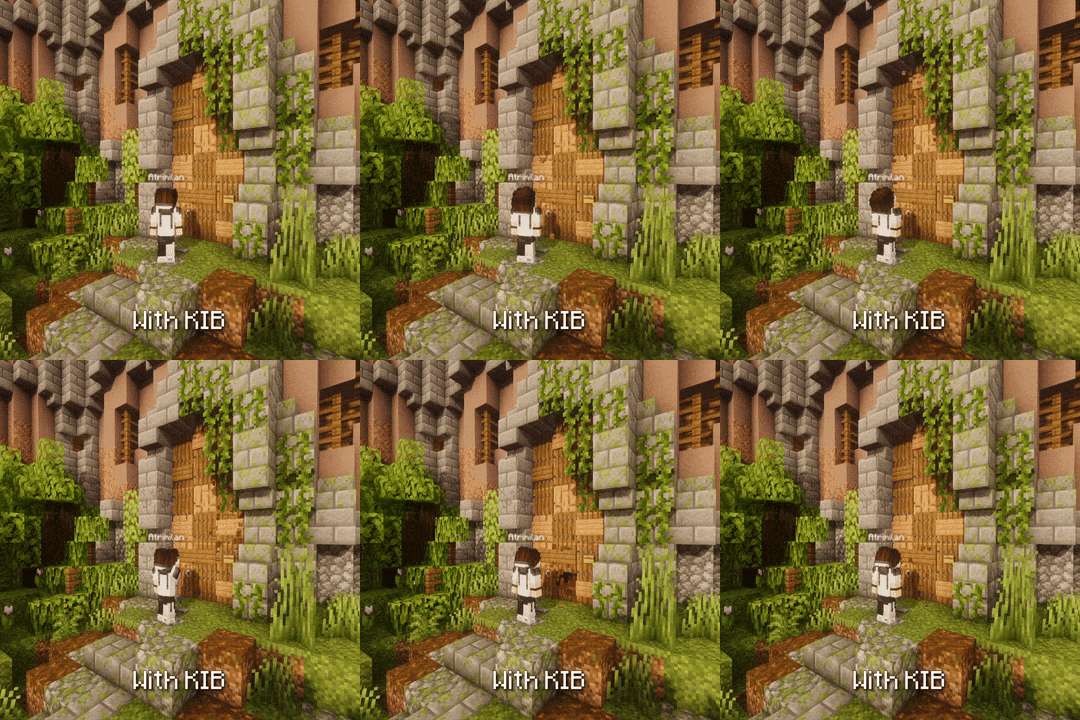
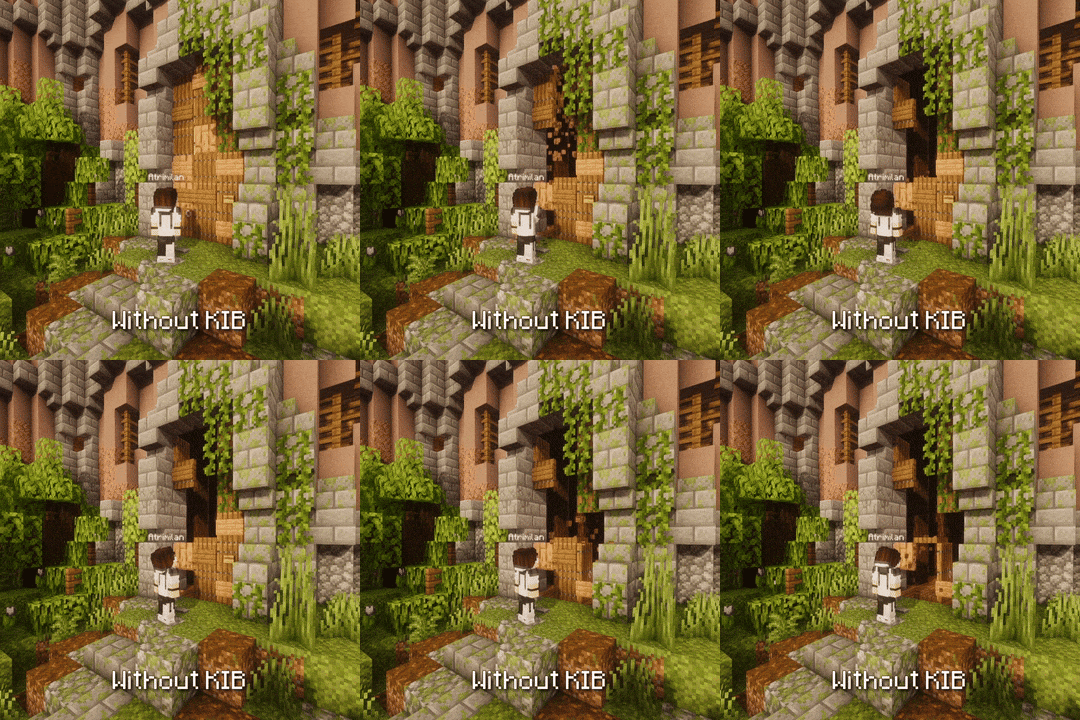
KIB 是一个 Paper 插件,用于防止玩家在操作相邻方块时,非法放置的方块发生破坏或更新。
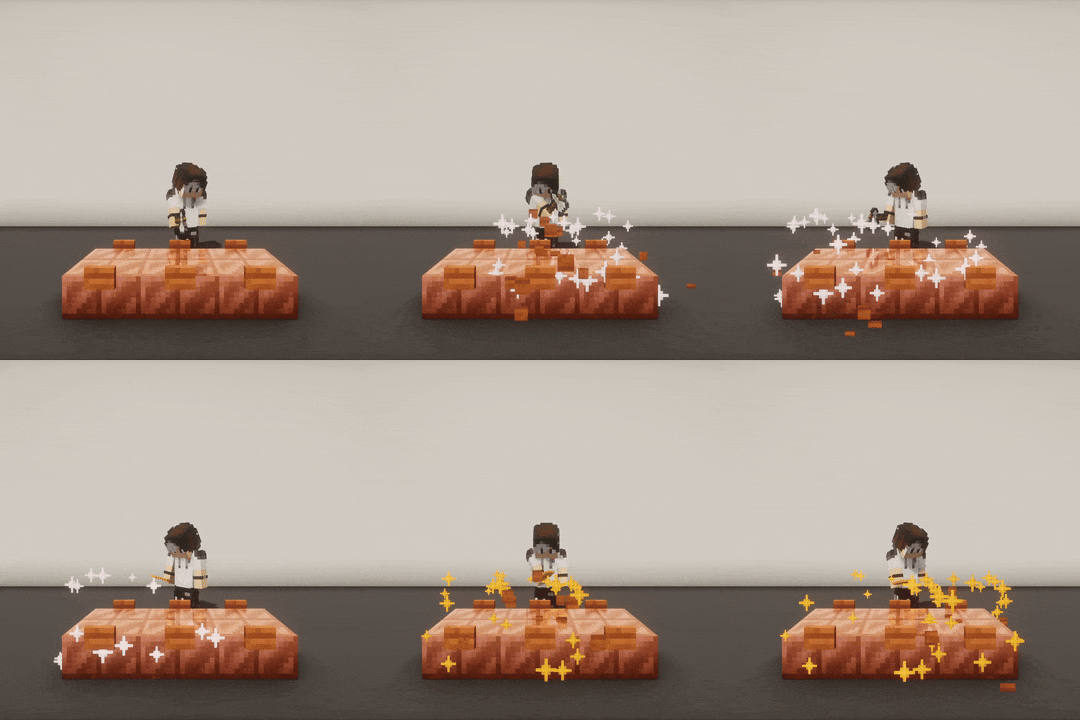
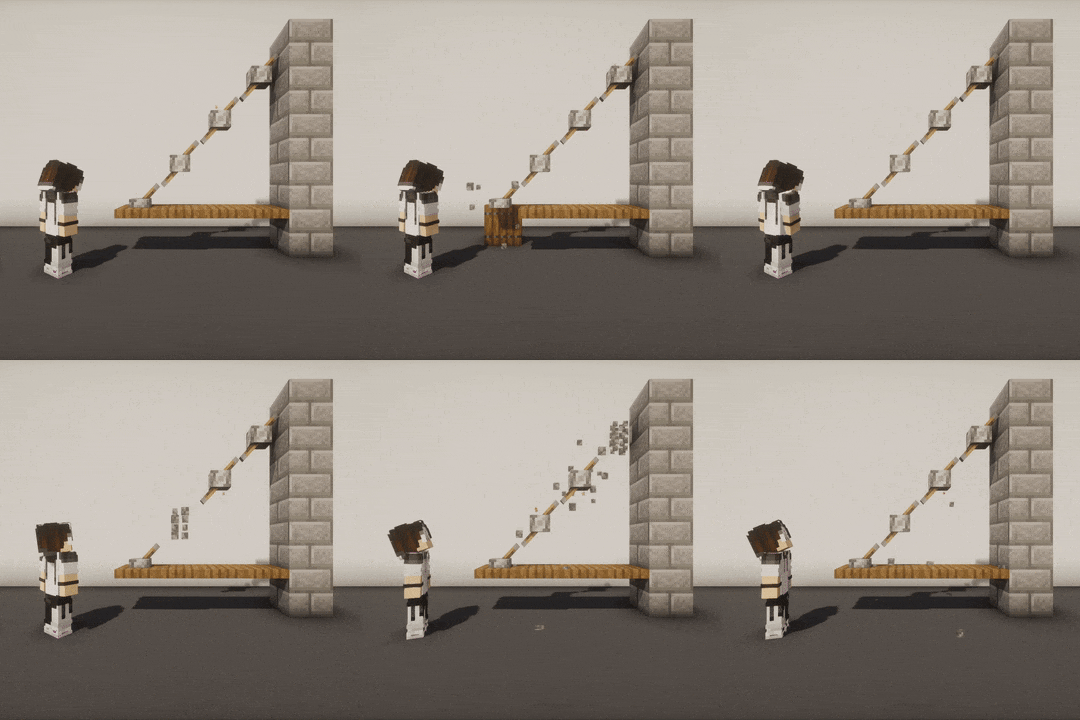
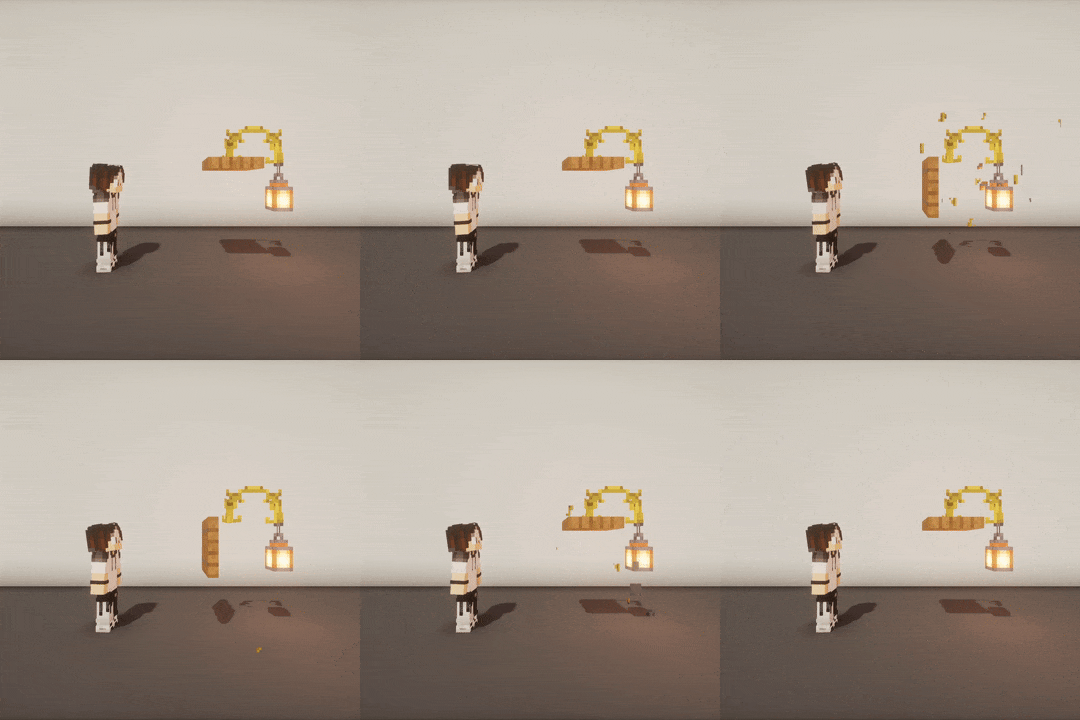
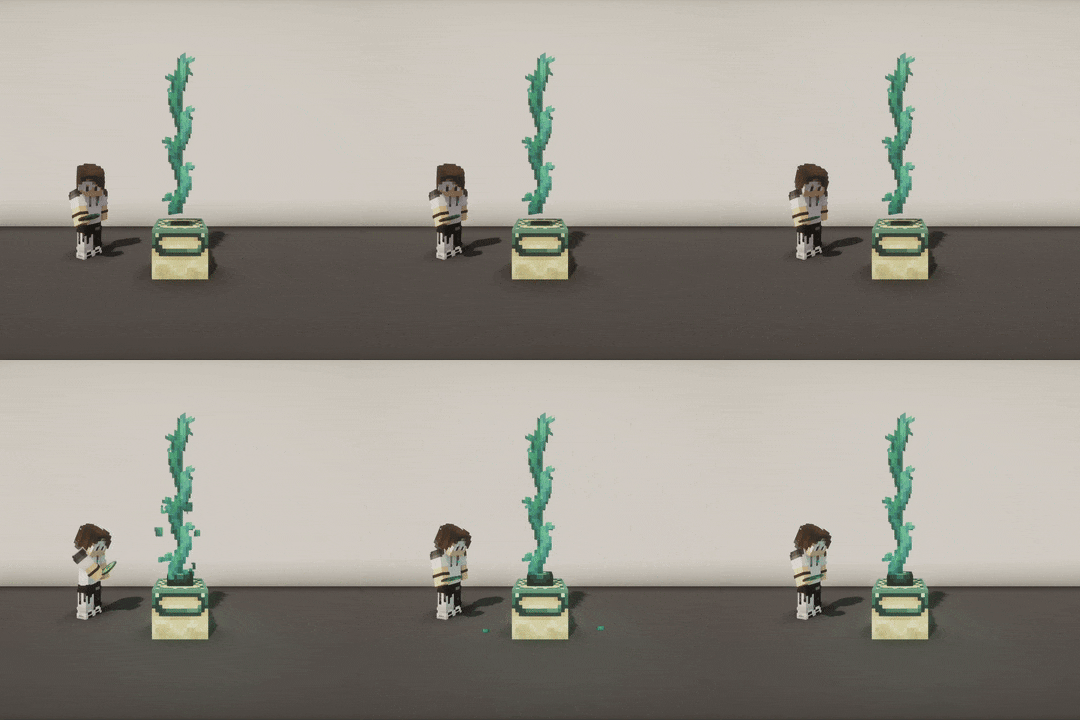
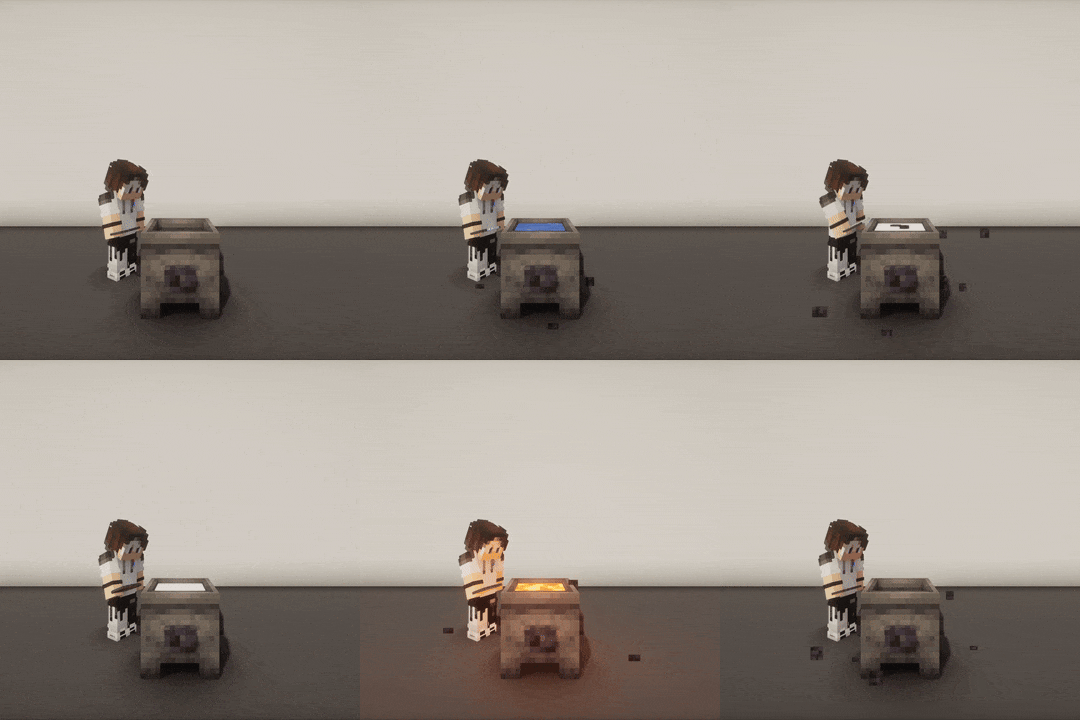
?️ 更多 GIF 示例
在这里 ?:
有什么用?
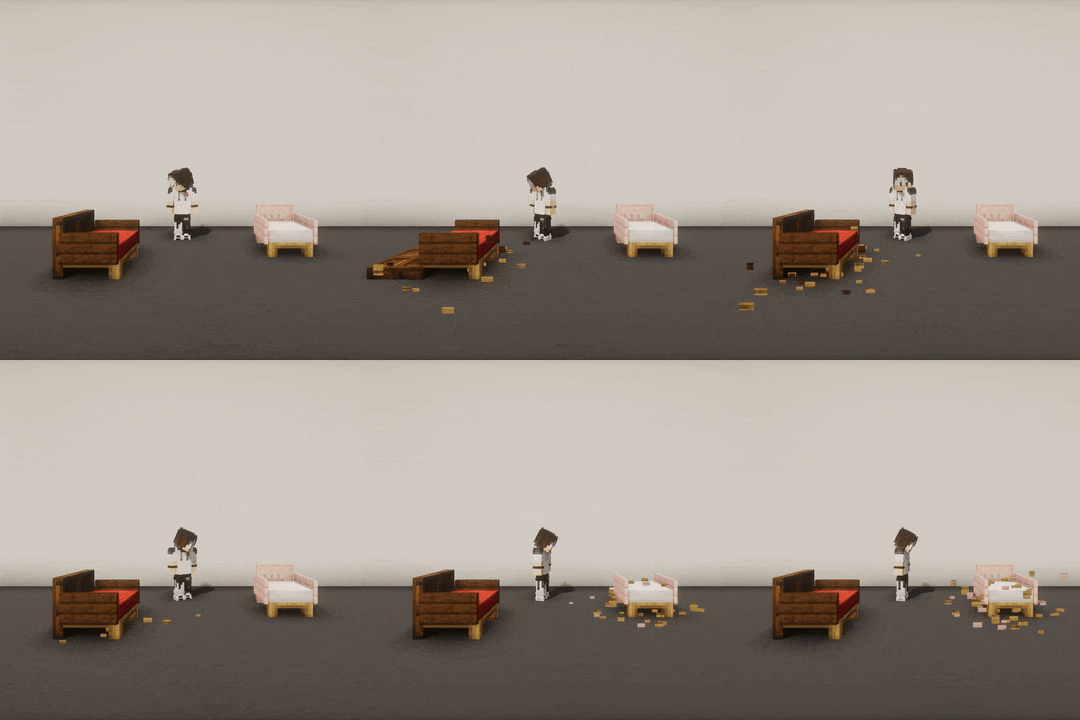
当你以游戏物理机制通常不允许的方式放置方块时,一旦你操作相邻的方块,这些方块可能会发生破坏或更新。
当非法放置的方块发生破坏或更新时,其相邻的方块也会受到影响,从而引发连锁反应。
例如,以下情况可以放置出非法方块:
- 使用 Axiom 及其“不更新”(No update)功能强制放置
- 使用 WorldEdit 配合
//perf off 命令强制放置
- 在 Minecraft 命令
/setblock 的 strict 模式下强制放置(该模式可阻止触发方块更新)
- 使用调试棒(Debug Stick)进行更新
→ 此插件通过修复你非法放置的方块来解决这一问题。
在 KIB 中,非法放置的方块被称为 “reactives”(易受影响的方块),而可以被操作并可能触发相邻方块更新的方块被称为 “interactables”(可交互方块)。
? 我不明白,给我举个例子
-
将火把放置在门上。当你打开门时,火把会消失。
→ 火把是“reactive”,门是“interactable”。
-
垂直堆叠多扇门并打开最下面的一扇。上方所有的门都会消失。
→ 所有的门都是“reactive”,最下面的门是“interactable”。
-
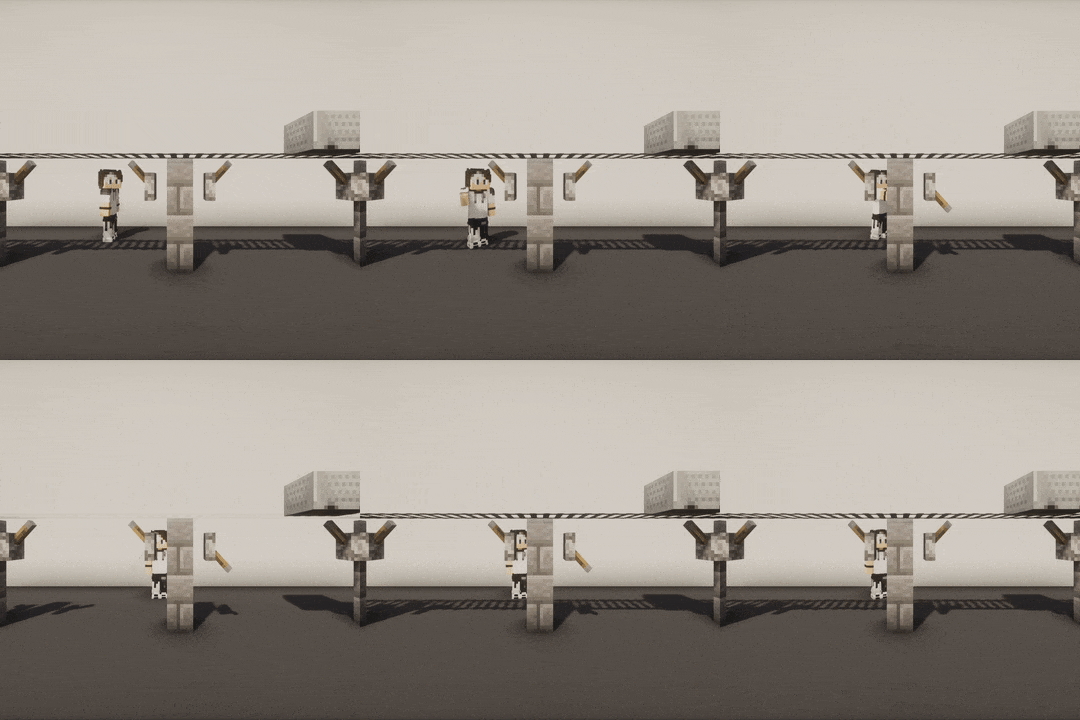
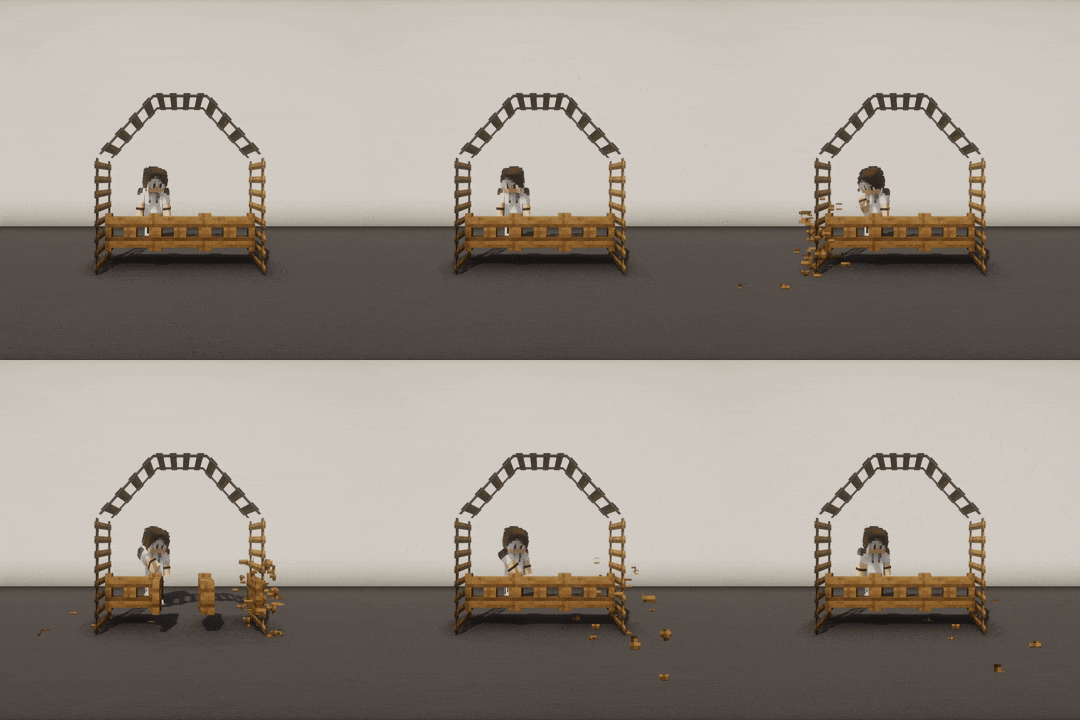
放置一排墙,然后使用调试棒创建垛口,并使用 Axiom 在每个垛口上添加一个按钮。当你按下其中一个按钮时,所有按钮都会消失,且所有墙体连接恢复为正常状态。
→ 墙壁和按钮都是“reactive”,被按下的按钮同时也是“interactable”。
为什么我需要它?
这看起来可能比较小众,但对于使用 WorldEdit 或 Axiom 等插件进行的特定建筑非常有用,尤其是当使用了显著改变方块纹理和模型的自定义资源包时。
如果其他玩家进入你的地图,并且很可能会操作你的建筑并意外破坏一切……? 那么这可能也对你很有用。
涉及哪些方块?
? 易受影响方块材质类别列表
以下是 KIB 在破坏或更新时会自动恢复的易受影响方块材质类别列表:
amethyst_clustersbamboosbannersbedsbellsbushescactuscakescarpetscave_vines - Cave vines + Cave vine plantschorus_plants - Chorus plants only (chorus flowers are in the "flowers" category)cocoacropscomparatorscorals - Does not apply to waterlogged coralsdead_bushesdoorsdripleavesfences - Fences + Iron bars + Copper barsferns - Ferns + Large fernsflowersfrogspawnfungusglass_panesglow_lichensgrasshanging_rootshanging_signsladderslanternsleaf_litterslily_padsmangrove_propagulesmushroomsnether_rootsnether_sproutsnether_wartspressure_platesrailsred_shrubsredstone_wiresrepeaterssaplingsscaffoldingsculk_veinssea_picklessignssnowspeleothems - Pointed dripstones + Sulfur spikessugar_canessweet_berry_bushesswitches - Levers + Stone buttons + Wooden buttonstorchestripwire_hookstwisting_vines - Twisting vines + Twisting vine plantsvineswallsweeping_vines - Weeping vines + Weeping vine plants
? 可交互方块材质类别列表
以下是 KIB 记录的可交互方块材质类别列表:
campfires(营火)candles(蜡烛)cauldrons(炼药锅)cave_vines - 采集藤蔓浆果(包括 Cave vines 和 Cave vine plants)chiseled_bookshelves - 从雕纹书架中放入或取出书籍comparators(比较器)composters(堆肥桶)copper_blocks - 可上蜡或刮除的非纯铜方块daylight_detectors(阳光传感器)doors(门)end_portal_frames(末地传送门框架)gates(闸门)lecterns - 在讲台上放置书籍levers(拉杆)repeaters(中继器)stone_buttons(石质按钮)sweet_berry_bushes - 采集甜浆果灌木上的浆果trap_doors(陷阱门)wooden_buttons(木质按钮)
如何配置?
? 使用命令配置 KIB
可以通过游戏内的 /kib rule 和 /kib blacklist 命令来编辑 config.yml 文件。
要查看某个规则的当前值,请使用 /kib rule <ruleName>;若要编辑规则,请在末尾指定一个适当的值(根据规则类型而定)。以下是一些示例:
/kib rule max_blocks → 显示 max_blocks 规则的当前值/kib rule max_blocks 100 → 将 config.yml 中的 max_blocks 设置为 100/kib rule only_use_kib_in_creative_mode false → 将 config.yml 中的 only_use_kib_in_creative_mode 设置为 false
/kib rule 命令需要 kib.rule 权限。
若要禁用某些可交互或反应性材质,请使用 /kib blacklist <interactable|reactive> <add|remove> <material>。
如果您希望防止某些方块被还原,或阻止特定的方块交互触发还原,这将非常有用。以下是一些示例:
/kib blacklist interactable add minecraft:oak_button → 将 OAK_BUTTON 添加到可交互黑名单中/kib blacklist reactive remove minecraft:oak_door → 从反应性黑名单中移除 OAK_DOOR(假设它之前已被添加)
/kib blacklist 命令需要 kib.blacklist 权限。
如果您手动编辑了 config.yml,可以使用 /kib reload 重新加载插件。请注意,执行命令后无需重新加载插件;仅当您手动编辑 config.yml 文件时才需要此操作。
/kib reload 命令需要 kib.reload 权限。
如果需要帮助,您可以使用 /kib help。它将显示所有可用命令,并附带简短描述和使用示例。
任何 kib.* 权限都会自动授予对 /kib help 命令的访问权。
您可以使用 kib.admin 权限轻松授予对所有命令的访问权限(这等同于 kib.*)。
? 在 config.yml 中配置 KIB
在您的服务器目录中,您可以编辑 ./plugins/KeepIllegalBlocks/config.yml 以:
- 禁用某些反应性或可交互的材质 (默认情况下全部启用)
- 更改要还原的最大反应性方块数量 (默认值:500)
- 仅在创造模式下允许使用 KIB (默认值:true)
- 如果检测到则使用 PacketEvents (默认值:true)
要重新加载配置,请使用 /kib reload 命令(非 OP 玩家需要 kib.reload 权限)。
能否让还原过程更加平滑?
是的,强烈建议使用 PacketEvents 来改善客户端渲染和性能。
KIB 会自动检测 PacketEvents,并利用它调整网络数据包,通过取消反应性方块的破坏声音和粒子效果,以及在还原过程中隐藏闪烁现象,从而使还原过程完全透明且无感。
要了解推荐使用的 PacketEvents 版本,请查看您想要安装的 KIB 版本的“依赖项”部分。
常见问题
为什么当我破坏相邻方块时,KIB 没有还原我的方块?
KIB 不会在您手动破坏方块(左键点击)时触发; 它仅还原因交互(右键点击)而意外破坏的方块。这可以作为一个改进方向,但我目前没有时间去处理。不过,Axiom 针对这种用例提供了“No update”功能。
它在水下有效吗?
KIB 不支持水下还原。 这就是为什么 seagrass(海草)和 kelp(海带)未包含在反应性材质列表中的原因。目前,我只专注于保护空中的非法结构;使其在水下工作可能并不容易,因为水流会触发多次更新。
KIB 会阻止自然更新吗?
即使经过 KIB 还原,一些反应性方块仍会进行自然更新,例如仙人掌随着生长而断裂,或者珊瑚在未浸水时死亡。这是游戏的默认行为,KIB 不会阻止这种情况发生,即使它们最初是使用 WorldEdit 或 Axiom 等插件(这些插件依赖于高级区块管理系统)放置的。
Keep Illegal Blocks
KIB is a Paper plugin that prevents illegal blocks from breaking when a player interacts with an adjacent block.
?️ More GIF examples
There you go ?:
What's the point?
When you place a block in a way that the game's physics normally wouldn't allow, they may break or update once you
interact with an adjacent block.
When an illegally placed block breaks or updates, its own adjacent blocks can be affected too, causing a chain reaction.
For example, these illegal blocks can be placed in the following ways:
- Force-placed with Axiom and its "No update" feature
- Force-placed with WorldEdit with
//perf off
- Force-placed with the
/setblock Minecraft command in strict mode (that prevents triggering block updates)
- Updated with a Debug Stick
→ This plugin fixes this behavior by restoring your illegally placed blocks.
In KIB, illegal blocks are called "reactives", and the blocks that can be interacted with are called
"interactables" (if they can trigger adjacent block updates).
? I don't get it, give me some examples
-
Place a torch on a door. When you open the door, the torch breaks.
→ The torch is "reactive", the door is "interactable".
-
Stack multiple doors vertically and open the bottom one. All doors above break.
→ All doors are "reactive", the bottom door is the "interactable" one.
-
Place a row of walls, then use a Debug Stick to create crenels, and use Axiom to add a button on each. When you press
one button, all buttons break and all wall connections reset to their normal state.
→ Walls and buttons are "reactive", the pressed button is also "interactable".
Why would I need it?
This may seem niche, but it can be very useful for specific builds made using plugins like WorldEdit or Axiom,
especially when using custom resource packs that significantly change block textures and models.
This may also interest you if other players come onto your map and are likely to interact with your builds and break
everything accidentally... ?
Which blocks are involved?
? List of reactive material categories
List of reactive material categories that are automatically restored by KIB when broken or updated:
amethyst_clustersbamboosbannersbedsbellsbushescactuscakescarpetscave_vines - Cave vines + Cave vine plantschorus_plants - Chorus plants only (chorus flowers are in the "flowers" category)cocoacropscomparatorscorals - Does not apply to waterlogged coralsdead_bushesdoorsdripleavesfences - Fences + Iron bars + Copper barsferns - Ferns + Large fernsflowersfrogspawnfungusglass_panesglow_lichensgrasshanging_rootshanging_signsladderslanternsleaf_litterslily_padsmangrove_propagulesmushroomsnether_rootsnether_sproutsnether_wartspressure_platesrailsred_shrubsredstone_wiresrepeaterssaplingsscaffoldingsculk_veinssea_picklessignssnowspeleothems - Pointed dripstones + Sulfur spikessugar_canessweet_berry_bushesswitches - Levers + Stone buttons + Wooden buttonstorchestripwire_hookstwisting_vines - Twisting vines + Twisting vine plantsvineswallsweeping_vines - Weeping vines + Weeping vine plants
? List of interactable material categories
List of interactable material categories recorded by KIB:
campfirescandlescauldronscave_vines - Taking vine berries (Cave vines + Cave vine plants)chiseled_bookshelves - Putting or taking a book from a chiseled bookshelfcomparatorscomposterscopper_blocks - Non-plain copper blocks that can be waxed or scrapeddaylight_detectorsdoorsend_portal_framesgateslecterns - Putting a book on a lecternleversrepeatersstone_buttonssweet_berry_bushes - Taking bush berriestrap_doorswooden_buttons
How do I configure?
? Configure KIB using commands
The config.yml file can be edited in-game with the /kib rule and /kib blacklist commands.
To see the current value of a rule, use /kib rule <ruleName>, and if you want to edit a rule, specify a proper value
at the end (based on the rule type). Here are some examples:
/kib rule max_blocks → Displays the current value of the max_blocks rule/kib rule max_blocks 100 → Sets max_blocks to 100 in config.yml/kib rule only_use_kib_in_creative_mode false → Sets only_use_kib_in_creative_mode to false in config.yml
The /kib rule command requires the kib.rule permission.
To blacklist a reactive or interactable material, use /kib blacklist <interactable|reactive> <add|remove> <material>.
This is useful if you want to prevent certain blocks from being restored, or stop specific block interactions from
triggering restoration. Here are some examples:
/kib blacklist interactable add minecraft:oak_button → Adds OAK_BUTTON to the interactable blacklist/kib blacklist reactive remove minecraft:oak_door → Removes OAK_DOOR from the reactive blacklist (assuming it was
previously added)
The /kib blacklist command requires the kib.blacklist permission.
If you have edited config.yml manually, you can reload the plugin with /kib reload. Note that you don't need to reload
the plugin after executing commands; this is only necessary if you edit the config.yml file manually.
The /kib reload command requires the kib.reload permission.
If you need help with commands, you can use /kib help. It will show you all available commands, with a short
description and usage example.
Any kib.* permission automatically grants access to the /kib help command.
You can use the kib.admin permission to easily grant access to all commands (this is equivalent to kib.*).
? Configure KIB in config.yml
In your server directory, you can edit ./plugins/KeepIllegalBlocks/config.yml to:
- Blacklist some reactive or interactable materials (everything is enabled by default)
- Change the maximum number of reactive blocks to restore (default: 500)
- Only allow KIB in creative mode (default: true)
- Use PacketEvents if it is detected (default: true)
To reload your configuration, use the /kib reload command (it requires the kib.reload permission for a non-op
player).
Can the restoration be any smoother?
Yes, PacketEvents is highly recommended to improve client-side rendering
and performance.
It is automatically detected by KIB, and it is used to tweak network packets and make restorations completely
transparent by canceling reactive block break sounds and particles, as well as hiding flickering during restoration.
To find out which version of PacketEvents is recommended, check the “Dependencies” section for the version of KIB you
want to install.
FAQ
Why doesn't KIB restore my blocks when I break an adjacent block?
KIB does not trigger when you break blocks manually (left-click); it only restores blocks that were accidentally
broken as a result of an interaction (right-click). This could be an improvement area, but I don't have time to work
on it at the moment. However, Axiom has a "No update" feature for this use case.
Does it work underwater?
KIB does not support underwater restorations. That's why seagrass and kelp are not included in the list of
reactive materials. For now, I have only focused on protecting illegal structures in the air; making this work
underwater might not be easy, since the water flow would trigger multiple updates.
Does KIB prevent natural updates?
Even after being restored by KIB, some reactive blocks will still update naturally, such as cactus breaking as they
grow, or coral dying when not waterlogged. This is the default behavior of the game, KIB will NOT prevent this,
even if they were initially placed using plugins like WorldEdit or Axiom (which rely on advanced chunk management
systems).



 插件

 插件
 插件
 插件
 插件
 插件
评论 0
登录后参与评分
还没有评论,来抢沙发吧