LandBrush - 一款易于使用、可快速简便地创建新陆地的画笔:
版本:1.2.2
它是什么?
LandBrush 旨在让创建新的陆地结构变得快速且简单。
通过模拟 Minecraft World Generator(世界生成器)形成陆地侧面的方式,你可以轻松地为新内容或岛屿创建一个基础层级的结构,随后可使用 VoxelSniper 和 WorldEdit 等其他工具为其增加更多细节。
它是如何工作的?
实际上非常简单,你首先选择“基础高度”(base height),该高度用于在该位置形成陆地。
然后,你只需使用 LandBrush 工具在陆地上简单地“绘制”。还可以传递几个不同的参数来改变画笔“绘制”陆地的方式。
命令:
LandBrush 提供了一些可用的命令,所有命令均可通过 /landbrush 或 /lb 访问。
/landbrush help - 显示命令帮助文本。
/landbrush [on/off] - 本地开启或关闭插件。
/landbrush default - 将所有设置恢复为默认值。
/landbrush size 5 - 设置画笔半径(以方块为单位)。
/landbrush base [me/64] - 设置基础高度。
/landbrush spread 3 - 设置层扩散的范围。
/landbrush material [sand grass/12 3] - 从底部到顶部设置材质。
/landbrush tool [wood_spade/270] - 设置或获取使用的工具。
/landbrush undo [all/steps] - 撤销你的上一个操作,如果可能的话建议绑定快捷键。
可以在 bukkit.yml 文件中设置别名,如下所示,此处 lb 为别名:
权限:
- landbrush.* - 授予 LandBrush 所有命令的权限。
更新日志:
版本 1.2.2:
- 新增对 Minecraft 1.8.1 Bukkit 服务器构建的支持。
- 开始将“scale”更改为“spread”,现在为整数值。
- 新增更多撤销功能,允许你撤销特定次数或全部撤销。
- 新增 on/off 命令,禁用你的玩家事件。
- 移除了对 Permissions 3.1.6 的支持,转而支持 PermissionsBukkit。
版本 1.2.1:
- 移除了“lb”别名,现在可以在 bukkit.yml 文件中手动设置。
版本 1.2:
- 修复了玩家在交互时收到“LandBrush disabled”消息的问题。
版本 1.1:
- 移除了底层。
- 新增了使用 /lb tool 将工具切换为当前手中物品的功能。
- 新增了手持空手时使用 /lb tool 获取工具物品的功能。
- 新增了对 Bukkit Permissions 的支持。
- 新增了对 Permissions 3.1.6 插件的支持。
- 修复了断开连接或重新加入后无法使用工具的 bug。
版本 1.0:
待办事项:
添加权限系统。
可能移除底层,目前还不太确定。
- 在服务器端保存玩家的设置。
- 添加指定画笔高度的方法。
使 tool 命令在不传入参数时直接给予你工具。
- 添加类似网格的操作功能,允许你推拉陆地。
- 翻转选项,用于创建山谷而非山丘。
链接:
请告诉我你希望添加/修改/移除哪些功能等。
谢谢。
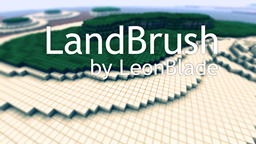
LandBrush - The easy to use brush for creating new land quick and easy:
Version: 1.2.2
What is it?
LandBrush was created to make creating new land structures quick and easy.
By mimicking how the Minecraft World Generator forms land sides you can easily create a base level structure for new contents or islands that you can use other tools such as VoxelSniper and WorldEdit to give it more depth.
How does it work?
Really simple actually, you first start off by picking your "base height" which is used to form the land at that position.
Then you simple "paint" on your land that simple using the LandBrush tool. There are a few different arguments that can also be passed in to alter how the brush "paints" your land.
Commands:
LandBrush has a few commands that can be used, all commands can be accessed with either /landbrush or /lb.
/landbrush help - Displays help text for commands.
/landbrush [on/off] - Turns on and off the plugin locally.
/landbrush default - Sets all settings to default.
/landbrush size 5 - Sets brush radius in blocks.
/landbrush base [me/64] - Sets the base height.
/landbrush spread 3 - Sets the spread of the layer span.
/landbrush material [sand grass/12 3] - Sets the materials from bottom to top.
/landbrush tool [wood_spade/270] - Sets or Gets the tool.
/landbrush undo [all/steps] - Will undo your last action, best to bind if you can.
An alias can be set in the bukkit.yml file like so, lb being the alias in this instance:
Permissions:
- landbrush.* - Gives permissions for all commands with LandBrush.
Changelog:
Version 1.2.2:
- Added support for Minecraft 1.8.1 Bukkit server builds.
- Started changing "scale" to "spread" now an integer value.
- Added more undo functionality allowing you to undo a certain amount of times or all.
- Added an on/off command which disables your player events.
- Removed Permissions 3.1.6 support in favor of PermissionsBukkit.
Version 1.2.1:
- Removed alias of "lb" which can now be set manually in the bukkit.yml file.
Version 1.2:
- Fixed issue with players receiving message of "LandBrush disabled" when on player interaction.
Version 1.1:
- Removed bottom layer.
- Added the ability to swap tool to current item in hand with /lb tool.
- Added the ability to get the tool item while holding nothing with /lb tool.
- Added support for Bukkit Permissions.
- Added support for Permissions 3.1.6 Plugin.
- Fixed a bug with disconnecting or rejoining and not being able to use the tool.
Version 1.0:
Todo:
Adding permissions.
Possibly removing the bottom layer, not so sure just yet.
- Save settings for players server side.
- Adding a way to specify a height of the brush.
Making the tool command give you the tool when no arguments passed in.
- Adding mesh like manipulation features which allow you to push and pull land.
- Flip option which flips to create valleys rather than hills.
Links:
Let me know what features you'd like to be added/changed/removed and things like that.
Thank you.
评论 0
登录后参与评分
还没有评论,来抢沙发吧