LiteCommandEditor 是什么

LiteCommandEditor 是一个用于管理命令、自由创建和编辑命令的插件。无需具备特定的编程语言知识即可轻松使用,其编辑难度等同于为菜单插件编辑 GUI。你可以根据插件配置文件中的注释或 Wiki 中的帮助文档,自由创建一个简单的命令。
你可以在命令配置文件中设置该命令的名称、使用权限、执行器功能、TAB 补全功能等功能。命令执行器支持无限嵌套的功能、功能触发条件等;基本功能包括:发送消息、广播、执行其他命令、播放音效、播放标题文字、给予物品等。
顺便一提,该插件还通过 Bukkit API 预置了一些玩家功能和世界功能,以便进行更高级的编辑。
除了“自定义命令”这一主要功能外,插件还包含其他命令管理功能。例如:禁用命令(从服务器中删除一个命令)、重定向命令(类似于 EasyCommand,将命令输入重定向到另一个命令)等。
依赖项
- Minecraft 1.7.10 - 26.2(或最新版本)
- Java8 或更高版本的运行环境。
- PlaceholderAPI(可选)
如何开始
创建新的自定义命令:点击此处开始
功能特性
自定义命令(主要功能)
通过使用简单的 YAML 配置文件,可以实现以下功能:
- 基本命令设置:前缀、名称、别名、权限、用法等。
- 命令执行器(功能可无限嵌套)
- 功能:
- 发送消息:
Messages
- 广播:
Broadcast
- 执行其他命令:
Commands
- 奖励物品:
Reward-Items
- 移除物品:
Take-Items
- 跨服传送:
Server-Teleport(需要 BungeCord 或 Velocity)
- 发送标题:
Titles(仅限玩家使用)
- 发送动作栏:
Action-Bars(仅限玩家使用)
- 播放音效:
Sounds(仅限玩家使用)
- 设置占位符:
Set-Placeholders(设置或移除可在任何地方使用的占位符)
- 配置管理器:
Configurator(管理配置表,以及保存和加载文件)
- 预置玩家功能:
Player-Functions(以特定玩家为实例,提供由 Bukkit API 提供的更多功能)
- 预置世界功能:
World-Functions(以特定世界为实例,提供由 Bukkit API 提供的更多功能)
- 预置服务器功能:
Server-Functions(提供由 Bukkit API 提供的一些服务器功能)
- 复合功能:
Compound-Functions(将多个功能放入列表中执行)
- 子功能:
Functions(功能可以拥有子功能,并且可以无限嵌套)
- 属性:
- 跳出 Functions 块:
Break
- 功能权限:
Permission
- 功能优先级:
Priority
- 功能执行顺序:
Sequence
- 功能条件:
Conditions
- 比较对象:
Comparison
- 拥有物品:
HasItem
- 拥有权限:
Permission
- 拥有占位符:
HasPlaceholder
- 玩家属性:
Player(由某些 BukkitAPI 提供的更多玩家属性)
- 世界属性:
World(由某些 BukkitAPI 提供的更多世界属性)
- TAB 补全器(功能可无限嵌套)
- 执行完所有功能后,所有配方的合并结果将作为本次自动填充的内容返回
- 功能:
- TAB 结果的配方:
Recipes
- 文本:
Text(可以是占位符和文本的组合)
- 在线玩家:
Players(可以是正则表达式)
- 物品 ID:
Items(可以是正则表达式)
- 音效 ID:
Sounds(可以是正则表达式)
- 其他命令的 TAB 结果:
Commands(模拟输入特定命令时的 TAB 操作)
- 配方的异常处理:
Exceptions(如果配方中存在相同内容,将被移除)
- 子功能:
Functions(功能可以拥有子功能,并且可以无限嵌套)
- 属性:
- 跳出 Functions 块:
Break
- 功能权限:
Permission
- 功能条件:
Conditions
- 比较对象:
Comparison
- 拥有物品:
HasItem
- 拥有权限:
Permission
- 拥有占位符:
HasPlaceholder
- 玩家属性:
Player(由某些 BukkitAPI 提供的更多玩家属性)
- 世界属性:
World(由某些 BukkitAPI 提供的更多世界属性)
- JSON 组件(你可以在此直接编辑 JSON 组件占位符,以区别于其他命令。)
JSON 组件是一种作用于聊天栏的功能性文本,例如鼠标悬停在文本上时显示的窗口、点击文本执行命令等。
- 物品收藏(你可以使用命令将手中的物品添加到收藏中,或者直接自定义一个物品到收藏中。)
物品收藏可以在基于你为其定义的名称(而非物品显示的名称)的物品 ID 相关设置中使用
其他特性
- 管理、列出、查看并删除指定的命令执行器(可以移除其他插件或系统命令,如 /op、/plugins 甚至 /stop)
- 命令别名/便捷命令设置(创建新命令并将其指向现有命令或其子命令)
- 命令冷却时间(也可对其他插件的命令生效,支持为子命令添加冷却时间)
- 命令计时器(设置由控制台执行的定时命令)
- 支持 PlaceholderAPI
- 自定义 JSON 组件(JSON 组件是一种作用于聊天栏的功能性文本,例如鼠标悬停在文字上时显示的窗口、点击文字执行命令等)
- 调试模式(跟踪和记录自定义命令功能的运行状态,并向操作者提供反馈)
- 热加载和卸载自定义命令配置文件
- 物品收藏(将手中的物品序列化并保存到配置文件中,便于在自定义命令配置文件中使用该物品的 NBT 等其他数据)
- 更多...
插件命令
| 命令(主命令为 /litecommandeditor 或 /lce) |
功能 |
| /litecommandeditor reload |
重新加载所有设置 |
| /litecommandeditor info |
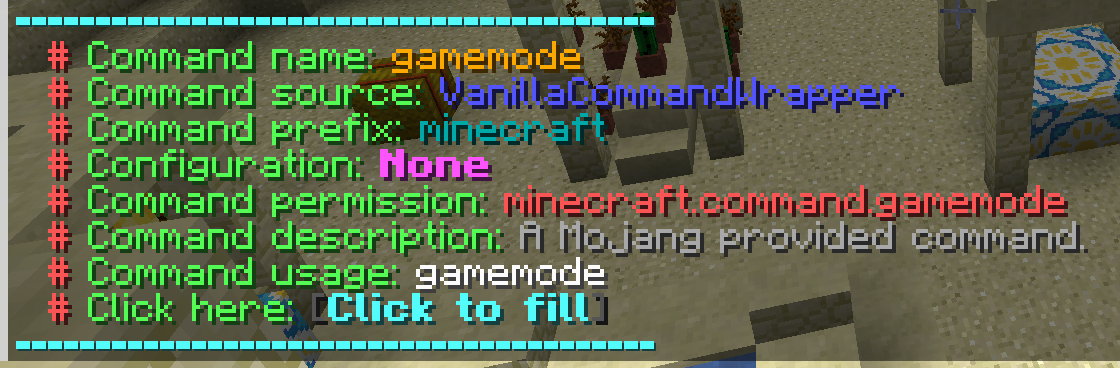
查看命令信息 |
| /litecommandeditor load |
加载自定义命令配置 |
| /litecommandeditor unload |
卸载命令配置 |
| /litecommandeditor delete |
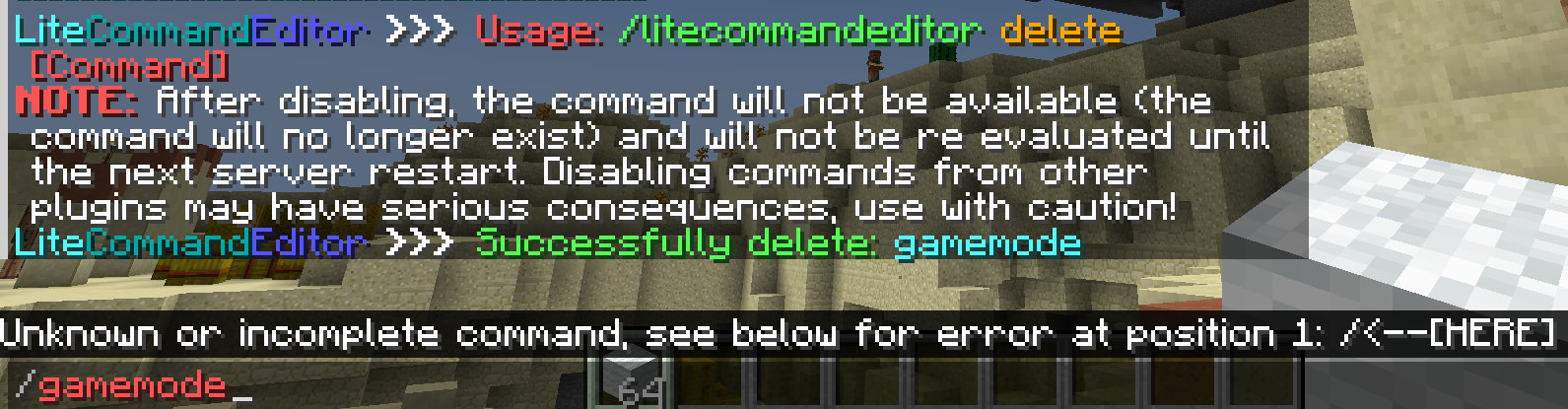
删除命令 |
| /litecommandeditor itemcollection |
管理命令配置的物品收藏 |
| /litecommandeditor debug |
调试模式综合命令 |
| /litecommandeditor list |
列出所有已加载的自定义命令配置 |
| /litecommandeditor listall |
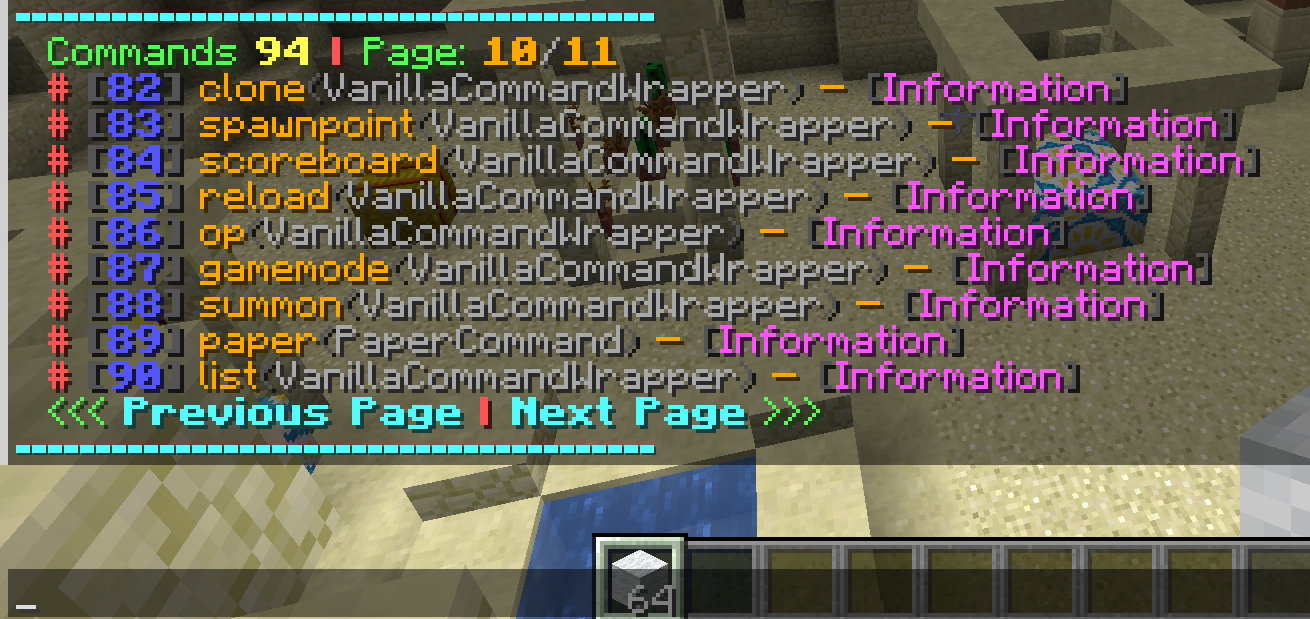
列出所有命令 |
| /litecommandeditor tools |
工具综合命令 |
截图
自定义命令(示例配置)
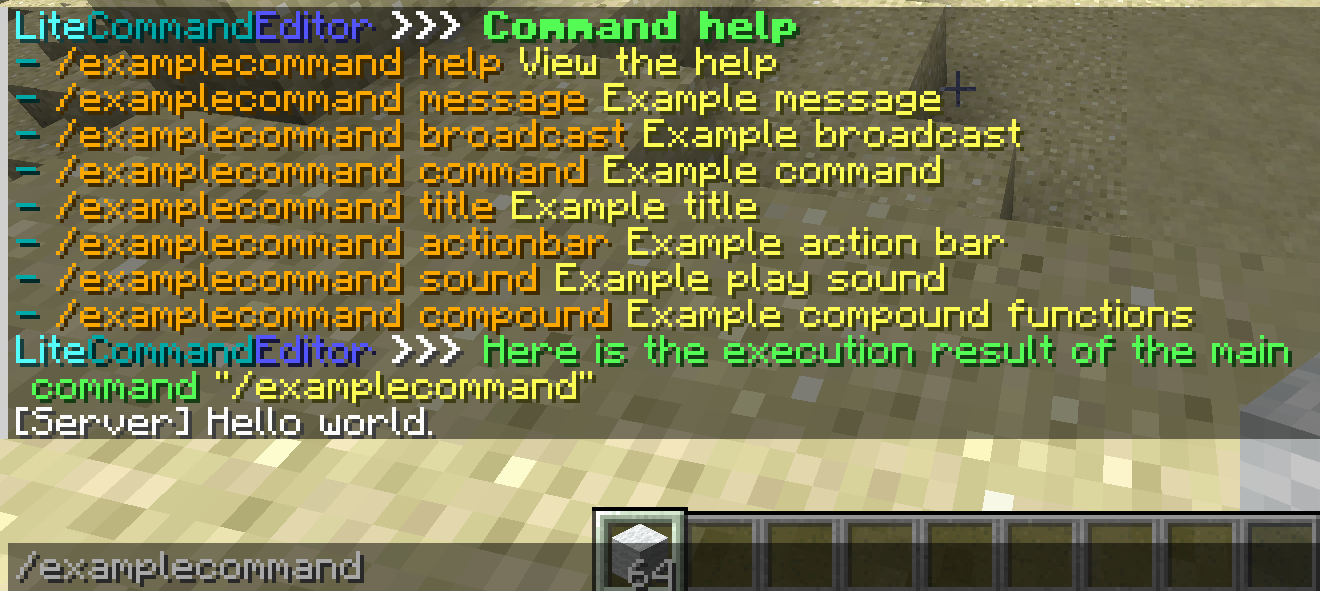
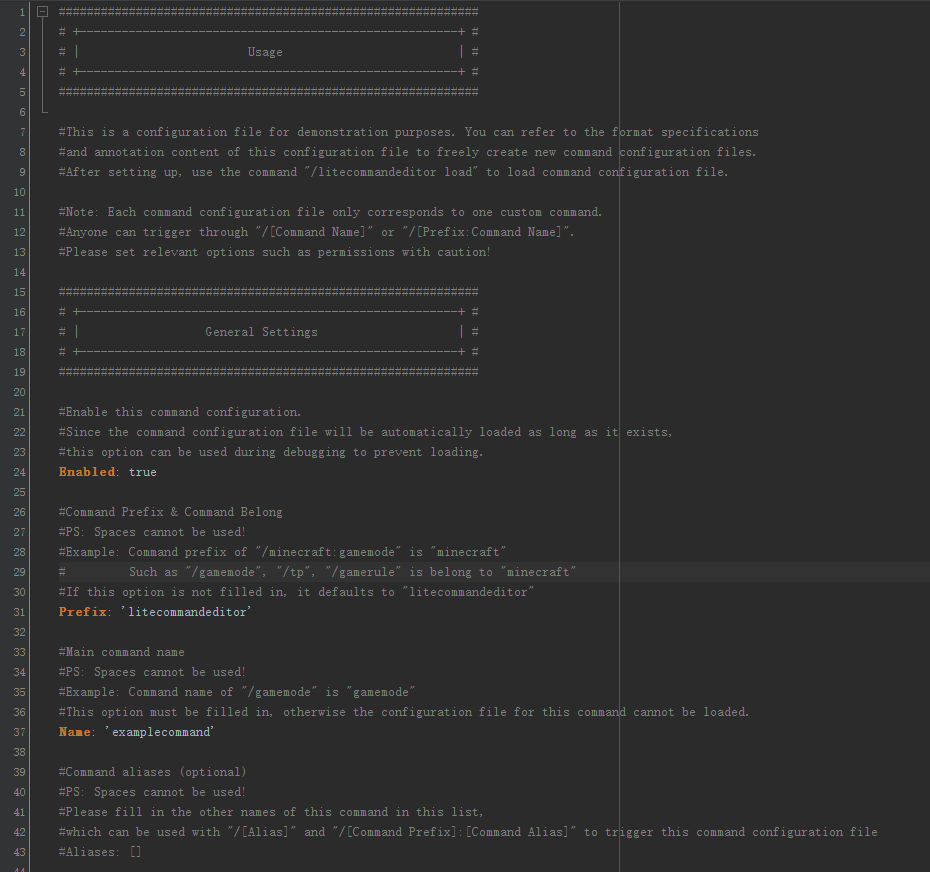
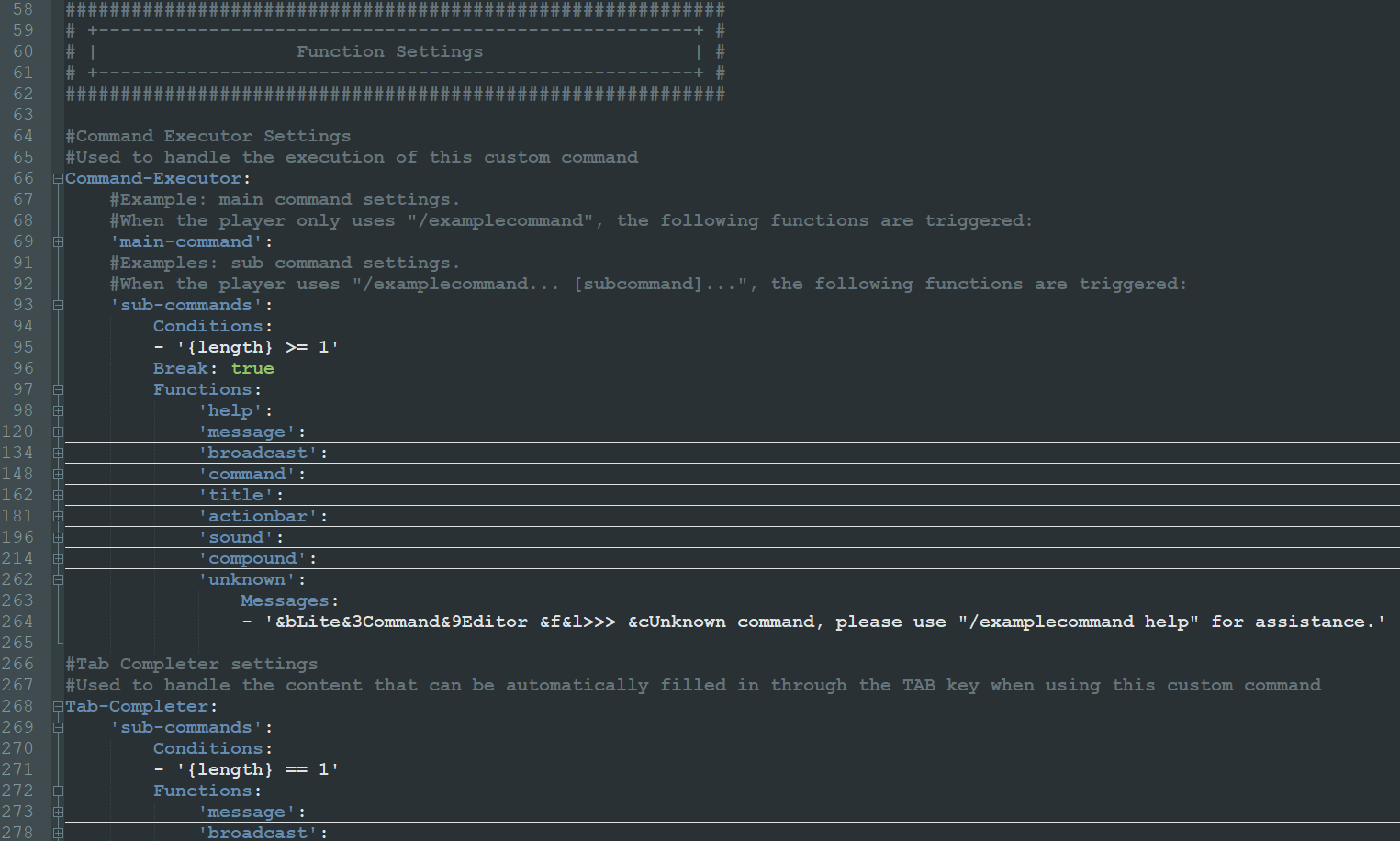
命令使用
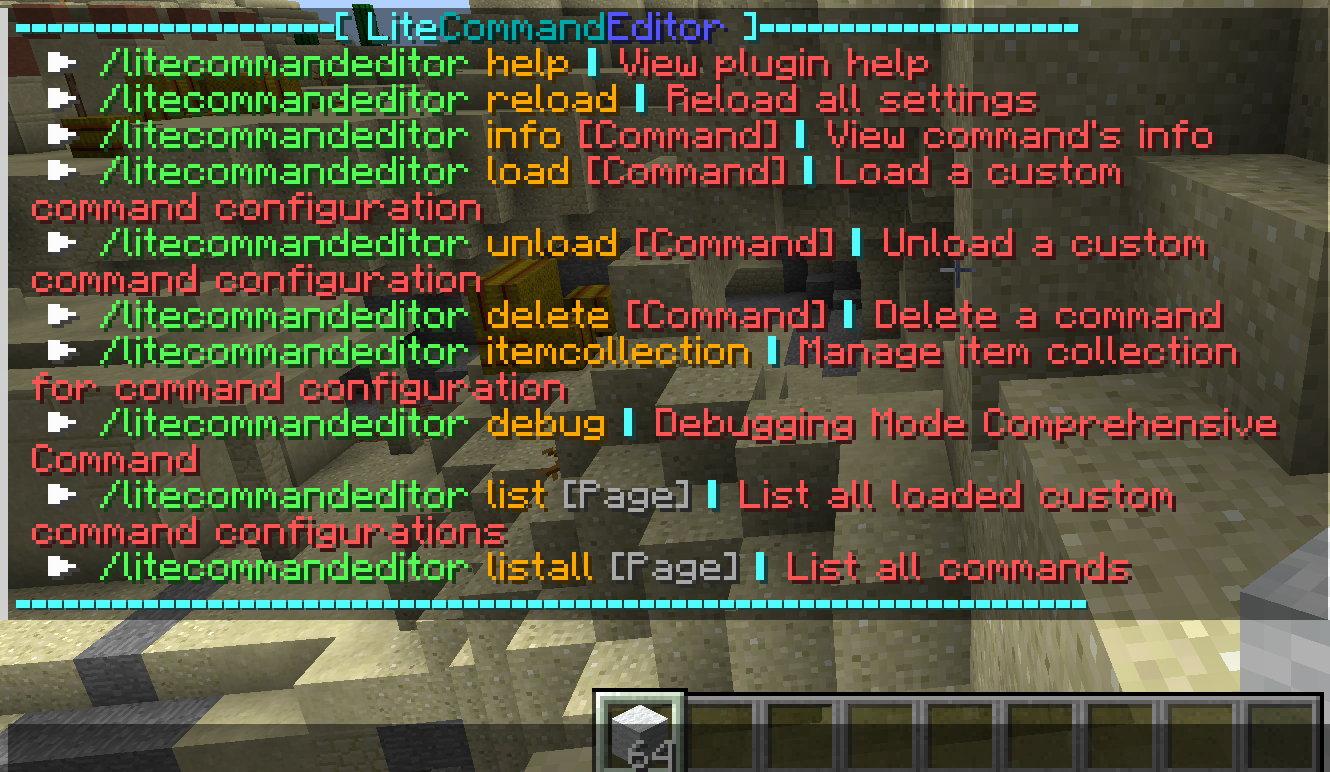
列出所有命令
命令信息
删除命令
统计数据
我的更新插件:
LiteSignIn:
LiteAnnouncer:
GlobalMarketPlus:
What is LiteCommandEditor
LiteCommandEditor is a plugin used for managing commands, freely creating and editing commands. It can be easily used without requiring you to have a certain understanding of programming languages, and the editing difficulty is equivalent to editing a GUI for a menu plugin. You can freely create a simple command based on the comments in the plugin's configuration file or the help in the Wiki.
You can set the name, usage permissions, executor functions, TAB completion function, and other functions of this command in a command configuration file. Command executors support infinite nested functions, function triggering conditions, etc; The basic functions include: sending messages, broadcasting, executing other commands, playing sounds, playing title messages, giving items, etc.
By the way, the plugin also presets some player functions and world functions through the Bukkit API for more advanced editing.
In addition to the main function of "custom commands", plugin also include other command management functions. For example, disabled command (Delete a command from this server), redirect command (similar to EasyCommand, directing command input to another command), and so on.
Dependencies
- Minecraft 1.7.10 - 26.2 (or latest version)
- Runtime environment for Java8 or above.
- PlaceholderAPI (Optional)
How To Start
Create a new custom command: Click here to start
Features
Custom Command (Major Function)
By using a simple YAML configuration file, the following functions can be achieved:
- Basic command settings: Prefix, Name, Alias, Permission, Usage, etc.
- Command Executor (Functions can be infinitely nested)
- Functions:
- Send messages:
Messages
- Broadcast:
Broadcast
- Execute other commands:
Commands
- Reward items:
Reward-Items
- Take items:
Take-Items
- Server teleport:
Server-Teleport (Need BungeCord or Velocity)
- Send titles:
Titles (Can only be used by players)
- Send action-bars:
Action-Bars (Can only be used by players)
- Play sounds:
Sounds (Can only be used by players)
- Set placeholders:
Set-Placeholders (Set or remove a placeholder that can be used anywhere)
- Configurator:
Configurator (Management of configuration tables, as well as saving to and loading from files)
- Preset player functions:
Player-Functions (More functions provided by Bukkit API with a specific player as an instance)
- Preset world function:
World-Functions (More functions provided by Bukkit API with a specific world as an instance)
- Preset server function:
Server-Functions (Some server functions provided by Bukkit API)
- Compound functions:
Compound-Functions (Put multiple functions into a list for execution)
- Sub-functions:
Functions (Functions can have sub functions and can be infinitely nested)
- Attributes:
- Break out of a Functions block:
Break
- Function permission:
Permission
- Function priority:
Priority
- Function execution sequence:
Sequence
- Function conditions:
Conditions
- Comparison object:
Comparison
- Has item:
HasItem
- Has permission:
Permission
- Has placeholder:
HasPlaceholder
- Player attributes:
Player (More player attributes provided by some BukkitAPI)
- World attributes:
World (More world attributes provided by some BukkitAPI)
- TAB Completer (Functions can be infinitely nested)
- After executing all functions, the merged results of all recipes will be returned as the automatic filling content for this time
- Functions:
- Recipes of TAB result:
Recipes
- Text:
Text (It can be a combination of placeholders and text)
- Online players:
Players (Can be a regular expression)
- Item IDs:
Items (Can be a regular expression)
- Sound IDs:
Sounds (Can be a regular expression)
- TAB results of other commands:
Commands (Simulate TAB when entering specific commands)
- Exceptions of Recipes:
Exceptions (If the same content exists in the recipe, it will be removed)
- Sub-functions:
Functions (Functions can have sub functions and can be infinitely nested)
- Attributes:
- Break out of a Functions block:
Break
- Function permission:
Permission
- Function conditions:
Conditions
- Comparison object:
Comparison
- Has item:
HasItem
- Has permission:
Permission
- Has placeholder:
HasPlaceholder
- Player attributes:
Player (More player attributes provided by some BukkitAPI)
- World attributes:
World (More world attributes provided by some BukkitAPI)
- JSON Components (You can edit JSON component placeholders directly here to distinguish them from other commands.)
JSON component is a functional text that acts on the chat bar, such as a window displayed when the mouse hovers over text, clicking on text to execute commands, and so on.
- Item Collection (You can use commands to add item in hand to collection, or simply customize an item to collection.)
Item collection can be used in some settings related to item IDs based on the name you defined for them (not the name displayed on the item)
Other Features
- Manage, list, view, and delete specified Command Executor (Other plugins or system commands such as/op, /plugins, and even /stop can be removed)
- Command alias/Easy command settings (Create a new command and direct it to an existing command or its subcommands)
- Command cooldown (can also take effect on commands from other plugins, support adding cooldown to sub commands)
- Command timer (set some timing commands to be executed by the console)
- Support PlaceholderAPI
- Custom JSON Components (JSON component is a functional text that acts on the chat bar, such as a window displayed when the mouse hovers over text, clicking on text to execute commands, and so on)
- Debug mode (Track and record the running status of custom command functions, and provide feedback to the operator)
- Hot load and unload custom command configuration files
- Item Collection (Serialize and save the item in hand to the configuration file for easy use of NBT and other data of the item in the custom command configuration file)
- And more...
Plugin Commands
| Command (Main is /litecommandeditor or /lce) |
Feature |
| /litecommandeditor reload |
Reload all settings |
| /litecommandeditor info |
View command's info |
| /litecommandeditor load |
Load a custom command configuration |
| /litecommandeditor unload |
Unload a command configuration |
| /litecommandeditor delete |
Delete a command |
| /litecommandeditor itemcollection |
Manage item collection for command configuration |
| /litecommandeditor debug |
Debugging mode comprehensive command |
| /litecommandeditor list |
List all loaded custom command configurations |
| /litecommandeditor listall |
List all commands |
| /litecommandeditor tools |
Tools comprehensive command |
Screenshots
Custom Command (Example Configuration)
Command Use
List All Commands
Command Information
Delete Command
Stats
My Updating Plugins:
LiteSignIn:
LiteAnnouncer:
GlobalMarketPlus:


 插件

 插件
 插件
 插件
 插件
 插件
评论 0
登录后参与评分
还没有评论,来抢沙发吧