关于 LobbyHeads
LobbyHeads 是一款 Minecraft 服务器大厅插件,旨在通过装饰性头颅来美化你的大厅空间。该插件具有高度可配置性,允许指定玩家用自己的形象替换这些装饰头颅,并显示全息昵称和皮肤,增添个性化风采。这为赞助者和特殊权限持有者提供了额外的外观奖励层次。
LobbyHeads 兼容 Minecraft 1.17.1 至 1.20.2 版本,同时也应能与其他 Minecraft 版本无缝协作。为确保获得最佳体验,请始终确保你的服务器使用 Java 17 或更高版本。
如果你发现任何错误、问题或不一致之处,请在此处报告 这里。
插件预览
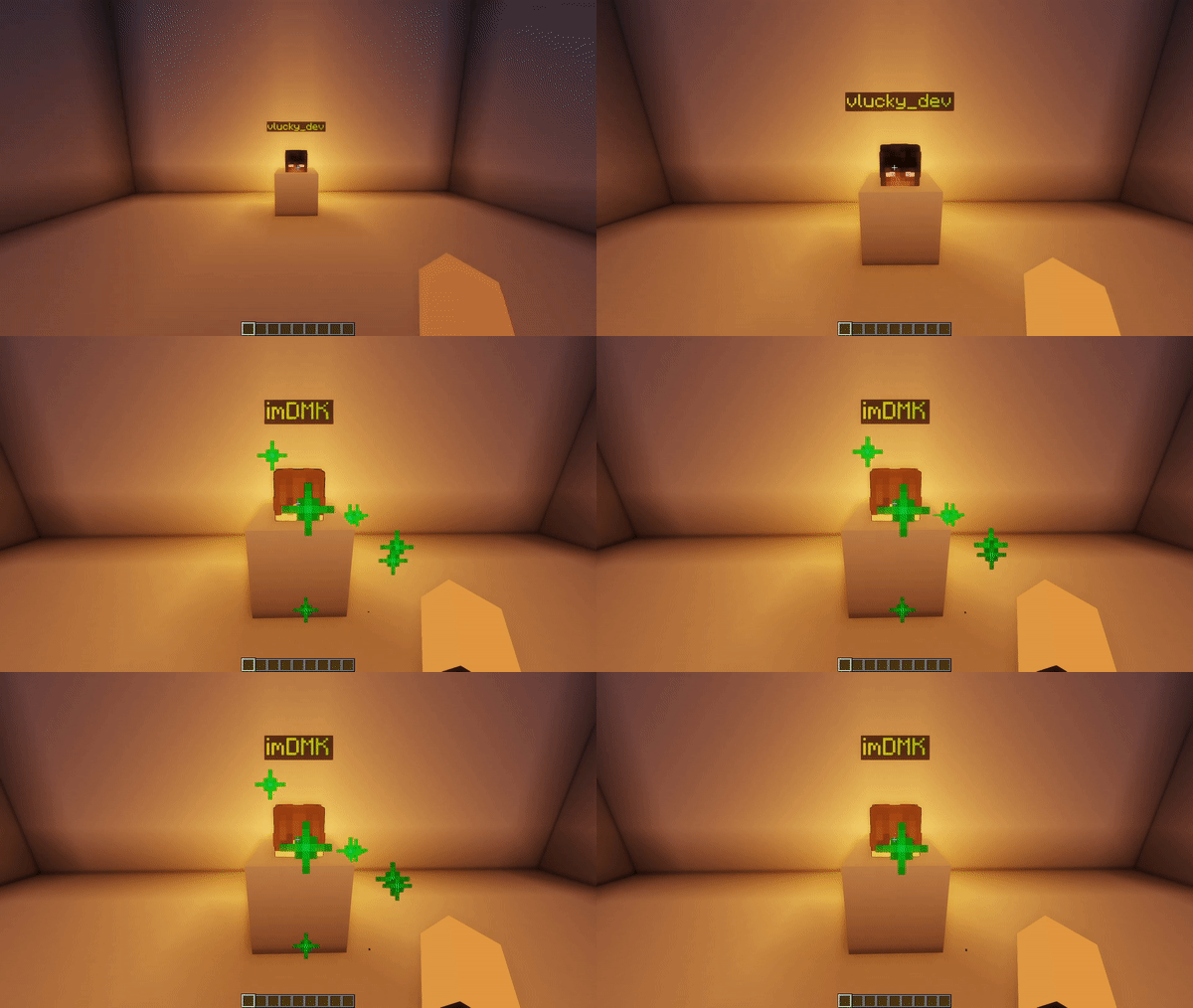
头颅是如何工作的?(你可以在服务器的高级权限中使用此示例!)
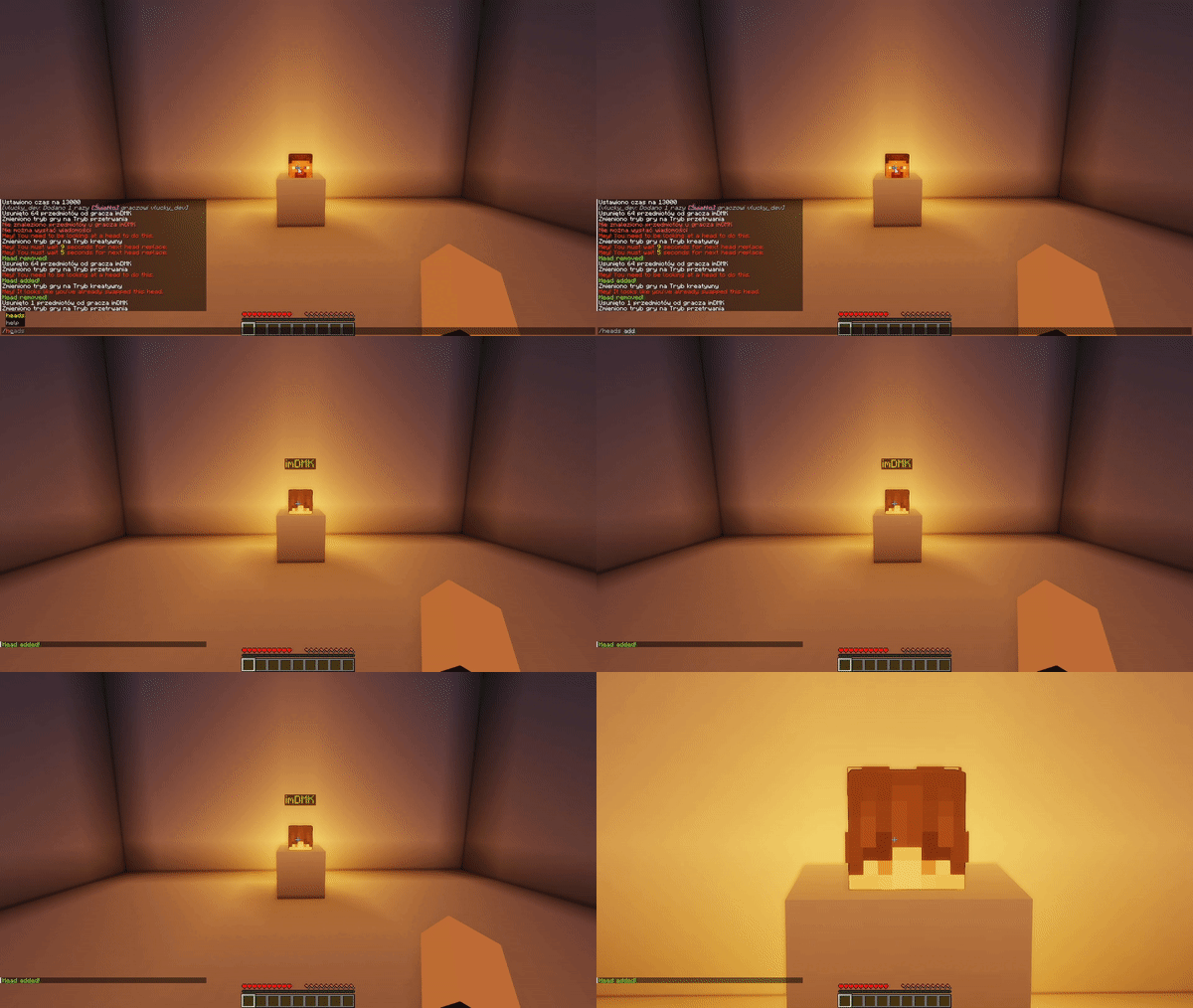
如何设置头颅?(/heads add 命令)
权限分配
LobbyHeads 提供两个管理员可分配的权限:
| 权限 |
描述 |
lobbyheads.replace |
允许用户随时替换装饰性头颅。 |
lobbyheads.admin |
授予用户添加或删除装饰性头颅的权限。 |
lobbyheads.receiveupdates |
授予用户接收有关插件新版本更新信息的权限。 |
使用指南
按照以下步骤使用 LobbyHeads:
- 通过游戏模式获取玩家头颅并进行放置。
- 注视已放置的头颅,输入
/heads add 以绑定该玩家头颅。
- 如果你想移除一个头颅,站在它面前并输入
/heads remove。
问题报告
在使用插件时遇到问题?请在我们的 Issues 标签页 下报告。请尽可能提供详细信息,例如你的 Minecraft 版本、插件版本以及相关错误或日志,以便进行高效诊断。
About LobbyHeads
LobbyHeads is a Minecraft server hub plugin, designed to adorn your hub spaces with decorative heads. Designed to be highly configurable, it allows designated players to replace these decorative heads with their own, displaying a holographic nickname and skin for personalized flare. This adds an extra layer of cosmetic reward for patrons and special rank holders.
Built to be compatible with Minecraft versions 1.17.1 through 1.20.2, LobbyHeads should function seamlessly with other Minecraft versions too. Always ensure your server is using Java 17 or later for the smoothest experience.
If you find any bugs, issues or inconsistencies, kindly report them here.
Plugin Preview
How do the heads work? (You can use this example for premium ranks on your server!)

How to set up heads? (/heads add command)

Permission Assignments
LobbyHeads offers two permissions for administrators to assign:
| Permission |
Description |
lobbyheads.replace |
Allows the user to replace decorative heads whenever they want. |
lobbyheads.admin |
Grants the user permission to add or remove decorative heads. |
lobbyheads.receiveupdates |
Grants the user permission to receive updates about new versions of the plugin. |
Usage Guidelines
Follow the steps below to use LobbyHeads:
- Acquire a player head via game mode and place.
- Looking at placed head, type
/heads add to place the player head.
- If you wish to remove a head, stand in front of it and type
/heads remove.
Issue Reporting
Experiencing an issue with the plugin? Report it under our Issues tab. Be sure to provide maximum information, such as your Minecraft version, plugin version, and relevant error messages or logs for an efficient diagnosis.
评论 0
登录后参与评分
还没有评论,来抢沙发吧