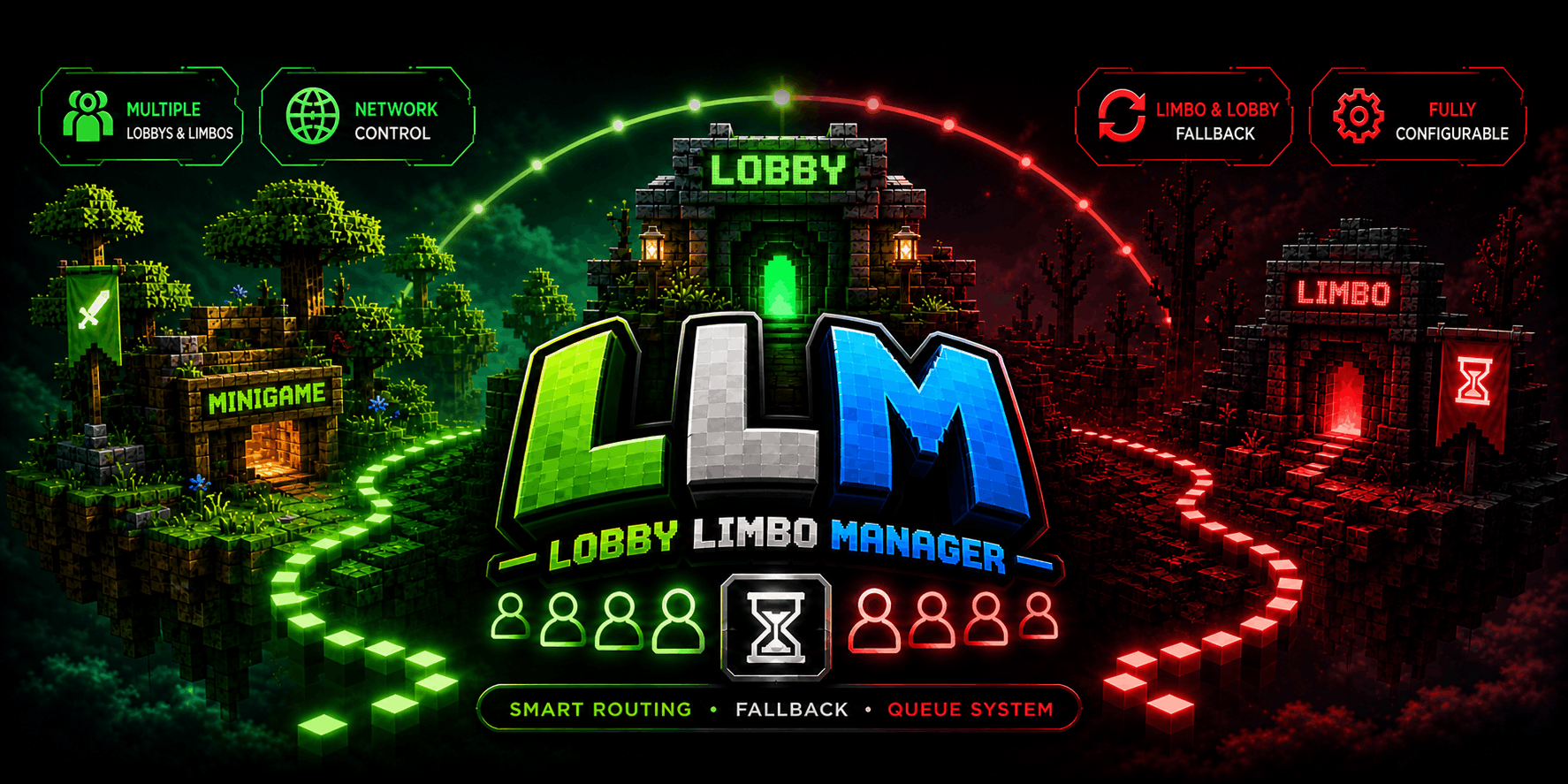
LobbyLimboManager
适用于 BungeeCord 和 Velocity 网络的高性能大厅与等待(Limbo)管理插件。
专为可扩展性、可靠性以及在多服务器环境中平滑的玩家路由而设计。
概览
LobbyLimboManager 在代理层面处理玩家分配、回退逻辑和队列管理。
- 自动将玩家路由到可用大厅
- 需要时利用 Limbo 服务器保持玩家连接
- 内置针对已满或不可用大厅的队列系统
- 行为完全可配置
- 同时支持 Velocity 和 BungeeCord
功能
智能路由
根据可配置的策略自动将玩家发送到最合适的大厅:
Limbo 与回退系统
在大厅不可用时防止不必要的断开连接。
- 需要时将玩家发送到 Limbo 服务器
- 在停机期间保持玩家连接
- 当大厅恢复可用时平滑地重定向回大厅
队列系统
高效处理已满或不可用的大厅。
- 自动队列处理
- 有空位时发送玩家
- 防止连接泛滥和加入失败
多服务器支持
专为灵活的网络设置打造。
- 多个大厅服务器
- 多个 Limbo 服务器
- 动态路由
完全可配置
自定义行为以适配您的网络。
支持使用以下命令实时重载配置:
/llm reload
命令
/lobby, /hub → 将玩家发送到可用大厅/llm reload → 重新加载插件配置
权限
lobbylimbomanager.command.lobby → 访问 /lobby 和 /hub 命令lobbylimbomanager.admin → 访问管理命令
安装
- 下载最新版本
- 将
.jar 文件放入代理插件文件夹
- 启动您的代理
- 根据需要编辑生成的配置文件
兼容性
- Velocity
- BungeeCord
- Waterfall(未经测试,但预计可以工作)
Config.yaml 示例
剧透
# ============================================================
# LobbyLimboManager 配置
# ============================================================
# 此文件控制玩家在 BungeeCord、Waterfall 和 Velocity 代理之间的大厅和
# Limbo 服务器之间的路由方式。
#
# 重要提示:下面列出的服务器名称必须与您代理配置中定义的名称完全匹配。
# 它们在此文件中不区分大小写,但必须存在。
# ============================================================

# -----------------------------------------------------------
# 配置版本
# -----------------------------------------------------------
# 此值由插件管理。请勿修改它。
# 更改它可能会在下一次重载时重置您的配置。
config-version: 1

# ============================================================
# 大厅服务器
# ============================================================
# 列出玩家可以被发送到的所有大厅服务器。
# 这些是玩家登录或被从踢出状态恢复时加入的主要服务器。
#
# 注意:名称必须与您在代理配置中定义的服务器名称匹配
#       (例如 BungeeCord config.yml 或 Velocity
#       velocity.toml)。插件在运行时通过这些名称查找服务器。
lobbies:
  servers:
    - lobby1
    - lobby2
    - lobby3

# ============================================================
# Limbo 服务器
# ============================================================
# Limbo 服务器是轻量级的暂存服务器,用于没有
# 可用大厅或玩家正在排队时。
#
# 注意:此处列出的服务器不应同时列在
# lobbies 下。插件将在 Limbo 选择中忽略重复的名称。
limbos:
  servers:
    - limbo1
    - limbo2

# ============================================================
# 选择模式
# ============================================================
# 控制插件选择将玩家发送到哪个服务器的逻辑。
modes:

  # 大厅选择模式
  # --------------------
  # 确定当玩家需要一个大厅时如何选择大厅。
  #
  # 有效值:
  #   ROUND_ROBIN   - 按顺序循环遍历大厅。
  #                   示例:lobby1 -> lobby2 -> lobby3 -> lobby1
  #   RANDOM        - 随机选择一个可用大厅。
  #   LEAST_PLAYERS - 选择当前玩家数量最少的大厅。
  lobby-mode: ROUND_ROBIN

  # Limbo 选择模式
  # --------------------
  # 确定如何选择 Limbo 服务器。
  #
  # 有效值:
  #   FALLBACK    - 仅在没有大厅可用时才使用 Limbo。这是推荐的默认值。
  #   ROUND_ROBIN - 独立轮换 Limbo 服务器。
  #   STANDALONE  - Limbo 服务器永远不会自动使用。
  #                 必须手动指定目标。
  limbo-mode: FALLBACK

# ============================================================
# 回退设置
# ============================================================
# 控制当玩家被从服务器踢出时会发生什么。
#
# 回退流程(按顺序):
#   1. 如果踢出消息包含 no-fallback 关键字,则
#      玩家断开连接(不尝试恢复)。
#   2. 如果启用了 fallback-to-lobby,插件会尝试
#      找到另一个可用大厅。
#   3. 如果没有可用大厅且启用了 fallback-to-limbo,
#      玩家将被发送到 Limbo 服务器。
#   4. 如果没有任何可用项,则正常执行踢出操作。
fallback:

  # 启用当玩家被踢出时回退到其他大厅。
  # 如果您希望被踢出的玩家断开连接而不是移动到其他大厅,请设置为 false。
  fallback-to-lobby-enabled: true

# 启用在无可用心房时回退至临位。
  # 如果此项与 fallback-to-lobby(回退至心房)均为 false,被踢出的玩家将直接断开连接。
  fallback-to-limbo-enabled: true

  # 服务器回退控制
  # --------------------
  # 控制哪些服务器允许触发回退。
  #
  # 模式:allow(允许)
  #   仅下方列出的服务器加上所有心房可以
  #   触发回退。其他服务器在被踢时将断开
  #   玩家连接。
  #
  # 模式:deny(拒绝)
  #   下方列出的服务器永远不会触发回退。
  #   所有其他服务器(包括心房)将正常触发
  #   回退。
  servers-fallback-disabled:
    mode: deny
    servers:
      - creative

  # 踢出消息不回退关键词
  # ---------------------------------
  # 如果踢出消息包含以下任何关键词(不区分大小写),插件将不会尝试回退。
  # 这对于封禁、手动踢人或反作弊断开连接非常有用,在这些情况下移动玩家是不希望的。
  #
  # 常见关键词示例:
  #   banned      - 防止被封禁的玩家重新加入
  #   kicked by   - 防止工作人员踢人触发回退
  #   timed out   - 连接问题通常不需要回退
  kick-message-nofallback:
    - banned
    - kicked by
    - timed out
    - disconnect.spam
    - flying

# ============================================================
# 队列设置
# ============================================================
# 当所有心房都满员时,玩家会被放入队列。
# 这些设置控制他们如何以及何时被释放。
queue:

  # 分发尝试阈值
  # --------------------------
  # 心房在被视为准备好进行队列分发之前必须连续通过的健康检查次数。
  #
  # 这与 health-check-interval(健康检查间隔)配合工作:
  #   如果 health-check-interval = 30 且此值 = 2,
  #   新启动的心房必须在 60 秒内保持健康状态,
  #   排队的玩家才会被发送过去。
  #
  # 警告:将此值设置过低(例如 1)可能会将玩家发送到
  #          仍在预热的心房,导致加入失败。设置过高则会延迟恢复。
  #
  # 推荐值:1-3 用于快速恢复,3-5 用于稳定性。
  dispatch-attempt-threshold: 1

# ============================================================
# 常规设置
# ============================================================
settings:

  # 健康检查间隔(秒)
  # -------------------------------
  # 插件 ping 所有配置服务器的频率,以检查它们是否在线、满员或离线。
  #
  # 权衡:较低的值能更快检测崩溃,但会增加网络负载。较高的值更轻量,但反应较慢。
  #
  # 推荐值:小型网络设为 30,大型网络设为 60。
  health-check-interval: 30

  # 故障服务器重试间隔(秒)
  # --------------------------------------
  # 当服务器未能通过健康检查时,它会被标记为故障,
  # 直到经过此时间段并通过新的健康检查后,才不会被选择用于路由。
  #
  # 这防止了反复将玩家发送到崩溃的服务器。
  failed-server-retry-seconds: 60

  # 尝试过期时间(秒)
  # ------------------------
  # 插件记住它已经尝试将特定玩家发送到特定服务器的时长。
  #
  # 这防止了无限循环:如果玩家无法连接到 lobby1,插件在此
  # 持续时间内不会再次尝试 lobby1。过期后可以重试。
  attempt-expiry-seconds: 30

  # 队列分发间隔(毫秒)
  # --------------------------------------
  # 队列处理周期之间的最小时间间隔。
  #
  # 较低的值让玩家移动得更快,但会增加 CPU 使用率。
  # 插件仍会尊重服务器容量和就绪状态。
  queue-dispatch-interval: 2000

  # 队列等待消息间隔(毫秒)
  # -----------------------------------------------
  # 排队玩家接收等待消息的频率。
  # 设置为 0 以完全禁用等待消息。
  queue-waiting-interval: 5000

  # 调试模式
  # ----------
  # 启用时,插件会在控制台中打印详细的状态转换、
  # 路由决策和队列活动日志。
  #
  # 警告:这将产生大量输出。仅在故障排除时启用。生产环境请禁用。
  debug: false

  # 服务器玩家上限
  # --------------------
  # 定义每个服务器可容纳的最大玩家数量。
  # 这用于确定心房是否已满,并决定可以分发多少排队玩家。
  #
  # 每个服务器的有效值:
  #   -1  = 无限制。服务器永远不会标记为已满。
  #    0  = 自动检测。插件 ping 服务器以读取
  #         其 max-player 值(来自 server.properties 或
  #         服务器自身的配置)。
  #   >0  = 固定限制。当服务器的在线玩家数达到此数字时,
  #         服务器被标记为已满。
  #
  # 示例:拥有 50 个槽位的生存服应设置为
  #          50,以便插件知道何时已满。
  server-limits:
    lobby1: 100
    lobby2: 100
    lobby3: 100

# ============================================================
# 消息
# ============================================================
# 所有显示给玩家的消息均支持使用 '&' 符号的 Minecraft 颜色代码
# (例如 &a = 绿色,&c = 红色)。
#
# 可用占位符:
#   %server%   - 替换为目标服务器名称
#   %player%   - 替换为玩家名称
#   %position% - 玩家在队列中的位置
#   %total%    - 队列中玩家的总数
#
# 注意:占位符仅在引用它们的消息中生效。
#       使用不支持的占位符将在消息中保留原始文本。
messages:

  # 当玩家成功连接至心房时显示。
  connect-lobby: "&a正在连接您到心房 &e%server%&a..."

# 当玩家被发送至临时服务器时显示。
  connect-limbo: "&e正在将你连接至临时服务器 &7%server%&e..."

  # 当玩家被踢出并转移至备用大厅时显示。
  fallback-lobby: "&e你所在的服务器已不可用。正在将你转移至 &a%server%&e..."

  # 当玩家被踢出并转移至备用临时服务器时显示。
  fallback-limbo: "&c所有大厅已满或不可用。正在将你转移至临时服务器 &7%server%&c..."

  # -----------------------------------------------------------
  # 错误 / 状态消息
  # -----------------------------------------------------------
  no-lobby-available: "&c当前没有可用的大厅服务器。请稍后再试。"
  no-limbo-available: "&c当前没有可用的临时服务器。请稍后再试。"
  no-server-available: "&c当前没有可用的服务器。请稍后再试。"
  server-not-found: "&c未找到目标服务器。"
  already-connecting: "&c你正在被连接至某个服务器。"
  command-player-only: "&c此命令仅可由玩家使用。"
  already-in-lobby: "&c你已连接至大厅服务器。"

  # -----------------------------------------------------------
  # 队列消息
  # -----------------------------------------------------------
  # 这些消息由队列系统自动发送。
  queue-position: "&e你在队列中的位置为 &c%position% &e/ &c%total%&e。"
  queue-join: "&c所有大厅已满。你已被加入队列。"
  queue-waiting: "&e你正在队列中等待。当前位置:&c%position%&e / &c%total%&e。请稍候..."
  lobby-available: "&a现在有一个大厅可用!正在将你连接至 &e%server%&a..."
注意事项
- 专为稳定性和长期使用而设计
- 适用于小型和大型网络
- 专注于可靠的路由和整洁的行为
LobbyLimboManager
High-performance lobby and limbo management plugin for BungeeCord and Velocity networks.
Designed for scalability, reliability, and smooth player routing across multi-server environments.
Overview
LobbyLimboManager handles player distribution, fallback logic, and queue management at the proxy level.
- Automatically routes players to available lobbies
- Uses limbo servers to keep players connected when needed
- Includes a built-in queue system for full or unavailable lobbies
- Fully configurable behavior
- Works on both Velocity and BungeeCord
Features
Smart Routing
Automatically sends players to the most suitable lobby based on configurable strategies:
- Least players
- Random selection
- Round-robin distribution
Limbo & Fallback System
Prevents unnecessary disconnections when lobbies are not available.
- Sends players to limbo servers when needed
- Keeps players connected during downtime
- Smoothly redirects back to lobbies when available
Queue System
Handles full or unavailable lobbies efficiently.
- Automatic queue handling
- Sends players when space becomes available
- Prevents connection spam and failed joins
Multiple Servers Support
Built for flexible network setups.
- Multiple lobby servers
- Multiple limbo servers
- Dynamic routing between them
Fully Configurable
Customize behavior to fit your network.
- Routing modes
- Server limits
- Fallback behavior
- Queue system
Supports live reload with:
/llm reload
Commands
/lobby, /hub → Sends the player to an available lobby/llm reload → Reloads plugin configuration
Permissions
lobbylimbomanager.command.lobby → Access to the /lobby and /hub commandslobbylimbomanager.admin → Access to administrative commands
Installation
- Download the latest release
- Place the
.jar in your proxy plugins folder
- Start your proxy
- Edit the generated configuration if needed
Compatibility
- Velocity
- BungeeCord
- Waterfall (Not tested, but expected to work)
Config.yaml Example
Spoiler
# ============================================================
# LobbyLimboManager Configuration
# ============================================================
# This file controls how players are routed between lobby and
# limbo servers on BungeeCord, Waterfall, and Velocity proxies.
#
# IMPORTANT: Server names listed below must match the names
# defined in your proxy configuration EXACTLY.
# They are NOT case-sensitive in this file, but must exist.
# ============================================================

# -----------------------------------------------------------
# Config Version
# -----------------------------------------------------------
# This value is managed by the plugin. Do not modify it.
# Changing it may reset your configuration on next reload.
config-version: 1

# ============================================================
# LOBBY SERVERS
# ============================================================
# List all lobby servers that players can be sent to.
# These are the main servers players join when logging in or
# being recovered from a kick.
#
# NOTE: Names MUST match the servers defined in your proxy
#       configuration (e.g. BungeeCord config.yml or Velocity
#       velocity.toml). The plugin looks up servers by these
#       names at runtime.
lobbies:
  servers:
    - lobby1
    - lobby2
    - lobby3

# ============================================================
# LIMBO SERVERS
# ============================================================
# Limbo servers are lightweight holding servers used when no
# lobbies are available or a player is queued.
#
# NOTE: A server listed here should NOT also be listed under
#       lobbies. The plugin will ignore overlapping names in
#       limbo selection.
limbos:
  servers:
    - limbo1
    - limbo2

# ============================================================
# SELECTION MODES
# ============================================================
# Controls how the plugin chooses which server to send a
# player to.
modes:

  # Lobby Selection Mode
  # --------------------
  # Determines how a lobby is chosen when a player needs one.
  #
  # Valid values:
  #   ROUND_ROBIN   - Cycles through lobbies in order.
  #                   Example: lobby1 -> lobby2 -> lobby3 -> lobby1
  #   RANDOM        - Picks a random available lobby.
  #   LEAST_PLAYERS - Picks the lobby with the lowest player
  #                   count at that moment.
  lobby-mode: ROUND_ROBIN

  # Limbo Selection Mode
  # --------------------
  # Determines how a limbo server is chosen.
  #
  # Valid values:
  #   FALLBACK    - Limbos are ONLY used when no lobby is
  #                 available. This is the recommended default.
  #   ROUND_ROBIN - Rotates through limbo servers independently.
  #   STANDALONE  - Limbo servers are never used automatically.
  #                 They must be targeted manually.
  limbo-mode: FALLBACK

# ============================================================
# FALLBACK SETTINGS
# ============================================================
# Controls what happens when a player is kicked from a server.
#
# Fallback Flow (in order):
#   1. If kick message contains a no-fallback keyword, the
#      player is disconnected (no recovery attempted).
#   2. If fallback-to-lobby is enabled, the plugin tries to
#      find another available lobby.
#   3. If no lobby is available and fallback-to-limbo is
#      enabled, the player is sent to a limbo server.
#   4. If nothing is available, the kick proceeds normally.
fallback:

  # Enable fallback to another lobby when a player is kicked.
  # Set to false if you want kicked players to disconnect
  # instead of being moved to another lobby.
  fallback-to-lobby-enabled: true

  # Enable fallback to limbo when no lobbies are available.
  # If both this and fallback-to-lobby are false, kicked
  # players will simply be disconnected.
  fallback-to-limbo-enabled: true

  # Server Fallback Control
  # --------------------
  # Controls which servers are allowed to trigger fallback.
  #
  # Mode: allow
  #   Only servers listed below PLUS all lobby servers can
  #   trigger fallback. All other servers will disconnect
  #   players on kick.
  #
  # Mode: deny
  #   Servers listed below will NEVER trigger fallback.
  #   All other servers (including lobbies) will trigger
  #   fallback normally.
  servers-fallback-disabled:
    mode: deny
    servers:
      - creative

  # Kick Message No-Fallback Keywords
  # ---------------------------------
  # If a kick message contains any of these keywords (case
  # insensitive), the plugin will NOT attempt fallback.
  # This is useful for bans, manual kicks, or anti-cheat
  # disconnects where moving the player is undesirable.
  #
  # Examples of common keywords:
  #   banned      - Prevents banned players from rejoining
  #   kicked by   - Prevents staff kicks from triggering fallback
  #   timed out   - Connection issues usually don't need fallback
  kick-message-nofallback:
    - banned
    - kicked by
    - timed out
    - disconnect.spam
    - flying

# ============================================================
# QUEUE SETTINGS
# ============================================================
# When all lobbies are full, players are placed in a queue.
# These settings control how and when they are released.
queue:

  # Dispatch Attempt Threshold
  # --------------------------
  # Number of consecutive successful health checks a lobby
  # must pass before it is considered READY for queue dispatch.
  #
  # This works together with health-check-interval:
  #   If health-check-interval = 30 and this value = 2,
  #   a newly started lobby must be healthy for 60 seconds
  #   before queued players are sent to it.
  #
  # WARNING: Setting this too low (e.g. 1) may send players to
  #          lobbies that are still warming up, causing join
  #          failures. Setting it too high delays recovery.
  #
  # Recommended: 1-3 for quick recovery, 3-5 for stability.
  dispatch-attempt-threshold: 1

# ============================================================
# GENERAL SETTINGS
# ============================================================
settings:

  # Health Check Interval (seconds)
  # -------------------------------
  # How often the plugin pings all configured servers to check
  # if they are online, full, or offline.
  #
  # Trade-off: Lower values detect crashes faster but increase
  # network load. Higher values are lighter but slower to
  # react.
  #
  # Recommended: 30 for small networks, 60 for large networks.
  health-check-interval: 30

  # Failed Server Retry Interval (seconds)
  # --------------------------------------
  # When a server fails a health check, it is marked as failed
  # and will not be selected for routing until this time has
  # passed AND it passes a new health check.
  #
  # This prevents repeatedly sending players to a crashed
  # server.
  failed-server-retry-seconds: 60

  # Attempt Expiry (seconds)
  # ------------------------
  # How long the plugin remembers that it already tried to
  # send a specific player to a specific server.
  #
  # This prevents infinite loops: if a player fails to connect
  # to lobby1, the plugin won't try lobby1 again for this
  # duration. After expiry, it can be retried.
  attempt-expiry-seconds: 30

  # Queue Dispatch Interval (milliseconds)
  # --------------------------------------
  # Minimum time between queue processing cycles.
  #
  # Lower values move players faster but increase CPU usage.
  # The plugin will still respect server capacity and readiness.
  queue-dispatch-interval: 2000

  # Queue Waiting Message Interval (milliseconds)
  # -----------------------------------------------
  # How often queued players receive a waiting message.
  # Set to 0 to disable waiting messages entirely.
  queue-waiting-interval: 5000

  # Debug Mode
  # ----------
  # When enabled, the plugin prints detailed state transitions,
  # routing decisions, and queue activity to the console.
  #
  # WARNING: This generates a LOT of output. Only enable when
  #          troubleshooting. Disable for production.
  debug: false

  # Server Player Limits
  # --------------------
  # Defines the maximum number of players each server can hold.
  # This is used to determine if a lobby is FULL and to decide
  # how many queued players can be dispatched.
  #
  # Valid values for each server:
  #   -1  = Unlimited. The server is never marked FULL.
  #    0  = Auto-detect. The plugin pings the server to read
  #         its max-player value (from server.properties or
  #         the server's own configuration).
  #   >0  = Fixed limit. The server is marked FULL when its
  #         online player count reaches this number.
  #
  # Example: A survival server with 50 slots should be set to
  #          50 so the plugin knows when it is full.
  server-limits:
    lobby1: 100
    lobby2: 100
    lobby3: 100

# ============================================================
# MESSAGES
# ============================================================
# All messages shown to players support Minecraft color codes
# using the '&' symbol (e.g. &a = green, &c = red).
#
# Available placeholders:
#   %server%   - Replaced with the target server name
#   %player%   - Replaced with the player's name
#   %position% - The player's position in the queue
#   %total%    - The total number of players in the queue
#
# NOTE: Placeholders only work in messages that reference them.
#       Using an unsupported placeholder will leave the raw
#       text in the message.
messages:

  # Shown when a player is successfully connected to a lobby.
  connect-lobby: "&aConnecting you to lobby &e%server%&a..."

  # Shown when a player is sent to a limbo server.
  connect-limbo: "&eConnecting you to limbo server &7%server%&e..."

  # Shown when a player is kicked and moved to a fallback lobby.
  fallback-lobby: "&eThe server you were on became unavailable. Moving you to &a%server%&e..."

  # Shown when a player is kicked and moved to a fallback limbo.
  fallback-limbo: "&cAll lobbies are full or unavailable. Moving you to limbo &7%server%&c..."

  # -----------------------------------------------------------
  # Error / Status Messages
  # -----------------------------------------------------------
  no-lobby-available: "&cNo lobby servers are currently available. Please try again later."
  no-limbo-available: "&cNo limbo servers are currently available. Please try again later."
  no-server-available: "&cNo servers are currently available. Please try again later."
  server-not-found: "&cThe target server could not be found."
  already-connecting: "&cYou are already being connected to a server."
  command-player-only: "&cThis command can only be used by players."
  already-in-lobby: "&cYou are already connected to a lobby server."

  # -----------------------------------------------------------
  # Queue Messages
  # -----------------------------------------------------------
  # These messages are sent automatically by the queue system.
  queue-position: "&eYou are in position &c%position% &eof &c%total% &ein the queue."
  queue-join: "&cAll lobbies are full. You have been added to the queue."
  queue-waiting: "&eYou are in the queue. Position: &c%position%&e of &c%total%&e. Please wait..."
  lobby-available: "&aA lobby is now available! Connecting you to &e%server%&a..."
Notes
- Designed for stability and long-term usage
- Suitable for both small and large networks
- Focused on reliable routing and clean behavior


 插件

 插件
 插件
 插件
 插件
 插件
评论 0
登录后参与评分
还没有评论,来抢沙发吧