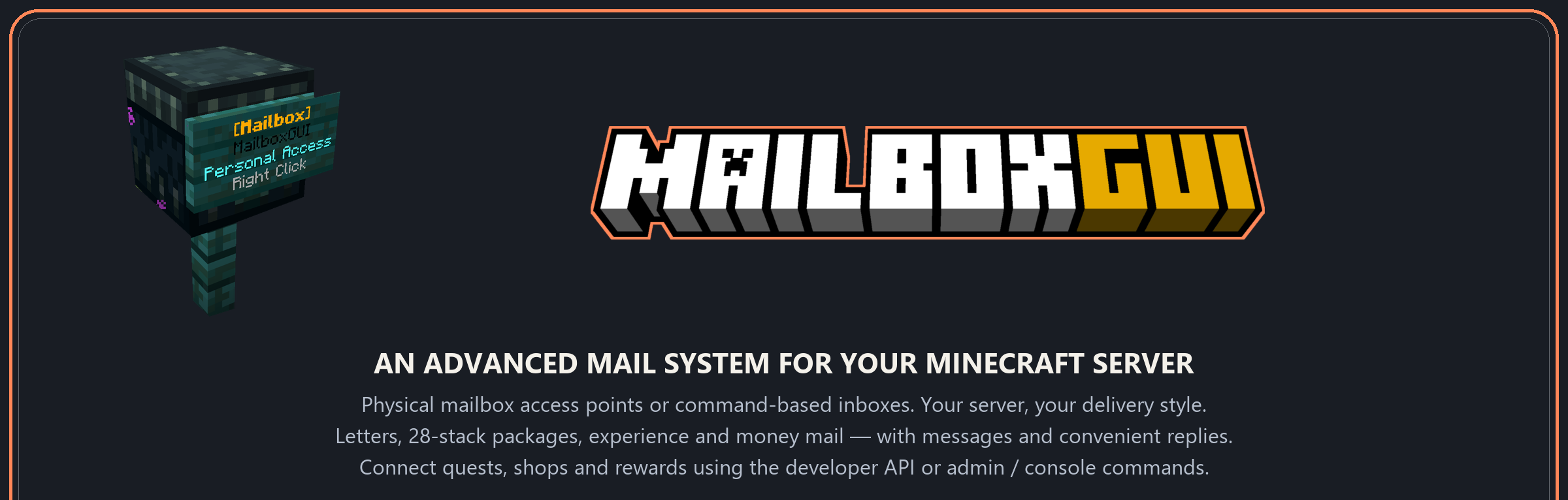
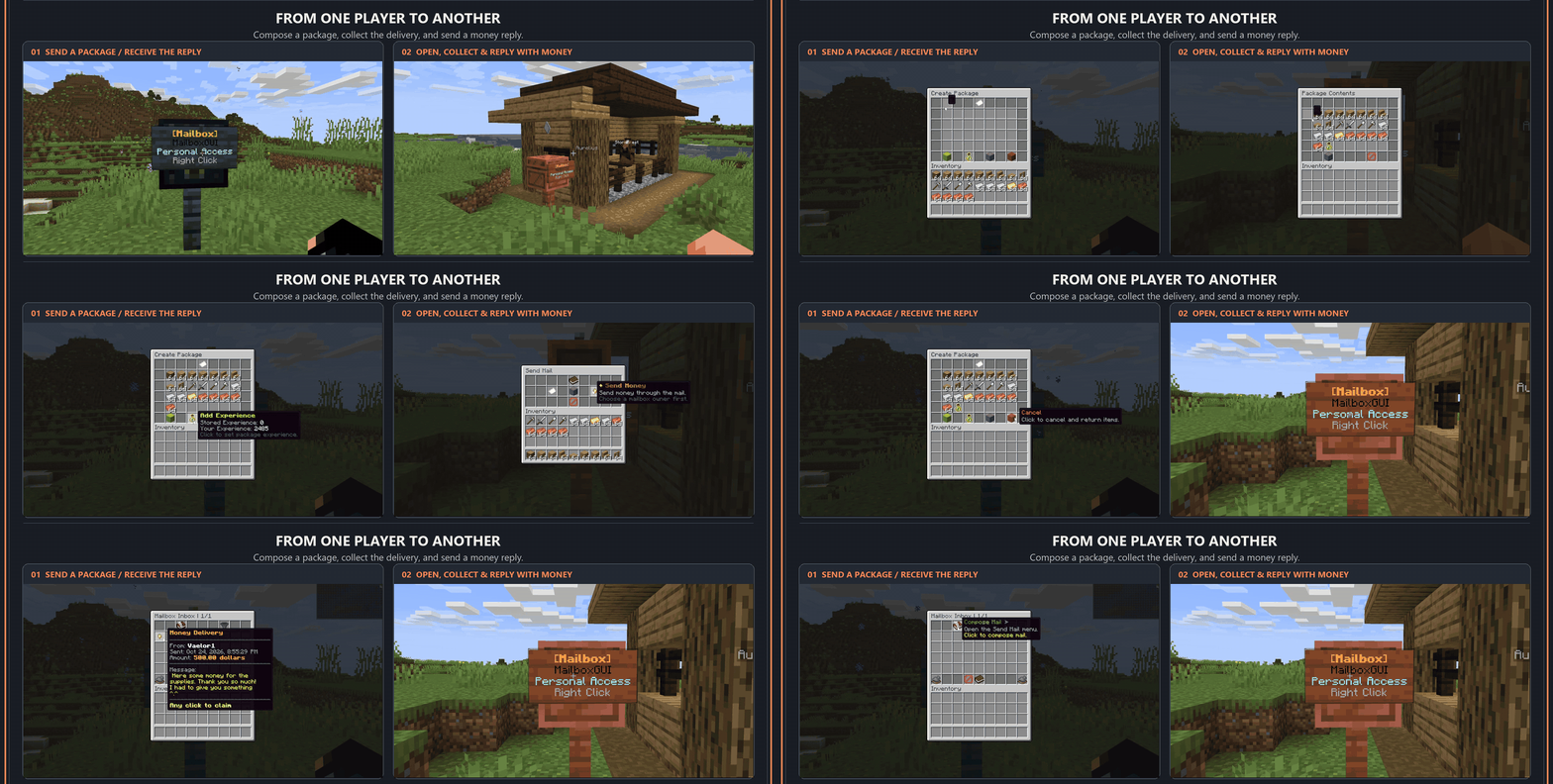
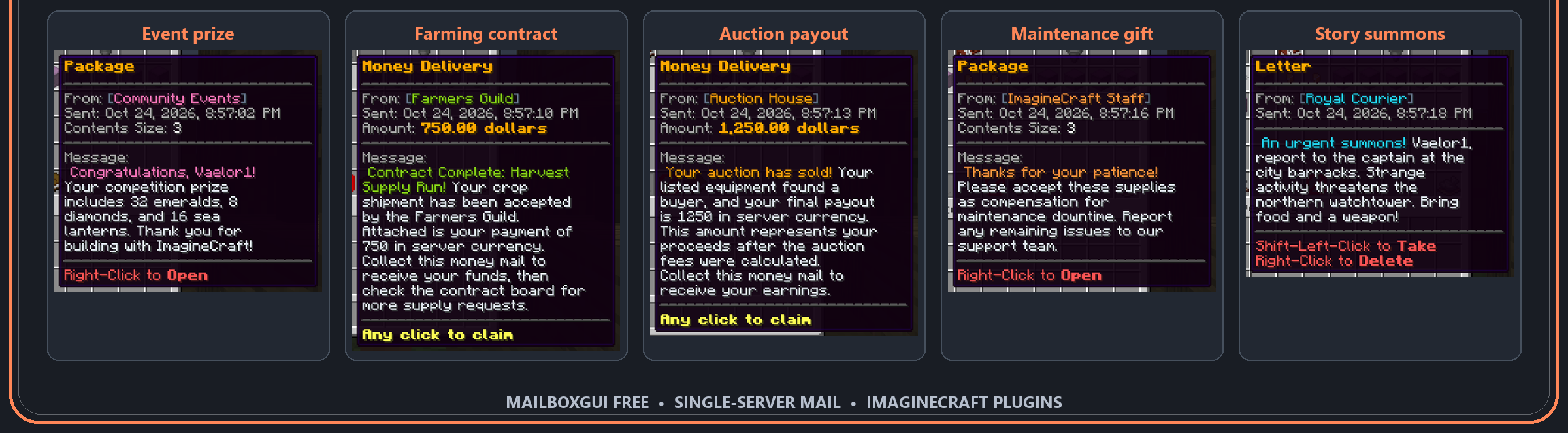
MailboxGUI 是一个高级 Minecraft 服务器 GUI 邮件系统,围绕实体邮箱访问点或基于命令的收件箱访问构建。让玩家使用个人邮箱、公共访问邮箱,或者可选的 Citizens NPC,或者启用命令访问以通过 /mb open 打开邮件 GUI。选择适合您服务器的访问方式。
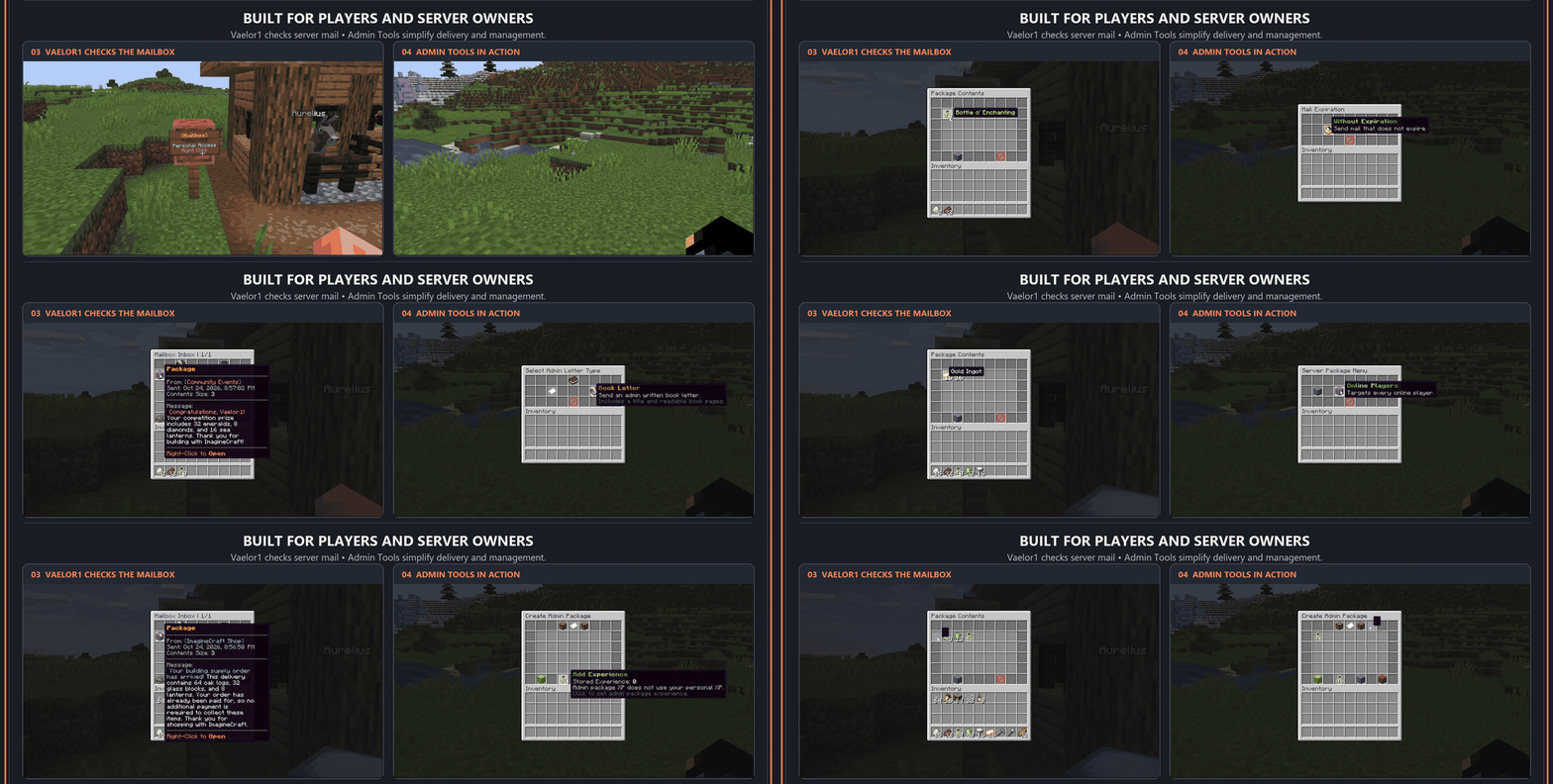
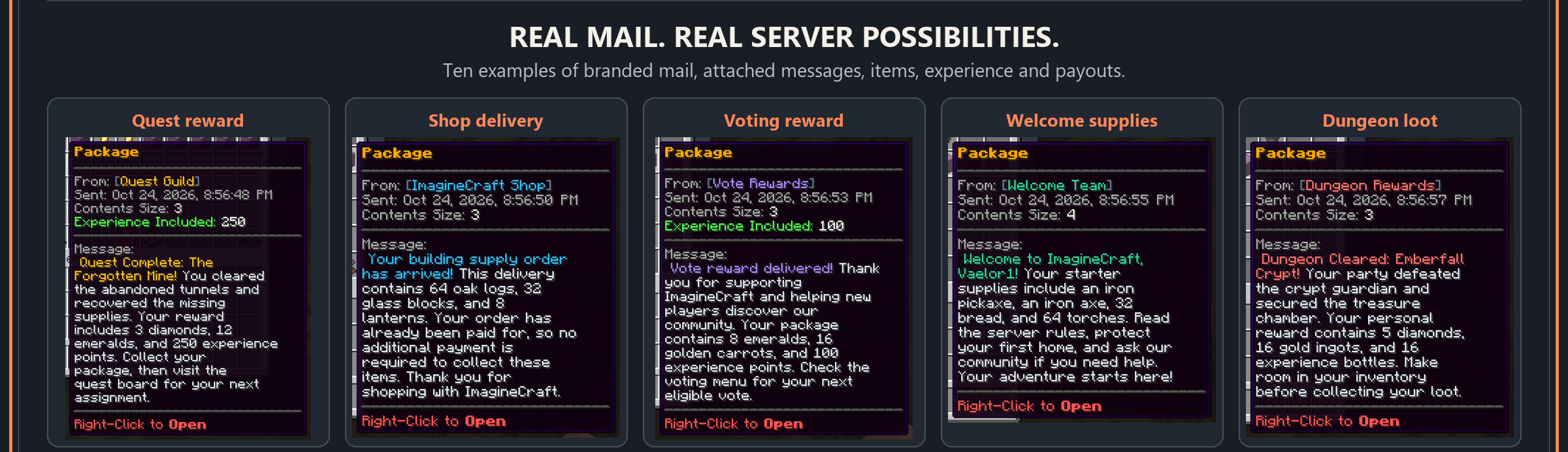
发送信件、包含最多 28 组物品的包裹、经验值和金钱邮件,附带消息并方便回复。通过一个邮件系统交付任务奖励、商店订单、投票奖励、活动奖品、拍卖 payouts 和欢迎礼包。通过公共开发者 API 连接其他插件,或使用管理员和控制台命令自动化投递。可定制的 GUI、HEX 颜色、本地化、定时邮件和管理工具帮助您打造专属系统。
本页列出的所有功能均专门针对 MailboxGUI Free。
版本支持
| 平台 |
Minecraft 版本 |
存储 |
语言 |
| Paper • Spigot • Purpur • Bukkit |
1.18.2–26.3 |
SQLITE(默认)• MYSQL • YAML |
英语 • 德语 • 西班牙语 • 法语 • 意大利语 • 日语 • 韩语 • 荷兰语 • 波兰语 • 巴西葡萄牙语 • 俄语 • 瑞典语 • 乌克兰语 • 简体中文 • 繁体中文 • 香港繁体中文 |
MailboxGUI 发布支持
| MailboxGUI 版本 |
支持状态 |
升级信息 |
| 2.1.0–5.1.1 |
不再支持 |
对于单服务器使用,请升级到 6.1.0 Free。如果您在 5.0.0–5.1.1 中使用网络模式,请升级到 6.1.0 Premium 以保留网络功能。 |
| 6.0.0–6.1.0 Free |
支持 |
单服务器版;无网络功能。包括旧安装的升级系统。请使用 6.1.0 Free 获取最新的 Free 版本。更新前请备份插件文件夹和数据库。 |
| 6.1.0 Premium |
支持 |
最新的网络模式版。当升级使用网络模式的 5.0.0–5.1.1 安装时,请使用此版本。 |
功能 - v6.1.0
GUI 定制
玩家邮件系统
- GUI 邮箱收件箱。
- 纸张信件。
- 书本信件。
- 标准包裹。
- 带消息的包裹。
- 通过 Vault 的金钱邮件。
- 带消息的金钱邮件。
- 货到付款(COD)包裹。
- 支持 Vault 货币、物品货币、XP 和物品模板的 COD。
- 延迟邮件投递。
- 邮件过期。
- 通过
/mb track 追踪邮件。
- 通过
/mb check 只读检查邮箱。
- 新邮件通知。
- 可配置的邮箱礼包命令
/mb kit。
- 玩家通知设置。
管理工具
- Admin Tools GUI。
- 共享管理员收件箱。
- 检查玩家收件箱。
- 确认清除玩家邮箱数据。
- 管理员邮件发送工具。
- 管理员包裹创建。
- 管理员 COD 包裹创建。
- 定时邮件管理。
- 邮件清理和清理工具。
- 存储转换工具。
API 集成
通过其公共开发者 API 将其他服务器插件连接到 MailboxGUI。MailboxGUI Free 包括:
- 发送纸张信件、书本信件、标准包裹、COD 包裹和金钱邮件。
- 为包裹和金钱邮件附加消息,包含包裹 XP,并发送最多 28 组包裹物品。
- 配置收件人、发件人名称、投递延迟、过期和通知行为。
- 查询、过滤和分页收件箱,进行安全的邮件领取和删除操作。
- 追踪投递,检查延迟邮件,取消排队中的投递。
- 创建、管理、启用、禁用和运行定时邮件任务。
- 读取已注册的玩家邮箱、公共访问邮箱和公共访问 NPC。
- 通过包裹序列化和自定义物品编解码器保留自定义物品数据。
- 集成自定义通知提供程序,并监听邮件发送、投递、领取、删除、过期和注册事件。
- 报告验证过的资源包加载状态以用于自定义 GUI 外观。
- 检查 API 能力并接收结构化的操作结果。
有关设置、支持的 API 方法和集成示例,请参阅 API 集成指南。
邮箱样式 - 个人 + 公共访问邮箱
- 箱子和陷阱箱 — 1.18.2+。
- 木桶 — 1.18.2+。
- 潜影盒,包括所有颜色 — 1.18.2+。
- 发射器、投掷器和末影箱 — 1.18.2+。
- 雕纹书架 — 1.20+。
- 工作台 — 1.21+。
- 铜箱子,包括氧化和涂蜡变体 — 1.21.9+。
- 架子 — 1.21.9+。
个人和公共访问邮箱使用相同的受支持样式。公共访问 NPC 可通过 Citizens 获得,非常适合邮件室、邮局和公共访问点。
邮箱注册支持您服务器版本上可用的普通墙壁告示牌和栅栏基座。悬挂式告示牌不是注册告示牌。旧版本中不受支持的材料会被安全忽略。
定时邮件
定时邮件允许服务器所有者从配置中创建自动邮件任务。
定时邮件支持:
- 发送日期。
- 发送时间。
- 每日、每周、每月及自定义间隔的重复行为。
- 服务器时区或配置时区。
- 过期处理。
- 重启后的补发行为。
- 接收者组,例如所有拥有邮箱数据的玩家。
命令与权限
玩家命令需要 mailboxgui.player.use 权限。其他权限和设置见下文;配置路径均指 config.yml。启用的世界限制仍然有效。
发送邮件的命令为 /mb send <letter/package/money>。选择你要发送的类型。
玩家命令
| 命令 |
权限 |
要求 / 操作 |
/mb 或 /mb help |
mailboxgui.player.use |
显示命令帮助。 |
/mb open |
mailboxgui.player.open |
启用 mailbox.command-open.enabled;打开你的邮箱。 |
/mb guide |
mailboxgui.player.use |
显示邮箱设置指南。 |
/mb register / /mb unregister |
mailboxgui.player.use |
通过选择注册或注销个人邮箱。 |
/mb check |
mailboxgui.player.use |
只读检查;mailbox.mailbox-check-command.setting 可选择 GUI 或文本形式。 |
/mb track |
mailboxgui.player.use |
需要 mailbox.mail-tracking.enabled;显示队列中的延迟邮件。 |
/mb kit [kitname] |
mailboxgui.player.kit |
需要 mailbox.kit.enabled 且存在已启用并支持的 Kit;应用配置的领取限制。 |
/mb send letter |
mailboxgui.player.lettercommandsend |
需在 letter.paper-letter 和/或 letter.book-letter 下启用 enabled 和 player-command-send.enabled。 |
/mb send package |
mailboxgui.player.packagecommandsend |
需要 package.enabled 和 package.player-command-send.enabled。 |
/mb send money |
mailboxgui.player.moneycommandsend |
需要 money.enabled、money.player-command-send.enabled、Vault 以及一个兼容的经济插件。 |
/mb settings |
mailboxgui.player.use |
查看玩家设置和通知选项。 |
/mb settings resourcepack <on/off/auto> |
mailboxgui.player.use |
需要 gui-customization.enabled;当 gui-customization.require-automatic-detection 为 false 时,可使用手动偏好设置。 |
/mb settings discord |
mailboxgui.player.discord |
需要 DiscBridge Free 和 DiscordSRV;管理员必须在完成设置检查后启用 DiscBridge 玩家命令。 |
管理员命令
mailboxgui.admin 授予以下通用管理员权限。玩家还需要 mailboxgui.player.use;各个工具操作可能有额外的权限要求。
| 命令 |
权限 |
要求 / 操作 |
/mba 或 /mba help |
任何适用的管理员权限 |
显示可用的管理员命令。 |
/mba tools |
mailboxgui.admin 或 mailboxgui.admin.tools.* |
打开管理员工具;各项操作有各自的权限。 |
/mba reload |
mailboxgui.admin.reload |
重新加载配置文件和语言文件;命令语法更改需要重启服务器。 |
/mba convert |
mailboxgui.admin.convert |
显示存储转换选项;请先备份文件和数据库。 |
/mba scheduledmail |
mailboxgui.admin.scheduledmail |
管理配置的任务;重新加载、运行和管理操作有独立的子权限。 |
/mba admininbox |
mailboxgui.admin.admininbox.open |
打开共享管理员收件箱;认领和管理操作有单独的权限。 |
/mba updatecheck |
mailboxgui.admin.update |
检查发布信息;需要互联网访问。 |
/mba update |
mailboxgui.admin.update |
启动更新流程;需要互联网访问,并需重启以加载暂存的更新。 |
/mba discord |
mailboxgui.admin.discord |
需要 DiscBridge Free 和 DiscordSRV;显示 Discord 管理帮助。 |
本地化语法: 在插件加载前设置 locale.command-syntax.default 以注册所选语言的语法。英文命令始终注册;帮助信息显示所选语法。更改此设置后需重启服务器。
完整语法、权限继承及其他管理员命令请参阅官方维基。
安装
基本设置
- 下载 MailboxGUI Free jar 文件。
- 将 jar 文件放入服务器的
plugins 文件夹。
- 启动服务器一次以生成文件。
- 停止服务器。
- 查看并配置
plugins/MailboxGUI/config.yml。
- 再次启动服务器。
- 在游戏中使用
/mb guide 了解如何建造和注册邮箱。
对于升级,请务必在更新前备份完整的 plugins/MailboxGUI 文件夹和你的数据库。
GUI 自定义: 启用 gui-customization.enabled 并运行 /mba reload 以生成/加载 gui.yml。MailboxGUI 不会构建、发送或强制客户端资源包。
Java: 插件字节码需要 Java 17 或更高版本;请使用你的 Minecraft 服务器版本所需的 Java 运行时。不支持 Folia。
版本升级: MailboxGUI 5.1.1 及更早版本不再受支持。MailboxGUI 6.0.0–6.1.0 Free 不包含网络功能。对于单服务器使用,请更新至 6.1.0 Free。如果你在 5.0.0–5.1.1 中使用网络模式,请更新至 6.1.0 Premium(最新的网络模式版本)。更新前请备份插件文件夹和数据库。
依赖项
核心邮箱系统无需其他插件。仅为你想要使用的功能安装可选集成。
| 集成项 |
用途 |
下载 / 要求 |
| ItemsAdder |
可选的自定义 GUI 外观。 |
ItemsAdder |
| Vault + 经济插件 |
金钱邮件、基于 Vault 货币的 COD 包裹以及经济系统 payouts。 |
Vault 加上任何兼容 Vault 的经济插件。推荐使用 XConomy Reload。 |
| DiscBridge Free |
可选的 Discord 邮件通知。 |
MailboxGUI DiscBridge;将 DiscBridge 2.1.0 Free 与 MailboxGUI 6.1.0 Free 配对使用。 |
| DiscordSRV |
DiscBridge 实现 Discord 连接和账户绑定所必需。 |
在 Modrinth 上下载 DiscordSRV。 |
| Citizens |
可选的公共访问 NPC,用于邮件室、邮局或公共访问点。 |
Citizens;物理公共访问邮箱无需此插件即可工作。 |
| Dynmap |
可选的个人及公共访问邮箱地图标记。 |
Dynmap;服务器版本限制见下文。 |
Dynmap 兼容性: Paper/Purpur 26.1.x 或 26.2.x 版本不支持标记功能。核心邮件系统在这些版本上仍可正常运行;在这些构建版本中请禁用或避免使用 Dynmap 标记。
限时优惠券优惠 — 高级捆绑包节省约 74% + 免费资源包优惠
重要提示: MailboxGUI Premium 适用于需要网络功能的服务器。如果您的服务器不依赖网络功能,请使用 MailboxGUI Free。MailboxGUI 6.0.0 从未作为网络版本发布。
如果您选择 MailboxGUI Premium 并希望为网络系统获取 Discord 通知,则必须使用匹配的 DiscBridge Premium。DiscBridge Free 无法与 MailboxGUI Premium 配合使用。
可选的 MailboxGUI Resource Pack 同时支持 MailboxGUI Free 和 Premium,包含在一个捆绑包中。它可以单独购买,不包含在 MailboxGUI Free 的下载中。MailboxGUI Free 可以在此资源包未安装的情况下使用。
资源信息: ImagineCraft Plugins 网站
不需要网络功能?使用 MailboxGUI Free 并通过优惠券代码 RESOURCE 为您的 Free 设置获取 MailboxGUI Resource Pack —— 完全免费!
使用代码 LAUNCH 节省约 74%:MailboxGUI Premium 享受 50% 折扣 + DiscBridge Premium 免费 + Resource Pack 免费。
两项优惠均于 2026 年 11 月 1 日太平洋标准时间凌晨 12:00 结束。所有优惠券代码届时也将过期,之后不再有效。
账户与优惠券支持
如果在创建账户、使用优惠券代码或验证电子邮件方面遇到困难,请加入 Support Discord server 并在 ?︱license-support 频道寻求帮助。
支持
QQ: 中文支持 · QQ 交流群
无法访问 Discord,或需要中文帮助?欢迎加入 ImagineCraft 插件 QQ 交流群,咨询插件使用、配置及问题反馈。
QQ群号:101849876 · 群内联系人:AFK·落子无悔
贡献者
- nice — 简体中文和香港繁体中文翻译。
- De4d__ — 巴西葡萄牙语翻译,以及 MailboxGUI 的新图标和颜色格式化样式。
想要做出贡献?加入 Discord support server 并在 Plugin Discussion 板块发帖。Rismr1 将会回复您。欢迎提交翻译贡献、错误报告和功能建议!
MailboxGUI is an advanced GUI mail system for Minecraft servers, built around physical mailbox access points or command-based inbox access. Let players use personal mailboxes, Public Access Mailboxes, or optional Citizens NPCs, or enable command access to open the mail GUI with /mb open. Choose the access style that suits your server.
Send letters, packages containing up to 28 item stacks, experience, and money mail, with attached messages and convenient replies. Deliver quest rewards, shop orders, voting rewards, event prizes, auction payouts, and welcome kits through one mail system. Connect other plugins through the public developer API or automate deliveries with admin and console commands. Customizable GUIs, HEX colors, localization, scheduled mail, and admin tools help you make the system your own.
All features listed on this page are specifically for MailboxGUI Free.
Version Support
| Platforms |
Minecraft Version |
Storage |
Languages |
| Paper • Spigot • Purpur • Bukkit |
1.18.2–26.3 |
SQLITE (Default) • MYSQL • YAML |
English • German • Spanish • French • Italian • Japanese • Korean • Dutch • Polish • Brazilian Portuguese • Russian • Swedish • Ukrainian • Simplified Chinese • Traditional Chinese • Hong Kong Traditional Chinese |
MailboxGUI Release Support
| MailboxGUI Version |
Support Status |
Upgrade Information |
| 2.1.0–5.1.1 |
Unsupported |
For single-server use, upgrade to 6.1.0 Free. If you use network mode in 5.0.0–5.1.1, upgrade to 6.1.0 Premium to retain network features. |
| 6.0.0–6.1.0 Free |
Supported |
Single-server edition; no network features. Includes upgrade systems for older installations. Use 6.1.0 Free for the latest Free release. Back up your plugin folder and database before updating. |
| 6.1.0 Premium |
Supported |
Latest network mode edition. Use this edition when upgrading a 5.0.0–5.1.1 installation that uses network mode. |
Features - v6.1.0
GUI Customization
- Customize your GUI experience with
gui.yml.
Player Mail System
- GUI mailbox inbox.
- Paper letters.
- Book letters.
- Standard packages.
- Packages with messages.
- Money mail through Vault.
- Money mail with messages.
- Cash-on-Delivery packages.
- COD support for Vault money, item currency, XP, and item templates.
- Delayed mail delivery.
- Mail expiration.
- Mail tracking with
/mb track.
- Read-only mailbox checking with
/mb check.
- New mail notifications.
- Configurable mailbox kit command with
/mb kit.
- Player notification settings.
Admin Tools
- Admin Tools GUI.
- Shared Admin Inbox.
- Check Player Inbox.
- Clear player mailbox data with confirmation.
- Admin mail sending tools.
- Admin package creation.
- Admin COD package creation.
- Scheduled mail management.
- Mail purge and cleanup tools.
- Storage conversion tools.
API Integration
Connect other server plugins to MailboxGUI through its public developer API. MailboxGUI Free includes:
- Send paper letters, book letters, standard packages, COD packages, and money mail.
- Attach messages to packages and money mail, include package XP, and send up to 28 package item stacks.
- Configure recipients, sender names, delivery delays, expiration, and notification behavior.
- Query, filter, and paginate inboxes, with safe mail claim and deletion operations.
- Track deliveries, inspect delayed mail, and cancel queued deliveries.
- Create, manage, enable, disable, and run scheduled mail tasks.
- Read registered player mailboxes, Public Access Mailboxes, and Public Access NPCs.
- Preserve custom item data through package serialization and custom item codecs.
- Integrate custom notification providers and listen for mail sending, delivery, claim, deletion, expiration, and registration events.
- Report verified resource-pack load status for custom GUI appearances.
- Check API capabilities and receive structured operation results.
For setup, supported API methods, and integration examples, see the API Integration Guide.
Mailbox Styles - Personal + Public Access Mailboxes
- Chests and trapped chests — 1.18.2+.
- Barrels — 1.18.2+.
- Shulker boxes, including all colors — 1.18.2+.
- Droppers, dispensers, and ender chests — 1.18.2+.
- Chiseled bookshelves — 1.20+.
- Crafters — 1.21+.
- Copper chests, including oxidized and waxed variants — 1.21.9+.
- Shelves — 1.21.9+.
Personal and Public Access Mailboxes use the same supported styles. Public Access NPCs are available through Citizens, ideal for mail rooms, post offices, and public access points.
Mailbox registration supports regular wall signs and fence bases available on your server version. Hanging signs are not registration signs. Unsupported materials are safely ignored on older versions.
Scheduled Mail
Scheduled Mail lets server owners create automatic mail tasks from config.
Scheduled Mail Supports:
- Send date.
- Send time.
- Daily, weekly, monthly, and interval-style repeat behavior.
- Server or configured timezone.
- Expiration.
- Catch-up behavior after restart.
- Recipient groups such as all players with mailbox data.
Commands and Permissions
Player commands require mailboxgui.player.use. Additional permissions and settings are listed below; configuration paths refer to config.yml. Enabled world restrictions still apply.
The mail-sending command is /mb send <letter/package/money>. Choose the type you want to send.
Player Commands
| Command |
Permission |
Requirement / Action |
/mb or /mb help |
mailboxgui.player.use |
Show command help. |
/mb open |
mailboxgui.player.open |
Enable mailbox.command-open.enabled; opens your mailbox. |
/mb guide |
mailboxgui.player.use |
Show the mailbox setup guide. |
/mb register / /mb unregister |
mailboxgui.player.use |
Register or unregister a personal mailbox through selection. |
/mb check |
mailboxgui.player.use |
Read-only check; mailbox.mailbox-check-command.setting selects GUI or text. |
/mb track |
mailboxgui.player.use |
Requires mailbox.mail-tracking.enabled; shows queued delayed mail. |
/mb kit [kitname] |
mailboxgui.player.kit |
Requires mailbox.kit.enabled and an enabled, supported kit; configured claim limits apply. |
/mb send letter |
mailboxgui.player.lettercommandsend |
Enable enabled and player-command-send.enabled under letter.paper-letter and/or letter.book-letter. |
/mb send package |
mailboxgui.player.packagecommandsend |
Requires package.enabled and package.player-command-send.enabled. |
/mb send money |
mailboxgui.player.moneycommandsend |
Requires money.enabled, money.player-command-send.enabled, Vault, and a compatible economy plugin. |
/mb settings |
mailboxgui.player.use |
View player settings and notification options. |
/mb settings resourcepack <on/off/auto> |
mailboxgui.player.use |
Requires gui-customization.enabled; manual preferences are available when gui-customization.require-automatic-detection is false. |
/mb settings discord |
mailboxgui.player.discord |
Requires DiscBridge Free and DiscordSRV; an administrator must enable DiscBridge player commands after setup checks. |
Admin Commands
mailboxgui.admin grants the common admin permissions below. Players also need mailboxgui.player.use; individual tool actions may have additional permissions.
| Command |
Permission |
Requirement / Action |
/mba or /mba help |
Any applicable admin permission |
Show the available admin commands. |
/mba tools |
mailboxgui.admin or mailboxgui.admin.tools.* |
Open Admin Tools; individual actions have their own permissions. |
/mba reload |
mailboxgui.admin.reload |
Reload configuration and language files; command-syntax changes require a restart. |
/mba convert |
mailboxgui.admin.convert |
Show storage conversion options; back up your files and database first. |
/mba scheduledmail |
mailboxgui.admin.scheduledmail |
Manage configured tasks; reload, run, and management actions have separate child permissions. |
/mba admininbox |
mailboxgui.admin.admininbox.open |
Open the Shared Admin Inbox; claiming and management actions have separate permissions. |
/mba updatecheck |
mailboxgui.admin.update |
Check release information; requires internet access. |
/mba update |
mailboxgui.admin.update |
Start the update workflow; requires internet access and a restart to load a staged update. |
/mba discord |
mailboxgui.admin.discord |
Requires DiscBridge Free and DiscordSRV; show Discord administration help. |
Localized syntax: Set locale.command-syntax.default before the plugin loads to register the selected language's syntax. English commands are always registered; help displays the selected syntax. Restart after changing this setting.
See the official wiki for full syntax, permission inheritance, and additional admin commands.
Installation
Basic Setup
- Download the MailboxGUI Free jar.
- Place the jar in your server's
plugins folder.
- Start the server once to generate files.
- Stop the server.
- Review and configure
plugins/MailboxGUI/config.yml.
- Start the server again.
- Use
/mb guide in game to learn how to build and register mailboxes.
For upgrades, always back up the full plugins/MailboxGUI folder and your database before updating.
GUI customization: Enable gui-customization.enabled and run /mba reload to generate/load gui.yml. MailboxGUI does not build, send, or force a client resource pack.
Java: Plugin bytecode requires Java 17 or newer; use the Java runtime required by your Minecraft server version. Folia support is not included.
Version upgrades: MailboxGUI 5.1.1 and older are no longer supported. MailboxGUI 6.0.0–6.1.0 Free does not include network features. For single-server use, update to 6.1.0 Free. If you use network mode in 5.0.0–5.1.1, update to 6.1.0 Premium, the latest network mode edition. Back up your plugin folder and database before updating.
Dependencies
The core mailbox system requires no additional plugins. Install optional integrations only for the features you want to use.
| Integration |
Needed For |
Download / Requirement |
| ItemsAdder |
Optional custom GUI appearances. |
ItemsAdder |
| Vault + economy plugin |
Money mail, Vault-money COD packages, and economy payouts. |
Vault plus any Vault-compatible economy plugin. XConomy Reload is a suggestion. |
| DiscBridge Free |
Optional Discord mail notifications. |
MailboxGUI DiscBridge; pair DiscBridge 2.1.0 Free with MailboxGUI 6.1.0 Free. |
| DiscordSRV |
Required by DiscBridge for Discord connectivity and account linking. |
Download DiscordSRV on Modrinth. |
| Citizens |
Optional Public Access NPCs for mail rooms, post offices, or public access points. |
Citizens; physical Public Access Mailboxes work without it. |
| Dynmap |
Optional personal and Public Access Mailbox map markers. |
Dynmap; server-version restrictions apply below. |
Dynmap compatibility: Markers are not supported on Paper/Purpur 26.1.x or 26.2.x. The core mail system still works on those versions; disable or avoid Dynmap markers on those builds.
Limited-Time Coupon Offers — Save About 74% on the Premium Bundle + FREE Resource Pack Offer
Important: MailboxGUI Premium is available for servers that want network features. If your server does not rely on networking, use MailboxGUI Free. MailboxGUI 6.0.0 was never released as a network version.
If you choose MailboxGUI Premium and want Discord notifications for a network system, you must use the matching DiscBridge Premium. DiscBridge Free does not work with MailboxGUI Premium.
The optional MailboxGUI Resource Pack supports both MailboxGUI Free and Premium in one bundle. It is available separately and is not included with the MailboxGUI Free download. MailboxGUI Free can be used without this pack.
Resource Information: ImagineCraft Plugins website
Don't need networking? Use MailboxGUI Free and coupon code RESOURCE to get the MailboxGUI Resource Pack for your Free setup — FREE!
Use code LAUNCH to save about 74% on the complete bundle: 50% off MailboxGUI Premium + DiscBridge Premium FREE + Resource Pack FREE.
Both offers end Nov 1, 2026, 12:00 AM PDT. Both coupon codes expire at that time and cannot be used afterward.
Account and Coupon Support
If you have trouble creating an account, using your coupon codes, or verifying your email, join the Support Discord server and ask for help in ?︱license-support.
Support
QQ: 中文支持 · QQ 交流群
无法访问 Discord,或需要中文帮助?欢迎加入 ImagineCraft 插件 QQ 交流群,咨询插件使用、配置及问题反馈。
QQ群号:101849876 · 群内联系人:AFK·落子无悔
Contributors
- nice — Simplified Chinese and Hong Kong Traditional Chinese translations.
- De4d__ — Brazilian Portuguese translation and MailboxGUI's new icon and color formatting style.
Want to contribute? Join the Discord support server and post in Plugin Discussion. Rismr1 will respond to you. Translation contributions, bug reports, and feature suggestions are welcome!


 插件

 插件

 插件
 插件
 插件
 插件
评论 0
登录后参与评分
还没有评论,来抢沙发吧