轻量、强大、简洁。
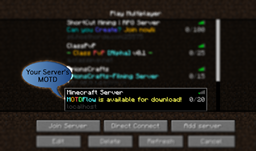
- MOTD
- 指在玩家 Minecraft 服务器列表中,位于服务器名称下方的文字。它显示在指定服务器的当前玩家数/最大玩家数的左侧。

页面
请在以下页面了解更多关于该插件的信息,由 GitHub 提供支持!(这也有助于减轻 Bukkit 服务器的压力和节省空间!:D)。顺便提一下,尽管我提供了安装该插件的指南,但安装方法适用于所有 Bukkit 插件的通用方式。
你是否是那种频繁更改服务器 MOTD 的人?
你是否受够了为了做一个小小的改动,就必须重新加载或重启整个服务器?
你是否受够了当你被迫将 MOTD 更改为通过 PlanetMinecraft 的“认证系统”验证以进行推广时,收到的各种抱怨?
我们 ShortCutMinecraft 认为,Minecraft 的 MOTD 系统应该更少麻烦,更多便利。
让你的服务器脱颖而出,凭借出色的在线时间和多彩的 MOTD!!!
功能
- 兼容颜色代码 - &a, &1, &2, 等等...
- 简单的 MOTD 更改
- 在游戏中即可操作!
- 从控制台也可操作!
- 来自配置文件!
- 轻松查看当前的 MOTD(服务器提示文本)
- 使用 Bukkit 权限系统
- 所有命令以 "+" 为前缀
- 与其他插件的兼容性极强!不会覆盖你原有的 essentials /motd 命令!
权限节点
- motdflow.use
- 授予完整访问并使用 MOTDFlow 所有命令的权限。我们建议仅将此权限节点添加给工作人员成员
| 命令 | 描述 |
|---|
| /+motd | 查看 MOTDFlow 所有命令的基本“帮助”菜单 |
| /+motd set <MOTD> | 更改/设置你的服务器的 MOTD |
| /+motd reload-config | 从 MOTDFlow 的配置文件中获取当前的 MOTD |
| /+motd view | 轻松查看当前的 MOTD。显示两个版本:一个带颜色,一个不带颜色 |
联系方式
你可以通过由 bukkit 提供的插件工单系统寻求帮助!
请在此帖子中提出任何建议,而不是直接联系我,谢谢!
如果你想查看此插件的使用示例,请访问我的服务器:mining.shortcutmining.com
插件的版本与 bukkit 的版本不匹配!我该怎么办?!?!?!
保持冷静。这个插件非常简单,它所使用的 bukkit API 很可能永远不会改变或损坏——这意味着你不需要仅仅因为你使用了新版本的 bukkit 就更新它……不过,你应该检查是否有新版本可用,并始终使用最新版本!
如果没有新版本,也不必担心,插件应该仍能正常工作!(当然,如果出现错误,请尽快联系我)
Light weight, powerful, simple.
- MOTD
- Refers to the words underneath your server's name in a players minecraft server list. It is shown to the left of the amount of players/max players on a specified server.
Pages
Find out more about the plugin on the following pages, github powered! (It'll help reduce stress and space on bukkit's servers too! :D). On a side note, just because I have a guide for installing the plugin, the method of installing it is the generic method for bukkit plugins.
Are you one of those people who changes their server MOTD frequently?
Are you sick and tired of being forced to reload or restart your entire server just to make a small little change?
Are you sick and tired of complaints when you're forced to change your MOTD to verify your server with PlanetMinecraft's "Authentication System", just to advertise?
We at ShortCutMinecraft believe that minecraft's MOTD system should be less of a hassle and more of a benefit.
Make your server stand out from the crowd, for it's great uptime and colorful MOTD!!!
Features
- Color code compatible - &a, &1, &2, ect...
- Simple MOTD changing
- From ingame!
- From console!
- From configuration file!
- Easily check the current MOTD
- Uses bukkits permission system
- Means it's compatible with virtually all permission plugins
- All commands prefixed with a "+"
- Extremely compatible with other plugins! Won't over-ride your essentials /motd command!
Permissions
- motdflow.use
- Grants full access to use all of MOTDFlow's commands! We recommend that you only add this permission node to staff members
| Command | Description |
|---|
| /+motd | See the basic "help" menu of all commands for MOTDFlow |
| /+motd set <MOTD> | Change/Set your server's MOTD |
| /+motd reload-config | Takes the current MOTD in MOTDFlow's configuration file |
| /+motd view | See the current MOTD, easily! Shows two versions, one with colors and one without |
Contact
You can receive help via the plugins ticket system, provided by bukkit!
Please suggest any suggestions on this post, rather than contacting me directly, thanks!
If you'd like to see an example of this plugin being used, check out my server: mining.shortcutmining.com
The Plugin's version doesn't match up with bukkit's version! What do I do?!?!?!
Remain calm. This plugin is very simple, and the bukkit API that it uses is likely to never change/break - meaning you won't have to update it just because you're using a new version of bukkit... though you should check to see if there is a new version available, and always use the newest version!
If there is no new version of the plugin, don't fret, it should still work fine! (Unless of course you're getting errors, in which case contact me ASAP)

 插件

 插件
 插件
 插件
 插件
 插件
评论 0
登录后参与评分
还没有评论,来抢沙发吧