nonchat
为 Minecraft 服务器打造的最优雅聊天解决方案
✨ 功能特性
- ? 自定义聊天格式 - 完全可定制的聊天消息,支持 HEX 颜色
- ? 私聊系统 - 增强的私密聊天系统,支持窥探功能
- ? 玩家 Ping 值显示 - 在聊天中提及玩家时,支持自定义音效和高亮效果
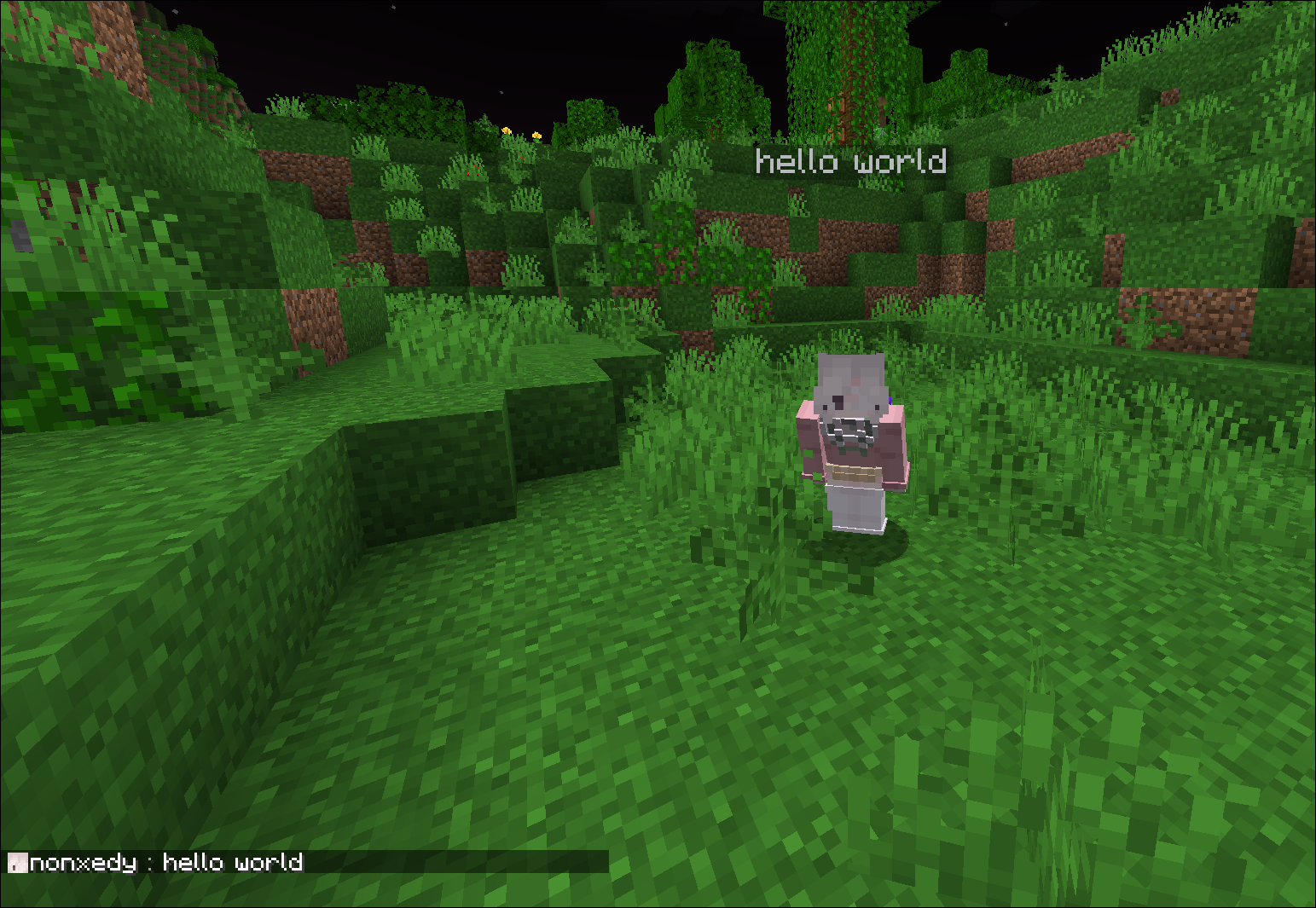
- ? 聊天气泡 - 在玩家头顶上方显示消息气泡
- ? 自动广播 - 定时自动发布服务器公告
- ⚰️ 自定义死亡信息 - 风格化的死亡通告
- ? 角色扮演指令 - 通过 /me 和 /roll 指令增强 RP 体验
- ? 管理员聊天 - 供工作人员使用的私密沟通频道
- ? 悬停提示消息 - 带有附加信息的交互式悬停文本
- ? DiscordSRV 集成 - 实现 Minecraft 与 Discord 之间的无缝聊天同步
- ? 交互式聊天占位符 - 用于增强聊天体验的动态占位符:
[ping] - 显示您当前的延迟状态(带颜色编码)
[item] - 展示您手中持有的物品及详细悬停信息
- ?️ 高级聊天过滤器 - 全面的防护系统:
- 反广告 - 屏蔽服务器广告,灵敏度可自定义
- 大写过滤 - 防止过度使用大写字母
- 词语过滤 - 屏蔽不当内容及正则表达式匹配模式
? 命令
| 命令 |
描述 |
/broadcast |
发送全服公告 |
/msg |
发送私人消息 |
/reply |
回复上一条私人消息 |
/clear |
清除聊天记录 |
/ignore |
忽略特定玩家 |
/spy |
切换私聊窥探模式 |
/me |
发送第一人称动作消息 |
/roll |
进行角色扮演骰子投掷 |
/channel |
频道管理命令 |
/nonchat help |
查看插件帮助 |
/nonchat reload |
重载插件配置 |
? 交互式聊天占位符
nonchat 支持动态占位符,使您的聊天更加互动和信息丰富:
? Ping 占位符
在消息中使用 [ping] 来显示您当前的连接延迟:
- 绿色 (< 100ms) - 连接极佳
- 金色 (100-300ms) - 连接良好
- 红色 (> 300ms) - 连接较差
示例: My ping is [ping] → My ping is 45ms
? 物品占位符
在消息中使用 [item] 来展示您当前手持的物品:
- 显示物品名称并根据稀有度着色
- 悬停在物品名称上可查看详细信息
- 显示附魔、耐久度及其他物品属性
- 自动检测是否未持有物品
示例: Check out this [item]! → Check out this Diamond Sword! (带悬停详情)
? 快速开始
- 从 Modrinth 下载 nonchat
- 将 .jar 文件放入服务器的
plugins 文件夹中
- 启动或重启服务器
- 在
plugins/nonchat/config.yml 中进行配置
? 文档
访问我们的 Wiki 以获取详细的设置说明和配置指南。
? 为什么选择 nonchat?
- 性能优化 - 专为高效运行而设计
- 现代功能 - 支持最新的 Minecraft 版本 (1.21.6-26.3)
- 交互元素 - 动态占位符提升玩家体验
- 易于配置 - 简单的 YAML 配置,支持 messages.yml
- 活跃开发 - 定期更新并添加新功能
? 开发路线图
| 状态 |
任务 |
| ⏳ |
使频道名称可点击以切换到该频道 |
| ✅ |
重构代码为模块化类型以支持 mc 版本 |
图例:
? 支持
? 支持开发
如果您喜欢 nonchat,请考虑支持其开发:
? 截图

? 视频
PLUGINS para tu SERVIDOR de Minecraft - NONCHAT by Ajneb97 (Español, 25:11)
? 许可证
nonchat 遵循 MIT License 许可证。
Made with ❤️ by utophii

nonchat
The most elegant chat solution for your Minecraft server
✨ Features
- 🎨 Custom Chat Formats - Fully customizable chat messages with HEX color support
- 💬 Private Messaging - Enhanced private chat system with spy functionality
- 🔔 Player Pings - Mention players in chat with customizable sounds and highlights
- 💭 Chat Bubbles - Display messages above players' heads
- 📢 Auto Broadcasting - Schedule automatic server announcements
- ⚰️ Custom Death Messages - Stylish death announcements
- 🎭 Roleplay Commands - Enhanced RP experience with /me and /roll commands
- 🔒 Staff Chat - Private communication for staff members
- 💡 Hover Messages - Interactive hover text with additional information
- 🔗 DiscordSRV Integration - Seamless chat synchronization between Minecraft and Discord
- 📱 Interactive Chat Placeholders - Dynamic placeholders for enhanced chat experience:
[ping] - Display your current ping with color-coded status
[item] - Show your held item with detailed hover information
- 🛡️ Advanced Chat Filters - Comprehensive protection systems:
- Anti-Advertisement - Blocks server advertisements with customizable sensitivity
- Caps Filter - Prevents excessive use of capital letters
- Word Filter - Blocks inappropriate content and regex patterns
🎮 Commands
| Command |
Description |
/broadcast |
Send server-wide announcements |
/msg |
Send private messages |
/reply |
Reply to the last private message |
/clear |
Clear chat history |
/ignore |
Ignore specific players |
/spy |
Toggle private message spy mode |
/me |
Send a first-person message |
/roll |
RP roll dice |
/channel |
Channel management commands |
/nonchat help |
View plugin help |
/nonchat reload |
Reload plugin configuration |
🔧 Interactive Chat Placeholders
nonchat supports dynamic placeholders that make your chat more interactive and informative:
📊 Ping Placeholder
Use [ping] in your messages to display your current connection latency:
- Green (< 100ms) - Excellent connection
- Gold (100-300ms) - Good connection
- Red (> 300ms) - Poor connection
Example: My ping is [ping] → My ping is 45ms
🎒 Item Placeholder
Use [item] in your messages to showcase the item you're currently holding:
- Displays item name with rarity-based coloring
- Hover over the item name to see detailed information
- Shows enchantments, durability, and other item properties
- Automatically detects if you're not holding anything
Example: Check out this [item]! → Check out this Diamond Sword! (with hover details)
🚀 Quick Start
- Download nonchat from Modrinth
- Place the .jar file in your server's
plugins folder
- Start/restart your server
- Configure in
plugins/nonchat/config.yml
📚 Documentation
Visit our Wiki for detailed setup instructions and configuration guides.
🌟 Why nonchat?
- Performance Optimized - Built with efficiency in mind
- Modern Features - Supports latest Minecraft versions (1.21.6-26.3)
- Interactive Elements - Dynamic placeholders for enhanced player experience
- Easy Configuration - Simple YAML configuration with messages.yml support
- Active Development - Regular updates and feature additions
📋 Development Roadmap
| Status |
Task |
| ⏳ |
Make channel names clickable to switch to them |
| ✅ |
Refactor code to modular type for mc version support |
Legend:
- ✅ Completed
- ⏳ In Progress
- 🔜 Planned
🔧 Support
💝 Support the Development
If you enjoy nonchat, consider supporting its development:
📸 Screenshots
📺 Videos
PLUGINS para tu SERVIDOR de Minecraft - NONCHAT by Ajneb97 (Español, 25:11)
📝 License
nonchat is licensed under MIT License.
Made with ❤️ by utophii
评论 0
登录后参与评分
还没有评论,来抢沙发吧