OrzMC


一款 Paper 服务器管理插件,通过 EasyBot 网关统一 QQ、Telegram、Discord、飞书和微信机器人,或通过其内置的直接通道进行连接,并开箱即用地提供双语(英文 / 中文)界面。
🌐 English | 简体中文
本插件专为 PaperMC 服务器构建,同时可在
Folia 上运行(通过
folia-supported: true 声明)。由于 PaperAPI 兼容
BukkitAPI 和 SpigotAPI,它对拥有 Bukkit 和
Spigot 插件开发经验的开发者也非常友好。
它目前在我的 私人服务器 上运行以协助
管理,并已发布在 Hangar
和 Modrinth。
功能特性
| 功能 |
描述 |
| 权限系统 (等级与审核) |
基于 LuckPerms 的 4 级玩家等级链(默认 → 成员 → 建造者 → 管理员,“默认”显示名为 guest/访客),支持自动升级、申请与审核流程(/apply / /review / $v),以及手动升降级($p)。零配置:启动时自动创建轨道和缺失的组;当缺少 LuckPerms 时优雅降级。 |
| 白名单管理 |
控制服务器访问权限。管理员通过机器人命令($a / $r / $w)添加/移除玩家;不活跃玩家会自动清理;被踢出的非白名单玩家会收到友好的提示。 |
| 多平台机器人系统 |
通过 EasyBot 网关统一 QQ、Telegram、Discord、飞书和微信,或直接使用内置通道连接各平台 API(QQ / 飞书 / Telegram / Discord,无需额外进程)—— 通过 im.yml → backend 选择一种方式(通道对比)。提供 11 个用于玩家管理、查询和交互的机器人命令;控制台命令($e)将完整输出返回至群组 —— 包括通过日志窗口捕获的异步插件输出(例如 Essentials/LuckPerms),具有噪音过滤和 30 行截断功能;50+ 可自定义的消息模板将服务器事件推送至匹配的群组或频道。 |
| 多语言 (i18n) |
内置英文 / 中文消息包覆盖游戏内反馈、机器人回复、事件通知和 /config 面板;游戏内文本跟随每位玩家的客户端区域设置,机器人回复可按平台配置,服务器所有者可以通过 messages_custom_<lang>.yml 覆盖任何消息。 |
| 跨服传送门 |
管理员创建或删除传送门;玩家踏上传送门即可在不同服务器间传输。可选的 LoginSecurity 验证后再进行传输。 |
| TNT 保护 |
限制 TNT 的放置位置,支持按区域白名单豁免;向群聊发送爆炸通知;控制重生锚爆炸行为。爆发式爆炸聚合为单一警报(×N 附带首个事件坐标),防止发射器/爆炸刷屏导致群聊混乱。 |
| 安全控制 |
按 GeoIP 国家限制加入;IP 黑名单模式(精确 IP / CIDR / 通配符);玩家名称拒绝规则(精确 / 前缀 / 后缀 / 包含 / 通配 / 正则);可选的 LoginSecurity 二次验证。 |
| 传送弓 |
射击箭矢以传送到落点,并自动检测安全着陆;飞行路径上的区块会被强制加载,确保远程射击总能着陆;可配置的实体传送策略(默认受限 —— 仅允许白名单中的被动/中立实体被命令/插件传送;下界传送门穿越始终允许)。 |
| 世界维护 |
一键备份或优化世界,并实时报告进度;服务器列表 MOTD 会在维护期间自动切换。 |
| 插件自更新 |
定期检查 Hangar 上的新版本(发布 / 测试频道),验证 sha256 并自动下载至 plugins/update/ —— 重启服务器即可完成升级。管理员也可以运行 /update check 进行查询,运行 /update now 手动下载。 |
| 玩家通知 |
将加入/退出/踢出详情(世界、坐标、在线人数、权限组)推送至群聊;在线列表显示每位玩家的游戏模式和等级组。 |
| 指南书 |
首次加入的玩家自动接收一本指南书。内容采用极简 YAML 格式(一行 = 一句话,一页 = 一个列表,**粗体** / [文本](网址) 标记);编辑后执行 /orzmc config reload 即可生效(3 分钟指南,中文)。 |
| 运行时配置 |
使用 /config 在游戏内管理 29 个配置选项;更改热重载,无需重启服务器。 |
| OrzMC 菜单 |
打开游戏内的功能菜单,快速访问所有操作(开发中)。 |
完整功能列表请参阅 docs/features.md。
安装
下载插件,将其放入 PaperMC(或 Folia)服务器的 plugins/ 目录中,然后启动服务器。插件在首次运行时会在同级目录下创建一个同名的数据目录。运行期间,配置会加载到内存中,并在服务器停止时写回配置文件。
Folia:插件声明了 folia-supported: true,可在 Paper 和 Folia 上使用同一个 JAR 文件运行。CI 中的 folia-smoke 任务会在每个 PR 提交时启动一个真实的 Folia 服务器,以捕获单线程单元测试/集成测试无法发现的区域线程回归问题。
可选依赖:LuckPerms (v5.5+) 启用排名与评价权限系统。若无此插件,本体仍可正常运行,但权限功能将被禁用。当存在 LuckPerms 时,插件会在启动时自动创建 rank 轨道及缺失的组——无需手动配置 LuckPerms。
机器人设置
OrzMC 支持两种可互换的 IM 频道,通过 im.yml 中的全局 backend 选项进行选择:外部 EasyBot 网关(默认)或内置直连频道(QQ / 飞书 / Telegram / Discord,无需额外进程)。差异、权衡及多实例注意事项见:频道对比。
选项 A — EasyBot 网关(默认)
所有 OrzMC 机器人功能均通过外部 EasyBot IM 网关连接。
EasyBot 统一了 QQ / Telegram / Discord / 飞书 / 微信:
- 部署 EasyBot 网关服务
- 在插件的
easybot.yml 中填写 EasyBot 连接地址
- 在 EasyBot 控制台中创建客服 API Key 以获取
api_key
- 目标值如
admin_group 并非原生平台 ID —— 请从 EasyBot 控制台的会话管理中获取会话密钥(例如 qq:conv_xxxxxxxx)
详细路由规则:EasyBot 配置指南
选项 B — 内置直连频道
插件直接与平台 API 通信 —— 无网关进程,仅支持文本,凭据在 im.yml 中配置:
- 在
im.yml 中设置 backend: builtin 并填写 platforms.<id> 的凭据
- 重启服务器,在目标群组/频道发送一条消息,然后使用
/config im bind 绑定发现的会话
- 通过
/config im status 和 /config im test 进行验证
逐步指南:内置通用骨架 → QQ / 飞书 / Telegram / Discord。
从旧版设置迁移
旧的 bot.yml 不再加载。升级前,请迁移任何你仍需要的值 —— cmd_prompt_char、discord_server_link、qq_group_id(移至 config.yml → bot: 下)以及 log_throttle_ms(移至 easybot.yml),并在 EasyBot 控制台中完成各平台的会话设置。旧的 NapCatQQ、Discord JDA 和飞书 Webhook 直连参数已不再需要,可以移除。
更新
内置自动更新(推荐)
插件会在启动时以及每隔 update.check_interval_hours(默认 12 小时)检查 Hangar 上的新版本,所有操作均在非服务器线程上执行:
update.channel:release(稳定版,默认)或 beta(开发 -dev 构建)。update.auto_download:默认为 false —— 发现新版本时仅打印控制台通知,管理员需运行 /update now 以下载。设置为 true 可自动下载至 plugins/update/(在暂存前会进行 sha256 校验)。- 管理员始终可以运行
/update check(查询)和 /update now(下载);下载完成后,重启服务器,Paper 会自动替换新的 JAR 文件。
手动更新仍然有效:将新的插件 JAR 放入 update/ 目录;下次重启时,Paper 会自动将其移动至 plugins/。
配置文件(config.yml / templates.yml / easybot.yml)会在启动时自动迁移:旧文件会保留为 *.bak 格式,缺失的默认键会被合并(现有值绝不会被覆盖),且仅在文档记录的旧默认值未被修改时才会翻转。无需手动删除并重新生成。请勿手动编辑 config-version。完整规则与边界请参阅 配置模式治理。
反馈
如果遇到任何问题,我们非常乐意听取您的意见 —— 请提交一个 issue。
您也可以加入我们的 QQ 频道进行反馈:
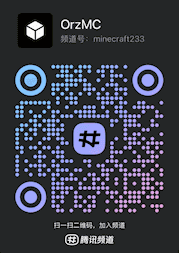
贡献
- 贡献指南(开发说明与迭代惯例)—— 日常 PR 应提交至
develop(默认分支);main 为发布线(仅限里程碑与经批准的紧急修复)
- 文档索引(跨所有文档的读者角色导航)
- 插件架构
- 配置模式治理
- 更新日志
OrzMC
A Paper server management plugin that unifies QQ, Telegram, Discord, Feishu and WeChat bots through the EasyBot gateway — or through its own built-in direct channel — and ships a bilingual (English / Chinese) UI out of the box.
🌐 English | 简体中文
This plugin is built for PaperMC servers, and runs on
Folia as well (declared via
folia-supported: true). Since the PaperAPI is compatible with the
BukkitAPI and SpigotAPI, it is also friendly to developers with Bukkit and
Spigot plugin development experience.
It currently runs on my private server to assist
with administration, and is published on Hangar
and Modrinth.
Features
| Feature |
Description |
| Permission system (Rank & Review) |
4-level player rank chain (default → member → builder → admin, "default" 显示名为 guest/访客) powered by LuckPerms with auto-promotion, apply-and-review workflow (/apply / /review / $v), and manual promotion/demotion ($p). Zero setup: auto-creates the track and missing groups on startup; degrades gracefully when LuckPerms is absent. |
| Whitelist management |
Control server access. Admins add/remove players via bot commands ($a / $r / $w); inactive players are cleaned up automatically; kicked non-whitelisted players receive a helpful notice. |
| Multi-platform bot system |
Unify QQ, Telegram, Discord, Feishu and WeChat through the EasyBot gateway, or connect to the platform APIs directly with the built-in channel (QQ / Feishu / Telegram / Discord, no extra process) — pick one via im.yml → backend (channel comparison). 11 bot commands for player management, queries and interaction; console commands ($e) return full output to the group — including async plugin output (e.g. Essentials/LuckPerms) captured via a log window, with noise filtering and 30-line truncation; 50+ customizable message templates push server events to the matching group or channel. |
| Multi-language (i18n) |
Built-in English / Chinese message packs cover in-game feedback, bot replies, event notifications and the /config panels; in-game text follows each player's client locale, bot replies are configurable per platform, and server owners can override any message via messages_custom_<lang>.yml. |
| Cross-server portals |
Admins create or remove portals; players stepping on a portal are transferred across servers. Optional LoginSecurity verification before transfer. |
| TNT protection |
Restrict where TNT can be placed, with per-area whitelist exemption; explosion notifications to the group chat; control respawn anchor explosion behavior. Burst explosions are aggregated into a single alert (×N with first-event coordinates) so dispenser/explosion spam never floods the group. |
| Security controls |
Restrict joins by GeoIP country; IP blacklist modes (exact IP / CIDR / wildcard); player-name deny rules (exact / prefix / suffix / contains / glob / regex); optional LoginSecurity secondary verification. |
| Teleport bow |
Shoot an arrow to teleport to its landing spot with automatic safe-landing detection; chunks along the flight path are force-loaded so long shots always land; configurable entity teleport policy (restricted by default — only whitelisted passive/neutral entities can be teleported by commands/plugins; nether portal traversal is always allowed). |
| World maintenance |
One-click world backup or optimization with real-time progress reports; the server list MOTD switches automatically during maintenance. |
| Plugin self-update |
Periodically checks Hangar for a new version (release / beta channel), verifies the sha256 and auto-downloads into plugins/update/ — a server restart completes the upgrade. Admins can also run /update check to query and /update now to download manually. |
| Player notifications |
Push join/quit/kick details (world, coordinates, online count, permission group) to the group chat; the online list shows each player's game mode and rank group. |
| Guide book |
First-join players automatically receive a guide book. Content uses a minimal YAML format (one line = one sentence, one page = one list, **bold** / [text](url) markup); edits apply after /orzmc config reload (3-minute guide, Chinese). |
| Runtime configuration |
Manage 29 configuration options in-game with /config; changes hot-reload without restarting the server. |
| OrzMC menu |
Open an in-game feature menu with quick access to every operation (in development). |
For the full feature list, see docs/features.md.
Installation
Download the plugin, drop it into the plugins/ directory of your PaperMC
(or Folia) server, and start the server. The plugin creates a data directory
with the same name on first run. During operation, configuration is loaded into
memory and written back to the config files when the server stops.
Folia: the plugin declares folia-supported: true and runs on both
Paper and Folia with the same JAR. A CI folia-smoke job boots a real Folia
server on every PR to catch region-thread regressions that single-threaded
unit/integration tests cannot.
Optional dependency: LuckPerms (v5.5+) enables
the rank & review permission system. Without it the plugin runs normally but
permission features are disabled. When LuckPerms is present, the plugin
auto-creates the rank track and missing groups on startup — no manual
LuckPerms setup required.
Bot setup
OrzMC supports two interchangeable IM channels, selected globally by backend in im.yml: the external EasyBot gateway (default) or the built-in direct channel (QQ / Feishu / Telegram / Discord, no extra process). Differences, trade-offs and multi-instance notes: channel comparison.
Option A — EasyBot gateway (default)
All OrzMC bot features connect through the external EasyBot IM gateway.
EasyBot unifies QQ / Telegram / Discord / Feishu / WeChat:
- Deploy the EasyBot gateway service
- Fill in the EasyBot connection address in the plugin's
easybot.yml
- Obtain the
api_key by creating a customer-service API Key in the EasyBot console
- Target values such as
admin_group are not native platform IDs — get the session key from the EasyBot console's Session Management (e.g. qq:conv_xxxxxxxx)
Detailed routing rules: EasyBot configuration guide
Option B — Built-in direct channel
The plugin talks to the platform APIs itself — no gateway process, text-only, credentials configured in im.yml:
- Set
backend: builtin and fill in platforms.<id> credentials in im.yml
- Restart the server, send a message in the target group / channel, then bind the discovered session with
/config im bind
- Verify with
/config im status and /config im test
Step-by-step guides: built-in common skeleton → QQ / Feishu / Telegram / Discord.
Migrating from the old setup
The legacy bot.yml is no longer loaded. Before upgrading, migrate any values
you still need — cmd_prompt_char, discord_server_link, qq_group_id
(into config.yml → bot:) and log_throttle_ms (into easybot.yml) — and
finish the per-platform session
setup in the EasyBot console. The old NapCatQQ, Discord JDA and Feishu Webhook
direct-connection parameters are no longer needed and can be removed.
Updating
Built-in auto-update (recommended)
The plugin checks Hangar for new versions on startup and every
update.check_interval_hours (default 12 h), all off the server thread:
update.channel: release (stable, default) or beta (dev -dev builds).update.auto_download: false by default — a new version only prints a
console notice, and admins run /update now to download. Set to true to
auto-download into plugins/update/ (sha256-verified before it is staged).- Admins can always run
/update check (query) and /update now (download);
after the download finishes, restart the server and Paper swaps in the
new JAR automatically.
Manual updating still works: drop the new plugin JAR into the update/
directory; on the next restart Paper moves it into plugins/ automatically.
Configuration files (config.yml / templates.yml / easybot.yml) are
migrated automatically on startup: the previous file is kept as *.bak,
missing default keys are merged in (existing values are never overwritten),
and documented old defaults are flipped only when they were left untouched.
No manual delete-and-regenerate is needed. Do not edit config-version by
hand. See config schema governance
for the full rules and boundaries.
Feedback
If you run into any issues, we'd love to hear from you — please open an
issue.
You can also join our QQ channel for feedback:
Contributing
- Contribution guide (development notes and iteration conventions) — day-to-day PRs target
develop (the default branch); main is the release line (milestones & approved hotfixes only)
- Documentation index (reader-role navigation across all docs)
- Plugin architecture
- Config schema governance
- Changelog


 插件

 插件
 插件
 插件
 插件
 插件
评论 0
登录后参与评分
还没有评论,来抢沙发吧