Pixel Painter
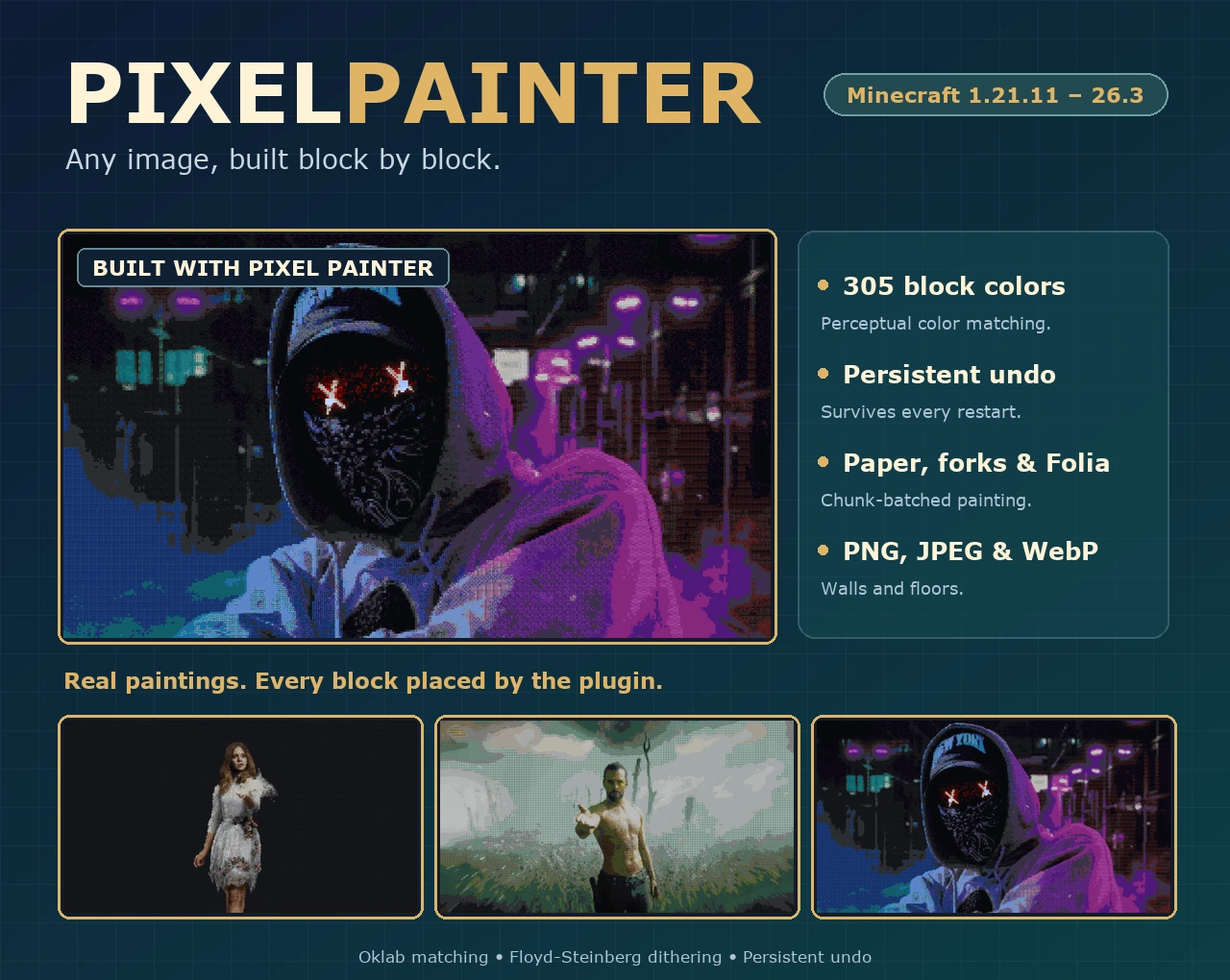
将图片转换为方块艺术。
305 种方块颜色 · Oklab 色彩匹配 · 持久化撤销功能
直接将 PNG、JPEG 和 WebP 图像绘制到你的世界中。
浏览文档 · 快速开始
将图片放入插件文件夹,站在你希望艺术品起始的位置,然后运行一条命令即可。Pixel Painter 会将每个像素匹配到最近的方块,在你的世界中构建出这幅画作,并保留操作日志以便你可以撤销它,即使在重启后也能恢复。

绘制任意内容
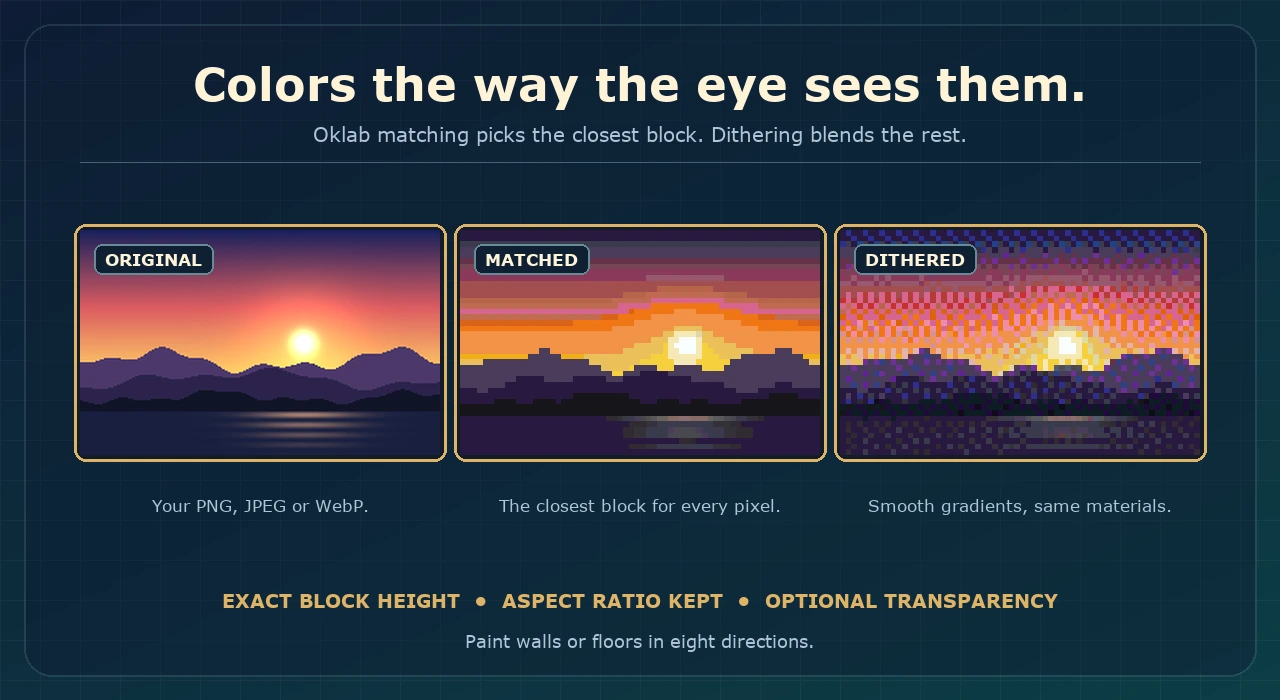
PNG、JPEG 和 WebP 源文件可以绘制为八个方向上的垂直墙壁或水平地面艺术。选择精确的方块高度,宽度将自动跟随原始宽高比。透明像素可以保留为空的空间。
精准的色彩匹配
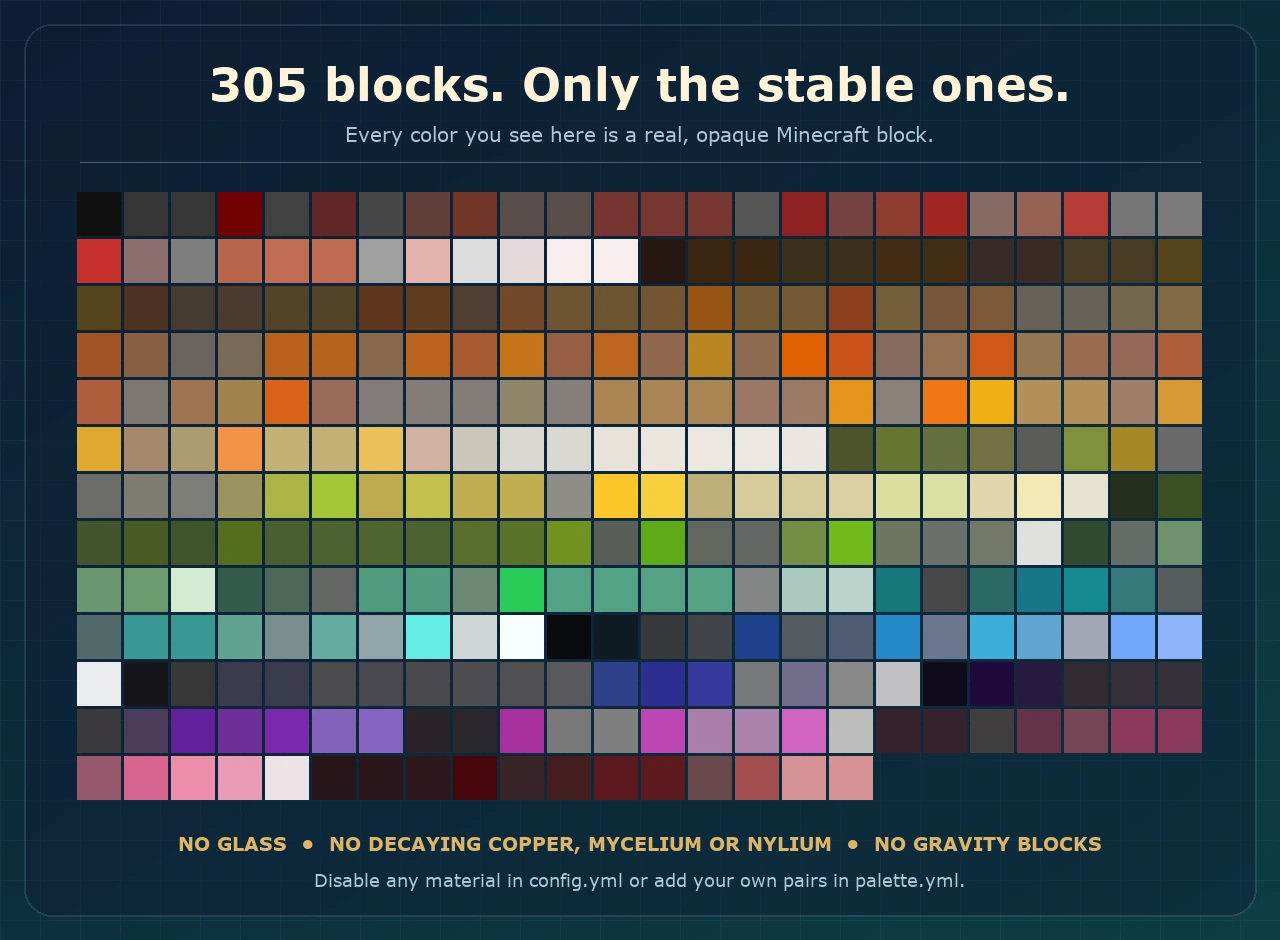
305 种不透明方块材质通过 Oklab 感知色彩距离进行匹配,并可选择启用 Floyd-Steinberg 抖动算法以获得更平滑的渐变效果。你可以使用完整调色板,也可以将其限制为你想要使用的特定方块家族。
安全建造与安全撤销
- 在修改世界之前,使用
/pp preview 估算尺寸和材料数量。
- 采用 tick 限制和区块批处理的世界编辑,支持私有进度查看和取消操作。
- 耐用的撤销日志会保留原始方块属性,并能从重启和中止的建造中恢复。
- 当画作跨越世界边界时,会出现一个 无论如何都要绘制 按钮。
快速开始
/pp list
/pp preview portrait.png 64 all true true
/pp create portrait.png north 64 true all true
/pp undo
将图片文件放入 plugins/PixelPainter/images 目录,站在画作的左下角方块处,然后运行 /pp create。所有命令和权限列表请参阅 文档。
要求
- Paper 或其分支版本(如 Folia),版本范围从 1.21.11 到 26.3。
- Java 25 或更高版本。
- 不支持 Spigot 和 CraftBukkit。
链接
文档 · 源码 · 问题反馈 · Discord · SpigotMC · BuiltByBit

Pixel Painter
Turn images into block art.
305 block colors · Oklab color matching · Persistent undo
Paint PNG, JPEG and WebP images straight into your world.
Explore the documentation · Quick start
Drop an image into the plugin folder, stand where you want the art to begin and run one command. Pixel Painter matches every pixel to the closest block, builds the picture in your world and keeps a journal so you can undo it, even after a restart.
Paint anything
PNG, JPEG and WebP sources are painted as vertical walls or horizontal floor art in eight directions. Pick an exact height in blocks and the width follows the original aspect ratio. Transparent pixels can be kept as empty space.

Colors that match
305 opaque block materials are matched with Oklab perceptual color distance, with optional Floyd-Steinberg dithering for smoother gradients. Choose the full palette or limit it to the block families you want.

Safe to build and safe to undo
- Estimate dimensions and material counts with
/pp preview before touching the world.
- Tick-limited, chunk-batched world edits with private progress and cancellation.
- Durable undo journals keep the original block properties and recover from restarts and interrupted builds.
- A Paint anyway button appears when a painting crosses the world border.
Quick start
/pp list
/pp preview portrait.png 64 all true true
/pp create portrait.png north 64 true all true
/pp undo
Put image files in plugins/PixelPainter/images, stand at the bottom-left block of the picture and run /pp create. Every command and permission is listed in the documentation.
Requirements
- Paper or a Paper-based fork, or Folia, from 1.21.11 through 26.3.
- Java 25 or newer.
- Spigot and CraftBukkit are not supported.
Links
Documentation · Source · Issues · Discord · SpigotMC · BuiltByBit
评论 0
登录后参与评分
还没有评论,来抢沙发吧