PixelPrinter
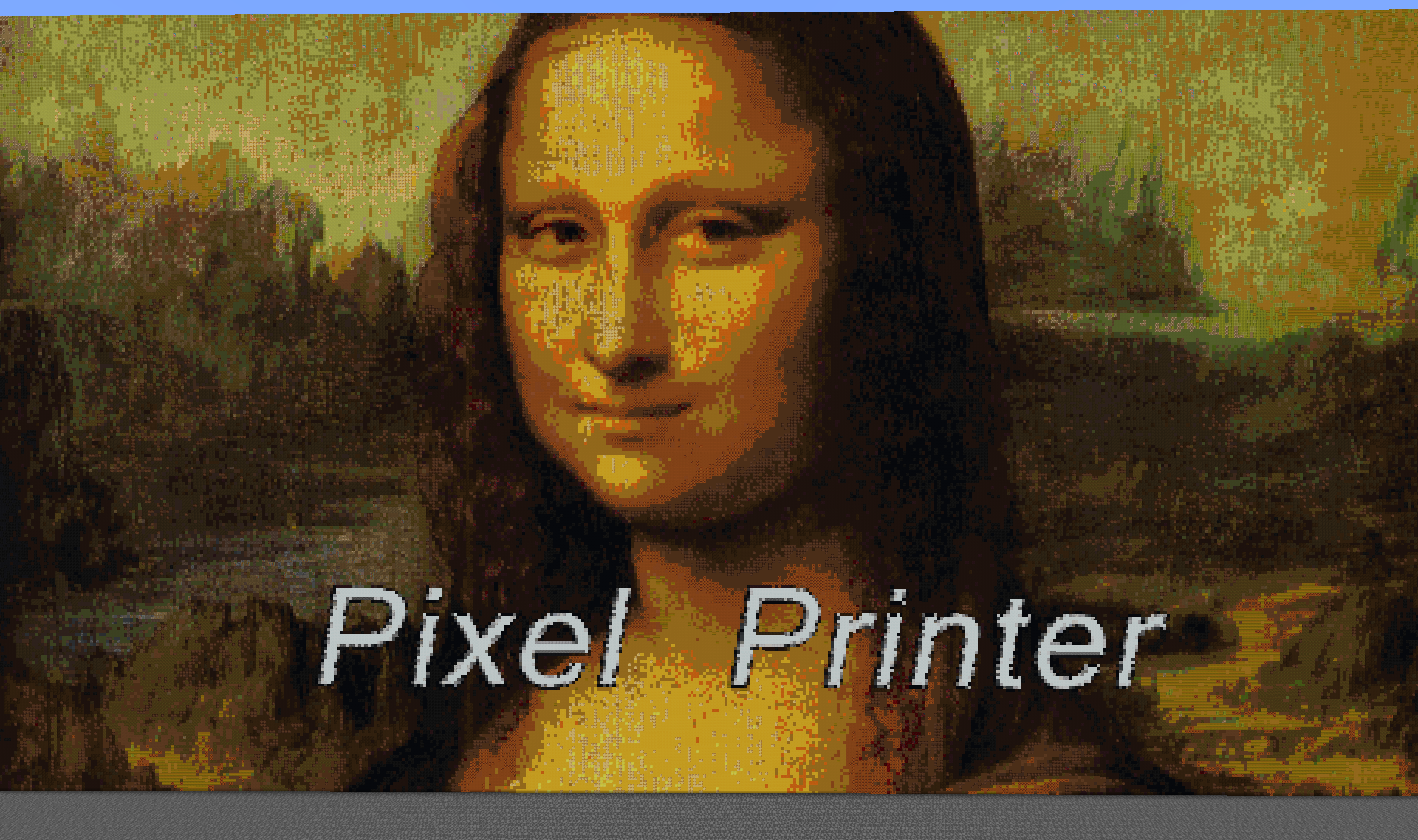
什么是 PixelPrinter
PixelPrinter 是一个展示如何利用 THIS 资源所能实现功能的示例。使用该插件,你可以将图片或 GIF 加载到服务器中,通过方块或地图来呈现。该插件可以下载图片和 GIF,调整它们的大小,并让你轻松地在整个服务器中创建天空盒、电影和像素艺术。
自定义资源包支持:
自 1.0.14 补丁版本起,PixelPrinter 支持全服务器的资源包功能。使用此功能可以在使用自定义资源包时获得更高品质和准确度的图像效果。要添加自定义资源包支持,请执行以下步骤:
- 进入 <Server>/plugins/PixelPrinter/custom_textures/ 目录。
- 在新窗口中打开资源包 zip 文件,并导航至 Minecraft>textures>blocks 文件夹。
- 在其中,将所有纹理拖入 custom_textures 目录。
就这样。PixelPrinter 会处理其余部分。
命令
(你可以通过 /pixelprinter 或 /pp 访问所有 PixelPrinter 命令)
| /pp |
列出所有命令及其用法
|
|
/pp download <文件名> <url>
/pp d <文件名> <url>
|
将图像的位置下载到 txt 文件中。有助于减少内存占用。 |
|
/pp downloadimage <文件名><url>
/pp di <文件名> <url>
|
将图像下载到 png、jpg 或 gif 文件中。 |
| /pp create <方向> <文件名> <高度> |
在游戏中的方块版本中创建图像的副本,沿 <方向> 移动,并将具有 <高度> 的高度。宽度将根据图像高度进行缩放。 |
| /pp createFrames <方向> <文件名> <高度> /pp cf <方向> <文件名> <高度> |
在游戏中的物品框架版本中创建图像的副本,沿 <方向> 移动,并将具有 <高度> 的高度。宽度将根据图像高度进行缩放。 |
| /pp createskin <方向> <玩家名称或 UUID> |
创建一个 16x48x16 的玩家角色,使用指定玩家的皮肤。注意:若要使用玩家名称,则该玩家必须至少加入过一次服务器。 |
| /pp delete <文件名> |
删除名为 <文件名> 的文件 |
| /pp stopGif <ID> |
停止 ID 为 <ID> 的 GIF |
| /pp stopAllGifs |
停止服务器上所有的 GIF。 |
| /pp listGifs |
列出服务器上所有活动的 GIF。如果你不知道某个 GIF 的 ID,请使用此命令。 |
| /pp preview |
创建你要制作的图像的预览。这仅显示图像的边框,可用于判断该图像是否会“穿过”任何现有方块。 |
| /pp specs |
显示图像的规格信息。 |
| /pp list |
显示已下载到服务器的所有图像
|
| /pp help 或 /pp ? |
显示命令及其用途
|
权限
| pixelprinter.* |
授予所有权限 |
| pixelprinter.stop |
授予玩家停止 GIF 的权限 |
| pixelprinter.delete |
授予玩家删除图像文件的权限 |
| pixelprinter.create |
授予玩家在游戏中创建图像的权限 |
| pixelprinter.download |
授予玩家从 URL 下载图像的权限 |
本插件会自动更新:
本插件会检查更新并下载更新。如果你不希望本插件自动更新,只需编辑 "plugins\AUpdater\global.yml" 文件中的一行即可。只需将该处的变量更改为 false(或者如果遇到任何问题,复制以下代码)
# Updater by ArsenArsen
# Global config
# Sets should updates be downloaded globaly
update: false
安装方法
将此插件放入你的 plugins 文件夹并重启服务器。
本插件使用 bStats:
bStats 是一项指标服务,使我能够查看有多少服务器使用了我的插件,这些服务器有多少玩家,以及哪些国家最常使用我的插件。所有信息均已匿名化处理,因此无法直接将信息与用户关联,而是将其添加到使用该插件的所有服务器的平均值中。
PixelPrinter
What is PixelPrinter
PixelPrinter is a demonstration of what you can do using THIS resource. Using this plugin, you can load images or gifs to your server, either by using blocks or maps. This plugin can download images or gifs, resize them, and allow you to easily create Sky-Boxes, Movies, and pixel art all over your server.
Custom resourcepack support:
As of the 1.0.14 patch, Pixelprinter allows for server-wide resourcepack support. Using this feature will allow for better quality and accuracy of images when using custom resourcepacks. To add custom resourcepack support, do the following:
- Go into the <Server>/plugins/PixelPrinter/custom_textures/ directory.
- In a new window, open the resourcepack zip file and navigate to the Minecraft>textures>blocks folder.
- In there, drag all textures into the custom_textures directory.
And that's it. Pixelprinter will handle the rest.
Commands
(You can either access all PixelPrinter commands using /pixelprinter or /pp)
| /pp |
lists all commands and their usages
|
|
/pp download <Filename> <url>
/pp d <filename> <url>
|
Downloads the location of an image to a txt file. Good for minimizing memory. |
|
/pp downloadimage <filename><url>
/pp di <filename> <url>
|
Downloads the image to a png, jpg, or gif file. |
| /pp create <direction> <File name> <Height> |
Creates a in-game block version of the image, moving the the direction <direction> and will have a height of <Height>. The width will be scaled to the image height. |
| /pp createFrames <direction> <File name> <Height> /pp cf <direction> <File name> <Height> |
Creates a in-game item-frame version of the image, moving the the direction <direction> and will have a height of <Height>. The width will be scaled to the image height. |
| /pp createskin <direction> <player's name or UUID> |
Create a 16x48x16 player character with the specified players skin. Note: In order to use the player's name, the player must have joined the server once. |
| /pp delete <filename> |
Deletes the file wit h the filename <file name> |
| /pp stopGif <id> |
Stops the gif with the id <Id> |
| /pp stopAllGifs |
stops all gifs on the server. |
| /pp listGifs |
lists all the gifs active on the server. Use this if you do not know the ID of a gif |
| /pp preview |
Creates a preview of the image you are going to make. This only displays the boarder of the image, and should be used to tell if this image will "clip" through any existing blocks |
| /pp specs |
Shows the specifications of an image. |
| /pp list |
Displays all the images that have been downloaded to the server
|
| /pp help OR /pp ? |
Displays commands and their uses
|
Permissions
| pixelprinter.* |
Gives all permissions |
| pixelprinter.stop |
Gives the player permission to stop gifs |
| pixelprinter.delete |
Gives the player permission to delete image files |
| pixelprinter.create |
Gives the player permission to create an image in-game |
| pixelprinter.download |
Gives the player permission to download an image from a URL |
This plugin does update automatically:
This plugin checks for updates and will download updates. If you do not want this plugin to automatically update, all you need to do is edit one line in the "plugins\AUpdater\global.yml" file. Just change the one variable in there to false (or, if you run into any problems, copy the code below)
# Updater by ArsenArsen
# Global config
# Sets should updates be downloaded globaly
update: false
How to Install
Drop this plugin into you plugins folder and restart your server.
This plugin uses bStats:
bStats is a metrics service that allows me to to see how many servers use my plugins, how many players they have, and which countries use my plugin the most. All information is anonymized, so no information can be directly linked to you, and instead is added to the average of all severs that use the plugin.

 插件

 插件
 插件
 插件
 插件

 插件
评论 0
登录后参与评分
还没有评论,来抢沙发吧