PlayerTrims
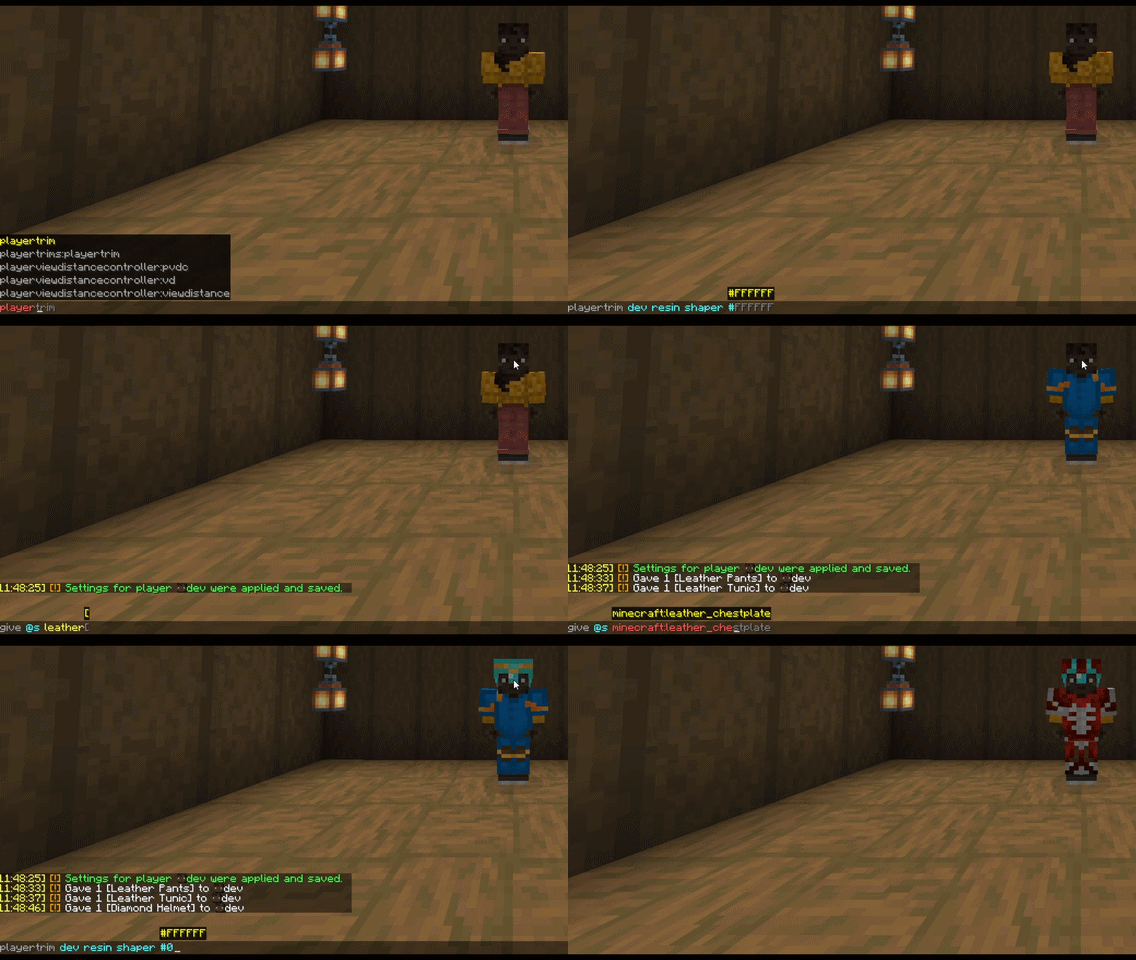
PlayerTrims 是一款 PaperMC 插件,可自动且即时应用预配置的盔甲纹饰(图案 + 材质)、皮革盔甲的自定义颜色以及盾牌的自定义图案。设置按玩家存储,在装备物品的瞬间生效,并在服务器重启后保留。
功能
- 为玩家的整套盔甲设置全局样式,并支持按槽位覆盖(头盔、胸甲、护腿、靴子)。
- 每个槽位的材质、图案和颜色均可独立配置。
- 支持为皮革盔甲设置自定义十六进制颜色。
- 每个字段具有三种状态:正常值、
-/none(未设置,将获取全局样式的值)或 remove(强制移除,即使全局样式中设置了该值也会移除)。
lang.yml 中的消息完全可编辑,无需重启即可重载。
命令
所有命令均需 playertrims.admin 权限(默认:op)。
/pt trim <player> <material> <pattern> <hex-color> 设置玩家所有盔甲的全局样式。也可使用 /trim。
/pt advanced <player> <helmet|chestplate|leggings|boots> <material> <pattern> <hex-color> 覆盖单个盔甲槽位的样式。
/pt advanced <player> shield <banner-pattern> <dye-color> 设置盾牌图案和颜色。仅允许使用 16 种原版染料颜色。
/pt refresh 立即将所有在线玩家重新应用已配置的样式(适用于在插件安装前已穿戴的盔甲)。
/pt reload 重载 lang.yml。
任何 <material>、<pattern> 或 <color> 参数均可接受 -、none 或 remove 作为占位值。
示例
/pt trim Player netherite coast #FF0000
/pt advanced Player helmet gold silence #00FF00
/pt advanced Player boots remove - -
/pt advanced Player shield stripe_bottom red
第一条命令为玩家的所有盔甲应用 coast 盔甲纹饰,材质为下界合金。第二条仅覆盖其头盔,使用 silence 纹饰图案,材质为金。第三条强制靴子不显示纹饰,但图案和颜色仍来自全局样式。第四条为其盾牌应用旗帜图案。
权限
playertrims.admin — 访问所有 PlayerTrims 命令。
注意事项
- 需要 Paper 1.21 或更高版本。
- 命令仅对在线玩家生效。
- 设置存储在
plugins/PlayerTrims/data.yml,消息存储在 plugins/PlayerTrims/lang.yml。
PlayerTrims
PlayerTrims is a PaperMC plugin that automatically and instantly applies pre-configured armor trims (pattern + material), custom colors for leather armor, and a custom pattern for shields. Settings are stored per player, applied the moment the item is equipped, and survive restarts.

Features
- Global style for all armor pieces of a player, and per-slot overrides (helmet, chestplate, leggings, boots).
- Material, pattern and color are configured independently for each slot.
- Custom hex color for leather armor.
- Three states for every field: a normal value,
-/none (not set, it will get the value from the global style) or remove (force remove, even if the global style sets it).
- Fully editable messages in
lang.yml, reloadable without a restart.
Commands
All commands require the playertrims.admin permission (default: op).
/pt trim <player> <material> <pattern> <hex-color> Sets the global style for all armor of the player. Also available as /trim.
/pt advanced <player> <helmet|chestplate|leggings|boots> <material> <pattern> <hex-color> Overrides the style of a single armor slot.
/pt advanced <player> shield <banner-pattern> <dye-color> Sets the shield pattern and color. Only the 16 vanilla dye colors are allowed.
/pt refresh Instantly re-applies the configured styles to all online players (useful for armor worn before the plugin was installed).
/pt reload Reloads lang.yml.
Any <material>, <pattern> or <color> argument accepts -, none or remove in place of a value.
Examples
/pt trim Player netherite coast #FF0000
/pt advanced Player helmet gold silence #00FF00
/pt advanced Player boots remove - -
/pt advanced Player shield stripe_bottom red
The first command trimes all of player's armor with coast armor trim and netherite as the material. The second overrides his helmet only with silence trim pattern and gold as the material. The third forces boots to have no trim, while the pattern and color still come from the global style. The fourth applies a banner pattern to his shield.
Permissions
playertrims.admin — Access to all PlayerTrims commands.
Notes
- Requires Paper 1.21 or newer.
- Commands work on online players only.
- Settings are stored in
plugins/PlayerTrims/data.yml, messages in plugins/PlayerTrims/lang.yml.
评论 0
登录后参与评分
还没有评论,来抢沙发吧