
PerPlayerProfiles
一个账号。多个角色。独立进度。
PerPlayerProfiles 允许在一个 Minecraft 账号下创建多个独立的玩家角色。
每个角色拥有独立的物品栏、经验值、位置、统计数据、安全 PIN 码以及游戏时长设置,所有功能均可通过直观的游戏内 GUI 进行管理。
非常适合共享账号、角色扮演角色、家庭服务器以及希望拥有完全独立体验的玩家。
?️ 兼容性
支持的 Minecraft 版本
支持的服务端平台
✨ 所需功能,插件全包
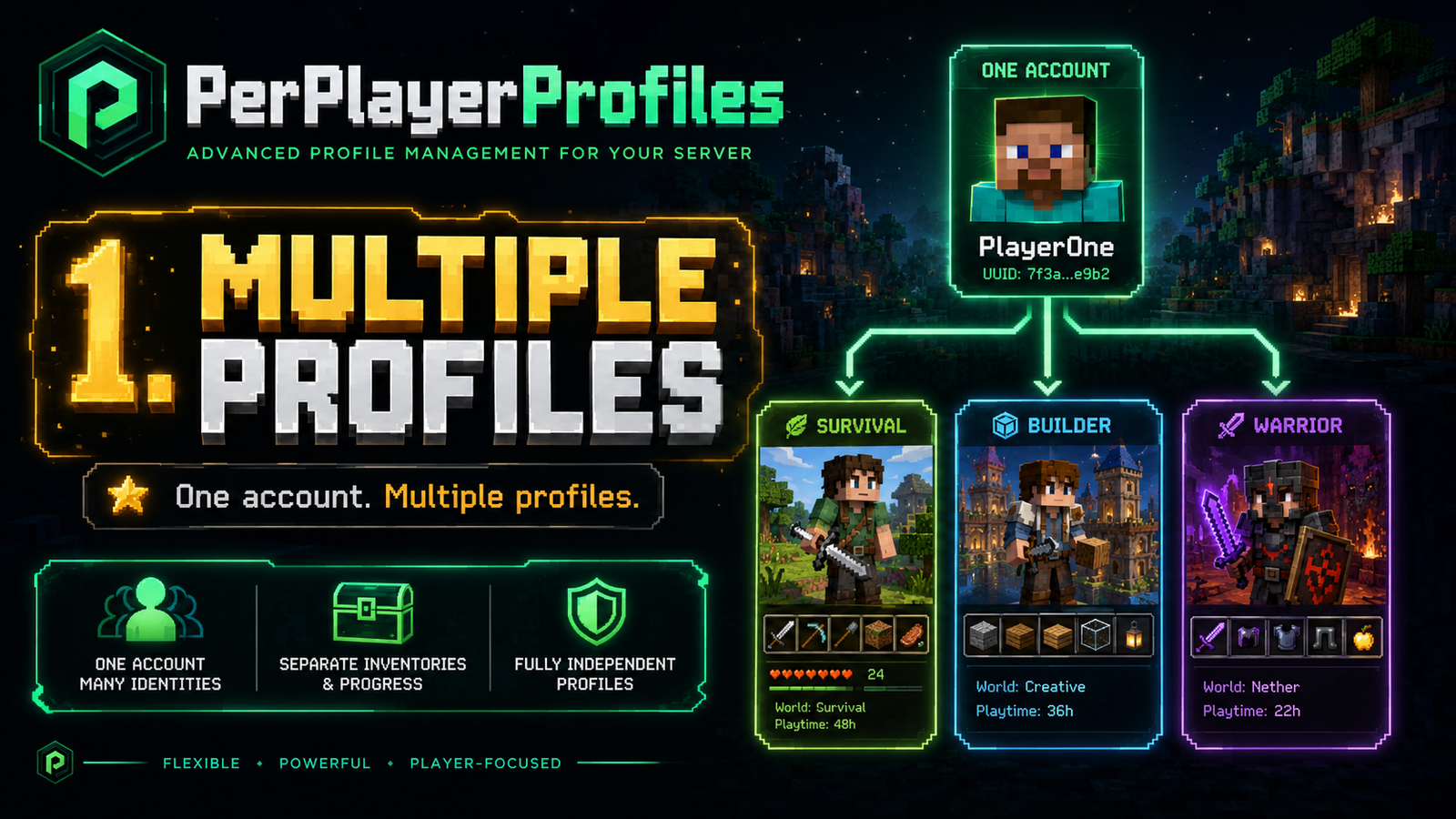
- ? 多角色 — 在一个 Minecraft 账号下创建独立的身份。
- ? 独立进度 — 分离的物品栏、经验值、末影箱、位置和玩家状态。
- ? 主角色 — 管理角色的创建、删除、PIN 码和限制。
- ? PIN 保护 — 使用交互式数字键盘保护角色。
- ⏱️ 游戏时长限制 — 配置最大游戏时间并自动续期。
- ? 自定义图标 — 使用可配置的 Minecraft 头颅个性化角色。
- ? 多语言支持 — 英语、西班牙语、德语和法语。
- ?️ 登录兼容性 — 与支持的基于 GUI 的身份验证系统兼容。
? 你的角色。你的进度。
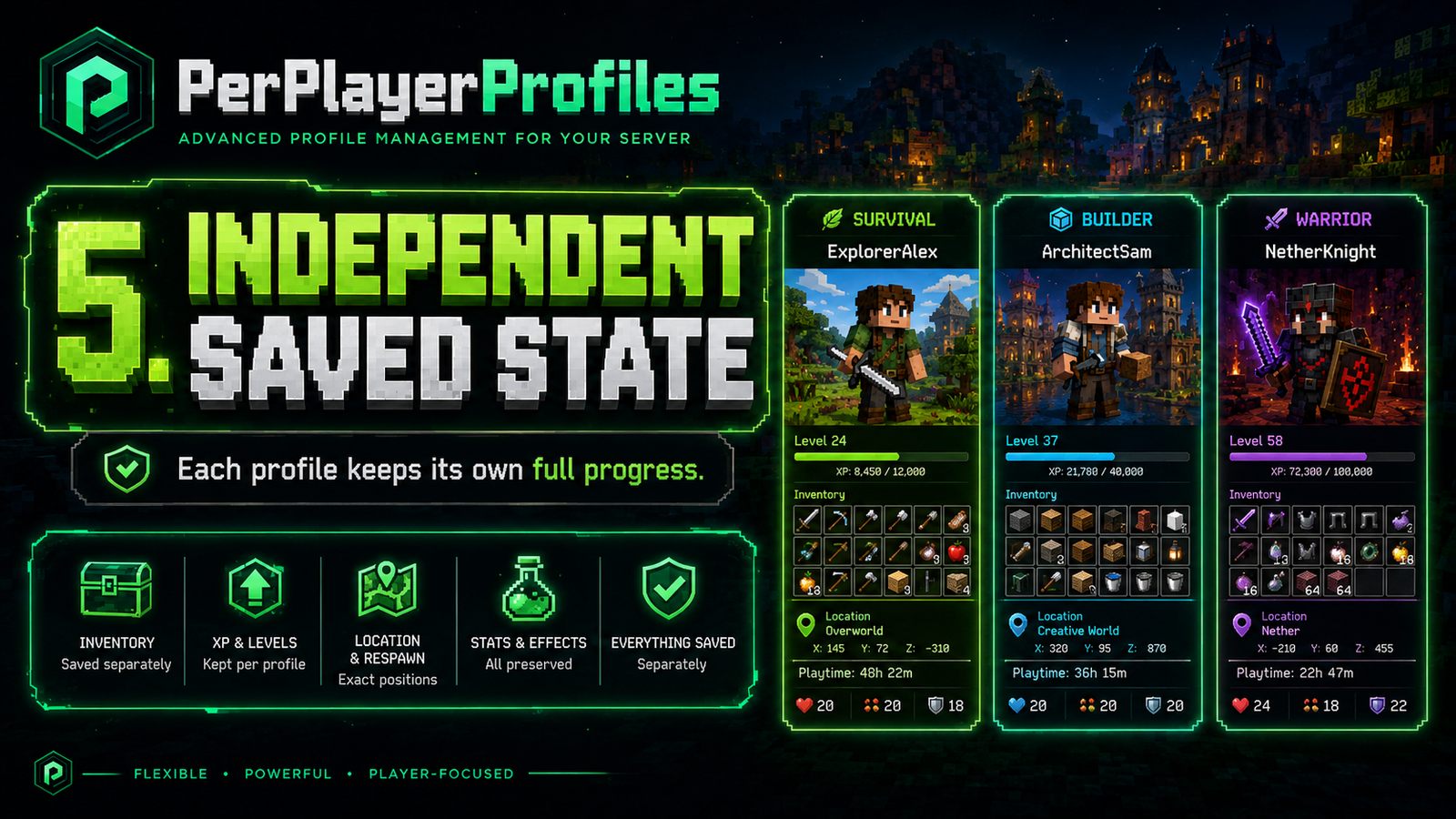
每个角色都保持其各自保存的玩家状态。
| 类别 |
独立保存 |
| ? 物品栏 |
物品、盔甲、副手、末影箱 |
| ⭐ 经验值 |
XP、等级、总经验值 |
| ❤️ 生存 |
生命值、饥饿度、药水效果 |
| ? 位置 |
最后位置、床和重生点 |
| ? 游戏机制 |
游戏模式、飞行状态、基础统计 |
新角色完全从零开始: 空的物品栏、零经验值、满生命值,初始位置在世界出生点。
不会复制其他角色的物品栏或进度。
? 主角色系统
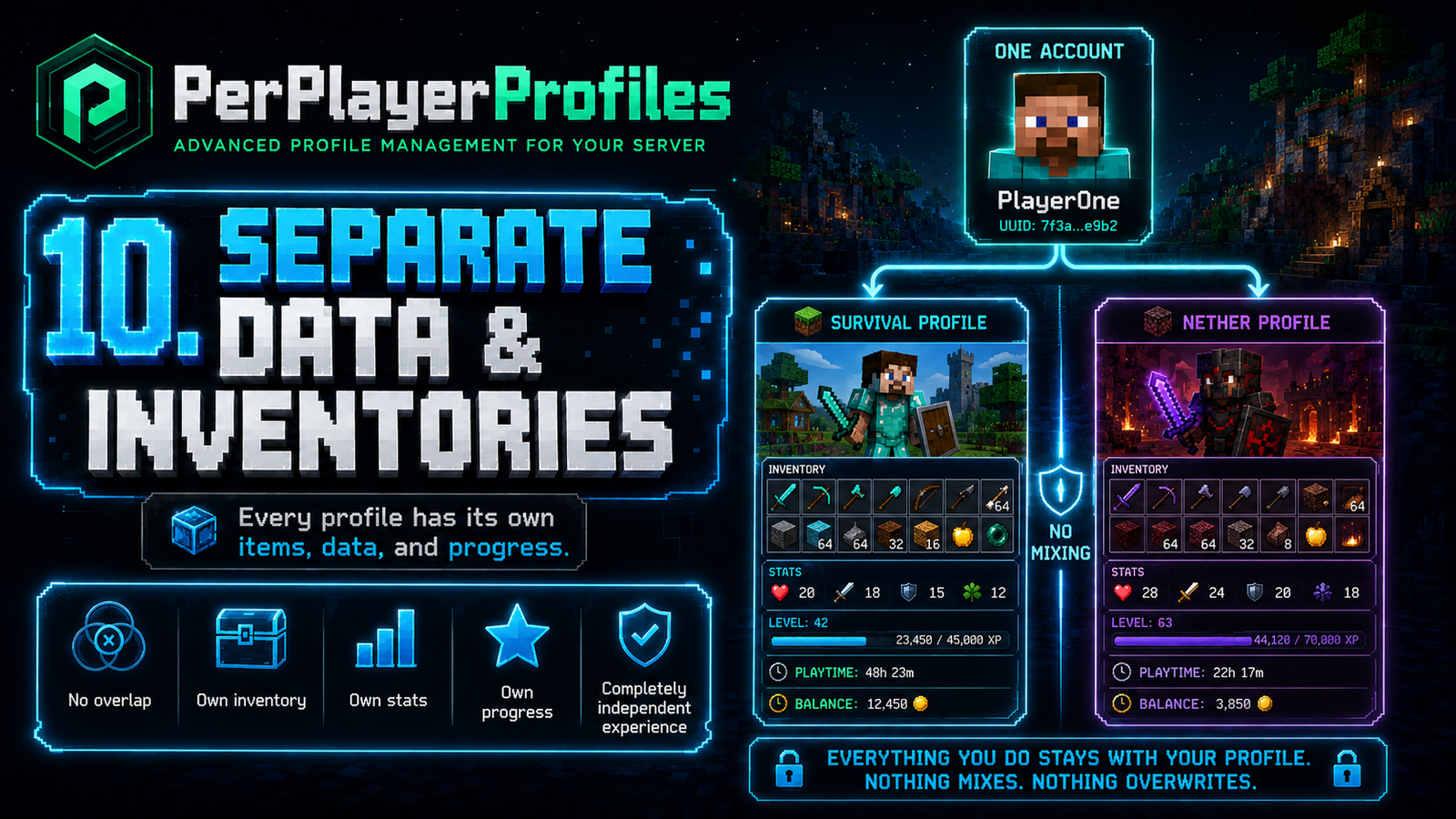
第一个角色将成为主角色,负责管理该账号。
它可以创建和删除角色、管理 PIN 码、配置限制以及自定义角色设置。
主角色无法被删除,始终显示在首位,并且在重命名后仍保留其权限。
? 可视化 PIN 保护
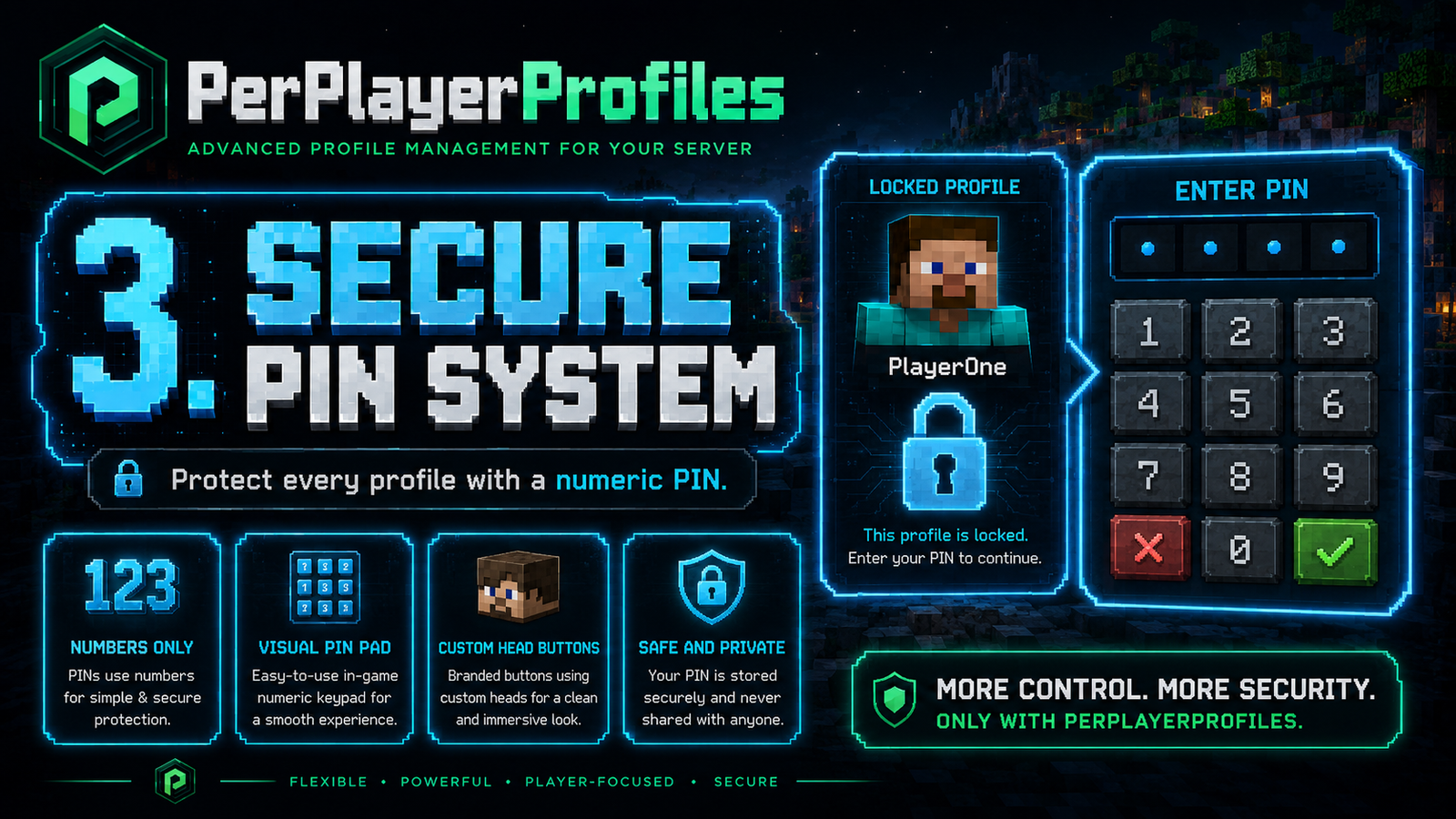
使用可视化的数字 PIN 系统保护各个角色。
- 可配置的 PIN 长度,范围为 4 到 9 位数字。
- 带有自定义 Minecraft 头颅的交互式键盘。
- 错误的 PIN 码会有视觉反馈。
- 更改或删除个人 PIN 码。
- 针对敏感操作设有独立的主角色 PIN。
- 由主角色控制的 PIN 重置。
所有内容均可直接在-game 内管理。
⏱️ 智能游戏时长管理
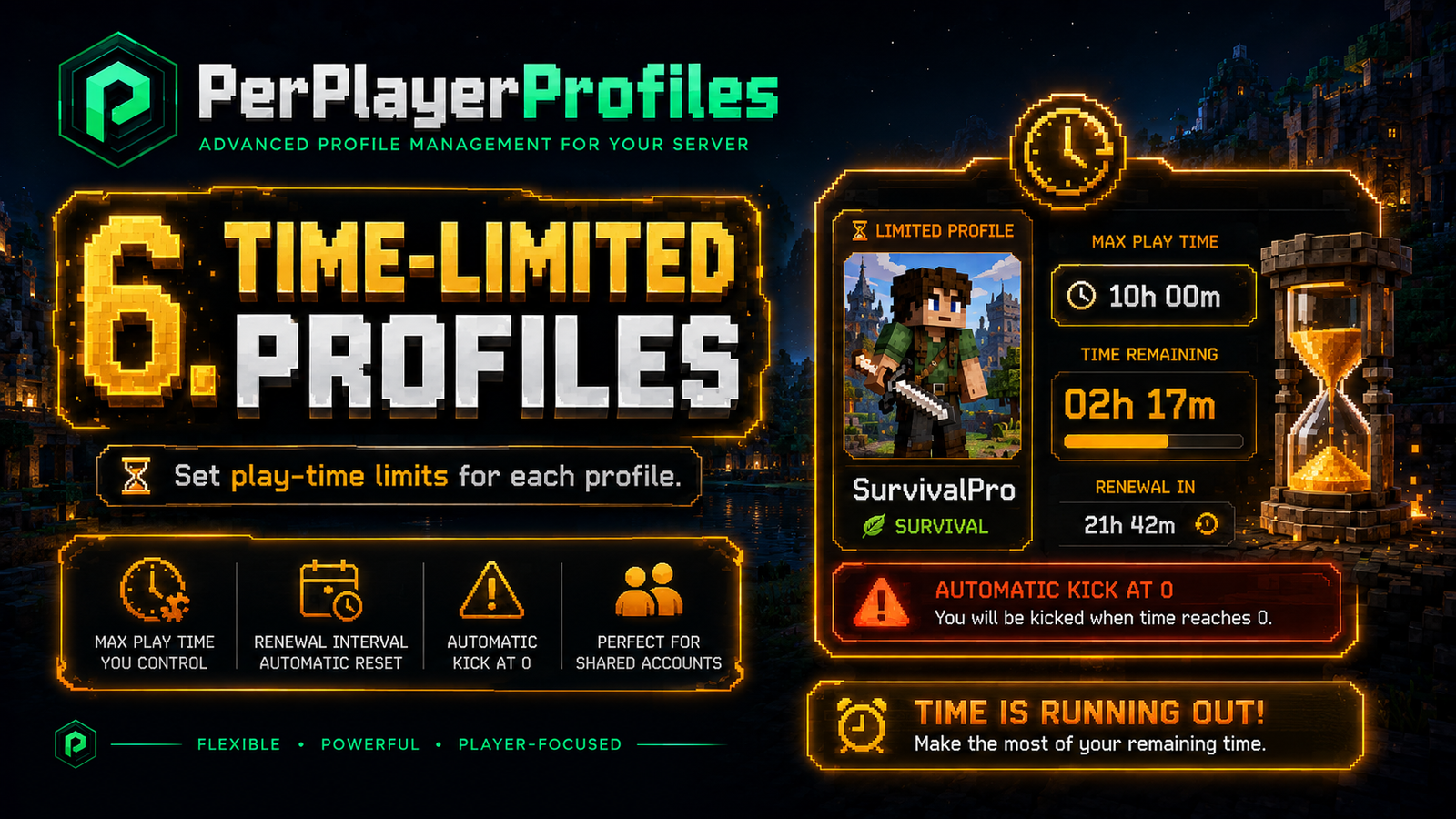
主角色可以为其他角色分配单独的游戏时长限制。
示例: 每 24 小时允许 60 分钟的游戏时间。
当时间即将耗尽时,玩家会收到可视化的 ActionBar 警告:
- ? 5 分钟: 橙色倒计时。
- ? 1 分钟: 红色倒计时。
- ? 30 秒: 闪烁的红色倒计时。
达到限制后,玩家将被自动断开连接。
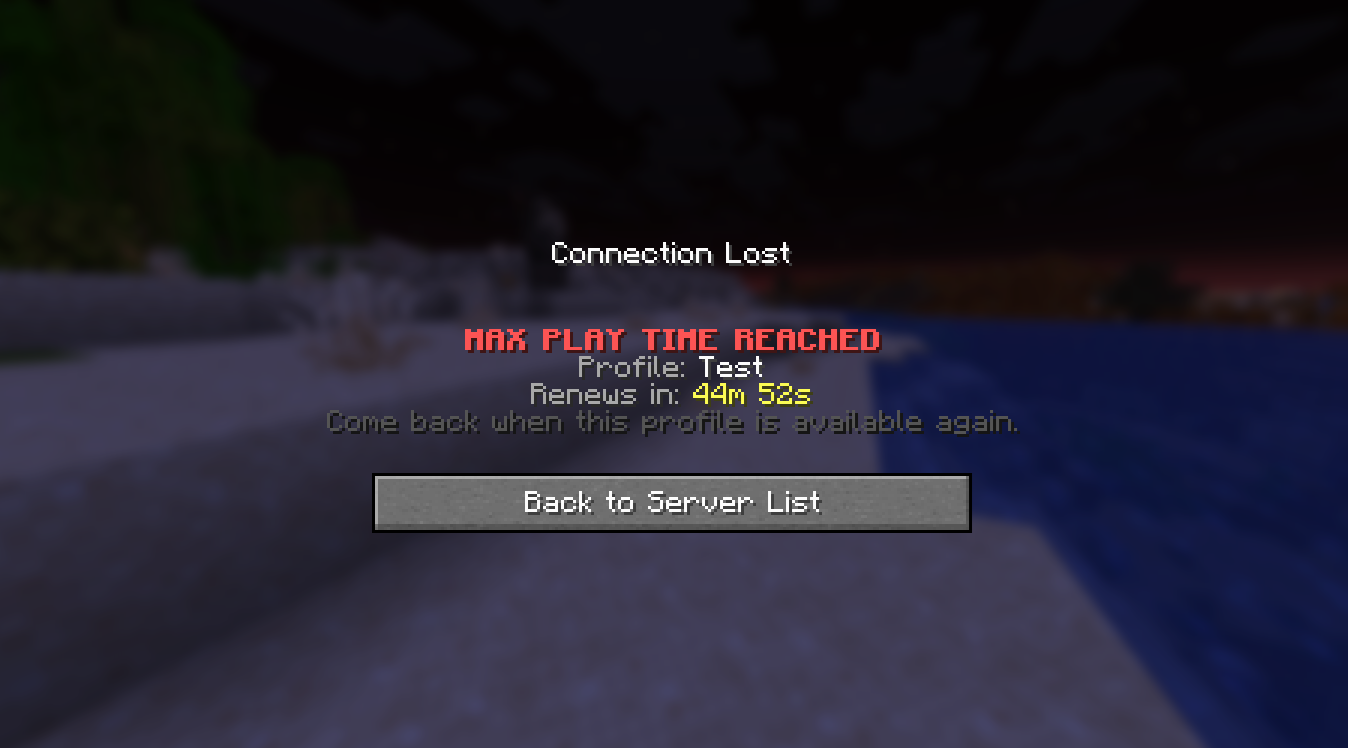
踢出屏幕将显示受影响的角色及其续期时间。
? 自定义与语言
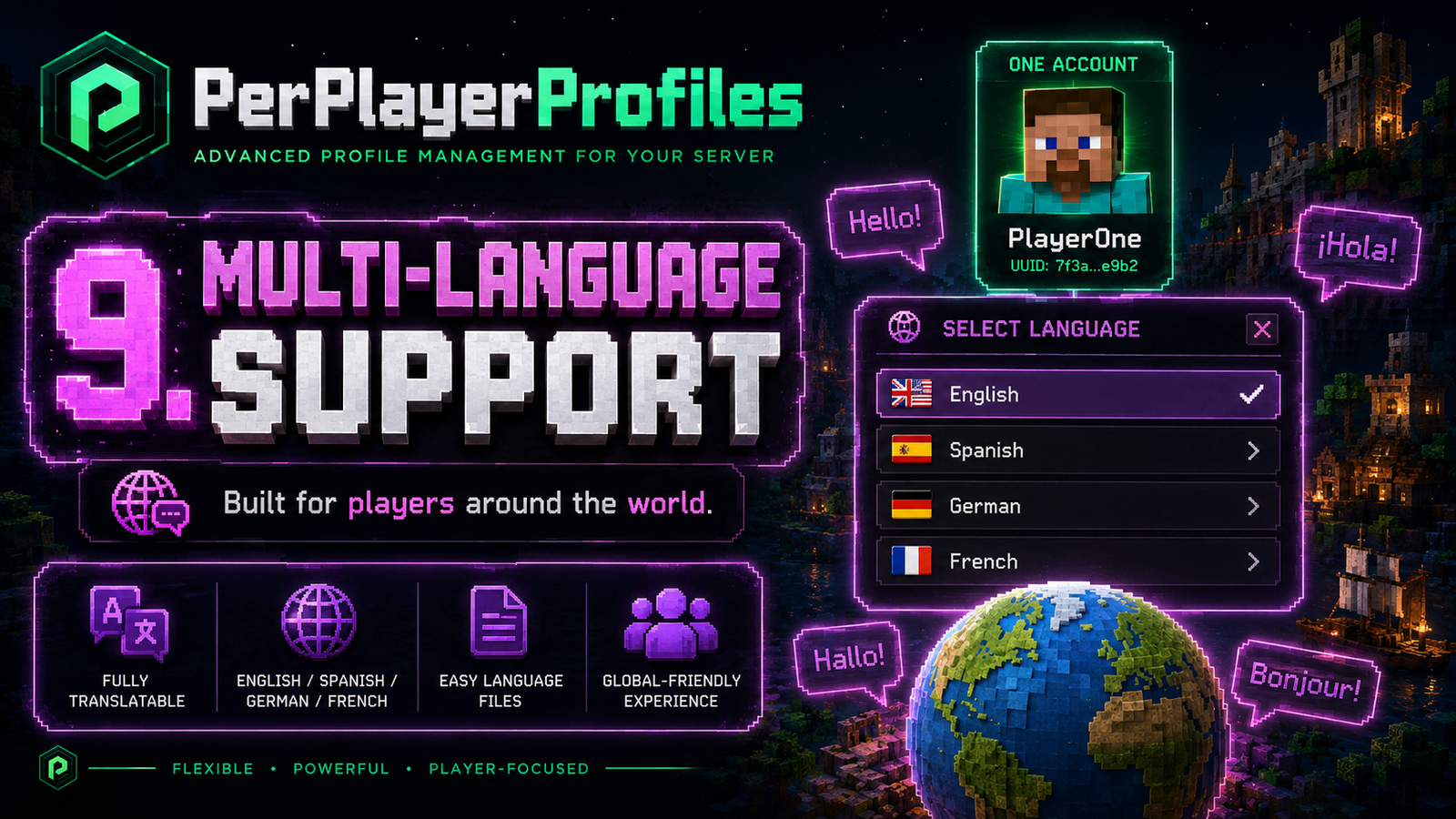
使用 Minecraft 头颅自定义角色图标,并支持额外的 Base64 骷髅纹理。
可用语言
所有语言文件均可单独配置。
?️ 可选安全集成
PerPlayerProfiles 支持与 Server Password 集成,允许玩家在打开个人资料选择器之前完成服务器身份验证。
工作原理
- 玩家首先通过 Server Password 进行身份验证。
- PerPlayerProfiles 等待身份验证完成。
- 随后打开个人资料选择器,不会中断登录过程。
Server Password 是可选的,并非使用 PerPlayerProfiles 所必需的。
在 Modrinth 上查看 Server Password
⚙️ 安装与命令
快速安装
- 下载插件
.jar 文件。
- 将其放入服务器的
plugins/ 文件夹中。
- 重启服务器。
- 自定义
plugins/PerPlayerProfiles/config.yml。
主要命令
/profiles
打开主个人资料管理界面。
别名: /ppp · /pprofile · /perfil · /perfiles
? 查看所有可用命令
/profiles list
/profiles create <name> [pin]
/profiles use <name> [pin]
/profiles delete <name> [masterPin]
/profiles lock <name> <pin>
/profiles unlock <name> <currentPin>
/profiles setmasterpassword <pin>
/profiles setlimit <profile> <maxMinutes> <renewEveryHours> [masterPin]
大多数功能可以通过游戏内 GUI 进行管理。
⚙️ 基本配置示例
每个账户的最大个人资料数量:
profiles:
  max-per-account: 3
加入时打开选择器:
profiles:
  open-selector-on-join: true
PIN 码长度:
security:
  pin:
    min-length: 4
    max-length: 9
身份验证集成:
profiles:
  selector-auth-wait-seconds: 60

compatibility:
  server-password:
    wait-for-auth: true
? 一个账户。专属体验。
多个个人资料。独立进度。完全掌控。
PerPlayerProfiles 让管理多个 Minecraft 身份变得简单、有序且易于访问——全部在游戏内完成。
PerPlayerProfiles
One Account. Multiple Profiles. Independent Progress.
PerPlayerProfiles allows multiple independent player profiles under a single Minecraft account.
Each profile has its own inventory, experience, location, statistics, security PIN, and play-time settings, all managed through an intuitive in-game GUI.
Perfect for shared accounts, roleplay characters, family servers, and players who want completely separate experiences.
?️ Compatibility
Supported Minecraft Versions
Supported Server Platforms
✨ Everything You Need, In One Plugin
- ? Multiple Profiles — Create separate identities under one Minecraft account.
- ? Independent Progress — Separate inventories, XP, Ender Chests, locations, and player states.
- ? Master Profile — Manage profile creation, deletion, PINs, and restrictions.
- ? PIN Protection — Protect profiles using an interactive numeric keypad.
- ⏱️ Play-Time Limits — Configure maximum play time with automatic renewal.
- ? Custom Icons — Personalize profiles with configurable Minecraft heads.
- ? Multilingual Support — English, Spanish, German, and French.
- ?️ Login Compatibility — Works alongside supported GUI-based authentication systems.
? Your Profile. Your Progress.
Every profile maintains its own saved player state.
| Category |
Independently Saved |
| ? Inventory |
Items, armor, offhand, Ender Chest |
| ⭐ Experience |
XP, level, total experience |
| ❤️ Survival |
Health, hunger, potion effects |
| ? Locations |
Last location, bed and respawn points |
| ? Gameplay |
Game mode, flight state, basic statistics |
New profiles start completely fresh: empty inventory, zero XP, full health, and an initial location at the world spawn.
No copying another profile's inventory or progress.
? Master Profile System
The first profile becomes the Master Profile, responsible for managing the account.
It can create and delete profiles, manage PINs, configure restrictions, and customize profile settings.
The Master Profile cannot be deleted, always appears first, and retains its permissions even when renamed.
? Visual PIN Protection
Keep individual profiles protected with a visual numeric PIN system.
- Configurable PIN length from 4 to 9 digits.
- Interactive keypad with custom Minecraft heads.
- Visual feedback for incorrect PINs.
- Change or remove personal PINs.
- Separate Master PIN for sensitive actions.
- Master-controlled PIN resets.
Everything is managed directly in-game.
⏱️ Smart Play-Time Management
The Master Profile can assign individual play-time restrictions to other profiles.
Example: Allow 60 minutes of gameplay every 24 hours.
Players receive visual ActionBar warnings as their time runs out:
- ? 5 minutes: Orange countdown.
- ? 1 minute: Red countdown.
- ? 30 seconds: Blinking red countdown.
When the limit is reached, the player is automatically disconnected.
The kick screen displays the affected profile and its renewal time.
? Customization & Languages
Customize profile icons using Minecraft heads, with support for additional Base64 skull textures.
Available Languages
All language files are separately configurable.
?️ Optional Security Integration
PerPlayerProfiles supports integration with Server Password, allowing players to complete server authentication before opening the profile selector.
How it works
- Players authenticate through Server Password first.
- PerPlayerProfiles waits for authentication to finish.
- The profile selector opens afterward without interrupting the login process.
Server Password is optional and not required to use PerPlayerProfiles.
View Server Password on Modrinth
⚙️ Installation & Commands
Quick Installation
- Download the plugin
.jar.
- Place it inside your server's
plugins/ folder.
- Restart your server.
- Customize
plugins/PerPlayerProfiles/config.yml.
Main Command
/profiles
Opens the main profile-management interface.
Aliases: /ppp · /pprofile · /perfil · /perfiles
? View all available commands
/profiles list
/profiles create <name> [pin]
/profiles use <name> [pin]
/profiles delete <name> [masterPin]
/profiles lock <name> <pin>
/profiles unlock <name> <currentPin>
/profiles setmasterpassword <pin>
/profiles setlimit <profile> <maxMinutes> <renewEveryHours> [masterPin]
Most features can be managed through the in-game GUI.
⚙️ Basic configuration examples
Maximum profiles per account:
profiles:
  max-per-account: 3
Open the selector on join:
profiles:
  open-selector-on-join: true
PIN length:
security:
  pin:
    min-length: 4
    max-length: 9
Authentication integration:
profiles:
  selector-auth-wait-seconds: 60

compatibility:
  server-password:
    wait-for-auth: true
? One Account. Your Own Experience.
Multiple profiles. Independent progress. Complete control.
PerPlayerProfiles makes managing multiple Minecraft identities simple, organized, and accessible — all from inside the game.


 插件

 插件
 插件
 插件
 插件
 插件
评论 0
登录后参与评分
还没有评论,来抢沙发吧