描述

RankPrefix+ 是一款功能强大的聊天/权限组/记分板管理器,
它能让你的聊天界面更加炫酷,并将服务器上各权限组的前缀和后缀
同步显示到玩家的 TAB 列表和名称标签中。
由于该插件功能丰富且高级,其配置文件可能看起来有些复杂,但别担心!
本页下方有相关的文档说明。
此外,它还允许玩家在聊天中使用 & 符号配合颜色代码。
示例
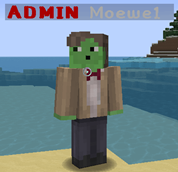
使用了权限插件并希望直接使用其中已有的用户组?这里有一个示例配置文件,已配置为直接调用你现有的用户组。但请注意,此配置文件需要安装 Vault 才能正常工作!
命令/权限
| |
命令 |
|
权限 |
|
描述 |
|
| |
/rpreload |
|
RankPrefixPlus.reload |
|
允许你重新加载配置文件 |
|
| |
|
|
RankPrefixPlus.chatcolors |
|
允许你在聊天中使用颜色代码 |
|
配置
options:
  auto-update: true ## 该插件是否应自动更新
  use-scoreboard-teams: true ## 启用此项以在 TAB 列表和玩家名字上方显示设置的名称前缀
  update-delay-in-seconds: 5 ## 计分板更新的频率。
variables:
  afk:
    afk: '&eAFK' ## 如果玩家处于空闲状态,这将替换 {AFK}
    not-afk: '' ## 如果玩家不处于空闲状态,这将替换 {AFK}
通知:
name-in-chat:
highlight: true ## 是否应高亮显示被提及的玩家(例如:@Moewe1)
sound:
enabled: true ## 是否应向被提及的玩家播放提示音
sound: NOTE_PLING ## 选择要播放的音效
chat:
layout: '&7{PREFIX}{PLAYER}{SUFFIX}: {MESSAGE}' ## 聊天栏的布局格式。请查看变量部分以获取所有可用的变量。
per-rank-layout: false ## 指定是否使用针对各个排名的独立布局
use-layout: true ## 是否启用此布局。
force-lower-case: false ## 是否强制将消息转换为小写(防止全大写)
world-specific-layout:
enabled: false ## 是否根据你所在的维度/世界使用不同的聊天布局。
world: '&7{PREFIX}{PLAYER}{SUFFIX}: {MESSAGE}' ## “world”世界中的聊天布局
world_nether: '&7{PREFIX}{PLAYER}{SUFFIX}: {MESSAGE}' ## “world_nether”世界中的聊天布局
world_the_end: '&7{PREFIX}{PLAYER}{SUFFIX}: {MESSAGE}' ## 若要将聊天布局添加到更多世界,只需在此处添加其名称及对应格式即可
local:
enabled: false ## 是否启用本地聊天功能
per-world: false ## 是否每个世界拥有独立的聊天频道
radius: -1 ## 你可以进行聊天的范围半径。设置为 -1 表示无限制
sound:
enabled: true ## 当有人发送消息时,是否向该玩家播放提示音
sound: CLICK ## 选择要播放的音效
ranks:
default: ## 排名的 ID
prefix: '&7[&eMember&7] ' ## 聊天前缀
suffix: '' ## 聊天后缀
scoreboard:
启用: true ## 此排名是否使用记分板。
prefix: '&7' ## 记分板前缀
suffix: '' ## 记分板后缀
tab-priority: 1 ## 该权限组在 TAB 列表中的优先级。(1-52)优先级越低,拥有此权限组的玩家在 TAB 列表中显示的位置越靠下。
required-permission: '' ## 获得此权限组所需的权限。设为 '' 表示无需任何权限。
message-color: '&7' ## 消息显示的颜色。
bypass-OP: false ## 指定该组是否绕过 OP(管理员权限),即除非他们拥有此权限组的权限,否则不会被分配给 OP。
chat-layout: '&7{PREFIX}{PLAYER}{SUFFIX}: {MESSAGE}'Rank
admin:
prefix: '&7[&cAdmin&7] '
suffix: ''
scoreboard:
enabled: true
prefix: '&c'
suffix: ''
tab-priority: 10 ## 由于该权限组具有更高的优先级,它将显示在 TAB 列表的更上方。
required-permission: 'RankPrefixPlus.admin'
message-color: '&7' ## 消息显示的颜色。
bypass-OP: true
chat-layout: '&7{PREFIX}{PLAYER}{SUFFIX}: {MESSAGE}'
order: ## 权限组的排列顺序。
- admin ## 请确保按以下顺序排列:最高 - 最低
- default
变量
这些变量既可用于聊天,也可用于记分板的前缀/后缀。
| |
变量 |
|
描述 |
|
所需插件 |
|
| |
{PREFIX} |
|
将替换为玩家所在组的前缀 |
|
无 |
|
| |
{SUFFIX} |
|
将替换为玩家所在组的后缀 |
|
无 |
|
| |
{MESSAGE} |
|
将替换为玩家发送的消息 |
|
无 |
|
| |
{PLAYER} |
|
将替换为玩家的玩家名/昵称 |
|
无 |
|
| |
{XPLEVEL} |
|
将替换为玩家的经验等级 |
|
无 |
|
| |
{KILLS} |
|
将替换为玩家的击杀数 |
|
无 |
|
| |
{DEATHS} |
|
将替换为玩家的死亡次数 |
|
无 |
|
| |
{KDR} |
|
将替换为玩家的击杀死亡比 |
|
无 |
|
| |
{MONEY} |
|
将替换为您的余额 |
|
Vault |
|
| |
{FACTION} |
|
将替换为您的阵营名称 |
|
Factions, MCore |
|
| |
{PRISONRANK} |
|
将替换为您在 PrisonRankup 中的当前权限组 |
|
PrisonRankup |
|
| |
{CHATTITLE} |
|
将替换为您从 ChatTitle 中获得的头衔之一 |
|
ChatTitle |
|
| |
{RANK} |
|
将替换为您当前权限组的名称 |
|
Vault |
|
| |
{RANK-PREFIX} |
|
将替换为您当前权限组的前缀 |
|
Vault |
|
| |
{RANK-SUFFIX} |
|
将替换为您当前权限组的后缀 |
|
Vault |
|
| |
{AFK} |
|
将替换为玩家的 AFK(离开)状态 |
|
Essentials |
|
| |
{EZRANK} |
|
将替换为您根据 EzRanksLite 的当前权限组 |
|
EZRanksLite |
|
| |
{EZPRESTIGE} |
|
将替换为您来自 EZPrestige 的当前声望标签 |
|
EZPrestige |
|
| |
{TOWNY} |
|
将被替换为你的城镇标签 |
|
Towny |
|
| |
{ISLAND-LEVEL} |
|
将被替换为你的岛屿等级 |
|
uSkyBlock |
|
| |
{SLIMEFUN-TITLE} |
|
将被替换为你的史莱姆科技头衔 |
|
Slimefun |
|
| |
[unicode: <hexadecimal> |
|
这将被替换为指定十六进制所代表的 Unicode 字符。所有支持的 Unicode 完整列表 |
|
无 |
|
欢迎在评论区提出更多变量建议。
源代码
想要接手这个项目?请通过在 GitHub 上提交拉取请求(Pull Requests)来开始!

查看 RankPrefix+ 的源代码,如果你想让这个项目保持活力,甚至可以考虑通过提交拉取请求来贡献代码!
自动更新与指标统计
我所有的插件都使用了自动更新功能,以确保你始终
使用最新版本且 hopefully 尽可能少 bug 的插件版本。
如果你不希望该插件自动更新,可以在配置文件中关闭它
位于 "options -> auto-update: true/false"
它们还使用了一个指标系统,收集以下信息:
唯一标识符
服务器的 Java 版本
服务器处于离线模式还是在线模式
插件的版本
服务器的版本
操作系统版本/名称及架构
CPU 的核心数量
在线玩家数量
指标系统的版本
退出此服务可以通过编辑
plugins/Plugin Metrics/config.yml 并将 opt-out 更改为 true 来实现。
Description
RankPrefix+ is a powerful Chat/Rank/Scoreboard Manager which
allows you to make your Chat a bit more fancy and also apply the
Prefix and Suffix of the Ranks on your Server to your Player's
TAB-List and NameTag.
But since the Plugin is that big and advanced, its Config may seem
a bit complicated, but dont worry! There is a documentation on this
Page a bit further down.
Oh, and it also allows your Players to use Color codes with &
in the Chat.
Example
Using a Permissions Plugin and want to use the existing Groups from your Permissions Plugin? Here is an Example Config which is configured to simply use your existing Groups. But keep in mind that this Config requires Vault to work!
Commands/Permissions
| |
Command |
|
Permission |
|
Description |
|
| |
/rpreload |
|
RankPrefixPlus.reload |
|
Allows you to reload the Config |
|
| |
|
|
RankPrefixPlus.chatcolors |
|
Allows you to use Color Codes in Chat |
|
Configuration
options:
  auto-update: true ## Whether this Plugin should auto update
  use-scoreboard-teams: true ## Enable this to make the set Prefix appear in the TAB-List and above Player's names
  update-delay-in-seconds: 5 ## How frequent it will update the Scoreboard.
variables:
  afk:
    afk: '&eAFK' ## This will replace {AFK} if the Player is AFK
    not-afk: '' ## This will replace {AFK} if the Player is not AFK
notifications:
  name-in-chat:
    highlight: true ## Whether it should highlight mentioned Players (example: @Moewe1)
    sound:
      enabled: true ## Whether it should play a sound to the mentioned Player
      sound: NOTE_PLING ## Choose which sound to play
chat:
  layout: '&7{PREFIX}{PLAYER}{SUFFIX}: {MESSAGE}' ## The Layout in the Chat. Check the Variables section for all Variables you can use.
  per-rank-layout: false ## Specify whether the individual Layout for Ranks will be used
  use-layout: true ## Whether it should use this Layout.
  force-lower-case: false ## Whether it should force the Message to be lower Case (Preventing CAPS)
  world-specific-layout:
    enabled: false ## Whether it should use a different chat layout depending on the World you are in.
    world: '&7{PREFIX}{PLAYER}{SUFFIX}: {MESSAGE}' ## Chat Layout in world "world"
    world_nether: '&7{PREFIX}{PLAYER}{SUFFIX}: {MESSAGE}' ## Chat Layout in world "world_nether"
    world_the_end: '&7{PREFIX}{PLAYER}{SUFFIX}: {MESSAGE}' ## To add a Chat Layout to more Worlds simply add their Name in here along with the Format
  local:
    enabled: false ## Whether the local Chat should be enabled
    per-world: false ## Whether each World has its own Chat
    radius: -1 ## The radius in which you can talk. Set it to -1 for an unlimited Radius
  sound:
    enabled: true ## Whether it should play a sound to someone who sends a message
    sound: CLICK ## Choose which sound to play
ranks:
  default: ## The ID of the rank
    prefix: '&7[&eMember&7] ' ## The Chat-Prefix
    suffix: '' ## The Chat-Suffix
    scoreboard:
      enabled: true ## Whether this rank uses the scoreboard.
      prefix: '&7' ## The Scoreboard-Prefix
      suffix: '' ## The Scoreboard-Suffix
      tab-priority: 1 ## The Priority of this Rank in the TAB List. (1-52) The lower the priority the further down Players with this Rank will appear in the TAB List
    required-permission: '' ## The Permission required for this Rank. Make it '' to require no permission.
    message-color: '&7' ## The color in which the Message will be displayed.
    bypass-OP: false ## Specify whether this Group will bypass OP meaning it wont be assigned to OPs unless they have the permission for this
    chat-layout: '&7{PREFIX}{PLAYER}{SUFFIX}: {MESSAGE}'Rank
  admin:
    prefix: '&7[&cAdmin&7] '
    suffix: ''
    scoreboard:
      enabled: true
      prefix: '&c'
      suffix: ''
      tab-priority: 10 ## Since this Rank has a higher Priority it will appear closer to the top of the TAB List
    required-permission: 'RankPrefixPlus.admin'
    message-color: '&7' ## The color in which the Message will be displayed.
    bypass-OP: true
    chat-layout: '&7{PREFIX}{PLAYER}{SUFFIX}: {MESSAGE}'
  order: ## The order in which the ranks exist.
  - admin ## Make sure to arrange them like this: HIGHEST - LOWEST
  - default
Variables
Those Variables can be used in the Chat as well as in the Scoreboard Prefix/Suffix
| |
Variable |
|
Description |
|
Required Plugins |
|
| |
{PREFIX} |
|
Will be replaced with the Players Group Prefix |
|
None |
|
| |
{SUFFIX} |
|
Will be replaced with the Players Group Suffix |
|
None |
|
| |
{MESSAGE} |
|
Will be replaced with the message the Player sent |
|
None |
|
| |
{PLAYER} |
|
Will be replaced with the Players Username/Nickname |
|
None |
|
| |
{XPLEVEL} |
|
Will be replaced with the Players XP-Level |
|
None |
|
| |
{KILLS} |
|
Will be replaced with the Players Amount of killed Players |
|
None |
|
| |
{DEATHS} |
|
Will be replaced with the Players Amount of Deaths |
|
None |
|
| |
{KDR} |
|
Will be replaced with the Players Kill-Death-Ratio |
|
None |
|
| |
{MONEY} |
|
Will be replaced with your Balance |
|
Vault |
|
| |
{FACTION} |
|
Will be replaced with your Factions name |
|
Factions, MCore |
|
| |
{PRISONRANK} |
|
Will be replaced with your current Rank in PrisonRankup |
|
PrisonRankup |
|
| |
{CHATTITLE} |
|
Will be replaced with one of your Titles from ChatTitle |
|
ChatTitle |
|
| |
{RANK} |
|
Will be replaced with the name of your current Permissions Group |
|
Vault |
|
| |
{RANK-PREFIX} |
|
Will be replaced with the Prefix of your current Permissions Group |
|
Vault |
|
| |
{RANK-SUFFIX} |
|
Will be replaced with the Suffix of your current Permissions Group |
|
Vault |
|
| |
{AFK} |
|
Will be replaced with the AFK Status of a Player |
|
Essentials |
|
| |
{EZRANK} |
|
Will be replaced with your current Rank according to EzRanksLite |
|
EZRanksLite |
|
| |
{EZPRESTIGE} |
|
Will be replaced with your current Prestige Tag from EZPrestige |
|
EZPrestige |
|
| |
{TOWNY} |
|
Will be replaced with the Tag of your Town |
|
Towny |
|
| |
{ISLAND-LEVEL} |
|
Will be replaced with the Level of your Island |
|
uSkyBlock |
|
| |
{SLIMEFUN-TITLE} |
|
Will be replaced with your Slimefun Title |
|
Slimefun |
|
| |
[unicode: <hexadecimal> |
|
This will be replaced with the Unicode represented by the specified Hexadecimal. A full list of all supported Unicodes |
|
None |
|
Feel free to suggest more Variables in the Comments.
Source Code
You want to take over this Project? Start so by submitting Pull Requests on GitHub!
Check out RankPrefix+'s Source Code, if you want to keep this Project alive, maybe even consider contributing to it by making a Pull Request!
Auto-Updater and Metrics
All my Plugins are using an Auto-Updater to make sure, you're always
using the latest and hopefully most bug free version of my Plugin.
If you don't want this Plugin to be auto-updated, you can turn it off
in the config file at "options -> auto-update: true/false"
They also use a Metrics-System which collects the following Informations:
A unique identifier
The server's version of Java
Whether the server is in offline or online mode
The plugin's version
The server's version
The OS version/name and architecture
The core count for the CPU
The number of players online
The Metrics version
Opting out of this service can be done by editing
plugins/Plugin Metrics/config.yml and changing opt-out to true.


 插件
 插件
 插件
 插件
 插件

 插件
评论 0
登录后参与评分
还没有评论,来抢沙发吧