重要通知
本插件是一个已停止支持的插件的 replugined 版本。原作者为 XZot1K & AlessioGR,并提供了贡献。原始链接。本插件大部分工作由他们完成,目前仅添加了来自 the_n1n 的少量更改。
Simple Portals
Simple Portals 是一种最简单但有效的创建基于区域的传送门的方法。该插件在多个大型在线服务器上进行过大量测试,并经过压力测试以确保性能达到最佳状态。Simple Portals 还允许玩家跨 BungeeCord 服务器进行传送,甚至无需使用 BungeeCord API!
特性
- 跨服务器传送门 - 借助 MySQL 将玩家传输到其他服务器的特定位置
- 精美视觉效果 - 选择和区域显示通过粒子效果高亮
- 无依赖项 - 插件是独立的
- 每个传送门的权限控制 - 控制玩家可以访问哪些传送门
- 命令同义支持 - 提供缩写以便更轻松地使用
- 流体控制 - 传送门区域内的液体会被冻结
- 轻量级更新检查器 - 配置文件始终保持最新
- 强大的开发者 API - 完全掌控插件功能
- 易于操作 - 所有命令和功能都设计为易于使用
- 实体传送门转移 - 物品或载具等实体可以通过传送门保持速度进行传送
- 下界/末地传送门目的地替换 - 可以替换任何世界中所有下界/末地传送门的目的地
- 强制加入 - 允许玩家在加入服务器时强制返回指定世界的出生点
命令
(注意:输入无效命令时会显示用法提示。)
/simpleportals selectionmode (或 sm) - 切换玩家进入/退出选择模式,允许创建区域。/simpleportals reload - 重新加载所有配置。/simpleportals info - 提供插件信息。/simpleportals create <name> - 如果玩家的区域已完全创建,则创建一个新的传送门。/simpleportals delete <name> - 删除一个现有的传送门。/simpleportals fill <name> <material> - 尝试用指定的材质填充传送门(方向支持有限,意味着某些材质可能在创建传送门前放置或生成效果更好)。/simpleportals setlocation <name> (或 sl) - 将指定传送门的传送位置设置为发送者的当前位置。/simpleportals setlocation <name> <name> (或 sl) - 将指定传送门的传送位置设置为另一个输入的传送门的中心。/simpleportals <showregion/sr> <name> (或 sr) - 显示指定传送门的区域。/simpleportals <enable/disable> <name> - 启用/禁用整个传送门,直到再次切换。/simpleportals switchserver <name> <server> (或 ss) - 设置传送门将玩家传送到哪个服务器。
请注意,要从传送门中移除服务器,必须将其设置为 'none'。/simpleportals setswitchlocation <portal> <world> <x> <y> <z> <yaw> <pitch> (或 ssl) - 设置当转移到其他服务器时传送门的目的地。/simpleportals addcommand <name> <command> (或 addcmd) - 此命令添加一条当玩家进入传送门时将运行的命令行(您可以在命令末尾加上冒号后跟 PLAYER 或 CONSOLE 来确定命令的运行方式)。/simpleportals clearcommands <name> (或 clearcmds) - 此命令仅清除列表中的命令。/simpleportals togglecommandonly <name> (或 tco) - 此命令切换传送门的仅命令模式。/simpleportals commands <name> (或 cmds) - 按添加顺序提供定义好的折跃点上所有命令的列表。/simpleportals message <name> <text> - 将指定传送门的消息设置为指定文本(冒号后跟 NORMAL、BAR、TITLE 或 SUBTITLE 可用于定义要设置的消息类型)。/simpleportals disablemessages <name> (或 dm) - 禁用与定义好的传送门关联的所有消息。/simpleportals cooldown <name> <cooldown> - 设置指定传送门的冷却时间,单位为秒。/simpleportals delay <name> <delay> - 设置指定传送门的延迟时间,单位为秒。/simpleportals find <range> - 在指定范围内查找附近的 3 个传送门。
权限
simpleportals.showregion - 允许玩家查看传送门的区域。simpleportals.setlocation - 允许玩家设置传送门的传送位置。simpleportals.info - 允许玩家查看插件的信息。simpleportals.reload - 允许玩家重新加载配置文件。simpleportals.create - 允许玩家创建传送门。simpleportals.delete - 允许玩家删除传送门。simpleportals.list - 允许玩家列出所有传送门。simpleportals.switchserver - 允许玩家使用 BungeeCord 更改传送门将玩家传送到哪个服务器。simpleportals.setswitchlocation - 允许玩家设置传送门的切换服务器位置。simpleportals.selectionmode - 允许玩家进入/退出选择模式。simpleportals.portal.* - 允许玩家使用所有传送门。simpleportals.portal.<name> - 允许玩家使用指定的传送门。simpleportals.addcommand - 允许玩家向指定传送门添加命令。simpleportals.clearcommands - 允许玩家清除指定传送门中的所有命令。simpleportals.togglecommandonly - 允许玩家切换传送门的仅命令模式。simpleportals.viewcommands - 允许玩家查看传送门的命令。simpleportals.toggle - 允许玩家完全切换传送门的状态。simpleportals.message - 允许发送者对传送门使用消息命令。simpleportals.dm - 允许发送者对传送门使用禁用消息命令。simpleportals.fill - 授予访问传送门填充命令的权限。simpleportals.cooldown - 允许发送者使用 /simpleportals cooldown 命令。simpleportals.delay - 允许发送者使用 /simpleportals delay 命令。simpleportals.find - 允许发送者使用 /simpleportals find 命令。simpleportals.admin - 赋予玩家在插件中的一切权限。simpleportals.cdbypass - 允许玩家绕过传送门冷却时间。simpleportals.use - 允许发送者使用基本的 /simpleportals 命令。
使用 SimplePortals 的服务器:
** Skade Gaming | 该服务器拥有超过 2500 个传送门!**
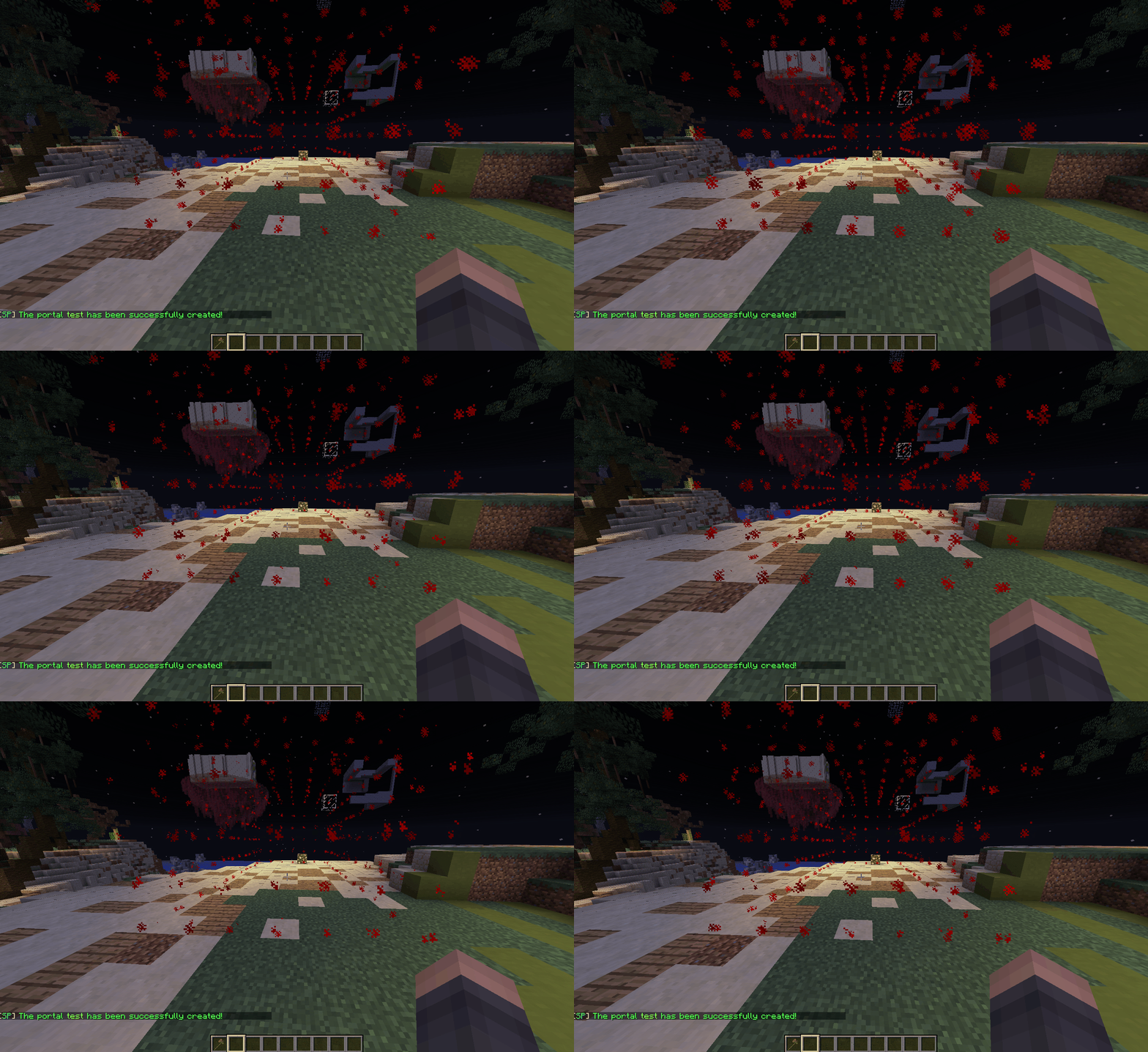
以下是传送门创建过程中区域可视显示的简要说明:
插件用法
SimplePortals 的设计宗旨就是简单!因此,传送门的创建过程非常直观。请参见以下说明:
[注意] “Selection Mode”(选择模式)命令是一个切换开关,运行一次启用,运行两次禁用。
-
要创建传送门,您首先必须通过命令 "/portals selectionmode" 或 "/portals sm" 进入“选择模式”。
-
下一步是“左键点击”长方体或矩形区域末端的最低方块,然后“右键点击”区域对角线最高处的方块。这将为您即将创建的任何传送门设置当前的选择区域。
-
要完成传送门创建流程,你必须使用命令 /portals create <portal name>,基于你的 WorldEdit 风格选区来创建传送门。
-
至此,你已经创建了一个传送门。默认情况下,传送门的目的地(即用户被传送到的位置)将始终设置为最低方块或点 1。若要更改传送门的目的地,请在你希望传送门带你到达的位置使用命令 /portals setlocation 或 /portals sl。
以下是额外信息:
你可以使用 /portals fill <portal> 命令用特定材质填充传送门区域(不用担心,所有液体类材质都不会流出该区域)。
在“选择模式”下做出新的选区后,你可以使用 /portals relocate <portal> 命令重新定位传送门区域。
对于插件中的命令及其他一些功能,请使用 {player} 作为占位符以获取玩家名称。
若要使传送门通过 Bungee 将玩家传送到其他服务器,只需使用命令 /portals ss <portal> <server> 设置服务器名称即可。你可以将此值设置为 none 以禁用该传送门的此功能。
别忘了使用 /simpleportals <setswitchlocation|ssl> <portal> <world> <x> <y> <z> <yaw> <pitch> 设置目的地坐标。
你还可以通过在起源传送门上添加命令,让玩家加入服务器时执行这些命令。
至于添加进入传送门时运行的命令,你可以使用 /portals addcmd <portal name> <command>:<type> 命令进行添加,其中 <type> 可以是 PLAYER、CONSOLE 或 CHAT。
若要移除命令,你可以使用 /portals clearcommands <portal>。
命令示例:
"/portals addcmd example-portal rtp:PLAYER"
此命令将模拟玩家发送的方式运行 /rtp。

"/portals addcmd example-portal rtp {player}:CONSOLE"
此命令将模拟玩家发送的方式运行 /rtp。

"/portals addcmd example-portal rtp:CHAT"
此命令将模拟玩家在聊天中直接输入原始内容的方式运行 /rtp。

注意:/rtp 并非 SimplePortals 的功能。
添加命令时,请确保不要使用斜杠。
务必以冒号结尾,后跟 PLAYER 或 CONSOLE。自 v1.3.6 版本起,还可以使用 CHAT,它会将命令发送到聊天频道供其他插件作为假命令使用!
与添加命令类似,设置传送门消息也需要指定类型。在输入的文本后,只需添加 :NORMAL、:BAR、:TITLE 或 :SUBTITLE 以指示应设置哪种消息(包含冒号)。这与添加命令的概念相同。
开发者 API ⍟
目前,API 中的所有功能都可以在插件内的 API 包中找到,你可以在 GitHub 页面上找到它。不过,下面列出了 API 类名及其用途。
- Manager (Class) - 此类存储所有通用方法、计算以及存储列表或映射。
- PointType (Enum) - 此枚举用于监听器中的区域选择。
- Portal (Class Object) - 这是一个完整的对象,存储有关单个传送门的所有信息。
- Region (Class Object) - 这是一个完整的对象,存储有关区域(坐标和位置)的所有信息。
- SerializableLocation (Class Object) - 此对象用于序列化一个位置并防止对同一位置进行后续更改。
- TaskHolder (Class Object) - 此对象用于存储每个玩家的视觉效果任务。此类还负责管理它们,以确保不会同时显示过多效果。
- PortalEnterEvent (Event Object) - 当玩家进入传送门区域时会触发此事件。
常见问题解答
(Q) 在使用专用传送门材质的简单传送门时,用户会被传送到下界/末地。
(A) 之前已报告过此问题,大多数情况下这是由于世界操作插件(如 Multiverse 或 MultiWorld)导致的。请确保在不使用世界插件的情况下进行测试,并使用其最新版本(开发版构建)以确保问题已得到解决。你也可以通过原版游戏规则命令增加原版传送门的等待时间!
(Q) 我收到了涉及 "simpleportals.cdbypass" 权限节点的错误/消息。如何解决?
(A) 这实际上不是问题,该消息旨在通知拥有 OP 权限或相应权限的用户,他们已绕过该功能的冷却时间。可以通过在 lang.yml 中将其设置为 "" 来禁用此消息。
(Q) 我在控制台中收到错误,并且无法传送或一般性地使用传送门。如何解决?
(A) 该插件原生支持最新版本的 Minecraft;因此,旧版本可能需要在配置中进行调整。通常在这种情况下,在 config.yml 中设置粒子选项即可解决此问题。
(Q) 如何禁用传送门标题、动作栏或副标题消息?
(A) 如果传送门尚未创建,在 lang.yml 中设置默认消息将为所有新创建的传送门禁用它们。对于已创建的传送门,你必须要么禁用插件并在 portals.yml 中将消息设置为 "",要么使用 "/portals message <name> :NORMAL"、"/portals message <name> :BAR"、"/portals message <name> :TITLE" 或 "/portals message <name> :SUB-TITLE" 命令来单独禁用每一项。从 v1.5.1 版本开始,可以使用命令 "/portals dm <name>" 来禁用消息。
Important Notice
This plugin is an replugined version of a plugin that reached the end of support. The original Creator is XZot1K & AlessioGR contributated. Link to the Original. This plugin is the majority of their work & only minor changes have been added to so far from the_n1n
Simple Portals
Simple Portals is the simplest, yet effective way to create region-based portals. The plugin was heavily tested on many large live servers and put under stress to ensure performance was optimal. Simple Portals also allows the teleporting of players across your bungee cord server without even using the bungee cord API!
Features
- Cross-Server Portals - transfer players to other server even at specific locations with the help of MySQL
- Fancy Visuals - selections and region display are highlighted with particles
- No Dependencies - the plugin is standalone
- Per-Portal Permissions - control which portals players can access
- Command Sympathy - abbreviations are available for easier use
- Flow Control - Fluids are frozen in the portal regions
- Lightweight Update Checker - your configs will always be up-to-date
- Powerful Developer API - full control over the plugin at your finger tips
- Simple To Manipulate - all commands and features are made to be used with ease
- Entity Portal Transfer - entities like items or vehicles can all teleport through portals maintaining velocity
- Nether/End Portal Destination Replacement - Ability to replace the destination of all nether/end portals in any world
- Force Join - Ability to force a player to return to spawn of a specified world upon joining the server
Commands
(Note: By typing an invalid command, a usage message will be displayed.)
/simpleportals selectionmode (or sm) - Toggles the player in and out of selection mode which allows them to create a region./simpleportals reload - reloads all configurations./simpleportals info - provides information about the plugin./simpleportals create <name> - creates a new portal if the player's region is full created./simpleportals delete <name> - deletes a existing portal./simpleportals fill <name> <material> - attempts to fill the portal with the defined material (directional support is partial, meaning some materials may be better placed or created before portal creation)./simpleportals setlocation <name> (or sl) - sets the teleport location of the specified portal to the sender's location./simpleportals setlocation <name> <name> (or sl)- sets the teleport location of the specified portal to the center of the other entered portal./simpleportals <showregion/sr> <name> (or sr)- displays the specified portal's region./simpleportals <enable/disable> <name> - enables/disabled the portal entirely untiled toggled again/simpleportals switchserver <name> <server> (or ss) - sets the server the portal will teleport a player to.
Please note that to remove a server from a portal you must set it to 'none'./simpleportals setswitchlocation <portal> <world> <x> <y> <z> <yaw> <pitch> (or ssl) - sets the destination of the portal when transferring to another server/simpleportals addcommand <name> <command> (or addcmd) - this command adds a command line that will be run when a player enters the portal (You are able to add a colon followed by PLAYER or CONSOLE to the end of the command to determine how the command is run)./simpleportals clearcommands <name> (or clearcmds) - this command simply clears the commands in the list./simpleportals togglecommandonly <name> (or tco) - this command toggles command only mode for a portal./simpleportals commands <name> (or cmds) - provides a list of all commands on the defined warp in the order they were added./simpleportals message <name> <text> - sets the message of the specified portal to the specified text (A colon followed by NORMAL, BAR, TITLE, or SUBTITLE can be used to define the type of message to be set)./simpleportals disablemessages <name> (or dm) - disables all messages associated with the defined portal./simpleportals cooldown <name> <cooldown> - sets the cooldown for the specified portal, in seconds./simpleportals delay <name> <delay> - sets the delay for the specified portal, in seconds./simpleportals find <range> - finds 3 nearby portals within the specified range.
Permissions
simpleportals.showregion - Allows the player to view a portal's region.simpleportals.setlocation - Allows the player to set a portal's teleport location.simpleportals.info - Allows the player to view the plugin's information.simpleportals.reload - Allows the player to reload the configuration files.simpleportals.create - Allows the player to create a portal.simpleportals.delete - Allows the player to delete a portal.simpleportals.list - Allows the player to list all portals.simpleportals.switchserver - Allows the player to change the server a portal can teleport a player to using BungeeCord.simpleportals.setswitchlocation - Allows the player to set a portal's switch server location.simpleportals.selectionmode - Allows the player to enter/exit selection mode.simpleportals.portal.* - Allows the player to use all portals.simpleportals.portal.<name> - Allows the player to use the specified portal.simpleportals.addcommand - Allows the player to add a command to the specified portal.simpleportals.clearcommands - Allows the player to clear all commands from the specified portal.simpleportals.togglecommandonly - Allows the player to toggle command only mode for a portal.simpleportals.viewcommands - Allows the player to view the commands of a portal.simpleportals.toggle - Allows the player to toggle a portal entirely.simpleportals.message - Allows the sender to use the message command for portals.simpleportals.dm - Allows the sender to use the disable messages command for portals.simpleportals.fill - Grants access to the portal fill commands.simpleportals.cooldown - Allows the sender to use the /simpleportals cooldown command.simpleportals.delay - Allows the sender to use the /simpleportals delay command.simpleportals.find - Allows the sender to use the /simpleportals find command.simpleportals.admin - Gives the player permission to everything in the plugin.simpleportals.cdbypass - Allows the player to bypass the portal cooldowns.simpleportals.use - Allows the sender to use the basic /simpleportals command.
Servers Using SimplePortals:
** Skade Gaming | This server has over 2500 Portals!**
Below is a very brief look at the region visual display during the portal create process:
Plugin Usage
SimplePortals is made to be, well... simple! Therefore the portal creation process is quite straightforward. Please find instruction below:
[NOTE] - The "Selection Mode" command is a toggle, meaning when ran once it will enable and twice it will disable.
-
In order to create a portal, you must first enter "selection mode" by using the command "/portals selectionmode" or "/portals sm".
-
The next step is to "left-click" the lowest block at the end of a cuboid or rectangular region and then "right-click" the highest block in the opposite corner of the region. This will set your current selection for any portals you wish to create soon.
-
To finish off the portal creation process you must use the command "/portals create <portal name>" to create the portal using your WorldEdit-Like selection.
-
From this point, you have a created portal. Now by default the destination, the portal will teleport the user to will always be set to the lowest-block or Point-1. To change the portal's destination, use the command "/portals setlocation" or "/portals sl" at the location you wish your portal to take you to.
Below is some extra information:
You can fill a portal's region with a specific material by using the "/portals fill <portal>" command (Don't worry all liquid-based materials will not flow out of the region).
You can relocate the portal's region by using the "/portals relocate <portal>" command after making another selection in "selection mode".
For commands and some other features in the plugin, use {player} as the placeholder to obtain the player's name.
To make a portal teleport the player to another server via Bungee simply set the server name using the command "/portals ss <portal> <server>". You can set this value to "none" to disable the feature for a portal.
Don't forget to set the destination coordinates with "/simpleportals <setswitchlocation|ssl> <portal> <world> <x> <y> <z> <yaw> <pitch>".
You may also send commands with the player to execute when they join the server by adding commands to the origin portal.
As for adding commands to be run by the portal when entered you can add them using the "/portals addcmd <portal name> <command>:<type>" command, where <type> is PLAYER, CONSOLE or CHAT.
To remove the commands you may use the "/portals clearcommands <portal>"
Command Examples:
"/portals addcmd example-portal rtp:PLAYER"
This command will run /rtp as if the player sent the command.

"/portals addcmd example-portal rtp {player}:CONSOLE"
This command will run /rtp as if the player sent the command.

"/portals addcmd example-portal rtp:CHAT"
This command will run /rtp as if the player typed it AS IS into chat.

No, /rtp is not a feature of SimplePortals.
When adding a command ensure NOT to use a slash.
Always END IT WITH A COLON followed by either PLAYER or CONSOLE. Another that can be used since v1.3.6 is CHAT which sends the command into chat for other plugins to use as fake commands!
Similar to command adding, setting a portal's message requires a type. Behind the entered text, simply add either :NORMAL, ':BAR, :TITLE, or :SUBTITLE to indicate which message should be set (INCLUDE THE COLONS). This is the same concept as adding commands.
Developer API ⍟
Currently, everything in the API can be found in the API package inside the plugin which can be found on the GitHub page. However, below you can find the API class names and their purpose.
- Manager (Class) - this stores all general methods, calculations, and storage lists or maps.
- PointType (Enum) - this is used inside the listener for the region selection.
- Portal (Class Object) - this is an entire object that stores all information about a single portal.
- Region (Class Object) - this is an entire object that stores all information about a region (Coordinates and Locations).
- SerializableLocation (Class Object) - this is used to serialize a location and prevent future changes to the same location.
- TaskHolder (Class Object) - this is used to store the visual effect tasks for each player. This class also manages them to make sure not too many are shown at once.
- PortalEnterEvent (Event Object) - this event is called when a player enters a portal's region.
FAQ
(Q) Users are teleported to the nether/end when using a dedicated portal material for a simple portal.
(A) This issue has been reported before, a majority of the time this is due to world manipulation plugins such as Multiverse or MultiWorld. Please ensure you test without the world plugin and also use their latest build (dev build) to ensure it was not something that was resolved. You can also increase the time for vanilla portals with the vanilla gamerule command!
(Q) I'm getting an error/message involving the "simpleportals.cdbypass" permission node. How can I resolve this?
(A) This is not actually an issue, the message is to notify the user who is either OP or has the permission that they have bypassed the cooldown for the feature. This message can be disabled by setting it to "" in the lang.yml.
(Q) I'm getting an error in the console and I'm unable to teleport or use portals in general. How can I resolve this?
(A) The plugin is native to the latest version of Minecraft; therefore, older versions may need tweaking within the configuration. Normally in this case setting the particle options in the config.yml will resolve this issue for you.
(Q) How can I disable the portal titles, action bar, or subtitle messages?
(A) If the portal has not been created yet, setting the default messages in the lang.yml will disable them for all newly created portals. For already made portals you must either disable the plugin and set the messages to "" in the portals.yml or use the "/portals message <name> :NORMAL", "/portals message <name> :BAR", "/portals message <name> :TITLE", or "/portals message <name> :SUB-TITLE" commands to simply disable each one individually. As of v1.5.1, the command "/portals dm <name>" can be used to disable messages.


 插件

 插件
 插件
 插件
 插件
 插件
评论 0
登录后参与评分
还没有评论,来抢沙发吧