SpawnStash
Minecraft 服务器最先进、高度可定制的储物箱插件。
Spawn Stash 允许你生成自定义的 .schem 文件,从而生成并屏蔽作弊者(如 ESP 和 X-Ray 作弊),更多功能即将推出!
? 特性
- ? 通过一条简单命令即可生成任意储物箱。
- ?️ 导入无限数量的
.schem 文件。
- ↩️ 即时撤销上一次生成的储物箱。
- ⚡ 针对高性能服务器进行了优化。
- ? 完全可配置。
- ? 支持无限数量的储物箱设计。
- ?️ 安全可靠的方块还原机制。
? 安装
- 下载最新版本的 SpawnStash。
- 将插件放入服务器的
plugins 文件夹中。
- 重启服务器。
- 根据需要配置插件。
- 将你的
.schem 文件放入 schematics 文件夹。
- 现在你可以生成储物箱了。
? 使用自定义 Schematics
SpawnStash 支持任何兼容 WorldEdit 的 schematic 文件。
只需将你的 .schem 文件放置在:
plugins/SpawnStash/schematics/
然后使用以下命令生成:
/spawnstash <your schematic name>
/spawnstash Spawner
/spawnstash Richbase
其中一个储物箱示例:(Spawner)
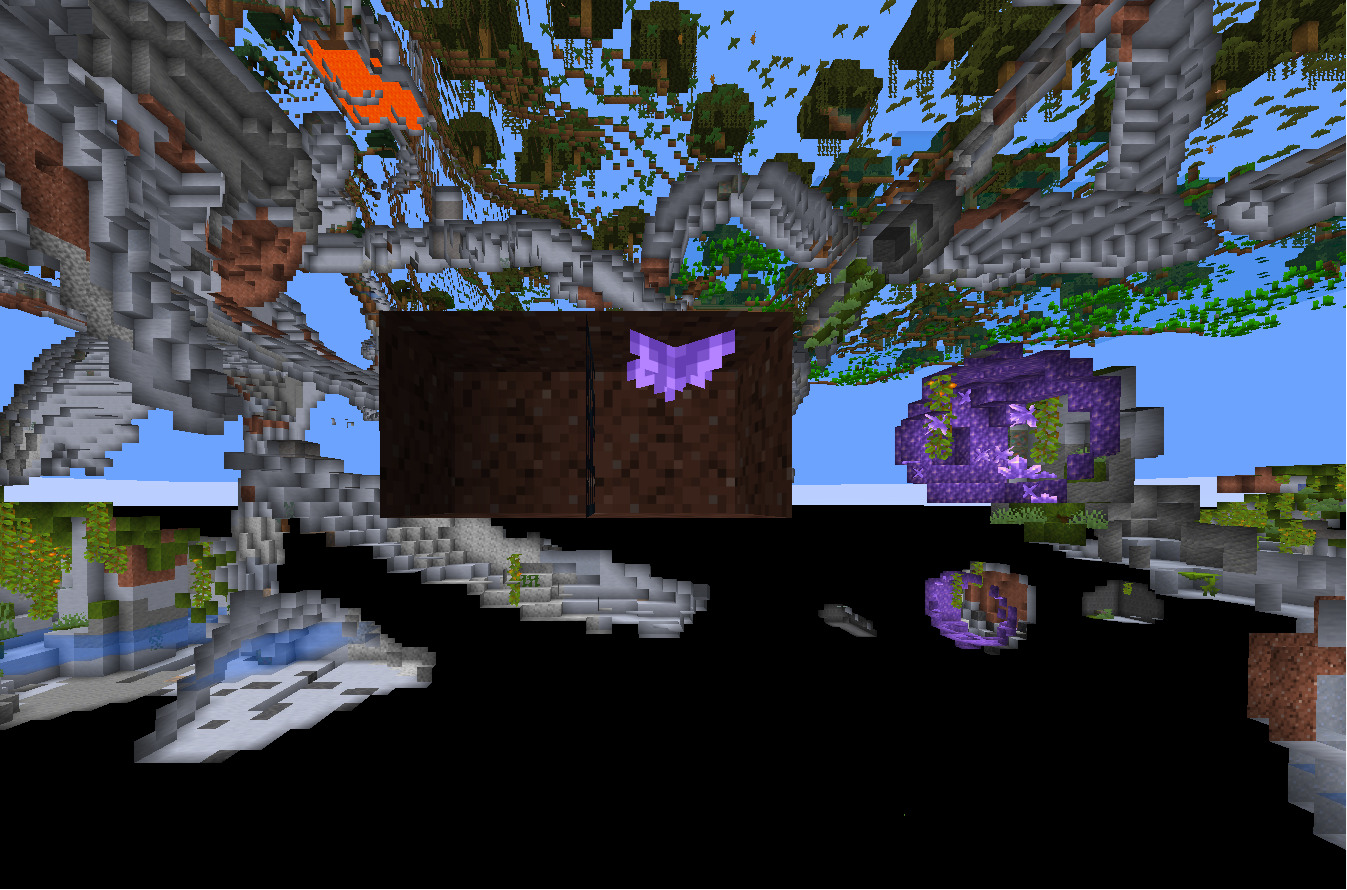
(如需 .schem 文件,请提交工单)
你可以创建无限数量的储物箱设计。
? 命令
/spawnstash <name>
生成指定的 schematic 文件。
/spawnstash undo
还原由上次生成的储物箱所更改的所有方块。
⚙️ 配置
SpawnStash 旨在易于配置。
你可以自定义插件的几乎所有方面,包括:
- 生成行为
- 消息内容
- Schematic 文件夹路径
- 权限设置
- 撤销系统
- 性能设置
无需复杂的设置步骤。
? 为什么选择 SpawnStash?
大多数储物箱插件仅提供基本功能。
SpawnStash 专为定制性和服务器性能而设计。
- 导入任意 schematic 文件
- 轻量且经过优化
- 快速的方块放置
- 可靠的撤销系统
- 清晰的配置结构
- 专为生产级服务器打造
- 定期更新
无论你是运行小型私人 SMP 还是大型公共网络,SpawnStash 都能以最小的努力为你提供创建激动人心的战利品事件所需的一切。
? 兼容性
SpawnStash 与现代基于 Paper 的服务器兼容,并支持 WorldEdit schematic (.schem) 文件。
推荐用于:
? 报告问题
发现 Bug 或有功能建议?
请在我的 Discord 中提交支持工单:
- 服务器版本
- SpawnStash 版本
- 控制台错误(如果有)
- 重现问题的步骤
这有助于我们尽快解决问题。
❓ 插件正常运行需要什么?
你只需要一个插件,没错,就一个。
- 插件链接:World Edit
- 下载与你服务器版本匹配的插件,并将其放入 Plugin 文件夹
- 重启服务器,即可生效
SpawnStash
The most advanced customizable stash plugin for Minecraft servers.
Spawn Stash allows you to spawn custom .schem files so you can spawn and ban esp hackes and x ray hackes with more Features comming soon!
? Features
- ? Spawn any stash with a simple command.
- ?️ Import unlimited
.schem files.
- ↩️ Instantly undo the last spawned stash.
- ⚡ Optimized for high-performance servers.
- ? Fully configurable.
- ? Supports unlimited stash designs.
- ?️ Safe and reliable block restoration.
? Installation
- Download the latest version of SpawnStash.
- Place the plugin inside your server's
plugins folder.
- Restart
- Configure the plugin if desired.
- Drop your
.schem files into the schematics folder.
- You're ready to spawn stashes.
? Using Custom Schematics
SpawnStash supports any WorldEdit-compatible schematic.
Simply place your .schem files inside:
plugins/SpawnStash/schematics/
Then spawn them with:
/spawnstash <name of your schematic .schem>
/spawnstash Spawner
/spawnstash Richbase
One of the stashes: (Spawner)

(make a support ticket for the .schem file)
There is no limit to the number of stash designs you can create.
? Commands
/spawnstash <name>
Spawns the specified schematic.
/spawnstash undo
Restores all blocks changed by the last spawned stash.
⚙️ Configuration
SpawnStash was built to be easy to configure.
Customize nearly every aspect of the plugin including:
- Spawn behavior
- Messages
- Schematic folder
- Permissions
- Undo system
- Performance settings
No complicated setup required.
? Why SpawnStash?
Most stash plugins only offer basic functionality.
SpawnStash was designed with customization and server performance in mind.
- Import any schematic
- Lightweight and optimized
- Fast block placement
- Reliable undo system
- Clean configuration
- Built for production servers
- Regular updates
Whether you're running a small private SMP or a large public network, SpawnStash provides everything you need to create exciting loot events with minimal effort.
? Compatibility
SpawnStash is compatible with modern Paper-based servers and supports WorldEdit schematic (.schem) files.
Recommended for:
? Reporting Issues
Found a bug or have a feature request?
Please make a support ticket in my discord:
- Server version
- SpawnStash version
- Console errors (if any)
- Steps to reproduce the issue
This helps us resolve problems as quickly as possible.
❓What do i need so the plugin works?
You just need one plugin yes one
- Link the the plugin: World Edit
- Download it in your version and drop it into the Plugin folder
- Restart your server and boom it works
评论 0
登录后参与评分
还没有评论,来抢沙发吧